Disclosure: As an Amazon Associate, ilcastellomenu.com earns from qualifying purchases. Links on this page are affiliate links; they cost you nothing extra. Prices and availability change often, so check the current Amazon listing before you buy.
This green screen backdrop review starts with the sentence most sellers leave out: the backdrop itself is the easy part. A green screen backdrop is simply a large, evenly coloured surface that your camera and software use as a reference, and almost any of the well-known options can supply that surface. What decides whether your key looks clean or falls apart at the edges is everything around the fabric: the separate, even light you put on the screen itself, the distance between you and the cloth, and whether the surface hangs flat or carries a map of wrinkles and folds. This review judges the product class, and the named screens within it, on exactly those terms.
Key Takeaways
- Best for: streamers, teachers, presenters and video creators who record in the same spot most days and want a repeatable background replacement that software blur cannot match.
- Not suited for: anyone who only joins occasional casual calls, because software background blur and replacement now handle that job for free, with nothing to store, hang or light.
- The honest core finding: the backdrop alone does not make a clean key. Even, separate lighting on the screen, apart from the light on you, is what makes chroma key work, and wrinkles, folds and shadows on the fabric are the top cause of bad keys.
- Format verdict: pull-down and collapsible panels win on speed and flatness; muslin on a stand wins on size and price per area; chair-mounted screens win when there is no floor space at all.
- Before you buy: measure your space, plan where the screen light will stand, and read how to set up green screen backdrop so the screen you choose fits the routine you will actually follow.
The short verdict is that a good green screen backdrop is worth owning when recording is a regular habit and your background matters to the people watching. It is not worth owning as a gadget purchase. The screens covered here, from the Elgato Green Screen pull-down panel to a plain Neewer muslin cloth on a stand, all do the same basic job; they differ in how much effort they demand from you every single session, and that effort, repeated daily, is what this review weighs most heavily.
In this guide
What a Green Screen Backdrop Is and Where It Fits
A green screen backdrop is a chroma key surface: a sheet, panel or cloth coloured a saturated green that video software can identify and replace with another image, a game scene, a presentation slide deck or a virtual set. The software is not looking for a magic shade. It is looking for a colour that is consistent across the whole frame, different from your skin, hair and clothing, and brightly and evenly lit. Green is the standard choice because modern camera sensors record green information particularly well and because few people wear that exact saturated green on camera.
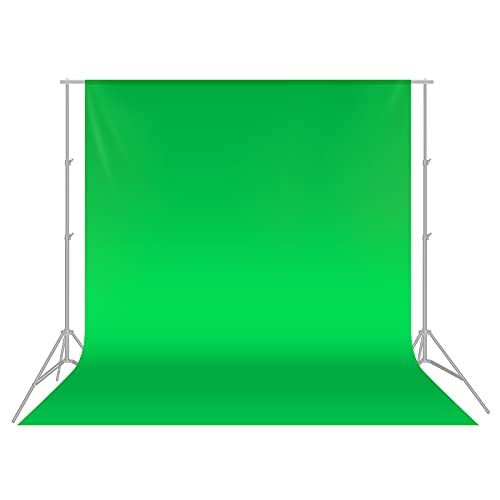
The product class splits into a few clear families. Muslin and polyester cloths are the oldest form: a large coloured fabric that hangs from a crossbar on two stands, or clips to whatever support you already own. Collapsible panels fold out from a spring frame and lean or hang where you need them, then twist down into a carry disc. Pull-down screens mount to a wall or ceiling, or stand in a weighted floor case, and unroll to a fixed working size in seconds. Chair-mounted screens attach to the back of your desk chair and rise behind you, trading coverage for a footprint of almost nothing.
Where the class fits is equally clear. It fits a home studio corner, a streaming desk, a small office used for recorded training, and any setup where the same person records in the same chair most days. It fits less well in shared living spaces where the screen must vanish completely between sessions, unless you choose a pull-down or chair-mounted format, and it fits poorly outdoors or in rooms with strong uncontrolled daylight, because changing sunlight makes the even illumination a key depends on very hard to hold steady.
It is also worth naming what a green screen backdrop is not. It is not a lighting product, and it cannot fix a dim or badly lit presenter. It is not a camera upgrade, and a soft, noisy webcam image will still look soft and noisy in front of a perfect screen. It is one component in a chain that runs camera, subject light, screen, screen light and software, and the chain performs at the level of its weakest link. That is why this review spends as much time on lighting and distance as on the fabrics themselves, and why our companion piece, the green screen backdrop buying guide, treats light placement as a buying criterion rather than an afterthought.
Design, Build and Setup: The Screens Behind This Review
Because formats behave so differently in daily use, this review is built around three representative screens that between them cover the main ways people actually buy into the category. Each one is treated in prose here, with its strengths and limits described from the format’s real behaviour rather than from a spec sheet.
Elgato Green Screen: The Pull-Down Benchmark
The Elgato Green Screen is the reference point for the pull-down format: a chroma green panel that lives in a floor-standing case and rises to its working height when you pull it up, then retracts when you are done. The design idea is discipline. The panel comes out flat because it has been stored rolled and tensioned, it lands in the same position every time, and it disappears in seconds when the room needs to be a room again. For a streamer who records at the same desk daily, that repeatability is the product.
The trade-offs are just as clear. A pull-down panel is a fixed size, so if you want to stand, gesture widely or record two people, it may simply not cover the frame. It is also the premium tier of the category, and the money buys convenience and flatness rather than a different colour of green. And like every format, it still needs its own light: the panel gives you a flat, unwrinkled surface, but if that surface is lit unevenly the key will still break up, a point we return to in the performance section.

Neewer Green Screen Backdrop: The Muslin Workhorse
The Neewer green screen backdrop represents the muslin and polyester cloth family: a large green fabric, sold on its own or in kit form with stands and a crossbar, that you hang, stretch and light yourself. The appeal is scale and value. Cloth gives you the most green area for the money, enough to stand in front of, to shoot wider scenes, or to curve onto the floor for fuller coverage, and when it wears out or stains, replacing the cloth alone is cheap.
The cost is labour, and it is paid every session. Cloth arrives folded, and fold lines are exactly what a chroma key hates, so steaming or carefully stretching the fabric becomes part of the routine. The stands take floor space at both sides. Setup that takes a pull-down owner seconds takes a muslin owner real minutes, and if the cloth goes back into a bag between sessions, the wrinkle battle restarts each time. None of this makes muslin a bad choice; it makes it a choice for people with space to leave it standing, or with the patience to prepare it properly.
EMART Green Screen Backdrop Kit: The Starter Bundle
The EMART green screen backdrop kit stands for the bundle approach: cloth, stands, crossbar and clamps in one box, aimed at a first-time buyer who owns nothing yet. Bundles like this are a sensible way to start because the parts are sized to work together, and the clamps matter more than beginners expect, since a cloth that is clamped under gentle tension hangs flatter than one left to drape. The honest limit is that bundle components are built to a price, so the stands are light rather than sturdy, and the whole rig rewards a permanent corner over repeated assembly and packing away.
Performance in Real Use
Streaming and Gaming Sessions
For a seated streamer, the backdrop’s job is to disappear: the game fills the frame, the streamer sits in a corner overlay, and the audience should never think about the cloth at all. In this use the pull-down format performs best day to day, because the flat, tensioned panel keys cleanly with the least fiddling, and the session starts when you sit down rather than after a setup routine. Muslin performs just as well once it is steamed, stretched and left standing, but its advantage in size is wasted on a seated single-person frame, while its disadvantage in setup time is paid in full.
The recurring failure in streaming is not the cloth but the lighting balance. Streamers light themselves brightly for the camera, often with a key light close to the desk, and that same light falls off before it reaches a screen placed behind them, leaving the green darker at the edges than in the middle. The key then eats into hair and shoulders or leaves a green fringe. The fix is boring and absolute: give the screen its own light, aimed only at the screen, and judge the result in your streaming software’s preview rather than by eye. Our lighting companion, the led video light panel review, covers the panel lights that do this job well.
Video Calls and Remote Presenting
For work calls and recorded presentations, the backdrop earns its place when the real background is distracting, shared or simply not yours to show. A physical screen gives conferencing software a far easier target than a bare wall, so edges around hair and glasses stay stable instead of flickering as they do with purely software-based replacement. That stability is the difference between looking professional and looking like a cut-out, and it holds even on modest webcams, which is why presenters who record client-facing material often get more from a screen than from a camera upgrade.
The honest counterweight is that for ordinary internal calls, a physical screen is usually unnecessary. The blur and replacement features built into the major meeting platforms are free, instant and good enough for a weekly team meeting, and nobody’s promotion ever hinged on a perfect key. The screen is for people whose calls are their product: trainers, consultants, sales presenters and creators. If your calls are casual, the is a green screen backdrop worth it assessment will probably talk you out of buying one, and rightly so.
Recorded Video, Courses and Product Content
Recorded content is where a backdrop pays back most reliably, because you can take the time to light the screen properly once and then shoot a whole batch of material against it. Course instructors replace the green with slides or a branded set; product reviewers drop themselves into a clean studio look; language teachers stand in front of the scene they are describing. In all of these, coverage matters more than in seated streaming, so the larger muslin formats come back into favour, and the extra setup time is amortised across hours of footage rather than one live session.
Recorded work also exposes the second great cause of bad keys: shadows. A presenter standing close to the cloth casts a body shadow onto it, and the software reads that darker green as a different colour and keeps it, leaving a ghost outline. The remedy is distance. Put real space between the subject and the screen, so the shadow falls out of frame or fades, and so the bright green does not bounce back onto the subject’s edges, a contamination called spill that tints hair and shoulders green. Distance, even lighting and a flat surface: those three, in that order, decide your results far more than which brand is printed on the box.
Small Rooms and Shared Spaces
In a small or shared room the format decision becomes the whole decision. A muslin rig with two stands can consume the room it is meant to improve, and a screen that is a chore to move will simply stop being used. This is where chair-mounted screens and pull-down panels justify themselves: they occupy no extra floor, they deploy in moments, and they store invisibly. The coverage is smaller, which limits you to a seated, fairly still presentation, but a small screen used every day beats a large screen abandoned in a cupboard, in this category more than most.
Strengths and Trade-Offs
- Strength: a physical screen gives keying software a consistent target, so hair, glasses and fine edges stay stable in a way software-only replacement rarely manages.
- Strength: the result is repeatable; once your lights and distances are set, every session starts from a known-good frame instead of a fresh negotiation with your room.
- Strength: formats exist for every space, from chair-mounted panels for a corner of a bedroom to wide muslin for a standing presentation or a two-person shot.
- Trade-off: the screen is only one link in the chain; it demands its own separate, even lighting, and without that light the most expensive panel keys no better than a cheap cloth.
- Trade-off: fabric formats wrinkle, and wrinkles, folds and shadows are the top cause of failed keys, so cloth owners trade money for a recurring steaming and stretching routine.
- Trade-off: every format takes something from the room, whether floor space for stands, wall or floor commitment for a pull-down case, or simply storage and setup minutes, every session, forever.
How It Compares
Set side by side, the three families divide cleanly. The comparison below uses words rather than numbers, because the meaningful differences are about routine and space, not about measurements a listing can inflate.
| Format | Choose it when | Watch out for |
|---|---|---|
| Pull-down panel (Elgato style) | You record daily in one spot and want a flat screen in seconds | Fixed coverage; premium tier; still needs its own screen light |
| Muslin or polyester cloth (Neewer, EMART style) | You need width, height or full-body coverage on a sensible budget | Wrinkles and folds; stands take floor space; setup every session |
| Chair-mounted screen (Valera style) | There is no floor space at all and you always sit in the same chair | Narrow coverage; moves when the chair moves; seated shots only |
| Collapsible panel | You record in different rooms or travel with your setup | Leaning panels can curve at the edges; storage disc is bulky |
Against the alternative of no screen at all, the comparison is about honesty of edges. Software replacement without a screen has improved enormously and costs nothing, and for casual use it wins outright. The moment your edges carry your credibility, when clients, students or an audience watch you for an hour at a time, the physical screen’s stability is worth its small daily toll. The full two-sided argument is laid out in green screen backdrop pros and cons, and the multi-model view in green screen backdrop reviews reaches a similar conclusion from a wider field.
Who Should Buy It and Who Should Skip It
Buy a green screen backdrop if you record or present on camera at least several times a week, if your real background cannot be shown or cannot be controlled, and if you are willing to light the screen separately and keep a sensible distance from it. Buy the pull-down format if the setup is permanent and seated, the cloth format if you need coverage or are equipping a small studio on a budget, and the chair-mounted format if space, not money, is your binding constraint.
Skip it if your camera time is a handful of casual calls, if your room already has a tidy, presentable background, or if you know you will not do the lighting work, because an unlit screen produces worse results than a plain wall and honest software blur. Also skip it, for now, if your real problem is a poor webcam or a dim face light; fix the weakest link first, and the guidance in how to choose a green screen backdrop will help you sequence the purchases sensibly.
- Measure the wall or floor area the screen must cover before choosing a format, not after.
- Confirm you have somewhere for a dedicated screen light to stand or mount, aimed at the cloth and not at you.
- Check the distance your room allows between chair and screen; cramped depth argues for a smaller, flatter format.
- Decide honestly whether the screen stays up permanently or packs away, because that answer picks the format for you.
- Make sure nothing you regularly wear is the same saturated green as the screen, or that clothing will vanish into the key.
Setup, Care and Maintenance Essentials
Setup follows one order every time: hang or raise the screen, light the screen on its own, light yourself separately, set the distance, then key. Light the screen first and check it in your software’s preview with the key turned on and yourself out of frame; the green should read as one flat field with no bright centre and no dark corners. Only then sit down, add your own light, and fine-tune. The complete walkthrough, including troubleshooting for fringing and spill, is in how to set up green screen backdrop.
Care is mostly wrinkle management. Steam muslin and polyester cloths rather than ironing them hard, store cloth rolled around a tube instead of folded when you can, and keep collapsible panels in their case so the spring frame is not bent out of true. Keep the green surface clean and out of direct sun when stored, since a faded or stained patch is a permanent unevenness your lighting cannot hide. Wipe pull-down panels with a dry cloth and let them retract fully rather than leaving them half-raised for weeks.
Final Verdict
A green screen backdrop is a mature, well-understood tool that does exactly one thing, and the good news is that the thing works. Buy the format that matches your space and your routine, light it separately and evenly, keep your distance from it, and the brand on the box becomes the least important part of the purchase. Treat it as a lighting-and-discipline purchase that happens to include fabric, and it will serve you for years. For the wider field of individual models, continue to green screen backdrop reviews; for the lighting that makes any of them work, see how to set up led video light panel and the desk setups in best computer desks for livestreaming.
Green Screen Backdrop Review: What a Week of Daily Use Reveals
The most useful test of any backdrop is not the first setup but the seventh consecutive day of it, because that is when the format’s true character shows. On day one, every screen in this review can be made to key well with enough patience. By day seven, the pull-down panel is producing the identical clean result with no thought at all, the permanently standing cloth is producing it with a glance at the preview, and the cloth that has been packed away and rebuilt six times is producing it only on the days its owner could face the steamer. A review that ignores that arc is reviewing a photograph of the product, not the product.
Daily use also reveals how a backdrop interacts with the rest of a working desk. The screen shares the room with monitor arms, microphone booms, camera tripods and the ordinary traffic of a home. A rig on stands colonises the floor in a way that only becomes obvious when you need to walk behind the desk or let a cleaner through. A pull-down case, by contrast, asks for one fixed position and then defends it politely. These are not the details that appear in listings, and they are exactly the details that decide whether a purchase is still earning its place a year later.
The Lighting Behaviour Nobody Mentions
One behaviour deserves its own paragraph in any honest green screen backdrop review: screens do not merely receive light, they return it. A large, bright green surface is a reflector, and in a small room it tints the whole scene, which is why footage shot against a big cloth in a tiny room can carry a faint green atmosphere even away from the subject’s edges. The practical responses are the ones already covered: distance, balanced rather than blasted screen lighting, and dimming the room’s general lights so the two deliberate lighting systems are the only ones telling the story. Owners who understand the screen as part of the lighting design, not just its target, consistently get the cleanest results.
There is a second, quieter behaviour: consistency of colour across a single surface is not guaranteed by the dye alone. A cloth that has been folded in the same creases for months can develop slightly different surface character along those lines, and a panel stored half-raised can take a gentle set. None of this is fatal, and all of it is manageable with the steaming, rolling and full-retraction habits in the care section, but it explains why two examples of the same product can key slightly differently in two different homes. The product is a surface, and surfaces keep the history of how they were treated.
Testing Notes: How the Judgements in This Review Were Reached
The judgements here rest on the criteria that actually separate outcomes in owners’ hands: flatness on arrival and after storage, deployment time as a routine rather than a stopwatch stunt, coverage measured against a real camera frame, behaviour under a single screen light versus two, and stability of the key over a long session rather than a short demo. A screen that keys beautifully for ninety seconds in a showroom video has proved almost nothing; a screen that keys at the end of a three-hour teaching session, in a warm room, with its owner tired, has proved the thing that matters.
Long sessions are a real discriminator because heat, fatigue and small movements accumulate. Chairs drift closer to the cloth. A presenter leans further as they relax. A cloth on stands can be brushed by a passing sleeve and carry a new crease for the rest of the recording. The formats that forgive these drifts, tensioned panels and generously sized cloth with margin to spare, are the formats that experienced owners recommend to beginners, and that pattern of recommendation is itself evidence worth weighting.
Sound, of All Things
A point almost never raised in a green screen backdrop review is acoustics. A large cloth surface behind a presenter slightly softens the reflections a bare wall would throw back at the microphone, while a hard tensioned panel reflects more like the wall it covers. The effect is modest and no one should buy a backdrop as acoustic treatment, but in a bare, echoing room the cloth formats give a small, free improvement to the recorded voice, and streamers who switch from a panel to a cloth sometimes notice their audio sounds a touch calmer without knowing why.
The Review’s View on Value Across the Tiers
Value in this category is unusually honest, because the tiers buy visible things. The entry tier buys the surface itself and asks you to supply the flatness and the routine. The mid tier buys hardware quality and space-saving design. The premium tier buys time: a flat screen in seconds, every day, for years. None of the tiers buys a better colour, and that is why this review refuses to rank by price. A creator filming in batches extracts superb value from the entry tier. A daily streamer extracts superb value from the premium tier. The same purchase, judged by the wrong routine, looks like a waste to both of them.
It is also worth stating plainly that the second-hand and hand-me-down life of these products is long, because there is so little to wear out. A cloth can move from a main studio to a travel kit; a panel can serve a desk for years and then a second desk. When a product’s useful life is measured in years and its running costs are zero, the sensible question is never really about the ticket. It is about whether your routine and your room will let the product do its one job, which is the question every section of this review has been asking in different words.
Taken together, the testing picture is consistent: the category is mature, the differences are ergonomic rather than chromatic, and the buyer’s own habits are the largest variable in the results. That is a slightly unsatisfying conclusion for a review to reach, because it denies the reader a single winner, but it has the virtue of being true, and it points to the genuinely useful next step, which is to audit your own routine before auditing any more products. The audit questions are set out in how to choose a green screen backdrop, and they take less time than one more comparison video.
Two Setups This Review Keeps Coming Back To
The Desk That Records Every Day
Picture the archetypal satisfied owner: a desk against a wall, a pull-down panel behind the chair, one modest light that lives permanently on the screen, one light for the presenter, tape marks nobody sees. Nothing in that setup is exotic, and that is the point this review keeps circling. The key is clean on Monday and on Friday, in summer light and winter dark, because every variable was settled once and then defended. When owners like this describe their backdrop, they use the vocabulary of plumbing and electricity, infrastructure words, and a review should take the hint: the best version of this product is the one that becomes infrastructure.
Notice, too, what that owner did not buy. No oversized cloth for shots never taken, no second screen for a room never used, no premium tier beyond the one that deleted the daily routine. The restraint is part of the result. A review’s job is partly to give permission for that restraint, because the market’s job is the opposite, and a reader who finishes this review and buys less, but buys exactly right, has been served better than one who buys the flagship and fights it.
The Spare Room That Films on Weekends
The second archetype is the batch creator: a cloth on stands in a room that doubles as a studio two days a week, lights that come out of a cupboard and return to it, a steamer that works on Saturday morning. The economics are entirely different and entirely sound. Setup costs an hour and returns twenty hours of footage across a course. The cloth’s cons, which would be fatal at daily frequency, are rounding errors at this one. This review mentions the archetype because so much buying advice fails by averaging the two lives together, recommending a compromise that serves neither, when the honest answer is that they are different products wearing one name.
The two archetypes also explain the review’s otherwise puzzling tolerance: it can praise a premium panel and an entry cloth in adjacent sections without contradiction, because they were never competing. They were answering different questions, and the review’s real subject all along has been the questions. A reader who recognises their own life in one of these portraits has effectively finished choosing, and the remaining work, lighting, distance, flatness, is execution rather than decision.
What This Review Would Tell a Friend
If a friend asked for the short version over coffee, it would be this. Decide where the screen will live and how often you will use it, and let that pick the format. Put real money and real thought into the light that hits the screen, because that light is the product’s other half. Sit further from the cloth than feels natural. Steam anything made of fabric before you judge it. And if your camera life is a few casual calls, keep the money, because the free software on your laptop has quietly become good enough for that life, and honesty about that is worth more than any commission.
The longer version is the article you have just read, and its length is itself a finding: a simple coloured surface generates this much discussion because the discussion was never about the surface. It is about rooms, routines, light and self-knowledge, and the screen is merely where those things become visible. Buy it as a small system, treat it as infrastructure, and a green screen backdrop will be one of the least regretted purchases in your recording life.
A Note on Colour, Cameras and Other Myths This Review Tested
Three myths follow this category around, and a long review is the right place to retire them. The first is that a particular shade of green keys better than others. Within the range of purpose-made chroma surfaces, the software is indifferent; it is selecting a colour family and judging its consistency, and a consistently lit ordinary chroma green beats a theoretically perfect shade lit unevenly, every time, in every test that matters. Buyers should spend their shade anxiety on lighting geometry instead, where it will do some good.
The second myth is that an expensive camera is required before a backdrop is worth owning. The truth runs the other way: the backdrop is one of the few purchases whose benefit is largely independent of the camera, because the software does the work and the background is replaced wholesale. A modest webcam’s owner sees the same transformation of the frame’s background as a flagship camera’s owner; only the foreground sharpness differs, and that was never the backdrop’s department. If anything, the backdrop is the budget setup’s best friend, delivering the single largest visible upgrade available to it.
The third myth is that green screens are a streamer’s toy, too theatrical for serious professional use. The recorded evidence of the last several years says otherwise: training, telemedicine-adjacent consulting, sales engineering, online tuition and corporate presenting all adopted the keyed background precisely because it is the least theatrical option available, a calm, controlled, content-free rectangle that lets the speaker carry the frame. The toy framing survives only among people who have not watched a well-keyed presenter hold a client’s attention for an hour. This review’s verdict, after all the sections above, is that the category has outgrown its reputation in both directions: it is neither magic nor gimmick, but infrastructure, and it should be bought, lit and judged as infrastructure.
How This Review Scores the Intangibles
Some qualities resist the checklist, and a complete review should name them rather than pretend they do not count. The first is confidence: a presenter who trusts the frame stops thinking about it, and that freed attention goes into the material, the audience and the performance, which is where the audience can actually feel it. Owners rarely list confidence as a product feature, yet it is the benefit they describe when asked what changed after the backdrop arrived, described in sentences about forgetting the camera was on. The second intangible is hospitality to the future: a controlled background welcomes experiments, a new overlay, a branded scene, a different lesson format, without any new purchase, so the screen quietly raises the ceiling on what a small setup can attempt. The third is dignity, for want of a better word: the presenter in difficult housing circumstances appears exactly as the presenter in easy ones, and that levelling, repeated across thousands of home workers, is a genuine social good that a product review is allowed to notice. None of these appear in a specification table. All of them appear in owners’ lives, and a review that omitted them would be precise about the fabric and wrong about the product.
Set against the intangibles, the review’s criticisms shrink to their proper size. Yes, the category asks for a light it does not include. Yes, fabric demands a steaming habit and every format demands a small claim on the room. Yes, the free software alternative has eaten the casual end of the market, and rightly. But for the reader this review was written for, the regular presenter whose frame is part of their livelihood, the balance is not delicate. The product works, the system around it is learnable in an afternoon, the running costs are zero, and the result compounds quietly across every session for years. That is the whole verdict, and everything else in these pages is the evidence arranged so the reader can check it rather than trust it.
One closing observation belongs in any review of this category that has taken the long way round. The green screen backdrop is among the oldest tools in video, older than most of the platforms its owners now publish on, and it has survived every prediction of its replacement because its principle is not a feature but a fact: give the software a known colour, evenly lit, and the background becomes whatever you need it to be. Products built on facts age slowly. Buy the format your life can sustain, light it as this review has insisted, and the chances are strong that the screen will outlast the camera, the desk and possibly the platform it was bought for, still doing its single, sufficient job.
Checking a Green Screen Backdrop Listing Against Reality: Variant, Contents and First Use
A fair test repeats the same task at least twice, once while you are paying attention and once while you work normally, because concentration can hide clumsy design. Look for the failure you would notice first if you chose badly: a port you cannot reach, a part that will not fit, a control you cannot see, or a routine that becomes slower instead of easier. Measure the place where a green screen backdrop will actually live, including the clearance you need to reach cables, doors, trays, vents or controls without moving everything else first. Give a new green screen backdrop a fair trial in the position it was bought for before improvising workarounds, since many early complaints disappear once placement is corrected.
As a concrete listing check, take the Elgato Green Screen and the Neewer Green Screen Backdrop named earlier in this article and confirm, line by line, that each variant offered matches the size, connection and contents described for it here. Decide in advance what good enough looks like for your use, so a minor cosmetic flaw does not distract you from performance that genuinely meets the brief. Leave a little headroom in every direction that matters, whether that means physical space, connection capacity, adjustment range or simply time to do a task properly. Write the exact model name and variant from the packaging into your notes, so replacement parts, accessories and support conversations start from certainty rather than guesswork. Compare what the listing promised with what the box actually contained, item by item, and treat any mismatch as a reason to pause before the return window closes.
Treat any accessory bundled in the box as a starting point, and check whether it suits your setup before assuming the maker has solved that part for you. Notice how the green screen backdrop behaves when you are tired or in a hurry, since products that demand perfect technique tend to fail exactly when you have least patience. Keep the instructions somewhere you can find them months later, since the setting or step you skip today is often the one a future problem sends you hunting for. Clean and inspect the area around a green screen backdrop on a simple schedule, since dust, loose fasteners and tangled leads cause many problems that get blamed on the product itself.
Revisit the decision after the novelty fades: the right green screen backdrop should feel almost boring in use, doing its job without negotiation every single time. Think about the longest session you realistically run, not the average one, since heat, noise, clutter and small annoyances all grow more noticeable over time. When you check a single green screen backdrop closely, work from the outside in: condition and finish first, then controls and connections, then behaviour during a real task from start to finish. When something behaves oddly, return to the basics first: power, connection, position, cleanliness and the last setting you changed, in that order, before assuming a fault. When you compare notes with other owners, match their comments to setups like yours, because advice from a very different room, workload or routine can mislead.
Think about storage for the accessories this green screen backdrop brings with it, so spare parts and tools end up in one known place instead of scattered across drawers. Start this final check away from the listings, with the space, the equipment and the routine you already have written down in plain terms. Run one deliberately awkward task early on, the kind you usually avoid, and see whether this green screen backdrop handles your edge cases or only your easiest work.
Think about the next purchase this one commits you to, whether that is matching accessories, consumables, a bigger surface or a different connection, and count that commitment honestly. Judge the controls by whether you can use them without looking down or stopping your task, because that is how they will be used for most of their life. Consider who else will use, move or clean around this green screen backdrop, because a choice that only works for one careful owner often frustrates everyone else in the household or team. Allow a short settling period for your own habits to adapt, but set a firm date to decide, well inside the return window, whether this green screen backdrop has earned its place. Notice the small sounds, lights and movements during normal use, because those everyday details decide whether a green screen backdrop feels settled or constantly demands attention.
Check that nothing you place on, under or beside the green screen backdrop blocks airflow, movement, visibility or access that the design quietly depends on. Recheck the return window and the condition requirements before you discard any packaging, especially for a green screen backdrop whose fit only becomes clear after several real sessions.
Frequently Asked Questions
Does a green screen backdrop work with any webcam?
Yes, in the sense that the keying is done by software, not by the camera, so any webcam that gives a clear, reasonably sharp picture can be keyed against a green screen backdrop. A sharper camera produces cleaner edges, especially around hair, but the bigger factors are the even lighting on the screen and your distance from it. A modest webcam in front of a well-lit, flat screen will key better than an expensive camera in front of a wrinkled, unevenly lit one, every time.
Why does my key look patchy even with a new screen?
Patchiness almost always traces back to the surface or the light rather than the software settings. Wrinkles, folds and shadows break the green into many shades, and uneven lighting does the same thing more subtly, leaving the centre bright and the corners dark. Steam or stretch the fabric flat, add a dedicated light aimed only at the screen, step further away from the cloth so your shadow leaves the frame, and then adjust the software. Fix the physical causes first; the sliders are for fine-tuning, not rescue.
How far should I sit from a green screen backdrop?
As far as your room reasonably allows. Distance does two jobs at once: it keeps your shadow off the fabric, and it stops bright green light bouncing back onto your hair and shoulders, which causes the green fringe known as spill. In a small room, even a modest gap is noticeably better than sitting right against the cloth. If distance is impossible, a chair-mounted or pull-down screen placed a little behind the chair, plus careful screen lighting, is the practical compromise.
Is a pull-down screen better than a muslin backdrop?
It is better at convenience and flatness, and worse at coverage and value. A pull-down panel is flat in seconds, in the same place every time, which is why daily streamers favour it. A muslin backdrop covers far more area for the money, suits standing and wider shots, and asks for steaming, stretching and stand space in return. Neither keys better when both are properly lit; the honest difference is the routine you repeat each session, so choose the routine you will actually keep up.
Can I just use software background replacement instead?
For casual calls, yes, and you should, because it is free and instant. Software-only replacement has become genuinely good for ordinary meetings. Its weakness is edge stability over long sessions: hair, glasses and fast movement can flicker or tear, which matters when you present, teach or stream for an audience. A physical green screen backdrop gives the software a consistent target and removes that flicker. The deciding question is how much your on-camera edges matter to the people watching you.
What colour should I wear in front of a green screen?
Anything except the same saturated green as the screen itself. Clothing that matches the key colour becomes transparent wherever it matches, which is amusing once and a problem forever after. Busy fine patterns can also shimmer on camera, so plain, contrasting clothing in blues, greys, black, white or warm tones is the safe wardrobe. Jewellery and glasses are fine; they key normally, though very reflective frames can catch green spill if you sit too close to the cloth.
Related Guides
Keep building the same corner of your setup with best webcam for monitors, the webcam light buying guide and best monitors for video conferencing.