Disclosure: As an Amazon Associate, ilcastellomenu.com earns from qualifying purchases. Links on this page are affiliate links; they cost you nothing extra. Prices and availability change often, so check the current Amazon listing before you buy.
These barcode scanner reviews take a different approach from a single deep review: instead of one scanner examined for pages, we line up the main model families a small business actually chooses between, explain what each is genuinely good and bad at, and match them to the counters, stockrooms and stalls they serve. A barcode scanner succeeds or fails in context. The same wireless handheld that transforms a stocktake can be an over-complicated till tool, and the presentation unit that flies through a grocery queue is dead weight at a market stall. Read the family profiles below against your own busiest hour and the right choice usually names itself.
Key Takeaways
- Judge every model on first-pass reads of your worst real codes, not the demo label.
- Imagers cover QR codes and screens; laser and linear readers cover 1D barcodes only.
- Household names like Zebra and Honeywell anchor the mid and premium tiers; NADAMOO, ScanAvenger and NETUM anchor the entry tier.
- Wireless freedom is worth its charging chores only where the scanning point moves.
- Keep an inexpensive corded backup whatever flagship you choose.
In this guide
Barcode Scanner Reviews: The Models, Family by Family
Start with the codes themselves, because everything else follows from them. A one-dimensional barcode is a row of bars and spaces: the familiar lines on groceries, books and shipping cartons. A two-dimensional code packs information into a grid or pattern instead, which is how a QR code can hold a web address, a payment link or a long serial string in a small square. DataMatrix codes, common on electronics and medical items, work the same way in miniature. The trade-off is absolute: a basic laser or linear scanner reads the one-dimensional family well, but a two-dimensional code needs an imager, a camera-based engine that photographs the code and decodes the picture. Match the engine to the codes you actually meet.
For a small business buying its first scanner, the category can look more complicated than the decision really is. The honest shortlist of questions is short. What codes will you scan: product barcodes only, or also QR codes and screens? Where will you scan: one fixed till, or around a shop and stockroom? What will receive the scans: a POS system, a tablet, or a computer with inventory software? Answer those three and the category narrows to a handful of sensible models at a tier you can justify. Everything else, the badges and the bundle extras, is secondary to those three answers being right.

Zebra DS2208
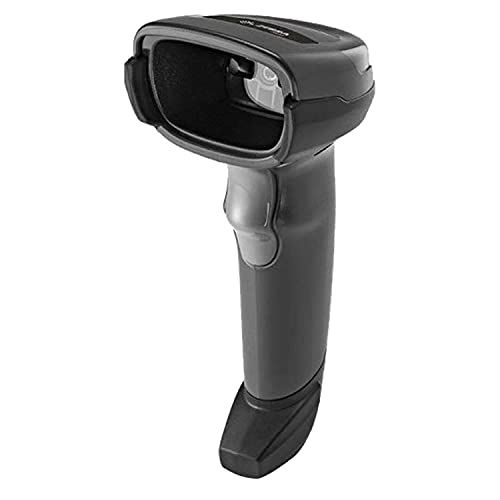
The Zebra DS2208 is a corded two-dimensional imager from Zebra’s long-running retail line, positioned in the mid tier. In prose terms, without any verified listing data attached to this draft, its natural home is retail counters that want one scanner for product barcodes, QR codes and phone screens without moving to wireless. Judge it the way this guide judges every model: does its engine match your codes, does its form match your counter or your rounds, and does it present itself to your software as the kind of input your software happily accepts? A model that answers yes three times is a good buy at its tier; a famous name that answers no to the first question is not.
Best for: retail counters that want one scanner for product barcodes, QR codes and phone screens without moving to wireless. Not suited for: buyers whose codes, software or environment contradict that home ground, or who need a capability this model’s family does not claim.
A corded scanner is the simplest machine in this category, and simplicity is a genuine feature. It draws power from the same USB connection that carries its data, so there is no battery to charge, no pairing to lose and no cradle to knock off a counter. At a fixed till or packing bench that never moves, corded is often the rational default, and entry-tier corded models are where the category’s value concentrates. The limits are physical: the cable sets your working radius, cables snag and eventually fray, and a corded scanner cannot ride along to a stockroom shelf, a delivery van or a market stall. Choose corded when the work comes to the scanner, and wireless when the scanner must go to the work.

Honeywell Voyager
The Honeywell Voyager is Honeywell’s Voyager family, a retail name with decades of counter history, spanning laser heritage models and modern imager versions in the mid tier. In prose terms, without any verified listing data attached to this draft, its natural home is established tills and grocery-style counters where presentation-style, hands-busy scanning is the daily pattern. Judge it the way this guide judges every model: does its engine match your codes, does its form match your counter or your rounds, and does it present itself to your software as the kind of input your software happily accepts? A model that answers yes three times is a good buy at its tier; a famous name that answers no to the first question is not.
Best for: established tills and grocery-style counters where presentation-style, hands-busy scanning is the daily pattern. Not suited for: buyers whose codes, software or environment contradict that home ground, or who need a capability this model’s family does not claim.
Presentation scanning deserves its own moment because it changes the shape of a till. Instead of picking up a scanner for every item, the operator passes items across a fixed scan zone with both hands, which is faster, less tiring and kinder to awkward, heavy or fragile goods. Countertop presentation imagers also read phone screens gracefully, since the customer simply holds the screen over the window. The trade-offs are counter space, a fixed position that cannot wander to a shelf, and a tier above basic handhelds. Shops with a genuine queue problem often find a presentation unit plus one handheld for oversized items beats two handhelds, even though the arithmetic looks similar on paper.
NADAMOO Wireless Barcode Scanner
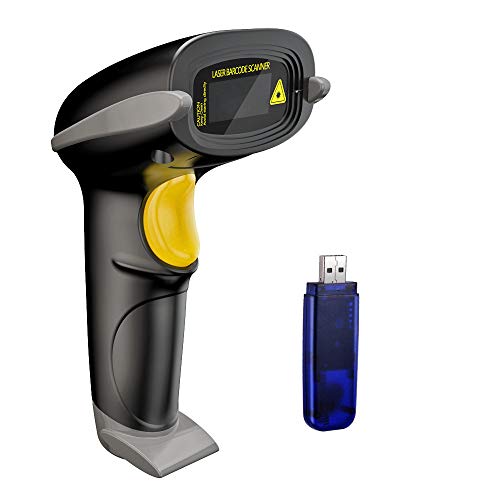
The NADAMOO Wireless Barcode Scanner is a wireless handheld from NADAMOO in the entry tier, sold in the kind of receiver-and-handset bundle small businesses start with. In prose terms, without any verified listing data attached to this draft, its natural home is stockrooms, small warehouses and market traders who need to move while they scan and want a gentle entry tier. Judge it the way this guide judges every model: does its engine match your codes, does its form match your counter or your rounds, and does it present itself to your software as the kind of input your software happily accepts? A model that answers yes three times is a good buy at its tier; a famous name that answers no to the first question is not.
Best for: stockrooms, small warehouses and market traders who need to move while they scan and want a gentle entry tier. Not suited for: buyers whose codes, software or environment contradict that home ground, or who need a capability this model’s family does not claim.
Wireless scanners trade that simplicity for freedom, and the freedom is real the moment a queue, a pallet or a storeroom shelf enters the picture. Bluetooth models pair with phones, tablets and computers, which suits mobile point-of-sale and market trading. Models with a USB receiver suit a fixed computer that lacks Bluetooth or where pairing several devices would cause confusion. Many wireless scanners also store scans in memory when they wander out of range and upload them later, which turns a stocktake into a walk rather than a tethered shuffle. The costs are charging discipline, the small risk of a lost receiver, and one more battery in the building whose health decides whether the tool works on a busy morning.

ScanAvenger
The ScanAvenger is ScanAvenger’s wireless handhelds, an entry-to-mid tier family built around simple pairing with phones, tablets and computers. In prose terms, without any verified listing data attached to this draft, its natural home is mobile sellers, pop-ups and small shops that scan into a tablet or phone-based till. Judge it the way this guide judges every model: does its engine match your codes, does its form match your counter or your rounds, and does it present itself to your software as the kind of input your software happily accepts? A model that answers yes three times is a good buy at its tier; a famous name that answers no to the first question is not.
Best for: mobile sellers, pop-ups and small shops that scan into a tablet or phone-based till. Not suited for: buyers whose codes, software or environment contradict that home ground, or who need a capability this model’s family does not claim.
Compatibility with your point-of-sale or inventory software matters more than any single hardware feature, and it should be checked qualitatively before money moves. Most modern scanners present themselves to a computer as a keyboard: the scanned code arrives as typed characters followed by Enter, which means they work with almost any software that accepts typed input, from a full POS platform to a spreadsheet. That keyboard-wedge behaviour is why a scanner can feel plug-and-play in one shop and awkward in another where the software expects a specific prefix, suffix or data format. Sensible buying means confirming that your POS or inventory app accepts standard USB or Bluetooth scanner input, and that the scanner’s configuration options can add the prefixes or line endings your software expects.

NETUM Barcode Scanner
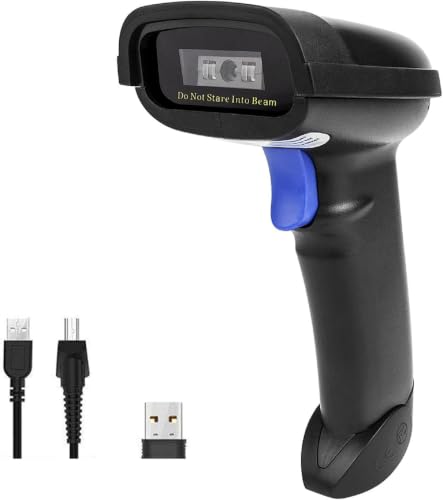
The NETUM Barcode Scanner is NETUM’s broad family of entry-tier corded and wireless handhelds, the kind of scanners that fill small-business drawers as first units and backups. In prose terms, without any verified listing data attached to this draft, its natural home is first-time buyers, backup drawers and light inventory work where tier matters more than refinement. Judge it the way this guide judges every model: does its engine match your codes, does its form match your counter or your rounds, and does it present itself to your software as the kind of input your software happily accepts? A model that answers yes three times is a good buy at its tier; a famous name that answers no to the first question is not.
Best for: first-time buyers, backup drawers and light inventory work where tier matters more than refinement. Not suited for: buyers whose codes, software or environment contradict that home ground, or who need a capability this model’s family does not claim.
Durability splits this category along honest lines. Retail scanners are built for counters: occasional drops onto hard floors, dust from a shop environment, and thousands of trigger pulls. Warehouse and industrial models add sealing against dust and moisture and are tested against repeated drops onto concrete, because a scanner that dies mid-pick costs more than the price difference ever saved. The qualitative rule is to buy for the roughest day the scanner will actually see. A scanner that lives on a boutique counter does not need industrial sealing, and paying for it buys nothing; a scanner that rides a forklift route or a loading dock absolutely does, and saving money there is false economy.
Zebra DS2278
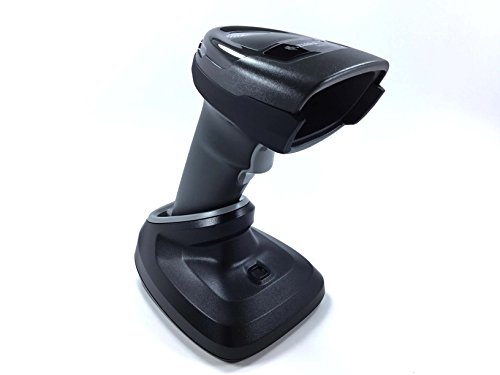
The Zebra DS2278 is the cordless companion in Zebra’s retail imager line, a mid-to-premium tier wireless imager with a counter cradle. In prose terms, without any verified listing data attached to this draft, its natural home is busy counters that want imager versatility with the scanner free to leave the till for bulky items and queue-busting. Judge it the way this guide judges every model: does its engine match your codes, does its form match your counter or your rounds, and does it present itself to your software as the kind of input your software happily accepts? A model that answers yes three times is a good buy at its tier; a famous name that answers no to the first question is not.
Best for: busy counters that want imager versatility with the scanner free to leave the till for bulky items and queue-busting. Not suited for: buyers whose codes, software or environment contradict that home ground, or who need a capability this model’s family does not claim.
Battery behaviour is the quiet specification that governs wireless ownership. A scanner used for a full trading day needs either a battery that comfortably outlasts the shift or a charging routine so automatic that nobody has to remember it, which is what a cradle on the counter provides: the scanner lives in the cradle, charges whenever it is parked, and is always ready. Handhelds charged by cable demand a habit, and habits fail on busy weeks. Ask how the scanner behaves as the battery fades, whether it warns early, and whether it can keep working while plugged in, because a scanner that can fall back to corded operation during a flat-battery emergency is worth more than a slightly longer headline battery life.
How the Families Compare
| Model family | Form | Tier in words | Strongest setting |
|---|---|---|---|
| Zebra DS2208 | Corded imager | Mid | Fixed counters wanting full code coverage |
| Honeywell Voyager | Counter and presentation | Mid | Established tills, grocery-style lanes |
| NADAMOO wireless | Wireless handheld | Entry | Stockrooms and small warehouses |
| ScanAvenger | Wireless handheld | Entry to mid | Tablet tills, pop-ups, mobile sellers |
| NETUM | Corded and wireless handhelds | Entry | First scanners and backup drawers |
| Zebra DS2278 | Wireless imager with cradle | Mid to premium | Busy counters that also scan away from the till |
Scanning speed in real life is less about the engine’s theoretical rate and more about first-pass success. A scanner that reads the code the first time, every time, at whatever angle the product happens to be held, moves a queue faster than a nominally quicker scanner that makes staff re-present items, flatten labels or type codes by hand. Motion tolerance matters here: the ability to read a code while it is moving, as on a conveyor or a hurried hand sweep at a till. When you test a scanner, test it the way your busiest hour behaves, quickly and a little carelessly, because that is the performance you are actually buying.
An imager changes what a scanner can do in ways that compound quietly. Because it captures an image, it reads codes from phone and tablet screens, which is how loyalty codes, digital coupons, event tickets and wallet passes get scanned at a till. It reads damaged, faded, wrinkled and poorly printed codes more forgivingly than a laser line that needs a clean sweep across intact bars. It also reads in any orientation, so staff stop rotating products to line the bars up. The honest trade-offs are that imagers sit in the mid and premium tiers more often than basic laser models, and that very long-range reading of small codes across a warehouse aisle remains the territory of specialised long-range engines rather than general-purpose imagers.
Eye safety deserves a plain statement before any talk of speed. Laser scanners project a real laser beam, and even though retail and warehouse models are built to low-power laser classes intended for ordinary workplace use, the safe habit is absolute: never stare into the beam, and never point a scanner at anyone’s eyes or face, your own included. Treat the scan window the way you would treat any light source you would not aim at a person. Where staff work face to face with customers, where children are present, or where a workplace simply prefers to remove the question, an LED-based imager is the calmer choice, because it lights the code with ordinary visible light and a camera rather than a laser line.
Performance Themes Across Every Review
First-Pass Reads Beat Headline Speed
The codes themselves are half the system, and neglected labels defeat good scanners. A code printed too small for its reading distance, rendered in low contrast, wrapped around a tight curve or placed under glossy film that reflects the light will frustrate any engine. Quiet zones, the blank margins around a code, matter more than most people expect: crowd a barcode against text or a label edge and reads become unreliable. If scanning feels unreliable after a change of scanner, print one known-good test label at a sensible size with clean margins and test again before blaming the hardware. Many scanning problems are printing problems wearing a disguise.
Software Fit Decides Daily Happiness
Compatibility with your point-of-sale or inventory software matters more than any single hardware feature, and it should be checked qualitatively before money moves. Most modern scanners present themselves to a computer as a keyboard: the scanned code arrives as typed characters followed by Enter, which means they work with almost any software that accepts typed input, from a full POS platform to a spreadsheet. That keyboard-wedge behaviour is why a scanner can feel plug-and-play in one shop and awkward in another where the software expects a specific prefix, suffix or data format. Sensible buying means confirming that your POS or inventory app accepts standard USB or Bluetooth scanner input, and that the scanner’s configuration options can add the prefixes or line endings your software expects.
Some workflows scan more than a product code. Receiving work may need the product barcode, then a serial number, then a batch or expiry code from the same carton, and better scanners can be configured to handle sequences, reorder fields or transmit only the parts your software wants. Even without advanced data formatting, a simple habit helps: decide the scan order for each task and keep it identical every time, because software that receives fields in a consistent order can be set up once and trusted. If your receiving or asset work involves several codes per item, put data-handling questions on your shortlist early, since they separate basic models from configurable ones more sharply than scan speed does.
Comfort Is a Throughput Feature
Ergonomics decides whether a scanner is loved or quietly avoided by the people who use it all day. A pistol-grip handheld suits deliberate, aimed scanning at a counter or bench. A lighter, straighter handheld suits mixed work where the scanner is picked up and put down constantly. Presentation scanners sit on or under the counter and read codes passed in front of them, freeing both hands for bagging and handling goods, which is why busy grocery-style tills use them. Weight, trigger feel and the balance of the handle sound like small things until a Saturday rush turns them into the difference between a tool that disappears into the work and one that aches by lunchtime.
Good-read confirmation is the scanner’s half of the conversation with its operator, and it deserves more attention than it gets. The beep is standard, but volume and tone matter in a quiet boutique versus a loud warehouse, and the best setups add a visual signal, a flash or a projected indicator on the code itself, so the operator’s eyes confirm what their ears might miss. Some models vibrate, which settles the question in noisy aisles and in silent reading rooms alike. A scanner whose confirmation you trust gets waved at the next item instantly; one you doubt gets a hesitation and a glance at the screen on every scan, and that hesitation, multiplied by a day of scanning, is real time.
Strengths and Trade-Offs of the Current Field
Strengths
- Every tier now offers a genuine imager, so QR and screen reading no longer demand a premium badge.
- Entry-tier wireless has matured into a sensible stockroom tool rather than a gamble.
- Configuration by printed setup codes keeps most models independent of proprietary software.
Trade-offs
- Entry models forgive less on damaged codes and carry simpler housings and support.
- Premium tiers buy durability, decode tolerance and service, which light users may never feel.
- Wireless convenience always bills you in charging routine; there is no free version.
For the single-model deep dive that complements these barcode scanner reviews, read our barcode scanner review; for the criteria behind the judgements, see the barcode scanner buying guide.
Who Each Tier Suits
At a retail till, the scanner’s job is to be invisible. Customers remember the queue, not the equipment, and a scanner earns its place by never being the reason the queue stops. That means instant wake from standby, a clear good-read beep that staff can hear without it irritating customers, and reading the awkward codes real baskets contain: crumpled multipack film, cold bottles with condensation, tiny codes on jewellery and cosmetics, and a phone screen held up with a loyalty code on it. That last one is decisive for many shops now: only an imager reads screens, so a laser-only till scanner increasingly meets codes it physically cannot read.
Warehouse work stretches scanners differently. Volume is higher, codes are dirtier, gloves are common, and the cost of a mis-scan is a wrong shipment rather than a beep and a retry. Larger triggers that work with gloves, louder or vibrating confirmation for noisy aisles, and housings that shrug off drops onto concrete all matter more than countertop elegance. Scanning distance stretches too, from carton labels at arm’s length to rack labels overhead. Many warehouses run two classes of scanner side by side, general handhelds for picking and longer-range models for rack work, rather than forcing one model to be mediocre at both jobs.
Events and pop-ups add their own twists: tickets and passes arrive as QR codes on screens and paper, light ranges from marquees to evening gloom, and the team may be volunteers using the equipment for the first time. Imagers are the only sensible engine here, and simplicity outranks configurability, because a scanner that a new volunteer can use correctly in thirty seconds beats a powerful one with modes to misunderstand. Battery discipline matters doubly when the venue has three sockets for twenty devices, and a corded fallback or a charged spare turns a potential gate problem into a shrug. Test at the venue, in its real light, with a real ticket on a dimmed phone screen.
Setup, Care and Maintenance Essentials
First setup is shorter than most buyers fear, and it rewards ten unhurried minutes. Connect or pair the scanner, open a plain text document, and scan a few known codes to confirm the characters arrive correctly and in full. Then scan the configuration codes in the manual that set the basics your workflow needs: the keyboard language layout if your codes come out garbled, any prefix or suffix your software expects, and the beep and indicator behaviour your environment prefers. Test with your worst real codes, not the clean sample in the box: a faded label, a curved bottle, a code behind plastic film. A scanner configured and tested on day one rarely surprises you on day thirty.
Care is minimal but not zero. The scan window is the scanner’s eye: keep it clean with a soft, dry or lightly dampened cloth, and never with abrasive cleaners that cloud the surface and slowly strangle reading performance. Keep cables un-kinked and strain-relieved where they leave the handle, because cable fatigue at that joint is the classic corded-scanner death. Charge wireless models in their cradle rather than letting them live flat in a drawer, and wipe down shared scanners between shifts in food or healthcare-adjacent settings, following the manufacturer’s guidance on which cleaning agents the housing tolerates. Five unglamorous minutes a month is the whole programme.
When a scanner misbehaves, work from the code outward. First, try a known-good code: if that reads, the scanner is fine and the problem label is the story. Second, check the obvious physical layer: window clean, cable seated, battery charged, receiver plugged into the port you think it is. Third, consider configuration drift: scanners are programmed by scanning special codes, and a well-meaning experiment or a borrowed unit’s settings can add prefixes, change modes or disable the symbology you need; a factory-reset configuration code from the manual cures most haunted scanners. Fourth, test into a plain text document to separate scanner problems from software problems. That order resolves the great majority of faults without any support call.
Final Verdict
There is no single winner in these barcode scanner reviews, and any roundup that crowns one is selling something. There is a right scanner per context: the corded Zebra imager for the fixed counter that wants everything read, the Voyager family where presentation habits rule, the NADAMOO and NETUM handhelds where tier and mobility lead, ScanAvenger where a tablet is the till, and the cordless Zebra where a busy counter needs a scanner that can also walk. Match the family to your busiest hour, verify your software fit, and keep a cheap corded spare. The remaining questions are answered in the worth-it analysis and the pros and cons page.
Going Deeper: Field Notes That Change Buying Decisions
Food businesses scan in the least forgiving conditions outside a warehouse: flour dust, steam, wet hands, cold rooms and delivery crates stacked in a doorway. Ingredient and case codes are one-dimensional, but loyalty and payment codes at the counter are two-dimensional and on screens, so many cafés and food retailers end up imager-equipped by necessity. Sealing against moisture, a housing that wipes clean, and a scanner that reads a condensation-fogged bottle without a dance are the practical tests. A cradle that keeps the scanner off food-preparation surfaces is a small hygiene point with daily value, and a tether or lanyard stops the scanner migrating into a crate and out with the empties.
Trigger modes sound like a footnote and behave like a feature you use hourly. Manual trigger mode reads only when the button is pressed, which suits deliberate item-by-item work. Presentation or auto-sense mode wakes and reads when a code appears in front of the scanner, which suits hands-free stands and counters. Continuous mode reads everything in view, useful in some inventory sweeps and chaotic everywhere else. A scanner that offers a stand plus auto-sense can live two lives: handheld during a stocktake, hands-free at the till during a rush. When comparing models, check which modes exist and how you switch between them, because a mode buried behind configuration codes you have lost is a mode you do not have.
The comparison everyone makes is with a phone, so it deserves a fair hearing. A phone camera with a scanning app costs nothing extra, handles QR codes naturally, and is genuinely adequate for a handful of scans a day: checking a price, cataloguing a shelf at home, a market stall’s first week. It loses on everything volume exposes. Focusing takes time, especially in poor light or on glossy packaging; there is no trigger, no stand, no rugged housing, and the battery is also your phone’s battery. A dedicated scanner reads in a fraction of the time, thousands of times a day, and survives the drop onto the stockroom floor. The crossover point arrives quickly once scanning becomes a job rather than an errand.
Two trends are reshaping this category from below. The first is the spread of two-dimensional codes into ordinary retail: loyalty, payments, product information and recall notices increasingly ride in QR codes, which steadily converts the imager from a premium choice into the default one. The second is the phone in everyone’s pocket, whose camera and apps can scan adequately for occasional work, which honestly covers very light use and sets a floor under the category: a dedicated scanner must justify itself with speed, durability and first-pass reliability, and at any real volume it does so easily. Buying an imager today is partly buying insurance against the codes your suppliers will print tomorrow.
Working range means two different things, and confusing them wastes money. Scan range is how far from a code the scanner can read it: a counter scanner reads at arm’s length, while long-range warehouse engines read rack labels from a forklift. Wireless range is how far the scanner can wander from its receiver or paired device before it must store scans or stop. Most shops need neither extreme. What they need is reliable reading at natural working distance, on their actual label sizes, under their actual lighting. A bigger code can be read from farther away, which is why warehouse rack labels are printed large; matching label size to distance is often a cheaper fix than buying a longer-range scanner.
The true cost of a scanner is wider than its shelf tier, though none of it needs inventing numbers to understand. There is the scanner itself, then the accessories the workflow quietly requires: a stand or cradle, a spare cable or receiver, perhaps a second unit so one can charge while the other works. There is the small ongoing cost of labels and printing if you generate your own codes. And there is the cost of downtime, which dwarfs the rest the first time a sole scanner fails on the busiest day of the year. Buying one tier up in durability, or keeping an inexpensive backup corded unit in a drawer, is usually cheaper insurance than any extended plan.
Consider the humble test label as a permanent fixture of a well-run scanning setup. Print or keep one known-good code of each type you use, at a sensible size with clean margins, and pin the set near the till or the packing bench. When anyone suspects the scanner, the test set settles the argument in seconds: if the test codes read instantly, the scanner and its configuration are healthy and the problem lives in a label, a light or a software field. If the test codes fail too, you have a genuine equipment or configuration fault and a clear next step. This tiny ritual prevents more misdiagnosis than any other habit in this guide.
Lighting deserves a sentence in any serious scanning discussion, because it silently shapes read rates. Strong light falling directly on glossy packaging creates reflections that can blind an imager at one angle and vanish at another, which is why a slight tilt so often rescues a stubborn code. Very dim stockrooms slow camera-based reading of faint codes, while bright sunlight can wash out a phone screen being presented at an outdoor stall. None of this requires special equipment to manage: adjust the angle, shade the code with a hand, or move the item a step. It requires only knowing that light, not luck, is the variable you are adjusting.
Queue psychology is an underrated part of scanner value. Customers judge a shop by its slowest moment, and a till that pauses for typed codes, repeated attempts and supervisor overrides teaches the queue to expect delay. A scanner that reads first time, every time, changes the emotional weather of the counter: staff relax, conversation returns, and the line moves at a pace that feels respectful of everyone’s time. That atmosphere is difficult to price and easy to feel, and it is one reason owners describe the purchase in terms of calm rather than seconds.
Think about who else touches the scanner before you finalise a choice. Cover staff, weekend staff, a neighbouring department borrowing it for a count, a volunteer at a one-day event: the scanner will meet all of them. Equipment that a newcomer can use correctly after a thirty-second demonstration is worth more than a marginally faster unit with modes and menus that invite error. Simplicity is a feature that pays out every time someone new picks the tool up, which in most businesses is far more often than the specification sheet assumes.
Seasonal peaks rewrite the rules for scanning equipment, and a wise buyer tests against the peak rather than the average. The scanner that ambles happily through a quiet Tuesday may become the bottleneck in the December rush, when temporary staff, gift packaging with awkward codes and relentless queues arrive together. If your trade has a peak, borrow its conditions for your test: your fastest operator, your least experienced one, the shiniest packaging you sell, the longest queue you can simulate. A scanner chosen for the peak will find the rest of the year easy.
Data formatting sounds technical and is, at heart, about tidiness. Some software wants the code alone; some wants a prefix that says which field the code belongs to; some warehouses append a check character or strip a leading zero. Better scanners can be taught these courtesies through configuration codes, so the data arrives already house-trained. When you compare models for receiving or multi-code work, ask about this capability in plain language: can the scanner add, remove or rearrange characters before sending them? The answer separates clerical-grade tools from merely optical ones.
The second scanner is a purchase worth planning from the day you buy the first. Not necessarily the same model: many businesses pair a capable main unit with an inexpensive corded spare that lives in a drawer and exists purely so that a failure, a flat battery or a borrowed unit never stops the till. The spare also covers the stocktake, when two people counting in parallel finish in half the time and with a useful cross-check. Framing the second unit as insurance and capacity, rather than duplication, makes its modest tier easy to justify.
Ask how a scanner behaves at the edges of its day, because edges are where tools earn trust. Does it wake instantly from standby when the trigger is touched or a code is presented, or does the first customer of a rush wait for it to think? Does it announce a low battery early and clearly, or silently at the worst moment? Does it keep working while charging, turning a flat battery into a tethered inconvenience instead of a stoppage? These behaviours rarely headline a product page, and they decide more real shifts than headline specifications do.
What a Careful First Week With a Barcode Scanner Reveals: Comparing the Field
Compare what the listing promised with what the box actually contained, item by item, and treat any mismatch as a reason to pause before the return window closes. Keep liquids, loose papers and anything that sheds dust or fibres at a sensible distance, unless the barcode scanner was clearly designed to work right beside them. Picture the busiest version of your week and ask whether this barcode scanner still fits when other people, other tasks and other equipment compete for the same space. If you work in more than one place, decide whether this barcode scanner stays fixed in one spot or travels, and judge its size, weight and setup time accordingly.
As a concrete listing check, take the Zebra DS2208 and the Honeywell Voyager named earlier in this article and confirm, line by line, that each variant offered matches the size, connection and contents described for it here. Think about the longest session you realistically run, not the average one, since heat, noise, clutter and small annoyances all grow more noticeable over time. When you compare notes with other owners, match their comments to setups like yours, because advice from a very different room, workload or routine can mislead. Think about storage for the accessories this barcode scanner brings with it, so spare parts and tools end up in one known place instead of scattered across drawers. Note the moment you first had to think about the barcode scanner instead of your work, since that moment usually reveals more than any summary of features can.
Write the exact model name and variant from the packaging into your notes, so replacement parts, accessories and support conversations start from certainty rather than guesswork. Measure the place where a barcode scanner will actually live, including the clearance you need to reach cables, doors, trays, vents or controls without moving everything else first. Check the connection points you rely on every day, and note which ones are already occupied, shared or awkward to reach once furniture is back in place. Treat any accessory bundled in the box as a starting point, and check whether it suits your setup before assuming the maker has solved that part for you.
Take a quick photo of the working setup before you change anything, so cable routes, positions and settings can be restored exactly if the new arrangement disappoints. Decide in advance what good enough looks like for your use, so a minor cosmetic flaw does not distract you from performance that genuinely meets the brief. The strongest sign in a hands-on check is consistency: the same input should produce the same result on the first attempt and on the twentieth. Run one deliberately awkward task early on, the kind you usually avoid, and see whether this barcode scanner handles your edge cases or only your easiest work. Keep the packaging and any small adapters, feet, brackets or fasteners together until the barcode scanner has survived a full week of ordinary use in its final position.
Make one change at a time during the first days, so that when something improves or gets worse you know which change caused it. If two options look identical on paper, choose the one whose controls, layout or handling you understood fastest, since clarity in daily use beats a longer feature list you never touch. Check that nothing you place on, under or beside the barcode scanner blocks airflow, movement, visibility or access that the design quietly depends on.
Plan where the cables or materials connected to this barcode scanner will run when the room is tidy, not just while you are testing on an empty surface. When you check a single barcode scanner closely, work from the outside in: condition and finish first, then controls and connections, then behaviour during a real task from start to finish. Clean and inspect the area around a barcode scanner on a simple schedule, since dust, loose fasteners and tangled leads cause many problems that get blamed on the product itself. Separate the features you will use in the first month from the ones that only sound reassuring, and let the first group carry far more weight in the decision. Prefer a setup you can explain to another person in a minute, because simple arrangements are easier to troubleshoot, share and repeat than fragile clever ones.
Check the underside, back or hidden face of the barcode scanner as part of your inspection, because labels, vents, switches and fasteners often live where first impressions never look.
Frequently Asked Questions
Do I need a 1D or a 2D scanner?
Look at the codes in front of you, not the codes in a catalogue. If everything you scan is a conventional product barcode on packaging, a one-dimensional reader covers the work. The moment QR codes, DataMatrix codes, digital loyalty passes, payment codes or phone screens enter the picture, you need a two-dimensional imager, because a laser or linear engine physically cannot decode a grid pattern. Many buyers choose an imager even for barcode-only work today, simply because suppliers keep adding QR codes to cartons, and the imager reads ordinary barcodes just as well while leaving that door open.
Can a barcode scanner read a phone screen?
An imager can, because it photographs the code with a camera and decodes the image, and screens are simply another surface to photograph. A traditional laser scanner generally cannot, because its reflected beam is defeated by the screen’s surface and emitted light. This single difference decides many modern purchases: if customers will ever present a loyalty code, coupon, ticket or payment code on a phone at your counter, an imager is not a luxury but the only tool that completes the transaction without typing the code by hand.
Will a scanner work with my till or inventory software?
In most cases, yes, and the reason is reassuringly simple: most scanners behave like a keyboard, sending the decoded characters as if they were typed, followed by Enter. Any software that accepts typed input in a field, from a full point-of-sale system to a spreadsheet, can usually accept a scanner. The checks worth making are qualitative ones: confirm your software accepts standard USB or Bluetooth input, and confirm the scanner can be configured with any prefix, suffix or line ending your software expects. Test into a plain document first to separate scanner behaviour from software behaviour.
Is wireless worth it over a corded scanner?
Wireless earns its place when the scanning point moves: stockroom shelves, pallets, delivery bays, market stalls, bulky items that cannot come to the till. At a single fixed counter where products always arrive within cable reach, a corded scanner is simpler, always powered and impossible to mislay, and many shops rationally choose it. The honest question is not which technology is better but where your feet are while you scan. If the answer is always the same square metre, save the complexity. If the answer changes by the hour, wireless pays for itself in un-done trips.
How do I stay safe with a laser scanner?
Follow one principle without exception: never stare into the beam and never point the scanner at anyone’s eyes or face. Retail laser scanners are built to low-power classes for ordinary workplace use, but the habit costs nothing and removes the risk entirely. Keep the scanner aimed at codes, store it facing a surface rather than a room, and teach the rule to every new starter on day one. If your setting involves constant face-to-face work, children, or anyone who would rather the question never arises, choose an LED-based imager instead, which lights codes with ordinary visible light.
Why does my scanner miss some codes?
Work outward from the label. Damaged, faded, low-contrast or tightly curved codes defeat honest scanners, and codes crowded against text lose the blank quiet zone they need around them. Glossy film and condensation add reflections that break up the image. Clean the scan window, test a fresh, well-printed label of sensible size, and if that reads instantly, the scanner is healthy and the labels are the project. If even good labels fail, check configuration: the symbology may be disabled, or a prefix setting may be confusing your software rather than the scan itself.
Related Guides
Keep reading within this cluster and the wider site: our barcode scanner review guide. our barcode scanner buying guide guide. our barcode scanner pros and cons guide. our is a barcode scanner worth it guide. our multifunction printer picks. our roundup of laser printers for stickers. our office printer picks.