Disclosure: As an Amazon Associate, ilcastellomenu.com earns from qualifying purchases. Links on this page are affiliate links; they cost you nothing extra. Prices and availability change often, so check the current Amazon listing before you buy.
The portable ssd vs usb flash drive question looks like a size comparison and is actually a philosophy comparison. A USB flash drive is a memory stick with a plug: the simplest possible answer to ‘carry these files’, perfected over two decades into something that costs little, weighs nothing and asks nothing. A portable SSD is a real drive in a case — increasingly, the same NVMe technology this site’s enclosure guides cover, sealed at the factory — built for people whose files are large, whose transfers are long, or whose portable storage is a workplace rather than a pocket notebook. Neither is the other’s replacement. This comparison argues both sides fairly, criterion by criterion with a verdict on each, so the right one wins for your life rather than for a headline. Readers who land on the SSD side and enjoy assembling their own should continue into our nvme ssd enclosure review afterwards.
Key Takeaways
- Flash drives win on size, simplicity and price for small, occasional file carrying — and it is not close.
- Portable SSDs win on sustained speed, capacity, durability under workload and behaving like a real drive — and that is not close either.
- The dividing line is workload: files measured in gigabytes and minutes belong to the SSD; files measured in megabytes and seconds belong to the stick.
- A flash drive is a transport medium; a portable SSD can be a working drive. Confusing those roles is the classic buying error on both sides.
- Many households honestly need one of each, used for what each is.
Quick verdict: choose the USB flash drive if your portable storage life is documents, installers, a presentation, a handful of photos — small loads, carried everywhere, used on other people’s machines. Choose the portable SSD if you move large files regularly, keep a working library on portable storage, back up to it, or have ever watched a flash drive’s progress bar slow to a crawl and felt your afternoon go with it. The criteria below defend both verdicts in detail.
In this guide
Portable Ssd Vs Usb Flash Drive: The Side-by-Side in Words
Imagine the two on a desk. The flash drive — the archetype here is the pocket stick, the kind sold under lines like SanDisk’s Ultra Fit or Samsung’s BAR Plus — is a thumbnail of plastic or metal with a connector, capacities from pocket change to respectable, and a personality best described as ‘a very fast envelope’. The portable SSD — archetype: sealed drives like the Samsung T7 line, or an NVMe stick in an enclosure — is a small slab with a cable, capacities that start where flash drives end, and the personality of a shrunken hard drive that happens to be extremely quick. On interface, both plug into USB; on behaviour under load, they diverge completely, and the criteria that follow are really an exploration of that divergence.
Criterion 1: Speed — Bursts, Sustained Writes and the Crawl
For small transfers the two feel identical, because both finish before physics wakes up: a document, a slide deck, a folder of modest photos lands instantly on either, and any speed difference is measured in fractions of a second nobody owns a stopwatch for. The divergence begins with size and duration. A portable SSD is built to sustain its pace through long writes — large video files, disk images, full photo cards, game libraries — with controllers and thermal design intended for exactly that work. A typical flash drive is built to a price, with memory and controllers that sprint briefly and then settle, sometimes dramatically, as the write continues and the small stick warms in its own tiny shell.
The honest nuance is that flash drives are not uniformly slow and SSDs are not uniformly fast — a quality stick outperforms a bargain-bin SSD’s worst moments, and a portable SSD is still capped by the port it plugs into, as this site’s enclosure coverage repeats in how to choose an nvme ssd enclosure. But the class tendencies are strong and consistent: sustained writing is the SSD’s home ground and the flash drive’s known weakness. If your transfers have progress bars you actually watch, you already know which side of this criterion you live on.
Verdict — Speed: flash drive for bursts measured in seconds; portable SSD, decisively, for anything sustained.
Criterion 2: Capacity and Cost Shape
Flash drives occupy the small end gracefully: their capacities suit documents, media handfuls and bootable installers, and their prices at those sizes are close to trivial — cheap enough to own several, lend freely and lose without grief. Portable SSDs start at capacities that make sense for libraries and backups, and their cost per unit of storage improves as capacity grows, while flash drives run the equation in reverse: large-capacity sticks exist, but their cost per capacity climbs past the SSD’s while delivering the flash drive’s sustained behaviour — the worst seat in the house.
The fair point for the flash side is that most people’s carried files are genuinely small, and paying SSD money to carry a slide deck is its own kind of waste. The fair point for the SSD side is that capacity needs grow in one direction only, and a drive bought for today’s library is usually asked to hold next year’s too. Buy the class whose cost curve matches the size of your actual files, not the size of your anxieties.
Verdict — Capacity and cost: flash drive at small capacities and small budgets; portable SSD from library-size upward, where its cost curve and behaviour both take over.
Criterion 3: Durability and the Physics of Being Carried
Both are solid-state, so both shrug off the bumps that would frighten a spinning disk — the old durability argument is retired. What remains is subtler. A flash drive’s connector is exposed or capped, its body is small enough to be sat on, laundered and lost, and its tiny shell gives heat nowhere to go during long work — durability of the object is fine, durability of the experience less so. A portable SSD is a larger, usually metal-shelled object with a cable connection rather than a rigid plug, which removes the classic flash-drive failure of a stick snapped by a laptop’s weight shifting on a desk — a small, real and under-discussed killer of sticks and ports alike.
Loss deserves its own sentence, because it is the durability statistic that actually governs pocket storage: the flash drive’s supreme virtue, its size, is also its supreme risk. An SSD in a pouch with its cable is harder to lose and easier to notice missing. Neither product can survive being left in a taxi, which is why the data-safety section below outranks this entire criterion.
Verdict — Durability: a draw on shock, a point to the SSD on connector strain and heat, a point to the flash drive on replaceability — losing one is an errand, not an event.
Travel, Pockets and the Physics of Being Carried
A portable drive’s real environment is not a desk; it is a pocket, a bag, a car console in summer, a hotel room in a hurry. Enclosures earn their keep there by being boring under abuse: a shell that does not creak or separate, a connector that is not strained by the cable’s weight, a size that disappears into the same pouch as the cable it needs. The most elegant enclosure in the world fails the travel test if its cable lives in a different bag.
Solid-state storage is inherently good at this life — no moving parts, tolerant of bumps that would frighten a spinning disk — but the enclosure still decides how the bumps arrive. A slightly rubberised or textured shell survives drops and grips surfaces; a polished shell looks wonderful in photographs and slides off hotel desks. Heat matters here too: a sealed bag pocket is a warm place, and an enclosure that has just finished a long backup should get a minute of open air before it is zipped away to cook gently among the chargers.
The travel habit that matters most is the oldest one: the drive in your bag is the copy, not the archive. Whatever it holds should also exist at home or in the cloud, because bags get left in taxis with a reliability that no product design can fix. Carry the enclosure boldly, use it everywhere — and let its loss be a story about a good shell, not about the only copy of anything.
Criterion 4: Working From the Drive Versus Carrying With the Drive
Here is the criterion that actually organises the whole comparison. A flash drive is a transport medium: files go on, travel, come off. Using it as a workplace — editing documents directly on it, running a photo catalogue from it, keeping an always-plugged archive on it — exposes every weakness at once: modest controllers, heat in a thumbnail shell, filesystems and behaviour tuned for interchange rather than labour. People do work from flash drives constantly, the way people eat dinner on the sofa constantly: possible, common, and not what the furniture is for.
A portable SSD is a workplace by design. It can hold an operating project for months, serve a game library, act as a scratch disk, and be treated by the computer as what it is — a drive. That is why the sealed SSD and the enclosure route converge here: owners who discover they live on portable storage graduate to SSD-class hardware, and some graduate further into assembling their own, the path surveyed in is an nvme ssd enclosure worth it and the best external SSDs for PS5. The flash drive never pretends to this role, and judging it for failing at it would be as unfair as judging the SSD for failing to fit on a keyring.
Verdict — Role: flash drive for transport, portable SSD for work; the single most decisive criterion in this comparison.
Criterion 5: Compatibility and Other People’s Machines
The flash drive’s finest hour is the foreign computer: the printer-room PC, the client’s laptop, the conference-room machine with one tired port. It needs no cable, draws little power, speaks to everything, and its interchange-friendly formatting means the file you saved at home opens anywhere. For sneaker-net jobs — the installer, the signed document, the presentation backup — nothing has ever beaten it and nothing soon will.
The portable SSD travels well too, with two honest frictions. It needs its cable, which is one more object to forget; and its larger capacities often arrive formatted for one ecosystem, which can mean a foreign machine can read but not write, or needs the format decision revisited — the same filesystem ground covered in how to install nvme ssd enclosure. Both frictions are solvable in advance by carrying the cable and choosing a shared format. Neither is solvable in the corridor outside the meeting, which is where flash drives earn their eternal place in the bag.
Verdict — Compatibility: flash drive, clearly, for unknown machines and zero-preparation moments; SSD perfectly capable once prepared.
Power Draw, Phones and Tablets: The Small-Print Compatibility
An enclosure takes its power from the host’s port, and most of the time that arrangement is invisible. It becomes visible at the edges: a phone or tablet whose port supplies limited power, an unpowered hub sharing one port’s budget among several hungry devices, or an older laptop port that was never generous. A drive that spins up happily on a desktop can mount reluctantly, disconnect under load, or refuse entirely at those edges — behaviour that looks like a faulty enclosure and is actually simple hunger.
The fixes are equally simple once the cause is named. Connect directly to the machine rather than through an unpowered hub when doing heavy transfers. Give phones and tablets the same respect you would give a laptop with a nearly empty battery: short jobs are fine, long sustained writes are asking a small battery to feed two devices’ work at once. And if an enclosure will live permanently on a crowded desk hub, a powered hub turns a whole category of intermittent mysteries into a non-event.
This is also why an enclosure that behaves flawlessly in one household can earn a puzzled review in another. The product did not change; the power environment did. When you read other owners’ experiences, weight the ones whose setup resembles yours — same kind of host, same kind of hub, same kind of workload — because storage peripherals live or die by their neighbourhood.
Criterion 6: Data Safety Habits Each One Teaches
Each product teaches a characteristic sin. The flash drive teaches disposability: because it is cheap and small, its contents get treated as copies by default — usually true, occasionally catastrophically not, on the day the only copy of the signed scan is on the stick that stayed in the conference room. The portable SSD teaches the opposite sin, over-trust: because it feels like a real drive, it gets treated as an archive, a single substantial object holding the only copy of a library, one drop or theft away from being a very fast loss.
The correction is identical for both and worth more than the verdict of any criterion above: whatever travels is a copy, and the original lives somewhere stationary — a home drive, a network volume, a cloud account. The full sermon, with the transitions where data actually dies, is preached in this cluster’s enclosure coverage and applies verbatim here; see also the best external hard drives for long-term storage for the stationary half of the pairing.
Verdict — Data safety: a draw, because the risk lives in the owner’s habits, not in either product — and both habits are fixable for free.
Data Safety: An Enclosure Is Not a Backup
This needs saying plainly because enclosures invite the misunderstanding: putting a drive in an enclosure does not back anything up. A backup means your data exists in more than one place, so that the loss, failure or theft of one device is an inconvenience rather than a bereavement. A single drive in a handsome aluminium shell is still a single drive. It can be dropped, drowned, left in a taxi, corrupted by a bad ejection, or simply reach the end of its electronic life at an unhelpful moment, and everything on it goes with it.
The moments of greatest danger are the transitions this whole category is built around. Before you pull a working drive out of a laptop and install it in an enclosure, copy everything that matters to somewhere else first — another drive, a cloud account, anywhere that is not the drive being moved. Before you format a newly installed drive, check twice what is actually on it. Before you lend the enclosure, remember what else lives on it besides the file you are sharing. Transitions are where data dies, and they are entirely survivable with ten minutes of copying beforehand.
Once the enclosure is in service, build the pairing habit: the enclosure is the working or travelling copy, and something at home — a larger desktop drive, a network volume, a cloud sync — is the quiet second copy that makes the first one safe to use boldly. That pairing, not the enclosure’s build quality, is what actually protects a photo library, a thesis, or a decade of client work. Buy the enclosure for speed and convenience; build the backup for survival.
Strengths and Trade-Offs of Each Side
USB Flash Drive — Strengths
- Smallest and lightest storage that exists in practice; lives on a keyring and is therefore actually present.
- Cheapest route to carrying files, cheap enough to own several and lend without anxiety.
- Zero preparation: no cable, no format decisions for interchange, works in every machine it meets.
USB Flash Drive — Trade-Offs
- Sustained writes slow down, sometimes severely; large files expose the class’s modest controllers and heat.
- Cost per capacity turns against it at larger sizes, where it is beaten by drives built for the job.
- Easy to lose, easy to snap at the connector, and not designed to be worked from all day.
Portable SSD — Strengths
- Sustains its pace through long, large transfers; behaves like a real drive because it is one.
- Capacities and cost curves suit libraries, backups and working projects, not just envelopes of files.
- Metal shells, cable connections and drive-grade controllers suit daily work and long ownership.
Portable SSD — Trade-Offs
- Costs more at the small end, where its virtues are wasted on documents and slide decks.
- Needs its cable and a moment of format thought before it is equally welcome on every machine.
- Substantial enough to be over-trusted as a sole archive — a habit risk, not a hardware one.
Who Each Option Suits — and Who Should Skip Each
The flash drive suits the carrier: students moving coursework, professionals carrying presentations and installers, anyone whose files are small, whose machines are many and unknown, and whose storage budget should stay trivial. It also suits everyone as a second device — even committed SSD owners keep a stick for the corridor moments. Skip the flash drive as your main storage if your files are large, your transfers are long, or your portable drive is a workplace; you will feel its ceilings weekly.
The portable SSD suits the worker: photographers, editors, players with libraries, anyone backing up to something portable or running projects from it. Skip the portable SSD if your honest carried load is a handful of documents — you would be buying a truck to fetch milk, and the truck’s virtues would never once be used. And consider the third door this site exists to describe: if you own a spare NVMe stick, an enclosure turns it into a portable SSD you assemble yourself, with the swap and upgrade freedoms sealed drives cannot offer.
How to Decide: Five Branching Questions
Answer in order and stop when one lands. One: what is the largest single file you carried last month? If it was measured in minutes of transfer time, you are an SSD buyer; the rest is detail. Two: do you ever work directly from portable storage — edit, play, run — rather than copy on and off? Yes means SSD. Three: is the drive’s main job surviving other people’s machines with zero preparation? Yes means flash drive, possibly alongside anything else. Four: is this a backup target? Then it must be sized and behaved like a drive — SSD — and paired with a second copy regardless. Five: what will you honestly lose sleep over — the price, or the progress bar? Buy against the honest answer; both products are cheap compared with resenting one of them for two years.
Where to Buy: Representative Models for Each Side
Samsung T7 Portable SSD — The Sealed SSD Reference
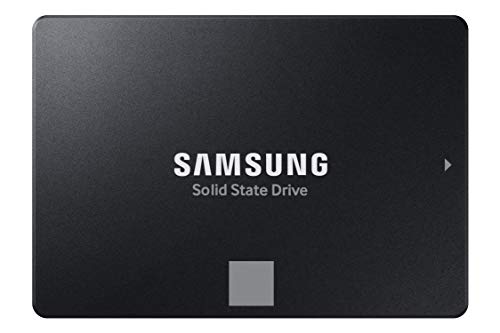
The Samsung T7 line is the reference for the sealed portable SSD: pocketable metal shell, mainstream-to-premium tiers by capacity, and behaviour that treats long transfers as its home ground. Buy this shape of product when the verdicts above point to an SSD and you want one purchase, one warranty and no assembly. Mac households should cross-check the range against the best external SSDs for Mac.
SanDisk Extreme Portable SSD — The Rugged SSD Reference
SanDisk’s Extreme Portable line is the reference for the SSD that travels roughly: a compact, grip-friendly, travel-minded design in the mid-to-premium tier, aimed at photographers and field workers whose drives live in bags rather than on desks. Choose it when Criterion 3’s physics — drops, dust, car consoles — describes your actual week.
Samsung BAR Plus — The Metal Flash Drive Reference
For the flash side, Samsung’s BAR Plus line is the reference for doing the simple thing well: a one-piece metal stick that survives keyrings and pockets with more grace than plastic designs, at the trivial tier this category should occupy. Buy it for transport duty without a second thought — and keep it in its proper role, as the envelope, not the archive.
SanDisk Ultra Fit — The Leave-It-Plugged Reference
SanDisk’s Ultra Fit line represents the near-invisible stick: a low-profile design meant to live semi-permanently in a laptop’s port, adding quiet capacity for documents and media. It is the flash drive at its most appliance-like — with the standing caution that semi-permanent residence tempts owners into treating it as an archive, which Criterion 6 exists to forbid.
Final Recommendation by Use Case
Documents, installers, presentations, the borrowed-machine life: flash drive, without hesitation and without spending up. Photo and video work, game libraries, backups, working projects: portable SSD, sized generously, formatted deliberately, paired with a second copy at home. Both lives in one household — the commonest honest answer — one of each, each kept in its role, total cost still modest. And the enthusiast’s third path: a spare NVMe stick plus an enclosure, for the owner who wants the SSD’s behaviour with a drive they can swap, upgrade and rescue. The comparison was never really between two products. It was between two jobs — and now you know which job is yours.
Why the Interface, Not the Enclosure, Sets Your Speed Ceiling
Every NVMe drive is fast on paper, and almost none of that paper speed survives the trip through a cable. The reason is simple: an enclosure is a translator. On one side it speaks to the NVMe stick over PCIe lanes; on the other side it speaks to your computer over USB or Thunderbolt. The slower of those two conversations is the speed you actually get, no matter what the drive inside could do on a motherboard. This is the single most misunderstood point in the whole category, and it is why two enclosures holding the exact same drive can feel completely different in daily use.
USB generations are the first trap. A port described loosely as USB-C might carry an older, slower USB generation, a mid-tier generation, or one of the genuinely fast modern ones, and the connector shape tells you nothing by itself. Enclosure listings lean into that confusion with big drive-side numbers, but the honest figure is always the host-side generation the bridge chip supports, matched against the generation your computer’s port supports. The chain runs at the speed of its weakest link: drive, bridge chip, cable, and host port all vote, and the slowest vote wins.
The practical takeaway is to shop backwards. Start with the ports you actually own, on the machines you actually use, and let that decide which class of enclosure makes sense. Buying a faster class than your ports can feed is not future-proofing so much as paying for headroom you may never open, while buying a slower class than your ports can feed leaves real performance on the table every single day. Neither mistake breaks anything; both are simply money and speed quietly misaligned.
Heat, Throttling and the Sustained-Write Problem
NVMe drives are sprinters that get asked to run marathons. Inside a computer, a stick sits in open air, often under a motherboard heatsink, and it can shed heat between bursts of work. Inside a sealed enclosure the same stick works in a tiny metal room with almost no airflow, and during a long sustained write — a big backup, a footage ingest, a game library move — its controller heats up until it protects itself the only way it can: by slowing down. That slowdown is called throttling, and every enclosure buyer meets it eventually.
Throttling is not a defect and it is not the enclosure cheating you. It is physics being enforced by firmware. What separates good enclosures from poor ones is how long the sprint lasts before the slowdown arrives and how gracefully speeds settle afterwards. A shell that conducts heat away from the drive stretches the fast period; a shell that insulates the drive, however pretty, shortens it. Short transfers hide the issue completely, which is why first impressions and quick benchmarks flatter almost every enclosure ever sold.
Judge an enclosure by your longest regular transfer, not your shortest. If your biggest routine job finishes in a couple of minutes, heat is a minor character in your story. If you routinely write for ten, twenty or thirty minutes at a stretch, thermal design becomes the main character, and it deserves more of your budget than connector fashion or bundled extras. Warm to the touch during a long copy is normal and even reassuring — it means the shell is doing its job as a radiator. Too hot to hold comfortably, paired with collapsing speeds, is the design telling you it has run out of answers.
The Aluminium Shell Is a Heatsink, Not a Costume
Look at two enclosures side by side and the metal one can seem like a style choice. It is not. In a fanless enclosure — and nearly all of them are fanless — the shell is the cooling system. Heat travels from the drive’s controller into a thermal pad, from the pad into the shell, and from the shell’s outer surface into the room. Aluminium does this job well because it conducts heat readily and gives it a large area to leave from. Plastic shells, by contrast, hold heat in, which is why the cheapest enclosures so often pair the fastest marketing claims with the earliest throttling.
The thermal pad is the unsung part of that chain. It must actually touch both the drive and the shell, with even pressure and no air gap, to conduct anything at all. A pad that is too thin, misaligned, or left with its protective film on is a broken link that no amount of aluminium can rescue. When you install a drive, that small moment of care — pad placed flat, film removed, shell closed so contact is firm — decides more of your sustained performance than any specification printed on the box.
Ribbed and finned shells deserve their slightly industrial looks for the same reason: more surface area sheds more heat. A smooth minimalist shell can still perform well if the internal contact is good, but treat extreme slimness as a thermal compromise you are choosing knowingly. For desk-bound use, where the enclosure sits still for long transfers, a slightly chunkier finned design is often the quietly smarter buy. For pocket carry, you accept the compromise and simply plan around shorter bursts.
Formatting and Filesystems, Decided Once and Done Right
A freshly installed drive usually arrives blank, and the enclosure cannot fix the one decision you must make before it becomes useful: how it is formatted. The filesystem decides which of your devices can read and write the drive, and the right answer depends entirely on your household of machines. A drive that lives on one operating system can use that system’s native format and enjoy its best behaviour. A drive that travels between different systems needs one of the shared formats that all of them understand, accepting a few compromises in exchange for never being turned away at a foreign machine.
Two habits protect you here. First, format the drive in the enclosure it will live in, connected the way it will normally be connected, so the setup you test is the setup you keep. Second, remember that formatting erases: if the stick came out of a laptop with anything on it that matters, copy that material somewhere safe before the format, not after the sinking feeling. The format dialog will warn you, but warnings are easy to click through at midnight and impossible to appeal to in the morning.
Partition style is the quieter half of the same decision, and modern defaults handle it well — let the operating system’s disk tool choose its current standard unless you have a specific legacy device to satisfy. Once formatted, give the drive a recognisable name. Months later, among a drawer of identical-looking volumes, the name you chose in thirty seconds is what tells you which drive holds the photo archive and which one is safe to wipe.
Ejection Habits, Sleep and the Quiet Life of a Working Drive
The least glamorous habit in storage is the one that prevents the most grief: eject properly before you unplug. Operating systems finish writing to drives in their own time, holding small amounts of data in memory on the promise of writing it a moment later. Pulling the cable during that promise can leave a filesystem mid-sentence — usually repairable, occasionally not, and always at the worst moment. The two clicks an ejection costs are the cheapest insurance in all of computing.
Sleep behaviour is the other quiet topic. Drives and enclosures differ in how gracefully they nap when a computer sleeps and how reliably they wake when it does. An enclosure that will live permanently attached to a desktop or a dock benefits from boring, well-mannered sleep behaviour, because it will cycle hundreds of times a year. A travel enclosure that is plugged in for a job and removed afterwards barely sleeps at all, and the trait hardly matters. As with so much in this category, the right priority depends on the life the enclosure will actually lead.
Finally, treat disconnections as information. A drive that vanishes mid-transfer is telling you about a cable, a port, a power budget or its own health, and the correct response is to listen early — swap the cable, change the port, check the drive’s health with its maker’s tool — rather than to develop the resigned double-click of someone who expects it. Storage that complains quietly today is asking for help before it complains loudly.
TRIM, UASP and the Background Housekeeping You Never See
Solid-state drives stay fast by tidying up after themselves, and the tidying depends on the host being able to tell the drive which blocks are no longer in use — the housekeeping instruction commonly called TRIM. Across a USB bridge, that instruction does not always pass through; it depends on the bridge chip, the enclosure’s firmware and the operating system cooperating. Enclosures whose bridges support the relevant USB protocol features let the drive maintain itself properly, which matters most for drives that are filled and emptied repeatedly.
For the way most people use an enclosure — a working drive for projects, media or game libraries — the practical effect is modest but real: a drive that can tidy itself holds its write pace better over months of churn, while a drive that cannot may gradually feel less eager on writes even though nothing is broken. It is not a reason to panic about any particular model, but it is a legitimate tiebreaker between two otherwise equal enclosures, and it is one of the few specification lines worth reading all the way to the end.
The related habit is simply to leave a little free space. A nearly full SSD has nowhere to shuffle data, and its housekeeping slows no matter how good the bridge is. Keeping a sensible margin of empty room on an enclosure drive is free performance insurance, and it pairs with the oldest advice in storage: the fuller and busier a drive is, the more it deserves a proper backup standing behind it.
Drive Compatibility: Lengths, Keys and the SATA Trap
Not every stick that looks like an NVMe drive is one, and not every NVMe drive fits every enclosure. Compatibility has three separate gates, and a drive must pass all of them. The first gate is protocol: most enclosures in this class accept NVMe drives only, while older M.2 SATA drives use a different language despite sharing a similar connector family. A SATA stick in an NVMe-only enclosure is not slow — it is silent, unrecognised, a drive that simply never appears. Listings that support both protocols exist, but you must confirm that support explicitly rather than assume it.
The second gate is physical length. M.2 drives come in several lengths, with the longest desktop-style format being the most common and shorter formats appearing in handhelds, tablets and compact laptops. Enclosures state which lengths they accept and hold the drive with a mounting post or clip at the right position. A drive that is too long for the shell is an obvious problem; a drive shorter than the only mounting point is the subtler one, wobbling on its connector and stressing it every time the enclosure is moved.
The third gate is keying — the notch pattern on the connector edge — which exists precisely to stop incompatible combinations, and which should be respected rather than forced. The calm way through all three gates is to read your drive’s own label and listing, confirm protocol, length and key against the enclosure’s stated support, and only then buy. Five minutes of label-reading prevents the single most common return in this entire category.
The Cable in the Box Deserves More Respect
More enclosure disappointment traces back to cables than to enclosures. A cable that is charge-only, or built for an older and slower USB generation, will quietly cap a fast enclosure at a fraction of its pace, and nothing in the system will warn you — the drive simply feels mediocre. The short cable bundled with a good enclosure is usually chosen to match its speed class, which is why the first rule of troubleshooting a slow enclosure is to go back to the bundled cable before blaming anything else.
Length matters too. High-speed signals degrade over distance, so the comically long cable that is convenient for a desk setup may be exactly what drags a connection down a generation. If you need reach, buy a cable that is explicitly rated for the data generation you are using, keep it as short as the desk honestly allows, and treat bargain-bin cables as accessories for charging, not for data. A cable is a component of the storage system, not an afterthought, and it should be budgeted and chosen with the same care as the enclosure itself.
Adapters deserve the same suspicion. A USB-C to USB-A adapter can be perfectly fine, but it inserts another negotiation into the chain and another possible ceiling. When an enclosure underperforms, the diagnostic order that saves the most time is: bundled cable first, direct port second, no hub third, and only then questions about the drive or the enclosure. Most mysteries surrender at step one.
Tie-Breakers: The Scenarios That Actually Decide This Match-Up
The hybrid answer and when it fails
Faced with a close comparison, many buyers try to split the difference — using each option where it seems strongest. Sometimes that works; often it doubles the clutter, the learning curve and the maintenance while delivering neither side’s full advantage. A hybrid only makes sense when the two use cases are genuinely separate in your week, with their own spaces and their own moments. If both options would live in the same spot serving the same task, commit to one. A decisive single portable ssd setup, well chosen, beats a hesitant double setup in almost every real room.
What would change the verdict
An honest comparison names its own tipping points. If your space grew, your load doubled, your budget for consumables tightened, or another person with different habits joined the setup, the recommendation in this match-up could flip — and it should. Identify which of those variables is most likely to change in your life over the next two years, and choose the portable ssd option that stays right if it does. Buying for the situation you are drifting towards, rather than the snapshot of today, is the difference between a comparison that ages well and one you re-litigate every season.
A five-minute decision drill
If you are still torn, run this drill. Write down the three tasks you will do most with a portable ssd, score each option out of five for each task based on the comparison above, then delete the task you do least often and score again. Most people find the winner changes — or confirms itself — once the rarest task stops distorting the result. Finish by asking which option you would recommend to a friend in a room where noise, heat or clutter quickly becomes a problem for everyone else in it whose habits match yours. The answer you give for someone else is usually the honest one for yourself.
Start from the task, not the badge
Comparisons between these options collapse into confusion when they start from brand loyalty or headline numbers. Start instead from the task you repeat most: the session length, the load, the space and the other gear involved. In a room where noise, heat or clutter quickly becomes a problem for everyone else in it, one side of this match-up usually reveals itself as the natural fit within minutes of honest task analysis, because the two designs optimise for different centres of gravity. The loser of this comparison is rarely a bad product; it is a product optimised for somebody else’s routine.
The scenario where the favourite loses
Every head-to-head has a scenario that embarrasses the popular pick, and finding it is the fastest way to test your own leanings. Picture the busiest, messiest version of your week — extra people, extra load, no time to tidy or adjust — and ask which portable ssd option copes with grace and which one needs conditions to be just right. If the favourite only wins on your best days, it is the wrong choice, because purchases have to survive ordinary days. Deliberately stress-testing the comparison this way exposes assumptions that feature tables keep hidden.
Total commitment, not just the unit
Choosing a side in this comparison also chooses an ecosystem: the accessories, consumables, spares and upgrade paths that follow the portable ssd home. One option may look leaner today while quietly committing you to a narrower, pricier ecosystem tomorrow; the other may ask more upfront and reward you with common, interchangeable extras. List what each side obliges you to buy, store and replace over the next two years, in a room where noise, heat or clutter quickly becomes a problem for everyone else in it, and compare those lists as carefully as the products themselves. Ecosystem regret is slower than product regret, but it lasts longer.
That single habit separates owners who stay pleased with their choice from owners who quietly start shopping again within a season.
Treat it as part of the purchase itself, not as homework to do after the box arrives.
Frequently Asked Questions
Is a portable SSD always faster than a flash drive?
For sustained, large transfers, effectively yes — that is the class difference that matters. For small bursts, both finish instantly and the difference is unmeasurable in human terms. A portable SSD is also capped by the port it plugs into, so on an old machine its advantage narrows; but the flash drive’s characteristic slowdown on long writes happens on every machine, which is why the SSD owns the speed criterion where speed is actually felt.
Can I use a flash drive as a backup?
You can copy files to one, and for a handful of documents that may be proportionate. As a backup system it fails on capacity, on sustained-write behaviour during large backups, and on the human factor — small, lendable, losable objects make poor vaults. A backup deserves drive-class hardware and, above all, a second copy somewhere else. Use the stick for transport; let the backup be boring, capacious and stationary or SSD-based.
Why do large flash drives cost so much per capacity?
Because the flash drive’s economics are built for the small end: the connector, shell and controller are a fixed share of a tiny price, and pushing capacity upward in a thumbnail format costs more per unit than the same capacity in an SSD’s roomier design. Past a certain size you are paying a premium for smallness while receiving the class’s sustained-write behaviour — the point where the portable SSD becomes both cheaper per capacity and faster.
Is an NVMe enclosure better than a sealed portable SSD?
Different, rather than better. The sealed drive wins on simplicity: one purchase, one warranty, no assembly or format research. The enclosure wins on modularity: the drive can be swapped, upgraded or rescued from a laptop, and the shell outlives individual drives. Owners with a spare NVMe stick get the enclosure’s value almost free; owners starting from nothing usually find the sealed drive the calmer first step. This site’s enclosure guides cover the modular path in full.
Which is better for a game library?
The portable SSD, for capacity, sustained install behaviour and working-drive manners — a library is a workplace, not an envelope. Check your console’s specific rules, since platforms differ on whether external drives can play current-generation titles directly or only store them. A flash drive can shuttle a small game or save files between machines, but as the library’s home it will make its ceilings felt quickly.
Can I leave a flash drive plugged in all the time?
Physically, yes — low-profile designs are made for exactly that. Practically, two cautions apply. A permanently attached stick still needs its contents backed up elsewhere, because permanence breeds the archive illusion, and the stick will share every drop, spill and theft the laptop meets. Treat a resident stick as extra working room, never as the only home of anything, and the habit is harmless.
Related Guides
Continue with the nvme ssd enclosure review, how to choose an nvme ssd enclosure, how to install nvme ssd enclosure.