Disclosure: As an Amazon Associate, ilcastellomenu.com earns from qualifying purchases. Links on this page are affiliate links; they cost you nothing extra. Prices and availability change often, so check the current Amazon listing before you buy.
Laying out projector screen pros and cons honestly is more useful than another breathless recommendation, because a projector screen is a genuinely two-sided purchase. On one side sits the picture: bigger, smoother and more cinematic than any wall can manage. On the other side sit the realities: wall space, mounting work, light control and a large object that has to live in your room every day. This article gives both sides their full weight — five to seven real advantages, five to seven real disadvantages — and then shows what those trade-offs mean for different viewers, so you can decide with your eyes open. The quick verdict is this: for regular projector use, the pros are structural and the cons are mostly about planning, which is why most owners who planned properly stay happy.
Key Takeaways:
- The biggest pro is picture quality you can see in every scene: flatness, controlled reflection and a proper black border.
- The biggest con is commitment: a screen claims wall space, mounting effort and a room routine.
- Roll-up convenience and long-term flatness pull in opposite directions, and every buyer chooses a side of that trade.
- Light control limits what any screen can do, so the room is part of both the pro and the con columns.
- Most cons shrink dramatically with planning: studs located, sizes taped out, wiring handled by someone experienced.
Projector Screen Pros and Cons: The Quick Verdict
When a surface reflects light evenly across the seating area, people sitting off to the side see a picture that stays close to what the centre seat sees. If you watch a lot of subtitled films or play games with small interface text, surface smoothness becomes one of the most practical things to judge. Over time, a good surface should stay flat and consistent, and that long-term flatness is often what separates a satisfying screen from a frustrating one. Colour neutrality matters more than most first-time buyers expect, since a surface that leans warm or cool will push every film and game in that direction.
Money spent on flatness, a good border and a sound mounting is rarely wasted, since those are the qualities you notice every single session. Consider the cost of your time as well: a screen that stays flat and clean asks almost nothing of you, while a fussy one charges attention forever. Money spent on features you will not use, such as a motor in a dedicated room where the screen never retracts, is where budgets quietly leak away. Resale and reuse favour standard formats and sizes, another small reason to stay mainstream unless you have a specific reason not to.
Think about where people walk during a film, because a screen position that crosses a busy doorway invites shadows and interruptions. A rug, curtains and soft furniture all help twice over, calming both the light in the room and the sound of the film. The room is half the system, and treating it as part of the purchase leads to better decisions than shopping for the screen in isolation. Cable routes are easier to plan before the screen goes up, and a tidy route avoids the trailing wires that spoil an otherwise clean install. Dark wall and ceiling colours near the screen reduce reflections that bounce back and lift black levels during bright scenes.
Who it suits: regular viewers with a room they can plan around the screen. Who should skip it: occasional users, very bright rooms, and anyone unwilling to do the measuring and mounting work properly.
In this guide
The Pros
A Picture That Looks Finished, Not Projected
When a surface reflects light evenly across the seating area, people sitting off to the side see a picture that stays close to what the centre seat sees. A well-made surface also helps black levels, because light that is controlled properly does not bounce around the room and wash out dark scenes. If you watch a lot of subtitled films or play games with small interface text, surface smoothness becomes one of the most practical things to judge. A smooth, even surface keeps fine detail intact, because tiny wrinkles and texture can soften edges and make text look slightly fuzzy. The border around the viewing area is part of the surface story too, because a deep black frame makes the image look richer by comparison.
Mixed households should weight the decision toward the content watched most often, not the content that sounds most impressive. Everyday television and streaming sit in between, and they are where most screens spend most of their hours in real homes. Sport rewards brightness, size and a picture that stays clear for a group spread across a wide sofa or several chairs. Presentations and photos ask for accurate colour and sharp text, which brings surface smoothness back to the top of the list. Films reward contrast and black level above all, so dark scenes are the honest test of any screen and room combination.
Scale That Changes How Content Feels
Sport rewards brightness, size and a picture that stays clear for a group spread across a wide sofa or several chairs. Everyday television and streaming sit in between, and they are where most screens spend most of their hours in real homes. Films reward contrast and black level above all, so dark scenes are the honest test of any screen and room combination. Presentations and photos ask for accurate colour and sharp text, which brings surface smoothness back to the top of the list. Mixed households should weight the decision toward the content watched most often, not the content that sounds most impressive.
A simple tape outline on the wall for a few days is one of the most reliable sizing tools there is, and it costs nothing but patience. A picture that is too large forces your eyes to travel constantly, which can turn an action film into a tiring experience instead of an absorbing one. Measure the wall, the seating position and the projector throw together, since those three numbers decide which sizes are even possible in your room. Future seating changes are worth a thought as well, because moving a sofa back later can make a modest screen suddenly feel small. A picture that is too small, on the other hand, loses the sense of scale that makes projection feel different from a television in the first place.
Flatness That Protects Detail and Geometry
Flatness sounds like a small detail until you see a slow camera pan cross a wavy screen, where straight lines bend and the illusion breaks. Tensioning systems exist precisely to fight that slow curl, pulling the material evenly so the picture stays geometrically honest. How a screen is stored matters: a roll screen left down for long periods and one raised daily can age in noticeably different ways. Temperature and humidity swings in a room can encourage curl, so a screen near a radiator or a damp external wall deserves extra thought. When you compare designs, ask yourself how much a slight wave would bother you in the content you watch most, because that answer varies a lot by viewer.
If you watch a lot of subtitled films or play games with small interface text, surface smoothness becomes one of the most practical things to judge. Texture is a quiet trade-off: a very fine texture can hide small imperfections, while a rougher finish may sparkle slightly under bright scenes. A well-made surface also helps black levels, because light that is controlled properly does not bounce around the room and wash out dark scenes. Colour neutrality matters more than most first-time buyers expect, since a surface that leans warm or cool will push every film and game in that direction. A smooth, even surface keeps fine detail intact, because tiny wrinkles and texture can soften edges and make text look slightly fuzzy.
A Purchase That Outlives Your Projector
If the budget is tight, a simpler screen in the right size usually beats a fancier screen in the wrong size, every single time. Money spent on flatness, a good border and a sound mounting is rarely wasted, since those are the qualities you notice every single session. Money spent on features you will not use, such as a motor in a dedicated room where the screen never retracts, is where budgets quietly leak away. Consider the cost of your time as well: a screen that stays flat and clean asks almost nothing of you, while a fussy one charges attention forever.
Dust settles on a screen surface quietly, and a gentle clean with a soft, dry microfibre cloth is usually all that regular care requires. Never scrub a projection surface or use household cleaners on it, because the coating that makes the picture look right can be damaged permanently. Keep food, drinks and sticky hands away from the surface, since stains on a screen are very difficult to remove without leaving a mark. Check fixings and brackets once in a while, especially after the first weeks, because a housing that settles slightly can be re-levelled easily if caught early.
A Format for Almost Every Room
Portable and tripod designs serve occasional use, classrooms and garden evenings, and they accept more compromise in flatness for that flexibility. Tensioned designs, whether fixed or motorised, use cords or tabs to keep the material flat, and that flatness is their main reason to exist. Motorised screens add a remote-controlled drop and a cleaner daily routine, at the cost of a heavier housing and a power connection to plan for. Painted wall solutions remove the hardware entirely, but they give up the black border and the controlled surface that make a real screen look finished. Manual pull-down screens roll into a housing when not in use, trading a little long-term flatness for a room that can return to normal in seconds.
Ventilation and projector fan noise belong in the room plan as well, since a quiet room makes a modest system feel far more premium. Cable routes are easier to plan before the screen goes up, and a tidy route avoids the trailing wires that spoil an otherwise clean install. Dark wall and ceiling colours near the screen reduce reflections that bounce back and lift black levels during bright scenes. If the room doubles as a living space, a screen that disappears when not in use protects both the decor and the household peace. A rug, curtains and soft furniture all help twice over, calming both the light in the room and the sound of the film.
Low Ongoing Effort
If the screen develops a wave or a fault, consult the maker’s guidance before attempting home remedies involving heat or weights, which often make things worse. Dust settles on a screen surface quietly, and a gentle clean with a soft, dry microfibre cloth is usually all that regular care requires. Check fixings and brackets once in a while, especially after the first weeks, because a housing that settles slightly can be re-levelled easily if caught early. Roll screens last longer when they are raised and lowered smoothly rather than snapped, and when they are not left half-dropped for weeks at a time. Store a portable screen in its case, dry and away from sharp objects, and it will reward that small care with years of flat, clean pictures.
Money spent on features you will not use, such as a motor in a dedicated room where the screen never retracts, is where budgets quietly leak away. Money spent on flatness, a good border and a sound mounting is rarely wasted, since those are the qualities you notice every single session. A screen is also one of the few parts of a home cinema that does not become obsolete quickly, which strengthens the case for buying a good one once. Consider the cost of your time as well: a screen that stays flat and clean asks almost nothing of you, while a fussy one charges attention forever. If the budget is tight, a simpler screen in the right size usually beats a fancier screen in the wrong size, every single time. Value in a screen is mostly about how many years of better pictures it delivers, because a screen usually outlives the projector paired with it.
The Cons
The Room Can Still Defeat It
If your viewing is mostly evening viewing, a simpler matte surface usually serves you well and keeps the budget focused on size and mounting. A screen chosen for a dark, dedicated room can prioritise contrast and colour, while a living-room screen has to work harder against lamps and windows. Closing curtains and moving one lamp often improves the picture more than upgrading any single piece of hardware in the chain. Daytime sports and casual viewing are more forgiving than dark films, which is worth remembering when you judge how much light control you really need. Light that falls directly on the screen is far more damaging than light behind the seating, so room layout deserves attention before you buy.
The room is half the system, and treating it as part of the purchase leads to better decisions than shopping for the screen in isolation. If the room doubles as a living space, a screen that disappears when not in use protects both the decor and the household peace. A rug, curtains and soft furniture all help twice over, calming both the light in the room and the sound of the film. Dark wall and ceiling colours near the screen reduce reflections that bounce back and lift black levels during bright scenes. Cable routes are easier to plan before the screen goes up, and a tidy route avoids the trailing wires that spoil an otherwise clean install. Ventilation and projector fan noise belong in the room plan as well, since a quiet room makes a modest system feel far more premium.
Size Cuts Both Ways
A simple tape outline on the wall for a few days is one of the most reliable sizing tools there is, and it costs nothing but patience. If two sizes both work, the one that keeps the image at a comfortable eye level usually wins over the one that simply fills more wall. A picture that is too large forces your eyes to travel constantly, which can turn an action film into a tiring experience instead of an absorbing one. Future seating changes are worth a thought as well, because moving a sofa back later can make a modest screen suddenly feel small. Measure the wall, the seating position and the projector throw together, since those three numbers decide which sizes are even possible in your room. Choosing a size starts with seating distance rather than wall space, because the biggest screen that fits is not always the most comfortable to watch.
Another frequent error is judging a screen only by a bright demo scene, when dark scenes are where surface and room weaknesses actually show. Chasing the largest possible image with a modest projector spreads the same light too thin, and the picture loses the punch the buyer wanted. Skipping the tape-outline test and the stud check saves an hour on day one and can cost a weekend of corrections later. The most common mistake is buying the screen before measuring the room, then discovering the size, throw or mounting simply do not agree.
Roll-Up Designs Can Lose Their Flatness
Temperature and humidity swings in a room can encourage curl, so a screen near a radiator or a damp external wall deserves extra thought. How a screen is stored matters: a roll screen left down for long periods and one raised daily can age in noticeably different ways. A fixed frame avoids most of the problem by never rolling the material at all, which is one reason dedicated rooms favour it. When you compare designs, ask yourself how much a slight wave would bother you in the content you watch most, because that answer varies a lot by viewer. Tensioning systems exist precisely to fight that slow curl, pulling the material evenly so the picture stays geometrically honest. Waves and edge curl are the natural enemies of roll-up designs, and they tend to appear gradually rather than all at once.
Roll screens last longer when they are raised and lowered smoothly rather than snapped, and when they are not left half-dropped for weeks at a time. Check fixings and brackets once in a while, especially after the first weeks, because a housing that settles slightly can be re-levelled easily if caught early. Keep food, drinks and sticky hands away from the surface, since stains on a screen are very difficult to remove without leaving a mark. If the screen develops a wave or a fault, consult the maker’s guidance before attempting home remedies involving heat or weights, which often make things worse. Store a portable screen in its case, dry and away from sharp objects, and it will reward that small care with years of flat, clean pictures.
Mounting Is Real Work With Real Safety Stakes
The screen housing or frame must fix into something solid, so locating the structure behind the plaster is a step that should never be skipped. Level on the housing does not guarantee level on the image, because the projector alignment has the final say and needs its own careful adjustment. Accurate measuring before drilling is the whole secret of a clean installation, and it is far easier than correcting holes afterwards. Dry-fitting and marking everything in pencil first lets you spot a mistake while it is still free to fix.
A heavy roll-up or motorised housing should never hang from fixings you are unsure about; if the wall construction is unclear, get advice before drilling. Two people should lift a long housing into place, since a solo lift at arm’s length above head height is how screens and people both get hurt. Keep the area below the screen clear while you work, and check that the drop path is free of furniture, lights and curious pets before the first test run. Where studs do not line up with the bracket positions, use proper heavy-duty wall anchors rated for the load and follow their instructions exactly.
Motorised Models Add Weight, Power and Moving Parts
The right type is the one that matches how the room is actually used on a weekday, not how you imagine using it on the best movie night of the year. Painted wall solutions remove the hardware entirely, but they give up the black border and the controlled surface that make a real screen look finished. Tensioned designs, whether fixed or motorised, use cords or tabs to keep the material flat, and that flatness is their main reason to exist. Floor-rising screens rise from a housing that sits low in the room, which suits renters and rooms where ceiling or wall mounting is not allowed. Portable and tripod designs serve occasional use, classrooms and garden evenings, and they accept more compromise in flatness for that flexibility. Manual pull-down screens roll into a housing when not in use, trading a little long-term flatness for a room that can return to normal in seconds.
Always screw mounting brackets into wall studs or ceiling joists rather than relying on plaster alone, because a screen housing is heavier than it looks. Use a stable ladder that reaches the work comfortably, keep three points of contact, and never lean out sideways to reach a bracket. Where studs do not line up with the bracket positions, use proper heavy-duty wall anchors rated for the load and follow their instructions exactly. Electrical work for a motorised screen, such as adding an outlet or hardwiring, should be handled by someone experienced with mains wiring.
It Is a Single-Purpose Purchase
If the budget is tight, a simpler screen in the right size usually beats a fancier screen in the wrong size, every single time. Resale and reuse favour standard formats and sizes, another small reason to stay mainstream unless you have a specific reason not to. Money spent on flatness, a good border and a sound mounting is rarely wasted, since those are the qualities you notice every single session. Value in a screen is mostly about how many years of better pictures it delivers, because a screen usually outlives the projector paired with it. A screen is also one of the few parts of a home cinema that does not become obsolete quickly, which strengthens the case for buying a good one once. Money spent on features you will not use, such as a motor in a dedicated room where the screen never retracts, is where budgets quietly leak away.
A television is the obvious alternative, and it wins on brightness and simplicity while giving up the sheer scale that makes projection special. Keeping an existing screen and upgrading the projector instead is sometimes the smarter order of operations, especially if the current surface is still flat and clean. For occasional use, a portable screen you store away may beat a permanent installation that dominates a shared room all week. A smaller, better screen is a legitimate alternative to a larger, weaker one, and many viewers who try both prefer the smaller picture with better contrast. Projecting onto a painted wall costs the least and can look surprisingly decent, but it lacks the border, flatness control and surface consistency of a real screen. Ambient-light rooms sometimes suit a large television better than any screen, and recognising that honestly is part of shopping well.
What the Trade-Offs Mean for You
Everyday television and streaming sit in between, and they are where most screens spend most of their hours in real homes. Sport rewards brightness, size and a picture that stays clear for a group spread across a wide sofa or several chairs. Films reward contrast and black level above all, so dark scenes are the honest test of any screen and room combination. Mixed households should weight the decision toward the content watched most often, not the content that sounds most impressive. Presentations and photos ask for accurate colour and sharp text, which brings surface smoothness back to the top of the list.
Fast camera movement in games exposes waves and texture more than films do, which pushes gaming rooms toward tensioned or fixed designs. For gaming, the screen’s job is to stay flat, neutral and big enough that interface text stays readable from your actual seat. Comfort matters in long sessions, so screen height and size deserve the same care for a gaming setup as for a cinema room. A matte, neutral surface keeps colours consistent across genres, from dark horror titles to bright racing games. Because the screen adds no input delay of its own, gamers can judge screens purely on picture quality and room fit.
If the room doubles as a living space, a screen that disappears when not in use protects both the decor and the household peace. Cable routes are easier to plan before the screen goes up, and a tidy route avoids the trailing wires that spoil an otherwise clean install. A rug, curtains and soft furniture all help twice over, calming both the light in the room and the sound of the film. Think about where people walk during a film, because a screen position that crosses a busy doorway invites shadows and interruptions. Dark wall and ceiling colours near the screen reduce reflections that bounce back and lift black levels during bright scenes. The room is half the system, and treating it as part of the purchase leads to better decisions than shopping for the screen in isolation.
How a Screen Compares With the Alternatives
A smaller, better screen is a legitimate alternative to a larger, weaker one, and many viewers who try both prefer the smaller picture with better contrast. A television is the obvious alternative, and it wins on brightness and simplicity while giving up the sheer scale that makes projection special. For occasional use, a portable screen you store away may beat a permanent installation that dominates a shared room all week. Ambient-light rooms sometimes suit a large television better than any screen, and recognising that honestly is part of shopping well.
The border around the viewing area is part of the surface story too, because a deep black frame makes the image look richer by comparison. A well-made surface also helps black levels, because light that is controlled properly does not bounce around the room and wash out dark scenes. Over time, a good surface should stay flat and consistent, and that long-term flatness is often what separates a satisfying screen from a frustrating one. Texture is a quiet trade-off: a very fine texture can hide small imperfections, while a rougher finish may sparkle slightly under bright scenes. Colour neutrality matters more than most first-time buyers expect, since a surface that leans warm or cool will push every film and game in that direction.
Ambient-light rooms sometimes suit a large television better than any screen, and recognising that honestly is part of shopping well. Projecting onto a painted wall costs the least and can look surprisingly decent, but it lacks the border, flatness control and surface consistency of a real screen. For occasional use, a portable screen you store away may beat a permanent installation that dominates a shared room all week. A television is the obvious alternative, and it wins on brightness and simplicity while giving up the sheer scale that makes projection special. A smaller, better screen is a legitimate alternative to a larger, weaker one, and many viewers who try both prefer the smaller picture with better contrast.
Against a bare wall, the screen wins on picture and loses on cost and effort. Against a television, it wins on scale and loses on brightness and simplicity. Against a smaller premium screen, a larger basic screen wins on immersion and loses on finish. None of those comparisons has a universal winner, which is exactly why the pros and cons have to be weighed against your own room rather than averaged.
How to Buy Smart if the Pros Win
If the pros have persuaded you, these three designs cover the main routes in, presented in prose only.
Elite Screens Sable Frame B2 — fixed frame
The Sable Frame B2 from Elite Screens is this cluster’s dedicated-room benchmark: a fixed frame that holds the viewing material under constant tension, surrounded by a black frame that gives the picture the finished, cinema-like edge a roll-up screen cannot match. It sits in the mid tier, and its argument is flatness. Because the material never rolls, it never learns to curl, and slow pans, subtitles and game interfaces all benefit from that geometric honesty. Assembly is a real project — the frame goes together on the floor, the material attaches around it, and the finished screen hangs like a large picture — and it stays on the wall permanently, which is precisely the point in a dedicated room and precisely the problem in a shared one. It also needs wall space you are willing to give up for good, and two people to hang safely. For a room whose main job is films and games, this is the design most owners describe as the end of their screen search, and it is the pick here for viewers who value the picture over flexibility. Verify the exact configuration on the current listing before you buy.
Best for: viewers whose room and routine match a fixed frame design. Not suited for: buyers whose mounting, space or budget points firmly at a different format. This pick is presented in prose only, so compare configurations on the current listing and choose by fit rather than by headline.

Elite Screens Spectrum — motorised drop-down
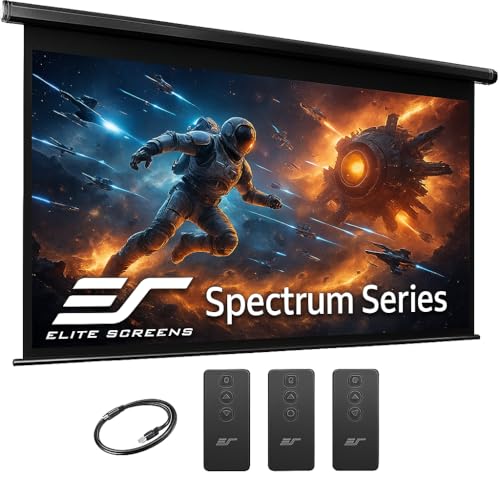
The Spectrum line from Elite Screens is the motorised counterpart to the manual idea: a powered housing that lowers and raises the surface at the press of a remote, giving a shared room a genuinely tidy trick — cinema when you want it, clean wall when you do not. It sits in the mid tier of this cluster. The motor brings real everyday convenience and a consistent, even roll that is kind to the material, and the housing suits wall or ceiling mounting in rooms that are planned rather than improvised. The trade-offs are equally real. A motorised screen is heavier, so its fixings must go into studs or joists or proper heavy-duty anchors, and it needs power, which means planning an outlet or having someone experienced handle the wiring. It also asks for a clear drop path and a little patience, since a powered drop is not instant. For households that will raise and lower the screen daily, that routine is exactly what the money buys, and it is the option here that best fits a living room with a regular movie habit. Confirm the exact configuration on the current listing before ordering.
Best for: viewers whose room and routine match a motorised drop-down design. Not suited for: buyers whose mounting, space or budget points firmly at a different format. This pick is presented in prose only, so compare configurations on the current listing and choose by fit rather than by headline.

Elite Screens Manual B — manual pull-down
The Manual B line from Elite Screens represents the classic manual pull-down idea done in a mainstream, widely available form: a spring-roller housing you mount on a wall or ceiling, a handle you pull down when it is time to watch, and a surface that rolls away when the room needs to be a room again. In prose terms it sits in the entry tier of this cluster, and its appeal is simplicity. There is no motor to wire, no remote to lose, and the daily routine is a few seconds of pulling and latching. The honest trade-offs of the type apply in full: a manual screen depends on gentle handling to stay flat over the years, the drop length is set by the housing position rather than fine adjustment, and the picture rewards a controlled, even pull rather than a yank. For a first screen in a bedroom, a classroom-style space or a living room that cannot commit to a fixed frame, this is the shape of product most buyers are picturing, and it earns its place here as the straightforward, low-commitment option. Check the current listing for the exact configuration before you buy, and treat any size or surface detail as confirmed only by that listing.
Best for: viewers whose room and routine match a manual pull-down design. Not suited for: buyers whose mounting, space or budget points firmly at a different format. This pick is presented in prose only, so compare configurations on the current listing and choose by fit rather than by headline.
Mounting the screen too high is a quiet comfort killer, because a picture your neck has to look up at stops feeling cinematic very quickly. The most common mistake is buying the screen before measuring the room, then discovering the size, throw or mounting simply do not agree. Skipping the tape-outline test and the stud check saves an hour on day one and can cost a weekend of corrections later. Another frequent error is judging a screen only by a bright demo scene, when dark scenes are where surface and room weaknesses actually show. Ignoring the black border and frame quality leads to a picture that looks less rich than it should, even with a good projector behind it.
Setup and Care That Reduce the Cons
Level on the housing does not guarantee level on the image, because the projector alignment has the final say and needs its own careful adjustment. The screen housing or frame must fix into something solid, so locating the structure behind the plaster is a step that should never be skipped. Accurate measuring before drilling is the whole secret of a clean installation, and it is far easier than correcting holes afterwards. Keep the projector and screen manuals together after the install, since drop limits, cleaning notes and adjustment points are easy to forget months later. Dry-fitting and marking everything in pencil first lets you spot a mistake while it is still free to fix.
Electrical work for a motorised screen, such as adding an outlet or hardwiring, should be handled by someone experienced with mains wiring. Where studs do not line up with the bracket positions, use proper heavy-duty wall anchors rated for the load and follow their instructions exactly. Turn power off at the breaker before touching any wiring, and treat every cable as live until you have confirmed otherwise. Always screw mounting brackets into wall studs or ceiling joists rather than relying on plaster alone, because a screen housing is heavier than it looks. A heavy roll-up or motorised housing should never hang from fixings you are unsure about; if the wall construction is unclear, get advice before drilling.
Roll screens last longer when they are raised and lowered smoothly rather than snapped, and when they are not left half-dropped for weeks at a time. If the screen develops a wave or a fault, consult the maker’s guidance before attempting home remedies involving heat or weights, which often make things worse. Check fixings and brackets once in a while, especially after the first weeks, because a housing that settles slightly can be re-levelled easily if caught early. Store a portable screen in its case, dry and away from sharp objects, and it will reward that small care with years of flat, clean pictures. Dust settles on a screen surface quietly, and a gentle clean with a soft, dry microfibre cloth is usually all that regular care requires.
Bottom Line
Consider the cost of your time as well: a screen that stays flat and clean asks almost nothing of you, while a fussy one charges attention forever. Resale and reuse favour standard formats and sizes, another small reason to stay mainstream unless you have a specific reason not to. A screen is also one of the few parts of a home cinema that does not become obsolete quickly, which strengthens the case for buying a good one once. Money spent on features you will not use, such as a motor in a dedicated room where the screen never retracts, is where budgets quietly leak away.
Hotspotting is the bright patch that can appear in the middle of some screens, and it usually shows up when the surface reflects too much light straight back at the viewer. The surface is the part of a projector screen that actually does the optical work, turning scattered projector light into a picture your eyes can read comfortably. Over time, a good surface should stay flat and consistent, and that long-term flatness is often what separates a satisfying screen from a frustrating one. A smooth, even surface keeps fine detail intact, because tiny wrinkles and texture can soften edges and make text look slightly fuzzy.
Frequently Asked Questions
What is the single biggest advantage of a projector screen?
Colour neutrality matters more than most first-time buyers expect, since a surface that leans warm or cool will push every film and game in that direction. A smooth, even surface keeps fine detail intact, because tiny wrinkles and texture can soften edges and make text look slightly fuzzy. Over time, a good surface should stay flat and consistent, and that long-term flatness is often what separates a satisfying screen from a frustrating one. Hotspotting is the bright patch that can appear in the middle of some screens, and it usually shows up when the surface reflects too much light straight back at the viewer. The surface is the part of a projector screen that actually does the optical work, turning scattered projector light into a picture your eyes can read comfortably.
What is the most common disadvantage owners mention?
If your viewing is mostly evening viewing, a simpler matte surface usually serves you well and keeps the budget focused on size and mounting. Closing curtains and moving one lamp often improves the picture more than upgrading any single piece of hardware in the chain. Think about the worst lighting you will regularly watch in, not the best, because that honest picture is the one your screen has to handle. Ambient light is the single biggest enemy of a projected picture, and no screen choice can fully rescue a room that stays bright all day. Daytime sports and casual viewing are more forgiving than dark films, which is worth remembering when you judge how much light control you really need.
Do the pros outweigh the cons for gaming?
For gaming, the screen’s job is to stay flat, neutral and big enough that interface text stays readable from your actual seat. Because the screen adds no input delay of its own, gamers can judge screens purely on picture quality and room fit. A matte, neutral surface keeps colours consistent across genres, from dark horror titles to bright racing games. Fast camera movement in games exposes waves and texture more than films do, which pushes gaming rooms toward tensioned or fixed designs. Comfort matters in long sessions, so screen height and size deserve the same care for a gaming setup as for a cinema room.
Are motorised screens more trouble than they are worth?
Floor-rising screens rise from a housing that sits low in the room, which suits renters and rooms where ceiling or wall mounting is not allowed. Tensioned designs, whether fixed or motorised, use cords or tabs to keep the material flat, and that flatness is their main reason to exist. Manual pull-down screens roll into a housing when not in use, trading a little long-term flatness for a room that can return to normal in seconds. The right type is the one that matches how the room is actually used on a weekday, not how you imagine using it on the best movie night of the year. Motorised screens add a remote-controlled drop and a cleaner daily routine, at the cost of a heavier housing and a power connection to plan for.
Can planning really remove most of the cons?
Working with a second person makes almost every stage safer and more accurate, from lifting the housing to checking the picture from the seating. Cables should be test-run before final fixing, because discovering a short cable after the housing is mounted is a classic and avoidable frustration. Accurate measuring before drilling is the whole secret of a clean installation, and it is far easier than correcting holes afterwards. Dry-fitting and marking everything in pencil first lets you spot a mistake while it is still free to fix. The screen housing or frame must fix into something solid, so locating the structure behind the plaster is a step that should never be skipped.
When do the cons genuinely win?
Some specialised surfaces are designed to reject light coming from above or the sides, and they make the most sense in rooms that cannot be darkened. A screen chosen for a dark, dedicated room can prioritise contrast and colour, while a living-room screen has to work harder against lamps and windows. Light that falls directly on the screen is far more damaging than light behind the seating, so room layout deserves attention before you buy. Think about the worst lighting you will regularly watch in, not the best, because that honest picture is the one your screen has to handle. Ambient light is the single biggest enemy of a projected picture, and no screen choice can fully rescue a room that stays bright all day.
Related Guides
Keep researching with these guides: projector screen review; is a projector screen worth it; projector screen buying guide; how to install projector screen; monitors for movies; monitors for a video wall; how to choose a monitor; monitors for video editing.