Some of the links on this page are affiliate links, which means ilcastellomenu.com may earn an affiliate commission if you buy through them, at no extra cost to you. That commission helps keep our buying guides free, and it never changes which laptops we recommend or the order we recommend them in.
Black Friday is the single best week of the year to buy a business laptop, and also the easiest week to overpay for one. Both things are true at once. The same event that produces genuine, deep cuts on last season’s ThinkPads and Latitudes also produces a fog of inflated “was” prices, doorbuster models built down to a price, and previous-generation machines dressed up as bargains. If you buy laptops for a living, or you are buying one laptop that has to earn its keep for four or five years, the difference between a real deal and a fake one is worth far more than the headline discount.
This guide takes a different approach from most Black Friday roundups. Instead of chasing whatever happens to be discounted on the day you read it, it names the six business laptops that are actually worth hunting when the sales start, explains what a fair deal on each one looks like in words rather than numbers, and shows you how to check whether the discount in front of you is genuine. Business laptops are unusually good Black Friday targets, because the corporate buying cycle dumps large numbers of well-specified machines into the channel every autumn, and because the difference between a consumer laptop and a business laptop — build quality, warranty, ports, manageability — matters more over a working life than any single specification.
One promise before we start: you will not find a single price in this article. Prices move too fast during Black Friday week to print honestly, and a number we published on Monday could mislead you by Friday. What you get instead is something more durable — how to judge each machine, what configuration to aim for, and how to verify a deal before you commit to it.
How Black Friday business laptop deals actually work
Understanding why business laptops get discounted the way they do makes you much harder to fool. Lenovo, Dell and HP sell most of their business machines through corporate contracts, and the retail listings you see during Black Friday are the spillover from that world: overstock from large orders, configurations built for a contract that changed, and previous-generation models being cleared to make room for the new model year. That spillover is exactly why the deals can be so good. A machine specified for a bank’s IT department — plenty of memory, a fast solid-state drive, a three-year warranty — ends up in a retail listing at a consumer-friendly discount because the manufacturer needs the warehouse space, not because the machine is undesirable.
The fake deals work differently. Some are built around a reference price nobody ever paid: a laptop that has sold at one level all year suddenly acquires a much higher “list price” in November so the discount percentage looks dramatic. Others are genuine discounts on machines you should not buy at any price — business-laptop badges on consumer-grade hardware, displays with poor brightness and washed-out colour, or memory soldered at a level that was already tight three years ago. A third category is the quiet configuration swap: the model name matches the one you researched, but the specific unit on sale has a smaller drive, a dimmer screen or a shorter warranty than the version the reviews praised.
The defence against all three is the same. Decide in advance which models you want and which configurations are acceptable, know roughly what those machines have been selling for during the ordinary weeks of the year, and treat the discount percentage as marketing rather than information. A modest percentage off the right machine beats a spectacular percentage off the wrong one, every single time. The six picks below were chosen with that discipline in mind: every one of them is a machine we would happily deploy to a demanding professional at full price, which is precisely what makes them worth hunting when the price drops.
In this guide
What to look for in a Black Friday business laptop
Processor, memory and storage: the floor, not the ceiling
For business use in this model generation, treat a modern Intel Core Ultra or Core i5-class processor, or an AMD Ryzen 5 or 7 Pro chip, as the sensible starting point. These parts handle heavy browser workloads, large spreadsheets, video calls and light development work without drama, and the Pro and vPro variants add the management and security features IT departments ask for. Memory matters more than processor tier for most office work: sixteen gigabytes is the working minimum for a machine you intend to keep, and thirty-two is worth choosing if you run virtual machines, large datasets or many applications at once. Storage follows the same logic — five hundred and twelve gigabytes gives a professional room to breathe, while smaller drives fill up with mail archives and project files faster than people expect. During Black Friday, manufacturers often discount the higher-memory configuration more aggressively than the base model, which makes the sale a good moment to buy the specification you actually need rather than the one that merely looks cheap.
Build quality and the keyboard you will live with
A business laptop gets opened and closed thousands of times, carried by its corner, slid into bags and used on trains, in site cabins and on kitchen tables. Chassis rigidity, hinge quality and keyboard feel are not luxuries; they are the difference between a machine that feels tight after three years and one that creaks after three months. The established business lines — ThinkPad, Latitude, EliteBook — earn their reputations here. Their keyboards are consistently the best in the industry, with proper key travel and layouts designed for people who type all day, and their chassis are tested against military durability standards that consumer lines rarely bother with. When you compare a discounted business laptop against a cheaper consumer model with similar headline specifications, this is where the money went, and it is money well spent.
Warranty and support: the specification nobody reads
The standard warranty is the most undervalued line on a business laptop’s specification sheet. A three-year warranty with next-business-day on-site service means a failed machine is repaired at your desk tomorrow; a one-year return-to-base warranty means posting your laptop away and working without it for a fortnight. During Black Friday, check the warranty on the exact configuration you are buying, because sale listings sometimes pair an excellent machine with the shortest warranty tier to hit a price point. Extending the warranty at purchase is usually far cheaper than extending it later, and for a machine that earns your living, three years of on-site cover is close to non-negotiable. Also confirm the battery is covered or replaceable — on most true business models it is, which protects the machine’s useful life considerably.
Ports, docking and the desk you already own
Business laptops still take connectivity seriously. Look for at least two USB-C ports with Thunderbolt or full-function USB4 on Intel models, at least one traditional USB-A port for the peripherals that refuse to die, HDMI for meeting-room screens, and an Ethernet port if your work involves fixed desks or network hardware. A single-cable docking setup transforms how a laptop feels as a primary machine: arrive, plug one cable, and your monitors, keyboard, network and power are all live. All six picks in this guide support that workflow properly. If you already own a dock, check compatibility before the sale rather than after — most modern docks are cross-brand, but charging wattage and display counts still vary.
Display and webcam: built for the meeting, not the cinema
Business displays prioritise the right things: a matte finish that survives office lighting, enough brightness to work near a window, and colour accuracy that is honest rather than theatrical. A resolution of 1920 by 1200 is the sweet spot for fourteen-inch machines, giving crisp text with sensible battery life. Avoid any business laptop still shipping with a low-resolution or very dim panel — a few still exist at the bottom of sale listings, and they are miserable to work on. The webcam deserves a glance too: a 1080p camera with a privacy shutter and decent low-light performance is now standard on the better business lines, and it is the version of you your colleagues see every day. Presence detection and automatic framing are nice extras; a clear image and a good microphone matter more.
Battery life and weight for real travel
Manufacturer battery claims are measured under conditions no working day has ever matched, so compare machines by battery size, processor efficiency and independent reviews rather than headline hours. In practice, the efficient configurations of the six models below will carry a typical office workload through a full working day, and the lighter ones do it at a weight that disappears into a bag. If you travel weekly, every hundred grams and every millimetre matters more than a small performance difference; if you are mostly desk-based with occasional trips, a slightly larger battery or screen may serve you better. Black Friday listings sometimes include both the standard and the larger battery variants of the same model — the larger one is often the smarter buy when the difference is small.
best desk setup for two monitors and laptop
best desks for working at home
Reading the model year: outgoing generations and refresh cycles
Business laptops run on a predictable annual rhythm, and Black Friday sits at the most useful point in it. The major lines — ThinkPad T series, Latitude 5000 and 7000, EliteBook 800 — refresh once a year, usually announced in the spring and shipping through the summer. By late November, the outgoing generation has been on sale for over a year, its reliability record is established, its drivers are stable, and its replacement is visible on the horizon. That is exactly when manufacturers and retailers discount it hardest, because every unit in the warehouse is a unit the new model cannot be. For the buyer, this is the sweet spot of the entire market: proven hardware, mature software support, and the lowest prices that hardware will ever see while it is still current enough to buy with confidence.
Reading a sale listing through this lens changes what looks attractive. A previous-generation ThinkPad T14 with the higher memory configuration is usually a better purchase than a current-generation machine with the base specification, even when the headline prices are similar, because the work you do will feel the memory every day and the processor generation almost never. The same logic applies to displays and warranties: an outgoing EliteBook with the bright panel and three-year cover beats a newer one with a dim screen and one year of return-to-base support. The generation number is the least important number on the listing, and it is the one the marketing puts first.
There are two cautions. The first is support horizons: business models receive driver and security support for many years, but a machine already two generations old at purchase starts its life closer to the end of that runway, so one generation back is the sweet spot and two is the limit for a machine you intend to keep five years. The second is ports and standards: a single generation rarely changes them, but occasionally a refresh brings a meaningfully better webcam, a much more efficient processor or a display option worth having. If your work depends on one of those specific things, read the refresh notes for the model you are hunting; otherwise, buy the proven machine and pocket the difference.
The six business laptops worth hunting this Black Friday
The six machines below are listed in the order we would hunt them. Each is a current or immediately previous generation business laptop with a proven record, each is discounted in some form almost every Black Friday because of the corporate channel dynamics described above, and each suits a recognisably different kind of buyer. Read the trade-offs as carefully as the strengths — with machines this good, the honest differences are what should decide you.

Lenovo ThinkPad T14 Gen 5: the default answer, discounted
The ThinkPad T14 is the laptop against which all other business machines are measured, and the Gen 5 — particularly in its AMD Ryzen Pro configuration — is one of the strongest versions Lenovo has made. It is the machine large IT departments buy by the thousand, which is precisely why it appears in Black Friday listings in quantity: fleet overstock and model-year changeovers push well-specified units into retail at prices the corporate buyers never saw. If you want one recommendation that fits almost any professional, this is it.
Strengths. The keyboard remains the best in the business, with deep, precise travel and the familiar TrackPoint for those who use it. The AMD Pro processors deliver excellent multi-core performance with genuinely good battery life, and the machine stays quiet under load. Build quality is exemplary — a rigid chassis, a hinge that feels engineered rather than assembled, and a design that can be opened for service, with memory and storage that can be upgraded on most configurations, which is increasingly rare. Port selection is generous, including USB-A, HDMI and Ethernet, and the range of display options includes bright, colour-accurate panels worth choosing. Lenovo’s three-year warranty options and global service network round out a package built for working life.
Trade-offs. The design is conservative to the point of plainness, and the speakers and webcam, while improved, are merely good rather than class-leading. The best configurations are the ones to hunt, because base fleet units with smaller drives do appear in sales and are less appealing. Weight is reasonable rather than remarkable — this is a durable workhorse, not an ultralight.
A note on hunting this specific model: because the T14 is bought in such enormous fleet quantities, its Black Friday listings vary more than any other pick here. Two listings with identical headlines can hide different displays, different memory and different warranty tiers, separated by a few lines of small print. The discipline that pays is to pick your configuration first — the AMD processor, the higher memory, the brighter screen — and then wait for that configuration to be discounted, rather than letting whichever unit is cheapest define what you buy. In most years the well-specified units do get their turn in the sale, often in the early wave, and they are worth an extra day of patience.
Who it suits. Almost any professional who wants a machine that will simply work, hard, for years: consultants, analysts, engineers, managers and anyone whose employer lets them choose their own hardware. It is also the safest Black Friday buy on this list, because the depth of the corporate channel means genuine discounts on good configurations are common. For the configuration we would choose and today’s availability, check price on Amazon.

Dell Latitude 7450: the polished all-rounder
Dell’s Latitude 7000 series is the ThinkPad’s oldest rival, and the 7450 is its most refined expression: a fourteen-inch aluminium business laptop built around Intel Core Ultra processors, with the kind of fit and finish that makes it feel a class above fleet machines. Latitudes flood the Black Friday channel for the same reason ThinkPads do — enormous corporate volume — and the 7450’s higher original positioning means its discounts can be some of the most satisfying of the season when they land on the right configuration.
Strengths. The aluminium chassis is slim, rigid and genuinely premium in the hand, and the machine is light enough to travel with daily. Intel’s Core Ultra platform brings strong efficiency, excellent video-call features and vPro management for IT departments, and Dell’s display options include bright, low-power panels that stretch battery life impressively. The keyboard and touchpad are excellent, the 1080p webcam with presence detection is among the best fitted to any business laptop, and Dell’s on-site warranty service has a strong record. Thunderbolt docking support is flawless, making it a natural hub for a permanent desk.
Trade-offs. You pay for the polish: at full price the 7450 sits above the T14, so the Black Friday discount has more work to do, and some configurations solder memory, which means you must buy the memory you need on day one. Port variety leans on USB-C, with fewer legacy connections than the ThinkPad. The most desirable display and memory combinations are also the first to sell out when a good deal appears.
Dell’s own outlet and its business store are worth watching alongside the usual retailers for this model, because Latitude discounts often appear in several places at slightly different configurations rather than one place at one specification. The 7450 also rewards buyers who check the warranty line with unusual care: Dell sells this machine with everything from a basic one-year cover to four years of premium on-site support, and sale listings do not always make the included tier obvious. A 7450 with three years of on-site cover at a fair discount is a genuinely premium purchase; the same machine with the shortest warranty is merely a pretty one, and the difference only becomes visible on the worst day of the laptop’s life.
Who it suits. Professionals who want fleet-grade reliability in a machine that feels executive rather than issued — client-facing consultants, directors, and frequent travellers who present from their laptop. It is the pick for buyers who value finish and webcam quality alongside durability. To see which configurations are discounted this season, check price on Amazon.

HP EliteBook 840 G11: the security-minded professional’s choice
HP’s EliteBook line has quietly become the favourite of security-conscious organisations, and the 840 G11 shows why. It pairs Intel Core Ultra processors with the deepest set of built-in security features in the business — hardware-enforced malware protection, BIOS-level recovery and privacy tools — inside a handsome aluminium chassis that is lighter than it looks. EliteBooks move through the same corporate channels as their rivals, so Black Friday brings real opportunities, often on configurations specified for regulated industries and therefore generously equipped.
Strengths. Security is the headline: HP’s Wolf Pro Security suite, sure-start BIOS protection and an optional privacy screen make this the pick for anyone handling sensitive data. Beyond that, the machine is a pleasure to use — a bright, accurate display with a taller aspect ratio that suits documents, a comfortable keyboard, strong speakers by business standards and a good 1080p camera. Battery life is competitive, the chassis is serviceable, and HP’s warranty and support options for business are comprehensive. It also runs cool and quiet, which matters in shared offices and on calls.
Trade-offs. The security software stack is powerful but can feel like a lot of machinery for a solo professional who mainly needs a reliable laptop, and some of its features are aimed squarely at managed fleets. Pricing at the top configurations climbs quickly, and the touchpad, while good, is a step behind Dell’s. As with all the picks here, confirm the exact memory and storage of any sale unit rather than trusting the model name.
The EliteBook’s Black Friday pattern is distinctive: because so many units are specified for healthcare, finance and public-sector contracts, the configurations that reach retail sales often include features home buyers rarely order — privacy screens, larger drives, extended warranties already attached. That makes the 840 G11 the pick most likely to deliver a specification windfall, where the discounted unit is not merely cheaper but better equipped than the one you would have configured yourself. Read the full specification of any EliteBook deal with genuine attention; the pleasant surprises in this list tend to hide here, and so does the occasional unit with a specialist option, such as a mobile broadband module, that you may or may not value.
Who it suits. Professionals in finance, healthcare, law and government-adjacent work, where data protection is a duty rather than a preference — and anyone buying their own machine who wants that standard of security without an IT department. It is also a strong choice for hybrid workers who split time between office and home. For current sale configurations and stock, check price on Amazon.

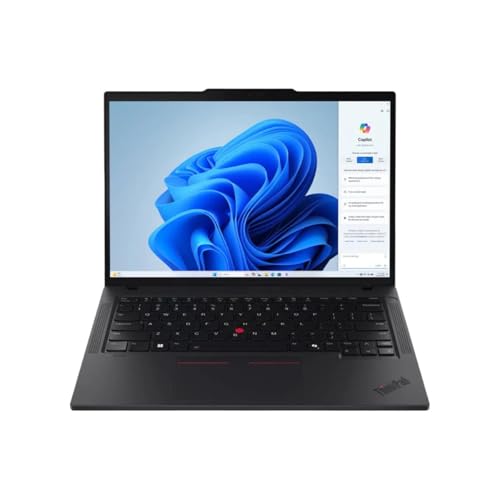
Lenovo ThinkPad X1 Carbon Gen 12: the traveller’s flagship
The X1 Carbon is the executive branch of the ThinkPad family: the same keyboard, durability and service network, distilled into a carbon-fibre chassis that weighs barely more than a kilogram. The Gen 12, built on Intel Core Ultra, is the version to hunt — and Black Friday is the one time of year when this flagship’s price regularly descends into the range of ordinary business laptops, as Lenovo clears the way for the next generation. Of all the deals in this guide, a genuine X1 Carbon discount is the one that generates the most justified excitement.
Strengths. Weight and build are the story: nothing else with this keyboard, this durability testing and this warranty is this easy to carry. The keyboard is superb, the display options include a beautiful high-resolution OLED for those who want it and efficient low-power panels for those who need battery life, and performance from the Core Ultra platform is more than sufficient for executive workloads, analysis and light creative work. The webcam and microphones are excellent, the machine is whisper-quiet, and it supports one-cable Thunderbolt docking as well as anything on the market. It also holds its value and its composure over years of travel abuse.
Trade-offs. Memory is soldered, so the configuration you buy is the configuration you keep — choose thirty-two gigabytes if your workload is growing. There is no Ethernet port and port variety is minimal, so a dock or adapter becomes part of the kit. Battery life with the OLED display is noticeably shorter than with the efficient panel, and even discounted, this is a premium machine whose price reflects it.
Timing matters more for the X1 Carbon than for any other pick. Its discounts tend to be shallower but its stock of good configurations thinner, because fewer fleet buyers order it and each production run is smaller. The practical consequence is that the well-specified X1 — the efficient display, the larger memory — is often an early-wave purchase: if it appears at a fair level before Black Friday itself, waiting for a deeper cut is a gamble against stock rather than against price. Conversely, the OLED configuration, which trades battery life for beauty, is the one most likely to linger into the later waves, and buyers who value the screen over the stamina can sometimes find it treated more generously on Cyber Monday.
Who it suits. Frequent flyers, executives and anyone whose laptop lives in a bag rather than on a desk. If you present, travel and work from wherever the day takes you, the X1 Carbon is the machine the rest of this list is compared against for portability. When a well-specified unit appears in the sales, it rarely lasts long, so check price on Amazon.

Dell Latitude 5450: the value fleet machine done right
Not every Black Friday bargain needs to be a flagship. The Latitude 5450 is Dell’s mainstream fleet laptop — the model companies buy in the thousands for general staff — and that is exactly what makes it such a reliable sale target. Fleet volume means deep channel stock, and deep channel stock means the season’s most aggressive discounts often land here, on a machine that is tougher, better supported and more upgradeable than any consumer laptop at a similar sale price.
Strengths. This is a proper business laptop where it counts: a durable chassis, a comfortable keyboard, comprehensive ports including Ethernet and HDMI, and straightforward serviceability with accessible memory and storage on most configurations. Intel Core Ultra and previous-generation Core options both perform well for office workloads, battery life is dependable, and Dell’s business warranty and on-site service apply just as they do to the premium line. For small businesses standardising on one model, parts and docks are shared across a huge installed base, which keeps long-term ownership simple and cheap.
Trade-offs. The design is functional rather than desirable, the standard display is the weakest of the six picks — choose the brighter panel option if it appears — and the machine is a little heavier than the premium models. Speakers and webcam are adequate rather than impressive. None of this matters much for its purpose, but buyers choosing a personal machine to love for five years may prefer to spend more.
For team buyers, the 5450 has one more Black Friday virtue: consistency. Because it is a high-volume fleet model, retailers and Dell’s own channels can usually supply multiple identical units at the sale price, which is not always true of the premium picks whose discounted stock may be a handful of machines. If you need five or ten of the same laptop, this is the model where that is realistically achievable in a single order, with matching docks and a uniform warranty start date. Order the spare in the same transaction if you can — matching a configuration six months later is possible but rarely as cheap, and the spare bought in the sale is the cheapest insurance in this entire guide.
Who it suits. Small businesses equipping a team, IT buyers topping up a fleet, and value-focused professionals who want business-grade durability and support without flagship pricing. It is the pick where the Black Friday discount most often turns a sensible machine into an outright bargain. For the panel and memory configuration to aim for, check price on Amazon.

Lenovo ThinkPad E14 Gen 6: the budget pick with a real keyboard
The ThinkPad E series is Lenovo’s answer to a fair question: how much of the ThinkPad experience can you keep at a markedly lower price? The E14 Gen 6 keeps more of it than you might expect — the keyboard feel, the sturdy build for the class, the port selection and the serviceability — while trimming the materials and display options. During Black Friday it becomes the entry point to this entire list: the machine for buyers whose budget is firm but who still need a laptop that behaves like a business tool rather than a disposable.
Strengths. The keyboard is recognisably a ThinkPad keyboard, which at this level is a genuine distinction. AMD Ryzen and Intel configurations both offer strong everyday performance, memory and storage are upgradeable — almost unheard of among budget laptops — and the port selection embarrasses many pricier machines, with USB-C, USB-A, HDMI and Ethernet all present. The aluminium lid and solid chassis survive bag life well, and Lenovo’s business warranty options can be added at purchase for peace of mind. For students entering professional life or startups equipping first hires, it covers the essentials properly.
Trade-offs. The standard display is dimmer and less colour-accurate than the panels on the premium picks, the chassis uses more plastic, and battery life is good rather than outstanding. The webcam and speakers are basic. It also lacks some of the security and management depth of the T series, which matters to larger IT departments but rarely to small teams. Think of it as eighty percent of the flagship experience — the question is whether the missing twenty percent is the part you would have used.
The E14 also makes an unusually good Black Friday gift-to-yourself for one specific reason: its upgradeability changes the maths of buying cheap. A machine bought with modest memory and storage is not a dead end, because both can be improved later when funds allow — a path that simply does not exist on sealed consumer laptops. That means a modest E14 configuration in the sale is a rational purchase rather than a compromise you are locked into, provided the processor and display are the ones you want, since those are the parts you cannot change. Check those two lines of the specification first, and let everything else be negotiable.
Who it suits. Budget-conscious professionals, small startups, students in business and technical programmes, and anyone buying a second machine for staff or family that still needs to be dependable. It is the Black Friday pick where a modest budget stretches furthest without leaving the business-laptop world. To compare the AMD and Intel configurations on sale, check price on Amazon.
The total bill: docks, warranties and the costs around the laptop
The laptop’s price is the largest single number in a purchase, but it is not the whole purchase, and Black Friday is a good moment to think about the rest of the bill because the same sales often discount the surrounding kit. A one-cable USB-C or Thunderbolt dock turns any of the six picks into a proper desk workstation, and a dock bought in the sale will serve two or three successive laptops. A second power adapter — one for the desk, one for the bag — is a small quality-of-life purchase that travellers consistently rate as the best money they spent. A decent laptop bag or sleeve, an external backup drive for the files that exist nowhere else, and a spare set of the cables your meeting rooms always seem to lack complete the working kit.
Two costs deserve deliberate decisions rather than defaults. The first is the warranty extension discussed earlier: priced at purchase, three years of on-site cover is usually a modest addition, and it should be compared against the cost of one week without your machine, not against zero. The second is software and services — the office suite, the password manager, the backup service. None of these should be bundled into your decision about which laptop to buy, and pre-installed trial subscriptions are not a feature, but the week you set up a new machine is the natural moment to put your digital house in order. Budget for the laptop, the dock, the warranty and one or two quality-of-life extras, and judge every deal against that total rather than the bare machine price. A slightly smaller discount on the laptop with the dock fairly priced beside it can be the better overall buy.
How the six compare at a glance
The table below summarises the six picks in qualitative terms. It deliberately avoids scores and prices: during Black Friday week, the right question is not which machine wins a spreadsheet, but which machine’s strengths match your working life — and then whether the deal on that machine is real.
| Model | Best for | Build | Keyboard | Portability | Standout quality |
|---|---|---|---|---|---|
| Lenovo ThinkPad T14 Gen 5 | Almost everyone | Excellent, serviceable | Best in class | Good | Upgradeable, dependable all-round |
| Dell Latitude 7450 | Client-facing professionals | Premium aluminium | Excellent | Very good | Finish, webcam, polish |
| HP EliteBook 840 G11 | Security-sensitive work | Excellent aluminium | Very good | Good | Deepest built-in security |
| Lenovo ThinkPad X1 Carbon Gen 12 | Frequent travellers | Flagship carbon fibre | Best in class | Outstanding | Featherweight durability |
| Dell Latitude 5450 | Teams and value buyers | Sturdy fleet build | Very good | Fair | Fleet value, serviceability |
| Lenovo ThinkPad E14 Gen 6 | Firm budgets | Good for the class | Very good | Good | Upgradeable at a low price |
Read the table alongside one more consideration: generation. Black Friday is when the outgoing generation reaches its lowest prices, and for business laptops the outgoing generation is usually a sweet spot — the processors are a step behind the newest, but the keyboards, chassis and warranties are identical, and the reliability record is proven rather than promised. A discounted Gen 5 T14 or G11 EliteBook will serve most professionals indistinguishably from its successor for years. The exception is buyers who specifically need the newest AI-accelerated features or the very latest efficiency gains; for them, a smaller discount on the current generation may be the better buy.
What a fair deal looks like on each of the six
Since this guide prints no prices, here is the next best thing: a plain-words description of what a genuinely good Black Friday offer looks like for each pick, so you can recognise one when it appears. On the ThinkPad T14 Gen 5, a fair deal means the AMD configuration with the higher memory option discounted to roughly the level the base model usually occupies — the fleet channel makes this pattern common, and it is the single most repeatable bargain of the season. On the Latitude 7450, look for the discount to close most of the gap between it and the T14; when the polished Dell costs about what the Lenovo usually does, it is priced fairly and worth taking seriously.
On the EliteBook 840 G11, a good offer usually arrives as a generously specified unit — the regulated-industry configurations with more memory, the privacy screen or the larger drive — discounted because a contract changed, so judge it by its specification rather than its percentage. On the X1 Carbon Gen 12, a fair deal is rarer and simpler to recognise: the flagship at a clear step below its usual level, on a configuration with memory you can live with permanently, because you cannot change it later. If the discounted X1 has the base memory and your workload is growing, the fair deal is the one you walk away from.
On the Latitude 5450, the season’s deepest percentage cuts tend to appear, and a fair deal means the brighter display option and a sensible memory configuration included rather than stripped out to reach the headline. On the ThinkPad E14 Gen 6, judge the deal against other budget laptops rather than against the flagships: when it undercuts consumer machines of similar specification while offering upgradeable memory and a proper keyboard, it is doing exactly the job it exists for. In every case, the pattern is the same — the right configuration at the level the lesser configuration usually commands. That, and not the size of the percentage, is what a real Black Friday deal looks like.
How to verify a Black Friday deal before you buy
Everything in this guide converges on a short routine you can run on any deal in about five minutes. First, identify the exact configuration: processor, memory, storage, display and warranty, read from the specification list rather than the headline. Model names are marketing; configurations are facts. Second, compare like with like — search for that same configuration outside the sale if you can, and judge the discount against what the machine has actually been selling for, not against the struck-through figure beside it. Third, check the warranty tier and whether extending it at purchase is offered; a cheap machine with a one-year return-to-base warranty may be a worse buy than a slightly dearer one with three years on-site. Fourth, confirm the return window. Reputable sellers extend returns over the holiday period, and a generous window is your insurance if a better deal appears a week later. Finally, buy the configuration you need rather than the one with the biggest percentage beside it — memory and storage chosen well now are worth more than any discount on a machine you will outgrow in eighteen months.
A word on timing. Business laptop deals tend to arrive in waves: early access sales in the weeks before, the main event across Black Friday itself, and a quieter second wave around Cyber Monday that often repeats the same machines at similar levels. There is rarely a reason to panic at the first price you see. If the configuration you want is discounted fairly in the early wave, take it — stock of the best configurations is the real constraint, not the calendar. If it is not, wait; the same model commonly reappears. What does not reappear is the specific well-specified unit that sold out on Friday morning while everyone waited for Monday. Judge the deal, not the day.
One more protection is worth knowing about: price adjustment policies. Several major retailers will refund the difference if a machine you bought early in the season drops further within a defined window, and many business laptops bought in November carry return periods that stretch into January. Read those two policies before you buy, because together they change the risk calculation completely — an early purchase stops being a gamble when you can either return the machine or reclaim the difference. Keep the order confirmation and the sale page details; a screenshot of the configuration and terms on the day you bought takes ten seconds and settles any later dispute about what was promised. Prepared buyers treat the paperwork as part of the deal, and on the rare occasion something goes wrong, they are very glad they did.
The other Black Friday: outlets and certified refurbished machines
There is a second Black Friday running in parallel with the retail one, and experienced IT buyers know it well: the manufacturers’ own outlet stores. Lenovo, Dell and HP all sell returned, cancelled-order and certified refurbished business laptops through dedicated outlet channels, and during Black Friday week those channels run their own promotions on top of already reduced pricing. A certified refurbished ThinkPad or Latitude is not a second-hand gamble in the usual sense — it has been inspected and restored by the manufacturer, it carries a proper warranty, often the same on-site cover as a new machine, and it is typically a fleet-grade configuration, because it began life as one. For buyers whose budget sits between the E14 and the T14, an outlet T14 from the previous generation can be the smartest purchase of the entire season.
The cautions are practical rather than alarming. Stock is whatever has come back through the channel, so the exact configuration you want may exist in a quantity of one, and hesitation is measured in other people’s purchases. Battery health on refurbished machines is warranted to a standard rather than to new condition, so heavy travellers should weigh that against the saving. And the warranty term, while genuine, is sometimes shorter than the three years we recommend for new machines — which can be acceptable if the price reflects it and the cover is on-site. Judge outlet deals by the same rules as everything else in this guide: exact configuration, honest comparison, warranty in writing. The channel is different; the discipline is not.
Buying for a team instead of yourself
Everything above applies with extra force if Black Friday is when you equip a small team. The first rule is standardisation: five identical laptops are cheaper to own than five individually optimal ones, because docks, chargers, spare parts and your own troubleshooting knowledge all transfer between them. Choose one of the six picks — the T14 and the Latitude 5450 are the natural fleet choices — and buy the same configuration for everyone, with one spare if the budget allows; a spare machine on the shelf converts any hardware failure from a crisis into a ten-minute swap. The second rule is to buy the warranty identically too, so that every machine carries the same on-site cover and nobody’s laptop is the one that has to be posted away.
The third rule is to record what you bought. Keep a simple list of serial numbers, configurations, warranty end dates and purchase receipts; it takes twenty minutes and it is the difference between a warranty claim that resolves in one phone call and one that dissolves into archaeology. Finally, resist the temptation to buy different models for different seniority levels unless the work genuinely differs — the traveller who flies weekly has a real case for the X1 Carbon while the desk-based team standardises on the T14, but most other distinctions create cost without creating value. Black Friday’s fleet discounts reward exactly this kind of disciplined, uniform buying, which is why small businesses that plan their purchase in October often equip a whole office for what an unplanned purchase costs in March.
Frequently asked questions
Is Black Friday really the best time to buy a business laptop?
For most buyers, yes — with one qualification. The combination of model-year changeovers and corporate channel overstock makes late November the deepest and broadest discount period for business machines specifically, deeper than the back-to-school or January sales for this category. The qualification is that the best discounts attach to outgoing generations and fleet configurations, so buyers who must have the newest model should expect smaller cuts. If your requirement is a well-specified business laptop rather than a particular launch, Black Friday is your week.
How can I tell whether a discount is genuine?
Ignore the percentage and interrogate the configuration. Note the exact processor, memory, storage, display and warranty, then compare that specification against what the same configuration sells for in ordinary weeks — price-history tools and a quick search of other retailers both help. Be suspicious when the struck-through price is far above anything the machine has ever sold for, when the model name is right but the specification is quietly weaker than the reviewed version, or when the warranty is the shortest tier. A genuine deal survives these checks without effort.
Should I buy the outgoing generation or the newest model?
For most professional workloads, the outgoing generation is the smarter Black Friday buy. Business laptops change incrementally year to year: the chassis, keyboard and warranty are usually carried over, performance differences are modest in office work, and the older model’s reliability is a known quantity. Choose the newest generation if you need its specific advances — substantially better battery efficiency, the latest AI features, or a display option the old model lacked — and accept a smaller discount as the price of those advances.
How much memory and storage should I aim for?
Sixteen gigabytes of memory and five hundred and twelve gigabytes of storage is the configuration we would set as the floor for a machine bought to work for four or five years. Step up to thirty-two gigabytes if you run virtual machines, large financial models, development environments or heavy multitasking, and to a terabyte of storage if your work involves large local files. Where memory is soldered, as on the X1 Carbon and some Latitude 7450 configurations, this decision is permanent, so it deserves more weight than a small difference in discount.
Is the warranty really worth paying to extend?
For a machine that earns your living, almost always. Extending to three years with on-site, next-business-day service at the point of purchase is typically far cheaper than extending later, and it converts a breakdown from a week of disruption into a visit from a technician tomorrow. If budget forces a choice, we would take a slightly lower processor tier with the longer on-site warranty over a faster chip with a basic one-year return-to-base cover. Downtime is the most expensive specification of all, and it is the one that never appears in the sale headline.
Black Friday rewards the prepared: choose your machine before the noise starts, verify the deal rather than the discount, and the season’s genuine bargains — a flagship ThinkPad at a fleet price, an EliteBook specified for a bank ending up on your desk — are very much there to be had.