Anyone shopping for a gaming laptop with a screen of seventeen inches or more should know one thing before the shortlist: the class has quietly consolidated. The 17.3-inch models that used to fill this shelf have largely been replaced, and every current flagship in the segment is now an eighteen-inch machine. All six laptops in this guide are therefore eighteen-inch models, stated plainly rather than dressed up as variety. That consolidation is not a loss. The bigger chassis is exactly what lets a laptop run its graphics hardware at full wattage, carry a screen worth looking at for years, and leave room inside for memory and storage upgrades — the three things that decide whether a desktop replacement still feels like one in three years’ time.
A note on how this page is put together: the links here are affiliate links, and if a purchase follows one of them, this site may earn an affiliate commission at no extra cost to the reader. That commission supports the research behind guides like this one, and the research is all it is — the laptops below were selected and compared from manufacturer specification pages, product documentation and configuration listings, and nothing here comes from a sales arrangement with any laptop maker. Where a specification differs between configurations of the same model, that difference is flagged rather than smoothed over, because in this class the configuration is the product.
The decision axis of this guide has three legs. The first is graphics power at the wattage the eighteen-inch frame allows: the same graphics chip name appears in thin laptops at reduced wattage and in these machines at up to 175 watts, and those are not the same purchase. The second is the screen, which splits into two honest philosophies — Mini-LED panels with high resolution and local dimming for image quality, and fast QHD-plus panels at 240 to 300 hertz for motion. The third is ownership: how much memory and storage the maker lets you change yourself, set against how much weight you accept when the machine moves between rooms, desks or buildings. Readers should decide which leg matters most before comparing names, because the six machines below divide cleanly along those lines.
In this guide
Quick picks: best 17 inch and up gaming laptops
| # | Product | Where to buy |
|---|---|---|
| 1 | ASUS ROG Strix SCAR 18 | Check on Amazon |
| 2 | ASUS ROG Strix G18 | Check on Amazon |
| 3 | Razer Blade 18 | Check on Amazon |
| 4 | Alienware 18 Area-51 | Check on Amazon |
| 5 | MSI Raider A18 HX | Check on Amazon |
| 6 | Acer Predator Helios Neo 18 AI | Check on Amazon |
Why this class now starts at eighteen inches
The seventeen-inch gaming laptop did not disappear because buyers stopped wanting big screens. It disappeared because panel makers standardised on the eighteen-inch, sixteen-to-ten format, and laptop makers followed the panels. An eighteen-inch sixteen-to-ten screen is taller than the old 17.3-inch sixteen-to-nine panels, which suits strategy games, timelines and documents as much as shooters, and the slightly larger lid gives the chassis below it more volume for fans, heat pipes and vapor chambers. In practical terms the modern eighteen-inch machine is the direct descendant of the old seventeen-inch desktop replacement, with a better aspect ratio and a larger cooling budget.
That cooling budget is the real product being bought. Graphics hardware in a laptop is defined less by its name than by the wattage the chassis can feed it and the heat the cooling system can move. Slim machines cap their graphics chips well below the silicon’s ceiling to stay thin and quiet. The six chassis here are built around the opposite choice: thick bases, multiple fans, vapor chambers and power adapters rated between 280 and 400 watts, all in service of holding high wattage for hours rather than minutes. Battery capacity, by contrast, has converged near the airline limit of roughly one hundred watt-hours on every machine in this guide, so battery size is not a differentiator — these are plugged-in machines whose batteries exist for moving rooms and riding out short outages, not for an afternoon of gaming away from a socket.
The third thing the big frame buys is a full-size keyboard deck, usually with a number pad, and the port selection of a small desktop: multiple high-speed USB-C ports, full-size HDMI, wired Ethernet and, on several of these, an SD card reader. For a machine that will spend its life as the only computer in a home, those details matter as much as frame rates, and they are a large part of why this class survives at all when smaller gaming laptops are cheaper and lighter.
The six laptops at a glance
The table below compresses the comparison into the fields that separate these machines. Resolutions, refresh rates, wattages and weights are the manufacturers’ published figures for the configurations discussed in each review; the final column is an editorial summary of who each laptop serves.
| Laptop | Graphics, top configuration | Display | Upgrade room | Weight | Best for |
|---|---|---|---|---|---|
| ASUS ROG Strix SCAR 18 | RTX 5090 at 175W | 18-inch Mini-LED, up to 4K-class 240Hz | Two memory slots, two drive slots, tool-less access | Heavier half of the class | The flagship screen and flagship power in one machine |
| ASUS ROG Strix G18 | RTX 5070 Ti at 140W | 18-inch QHD-plus IPS-level, 240 to 300Hz | Two memory slots, two drive slots, tool-less access | About 3.2 kg | Full-wattage mid-tier graphics in the same big chassis |
| Razer Blade 18 | RTX 5090 at 175W | 18-inch dual-mode: UHD-plus 240Hz or FHD-plus 440Hz | User-upgradeable memory and storage | About 3.1 kg, thinnest here | Flagship power in a milled-aluminium body that travels best |
| Alienware 18 Area-51 | RTX 5090 at 175W | 18-inch QHD-plus 300Hz | Socketed memory, storage up to 12TB in top configurations | Up to 4.34 kg, heaviest here | Cooling headroom and a mechanical keyboard option |
| MSI Raider A18 HX | RTX 5090 at 175W, Ryzen 9 9955HX3D | 18-inch UHD-plus Mini-LED 120Hz | Two memory slots to 96GB, two drive slots | About 3.6 kg | Maximum processor and graphics power, resolution first |
| Acer Predator Helios Neo 18 AI | RTX 5070 Ti at 140W | 18-inch QHD-plus 240Hz | Two memory slots, two drive slots | About 3.3 kg | The most affordable way into the eighteen-inch class |
One reading skill unlocks the whole class: the model code. Makers sell families, but listings sell codes — G835 for the SCAR 18 against G815 for the G18, PHN18-72 for the Helios Neo, the A9W suffix inside the Raider’s full name — and the code, plus the configuration lines beneath it, is the only reliable identity a laptop has. Two listings can share a headline name and differ in graphics chip, panel and memory; two listings with different headline decorations can be the identical machine. Every review below therefore names its model’s code where the maker publishes one, and the manufacturer’s own documentation records the code traps — the sibling models and previous generations that a search will inevitably offer instead.
Two patterns in the table are worth noticing before the detail. First, the flagship graphics tier runs at the same 175-watt ceiling in four different chassis, so among the flagships the choice is really about screens, processors and build — not about one maker feeding the chip more power than another. Second, the two RTX 5070 Ti machines both run that chip at its full 140-watt laptop specification, which makes them honest mid-tier machines rather than cut-down ones; what they give up against the flagships is the Mini-LED screen and the top graphics tier, not wattage discipline.
How the shortlist was built is worth one paragraph, because the exclusions explain the class. Only current-generation models with a manufacturer-documented screen of seventeen inches or more were eligible, which in practice meant the eighteen-inch flagships and mid-tier machines of the RTX 50-series generation. Sixteen-inch flagships — several of them excellent — were excluded by the size rule, not by quality, and previous-generation 17.3-inch models were excluded because their configurations are clearance stock rather than a living range. Within each model line, one configuration was chosen as the pick and named as such; where a maker sells a stronger or weaker configuration of the same machine, the review says so and says which one is under discussion.
The six laptops in detail

ASUS ROG Strix SCAR 18 (G835)
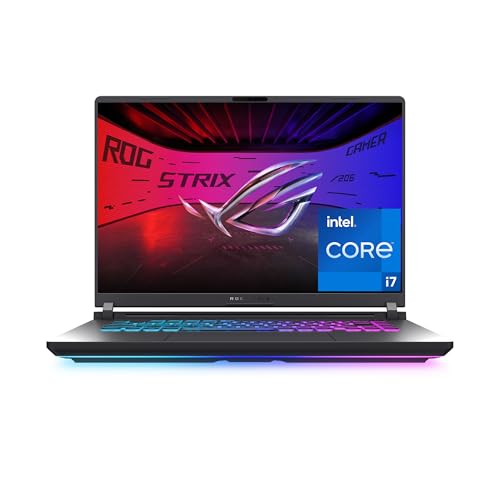
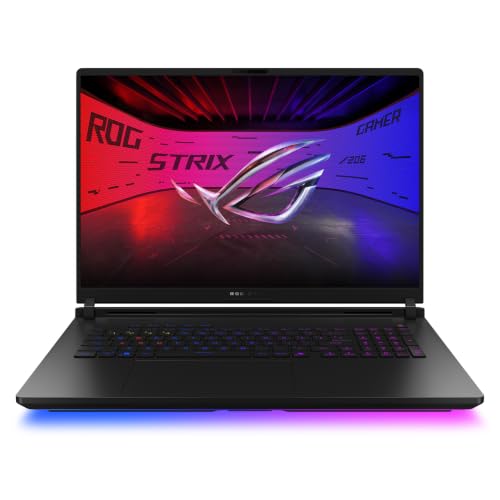
The SCAR 18 is the flagship of the ASUS line and the reference point for this class: an eighteen-inch chassis built to run the strongest laptop graphics hardware at its full published wattage, behind the best screen ASUS fits to a gaming laptop. In its top configuration it pairs an Intel Core Ultra 9 275HX processor with an NVIDIA GeForce RTX 5090 laptop GPU running at 175 watts including Dynamic Boost, with 24 gigabytes of GDDR7 memory. ASUS also sells the same chassis with RTX 5080 and RTX 5070 Ti graphics, and the configuration discipline matters here: the pick under discussion is the RTX 5090 configuration, because the screen and cooling are specified to match it.
That screen is a Mini-LED ROG Nebula HDR panel. The configuration most widely listed carries a 2560-by-1600 resolution at 240 hertz with a peak brightness of 1200 nits, DisplayHDR 1000 support and full DCI-P3 coverage, while the newest flagship configuration steps up to a 3840-by-2400 Mini-LED panel, also at 240 hertz, with two thousand local dimming zones. Either version is a local-dimming panel, which means dark scenes are rendered with genuinely dark zones rather than the uniform grey of a conventional backlit screen, and HDR games and films gain the contrast that this class of machine is usually bought to enjoy. Buyers must read the panel line of the exact configuration on offer, because ASUS sells both resolutions under the same SCAR 18 name and the difference is not visible from the model name alone.
Ownership is the SCAR’s second flagship trait. The 2025 Strix chassis was redesigned for tool-less access to the memory, storage and fans, and the SCAR 18 carries two SO-DIMM slots supporting up to 64 gigabytes of DDR5-5600 memory and two M.2 drive slots, so a buyer can start with a mid-level configuration and grow it. The lid carries the AniMe Vision LED array for those who want it, the port set includes two Thunderbolt 5 ports, and the graphics switching uses a MUX switch with Advanced Optimus so the internal screen can be driven directly by the discrete GPU. This is the machine in the guide that asks the fewest compromises of a buyer who wants the flagship tier — and charges accordingly, in the currency of this class: money and carrying weight sit at the top of the range even if the scale figure is not the heaviest here.
Strengths
- Top graphics tier at the full 175-watt specification, with 24GB of GDDR7 memory
- Mini-LED screen with local dimming and DisplayHDR 1000 support in either resolution
- Tool-less access to two memory slots and two drive slots for later upgrades
- Two Thunderbolt 5 ports and a MUX switch with Advanced Optimus
Trade-offs
- Two different Mini-LED resolutions are sold under one model name, so the exact configuration must be checked
- The flagship configuration sits at the top of the class price range
- AniMe Vision lid lighting and the gaming styling will not suit every desk
Who it suits
This laptop suits the buyer who wants one machine to be the flagship in every department at once — the strongest graphics configuration, a local-dimming screen for HDR games and films, and an upgrade path that keeps the chassis relevant for years. If that is the brief, the SCAR 18 in its RTX 5090 configuration is the most complete answer in this guide, so read the panel specification of the listing carefully and check price on Amazon.
Check price on Amazon: ASUS ROG Strix SCAR 18

ASUS ROG Strix G18 (G815)
The G18 shares the SCAR’s eighteen-inch Strix chassis philosophy and deliberately spends less inside it. Where the SCAR is a flagship in every department, the G18 is a price-and-performance machine: the configuration under discussion pairs the same Intel Core Ultra 9 275HX processor with an NVIDIA GeForce RTX 5070 Ti laptop GPU at 140 watts — 115 watts base with 25 watts of Dynamic Boost — and 12 gigabytes of GDDR7 memory. That 140-watt figure is the full laptop specification for this graphics chip, not a reduced version of it, which is the single most important fact about the G18: the saving against the SCAR comes from the graphics tier and the screen, not from quietly starving the chip that is fitted.
The screen makes the difference visible. In place of Mini-LED there is an IPS-level ROG Nebula panel at 2560 by 1600, with full DCI-P3 coverage and 500 nits of brightness, running at 240 hertz on most configurations; ASUS also lists a 300-hertz variant of the G815, so the refresh figure belongs to the exact configuration and should be confirmed on the listing. There is no local dimming, so HDR content lacks the SCAR’s contrast, but for the fast, bright, SDR gaming that most owners actually play, a high-refresh QHD-plus panel at this size is a rational place to spend less. G-Sync and Advanced Optimus are present, as they are on the SCAR.
The ownership story is inherited from the same redesigned chassis: a tool-less bottom panel with ASUS’s Q-latch system for the drive slots, two SO-DIMM slots supporting up to 64 gigabytes of DDR5-5600 memory, two M.2 slots, two Thunderbolt 5 ports and Wi-Fi 7. The machine weighs about 3.2 kilograms and ships with a 280-watt adapter and a 90-watt-hour battery. ASUS sells G815 configurations with the RTX 5070 and RTX 5080 as well; the RTX 5070 configuration runs its chip at a lower 115-watt ceiling, which is why this guide names the 5070 Ti configuration specifically. Written against its sibling, then: the SCAR is the flagship screen and flagship graphics story, while the G18 is the same big-chassis discipline — full-wattage graphics, real upgrade room, proper ports — with the expensive layers removed.
Strengths
- RTX 5070 Ti at its full 140-watt laptop specification, not a reduced variant
- Same tool-less chassis, two memory slots and two drive slots as the flagship line
- High-refresh QHD-plus panel with G-Sync and full DCI-P3 coverage
- Two Thunderbolt 5 ports and Wi-Fi 7 at a mid-tier position in the class
Trade-offs
- No Mini-LED and no local dimming, so HDR contrast is a clear step below the SCAR
- Refresh rate differs between configurations — 240Hz on most, a 300Hz variant exists — and must be confirmed per listing
- The RTX 5070 configuration of the same model runs at a lower wattage and is an easy listing mix-up
Who it suits
This laptop suits the buyer who wants the eighteen-inch format and full-wattage mid-tier graphics without paying for a flagship screen or the top graphics tier — a home gaming station that will live on one desk, play everything at its native resolution, and accept more memory and storage later. If the SCAR’s screen is more than your games need, the G18’s RTX 5070 Ti configuration keeps the substance and drops the ceremony, so confirm the refresh rate of the exact listing and check price on Amazon.
Check price on Amazon: ASUS ROG Strix G18

Razer Blade 18
The Blade 18 is the design-led flagship of this class: a chassis milled from a single block of aluminium, finished in matte black anodising, and — at roughly 22 to 28 millimetres thick — the thinnest eighteen-inch gaming laptop Razer has documented, at about 3.1 kilograms. That matters in this guide because every other machine here accepts bulk as the price of power. The Blade’s argument is that flagship hardware does not have to look or carry like a briefcase full of bricks, and the specification sheet backs the argument: an Intel Core Ultra 9 275HX processor and graphics options running up to the NVIDIA GeForce RTX 5090 laptop GPU at a maximum graphics power of 175 watts, fed by a compact 400-watt GaN charger.
Its screen is unique in this guide. The eighteen-inch IPS panel is dual-mode: it runs at UHD-plus resolution, 3840 by 2400, at 240 hertz for detailed work and cinematic games, or switches to FHD-plus, 1920 by 1200, at 440 hertz for competitive play where refresh outranks resolution. Response time is 3 milliseconds, colour coverage is the full DCI-P3 space, and the panel is Calman Verified for colour accuracy. The honest caveat is the panel technology: this is an IPS screen without the local dimming of the Mini-LED machines, so its HDR contrast sits a class below the SCAR 18 and the Raider, even though its dual-mode flexibility is something neither of those offers. Buyers choosing between them are choosing between contrast and versatility, and neither answer is wrong.
Around the hardware, Razer has kept the ownership basics intact rather than soldering the machine shut: memory and storage remain user-upgradeable, the battery is a 99-watt-hour unit, and the port set pairs a Thunderbolt 5 port with a Thunderbolt 4 port alongside USB-A, HDMI 2.1, 2.5-gigabit Ethernet and an SD card reader. The keyboard has a deeper 1.5-millimetre key travel than earlier Blades, and the webcam is a 5-megapixel infrared unit for Windows Hello. The compromises are the familiar Razer ones: the flagship configurations carry flagship prices, the slim chassis has less thermal mass than the thickest rivals, and the anodised finish shows fingerprints readily. As a machine that must occasionally leave the house — to a studio, a client site, a second home — it is the only one of the six that seems designed with the journey in mind.
Strengths
- Thinnest and among the lowest-weight eighteen-inch flagships, in a milled aluminium unibody
- Dual-mode display: UHD-plus at 240Hz or FHD-plus at 440Hz from one panel
- RTX 5090 configuration runs at the full 175-watt maximum graphics power
- Upgradeable memory and storage, Thunderbolt 5, and a compact GaN charger
Trade-offs
- IPS panel without local dimming, so HDR contrast trails the Mini-LED machines
- Flagship configurations are priced at the top of the class
- Slim chassis leaves less cooling headroom than the thickest rivals under sustained load
Who it suits
This laptop suits the buyer who wants flagship power and flagship screen resolution in the one eighteen-inch machine that still behaves like a designed object — the player who moves between home and studio, presents in rooms where a glowing gaming slab would jar, and values the dual-mode screen’s ability to be a 4K-class work panel by day and a 440-hertz competition panel by night. If that combination is the priority, the Blade 18 stands alone in this guide, so choose the graphics configuration deliberately and check price on Amazon.
Check price on Amazon: Razer Blade 18

Alienware 18 Area-51
The Alienware 18 Area-51 is the maximalist entry: the heaviest machine in this guide at up to 4.34 kilograms, wrapped in Dell’s revived Area-51 design language, and engineered around a single idea — that in a desktop replacement, cooling is not a constraint to manage but the feature itself. Dell’s Cryo-Chamber design gives the four fans a larger internal air volume to work with; Dell publishes figures of up to 35 percent more airflow than the previous generation and a total performance power of up to 280 watts for the eighteen-inch model, with a vapor chamber fitted on configurations carrying the RTX 5070 Ti and above. Graphics options run from that 5070 Ti through the RTX 5080 to the RTX 5090 at 175 watts, all paired with Intel’s Core Ultra 9 275HX.
The screen takes the opposite bet from the Mini-LED flagships. It is an eighteen-inch QHD-plus panel, 2560 by 1600, at 300 hertz — the joint-quickest refresh rate in this guide — with a 3-millisecond response, 500 nits of brightness and full DCI-P3 coverage, plus G-Sync and Advanced Optimus. There is no HDR support and no local dimming, and Dell does not pretend otherwise: this is a panel specified for motion clarity and competitive play at the resolution the graphics hardware can feed at very high frame rates, rather than for cinematic contrast. Buyers whose evenings are mostly single-player and story-driven should weigh that honestly against the Mini-LED machines; buyers whose games are fast and multiplayer will find the trade correctly made.
The rest of the specification leans into the desktop-replacement brief. An optional Cherry MX ultra-low-profile mechanical keyboard is unique in this class, memory is socketed DDR5 up to 64 gigabytes, storage in top configurations reaches a published 12 terabytes across the drive slots, and the underside carries a Gorilla Glass window into the cooling chamber with the fans lit behind it. Ports include two Thunderbolt 5 connections, 5-gigabit Ethernet, Wi-Fi 7 and a full-size SD reader; the battery is 96 watt-hours and the adapter a 360-watt GaN unit. Nothing about the Area-51 apologises for its size, and that is its coherence: it is the closest thing here to a small desktop that happens to fold shut, bought by people who will move it between fixed stations rather than carry it daily.
Strengths
- Cryo-Chamber cooling with published airflow gains and up to 280W of total performance power
- 300Hz QHD-plus panel, the joint-quickest refresh in this guide
- Optional Cherry MX mechanical keyboard, unique in the class
- Socketed memory and storage headroom up to a published 12TB in top configurations
Trade-offs
- Heaviest machine here at up to 4.34 kg, before its 360W adapter
- No HDR support and no local dimming on the display
- Styling, lighting and the glass underside window are emphatically gaming in character
Who it suits
This laptop suits the buyer who treats the desktop replacement idea literally: a machine that lives on a desk, moves rarely and reluctantly, and should never have to choose between its processor and its graphics card when the cooling gets busy. Competitive players who want 300 hertz at QHD-plus, and anyone who has missed a mechanical keyboard since leaving a desktop, are its natural owners, so weigh the carrying figure honestly against your routine and check price on Amazon.
Check price on Amazon: Alienware 18 Area-51
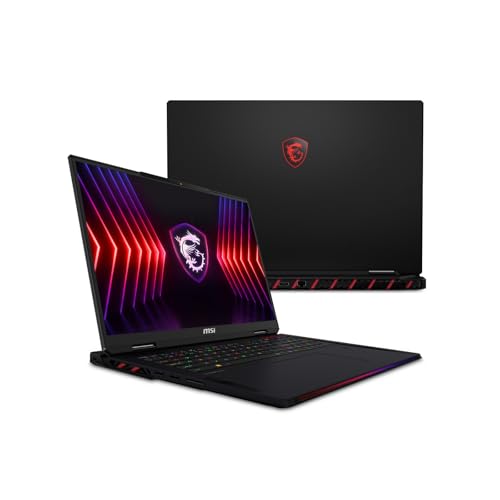
MSI Raider A18 HX
The Raider A18 HX is the performance absolutist of the six, and its defining choice is the processor. Where the other flagships use Intel’s Core Ultra 9 275HX, MSI fits AMD’s Ryzen 9 9955HX3D: sixteen cores and thirty-two threads, up to 5.4 gigahertz, and 144 megabytes of total cache built around AMD’s second-generation 3D V-Cache — an extra stack of cache memory that games, in particular, are known to reward. Paired with graphics up to the NVIDIA GeForce RTX 5090 laptop GPU at 175 watts maximum graphics power with Dynamic Boost, and MSI’s OverBoost Ultra technology allowing a combined processor-and-graphics budget of up to 260 watts, the Raider is specified as the maximum-performance configuration of this class. This guide makes no benchmark claims — performance comparisons here rest on published hardware — but on published hardware alone, no other machine in the six pairs this processor with this graphics tier at this wattage.
The screen follows the same resolution-first logic: an eighteen-inch UHD-plus Mini-LED panel at 3840 by 2400, with VESA DisplayHDR 1000 certification and full DCI-P3 coverage. Its refresh rate is 120 hertz — the lowest ceiling in this guide, and the clearest single trade-off in the whole comparison. The Raider bets that at eighteen inches and 4K-class resolution, image quality and pixel density are worth more than refresh beyond 120, a bet that suits single-player, cinematic and creative work and will genuinely not suit competitive players, who should take the Alienware or the G18’s fast panel instead. MSI’s documentation is unambiguous about the figure, and buyers should be equally unambiguous with themselves about which side of that trade they live on.
The supporting specification is flagship throughout: two DDR5 memory slots supporting up to 96 gigabytes — the highest memory ceiling in this guide — one PCI Express 5.0 and one 4.0 drive slot, a SteelSeries per-key RGB keyboard, a 99.9-watt-hour battery, a 400-watt adapter and Wi-Fi 7, in a chassis of about 3.6 kilograms. MSI sells the Raider A18 HX in lower configurations as well, including RTX 5080 graphics and lesser panels under the same family name, so the pick here is specifically the 9955HX3D and RTX 5090 configuration with the Mini-LED display; the family name alone does not guarantee any of the three. For buyers who want the strongest published hardware sheet in the class and a screen to match it, this is the machine that refuses to compromise anywhere except refresh rate.
Strengths
- Ryzen 9 9955HX3D with 3D V-Cache, the only AMD flagship processor in this guide
- RTX 5090 at 175W, with a published combined power budget of up to 260W
- UHD-plus Mini-LED screen with DisplayHDR 1000 certification
- Highest memory ceiling here: two slots supporting up to 96GB
Trade-offs
- 120Hz refresh ceiling is the lowest in the guide and wrong for competitive play
- Lower configurations share the family name, so the exact specification must be verified
- About 3.6 kg with a 400W adapter makes a heavy travel kit
Who it suits
This laptop suits the buyer who reads specification sheets for pleasure and wants the strongest one in the class: the player whose games are single-player and cinematic, who may also render, compile or simulate on the same machine, and who would rather have 4K-class pixels and cache-rich processing than a refresh rate their games will never reach. If maximum published hardware is the whole point, the Raider A18 HX in its top configuration is the pick, so verify the processor and panel on the listing line by line and check price on Amazon.
Check price on Amazon: MSI Raider A18 HX

Acer Predator Helios Neo 18 AI
The Helios Neo 18 AI is the value door into this class, and it earns that place without the usual value-tier cheat. The configuration under discussion pairs Intel’s Core Ultra 9 275HX with an NVIDIA GeForce RTX 5070 Ti laptop GPU at 140 watts — the same full laptop specification for that chip as the Strix G18, with the same 12 gigabytes of GDDR7 memory. That parity is the pick’s whole argument: the savings against the mid-tier rivals come from panel specification, materials and frills, not from a quietly reduced graphics wattage, and a buyer comparing configuration sheets line by line will find the expensive silicon present and correctly fed.
The screen is an eighteen-inch panel at 2560 by 1600 and 240 hertz. Acer sells this line with more than one panel: a 500-nit IPS configuration is the widely listed version, and a Mini-LED configuration with a published count of around two thousand dimming zones also exists in the family. Which panel a given listing carries changes the machine’s HDR character completely, so it is the first line to verify — a discipline this guide has applied to every brand, applied here to the one where the price makes the verification easiest to skip. In its IPS form the screen is a bright, fast, honest gaming panel of the same resolution and refresh as the G18’s, which is precisely the comparison Acer wants a careful buyer to make.
The ownership details are better than the tier suggests. Two SO-DIMM slots support up to 64 gigabytes of memory, there are two M.2 drive slots, and the wireless card sits in its own slot — a service-friendly layout that keeps the machine upgradeable in the ways that matter over a long ownership. The battery is 90 watt-hours, the weight about 3.3 kilograms, and the model code to look for is PHN18-72. Acer’s PredatorSense software handles the fan and power profiles, and the styling is gamer-forward without the flagship lines’ lighting theatre. What the Neo gives up against the G18 is chiefly polish: panel ceiling, chassis feel and the breadth of the port and configuration range. What it does not give up is the class’s core promise — a big screen, a full-wattage graphics chip and room to grow — and for many buyers that is the correct place to stop paying.
Strengths
- RTX 5070 Ti at the full 140W specification, matching pricier mid-tier rivals
- Most affordable route into the eighteen-inch class
- Two memory slots, two drive slots and a slotted wireless card for easy servicing
- 240Hz QHD-plus panel at the class’s standard resolution
Trade-offs
- Panel varies by configuration — IPS and Mini-LED versions exist — and must be verified per listing
- Chassis materials and finish sit a tier below the flagship lines
- Some listings ship modest memory and storage configurations that assume an upgrade
Who it suits
This laptop suits the buyer who wants the eighteen-inch experience — the big high-refresh screen, the full-size keyboard deck, the full-wattage graphics — at the lowest sensible cost of entry, and who is comfortable opening the base panel later to add the memory and storage the starter configuration skimped on. If the budget has a hard ceiling and the screen size does not, the Helios Neo 18 AI is where the class starts, so check which panel the listing carries before anything else and check price on Amazon.
Check price on Amazon: Acer Predator Helios Neo 18 AI
What to look for in a 17-inch and up gaming laptop
Graphics wattage before graphics name
The most expensive mistake in this class is buying a graphics chip’s name without its wattage. Laptop graphics chips are sold across a wide power range, and a reduced-wattage version of a higher-tier chip can perform like a full-wattage version of the tier below. The eighteen-inch chassis exists to end that ambiguity: in this guide the flagship tier runs at 175 watts and the RTX 5070 Ti machines at 140 watts, each the full published laptop specification for its chip. Whatever model you consider, find the maximum graphics power figure in the manufacturer’s specification — including whether it depends on Dynamic Boost — and treat a listing that will not state it as a listing that has answered you.
Resolution versus refresh: choose the trade consciously
The six screens divide into two philosophies. Mini-LED panels at QHD-plus or UHD-plus resolution bring local dimming, high brightness and HDR contrast, at refresh rates of 120 to 240 hertz. Fast IPS panels at QHD-plus reach 240 to 300 hertz with no local dimming. The Blade 18’s dual-mode panel is the exception that straddles both, switching between UHD-plus at 240 hertz and FHD-plus at 440. The right choice follows the games: competitive titles reward refresh; cinematic titles reward contrast and resolution; and a 4K-class panel asks the graphics hardware to fill four times the pixels of a 1080p one, which is why the UHD-plus machines in this guide are all flagship-graphics machines. There is no configuration in which a mid-tier chip and a 4K panel are a balanced pair.
The processor is a desktop-class decision
Every machine in this guide uses an HX-class processor — the tier of mobile chip built from desktop silicon, with core counts and power budgets to match. Intel’s Core Ultra 9 275HX, fitted to five of the six, carries twenty-four cores and a published turbo ceiling of 5.4 gigahertz, and it is the safe default for a machine that will game, stream, render and compile across a long life. The exception is the point of the MSI Raider: AMD’s Ryzen 9 9955HX3D trades Intel’s core layout for a sixteen-core design with a stacked cache that games are documented to favour, and its 144 megabytes of total cache is a specification no Intel mobile chip currently answers. Neither choice is a compromise — both are flagship parts — but the processor cannot be changed later, so it deserves the same deliberation as the graphics tier, particularly for buyers whose work is threaded productivity, where the Intel part’s core count is its own argument.
Memory and storage you can change yourself
A desktop replacement should age like a desktop. Two SO-DIMM memory slots — standard across this guide — let a machine bought with a modest memory configuration grow to 32 or 64 gigabytes later, and the Raider’s ceiling of 96 gigabytes shows where the platform tops out. Two M.2 drive slots matter as much, because game libraries grow faster than any other data a home keeps. Tool-less base panels, as on the current ASUS Strix chassis, turn those upgrades into a ten-minute job rather than a service visit. Before buying, confirm the slot counts in the manufacturer’s documentation for the exact model code: a small number of slim gaming laptops solder their memory, and in a machine bought for a five-year life that single line of the specification outweighs most others.
Cooling, noise and the room the machine lives in
Full-wattage hardware makes heat, and heat makes fan noise; the differences between these chassis are in how gracefully they manage it. Vapor chambers, liquid-metal thermal interfaces on the processor, and larger air volumes like the Area-51’s Cryo-Chamber all serve sustained loads — the third hour of a session, not the first ten minutes. Makers publish total power figures and airflow claims rather than noise levels, so the practical reading is architectural: more fans, bigger vents and a thicker base generally mean the same cooling at lower fan speeds. Anyone who plays in a shared room, or records and streams from the same desk, should weight this section heavily and plan on headphones regardless.
Weight, power bricks and honest portability
The laptops here weigh between about 3.1 and 4.34 kilograms, and their adapters add meaningfully to that: the class’s chargers run from 280 to 400 watts, and a 400-watt brick is itself a substantial object. Total travelling weight — machine, adapter, mouse — is the figure to compare against your actual routine. Moved between two desks weekly, any of the six is fine. Carried daily on a train, even the lowest-weight one will make its presence known, and the heaviest becomes a genuine burden. Battery capacity is uniformly near the airline ceiling and uniformly beside the point: expect the battery to cover relocation and light work, not gaming, on every machine in this guide.
Keyboards, sound and the small print of the deck
The big deck is a quality-of-life feature that specification summaries undersell. Every machine here fits a full-size keyboard, most with a number pad, and the differences are in key feel and travel: the Blade 18’s deepened 1.5-millimetre travel, the Area-51’s optional Cherry MX mechanical switches, the Raider’s SteelSeries per-key board. Webcams have quietly become respectable in this class — infrared Windows Hello cameras are standard across the six, and the Blade’s 5-megapixel unit leads the group — while speakers remain the weak sense of every gaming laptop and should be assumed adequate rather than good. None of these details decides a purchase alone, but across five years of daily use they are the difference between a machine that feels like equipment and one that feels like an appliance, and they are worth a line in any comparison you make.
One machine for work as well as play
For many buyers this laptop is also the household’s most powerful computer, full stop — the machine that edits video, renders, compiles and runs the large monitor on the desk through Thunderbolt. The HX-class processors and high memory ceilings here are genuinely workstation-grade, and the same screen size that serves games serves timelines and CAD viewports. Readers whose work centres on making things rather than playing may also want the guide to the , which looks at portable machines from the workshop side; the overlap between the two briefs is real, and the difference is chiefly which software’s requirements get read first.
When a desktop still wins
Honesty requires one paragraph against the whole guide. A desktop of similar cost offers more graphics power, cheaper storage, a replaceable everything, and a upgrade path measured in generations rather than slots; a reader who never moves their machine and has the floor space should price that alternative before committing. The current desktop platform conversation starts with the boards in the guide to . The eighteen-inch laptop wins when the machine must fold away, move between rooms or buildings, or consolidate a desk that also serves other purposes — which is a great many desks, and the reason this class exists.
Ownership: living with an eighteen-inch machine
The daily reality of this class is a desk, not a lap. The footprints here run to roughly forty centimetres wide and thirty deep, and the machine will anchor a station: an external mouse, often a separate keyboard for long work, and frequently a monitor that the laptop drives through Thunderbolt or HDMI when the internal screen is not the main display. All six machines are specified for that second life — high-speed USB-C with display output is universal in this guide, and wired Ethernet on most of them suits a fixed desk better than any wireless link. Planning the station is part of the purchase: a stand that lifts the rear and leaves the vents clear, a cable route that keeps the thick power lead off the desk’s edge, and enough clear space behind the machine for its exhaust are small decisions that decide whether the cooling the maker engineered actually gets to work.
Performance modes are the other ownership habit worth forming early. Every maker here ships software profiles that trade fan noise against wattage — quiet modes that cap the graphics power for evening play in a shared room, turbo modes that hold the full specification, and manual modes on the ASUS and MSI machines that let an owner set the balance. The profiles are also why the wattage figures in this guide are always quoted as maximums: the same laptop is a 175-watt machine in its turbo profile and a far gentler one in its silent profile, and both are legitimate ways to own it. Owners who stream or record from the same machine should also settle the graphics switching mode early, because the MUX switch and Advanced Optimus settings decide whether the internal display is driven directly by the discrete graphics hardware or routed through the integrated graphics, and the choice affects both frame pacing and capture behaviour. Finally, the tool-less and screwed base panels across this guide make the one maintenance task that matters — clearing dust from fans and fin stacks — a realistic annual job rather than a service-centre errand, and in a machine bought for five years, that realism is a feature on the same level as a faster screen.
Matching the laptop to the desk it will live on
One further split is worth making before the screen: how often the machine moves. A laptop that lives on one desk forever can be chosen on specification alone, and the Area-51’s weight is then a delivery-day problem rather than a daily one. A laptop that moves weekly between home and a second workplace should be chosen from the lighter half of the table — Blade, G18, Helios Neo — with the adapter’s weight counted in the same decision. The specification sheets are identical in both readings; the ownership is not.
Start from the screen, because it is the one component that can never be upgraded. Buyers who play cinematic games and watch films on the machine should shortlist the Mini-LED three — SCAR 18, Raider A18 HX and Blade 18 — and choose among them on processor and portability: the Raider for maximum hardware and 4K-class resolution at 120 hertz, the SCAR for the flagship balance at 240 hertz, the Blade for the dual-mode panel and the body that travels. Buyers who play competitive games should start from refresh: the Area-51 and the quickest G18 configuration at 300 hertz, with the Blade’s 440-hertz mode as the specialist option. Buyers whose budget is the binding constraint should compare the G18 and the Helios Neo 18 AI configuration by configuration — the same full-wattage 5070 Ti sits in both — and let the panel and chassis details of the exact listings decide.
Buying mistakes this shortlist is built to prevent
A fourth, quieter mistake concerns the adapter. These machines draw their full performance only from their own rated power supplies — 280 to 400 watts depending on model — and a smaller travel adapter or a USB-C charger will run the machine in a reduced state or merely slow its discharge. Owners who genuinely work between two stations should budget for a second genuine adapter at the maker’s rating rather than discovering the limit mid-session, and should never assume the adapter from a previous laptop, even from the same brand, carries the same rating.
Three errors account for most regrets in this class. The first is configuration drift: the same model name covers several graphics chips, two panel types and wide memory and storage ranges, so a review or a friend’s machine may describe hardware quite different from the listing in front of you — the model code and the configuration lines are the product. The second is wattage blindness, covered above: a famous graphics name at a reduced wattage is a different purchase from the same name at full specification. The third is buying the screen for the games you admire rather than the games you play — a 4K panel on a mid-tier chip, or a 120-hertz ceiling for a competitive player, are mismatches no later upgrade can repair, because the panel is the one part of a laptop that is never swapped.
Frequently asked questions
Is a 17.3-inch gaming laptop still worth buying?
An existing 17.3-inch model at a genuinely reduced clearance price can still make sense, because the hardware inside is often the previous generation of the same ideas. As a new purchase at full price, though, the class has moved on: current flagships are eighteen-inch machines with taller sixteen-to-ten screens, and support, panels and configurations now concentrate there. Buy the older size only when the discount is large enough to be the entire argument.
Does graphics wattage matter more than the graphics name?
Within one chip generation, wattage is the first figure to check and the name is the second. A chip’s published laptop range can span from a slim-machine ceiling to the 175-watt flagship specification used in this guide, and performance follows the power the chassis can sustain. The name tells you the ceiling of what is possible; the wattage tells you how much of it the laptop you are buying actually delivers.
Can an 18-inch laptop genuinely replace a desktop?
For performance, connectivity and screen quality, yes — that is the design brief of every machine here, and the port selections, socketed memory and multi-slot storage are desktop habits in a folding chassis. The honest limits are upgrading and repair: the processor and graphics are fixed for the machine’s life, and a desktop remains cheaper to keep current over a decade. Replacement is genuine for a ownership span of one configuration, not for a lifetime of component swaps.
How much memory and storage should the configuration include?
Thirty-two gigabytes of memory is the sensible floor for a machine of this class bought to keep, and sixty-four is justified for creation and simulation work; because every laptop here has two memory slots, a smaller starting configuration is a deferral rather than a dead end. For storage, two terabytes is the comfortable starting point for a modern game library, and the second M.2 slot fitted across this guide makes adding more a simple job whenever the library outgrows it.
Will an 18-inch laptop fit in a normal backpack?
Most eighteen-inch machines need a bag rated for the size: their footprints run to roughly forty centimetres wide and thirty deep, beyond the laptop sleeves of standard commuter packs. Dedicated large-format laptop backpacks and messenger bags exist for exactly this class, and the adapter’s size deserves as much planning as the machine’s. Measure the bag’s laptop compartment against the published dimensions of the exact model rather than trusting a size label.
Six machines, one screen size, and three honest philosophies — flagship contrast, competitive speed, and full-wattage value — add up to a class that rewards the buyer who decides what the big screen is for before deciding whose badge it carries.