A large gaming monitor changes the way games feel in a way a faster graphics card cannot. A 34-inch ultrawide pulls the edges of the game world into your peripheral vision, a 49-inch super-ultrawide replaces a two-monitor setup with a single unbroken screen, and a 57-inch Dual 4K panel turns a desk into something closer to a cockpit. The extra size is not just spectacle: in racing and flight games it adds awareness, in strategy games it adds room for maps and menus, and in everyday use it adds space for a game on one side and a chat window or guide on the other. Size alone does not make a monitor good, though. A big screen with a slow panel looks worse than a small screen with a fast one, because motion blur and ghosting are easier to see when the image is large. The monitors that earn their size pair it with a high refresh rate, a sharp resolution, and a panel that holds its colours and contrast at wide angles. Curved screens help too, wrapping the image slightly around you so the far edges do not feel distant or washed out. This guide compares seven large gaming monitors, from a 32-inch curved screen that fits an ordinary desk to a 57-inch Dual 4K display that needs a deep desk and a serious graphics card to feed it. There are ultrawide 34-inch options for players who want immersion without going to extremes, two 49-inch super-ultrawides for players who want to replace a dual-monitor setup, and a 40-inch middle ground that splits the difference. Each one was checked against its current Amazon listing. Read the comparison table for a fast overview, then dig into the individual sections for the strengths and trade-offs that matter for your desk, your graphics card, and the games you actually play. One practical note before the list: measure your desk before you buy. A 49-inch or 57-inch monitor is wider than many desks are deep, and these screens are heavy enough that a cheap monitor arm may not hold them. Check the width, the weight, and the mounting options on the listing, and make sure your graphics card can drive the resolution at a refresh rate you will enjoy — a Dual 4K screen at 240Hz asks a great deal of any system.
In this guide
Quick picks: best large gaming monitors
| # | Product | Where to buy |
|---|---|---|
| 1 | Sceptre Curved 34-inch Prime Gaming Monitor 3440 x 1440 up to 240Hz | Check on Amazon |
| 2 | SAMSUNG 49-inch Odyssey G9 (G91F) DQHD, 144Hz, Curved Gaming Monitor | Check on Amazon |
| 3 | Alienware 34 Gaming Monitor AW3426DW, UWQHD QD-OLED, 280Hz, 0.03ms, G-SYNC | Check on Amazon |
| 4 | Samsung 49-inch Odyssey (G93SC) Series QD-OLED Curved Gaming Monitor, 240Hz | Check on Amazon |
| 5 | SANSUI 32 Inch Curved 240Hz Gaming Monitor, FHD 1080P | Check on Amazon |
| 6 | Samsung 57-inch Odyssey Neo G9 (G95NC) Dual 4K UHD 1000R Curved Gaming Monitor, 240Hz | Check on Amazon |
| 7 | Samsung 40-inch Odyssey G7 (G75F) Series WUHD Curved Gaming Monitor, 180Hz | Check on Amazon |
Quick comparison
| Product | Key traits |
|---|---|
| Sceptre Curved 34-inch Prime Gaming Monitor 3440 x 1440 up to 240Hz | 34-inch curved ultrawide, 3440×1440, up to 240Hz, 100% sRGB |
| SAMSUNG 49-inch Odyssey G9 (G91F) DQHD, 144Hz, Curved Gaming Monitor | 49-inch DQHD ultrawide 32:9, 144Hz, DisplayHDR 600 |
| Alienware 34 Gaming Monitor AW3426DW, UWQHD QD-OLED, 280Hz, 0.03ms, G-SYNC | 34-inch UWQHD QD-OLED, 280Hz, 0.03ms, G-SYNC |
| Samsung 49-inch Odyssey (G93SC) Series QD-OLED Curved Gaming Monitor, 240Hz | 49-inch QD-OLED, 240Hz, 0.03ms, DQHD |
| SANSUI 32 Inch Curved 240Hz Gaming Monitor, FHD 1080P | 32-inch curved, 240Hz, FHD 1080p, 1500R |
| Samsung 57-inch Odyssey Neo G9 (G95NC) Dual 4K UHD 1000R Curved Gaming Monitor, 240Hz | 57-inch Dual 4K UHD, 240Hz, 1000R curved |
| Samsung 40-inch Odyssey G7 (G75F) Series WUHD Curved Gaming Monitor, 180Hz | 40-inch WUHD curved, 180Hz, DisplayHDR 600 |

1. Sceptre Curved 34-inch Prime Gaming Monitor 3440 x 1440 up to 240Hz
What stands out
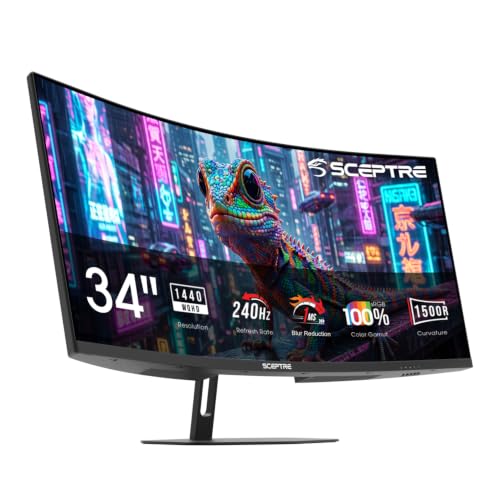
The Sceptre 34-inch Prime is the most affordable way into a large ultrawide gaming setup, and it makes the fewest excuses for its price. A 3440 x 1440 resolution gives you roughly a third more horizontal space than a standard 27-inch screen, which is immediately useful in games with wide landscapes and in desktop work where two windows sit side by side. The refresh rate reaches up to 240Hz, which is unusually fast for a monitor in this class, and the 1500R curve pulls the edges of the screen toward you so the ultrawide shape feels natural rather than stretched. With 100% sRGB coverage the colours are solid for gaming and for everyday media, and the two DisplayPort and two HDMI inputs make it easy to connect a PC and a console at the same time.
Trade-offs to weigh
The trade-offs are the ones you would expect at this price. The panel is a value-oriented design rather than a premium OLED or Mini-LED, so contrast and black levels will not match the QD-OLED screens on this list, and the 1ms response figure is a best-case number rather than an everyday guarantee. The stand is functional rather than generous, so buyers who want height, swivel, or pivot adjustment may need a monitor arm. The brand also carries less long-term support history than Samsung or Alienware, which is worth weighing if after-sales service matters to you.
Who it fits best
Best for players who want a big ultrawide screen and a very high refresh rate without paying premium-panel money, and for anyone replacing a 27-inch monitor who wants a visible step up in immersion.
In daily use
In everyday use, the Sceptre Curved 34-inch Prime Gaming Monitor 3440 x 1440 up to 240Hz settles into a routine quickly. Set it up once, the way you like it, and give yourself a few days to adjust before judging it. The first session is about learning the layout and the feel; the second and third are where it starts to feel natural. Keep it clean, keep it in the conditions it was designed for, and it will stay consistent. If it has parts that wear — cables, surfaces, moving components — a quick check now and then keeps small issues from becoming real ones, and keeping the packaging and documentation for the first weeks makes any return or exchange far simpler.
Before you buy
Before buying the Sceptre Curved 34-inch Prime Gaming Monitor 3440 x 1440 up to 240Hz, check two practical things. First, measure and compare: check the dimensions, the capacity, and the compatibility details listed on the product page against what you already own and the space you have. A product that does not fit your setup will never feel right, whatever its specifications say. Second, think about your routine — where it will live, how it will be stored, and what it needs to connect to. None of this is difficult, but all of it is easier to plan before the product arrives than after.
Check price on Amazon: Sceptre Curved 34-inch Prime Gaming Monitor 3440 x 1440 up to 240Hz

2. SAMSUNG 49-inch Odyssey G9 (G91F) DQHD, 144Hz, Curved Gaming Monitor
What stands out
The Samsung Odyssey G9 G91F is the classic super-ultrawide: a 49-inch screen with a 32:9 aspect ratio that is, in practical terms, two 27-inch monitors fused into one panel with no bezel in the middle. The DQHD resolution gives you an enormous amount of horizontal space, so a racing game fills your peripheral vision, a strategy game shows more of the map, and a work session can hold three windows without overlap. A 144Hz refresh rate keeps motion smooth, DisplayHDR 600 adds brighter highlights in supported games and video, and AMD FreeSync support helps keep the image tear-free when the frame rate moves around. For players who have always wanted a dual-monitor setup without the seam, this is the single-panel answer.
Trade-offs to weigh
The compromises are size and demand. A 49-inch screen is nearly four feet wide, so it needs a deep desk and a sturdy stand or arm, and it dominates a room in a way a 34-inch screen does not. The DQHD resolution is demanding on a graphics card, so older or mid-range cards will struggle to hold high frame rates at full detail, and some older games do not support the 32:9 aspect ratio properly, leaving black bars or a stretched image. The curve is also a matter of taste: some players love it, others prefer a flat panel for work.
Who it fits best
Best for players who want one screen to replace two, especially racing, flight, and strategy players, and for anyone with a deep desk and a graphics card strong enough to drive DQHD at 144Hz.
In daily use
Day to day, the SAMSUNG 49-inch Odyssey G9 (G91F) DQHD, 144Hz, Curved Gaming Monitor is the kind of product you stop thinking about, which is the highest praise it can earn. It does its job the same way every time, without quirks or surprises, and lets you focus on the work or the game instead of the hardware. That consistency matters more than any single feature. Treat it reasonably — a clean desk, a suitable surface, and storage that protects it when it is not in use — and it will keep that consistency for a long time. The best products are the ones that fade into the background.
Before you buy
A few checks before you order the SAMSUNG 49-inch Odyssey G9 (G91F) DQHD, 144Hz, Curved Gaming Monitor will save disappointment. Confirm the key details on the listing match what you expect — the exact model name, the included accessories, and the variant — since similar-looking models can differ in important ways. Check the return policy and the warranty terms so you know your options if it arrives damaged or does not suit you. And if you are replacing something you already own, compare the new product with the old one on the points that mattered most, rather than on headline features you may never use.
Check price on Amazon: SAMSUNG 49-inch Odyssey G9 (G91F) DQHD, 144Hz, Curved Gaming Monitor

3. Alienware 34 Gaming Monitor AW3426DW, UWQHD QD-OLED, 280Hz, 0.03ms, G-SYNC
What stands out
The Alienware AW3426DW is the performance pick of this list, and it earns that title with its QD-OLED panel. Quantum-dot OLED combines the deep blacks and instant pixel response of OLED with brighter, richer colours than earlier OLED screens, and this one pairs that panel with a 280Hz refresh rate and a 0.03ms response time — numbers that make fast motion look clean and sharp even in the quickest shooters. The UWQHD resolution is the sweet spot for a 34-inch ultrawide: sharp enough that text and details look crisp, but not so demanding that only the most expensive graphics cards can drive it. G-SYNC support keeps the picture smooth when frame rates vary, and DisplayHDR True Black 500 means dark scenes in games keep their detail instead of turning into a grey wash.
Trade-offs to weigh
The trade-offs are price and the usual OLED considerations. This is a premium monitor, and it costs accordingly. OLED panels can retain images if the same bright static elements sit on screen for very long periods, so buyers who leave a desktop or a game HUD on screen for hours at a time should use the panel-care features and vary the content. The 34-inch size is also less dramatic than the 49-inch and 57-inch screens here, so players chasing maximum immersion may find it restrained by comparison.
Who it fits best
Best for competitive and fast-paced players who want the cleanest motion and the best contrast available in a 34-inch ultrawide, and for anyone who plays a lot of dark, atmospheric games.
In daily use
Over a full week of use, the Alienware 34 Gaming Monitor AW3426DW, UWQHD QD-OLED, 280Hz, 0.03ms, G-SYNC shows its character in small ways. The feel stays the same from the first day to the last, nothing loosens or rattles, and the finish holds up to regular handling. If you switch between tasks, you will appreciate that it does not need a different setup for each one: configure it once for the way you actually use it and leave it alone. If you share the space with work or family, the same product should handle those jobs without feeling out of place, which is a useful bonus for a single-product setup.
Before you buy
When the Alienware 34 Gaming Monitor AW3426DW, UWQHD QD-OLED, 280Hz, 0.03ms, G-SYNC arrives, spend a little time setting it up properly. Follow the included instructions, check that everything listed as included is actually in the box, and test the main functions within the first day or two. Then leave the settings alone for a week. Constant tweaking is the enemy of getting used to a product, and most people get better results from a stable setup than from a perfect one. If something feels wrong after a few days, change one thing at a time so you know what actually helped.
Check price on Amazon: Alienware 34 Gaming Monitor AW3426DW, UWQHD QD-OLED, 280Hz, 0.03ms, G-SYNC

4. Samsung 49-inch Odyssey (G93SC) Series QD-OLED Curved Gaming Monitor, 240Hz
What stands out
The Samsung Odyssey G93SC takes the super-ultrawide idea and adds a QD-OLED panel to it, which is the combination many players have been waiting for. The 49-inch DQHD screen gives you the same huge 32:9 workspace as the G9, but the QD-OLED panel delivers deeper blacks, faster pixel response at 0.03ms, and a 240Hz refresh rate that makes even this enormous screen feel responsive in fast games. G-Sync compatibility and FreeSync Premium support cover both major graphics card brands, and the curved shape wraps the wide image around you so the far edges stay readable. For a single screen that does everything — immersive gaming, multitasking, and media — this is one of the most complete options available.
Trade-offs to weigh
The compromises are the same ones that come with any 49-inch screen, plus the price of the QD-OLED panel. It needs a wide, deep desk and a strong graphics card, and it is a significant purchase. OLED image retention is a consideration for buyers who display static content for long stretches, and the 240Hz refresh rate at DQHD resolution will only be reached by powerful systems in demanding games. Some games also need settings tweaks to use the full 32:9 width properly.
Who it fits best
Best for players who want the biggest immersive screen with the best panel technology, and who have the desk space and the graphics card to make the most of it.
In daily use
In everyday use, the Samsung 49-inch Odyssey (G93SC) Series QD-OLED Curved Gaming Monitor, 240Hz settles into a routine quickly. Set it up once, the way you like it, and give yourself a few days to adjust before judging it. The first session is about learning the layout and the feel; the second and third are where it starts to feel natural. Keep it clean, keep it in the conditions it was designed for, and it will stay consistent. If it has parts that wear — cables, surfaces, moving components — a quick check now and then keeps small issues from becoming real ones, and keeping the packaging and documentation for the first weeks makes any return or exchange far simpler.
Before you buy
Before buying the Samsung 49-inch Odyssey (G93SC) Series QD-OLED Curved Gaming Monitor, 240Hz, check two practical things. First, measure and compare: check the dimensions, the capacity, and the compatibility details listed on the product page against what you already own and the space you have. A product that does not fit your setup will never feel right, whatever its specifications say. Second, think about your routine — where it will live, how it will be stored, and what it needs to connect to. None of this is difficult, but all of it is easier to plan before the product arrives than after.
Check price on Amazon: Samsung 49-inch Odyssey (G93SC) Series QD-OLED Curved Gaming Monitor, 240Hz

5. SANSUI 32 Inch Curved 240Hz Gaming Monitor, FHD 1080P
What stands out
The SANSUI 32-inch curved monitor is the straightforward pick for players who want a large, fast screen at a sensible price. Thirty-two inches is large enough to feel like a real step up from a 27-inch display without taking over the desk, and the 240Hz refresh rate with a 1500R curve makes fast games feel smooth and involving. The FHD 1080p resolution keeps the demands on your graphics card modest, which means high frame rates are achievable with a mid-range system, and the HDMI and DisplayPort 1.4 inputs cover modern PCs and consoles. It is a simple, focused product: a big curved screen, a fast refresh rate, and nothing you do not need.
Trade-offs to weigh
The trade-off is resolution. At 32 inches, a 1080p image is noticeably less sharp than the 1440p and 4K screens on this list, and text and fine details can look soft if you sit close. The panel is a value design, so colour accuracy and contrast will not match the QD-OLED models, and the brand is less established than Samsung or Alienware. Buyers who sit close to the screen or who do a lot of reading and detail work should consider a higher-resolution option instead.
Who it fits best
Best for budget-conscious players who want a large curved screen and a high refresh rate for fast games, especially if their graphics card is mid-range and they sit at a normal distance from the screen.
In daily use
Day to day, the SANSUI 32 Inch Curved 240Hz Gaming Monitor, FHD 1080P is the kind of product you stop thinking about, which is the highest praise it can earn. It does its job the same way every time, without quirks or surprises, and lets you focus on the work or the game instead of the hardware. That consistency matters more than any single feature. Treat it reasonably — a clean desk, a suitable surface, and storage that protects it when it is not in use — and it will keep that consistency for a long time. The best products are the ones that fade into the background.
Before you buy
A few checks before you order the SANSUI 32 Inch Curved 240Hz Gaming Monitor, FHD 1080P will save disappointment. Confirm the key details on the listing match what you expect — the exact model name, the included accessories, and the variant — since similar-looking models can differ in important ways. Check the return policy and the warranty terms so you know your options if it arrives damaged or does not suit you. And if you are replacing something you already own, compare the new product with the old one on the points that mattered most, rather than on headline features you may never use.
Check price on Amazon: SANSUI 32 Inch Curved 240Hz Gaming Monitor, FHD 1080P

6. Samsung 57-inch Odyssey Neo G9 (G95NC) Dual 4K UHD 1000R Curved Gaming Monitor, 240Hz
What stands out
The Samsung Odyssey Neo G9 G95NC is the largest and most extreme monitor on this list, and it does not pretend otherwise. A 57-inch screen with Dual 4K UHD resolution is effectively two 4K monitors side by side with no seam, and the 1000R curve is the most aggressive here, wrapping the display around you so the far edges feel close. The 240Hz refresh rate and 1ms response time keep motion clean even at this scale, DisplayPort 2.1 supports the enormous bandwidth the panel needs, and the Quantum Mini-LED backlighting gives it strong brightness and contrast for a non-OLED screen. It is a monitor built for players who want the most screen possible on a desk.
Trade-offs to weigh
The compromises are obvious and worth stating plainly. This monitor is nearly five feet wide and very heavy, so it needs a large, deep desk and a mount or stand rated for its weight. Driving Dual 4K at 240Hz demands a top-end graphics card, and many games will run at lower frame rates or reduced settings. It is also the most expensive option here by a wide margin, and some games and applications will not use the full width well. This is a specialist purchase, not a safe default.
Who it fits best
Best for enthusiasts with a large desk, a powerful PC, and a desire for the widest possible single-screen setup — especially racing, flight simulation, and strategy players.
In daily use
Over a full week of use, the Samsung 57-inch Odyssey Neo G9 (G95NC) Dual 4K UHD 1000R Curved Gaming Monitor, 240Hz shows its character in small ways. The feel stays the same from the first day to the last, nothing loosens or rattles, and the finish holds up to regular handling. If you switch between tasks, you will appreciate that it does not need a different setup for each one: configure it once for the way you actually use it and leave it alone. If you share the space with work or family, the same product should handle those jobs without feeling out of place, which is a useful bonus for a single-product setup.
Before you buy
When the Samsung 57-inch Odyssey Neo G9 (G95NC) Dual 4K UHD 1000R Curved Gaming Monitor, 240Hz arrives, spend a little time setting it up properly. Follow the included instructions, check that everything listed as included is actually in the box, and test the main functions within the first day or two. Then leave the settings alone for a week. Constant tweaking is the enemy of getting used to a product, and most people get better results from a stable setup than from a perfect one. If something feels wrong after a few days, change one thing at a time so you know what actually helped.

7. Samsung 40-inch Odyssey G7 (G75F) Series WUHD Curved Gaming Monitor, 180Hz
What stands out
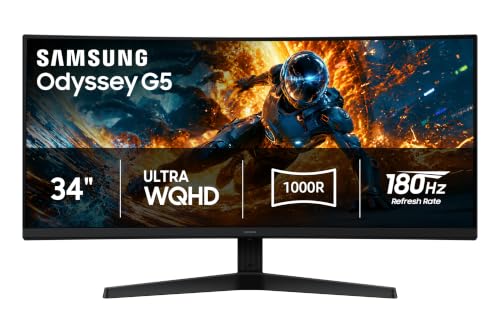
The Samsung Odyssey G7 G75F sits in the middle of this list in size, and that is its appeal. A 40-inch WUHD curved screen is bigger and more immersive than a 34-inch ultrawide but far more manageable than a 49-inch or 57-inch display, and it fits on desks that the super-ultrawides cannot. The 180Hz refresh rate and 1ms response time keep games smooth, VESA DisplayHDR 600 adds brighter highlights, and the WUHD resolution gives you a wide workspace for games and for side-by-side windows. It is a balanced choice: large enough to feel special, small enough to live with every day.
Trade-offs to weigh
The trade-offs are modest. The WUHD resolution is less sharp per inch than the UWQHD 34-inch screens, and the panel is not OLED, so black levels and contrast will not match the QD-OLED models on this list. The 180Hz refresh rate is fast but below the 240Hz and 280Hz figures elsewhere here, though in practice few players will notice the difference outside of competitive shooters. The curve and the 40-inch width still need a reasonably deep desk.
Who it fits best
Best for players who want a genuinely large screen without committing to a 49-inch super-ultrawide, and for anyone whose desk can take a 40-inch display but not a 57-inch one.
In daily use
In everyday use, the Samsung 40-inch Odyssey G7 (G75F) Series WUHD Curved Gaming Monitor, 180Hz settles into a routine quickly. Set it up once, the way you like it, and give yourself a few days to adjust before judging it. The first session is about learning the layout and the feel; the second and third are where it starts to feel natural. Keep it clean, keep it in the conditions it was designed for, and it will stay consistent. If it has parts that wear — cables, surfaces, moving components — a quick check now and then keeps small issues from becoming real ones, and keeping the packaging and documentation for the first weeks makes any return or exchange far simpler.
Before you buy
Before buying the Samsung 40-inch Odyssey G7 (G75F) Series WUHD Curved Gaming Monitor, 180Hz, check two practical things. First, measure and compare: check the dimensions, the capacity, and the compatibility details listed on the product page against what you already own and the space you have. A product that does not fit your setup will never feel right, whatever its specifications say. Second, think about your routine — where it will live, how it will be stored, and what it needs to connect to. None of this is difficult, but all of it is easier to plan before the product arrives than after.
Check price on Amazon: Samsung 40-inch Odyssey G7 (G75F) Series WUHD Curved Gaming Monitor, 180Hz
Buying guide
Size and aspect ratio first
Decide how much screen you actually want before looking at anything else. A 32-inch screen is a comfortable step up from 27 inches and fits most desks. A 34-inch ultrawide adds immersion and workspace without taking over the room. A 49-inch super-ultrawide replaces a dual-monitor setup but needs a wide, deep desk. A 57-inch Dual 4K screen is a statement piece that needs a large desk and a powerful PC. Bigger is not automatically better: the right size is the one that fits your desk, your viewing distance, and the games you play.
Refresh rate and response time
For fast games, refresh rate matters more than almost anything else. A 144Hz screen refreshes the image more than twice as often as a 60Hz screen, which makes motion look smoother and aiming feel more connected. A 240Hz or 280Hz screen goes further, though the benefit shrinks as the numbers rise, and only competitive players will notice the difference between 180Hz and 240Hz. Response time matters too: the 0.03ms figure on the QD-OLED screens means pixels change almost instantly, which reduces blur in fast motion. Look for both numbers together rather than either one alone.
Resolution and your graphics card
A large screen needs enough pixels to stay sharp, and more pixels need a stronger graphics card. A 34-inch UWQHD screen is a good balance for most mid-range to high-end cards. A 49-inch DQHD screen asks more, and a 57-inch Dual 4K screen asks the most of all — only top-end cards will drive it at high refresh rates in demanding games. Before you buy, check what frame rates your graphics card can reach at the monitor’s resolution in your favourite games, and be honest about whether you would rather have higher settings or higher frame rates.
Panel type: OLED, Mini-LED, or standard
QD-OLED panels offer the deepest blacks, the fastest pixel response, and rich colours, and they are the best choice for dark games and fast motion — with the usual OLED care needed around static images left on screen for hours. Mini-LED backlit screens, like the Neo G9, offer strong brightness and good contrast without OLED’s retention concerns. Standard panels are the most affordable and are perfectly good for most players, though their blacks and contrast will not match the premium options. Choose the panel that fits your games and your budget, not the one with the most impressive marketing.
Curve, desk, and mounting
Curved screens suit ultrawide and super-ultrawide shapes because they keep the edges at a similar distance from your eyes, which reduces distortion and eye strain. A gentle curve is subtle; an aggressive 1000R curve is very noticeable and suits gaming more than office work. Measure your desk before ordering: check the width, the depth, and the weight limit of your stand or arm. Large monitors are heavy, and a mount that is not rated for the weight will sag or fail. If you use a monitor arm, confirm the VESA mount size and the weight rating on the listing.
Frequently asked questions
What size is best for a large gaming monitor?
For most players, 34 inches ultrawide is the sweet spot: big enough to feel immersive, small enough to fit a normal desk, and not too demanding on a graphics card. A 32-inch screen is a good budget step up, a 49-inch super-ultrawide suits players who want to replace two monitors, and a 57-inch screen is for enthusiasts with a large desk and a powerful PC. The right size depends on your desk depth, your viewing distance, and your graphics card.
Is a curved monitor better for gaming?
For ultrawide and super-ultrawide screens, yes, in most cases. The curve brings the edges of a very wide screen closer to your eyes, which makes the image feel more natural and reduces the sense that the far side of the screen is distant. For standard 16:9 screens the benefit is smaller, and some players prefer flat panels for office work. A gentle curve is a safe choice; an aggressive curve is a matter of taste.
Do I need a powerful graphics card for a large monitor?
It depends on the resolution. A 34-inch UWQHD screen is manageable for a mid-range to high-end card. A 49-inch DQHD screen needs a strong card for high frame rates, and a 57-inch Dual 4K screen needs a top-end card. A 32-inch 1080p screen is the least demanding option here. Check your card’s performance at the monitor’s resolution before you buy, and remember that you can always lower game settings to gain frame rate.
Is OLED worth it for a gaming monitor?
If you play dark or atmospheric games and fast-paced shooters, OLED’s deep blacks and near-instant pixel response are genuinely noticeable, and QD-OLED adds brighter colours on top. The trade-off is price and the need to take care with static images left on screen for very long periods. If you mostly play bright games or leave a desktop on screen all day, a Mini-LED or standard panel may suit you better for less money.
Can I use a large gaming monitor for work too?
Yes, and this is one of the best reasons to buy one. An ultrawide or super-ultrawide screen holds two or three windows side by side without a bezel in the middle, which is useful for documents, spreadsheets, and video calls. The curved screens are comfortable for long sessions once you adjust to them. Just check that the resolution is high enough for sharp text at your viewing distance — a 32-inch 1080p screen is the weakest option here for reading.
Will all games support a 49-inch or 57-inch ultrawide screen?
Most modern games support ultrawide aspect ratios, but some older games and a few competitive titles do not, and may show black bars at the sides or stretch the image. Racing, flight, and strategy games usually support wide screens well. Before buying a super-ultrawide, it is worth checking whether your favourite games support 32:9 properly, since that is the main practical limitation of the format.
Conclusion
The best large gaming monitor is the one that fits your desk, your graphics card, and the games you play. The Sceptre 34-inch Prime is the value pick for a first ultrawide, the Alienware AW3426DW is the performance pick for fast games and dark scenes, and the Samsung Odyssey G9 and G93SC cover the super-ultrawide ground for players who want one screen to replace two. The SANSUI 32-inch curved screen is the budget-friendly way into a large fast display, the Samsung 40-inch G7 is the balanced middle ground, and the 57-inch Neo G9 is the extreme option for enthusiasts with the desk and the PC to match. Measure your desk, check what your graphics card can drive, and choose the size first — the panel and the refresh rate will follow from there.