A desktop replacement laptop is a large, powerful laptop that does the job of a desktop computer, and this guide compares the best ones you can buy. It has a big 17-inch or 18-inch screen, a fast processor, a dedicated graphics card, and enough memory and storage to run games, video editing, 3D work, and heavy multitasking without slowing down. You can still carry it from room to room, but it is meant to sit on a desk most of the time, plugged in, driving a large screen and a full keyboard, exactly like a desktop. The laptops in this guide are all 17-inch or 18-inch machines with dedicated graphics, and they cover the main choices for desktop replacement use. ASUS makes the ROG Strix G18 and the top-end SCAR 18, which are built for gaming and content creation. MSI makes the Stealth A18, which pairs a large screen with a thinner body. Alienware makes the 18-inch Area-51 and the M18 R2, which are the classic big-screen gaming laptops. Lenovo makes the Legion 9i, which is a flagship 18-inch machine, and HP makes the 17.3-inch large-screen laptop for buyers who want the big screen without the gaming hardware. This guide compares seven desktop replacement laptops, from the budget HP 17.3-inch laptop to the flagship ASUS ROG Strix SCAR 18 and Lenovo Legion 9i. Each one below is a complete laptop — screen, processor, graphics, memory, and storage included — not a bare screen, a memory stick, a power cord, or a mouse. Every model was checked against its current Amazon listing. Read the comparison table for a fast overview, then dig into the individual sections for the strengths and trade-offs that matter for your work, your games, and the way you use a desk. One practical note before the list: a desktop replacement laptop is heavy and its battery lasts only a few hours under load, because the big screen and the graphics card use a lot of power. Plan to use it plugged in on a desk, with a separate mouse and keyboard if you like, and treat the battery as backup power for moving between rooms, not as all-day freedom.
In this guide
Quick picks: best desktop replacement laptops
| # | Product | Where to buy |
|---|---|---|
| 1 | ASUS ROG Strix G18, Ryzen 9 9955HX, RTX 5070 | Check on Amazon |
| 2 | ASUS ROG Strix SCAR 18 (2025), RTX 5090 | Check on Amazon |
| 3 | MSI Stealth A18 AI+, Ryzen AI 9 365, RTX 5080 | Check on Amazon |
| 4 | Alienware 18 Area-51, RTX 5070, Ultra 9 275HX | Check on Amazon |
| 5 | Alienware M18 R2, Core i9-14900HX | Check on Amazon |
| 6 | Lenovo Legion 9i Gen 10, 18-Inch, RTX 5090 | Check on Amazon |
| 7 | HP 17.3-Inch Large Screen Laptop, Core 5 120U, 32GB RAM | Check on Amazon |
Quick comparison
| Product | Key traits |
|---|---|
| ASUS ROG Strix G18, Ryzen 9 9955HX, RTX 5070 | 18-inch, Ryzen 9 9955HX, RTX 5070, Nebula display |
| ASUS ROG Strix SCAR 18 (2025), RTX 5090 | 18-inch, RTX 5090, Nebula HDR, 240Hz |
| MSI Stealth A18 AI+, Ryzen AI 9 365, RTX 5080 | 18-inch, Ryzen AI 9 365, RTX 5080, 240Hz |
| Alienware 18 Area-51, RTX 5070, Ultra 9 275HX | 18-inch, RTX 5070, Ultra 9 275HX, 300Hz |
| Alienware M18 R2, Core i9-14900HX | 18-inch, Core i9-14900HX, QHD+ 165Hz |
| Lenovo Legion 9i Gen 10, 18-Inch, RTX 5090 | 18-inch, RTX 5090, Ultra 9 275HX, 64GB RAM |
| HP 17.3-Inch Large Screen Laptop, Core 5 120U, 32GB RAM | 17.3-inch, Core 5 120U, 32GB RAM, large screen |

1. ASUS ROG Strix G18, Ryzen 9 9955HX, RTX 5070
What stands out
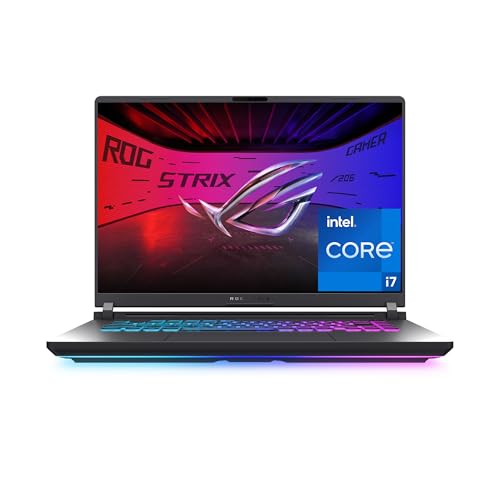
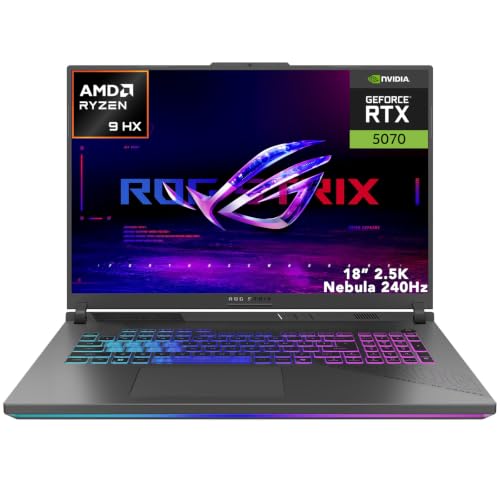
The ASUS ROG Strix G18 with Ryzen 9 9955HX and RTX 5070 is the best all-round desktop replacement laptop in this guide, and its balance is the reason. The 18-inch Nebula display is large, sharp, and fast at 240Hz, the Ryzen 9 processor handles video editing and heavy multitasking easily, and the RTX 5070 graphics card runs modern games at high settings and speeds up creative apps. It is a big laptop, but it is the size that makes desktop replacement work: a large screen you can actually work on all day without an external monitor. For buyers who want one machine for games and work, this is the sweet spot.
Trade-offs to weigh
The trade-offs are weight, battery life, and noise under load. It is heavy to carry and it needs to stay plugged in for serious work, because the battery drains quickly when the graphics card is active. The fans also get loud during gaming or rendering, which is normal for this class of laptop but noticeable in a quiet room. If you need the absolute fastest graphics, the SCAR 18 below is the upgrade; if you want the best balance of power and value in an 18-inch laptop, this is it.
Who it fits best
Best for gamers and creators who want a powerful 18-inch laptop for games and work on one desk.
In daily use
In everyday use, the ASUS ROG Strix G18, Ryzen 9 9955HX, RTX 5070 settles into a routine quickly. Set it up once, the way you like it, and give yourself a few days to adjust before judging it. The first session is about learning the layout and the feel; the second and third are where it starts to feel natural. Keep it clean, keep it in the conditions it was designed for, and it will stay consistent. If it has parts that wear — cables, surfaces, moving components — a quick check now and then keeps small issues from becoming real ones, and keeping the packaging and documentation for the first weeks makes any return or exchange far simpler. Pay attention to the small details in the first week, like how it feels after an hour of use and whether anything needs adjusting, because those early impressions usually predict how happy you will be with it in six months.
Before you buy
Before buying the ASUS ROG Strix G18, Ryzen 9 9955HX, RTX 5070, check two practical things. First, measure and compare: check the dimensions, the capacity, and the compatibility details listed on the product page against what you already own and the space you have. A product that does not fit your setup will never feel right, whatever its specifications say. Second, think about your routine — where it will live, how it will be stored, and what it needs to connect to. None of this is difficult, but all of it is easier to plan before the product arrives than after. Finally, check the reviews for long-term reports rather than first impressions, because a product that still earns praise after six months is a safer buy than one that only impresses on the first day.
Check price on Amazon: ASUS ROG Strix G18, Ryzen 9 9955HX, RTX 5070

2. ASUS ROG Strix SCAR 18 (2025), RTX 5090
What stands out
The ASUS ROG Strix SCAR 18 (2025) is the flagship gaming desktop replacement in this guide, and its RTX 5090 graphics card is the reason. The 18-inch Nebula HDR display runs at 240Hz with high brightness and rich contrast, which makes games look superb and video work accurate, and the top-end graphics handle the most demanding games and 3D work without compromise. This is the laptop for buyers who want the fastest portable gaming machine available, with a screen large enough to replace a desktop monitor. It is a statement machine, and it performs like one.
Trade-offs to weigh
The trade-offs are price, weight, and heat. It is the most expensive laptop here by a wide margin, it is heavy, and it generates a lot of heat under load, so the fans work hard and the battery is only for short unplugged use. It is also more power than most buyers need: if you play at normal settings or edit standard video, the regular Strix G18 gives you nearly the same experience for much less money. Buy the SCAR only if you genuinely need the fastest graphics.
Who it fits best
Best for buyers who want the fastest 18-inch gaming laptop available, whatever the cost.
In daily use
Day to day, the ASUS ROG Strix SCAR 18 (2025), RTX 5090 is the kind of product you stop thinking about, which is the highest praise it can earn. It does its job the same way every time, without quirks or surprises, and lets you focus on the work or the game instead of the hardware. That consistency matters more than any single feature. Treat it reasonably — a clean desk, a suitable surface, and storage that protects it when it is not in use — and it will keep that consistency for a long time. The best products are the ones that fade into the background. If you use it in different places, try it in each one during the first week, because a product that works well on a desk can feel different in a bag, in a car, or in a shared room.
Before you buy
A few checks before you order the ASUS ROG Strix SCAR 18 (2025), RTX 5090 will save disappointment. Confirm the key details on the listing match what you expect — the exact model name, the included accessories, and the variant — since similar-looking models can differ in important ways. Check the return policy and the warranty terms so you know your options if it arrives damaged or does not suit you. And if you are replacing something you already own, compare the new product with the old one on the points that mattered most, rather than on headline features you may never use. Also check what is not included in the box, like cables, mounts, or adapters, since those extras can add cost and delay if you need to order them separately after the product arrives.
Check price on Amazon: ASUS ROG Strix SCAR 18 (2025), RTX 5090

3. MSI Stealth A18 AI+, Ryzen AI 9 365, RTX 5080
What stands out
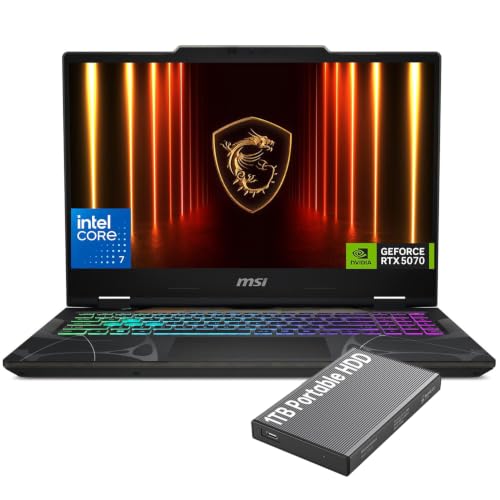
The MSI Stealth A18 AI+ is the thinnest desktop replacement in this guide, and its balance of size and power is the reason. It has an 18-inch 240Hz display, a Ryzen AI 9 processor, and an RTX 5080 graphics card, which is a combination that handles gaming, AI work, and content creation at a high level, yet the body is slimmer than the other 18-inch laptops here. That makes it easier to carry between rooms and less dominant on a desk, while still giving you the large screen that defines a desktop replacement. For buyers who want power without the bulkiest chassis, this is the pick.
Trade-offs to weigh
The trade-offs are price and cooling. A thinner body means less room for cooling, so the laptop can run warm and loud under sustained load, and the high-end hardware costs more than the regular Strix G18. The slim design also leaves less room for upgrades later. If you want the coolest running laptop, the thicker Alienware models may suit better; if you want a large-screen laptop that is easier to carry, the Stealth A18 is the best compromise here.
Who it fits best
Best for buyers who want an 18-inch desktop replacement in a slimmer, more portable body.
In daily use
Over a full week of use, the MSI Stealth A18 AI+, Ryzen AI 9 365, RTX 5080 shows its character in small ways. The feel stays the same from the first day to the last, nothing loosens or rattles, and the finish holds up to regular handling. If you switch between tasks, you will appreciate that it does not need a different setup for each one: configure it once for the way you actually use it and leave it alone. If you share the space with work or family, the same product should handle those jobs without feeling out of place, which is a useful bonus for a single-product setup. Notice how it handles the edges of its job too, not just the middle: the first and last minutes of a session, the switch between tasks, and the moment you put it away all tell you more than the headline features do.
Before you buy
When the MSI Stealth A18 AI+, Ryzen AI 9 365, RTX 5080 arrives, spend a little time setting it up properly. Follow the included instructions, check that everything listed as included is actually in the box, and test the main functions within the first day or two. Then leave the settings alone for a week. Constant tweaking is the enemy of getting used to a product, and most people get better results from a stable setup than from a perfect one. If something feels wrong after a few days, change one thing at a time so you know what actually helped. Write down the settings that work best for you once you find them, so you can return to them quickly if the product is ever reset or if you need to set up a second one the same way.
Check price on Amazon: MSI Stealth A18 AI+, Ryzen AI 9 365, RTX 5080

4. Alienware 18 Area-51, RTX 5070, Ultra 9 275HX
What stands out
The Alienware 18 Area-51 is the premium 18-inch Alienware in this guide, and its display is the reason it stands out. The WQXGA display runs at 300Hz, which is the fastest screen here, and the Ultra 9 275HX processor with RTX 5070 graphics handles games and creative work with ease. Alienware build quality is solid, the keyboard is comfortable for long sessions, and the design is distinctive without being loud. For buyers who want a fast screen and a premium feel in a desktop replacement, this is the Alienware to get.
Trade-offs to weigh
The trade-offs are cost and weight. It is a premium laptop at a premium cost, and it is heavy, so it lives on a desk rather than in a bag. The battery life is short under load, which is normal for this class, and the 300Hz display is a benefit only if you play fast competitive games; for normal work, a 165Hz or 240Hz screen is already more than enough. If you want Alienware at a lower cost, the M18 R2 below is the alternative.
Who it fits best
Best for buyers who want a premium 18-inch Alienware with the fastest display in the guide.
In daily use
In everyday use, the Alienware 18 Area-51, RTX 5070, Ultra 9 275HX settles into a routine quickly. Set it up once, the way you like it, and give yourself a few days to adjust before judging it. The first session is about learning the layout and the feel; the second and third are where it starts to feel natural. Keep it clean, keep it in the conditions it was designed for, and it will stay consistent. If it has parts that wear — cables, surfaces, moving components — a quick check now and then keeps small issues from becoming real ones, and keeping the packaging and documentation for the first weeks makes any return or exchange far simpler. Pay attention to the small details in the first week, like how it feels after an hour of use and whether anything needs adjusting, because those early impressions usually predict how happy you will be with it in six months.
Before you buy
Before buying the Alienware 18 Area-51, RTX 5070, Ultra 9 275HX, check two practical things. First, measure and compare: check the dimensions, the capacity, and the compatibility details listed on the product page against what you already own and the space you have. A product that does not fit your setup will never feel right, whatever its specifications say. Second, think about your routine — where it will live, how it will be stored, and what it needs to connect to. None of this is difficult, but all of it is easier to plan before the product arrives than after. Finally, check the reviews for long-term reports rather than first impressions, because a product that still earns praise after six months is a safer buy than one that only impresses on the first day.
Check price on Amazon: Alienware 18 Area-51, RTX 5070, Ultra 9 275HX

5. Alienware M18 R2, Core i9-14900HX
What stands out
The Alienware M18 R2 is the value Alienware desktop replacement in this guide, and its Core i9-14900HX processor is the reason. The 18-inch QHD+ display runs at 165Hz, which is fast enough for gaming and smooth for everyday work, and the i9 processor with dedicated graphics handles games, streaming, and content creation without trouble. It is the Alienware for buyers who want the big screen and the brand without paying for the newest flagship, and it remains a very capable machine for desktop replacement use.
Trade-offs to weigh
The trade-offs are age and the display. It is a previous-generation design, so its graphics and features are a step behind the Area-51, and the 165Hz display is slower than the 240Hz and 300Hz screens here, although still fast for most games. It is also heavy and power-hungry, like every laptop in this class. If you want the newest hardware, take the Area-51 or the Strix G18; if you want a capable 18-inch Alienware for less, the M18 R2 is the sensible choice.
Who it fits best
Best for buyers who want a capable 18-inch Alienware desktop replacement at a lower cost.
In daily use
Day to day, the Alienware M18 R2, Core i9-14900HX is the kind of product you stop thinking about, which is the highest praise it can earn. It does its job the same way every time, without quirks or surprises, and lets you focus on the work or the game instead of the hardware. That consistency matters more than any single feature. Treat it reasonably — a clean desk, a suitable surface, and storage that protects it when it is not in use — and it will keep that consistency for a long time. The best products are the ones that fade into the background. If you use it in different places, try it in each one during the first week, because a product that works well on a desk can feel different in a bag, in a car, or in a shared room.
Before you buy
A few checks before you order the Alienware M18 R2, Core i9-14900HX will save disappointment. Confirm the key details on the listing match what you expect — the exact model name, the included accessories, and the variant — since similar-looking models can differ in important ways. Check the return policy and the warranty terms so you know your options if it arrives damaged or does not suit you. And if you are replacing something you already own, compare the new product with the old one on the points that mattered most, rather than on headline features you may never use. Also check what is not included in the box, like cables, mounts, or adapters, since those extras can add cost and delay if you need to order them separately after the product arrives.
Check price on Amazon: Alienware M18 R2, Core i9-14900HX
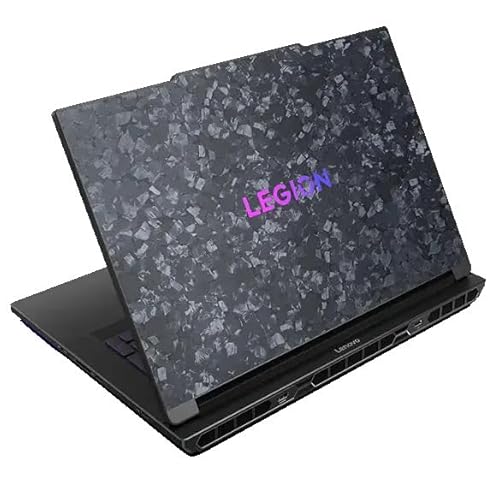
6. Lenovo Legion 9i Gen 10, 18-Inch, RTX 5090
What stands out
The Lenovo Legion 9i Gen 10 is the most powerful laptop in this guide on paper, and its specification is the reason. It pairs an Ultra 9 275HX processor with an RTX 5090 graphics card and 64GB of RAM, which is more memory than any other laptop here, and the 18-inch display is built for both gaming and creative work. That combination handles the heaviest tasks you can throw at a laptop: 4K video editing, 3D rendering, large AI workloads, and the most demanding games, all at once. For buyers whose work genuinely needs maximum power, this is the machine.
Trade-offs to weigh
The trade-offs are price, weight, and the fact that most buyers will never use all of it. It is one of the most expensive laptops here, it is heavy, and 64GB of RAM and an RTX 5090 are wasted if you only play games at normal settings or edit standard video. The fans also work hard under load. If your work is truly heavy — 4K video, 3D, AI — this is the right tool; if not, the Strix G18 gives you the same experience for much less.
Who it fits best
Best for professionals whose work needs maximum laptop power: 4K video, 3D, and AI workloads.
In daily use
Over a full week of use, the Lenovo Legion 9i Gen 10, 18-Inch, RTX 5090 shows its character in small ways. The feel stays the same from the first day to the last, nothing loosens or rattles, and the finish holds up to regular handling. If you switch between tasks, you will appreciate that it does not need a different setup for each one: configure it once for the way you actually use it and leave it alone. If you share the space with work or family, the same product should handle those jobs without feeling out of place, which is a useful bonus for a single-product setup. Notice how it handles the edges of its job too, not just the middle: the first and last minutes of a session, the switch between tasks, and the moment you put it away all tell you more than the headline features do.
Before you buy
When the Lenovo Legion 9i Gen 10, 18-Inch, RTX 5090 arrives, spend a little time setting it up properly. Follow the included instructions, check that everything listed as included is actually in the box, and test the main functions within the first day or two. Then leave the settings alone for a week. Constant tweaking is the enemy of getting used to a product, and most people get better results from a stable setup than from a perfect one. If something feels wrong after a few days, change one thing at a time so you know what actually helped. Write down the settings that work best for you once you find them, so you can return to them quickly if the product is ever reset or if you need to set up a second one the same way.
Check price on Amazon: Lenovo Legion 9i Gen 10, 18-Inch, RTX 5090

7. HP 17.3-Inch Large Screen Laptop, Core 5 120U, 32GB RAM
What stands out
The HP 17.3-Inch Large Screen Laptop is the budget desktop replacement in this guide, and its large screen with 32GB of RAM is the reason. It gives you the big 17.3-inch display that defines a desktop replacement — room for two windows side by side, a full-size keyboard with a number pad, and a comfortable view for long work sessions — without the gaming graphics card and the gaming price. With 32GB of RAM and a fast SSD, it handles office work, browsing, streaming, and light photo editing easily, and it is lighter and quieter than the gaming laptops here.
Trade-offs to weigh
The trade-offs are graphics power and build. There is no dedicated graphics card, so it cannot run demanding games or heavy 3D work, and the Core 5 processor is a mid-range chip, not a flagship. It is a large-screen everyday laptop, not a gaming machine, so buyers who want to play modern games should take one of the RTX laptops above. If you want a big screen for work and everyday use at a low cost, though, this is the sensible choice.
Who it fits best
Best for buyers who want a large-screen laptop for work and everyday use without gaming hardware.
In daily use
In everyday use, the HP 17.3-Inch Large Screen Laptop, Core 5 120U, 32GB RAM settles into a routine quickly. Set it up once, the way you like it, and give yourself a few days to adjust before judging it. The first session is about learning the layout and the feel; the second and third are where it starts to feel natural. Keep it clean, keep it in the conditions it was designed for, and it will stay consistent. If it has parts that wear — cables, surfaces, moving components — a quick check now and then keeps small issues from becoming real ones, and keeping the packaging and documentation for the first weeks makes any return or exchange far simpler. Pay attention to the small details in the first week, like how it feels after an hour of use and whether anything needs adjusting, because those early impressions usually predict how happy you will be with it in six months.
Before you buy
Before buying the HP 17.3-Inch Large Screen Laptop, Core 5 120U, 32GB RAM, check two practical things. First, measure and compare: check the dimensions, the capacity, and the compatibility details listed on the product page against what you already own and the space you have. A product that does not fit your setup will never feel right, whatever its specifications say. Second, think about your routine — where it will live, how it will be stored, and what it needs to connect to. None of this is difficult, but all of it is easier to plan before the product arrives than after. Finally, check the reviews for long-term reports rather than first impressions, because a product that still earns praise after six months is a safer buy than one that only impresses on the first day.
Check price on Amazon: HP 17.3-Inch Large Screen Laptop, Core 5 120U, 32GB RAM
Buying guide
Screen size: 17-inch or 18-inch
A desktop replacement needs a large screen, because the screen is the reason you buy it instead of a smaller laptop. 17.3 inches is the classic size, and 18 inches is the new standard for flagship gaming laptops. The extra inch matters: it gives you more room for windows, timelines, and toolbars. Check the resolution too: QHD or higher is worth it on a screen this large, because Full HD looks soft at 18 inches.
Graphics card: what you really need
The graphics card decides what the laptop can do. An RTX 5070 handles modern games at high settings and speeds up video editing. An RTX 5080 or 5090 handles the most demanding games and 4K work, but costs much more. If you do not play games or edit video, you do not need a dedicated graphics card at all — the HP 17.3-inch laptop proves it. Buy the graphics you will actually use.
Processor and RAM: the working parts
The processor and RAM decide how the laptop handles multitasking. A modern Core Ultra, Ryzen 9, or Ryzen AI 9 processor with 32GB of RAM handles gaming, editing, and heavy multitasking comfortably. 16GB is the minimum for a desktop replacement, and 64GB suits only the heaviest professional work. Check that the RAM is upgradeable if you plan to keep the laptop for years.
Weight and battery: plan for the desk
Desktop replacement laptops are heavy, usually over 2.5kg, and their batteries last only a few hours under load. That is normal: the big screen and the graphics card use a lot of power. Plan to use the laptop plugged in on a desk, and carry it only between rooms or to a meeting. If you need all-day battery life, you need a different kind of laptop.
Cooling and noise: the hidden cost of power
Powerful laptops generate heat, and fans remove it. Under load, the fans in these laptops are audible, and thin laptops like the Stealth A18 run warmer than thick ones. Use the laptop on a hard desk surface, not on a bed or a cushion, so the vents can breathe, and expect fan noise during gaming or rendering. A laptop cooler or a stand can help if you work in a quiet room.
Ports and upgrades: check before you buy
A desktop replacement should have the ports you need: USB-C, USB-A, HDMI for an external monitor, and Ethernet for a wired connection. Check the listing for the port list, and check whether the RAM and storage can be upgraded later. A laptop with upgradeable memory and a second SSD slot will last longer, because you can add capacity instead of buying a new machine.
Frequently asked questions
What is the best desktop replacement laptop?
For most buyers, the ASUS ROG Strix G18 with Ryzen 9 and RTX 5070 is the best desktop replacement laptop: an 18-inch 240Hz display, strong gaming and creative performance, and a fair cost for its class. Buyers who need maximum power should take the Lenovo Legion 9i, and buyers who want a big screen cheaply should take the HP 17.3-inch laptop.
Are desktop replacement laptops good for gaming?
Yes. Most laptops in this guide are gaming laptops with RTX graphics cards and fast displays, which makes them excellent for gaming. The exception is the HP 17.3-inch laptop, which has no dedicated graphics card and suits work and everyday use instead of demanding games.
How heavy is a desktop replacement laptop?
Usually over 2.5kg, plus a large power adapter, which is why these laptops live on a desk. They are portable in the sense that you can move them between rooms, but they are not the laptops you carry all day in a bag.
Do desktop replacement laptops have good battery life?
No, not under load. The big screen and the graphics card drain the battery in a few hours, and heavy gaming or rendering drains it faster. Plan to use a desktop replacement plugged in, and treat the battery as backup power for moving between rooms.
Can a laptop really replace a desktop?
Yes, for most people. A desktop replacement laptop has the screen, processor, graphics, and memory of a desktop, and you can add an external monitor, keyboard, and mouse to complete the setup. The trade-offs are cost, upgrade options, and cooling: a desktop is still cheaper to upgrade and easier to cool.
What screen size should a desktop replacement laptop have?
17.3 inches is the classic desktop replacement size, and 18 inches is the new flagship standard. Both give you room for two windows side by side. Below 17 inches, the laptop is a portable machine, not a desktop replacement.
Conclusion
The best desktop replacement laptop is the one that matches your work, your games, and your desk. The ASUS ROG Strix G18 is the best all-round choice, the ROG Strix SCAR 18 is the flagship for buyers who want the fastest graphics, and the MSI Stealth A18 is the pick for a slimmer 18-inch machine. The Alienware 18 Area-51 is the premium choice with the fastest display, the Alienware M18 R2 is the value Alienware, and the Lenovo Legion 9i is the pick for the heaviest professional work. The HP 17.3-inch laptop is the budget choice for a big screen without gaming hardware. Buy the graphics and the screen you will actually use, and plan to keep it plugged in on a desk.