A touch screen monitor lets you tap, swipe, and draw on your computer screen, and this guide compares the best ones you can buy. Touch is the fastest way to do many everyday tasks: tapping a button, scrolling a page, zooming a photo, signing a document, or sketching an idea. It suits point-of-sale counters, classrooms, warehouses, and home offices, and it helps people who find a mouse awkward, including children and older users. A touch monitor is a normal monitor with a touch layer added, so it works as a display and as an input device at the same time. The monitors in this guide cover the main sizes and uses for touch screens. ASUS makes three of them: the VT229H 22-inch for everyday desks, the BE24ECSBT 24-inch with a built-in webcam for video calls, and the VT169HE 16-inch for small desks and second screens. CUNPU makes the 24-inch and 27-inch 10-point touch monitors for business and office use, ViewSonic makes the TD2455 with an adjustable hinge for kiosks and desks, and UPERFECT makes the portable 15.6-inch touch monitor for travel. All of them support 10-point touch, which means they track ten fingers at once for gestures like pinch and swipe. This guide compares seven touch screen monitors, from the portable UPERFECT 15.6-inch to the large CUNPU 27-inch. Each one below is a complete monitor — screen, touch layer, and stand included — not a touch overlay, a stylus on its own, or a screen protector. Every model was checked against its current Amazon listing. Read the comparison table for a fast overview, then dig into the individual sections for the strengths and trade-offs that matter for your desk, your work, and the way you touch the screen. One practical note before the list: touch works best on Windows, which is built for touch, and on some Linux setups, while macOS treats a touch monitor as a display only and does not support touch input from it. Check your operating system before you buy, and make sure your computer has the right ports: most of these monitors use HDMI for video and USB for touch.
In this guide
Quick picks: best touch screen monitors
| # | Product | Where to buy |
|---|---|---|
| 1 | ASUS VT229H 22-Inch 1080p Touchscreen Monitor | Check on Amazon |
| 2 | ASUS BE24ECSBT 24-Inch 1080p Touchscreen Monitor with Webcam | Check on Amazon |
| 3 | ASUS VT169HE 16-Inch 1080p Touchscreen Monitor | Check on Amazon |
| 4 | CUNPU 24-Inch 10-Point Touchscreen Monitor | Check on Amazon |
| 5 | CUNPU 27-Inch 10-Point Touchscreen Monitor | Check on Amazon |
| 6 | ViewSonic TD2455 24-Inch Touch Screen Monitor | Check on Amazon |
| 7 | UPERFECT Portable Monitor Touchscreen, 15.6-Inch | Check on Amazon |
Quick comparison
| Product | Key traits |
|---|---|
| ASUS VT229H 22-Inch 1080p Touchscreen Monitor | 22-inch, 1080p IPS, 10-point touch, speakers |
| ASUS BE24ECSBT 24-Inch 1080p Touchscreen Monitor with Webcam | 24-inch, 1080p IPS, webcam, USB-C, 10-point touch |
| ASUS VT169HE 16-Inch 1080p Touchscreen Monitor | 16-inch, 1080p IPS, 10-point touch, compact |
| CUNPU 24-Inch 10-Point Touchscreen Monitor | 24-inch, 1080p IPS, 10-point touch, 75Hz |
| CUNPU 27-Inch 10-Point Touchscreen Monitor | 27-inch, 1080p Nano IPS, 10-point touch |
| ViewSonic TD2455 24-Inch Touch Screen Monitor | 24-inch, 1080p, USB-C, dual hinge, 10-point touch |
| UPERFECT Portable Monitor Touchscreen, 15.6-Inch | 15.6-inch, portable, 125% sRGB, touch |

1. ASUS VT229H 22-Inch 1080p Touchscreen Monitor
What stands out
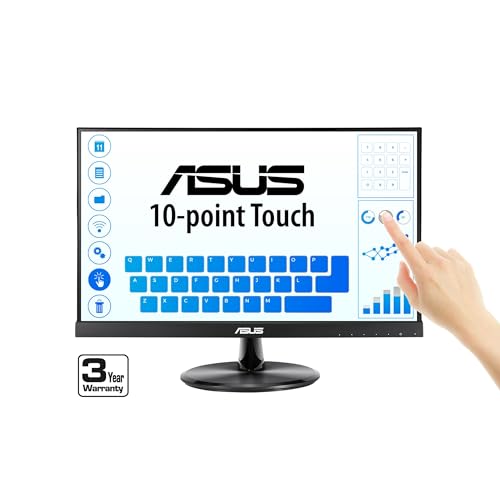
The ASUS VT229H is the best all-round touch screen monitor in this guide, and its balance of size, quality, and price is the reason. The 22-inch 1080p IPS panel has wide viewing angles and good colour, the 10-point touch layer tracks taps and gestures accurately, and the built-in speakers save you buying separate ones. It connects over HDMI and VGA, so it works with almost any computer, and it is a proven model that has been used on desks, in classrooms, and at counters for years. For most buyers, this is the touch monitor that simply works.
Trade-offs to weigh
The trade-offs are the lack of USB-C and the size. There is no USB-C video input, so newer laptops need an adapter, and 22 inches is smaller than the 24-inch and 27-inch monitors here, so it suits a single screen rather than a large workspace. The resolution is also 1080p, which is fine at this size but less sharp than a 2K or 4K panel. If you want USB-C and a webcam, the ASUS BE24ECSBT below is the upgrade; if you want a proven 22-inch touch monitor, this is it.
Who it fits best
Best for everyday desks, classrooms, and counters that need a reliable touch screen.
In daily use
In everyday use, the ASUS VT229H 22-Inch 1080p Touchscreen Monitor settles into a routine quickly. Set it up once, the way you like it, and give yourself a few days to adjust before judging it. The first session is about learning the layout and the feel; the second and third are where it starts to feel natural. Keep it clean, keep it in the conditions it was designed for, and it will stay consistent. If it has parts that wear — cables, surfaces, moving components — a quick check now and then keeps small issues from becoming real ones, and keeping the packaging and documentation for the first weeks makes any return or exchange far simpler. Pay attention to the small details in the first week, like how it feels after an hour of use and whether anything needs adjusting, because those early impressions usually predict how happy you will be with it in six months.
Before you buy
Before buying the ASUS VT229H 22-Inch 1080p Touchscreen Monitor, check two practical things. First, measure and compare: check the dimensions, the capacity, and the compatibility details listed on the product page against what you already own and the space you have. A product that does not fit your setup will never feel right, whatever its specifications say. Second, think about your routine — where it will live, how it will be stored, and what it needs to connect to. None of this is difficult, but all of it is easier to plan before the product arrives than after. Finally, check the reviews for long-term reports rather than first impressions, because a product that still earns praise after six months is a safer buy than one that only impresses on the first day.
Check price on Amazon: ASUS VT229H 22-Inch 1080p Touchscreen Monitor

2. ASUS BE24ECSBT 24-Inch 1080p Touchscreen Monitor with Webcam
What stands out
The ASUS BE24ECSBT is the best touch screen monitor for video calls in this guide, and its built-in webcam is the reason. The 24-inch 1080p IPS panel is larger than the VT229H, the webcam sits in the top bezel so you are always framed for a call, and the USB-C connection carries video, touch, and power over one cable on a compatible laptop. It has 10-point touch, eye-care features for long sessions, and HDMI as well as USB-C, so it works with almost any setup. For home offices and meeting rooms, this is the touch monitor that covers calls as well as touch.
Trade-offs to weigh
The trade-offs are price and the webcam quality. It costs more than the VT229H, and the built-in webcam is convenient but not as good as a separate webcam for important calls. The 1080p resolution is also standard rather than sharp, and the monitor is a business model, so it has no gaming features. If you rarely take video calls, the cheaper VT229H or CUNPU 24-inch are better value; if you call all day, the built-in webcam is worth it.
Who it fits best
Best for home offices and meeting rooms where video calls and touch go together.
In daily use
Day to day, the ASUS BE24ECSBT 24-Inch 1080p Touchscreen Monitor with Webcam is the kind of product you stop thinking about, which is the highest praise it can earn. It does its job the same way every time, without quirks or surprises, and lets you focus on the work or the game instead of the hardware. That consistency matters more than any single feature. Treat it reasonably — a clean desk, a suitable surface, and storage that protects it when it is not in use — and it will keep that consistency for a long time. The best products are the ones that fade into the background. If you use it in different places, try it in each one during the first week, because a product that works well on a desk can feel different in a bag, in a car, or in a shared room.
Before you buy
A few checks before you order the ASUS BE24ECSBT 24-Inch 1080p Touchscreen Monitor with Webcam will save disappointment. Confirm the key details on the listing match what you expect — the exact model name, the included accessories, and the variant — since similar-looking models can differ in important ways. Check the return policy and the warranty terms so you know your options if it arrives damaged or does not suit you. And if you are replacing something you already own, compare the new product with the old one on the points that mattered most, rather than on headline features you may never use. Also check what is not included in the box, like cables, mounts, or adapters, since those extras can add cost and delay if you need to order them separately after the product arrives.
Check price on Amazon: ASUS BE24ECSBT 24-Inch 1080p Touchscreen Monitor with Webcam
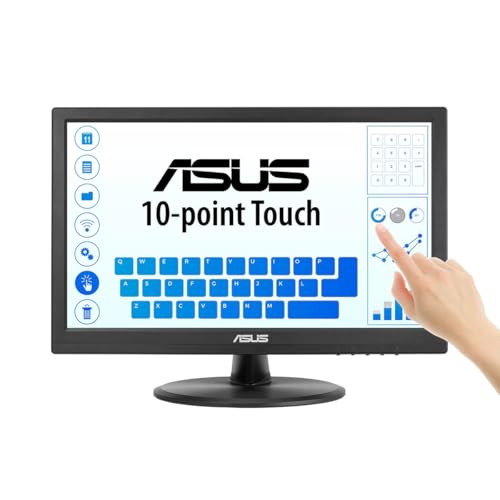
3. ASUS VT169HE 16-Inch 1080p Touchscreen Monitor
What stands out
The ASUS VT169HE is the best small touch screen monitor in this guide, and its 16-inch size is the reason. It fits on a small desk, in a kiosk, or beside a laptop as a second touch screen, and the 1080p IPS panel is sharp at this size. It has 10-point touch, HDMI and VGA connections, and wide viewing angles, so it works as a compact touch display for point-of-sale, for a small office, or for a child desk. For buyers who need touch in a small space, this is the monitor that fits.
Trade-offs to weigh
The trade-offs are size and the lack of extras. Sixteen inches is small for a main monitor, so it suits a second screen or a dedicated touch station rather than a full workspace, and there is no USB-C, no webcam, and no speakers. It is also a basic monitor, so it has no height adjustment. If you need a main touch monitor, take the 22-inch or 24-inch models; if you need a compact touch screen, the VT169HE is the pick.
Who it fits best
Best for small desks, kiosks, and second screens where a compact touch monitor is needed.
In daily use
Over a full week of use, the ASUS VT169HE 16-Inch 1080p Touchscreen Monitor shows its character in small ways. The feel stays the same from the first day to the last, nothing loosens or rattles, and the finish holds up to regular handling. If you switch between tasks, you will appreciate that it does not need a different setup for each one: configure it once for the way you actually use it and leave it alone. If you share the space with work or family, the same product should handle those jobs without feeling out of place, which is a useful bonus for a single-product setup. Notice how it handles the edges of its job too, not just the middle: the first and last minutes of a session, the switch between tasks, and the moment you put it away all tell you more than the headline features do.
Before you buy
When the ASUS VT169HE 16-Inch 1080p Touchscreen Monitor arrives, spend a little time setting it up properly. Follow the included instructions, check that everything listed as included is actually in the box, and test the main functions within the first day or two. Then leave the settings alone for a week. Constant tweaking is the enemy of getting used to a product, and most people get better results from a stable setup than from a perfect one. If something feels wrong after a few days, change one thing at a time so you know what actually helped. Write down the settings that work best for you once you find them, so you can return to them quickly if the product is ever reset or if you need to set up a second one the same way.
Check price on Amazon: ASUS VT169HE 16-Inch 1080p Touchscreen Monitor

4. CUNPU 24-Inch 10-Point Touchscreen Monitor
What stands out
The CUNPU 24-Inch Touchscreen Monitor is the best-value 24-inch touch monitor in this guide, and its 75Hz refresh rate is the reason it stands out. The 1080p IPS panel runs at 75Hz, which is smoother than the standard 60Hz of most office monitors, and it covers 100% sRGB, which gives accurate colour for office work and light photo work. It has 10-point touch, a VESA mount for a wall or an arm, and a tilt stand, so it suits business, office, and warehouse use. For buyers who want a large touch screen at a fair cost, this is the value pick.
Trade-offs to weigh
The trade-offs are the brand and the lack of USB-C. CUNPU is a lesser-known brand than ASUS or ViewSonic, so the support and warranty are less proven, and there is no USB-C video input, so you will use HDMI and a separate USB cable for touch. The design is also plain business styling, with no webcam or speakers. If you want a known brand, the ASUS BE24ECSBT is the alternative; if you want a large touch screen for less, the CUNPU is hard to beat.
Who it fits best
Best for business and office use where a large 24-inch touch screen is needed at a fair cost.
In daily use
In everyday use, the CUNPU 24-Inch 10-Point Touchscreen Monitor settles into a routine quickly. Set it up once, the way you like it, and give yourself a few days to adjust before judging it. The first session is about learning the layout and the feel; the second and third are where it starts to feel natural. Keep it clean, keep it in the conditions it was designed for, and it will stay consistent. If it has parts that wear — cables, surfaces, moving components — a quick check now and then keeps small issues from becoming real ones, and keeping the packaging and documentation for the first weeks makes any return or exchange far simpler. Pay attention to the small details in the first week, like how it feels after an hour of use and whether anything needs adjusting, because those early impressions usually predict how happy you will be with it in six months.
Before you buy
Before buying the CUNPU 24-Inch 10-Point Touchscreen Monitor, check two practical things. First, measure and compare: check the dimensions, the capacity, and the compatibility details listed on the product page against what you already own and the space you have. A product that does not fit your setup will never feel right, whatever its specifications say. Second, think about your routine — where it will live, how it will be stored, and what it needs to connect to. None of this is difficult, but all of it is easier to plan before the product arrives than after. Finally, check the reviews for long-term reports rather than first impressions, because a product that still earns praise after six months is a safer buy than one that only impresses on the first day.
Check price on Amazon: CUNPU 24-Inch 10-Point Touchscreen Monitor

5. CUNPU 27-Inch 10-Point Touchscreen Monitor
What stands out
The CUNPU 27-Inch Touchscreen Monitor is the largest touch screen monitor in this guide, and its size is the reason. Twenty-seven inches gives you room for large touch targets, big buttons, and a spacious workspace, which suits point-of-sale systems, classrooms, design work, and shared screens where several people touch the display. The Nano IPS panel covers 100% sRGB for accurate colour, it has 10-point touch, and it mounts on a VESA arm or wall. For buyers who need the biggest touch screen, this is the one.
Trade-offs to weigh
The trade-offs are resolution and the brand. At 27 inches, 1080p is less sharp than on a 24-inch panel, so text looks softer, and CUNPU is a lesser-known brand, so support is less proven than ASUS or ViewSonic. It is also a large monitor that needs a big desk and a strong mount. If you want a sharper large screen, look at a 2K touch monitor; if you want the biggest touch screen for the money, the CUNPU 27-inch is the pick.
Who it fits best
Best for classrooms, point-of-sale, and shared screens where the largest touch display matters.
In daily use
Day to day, the CUNPU 27-Inch 10-Point Touchscreen Monitor is the kind of product you stop thinking about, which is the highest praise it can earn. It does its job the same way every time, without quirks or surprises, and lets you focus on the work or the game instead of the hardware. That consistency matters more than any single feature. Treat it reasonably — a clean desk, a suitable surface, and storage that protects it when it is not in use — and it will keep that consistency for a long time. The best products are the ones that fade into the background. If you use it in different places, try it in each one during the first week, because a product that works well on a desk can feel different in a bag, in a car, or in a shared room.
Before you buy
A few checks before you order the CUNPU 27-Inch 10-Point Touchscreen Monitor will save disappointment. Confirm the key details on the listing match what you expect — the exact model name, the included accessories, and the variant — since similar-looking models can differ in important ways. Check the return policy and the warranty terms so you know your options if it arrives damaged or does not suit you. And if you are replacing something you already own, compare the new product with the old one on the points that mattered most, rather than on headline features you may never use. Also check what is not included in the box, like cables, mounts, or adapters, since those extras can add cost and delay if you need to order them separately after the product arrives.
Check price on Amazon: CUNPU 27-Inch 10-Point Touchscreen Monitor

6. ViewSonic TD2455 24-Inch Touch Screen Monitor
What stands out
The ViewSonic TD2455 is the most flexible touch screen monitor in this guide, and its dual-hinge stand is the reason. The stand tilts and adjusts so the screen can sit upright like a normal monitor or lie almost flat like a drawing tablet, which suits signing, sketching, and kiosk use as well as normal desk work. It has a USB-C connection that carries video and touch over one cable, 10-point touch, and HDMI as well, so it works with laptops and desktops alike. ViewSonic is a proven monitor brand, so the build and support are solid. For buyers who need a touch monitor that adapts to different tasks, this is the pick.
Trade-offs to weigh
The trade-offs are price and the lack of a webcam. It costs more than the CUNPU 24-inch, and there is no built-in webcam, so video calls need a separate camera. The 1080p resolution is standard, and the dual hinge adds weight and complexity. If you want a webcam, take the ASUS BE24ECSBT; if you want a touch monitor that tilts flat for signing and drawing, the TD2455 is the best choice here.
Who it fits best
Best for desks and kiosks where the touch screen needs to tilt flat for signing or drawing.
In daily use
Over a full week of use, the ViewSonic TD2455 24-Inch Touch Screen Monitor shows its character in small ways. The feel stays the same from the first day to the last, nothing loosens or rattles, and the finish holds up to regular handling. If you switch between tasks, you will appreciate that it does not need a different setup for each one: configure it once for the way you actually use it and leave it alone. If you share the space with work or family, the same product should handle those jobs without feeling out of place, which is a useful bonus for a single-product setup. Notice how it handles the edges of its job too, not just the middle: the first and last minutes of a session, the switch between tasks, and the moment you put it away all tell you more than the headline features do.
Before you buy
When the ViewSonic TD2455 24-Inch Touch Screen Monitor arrives, spend a little time setting it up properly. Follow the included instructions, check that everything listed as included is actually in the box, and test the main functions within the first day or two. Then leave the settings alone for a week. Constant tweaking is the enemy of getting used to a product, and most people get better results from a stable setup than from a perfect one. If something feels wrong after a few days, change one thing at a time so you know what actually helped. Write down the settings that work best for you once you find them, so you can return to them quickly if the product is ever reset or if you need to set up a second one the same way.
Check price on Amazon: ViewSonic TD2455 24-Inch Touch Screen Monitor

7. UPERFECT Portable Monitor Touchscreen, 15.6-Inch
What stands out
The UPERFECT Portable Monitor Touchscreen is the only portable touch monitor in this guide, and its travel design is the reason. It is a 15.6-inch touch screen that runs off a single USB-C cable from a laptop, with a 125% sRGB panel for vivid colour, a built-in speaker, and an adjustable stand, so it works as a second screen in a hotel, a cafe, or a client office. It has 10-point touch, which makes it useful for presentations, demos, and touch-based work on the move, and it is light enough to carry in a laptop bag. For travellers who need a second touch screen, this is the pick.
Trade-offs to weigh
The trade-offs are size and power. Fifteen inches is small for a main monitor, so it suits a second screen rather than a primary display, and it draws power from the laptop, which drains the laptop battery faster. It also needs a laptop with USB-C video output, so check compatibility before you buy. If you need a desk monitor, take one of the 24-inch models; if you travel and need touch on the move, the UPERFECT is the only pick here.
Who it fits best
Best for travellers and presenters who need a portable touch screen as a second display.
In daily use
In everyday use, the UPERFECT Portable Monitor Touchscreen, 15.6-Inch settles into a routine quickly. Set it up once, the way you like it, and give yourself a few days to adjust before judging it. The first session is about learning the layout and the feel; the second and third are where it starts to feel natural. Keep it clean, keep it in the conditions it was designed for, and it will stay consistent. If it has parts that wear — cables, surfaces, moving components — a quick check now and then keeps small issues from becoming real ones, and keeping the packaging and documentation for the first weeks makes any return or exchange far simpler. Pay attention to the small details in the first week, like how it feels after an hour of use and whether anything needs adjusting, because those early impressions usually predict how happy you will be with it in six months.
Before you buy
Before buying the UPERFECT Portable Monitor Touchscreen, 15.6-Inch, check two practical things. First, measure and compare: check the dimensions, the capacity, and the compatibility details listed on the product page against what you already own and the space you have. A product that does not fit your setup will never feel right, whatever its specifications say. Second, think about your routine — where it will live, how it will be stored, and what it needs to connect to. None of this is difficult, but all of it is easier to plan before the product arrives than after. Finally, check the reviews for long-term reports rather than first impressions, because a product that still earns praise after six months is a safer buy than one that only impresses on the first day.
Check price on Amazon: UPERFECT Portable Monitor Touchscreen, 15.6-Inch
Buying guide
Operating system: Windows works best with touch
Touch works best on Windows, which is built for touch input, with gestures, on-screen keyboards, and touch-friendly apps. Most Linux setups also support touch, but check your distribution. macOS does not support touch input from an external monitor, so a touch monitor on a Mac works as a display only. Check your operating system before you buy, because the touch feature is the reason you are buying it.
10-point touch: what it means
10-point touch means the screen tracks up to ten fingers at once, which lets you use gestures like pinch to zoom, two-finger scroll, and multi-finger taps. All the monitors in this guide support 10-point touch. Single-touch screens exist, but they cannot do gestures, so 10-point is the standard to look for. A stylus also works on these screens for signing and sketching, although a stylus is not always included.
Size: match the screen to the task
Sixteen inches suits a second screen, a kiosk, or a small desk. Twenty-two to 24 inches suits a main desk monitor, a classroom screen, or a point-of-sale counter. Twenty-seven inches suits a shared screen, a classroom, or a design station where touch targets need to be large. Bigger is not always better: a large touch screen needs a large desk and a strong arm, and you have to reach across it, which gets tiring.
Connections: HDMI for video, USB for touch
Most touch monitors use HDMI for the picture and a USB cable for the touch signal, so you need two cables. USB-C monitors like the ASUS BE24ECSBT, ViewSonic TD2455, and UPERFECT carry video and touch over one cable, which is cleaner. Check your computer ports before you buy, and keep the cables that come with the monitor, because the touch USB cable is easy to lose.
Mounting: VESA, stand, or hinge
A VESA mount lets you put the monitor on a wall or an arm, which suits kiosks, classrooms, and shared spaces. The CUNPU monitors have VESA mounts, and the UPERFECT has an adjustable stand for travel. The ViewSonic TD2455 has a dual hinge that lets the screen lie almost flat, which suits signing and drawing. Think about how the monitor will be used before you choose the mount.
Cleaning a touch screen: keep it simple
Touch screens collect fingerprints, so clean them regularly with a soft microfibre cloth, slightly damp if needed. Do not use harsh cleaners, ammonia, or paper towels, because they can damage the touch coating. Turn the monitor off before cleaning so you can see the smudges, and do not press hard. A clean screen responds better to touch and looks better in a meeting room or shop.
Frequently asked questions
What is the best touch screen monitor?
For most buyers, the ASUS VT229H is the best touch screen monitor: a proven 22-inch 1080p IPS touch display at a fair cost. If you take video calls, take the ASUS BE24ECSBT with its built-in webcam. If you need the largest screen, take the CUNPU 27-inch.
Do touch screen monitors work with Mac?
A touch monitor works as a display on a Mac, but macOS does not support touch input from an external monitor, so the touch feature will not work. Touch works best on Windows, which is built for touch, and on most Linux setups. Check your operating system before buying.
What does 10-point touch mean?
It means the screen can track up to ten fingers at once, which lets you use gestures like pinch to zoom and two-finger scroll. All the monitors in this guide support 10-point touch, which is the standard to look for in a touch monitor.
Can I use a touch screen monitor as a second monitor?
Yes. Touch monitors work as a second display, and the touch input works on the touch screen while your main monitor stays normal. The portable UPERFECT 15.6-inch is made for this, and the ASUS VT169HE 16-inch suits a small desk as a second touch screen.
Do touch monitors need a special cable?
Most need two cables: HDMI for video and USB for touch. USB-C monitors carry both over one cable. Use the cables that come with the monitor, because the USB touch cable is specific, and check that your computer has the right ports before you buy.
How do I clean a touch screen monitor?
Use a soft microfibre cloth, slightly damp if needed, and wipe gently. Do not use harsh cleaners, ammonia, or paper towels, which can damage the touch coating. Turn the monitor off first so you can see the fingerprints.
Conclusion
The best touch screen monitor is the one that matches your desk, your operating system, and your task. The ASUS VT229H is the best all-round choice, the ASUS BE24ECSBT is the pick for video calls, and the ASUS VT169HE is the pick for a compact second screen. The CUNPU 24-inch is the value pick for business, the CUNPU 27-inch is the pick for the largest display, the ViewSonic TD2455 is the pick for a screen that tilts flat, and the UPERFECT portable is the pick for travel. Check that your operating system supports touch first, then buy the size that fits your desk.