The mesh wifi vs router choice is really a question about your floor plan. A traditional router is one device doing its best to cover the whole home from a single spot; a mesh system is two or three cooperating units that spread the coverage out, handing your devices between them as you move. Mesh is not automatically better — in a flat or small house it is money spent solving a problem you do not have — but in larger, multi-storey, or thick-walled homes it is the difference between Wi-Fi that exists and Wi-Fi that works everywhere. This comparison lays out how each performs on coverage, speed, cost, and complexity so you can match the system to the building.
For the underlying explainer on how mesh works, see What is Mesh Wi-Fi; for help sizing a single router first, How to Position a Router may make the whole question disappear.
Disclosure: As an Amazon Associate, ilcastellomenu.com earns from qualifying purchases. Links to Amazon on this page are affiliate links; they cost you nothing extra. Listing details such as price and availability change often, so check the current Amazon listing before you buy.
Mesh Wi-Fi vs router: the quick verdict
Choose a single router if your home is compact, mostly one floor, built of stud walls, and the router can sit centrally — one good radio covers that easily, at the lowest cost and with the most features per pound or dollar. Choose mesh if you have dead zones that placement cannot fix, more than one floor, masonry walls, or a long floor plan. The crossover is empirical: if a well-placed single router leaves rooms unusable, mesh is the answer; if it does not, mesh is a luxury.
In this guide
Side-by-side comparison
| Criterion | Single router | Mesh system |
|---|---|---|
| Coverage | One radius from one spot | Several overlapping zones; scales by adding nodes |
| Dead zones | Likely in large/thick-walled homes | Designed to eliminate them |
| Roaming between rooms | Devices cling to the router (fine — there is only one) | Seamless handoff between nodes |
| Top speed near the main unit | Highest — flagship single routers are very fast | Good; flagship mesh matches for most uses |
| Speed at the far end of the home | Falls off sharply with distance/walls | Far steadier — a node is nearby |
| Ports and features | More LAN ports, USB, advanced settings on gaming/pro models | Fewer ports per node; simpler apps, fewer advanced options |
| Setup and management | One device to configure | App-led, arguably easier; nodes place around the home |
| Cost shape | One purchase | Kit purchase; extra nodes add cost |
| Wired backhaul option | Not applicable | Supported by many kits — best of both worlds |
Coverage and roaming: mesh’s home turf
The physics are unforgiving: signal weakens with distance and every wall takes a cut, so a single router’s far rooms are always its worst. Mesh moves the radio closer to the user — a node in the hallway or the far living room serves that end of the home at full strength. Just as important is what happens as you walk around on a video call: with one router there is nothing to hand off to, while mesh nodes coordinate so your phone moves to the strongest node without dropping. Households spread over floors are the clearest case, which is why the large-home shortlists — Best Mesh Routers for Large Homes and their mesh counterparts — are dominated by kits.
Speed: peak versus everywhere
A flagship single router usually posts the highest speeds in its own room, with more antennas, more processing power and features like dedicated gaming ports. Mesh nodes are individually simpler. But speed measured where people actually sit favours mesh in bigger homes: a node twenty feet away beats a mighty router sixty feet and three walls away, every time. One caveat: on dual-band mesh kits the nodes share the same bands with your devices for their backhaul chatter, which costs throughput; tri-band kits dedicate a band to backhaul and hold up far better under load — the mechanics are in Dual Band vs Tri Band Router. If you can run an Ethernet cable to a node, wired backhaul removes the compromise entirely.
Features, ports and control
Single routers — especially gaming and pro models — offer more: multiple LAN ports, USB for storage or printers, detailed QoS, VPN servers, and granular settings. Mesh systems deliberately trade that depth for simplicity: app-based management, automatic updates, and settings most households actually use, with fewer ports (often two per node) and sometimes subscription-flavoured extras. Power users running a home lab usually prefer a router (or mesh in bridge/access-point mode behind one); everyone else tends to prefer not thinking about it. Gamers split both ways — a wired PC cares about neither, while whole-home gaming coverage argues mesh; Best Mesh Routers for Gaming covers that middle ground.
Cost and scaling
A single router is one purchase and the cheaper entry point at every tier. Mesh kits cost more upfront but scale gracefully: start with two nodes, add a third only if a corner still struggles — something a single router can never do (its only scaling path is an extender, with the compromises described in Best Wi-Fi Extenders for Home). When comparing fairly, price the router solution that actually covers your home, not the router that covers two-thirds of it.
Who should buy which
- Single router: flats and small houses; one-floor living; stud-wall construction; users wanting maximum features, ports and control; the tightest budgets.
- Mesh: multi-storey or large homes; brick, stone or concrete construction; long or L-shaped floor plans; households tired of dead zones; anyone who values set-and-forget simplicity.
- Hybrid: a capable router plus a mesh node or wired access point in the weak wing — many ecosystems (AiMesh, EasyMesh and similar) let one brand’s gear cooperate this way.
The other contenders: extenders, powerline and wired access points
The mesh-versus-router framing hides three alternatives worth naming. Extenders are the budget patch: one stubborn room, minimal spend, real compromises in speed and roaming. Powerline adapters send networking over the house’s electrical wiring to feed a distant room or a wired access point — performance varies enormously with the wiring’s age and layout, making them a try-it-and-see option rather than a plan. Wired access points are the professional pattern: a router (wireless or not) plus ceiling or wall access points on Ethernet runs. Where cabling exists or can be installed, this beats both camps on performance and stability, at the cost of installation effort and less consumer-friendly management. Many mesh kits blur into this option by supporting wired backhaul — which is why ‘mesh, with cables where possible’ is the pragmatic champion for larger homes: consumer simplicity, professional topology.
Renting the provider’s mesh versus buying your own
Providers increasingly rent mesh pods that pair with their gateway. The convenience is real — one bill, one support number, guaranteed pairing — and for short tenancies or the resolutely non-technical it can be the right call. The costs are quieter: the rental accumulates indefinitely, the pods are usually locked to that provider (they leave with the contract), settings and features are limited, and you build your home network on equipment you will hand back. Buying your own kit costs more on day one and then nothing, works across provider changes, and can move house with you. Run the comparison over your realistic stay: the longer the horizon, the more clearly buying wins; the shorter or more support-averse, the more defensible renting becomes.
Three households, three outcomes
The Victorian terrace with brick throughout
A flagship router in the front room left the kitchen and back bedrooms unusable; a second router-as-extender helped one room. A three-node mesh, nodes placed at the edge of each dead zone rather than inside it, covered the house — the deciding factor was not power but position, three modest radios where the walls allowed rather than one strong one where they did not.
The new-build flat
Stud walls, sixty square metres, one corridor. The single mid-range router the owner already had covered everything once moved from the floor by the door to a central shelf; a mesh kit would have added cost and a second radio competing in a small space. Placement, not system, was the answer.
The sprawling bungalow
Length was the enemy: forty metres end to end. A router at the centre covered the middle well and neither end. Two mesh nodes in a chain — each within clear earshot of the next — fixed both ends, with the office node wired to a desktop for good measure. A stronger single router would only have made the middle faster.
The pattern to steal: diagnose whether your problem is walls, distance or neither before choosing a camp — the three stories are the same symptom (‘bad Wi-Fi in that room’) with three different diseases.
Management and updates: the daily-life difference
The comparison is usually fought on coverage and speed, but owners live with the management layer. A traditional router’s settings live in a web interface of varying friendliness, its firmware updates when you remember, and its advanced features reward those who learn them. A mesh system’s app nudges the other way: updates apply themselves, the client list is readable at a glance, pausing a child’s device or checking which node the TV uses takes seconds, and anything deeper than that is simply absent. Neither is objectively better; they suit different temperaments, and households contain both. The practical test: think of the last networking task you actually performed. If it was ‘check what is connected’ or ‘reboot the thing’, mesh’s app wins. If it was ‘forward this port, reserve these addresses, split this traffic’, the router’s depth wins. Buy for the tasks you do, not the ones the brochure imagines.
Failure modes: what breaks, and how badly
Resilience differs in shape. A single router is a single point of failure — when it dies, the whole network dies with it, though replacement is one box and one setup. A mesh system degrades more gracefully in one way (a failed node loses you a room, not the house, and the rest re-route) and less in another (the main unit is still a single point of failure, and nodes from a discontinued system can be hard to replace individually). Both argue for the same habits: keep the settings backup, know where the admin credentials live, and buy into ecosystems with live support. One more asymmetry matters for the long term: a router can be demoted — moved to access-point duty behind its replacement — while mesh nodes generally only work within their own system, so a mesh purchase is a deeper commitment to its brand’s future.
The verdict, restated as a flow chart in words
Start with the building: small and open points to a router; large, floored or thick-walled points to mesh. Then the household: many simultaneous users in many rooms strengthens mesh; one heavy user in one room strengthens a router (plus a cable). Then temperament: tinkerers lean router, set-and-forgetters lean mesh. Then the exit ramps: a mesh-ready router lets a router household grow nodes later, and most mesh systems can sit behind an existing router in access-point mode, so neither door fully closes. If, after all that, you remain torn, you are probably in the wide middle where both work — in which case buy the option whose management style you prefer, place it well, and stop second-guessing: the middle is wide because both answers are right there.
What about one router plus one node? The hybrid in practice
The market increasingly refuses the binary this article’s title imposes, and the hybrid deserves a practical once-over. A mesh-capable router plus a single node covers the commonest real geometry: a house that is ninety percent fine with one dead wing. The node sits at the edge of the good zone nearest the wing, and the system behaves exactly as a two-node mesh does. Two cautions keep hybrids honest. First, stay inside one ecosystem — the router’s mesh feature and the node must be designed to cooperate, which in practice means same brand and compatible lines. Second, resist scattering single nodes from successive purchases across years without checking interoperability; ecosystems evolve, and yesterday’s node may join today’s system in a reduced mode or not at all. Planned as a system from the start — router bought mesh-ready, node added when the dead zone proved itself — the hybrid is often the most economical correct answer in this entire comparison.
A word on looks, size and domestic politics
It sounds trivial until it decides a purchase: routers and mesh nodes live in visible places, and their domestic acceptability affects where they end up, which affects how they perform. Traditional routers with antenna arrays get exiled to cupboards by household vote; discreet mesh nodes survive on open shelves where they work properly. A theoretically superior router hidden in a cabinet routinely loses to a theoretically modest node sitting in the open. Factor the household’s real tolerance into the choice — the best system is the one that will be allowed to live where it works — and count any design that earns open placement as a genuine performance feature, because in practice it is one.
The resale and reuse test
A final, underused comparison criterion: what is each option worth when you are done with it? A good single router has a long second life — access point for a relative, spare for an emergency, the heart of a small flat’s network for years after it leaves yours. Mesh nodes hold value mainly inside their own ecosystem: generous if the next owner buys into the same system, awkward otherwise, and a discontinued line strands them entirely. Neither consideration should drive the purchase, but both belong in the honest ledger, especially for households that upgrade often. Buy the system your home needs now; simply notice, as you do, whether you are buying a tool with a future or a kit with a lifespan — and let that awareness set how much you are willing to spend on it.
The question behind the question
Notice, finally, what this comparison is really asking. It is not ‘which technology is better’ — the answer to that is a shrug, because they solve different geometries. It is ‘where does my home’s Wi-Fi actually fail, and what shape of system reaches there?’ Households that answer the second question buy once and stop thinking about networking for years. Households that answer the first buy twice: the impressive box, then the system that fixes what the box could not reach. Everything in this guide — the tables, the scenarios, the failure modes — exists to move you from the first question to the second before money changes hands. Stand in your worst room, phone in hand, and let that room cast the deciding vote.
Either way, place what you buy as if you meant it: the finest mesh kit with nodes in dead zones and the finest router in a cupboard will both lose to a modest system given air, height and centrality. Geometry first, brand second, logos last.
Choose by the worst room, verify in the worst week, and the debate is over.
The short version
One router is a spotlight; mesh is ceiling lights. Small, open homes need the spotlight. Big, divided homes need the lights. Decide by your worst room, not your best one — and if you are unsure, buy into an ecosystem that lets a single router grow into a mesh later.
Gear mentioned in this guide
You do not need new hardware for most of the steps in this guide, but the products below are the ones referenced above. Each was verified against Amazon’s Creators API product data for this site, so the link matches the exact model named.

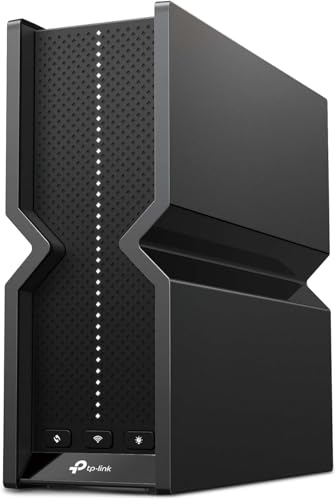
TP-Link Deco X55 AX3000 WiFi 6 Mesh System, Deco X55(3-pack)
The TP-Link Deco X55 is a Wi-Fi 6 mesh system sold as a three-pack covering large homes, with gigabit ports on every unit — the representative mesh option for this comparison, replacing both router and extenders.
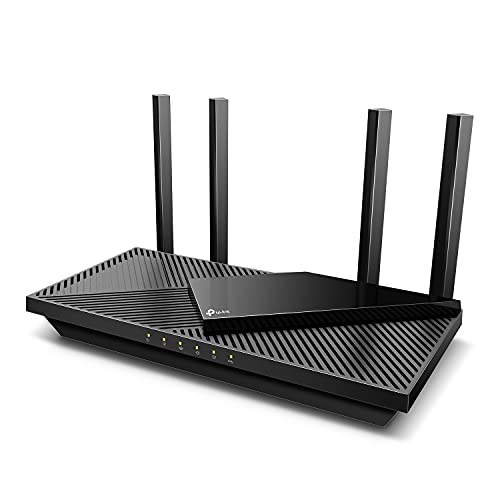
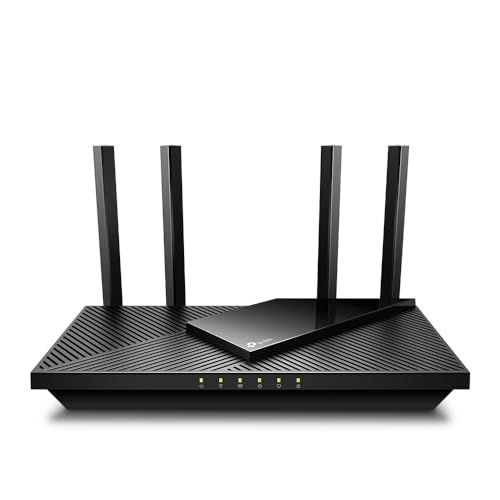
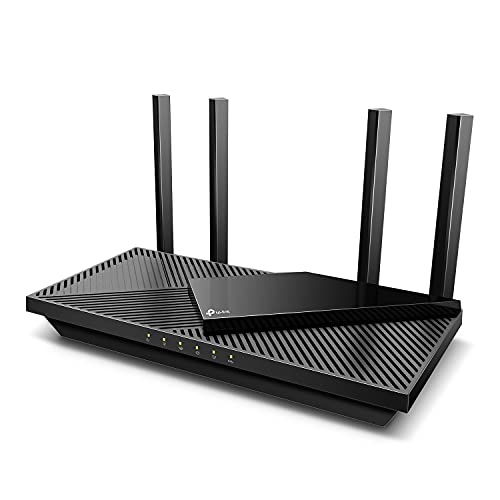
TP-Link Dual-Band AX3000 Wi-Fi 6 Wireless Gigabit Internet Router for Home
The TP-Link Archer AX3000 (Archer AX55) is the single-router counterpart: dual-band Wi-Fi 6 with USB 3.0 and more wired ports, and it is EasyMesh compatible, so it can later join a mesh setup rather than being replaced by one.
The wired twist: Ethernet backhaul rewrites this comparison
Every argument in the main comparison assumes the mesh nodes talk to each other wirelessly, because that is how most systems are installed. Run an Ethernet cable between the nodes, though, and the comparison tilts hard. A mesh system with wired backhaul keeps everything that makes mesh attractive — one network name, managed roaming, a single app, nodes that cooperate — while discarding its main weakness, because the nodes no longer spend wireless airtime forwarding each other’s traffic. Each node offers its full capacity to the devices around it, and the furthest node performs like the one beside the router. Against that, a single powerful router has only its simplicity and price left to argue with, and in a house with the cables already in the walls — many newer builds have Ethernet sockets in several rooms, installed for exactly this purpose — the wired mesh is not a compromise at all. It is the best home network most households can buy, wearing mesh’s friendly face.
The practical catch is the cable itself. If your home lacks Ethernet runs, adding them means either a weekend of crawling and drilling, a tradesperson’s bill, or the flat-cable-along-the-skirting compromise that works better than pride expects. Judge the option by room: nodes need cables only where nodes are, and a hybrid — the far study node wired, the landing node wireless — is perfectly legitimate, because mesh systems treat each node’s backhaul independently. Even one wired node changes the system’s character, since the busiest or furthest link is usually the one throttling everyone else. When you read the side-by-side table in the main article, mentally add a third column labelled “mesh, wired” and watch how many rows it wins; then price the cables honestly, including your own labour, and the comparison becomes a question about your house’s wiring as much as about radios. Homes already wired should also glance at Best Routers for 3000 Sq Ft House, where the larger systems are compared with big, cable-friendly floor plans in mind.
Roaming, honestly: what “seamless” feels like on a Tuesday
Mesh’s signature promise is seamless roaming — walk from the kitchen to the study on a video call and the connection hands over between nodes without a stutter. The reality is good but worth describing precisely, because the handover is a negotiation between the network and your device, and the device has the final vote. Modern phones and laptops, designed for office networks with many access points, roam eagerly and well: they watch for a stronger node and jump before the current one weakens, and on a call you will notice nothing at all. Older and cheaper devices roam reluctantly. They cling to a node they can barely hear — network engineers call them sticky clients — because their designers feared dropped connections more than slow ones. On a single-router network stickiness never arises; on a mesh, a sticky laptop carried upstairs may sit all evening on the downstairs node at a crawl while a strong node glows ignored in the same room.
Both camps have partial remedies. Mesh systems offer steering features that nudge or, in some implementations, briefly disconnect a client to encourage it onto the better node, and turning those on helps most devices without drama. The manual cure — toggle the device’s Wi-Fi off and on where you intend to use it — works every time and teaches you which of your devices are the sticky ones. But the honest summary is that roaming quality is a property of your device fleet as much as of the network you buy, and households whose fleet is new will experience mesh closer to its brochure than households nursing elderly tablets. A single router, for all its coverage limits, never asks this question at all, which is one reason technically confident users with one demanding desk sometimes prefer a router plus a cable: determinism beats elegance when the desk pays the bills.
Counting nodes: the economics of the third and fourth node
Mesh pricing invites a particular mistake: assuming coverage scales linearly with nodes, so a three-node system must be half again as good as a two-node one. Coverage does not scale that way. The first node, placed with the router, establishes the network. The second node fixes the far half of the home and delivers the transformation people write reviews about. The third node serves a specific leftover — the annexe bedroom, the garden office, the floor the others straddle — and its value depends entirely on whether that leftover matters to your daily life. A fourth node in an ordinary house is usually decoration: nodes placed too close together can even degrade things, competing for airtime and confusing roaming decisions, which is why manufacturers’ own placement tools warn about nodes that are too near as well as too far. Buy for the rooms that hurt, not for the symmetry of the box set, and remember that most systems let you add a node later at the same per-node cost as buying it in the bundle — the bundle discount is real but modest, and it is not worth purchasing coverage for rooms that do not exist in your life.
There is a subtler economy in the other direction. A single high-end router and a mesh system of modest nodes can cost similar money while distributing their capability oppositely: the router concentrates power, ports and features at one point; the mesh spreads adequacy everywhere. Households whose demand is concentrated — one office, one gaming desk, one television, all near each other — extract more from the concentrated purchase. Households whose demand is scattered — calls in three bedrooms, cameras at both doors, a workshop out back — extract more from the spread. The side-by-side in the main guide scores features; this distribution question scores geography, and geography is the one that decides which purchase a household is still pleased with in year three. If your geography is scattered and the property is large, the multi-node options in Best Wi-Fi Routers for Large Homes are the natural comparison set.
When the building decides for you: rentals, listed walls and new builds
Some homes narrow this choice before preferences get a vote. Renters who cannot drill or run cables are mesh’s natural constituency — nodes sit on furniture, need only power sockets, and leave with you — provided the property is big enough to need them; a renter in a two-room flat is back to the single router, and a good one, because nodes with nowhere to spread are money in a drawer. Owners of older, thick-walled houses face the opposite geometry: mesh nodes help, but each wall taxes the wireless backhaul as it taxes everything else, so these are the homes where the wired-backhaul column of the comparison earns its keep, or where a router plus one strategically cabled access point outperforms a three-node wireless mesh at similar cost. Listed or conservation-protected interiors, where even cable clips are frowned upon, push back towards wireless mesh with nodes hidden on existing furniture — accepting the backhaul tax as the price of reversibility.
New builds invert the problem pleasantly: with Ethernet in the walls and sockets in the living areas, the question becomes why you would not wire the backhaul, and the choice narrows to mesh-with-cables versus a router plus wired access points, which is a debate about apps and management style rather than coverage. At the other extreme, the home under renovation is the one household that should pause the entire comparison until the walls close, because a few cable runs added to an existing building project cost a fraction of their retrofit price and permanently upgrade whichever system is later chosen. The building, in short, is not the backdrop to this decision. It is a participant in it, and reading its constraints first — sockets, walls, tenancy, wiring — collapses a confusing comparison into the two or three options your home actually permits.
Five years on: living with the choice
The last comparison worth making is temporal, because the two architectures age differently in a household’s hands. A single router is a appliance with a simple story: it serves until its standard feels old or its maker stops updating it, whereupon it is replaced whole, in an afternoon, and the old unit becomes a spare or a gift. A mesh system is a small fleet, and fleets age unevenly — one node gets knocked off a shelf by a cat in year two, the manufacturer’s app changes its subscription terms in year three, a faster standard arrives and tempts you to replace nodes one at a time into a mixed-generation system that works but never quite shines. None of this is damning; it is the ordinary friction of owning more devices. But it does mean mesh rewards households that enjoy light-touch stewardship — an app they like, updates they trust, a spare node bought while the model is current — and mildly punishes households that want to forget the network exists.
Support horizons differ in a way worth checking before purchase: a mesh system is only as maintained as its least-updated node, and makers generally update a system as a unit while it is supported, then stop as a unit. When support ends, the whole system crosses the line together, which concentrates the replacement decision in a way a single router’s end does not. Set against that, mesh’s day-to-day resilience is real — a failed node degrades the network instead of ending it, and a household can limp along on two nodes while a replacement ships, whereas a dead single router is a dead network and an emergency purchase at whatever the local shop stocks. Weigh those two failure stories against your household’s temperament: the family that cannot tolerate a weekend offline may rationally prefer the architecture that fails softly, even at higher lifetime cost, while the household with a spare router in a cupboard can accept the single point of failure with a shrug. There is no universal winner in this comparison — there is only the match between an architecture and a home, and by now you have the questions that reveal it.
Everyday features, compared in use rather than on spec sheets
Feature lists favour routers, because a flagship single unit is where manufacturers showcase their extras: extensive parental controls, detailed traffic statistics, VPN servers, dynamic DNS, file sharing from a USB drive, and pages of settings for the enthusiast. Mesh systems deliberately hide most of that behind an app designed for people who will never open a settings page, and the trade is worth examining honestly rather than assuming more features always win. In daily use, the features households actually touch are few: pausing a child’s device, checking what is connected, running a speed test, restarting the system, and sharing a guest network. Mesh apps typically make exactly those tasks faster and clearer than a router’s admin pages, which is a genuine feature — the feature of being usable by everyone in the house, not only its installer. The router’s deeper bench matters to the household that will use it: the parent who wants per-device schedules and content categories, the remote worker whose employer expects a VPN endpoint, the hobbyist running a home server who needs port control and address reservations. Inventory your own last year of router interactions before weighing this row of the comparison; most households discover they used two features, and both camps have them.
One feature deserves separate mention because it interacts with the architecture: quality-of-service controls, which prioritise calls or games when the connection is busy. On a single router, these controls sit at the one point all traffic crosses, and they work as advertised. In a mesh, traffic from a far node crosses the backhaul before it reaches the router’s brain, so prioritisation still helps the internet leg of the journey but cannot fully govern the wireless hops inside the home. Busy mesh households feel this as a smaller, steadier network rather than a sharply prioritised one — usually fine, occasionally the reason a competitive player insists on a wired connection to the main unit whichever architecture the rest of the house enjoys. Features, like coverage, are ultimately about where your household’s pressure points are.
A five-question worksheet, in the order to ask them
If the comparison still feels circular, run these five questions in order and stop at the first decisive answer. One: does every room that matters already get a usable signal from one well-placed unit? If yes, buy the router — mesh solves a problem you do not have. Two: are the weak rooms separated from the router by materials that defeat any single radio — thick masonry, foil insulation, several floors? If yes, mesh or wired access points are the only honest answers, and the router column closes. Three: can you run Ethernet to at least the worst room or a central node position? If yes, wired-backhaul mesh becomes the front-runner, and the remaining questions are about brand and budget. Four: who administers this network, and how technical are they on their worst day? App-led mesh for the household that wants it simple; a full-featured router for the household with an enthusiast in residence. Five: what changes in the next three years — an extension, a garden office, children reaching gaming age, a move? Choose the architecture with the growth path that matches: nodes added one at a time, or a router from a platform that can become a mesh later.
Most households find their answer by question three, which is as it should be: this comparison was never really about two product categories. It is about whether your home’s geography and wiring let one radio do an honest job, or ask for a team. Answer the geography first, and the products — including the current favourites gathered in Best Routers for Large Homes for the team approach — sort themselves into a shortlist quickly.
A final worksheet note on budget honesty: compare whole-system costs, not entry prices. The router’s true cost includes the extender or access point you may add in year two when a room disappoints; the mesh system’s true cost includes the third node you may add for the new extension and the subscription tier you may unlock for the parental controls you assumed were included. Written down that way — architecture, growth, and the extras you will genuinely enable — the two columns usually separate by less money than the shelf prices suggested, and the decision returns to the geography and the household, which is where this guide began and where it belongs.
And if the worksheet ends in a genuine tie, break it with the failure story from the previous section: choose the architecture whose bad day your household tolerates better — a degraded-but-working network, or a simpler one that is either perfect or off. Ties in this comparison are common, honest, and best settled by temperament rather than by one more benchmark chart.
Either way, write the reasoning down in the household network note. When the system is replaced years from now, that short paragraph — the geography, the constraint, the deciding question — will save the next decision from starting at zero.
Frequently asked questions
Can I add mesh nodes to my existing router?
Often, yes, within the same ecosystem — features such as ASUS AiMesh and TP-Link EasyMesh/OneMesh let compatible routers and nodes form one network. Cross-brand mixing generally does not form true mesh; check your router’s supported list.
Does mesh slow down my internet?
A well-placed tri-band or wired-backhaul mesh should not. Dual-band kits lose some throughput to wireless backhaul, and a badly placed node — one that itself has weak signal — slows everything behind it. Place nodes where they still hear the main unit clearly.
How many mesh nodes do I need?
As a rough guide: two for a medium multi-room home, three for larger or two-storey homes. More is not always better — overcrowding nodes causes its own problems. Start with the kit size for your floor area and add only if a dead zone survives.
Is mesh or a Wi-Fi extender better?
Mesh is the better system: one network name, coordinated handoffs, and smarter backhaul. Extenders are cheaper and fine for one stubborn room, but they typically halve throughput on the repeated band and manage roaming poorly.
Can I use Ethernet with mesh?
Yes — many kits support wired backhaul, which is the best configuration of all: nodes placed anywhere a cable reaches, with no wireless capacity spent on backhaul. Some nodes also offer a LAN port for a wired device nearby.
Can I start with a single router and add mesh nodes later?
Sometimes, and it is worth checking before you buy the router. Some manufacturers build their routers and mesh systems from the same platform, so a standalone router can later become the main unit of a mesh or accept the brand’s nodes as satellites. Others keep the lines separate, and their routers can only be extended with generic extenders, not true mesh nodes. If there is any chance your home will outgrow one unit — a move, an extension, a garden office — choose a router from a platform with that growth path, and the router-versus-mesh decision becomes reversible instead of final.
Does mesh Wi-Fi slow down my internet speed?
It can slow the speed available at a far node compared with standing beside the main router, because wireless backhaul consumes airtime and each hop costs something — that is the speed trade the main comparison describes. What mesh should never do is slow the connection below what your rooms were getting from a struggling single router, which in a dead-zone bedroom was often close to nothing. Judge mesh by the worst room’s improvement, not the best room’s small sacrifice, and prefer wired backhaul wherever a cable is feasible, since it removes the trade almost entirely.
Is a mesh system harder to secure than a single router?
It has more pieces, so there is more to keep updated — but reputable mesh systems update all their nodes together, automatically, from the one app, which makes the practical burden lighter than a router plus a forgotten extender in a hallway. The security habits are the same: a strong admin account with two-factor authentication, automatic updates on, a guest network for visitors and gadgets. The one mesh-specific caution is the app account itself, since it typically manages the whole system remotely; protect it as carefully as the router’s own admin password.
How many nodes do I need for a two-storey house?
Most two-storey houses are well served by two nodes — one with the modem, one on the other floor, placed near the stairwell where the floors connect most openly — with a third added only for a specific leftover room or an outbuilding. Start with two even if a three-node bundle tempts you; live with the coverage for a week, identify the room that still struggles, and place the third node for that room if it is still needed. Node count is the easiest variable in this whole comparison to adjust later, and the cheapest to get wrong in the direction of too few.
Related Guides
- What is Mesh Wi-Fi — how mesh actually works, in plain language
- Dual Band vs Tri Band Router — why the third band transforms mesh performance
- How to Position a Router — exhaust the free fix before buying either
- Best Routers for Large Homes — single-router picks for big homes, if you stay with one box