So, what is mesh wifi? It is a home Wi-Fi system made of several cooperating units — a main router and one or more satellite nodes — that together broadcast a single network and actively manage it: steering your devices to the best node and band, and passing your traffic between nodes along the fastest route. Instead of one radio straining to reach the whole house, mesh puts a radio near where you actually use Wi-Fi, which is why it has become the default answer to dead zones in larger and multi-storey homes. This explainer covers how mesh works under the hood, how it differs from extenders, its genuine limitations, and how to know whether you need it.
If you are weighing mesh against simply buying a stronger single router, the head-to-head is in Mesh Wi-Fi vs Router.
Disclosure: As an Amazon Associate, ilcastellomenu.com earns from qualifying purchases. Links to Amazon on this page are affiliate links; they cost you nothing extra. Listing details such as price and availability change often, so check the current Amazon listing before you buy.
What is mesh Wi-Fi and how does it work?
One network, many radios
A mesh kit’s units all advertise the same network name and password. Your phone does not see three networks; it sees one, and the system decides which node it should talk to. Walk from the kitchen to the bedroom and the system hands your device from the living-room node to the hallway node, ideally without your video call noticing. This coordination — nodes sharing information about signal strength and load — is the core of mesh and the thing a pile of independent extenders cannot do.
Backhaul: the nodes’ private conversation
Nodes need to pass your traffic back to the main unit and the internet; that node-to-node traffic is called backhaul. On dual-band kits it shares the same bands as your devices, costing capacity. Tri-band kits dedicate a band to it — the reason they hold speed better, as detailed in Dual Band vs Tri Band Router. Many kits also allow wired backhaul: plug a node into Ethernet and its backhaul becomes a cable, the best configuration of all. Good placement still matters — a node must sit where it can still hear the previous node clearly, typically partway toward the dead zone rather than inside it.
Self-managing by design
Mesh systems are built to be un-tinkerable in the best sense: they choose channels automatically, balance devices between bands, update their own firmware, and route around a node that has been unplugged by re-routing through the others. Management is through a phone app, and advanced settings are deliberately limited compared with a traditional router — a trade most households happily make, and enthusiasts route around by putting mesh behind their own router in access-point mode.
In this guide
Key terms, in plain language
- Node / satellite / point: the additional units beyond the main router; all mean the same thing.
- Backhaul: the traffic between nodes, wireless (shared or dedicated band) or wired.
- Roaming / handoff: your device moving between nodes as you move around the home.
- Band steering: the system nudging each device onto its best band (2.4, 5 or 6 GHz).
- Bridge / access-point mode: running mesh as pure Wi-Fi on top of an existing router, which keeps routing duties.
- Kit: the boxed set of main unit plus nodes, pre-paired to work together.
Mesh vs extenders: not the same thing
Extenders (or repeaters) copy your router’s signal onward, usually under the same or a similar network name, but they are not coordinated with the router or each other: devices cling to a weak original signal instead of switching, the repeated band typically loses half its throughput, and each extender is configured separately. Mesh is a single system designed as one network. Extenders still have a niche — one stubborn room, the smallest budgets, the options in Best Wi-Fi Extenders for Home — but for whole-home problems mesh is the grown-up solution, and the price gap has narrowed enough that mesh is usually where the money should go.
Real-world scenarios
The two-storey family house
Main unit by the modem downstairs, a node upstairs in the landing, perhaps a third in the extension. Calls survive the trip upstairs; the far bedroom streams properly for the first time. This is mesh’s home turf and the use case behind Best Mesh Wi-Fi Routers for Large Homes.
The long flat or bungalow
Distance in a straight line defeats a central router at both ends. Two or three nodes in a chain along the flat solve it, each within comfortable earshot of the next.
The thick-walled older house
Masonry eats signal, so nodes go closer together — sometimes one per couple of rooms — ideally with wired backhaul if the house has or can take cabling. Mesh helps here more than any single router can, though expectations should scale with the walls.
The small flat
Honestly, overkill: one well-placed router covers it, and mesh money is better saved or spent on the router itself. Mesh earns its keep with distance, floors and walls — not in forty square metres.
Limitations worth knowing
- Cost: kits cost more than a single router, and extra nodes add up.
- Fewer advanced features: limited port counts per node, fewer manual settings, sometimes optional subscriptions for extras.
- Node placement still matters: a node in a true dead zone has nothing to repeat; nodes belong at the edge of good coverage, not beyond it.
- Wireless backhaul physics: dual-band kits sacrifice capacity; distance between nodes degrades the backhaul link itself.
- Ecosystem lock-in: nodes generally must match the brand and system of the main unit.
Common misconceptions
- ‘Mesh boosts my internet speed.’ It cannot exceed your plan; it delivers your plan’s speed to more of the house.
- ‘More nodes is always better.’ Too many nodes crowd the airwaves and confuse steering; add nodes to fix specific dead zones, then stop.
- ‘Mesh replaces the modem.’ No — mesh replaces the router; the modem (or fibre ONT) still connects you to your provider, per Modem vs Router.
- ‘Extenders and mesh are the same.’ Coordination, roaming and backhaul management make them different categories, as above.
Setting up a mesh system well
Mesh is forgiving, not magic, and ten minutes of thought at setup pays for years. Place the main unit where the modem is, as centrally as that allows. Add nodes one at a time, walking each to its intended room and checking the app’s signal verdict for that node before finalising: most apps rate the node’s backhaul link, and ‘fair’ is a message to move it a room closer, not to accept it. The rule of thumb is that a node belongs where your phone still shows a solid connection to the existing network — the edge of good coverage — because the node can only repeat what it can hear. Space nodes by rooms and walls rather than by metres: two nodes can be near in distance and far in walls. Once placed, let the system settle — channel selection and steering improve over the first day as the system observes the environment — and resist rearranging everything in the first hour. Name the network and password identically to your old router’s, and the household’s devices will migrate without a pairing marathon.
Mesh and the smart home
Mesh quietly helps smart homes in three ways. Coverage reaches the garage, garden door and boiler cupboard where sensors live. A single network name ends the farce of a plug that only works when the phone is on the extender’s differently-named network. And some mesh systems include additional radios for smart-home standards (the low-power mesh protocols that bulbs and sensors use to talk to a hub), consolidating boxes. Two cautions balance the picture: a minority of gadgets still dislike band steering during setup — most mesh apps offer a temporary 2.4 GHz pairing mode for exactly this — and when the mesh system updates or reboots, dozens of gadgets reconnect at once, which occasionally exposes one weak device that needs a nudge. Neither outweighs the structural benefit: in a home with many connected things, one coordinated network is simply easier to live with than a patchwork.
Troubleshooting mesh: the three common complaints
A node keeps going offline
Almost always placement: it is too far from its neighbour, or a new obstacle (a metal appliance, a filled bookcase) has arrived. Move it closer, check its power supply is the original, and confirm its firmware updated with the rest. A node that drops in the same spot after swaps with a healthy node indicts the location, not the unit.
Speed collapses at one node
The backhaul to that node is weak or it has fallen back to a congested path. Reposition, consider wiring it if a cable run exists, and check whether a tri-band system’s dedicated backhaul band is enabled. Speed at the main unit staying high while one node crawls is the signature — the internet and the main unit are innocent.
Devices cling to a far node
Steering is conservative by design — it avoids bouncing devices — and some clients make their own stubborn choices. Usually it self-corrects; a device that performs badly while clinging can be nudged by toggling its Wi-Fi. If one fixed device always suffers, bind it to the nearest node if your system offers device binding, or wire it.
A short history: why mesh arrived when it did
For two decades the answer to bad coverage was a more powerful router or a cheap extender, and both disappointed for structural reasons — power cannot beat walls, and extenders were never designed as systems. Mesh came from enterprise networking, where campuses had long been covered by coordinated access points with controllers managing them. What changed in the mid-2010s was cost and packaging: radios and processors became cheap enough to put several in one box at a consumer price, smartphones gave every system a friendly app for a controller, and automatic everything removed the expertise barrier. The result reframed home Wi-Fi from a device to a system — the same shift lighting made from one bright bulb to many fitted lights. The lesson inside the history: mesh won not by being stronger, but by being coordinated and easy, which is why judging mesh kits by raw power figures misses the point of them.
Mesh topologies: hub-and-spoke, chain and what your home will actually do
Picture the nodes as a team passing a ball to the modem. In a hub-and-spoke layout, every node talks directly to the main unit — clean and fast, possible when nodes are spread around a central main unit. In a chain (or daisy-chain), a far node passes traffic through a middle node to reach home; each hop costs some capacity, which is why chains should be as short as the building allows and why the middle node’s placement is doubly important. Real homes produce hybrids: the upstairs node talks straight to base, the garden-room node hops through the kitchen node. Systems choose these paths themselves and re-choose when conditions change — a node unplugged reroutes its dependents automatically, one of mesh’s quiet superpowers. Your influence is architectural: give the system good options (nodes within honest range of each other, a sensibly placed main unit) and its choices will be good; starve it of options and no topology saves the far room.
What mesh means for the next decade of your network
Choosing mesh is choosing an ecosystem, and ecosystems have trajectories. The practical questions to ask of any kit: does the maker sell additional nodes singly, so expansion does not mean a new kit? Are older and newer nodes of the same brand interoperable, so a future upgrade can be gradual? Does the system support the current wired-backhaul and matter-era smart-home standards you are likely to want? A mesh system bought well becomes the home’s network for a long time, growing node by node and house by house — kits move with their owners in a way a provider gateway never does. That longevity is the final answer to ‘what is mesh wifi’ at the household level: not a product category, but the point where home Wi-Fi stopped being a box and became infrastructure.
How much does mesh cost to run?
Beyond the kit price, mesh carries small running considerations worth a paragraph of honesty. Nodes draw power around the clock — individually modest, but a three-node system is three always-on devices, and in an era of attention to household consumption it belongs in the ledger, if near the bottom. Some ecosystems reserve their most polished features — advanced parental controls, network security reports, priority support — for an optional subscription; the core networking is not held hostage, but read the box so the feature that sold you is not the one behind the tier. Replacement economics matter too: a failed node in a current system is replaceable singly, while a failed node in a discontinued system can orphan the kit, which argues for buying from lines with a future. None of these costs is large; together they are the difference between a purchase and an informed purchase.
Mesh in unusual buildings
A few geometries deserve specific notes. Very long, thin homes and converted barns chain nodes happily but should keep chains short — two hops maximum where possible — and consider one wired node in the middle as an anchor. Homes with metal-clad extensions, foil-backed insulation or a conservatory of glass and steel create RF islands: plan a node inside each island rather than hoping signal leaks through seams. Listed and historic buildings, where cabling is forbidden and walls are sacred, are mesh’s natural constituency — wireless backhaul was invented for them. And homes with a granny flat, studio or office over the garage should treat that space as another island with its own node, ideally wired if any cable path exists. The principle never changes: nodes where people are, each within honest earshot of the next.
Trying mesh without commitment
If this explainer has persuaded you the concept fits but the outlay gives you pause, stage the experiment. Most ecosystems let you begin with the main unit and a single node, which covers the commonest geometry — house plus one dead wing — and proves the system in your actual walls before the full kit is bought. Buy from a retailer with a sane returns window, test during the household’s busiest week rather than its quietest, and judge by the worst room’s real tasks, not by the app’s cheerful coverage map. If the two-unit start solves the map, stop there; nodes can always join later, and the discipline of adding only against evidence is what separates a network from a collection. Mesh rewards incrementalists — fittingly, for a technology whose whole philosophy is many small radios instead of one big bet.
The short version
Mesh Wi-Fi is one network run by several cooperating radios instead of one, trading a higher price and simpler controls for coverage that reaches the whole home and roaming that just works. If your home has dead zones a well-placed router cannot fix, mesh is almost certainly the answer; if it does not, mesh is a pleasant luxury. When you are ready to choose a kit, Router Buying Guide covers the criteria, and gaming-focused kits are compared in a companion gaming shortlist.
Gear mentioned in this guide
You do not need new hardware for most of the steps in this guide, but the products below are the ones referenced above. Each was verified against Amazon’s Creators API product data for this site, so the link matches the exact model named.

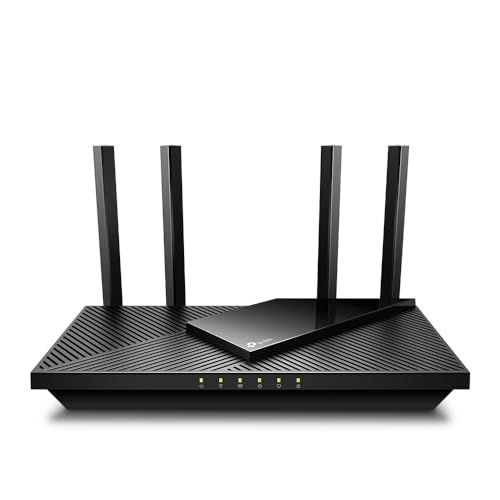
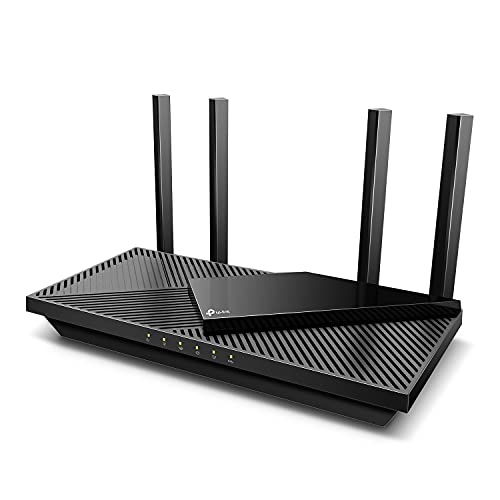
TP-Link Deco X55 AX3000 WiFi 6 Mesh System, Deco X55(3-pack)
The TP-Link Deco X55 three-pack is a representative modern mesh kit: Wi-Fi 6, gigabit ports on each unit, app management and automatic updates — the set-and-forget pattern this explainer describes.

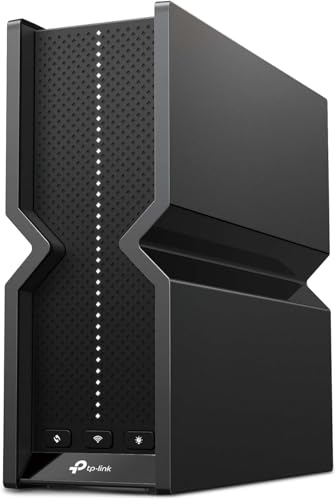
TP-Link Deco XE75 AXE5400 Tri-Band WiFi 6E Mesh System, 2-Pack
The TP-Link Deco XE75 is a Wi-Fi 6E mesh two-pack whose 6 GHz band can serve as a fast, dedicated backhaul between nodes — the tri-band advantage in product form.

Amazon eero Pro 6E mesh wifi router – Supports internet plans up to 2.5 Gbps, Coverage up to 2,000 sq. ft., Connect 100+ devices, 1-pack
Amazon’s eero Pro 6E is another Wi-Fi 6E mesh option, sold per unit so you can start with one and add nodes as needed, supporting plans up to multi-gig speeds.
The handover standards with the dry names: 802.11k, 802.11v and 802.11r
Mesh marketing says your devices “roam seamlessly”, but the seam — or its absence — is sewn by three technical standards whose names occasionally appear on spec sheets, and understanding them in plain language explains most real-world roaming behaviour. The first, 802.11k, lets a node tell your phone about the other nodes nearby and how strong they are, so the phone does not have to scan blindly and can choose its next home quickly. The second, 802.11v, lets the network actively suggest — and in some configurations firmly encourage — a device to move to a better node, which is the standard working behind the “band steering” and “client steering” features in mesh apps. The third, 802.11r, speeds up the security handshake when a device jumps between nodes, shaving the reconnection from a noticeable pause to a blink; it matters most for voice and video calls, where a slow handover is heard as a gap in the conversation.
Two honest qualifications keep this trio in perspective. Both sides must support a standard for it to work: a mesh system fluent in all three still cannot hurry a budget tablet that speaks none of them, which is why roaming quality varies by device on the same network, and why the sticky-client stories in the mesh-versus-router comparison are really stories about older clients meeting newer networks. And the standards are tools, not guarantees — implementations differ, and a well-tuned system from one maker roams more gracefully than a checkbox-rich system from another. When you read a mesh spec sheet, treat the presence of these three as evidence the maker takes roaming seriously rather than as a score to total up. The lived test remains the one from the setup section: walk the house on a call, and listen for the seams your own devices actually make.
Backhaul: the conversation the nodes have with each other
Every mesh explanation eventually reaches the word backhaul, and it deserves a section of its own because it is where mesh systems quietly divide into classes. Backhaul is the traffic between nodes — everything a satellite node receives from your devices must travel onwards to the main node and the internet, and that journey uses either the same wireless bands your devices use, a dedicated band reserved for node traffic, or an Ethernet cable. On a shared-band system, the satellite’s conversation with the main node competes with your devices for the same airtime, which is why the furthest node’s speed is always the system’s most honest number: it is paying for its own forwarding out of the same budget it serves you from. A dedicated band — typically the second 5 GHz radio or the 6 GHz radio in a tri-band design — gives the nodes a private channel, and the satellite’s clients get something much closer to the main node’s performance. A cable removes the question altogether and is why the wired option keeps appearing in this site’s mesh coverage as the connoisseur’s choice.
Backhaul also explains mesh’s placement paradox: a satellite node must be close enough to hear the main node strongly, yet far enough to extend coverage somewhere new. Place it at the very edge of the existing signal, where your phone shows one bar, and the node itself is working with that same one bar for everything it forwards — the room gains a strong local signal attached to a weak pipe, and speed tests in it disappoint in a way that confuses owners who can see full bars. The working rule is to place satellites roughly halfway into the weak zone, where the node’s own link back is still robust; most mesh apps now measure exactly this link during setup and grade the placement, and their “good” rating is worth obeying even when the perfect furniture spot is a metre further out. Coverage maps drawn by bars alone lie; the backhaul link is the truth underneath them.
Inside a node: how mesh hardware differs from a router’s
Open the spec sheets side by side and a pattern emerges: an individual mesh node is usually a less powerful device than a flagship standalone router — fewer Ethernet ports, sometimes just one or two; a smaller antenna array; a processor chosen for efficiency rather than headroom; and often no USB port or other extras. That is not corner-cutting so much as division of labour. The system’s intelligence — address assignment, routing, security, the app relationship — lives in the main node, while satellites are deliberately simpler radios with a forwarding job, designed to be cheap enough to multiply and discreet enough to sit on a bookshelf without a thicket of aerials. The comparison that matters is therefore never node-against-router; it is system-against-router, three coordinated radios and a shared brain against one powerful unit, which is why the mesh-versus-router article scores them as architectures rather than devices.
The simplicity has two consequences owners should know. A satellite with a single spare Ethernet port can still wire one nearby device — a television or a desktop — which is a quietly excellent trick: the device rides the node’s backhaul instead of its own weaker Wi-Fi, and often performs better than it did wirelessly next to a distant router. And because satellites are simple, they are also somewhat interchangeable across a maker’s range: many systems let newer and older nodes coexist, so a system can grow a Wi-Fi 6E node for the study while the original nodes keep serving the bedrooms. Check the maker’s compatibility promise before assuming, but designed-for-mixing is one of mesh’s genuine structural advantages over the router-plus-random-extender arrangements it replaced.
Mesh and latency: what the extra hops do to games and calls
Every wireless hop a packet takes adds a small amount of delay, and a satellite node’s clients live one hop further from the internet than the main node’s clients do. The honest size of that cost, on a well-placed modern system, is a few milliseconds — small against the tens of milliseconds a typical internet connection already contributes, and invisible in streaming, browsing and calls. It becomes visible in exactly one common scenario: competitive gaming played through a satellite node, where a player measuring their connection in single milliseconds is stacking the node’s hop, the backhaul’s contention and the home’s busy hour on top of their line’s baseline. The remedy used by gaming households is architectural rather than financial: the gaming machine connects by cable to whichever node is nearest — ideally the main one — converting its last hop to wire and leaving the mesh to serve the devices that do not grade their evenings in milliseconds. Mesh and serious gaming coexist comfortably once that one device is wired, a pattern the gaming collections in Best Wi-Fi Routers for Gaming assume when they recommend systems for gaming homes.
Calls deserve a kinder verdict. A video call through a satellite node is, in practice, indistinguishable from one beside the router, because calls care about consistency more than about a few milliseconds, and a strong satellite signal delivers consistency better than a weak direct one does. This is the recurring theme of mesh done well: it trades a theoretical optimum at one point in the house for a dependable good-enough everywhere, and for most of what households actually do, good-enough everywhere wins.
The cloud in the room: what a mesh app knows about your home
Almost every mesh system is administered through the maker’s cloud account, and an explainer owes you a plain account of what that means. The practical benefits are real: setup from a phone, management from anywhere, automatic updates orchestrated across nodes, and alerts when a node drops. The trade is that the maker operates a service which, by design, knows your network exists, what model of nodes you run, when they update, and — depending on the maker’s design and your settings — varying amounts of information about the devices connected and the traffic patterns they generate. Makers publish privacy policies describing their collection, and the mainstream brands have converged on similar postures, but the structural point stands: a mesh system is a small subscription-free service relationship, not merely a product, and households uncomfortable with that relationship should look for the minority of systems offering full local administration, accepting the less polished management that usually comes with it.
There are two household-level habits that keep the relationship healthy regardless of brand. Protect the mesh account as the master key it is — a unique password and two-factor authentication — because it can typically rename networks, pause devices and admit new nodes. And know the system’s behaviour when the maker’s service has an outage: a well-designed mesh keeps routing your home network perfectly well with its cloud unreachable, losing only remote management until the service returns. If a system you are considering cannot say that clearly, it has the dependency backwards. The network in your walls should work for you on the internet’s worst day, not only on its maker’s best one.
A worked design: laying out mesh for a real house, room by room
Abstract principles settle into sense when they are walked through a floor plan, so consider a common case: a two-storey house, the internet entering at the front corner of the ground floor, a lounge at the back, bedrooms above, and a study in the converted garage at the garden’s end. The main node goes where the line enters — that is fixed — but on a shelf at chest height rather than on the floor behind the television cabinet, buying the lounge a cleaner path through the house’s spine. The second node belongs upstairs, near the landing, where the stairwell gives it the most open route down to the main node and the shortest paths into the bedrooms; placed there, its backhaul rides the stairwell’s open air instead of the floor structure, and the bedrooms’ doors do the rest. The garage study is the honest problem: two exterior walls and a garden away, it is beyond a comfortable wireless hop from the landing node, and the design has two legitimate answers — a third node in the back of the house, by the window facing the garage, shortening the outdoor hop to something survivable, or a cable along the fence to the study, after which a node or a simple access point there performs like it is in the next room.
Notice what the walkthrough did not do: it did not put a node in every weak room, it did not place any node at the extreme edge of coverage, and it treated the hardest room as a cabling question rather than a node-count question. Those three restraints are the difference between a system designed for a house and a system scattered at it. Households speccing for larger properties will find the same restraint reflected in Best Routers for 3000 Sq Ft House, where the recommended systems are sized by layout rather than by the biggest bundle on the shelf.
When a node fails: how the web responds
A mesh network’s behaviour on a bad day reveals its design more clearly than its setup day does, so it is worth knowing what to expect when a node goes offline — unplugged by a cleaner, tripped over by a child, or simply dead one morning. Devices that were connected to the failed node do not stay loyal to a ghost: they rescan, find the next strongest node, and rejoin it, usually within a minute, though sticky older devices may need their Wi-Fi toggled to hurry them. The rooms around the failed node typically keep working at reduced strength, because the neighbouring nodes’ coverage overlaps theirs — that overlap, which can look wasteful on a coverage map, is in fact the system’s insurance policy. What the household experiences is a softer network for a day, not a dead one, and the app should show exactly which node is missing so the fix is a plug check rather than a mystery.
The topology decides how much of the house feels the loss. In a star arrangement, where every satellite talks directly to the main node, one satellite’s failure affects only its own neighbourhood. In a chain — main node to landing node to far bedroom node — the middle node’s failure orphans everything behind it, because their only path home ran through it. Well-designed systems reroute when they can, asking the far node to reach the main node directly at reduced strength, but physics sets the terms. The design lesson folds back into placement: chains are sometimes unavoidable in long houses, but every link you can convert from a chain into a star — by positioning the main node more centrally, or cabling the middle node — buys resilience as well as speed. When a node truly dies, replacement is mercifully simple: a new node of a compatible model joins the system through the app, inherits the network’s settings from its siblings, and the household’s passwords and device names survive untouched, because they were never stored in the dead box alone.
Backhaul without new cables: coax and powerline shortcuts
One refinement deserves mention for houses where running Ethernet is impractical but wireless backhaul underperforms: the wiring already in the walls can sometimes carry the backhaul instead. Adapters exist that send network data over a home’s television coax cabling, and others that use the electrical wiring itself. Performance varies with the age and layout of that wiring — coax-based links are usually the stronger and steadier of the two, while powerline links depend heavily on how the home’s circuits are arranged — but either can convert a struggling satellite node into a wired one without a single new hole in a wall. For renters and owners of finished houses alike, that middle path is worth knowing exists: mesh does not force a choice between pure wireless and a building project, and a single adapted link to the furthest node often delivers most of the wired benefit at a fraction of the disruption.
Whichever shortcut you use, test the node’s link speed in the app afterwards and write the result in the network note — backhaul quality is invisible from the sofa, and the note is the only place its truth survives.
Small records like that are what turn a mesh system from a purchase into a managed asset.
Frequently asked questions
Do I still need a modem with mesh Wi-Fi?
Yes. Mesh replaces your router and Wi-Fi, but the modem or fibre ONT still connects your home to the provider. The mesh main unit plugs into the modem exactly as a router would.
Can I mix mesh nodes from different brands?
Generally no — nodes must belong to the same system. Standards such as EasyMesh are narrowing this, but today you should plan on one brand’s ecosystem for nodes that truly cooperate.
How many nodes do I need?
Start from the kit sized for your floor area — typically two units for a medium home, three for a large or two-storey one. Add a node only for a dead zone that survives good placement of the originals.
Will mesh work with my smart-home devices?
Yes. Mesh broadcasts 2.4 GHz as well, and gadgets connect normally. A few older devices dislike band steering during setup; most mesh apps offer a temporary compatibility or 2.4 GHz-only mode for pairing them.
Can mesh nodes be wired?
Most can, and wired backhaul is the best-performing setup: nodes can sit further apart and no wireless capacity is spent on backhaul. If your home has Ethernet runs to several rooms, mesh over those cables is close to ideal.
Does mesh Wi-Fi replace my modem?
No. A mesh system is the router and Wi-Fi half of the network; it still needs the modem, fibre terminal or gateway that brings the internet into the house, exactly as the modem-versus-router guide describes. Most mesh main nodes plug into the existing modem or gateway by Ethernet and take over the routing and Wi-Fi from there. If your provider’s gateway currently does both jobs, the usual arrangement is to switch its routing and Wi-Fi off — bridge mode where available — and let the mesh run the home, keeping the gateway purely as the line’s endpoint.
Can I mix mesh nodes from different brands?
Generally no, and this is one of mesh’s real limitations. Despite occasional industry efforts at interoperability standards, mesh systems in practice form their coordinated network only with nodes from the same maker’s compatible range, because the roaming, backhaul management and app control are proprietary. A node from another brand can sometimes join as a simple extender or access point, but it will not participate in the seamless handover that defines mesh. Buy into a system whose range you are happy to expand within, and check the maker’s cross-model compatibility before adding a newer node to an older system.
How long do mesh systems last before they need replacing?
Plan on a similar horizon to a router — roughly four to six years — set less by hardware failure than by two clocks: the Wi-Fi standards your new devices speak, and the maker’s firmware support for your models. Nodes themselves are simple and durable; it is the system’s brain that ages. A practical advantage of the architecture is that replacement can be staged: many households replace the main node with a newer model and demote or retire satellites gradually, spreading the cost. When support for your system ends, though, the whole system crosses that line together, which argues for replacing as a system when the time comes.
Will mesh help my garden and driveway devices?
It can, with placement that respects what the signal must cross. Outdoor devices — doorbells, cameras, garden lighting — connect through an exterior wall, so the node that serves them best is the one nearest that wall on the inside, ideally with a window on the path, rather than the node nearest the house’s centre. Expect the garden’s far end to remain 2.4 GHz territory: that band’s reach is what outdoor gadgets are designed around. If a camera position is truly beyond the house’s radio footprint, the dependable answers are a node in an outbuilding or a camera with its own dedicated link — mesh extends a home’s network gracefully, but it does not repeal distance.
Is mesh overkill for a flat?
For most flats, yes — a single well-placed router covers a flat’s area, and extra nodes with nowhere to spread add cost and complexity without a problem to solve. The exceptions are flats with the classic mesh-shaped difficulties despite their size: long, thin layouts where the router is trapped at one end, reinforced concrete construction that eats signal room by room, or a home office at the far end from the entry point. Judge by the test in the positioning guide — if one router, honestly placed, leaves a room you care about unusable, a small two-node system is a legitimate answer even in a modest footprint.
Related Guides
- Mesh Wi-Fi vs Router — mesh against the traditional alternative, criterion by criterion
- Dual Band vs Tri Band Router — the backhaul band decision inside every mesh kit
- Modem vs Router — the other box mesh does not replace
- How to Position a Router — placement principles that apply to nodes too