How fast should your router be? Faster than your internet plan, comfortably — and after that, the honest answer is that most households are chasing the wrong number. Router speed figures describe theoretical wireless maximums summed across bands under laboratory conditions; your real ceiling is your internet plan for anything online, and your local network only feels router speed for device-to-device jobs like backups and game downloads from a local server. This explainer breaks down what the speed figures mean, how to match a router class to common plan tiers, and the factors — coverage, congestion, wired ports — that matter more than the headline figure.
For the criteria beyond speed, Router Buying Guide is the companion piece; for the band choices behind the figures, see Dual Band vs Tri Band Router.
Disclosure: As an Amazon Associate, ilcastellomenu.com earns from qualifying purchases. Links to Amazon on this page are affiliate links; they cost you nothing extra. Listing details such as price and availability change often, so check the current Amazon listing before you buy.
How fast should your router be? The direct answer by plan tier
| Your internet plan | Sensible router class | Why |
|---|---|---|
| Up to ~100 Mbps | Any modern Wi-Fi 5 or entry Wi-Fi 6 router | The plan is the bottleneck everywhere; spend on placement, not speed class |
| ~200–500 Mbps | Mid-range Wi-Fi 6, dual-band | Comfortably exceeds the plan on 5 GHz in the same and next room |
| Gigabit (~900–1000 Mbps) | Good Wi-Fi 6 or Wi-Fi 6E | Real-world 5/6 GHz throughput near the router can approach plan speed; gigabit ports throughout |
| Multi-gig (above 1 Gbps) | Wi-Fi 6E or Wi-Fi 7 with 2.5 Gbps+ ports | Ports become the limit before the radio does; a gigabit port caps you below the plan |
| Slow plan, big house | Any class — in mesh form | Coverage, not speed class, is your problem; see the mesh section below |
In this guide
Why router speed numbers look absurd
A router advertised with a four-figure speed is summing the theoretical maximum of every band and every stream, assuming laboratory conditions, a client that supports every feature, and no walls, neighbours, or reality. No single device can use the sum — each connects on one band (Wi-Fi 7’s multi-link aside) — and real throughput is a fraction of the theoretical figure, dropping with distance and interference. None of this makes the numbers useless: within one generation they rank routers reliably. It makes them useless as promises. Compare routers by generation, band count, and port speeds; treat the big number as a model name, not a measurement.
What actually determines your experienced speed
Your plan, for anything online
Streaming, browsing, downloads and calls all travel through the modem at plan speed. A router ten times ‘faster’ changes none of it. If speed tests beside the router roughly match your plan, your router is fast enough for the internet, full stop — a conclusion that saves many households an unnecessary upgrade. The routers in Best Routers for Gigabit Internet exist for the plans that genuinely need them.
Distance, walls and band, for local Wi-Fi
The same router delivers wildly different speeds in different rooms. The 5 and 6 GHz bands are fast nearby and fade with range; 2.4 GHz is slow everywhere but reaches. If your complaint is one room, the fix is placement (How to Position a Router) or mesh — not a faster class of router radiating from the same bad spot.
Congestion and device count
Dozens of devices sharing bands queue for airtime. Modern Wi-Fi 6 and 7 features (OFDMA, MU-MIMO) exist precisely to manage this; a busy smart home benefits from the newer generation’s efficiency more than from its peak speed. This is the real reason to step up a class in a device-heavy home, and why busy-household shortlists like Best Routers for Multiple Devices emphasise generation and bands over raw figures.
Wired ports, the forgotten bottleneck
Anything cabled — PC, TV, console, NAS — is capped by the port: gigabit ports cap at gigabit regardless of the wireless logos. Multi-gig plans need a router whose WAN and LAN ports match, or the fastest part of your network will be the part you cannot use. Check port speeds on any router shortlist, including the gigabit-plan shortlists, before the wireless class.
When local speed genuinely matters
A few jobs run inside the house and do feel router speed: backups to a NAS, moving large files between computers, streaming from a local media server, VR headsets streaming from a gaming PC, and game downloads cached locally. If your household does these heavily, a higher class — wider channels, 6 GHz, multi-gig ports — pays off in minutes saved daily. If it does not, it pays off never. Be honest about which household you are.
Common misconceptions
- ‘A faster router will speed up my internet.’ Only if the old router was slower than the plan — common with very old Wi-Fi 4/5 gear on fast plans, rare otherwise.
- ‘I should buy the highest class to future-proof.’ Future-proofing works for ports and bands your next devices will use; it fails for headline speeds nobody’s plan reaches.
- ‘My speed test is below the router’s headline figure, so it is faulty.’ The figures are laboratory sums; a healthy real-world result is a fraction of them, varying by room.
- ‘More antennas means faster.’ Antennas relate to streams and coverage shaping; beyond a point they are styling.
A practical sizing method
- Note your plan speed. Your router’s job is to exceed it modestly, everywhere you sit.
- Test beside your current router: if you get roughly plan speed there, your class is fine — fix coverage or congestion, not class.
- Count simultaneous heavy users and local-traffic jobs; heavy overlap argues for the newer generation and more bands.
- If the plan is multi-gig, filter by port speeds first, wireless class second.
- If the home is large or multi-storey, spend the class budget on mesh nodes instead (What is Mesh Wi-Fi).
Reading a spec sheet without being fooled
Four lines on the box carry nearly all the real information. The Wi-Fi generation (6, 6E, 7) sets the feature set and efficiency. The band count tells you capacity under load and, on 6E/7, whether a 6 GHz radio exists. The port list — how many LAN ports, and whether WAN and LAN are gigabit or 2.5 Gbps — sets your wired ceiling, the one number in the whole purchase that is a hard cap. The stream count per band (often written as 2×2, 3×3, 4×4) hints at per-band capability, though most phones and laptops are 2×2 and cannot use more than two streams themselves, which quietly caps what any router can deliver to them. Everything else — the summed speed figure, antenna count, exotic gaming vocabulary — is decoration by comparison. A buyer who reads those four lines and ignores the rest of the box will choose as well as one who studies for a week.
The plan’s fine print: ‘up to’ and busy hours
Your side of the sizing equation has its own marketing. Plan speeds are advertised ‘up to’, and delivered speeds sag at peak hours on many connection types — the router cannot fix a plan that delivers half its headline at 8 p.m. Before upgrading a router for speed, measure the plan itself: a wired test at a quiet hour and at peak hour tells you what you actually bought. If peak-hour wired speeds collapse, the argument is with the provider (or the plan tier), not the router shelf. Conversely, if you consistently receive more than your old router class can carry — the classic case being a gigabit plan behind an elderly Wi-Fi 5 box — the upgrade case writes itself. Sizing honestly in both directions is the whole discipline of this guide: routers are blamed for plan faults and credited for plan headroom with equal injustice.
Three households, sized
The streaming couple in a flat, 300 Mbps plan
Any competent Wi-Fi 6 router exceeds the plan everywhere in the flat. Money beyond that buys nothing they can feel; if the current router is old, an entry Wi-Fi 6 model is the complete answer, and the correct speed for their router is ‘the cheap current one’.
The family of five, gigabit plan, two-storey house
The plan justifies a good class, but the house decides the form: a Wi-Fi 6E mesh kit, or a strong router plus node, sized by floors and walls. Per-room speed near a node approaches the plan; the router class question dissolves into the coverage question, as it usually does at this size.
The home worker with a multi-gig plan and a NAS
Ports first: 2.5 Gbps WAN and LAN, or the NAS and the plan cannot meet. Then Wi-Fi 7 or 6E for the newest laptop. This is the household the flagship class exists for — and it is defined by wired infrastructure, not by enthusiasm.
Three plans, three houses, three unrelated answers — which is the point. ‘How fast’ is a matching exercise, and the match is to your constraints, not to the largest available number.
Latency: the speed nobody advertises
Households say ‘speed’ and often mean responsiveness — how quickly things react — which is latency, a different quantity measured in milliseconds rather than megabits. Your router class influences latency mainly when it is overloaded: a struggling router queues packets, and queues are delay. This is why an old router on a fast plan can feel sluggish while testing ‘fast’: the test measures an empty motorway, the family experiences the rush hour. The cures are the ones this guide keeps returning to — a current generation with headroom, queue management features if your connection type suffers under load, and wired connections for the devices whose responsiveness matters most. When shopping, treat ‘gaming’ badges as a hint that the maker thought about latency, then verify the substance: QoS that actually works, a processor with capacity to spare, and reviews that test under load rather than at idle.
Upload: the forgotten half of the plan
Router sizing talk fixates on download, but many plans are wildly asymmetric — fast down, slow up — and the household’s pain increasingly lives on the upload side: video calls, cloud backups, sending large files, a doorbell camera’s stream. No router can widen the upload the plan provides. What the right router does is manage scarcity: QoS that prioritises the call over the backup, enough processing that a saturated upload does not drag everything else into queueing misery. If your household’s complaints are ‘my call freezes when the photos sync’, your diagnosis is upload contention, and your shopping list is QoS quality and processor headroom — not a higher download class. Measure your upload at peak hour before buying anything; it is the most under-tested number in home networking.
So, the answer in one breath
Your router should be fast enough that a wired test and a near-router wireless test both reach your plan’s speed with room to spare, new enough that its generation handles your device count gracefully, and — if your plan exceeds a gigabit — ported fast enough to pass the plan through. Beyond that line, additional speed is specification-sheet wealth: pleasant to own, invisible to use. Spend the surplus on the things this series keeps recommending — placement, coverage, cabling, and a maker who patches — and your network will feel fast in the way households actually mean.
A two-minute self-audit before you spend anything
Everything in this explainer condenses into a test you can run tonight. First, stand beside the router and run a speed test on your best device: if the result is close to your plan, your router’s class is sufficient for the internet and no purchase will make the internet faster. Second, run the same test in your worst room: if it collapses there, your problem is coverage, and the budget belongs to placement or nodes. Third, run it at peak hour with the household active: if it sags everywhere while a wired test holds up, you have congestion, and the cure is a newer generation’s efficiency or wiring the worst offenders. Fourth, if your plan exceeds a gigabit, check the ports on everything between the wall and your desk. Four tests, four different diseases, four different cures — and only one of them is ‘buy a faster router’. Run the audit before opening a single shopping tab, and you will either save the money or spend it with the rare confidence of a person treating the actual illness.
The answer for renters and the short-term housed
One audience deserves a tailored word: if your housing is temporary — a rental with a fixed modem point, a year abroad, a house-share — the sizing logic inverts. Portability and price dominate, because the building’s problems are not yours to solve permanently. A single competent current-generation router, placed as well as the lease allows and taken with you when you leave, beats a mesh kit fitted lovingly to someone else’s floor plan. Keep the network name and password your own and constant across moves, and your devices will treat each new home as a continuation rather than a fresh start. Speed class, in this life, is the last thing to optimise — the plan is temporary, the building is borrowed, and the router is luggage.
Kids, guests and the speeds you do not control
One last calibration: a growing share of a home network’s load is not yours to size for. Guests arrive with devices that sync photo libraries the moment they join; children’s consoles download enormous updates on their own schedule; a visitor’s laptop begins a cloud backup because that is what it does at 7 p.m. A router with headroom and decent queue management absorbs these ambushes invisibly; one sized exactly to your own measured needs discovers them publicly, mid-film. This is the practical meaning of ‘comfortably faster than your plan’: not vanity, but slack for the traffic you did not schedule. Size for your household plus its hospitality, and the network stops being a topic of conversation at exactly the moments you would least like it to be one.
Keep the audit’s results somewhere — a note with the router’s records — because they age into evidence. When the plan is upgraded, when a room’s use changes, when a new console arrives, the same four tests re-run against the old baseline tell you instantly whether anything material changed and what, if anything, to buy. Households that measure once stop arguing from impressions forever; the network becomes a known quantity with a history, and ‘how fast should your router be’ becomes a question with your own numbers in the answer.
Fast enough, measured where it matters, is not a compromise. In home networking it is the definition of a router doing its job — and the starting point for every sensible upgrade you will ever make.
Measure first, buy second, and the question never needs asking twice.
That discipline outlasts any single purchase.
The short version
Match the router to the plan with headroom, prioritise coverage and ports over headline numbers, and step up a generation for congestion management rather than peak speed. For most homes on sub-gigabit plans, a good Wi-Fi 6 router is not a compromise — it is the correct answer, and the money saved buys the placement, cabling or node that actually changes daily life. Gamers with genuinely demanding local setups are the exception, and their shortlist is our gaming-router shortlist.
Gear mentioned in this guide
You do not need new hardware for most of the steps in this guide, but the products below are the ones referenced above. Each was verified against Amazon’s Creators API product data for this site, so the link matches the exact model named.

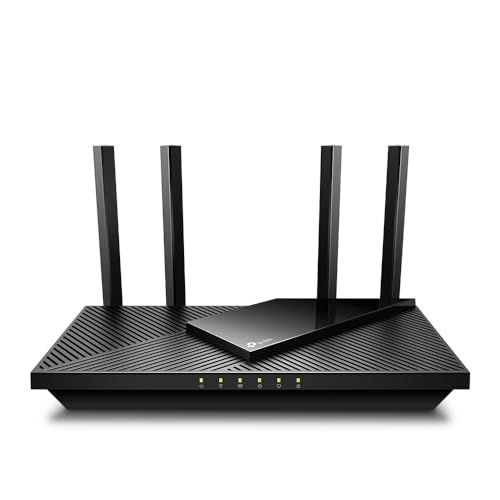
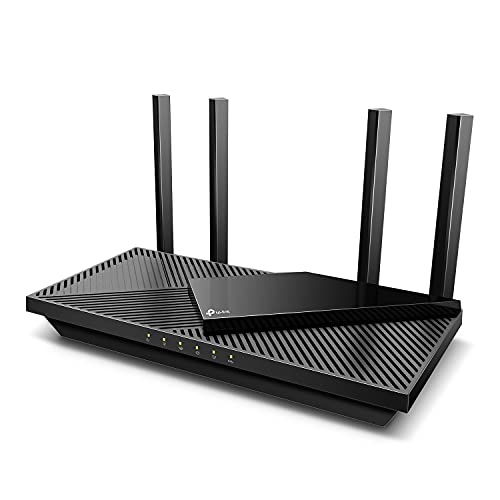
TP-Link AX1800 WiFi 6 Router (Archer AX21 V5)
The TP-Link Archer AX21 is the sensible-baseline example: a dual-band Wi-Fi 6 router whose real-world performance covers sub-gigabit plans comfortably, with EasyMesh if coverage later becomes the issue instead.

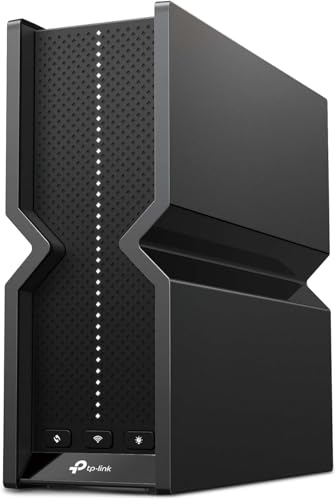
TP-Link Tri-Band BE9300 WiFi 7 Router (Archer BE550)
The TP-Link Archer BE550 sits at the other end: a Wi-Fi 7 router with 2.5 Gbps ports throughout, sized for multi-gig plans and heavy local traffic — the class to buy only when the plan and the household justify it.
A worked bandwidth budget: adding up a real evening
Abstract tiers become concrete when you price an actual evening in megabits. Take a household of four at 8 p.m. One television streams a film in high definition, which draws roughly 15 to 25 megabits per second depending on the service and scene. A second screen — a tablet in the kitchen — streams standard or high definition at perhaps 5 to 10. Two phones are doing what phones do in the background: social feeds, photos syncing, app updates, a few megabits between them in bursts. Someone is on a video call in the study: 3 to 5 megabits in each direction, small in total but intolerant of interruption. A games console is downloading an update in the background at whatever it can get — this is the evening’s elephant, because downloads expand to fill the pipe unless something limits them. Add the household’s quiet machinery — cloud backups starting their nightly run, cameras uploading motion clips — and the honest total for the busy moments is somewhere between 60 and 120 megabits per second of download, with the upload side, usually the plan’s weaker half, carrying the call, the cameras and the backup.
Two lessons fall out of the arithmetic. The first is how modest the total is: a plan in the low hundreds of megabits serves this evening with room to spare, provided the router distributes it fairly, which is why the sizing method in the main guide keeps landing households on mid-tier routers rather than flagships. The second is that the evening’s pain, when it comes, rarely comes from the total — it comes from one uncapped flow, the console download or the backup, elbowing the small, urgent flows aside. That is a fairness problem, not a speed problem, and it is solved by the router’s quality-of-service settings or by scheduling the elephant for the small hours, at any speed tier. When you run your own household’s numbers — and you should, on paper, before shopping — list activities rather than devices, attach the rough figures above, and total the worst simultaneous hour rather than the average one. The result is the most honest router specification you will ever write, and it fits on an envelope.
Bufferbloat: when the speed test is fine and everything still feels slow
There is a named condition for the household paradox of fast tests and miserable calls, and it is worth understanding because it changes what “fast enough” means. When a connection is saturated — a big upload filling the upload path is the classic trigger — data waits in oversized queues inside the modem and router before being sent. Those queues, called buffers, were designed to smooth bursts, but an over-generous buffer holds packets for hundreds of milliseconds, and every interactive flow behind them — the call, the game, the remote desktop — inherits that delay. The speed test, measuring bulk throughput, reports a triumph. The call, measuring delay, reports a disaster. Both are telling the truth about different things, and the condition’s name, bufferbloat, describes exactly the swollen queue causing it.
The test is simple: run a speed test, then, while an upload is saturating the connection, try a call or check the latency figures that better speed tests report under load. If unloaded latency is a healthy figure and loaded latency balloons to several times that, bufferbloat is your household’s real speed problem, and no router speed class fixes it by itself. The fixes live in the router’s smarter queue management settings — you may see them labelled as SQM, or as an anti-bufferbloat or gaming mode — which deliberately hold queues short and share the pipe fairly, sacrificing a sliver of peak throughput for a large gain in responsiveness. Enabling such a feature, where your router offers it, is the single highest-value settings change for working-from-home households, and it reframes this entire article’s question: for interactive life, a router is fast enough when it stays responsive under load, which is a property of its queue management and processing headroom at least as much as of its headline class.
Measuring properly: a speed-testing protocol that tells the truth
Most household speed conclusions rest on tests run badly — over Wi-Fi, on a phone, at a random moment, against whatever server an app chose — and then compared against the plan’s headline as if the numbers were court evidence. A protocol worth trusting has four rules. First, establish the wired baseline: a computer cabled to the router, tested a few times across a day, defines what the line delivers; every wireless figure is then understood as a share of that truth rather than as a separate mystery. Second, test wirelessly from the rooms that matter, at the hours that matter — the busy evening, not the quiet morning — because a network is only as fast as its worst regular moment. Third, test one variable at a time: if you move the router or change a setting, retest the same rooms the same way, or you have learned nothing except that numbers move. Fourth, write the results down with dates, in the household network note, because memory edits measurements and the note does not.
Read the results with the right expectations and the protocol becomes a diagnostic instrument rather than a scoreboard. Wired results persistently far below the plan suggest the line, the modem’s generation or the plan itself — a conversation for the provider, armed with your dated figures. Wired results at full plan speed with wireless results collapsing by room point at the home network: placement, band choice, or a router class genuinely too small for the building. Wireless results that match the wired baseline at the busy hour mean the question this article asks has been answered for your house, whatever the shelf at the shop says, and the correct purchase is no purchase at all. Households mid-shopping can then use the tiers in Best Routers for Gigabit Internet with their own baseline in hand, matching router classes to a measured need instead of a marketed one.
When the plan gets faster: headroom, ports and the upgrade treadmill
Internet plans creep upward — providers raise tiers, rename packages and migrate customers — so a router bought exactly at today’s plan speed is a router with an expiry date set by someone else’s marketing department. Sensible headroom has three components. The first is the internet port: a router whose WAN port is gigabit-class cannot pass more than that to the house, however fast its Wi-Fi, so households on or near gigabit plans should confirm the port speeds of anything they buy, including the less-advertised LAN ports that feed switches and wired devices. The second is processing headroom, the unglamorous capacity to route, filter and prioritise at the new speed without the interface lagging or the queue features topping out; mid-tier routers of recent generations have plenty, while older budget units can become the ceiling a plan upgrade exposes. The third is Wi-Fi generation headroom, covered by the band and standard comparisons elsewhere in this guide: a router one generation ahead of your devices is a reasonable forward position, while two generations ahead is usually money parked in capability your fleet will not live to use before the router itself is replaced.
Headroom has a limit, and it is set by the replacement cycle rather than by optimism. A router will serve perhaps five years; plans over that span may double for ambitious households and barely move for contented ones. Buy for the plan you can plausibly see yourself on within the router’s life — including the upgrade your provider keeps writing to you about — and decline to buy for the plan in the advertisement’s future tense. The households that regret speed purchases almost never regret a class too few; they regret the flagship bought for a gigabit tomorrow that arrived, three years later, as a still-adequate mid-tier line their old router would have carried anyway.
A compact glossary for speed conversations
Bandwidth is the width of the pipe — the maximum data per second a link can carry — while throughput is what actually flowed in a given moment, always less, sometimes much less. Mbps and Gbps are the units of both, with a gigabit equal to a thousand megabits; beware the capitalisation trap in file downloads, where browsers often report megabytes per second, a figure eight times smaller than the megabits your plan advertises, which has convinced many households their line is broken when it is merely bilingual. Latency is the delay for a small piece of data to travel and return, measured in milliseconds, and jitter is latency’s variation — the unevenness that calls and games feel even when the average looks fine. Packet loss is the share of data that never arrives and must be sent again, the quiet saboteur of calls on weak wireless links. And headroom, used throughout this guide, is simply the distance between what your network is asked to do at its worst moment and what it can do — the margin in which comfortable evenings live. With those seven terms straight, every speed claim in every router advertisement becomes a question you can interrogate rather than a number you must take on faith.
Translating the box: what class names like AX3000 actually promise
Router boxes carry a class name — a letters-and-numbers badge such as AX3000 or BE9300 — and learning to decode it deflates a great deal of marketing. The letters name the Wi-Fi generation; the number is the sum of the theoretical maximum speeds of all the router’s bands added together. That sum is a figure no device can ever experience, because a single device uses one band at a time, the theoretical maxima assume perfect conditions that exist only in laboratories, and the bands’ speeds cannot be pooled outside of specific multi-link features on the newest standard. The honest way to read the badge is as a rough size class within one brand’s range — this one is the middle model, that one is the large — and then to ignore it in favour of the per-band specifications: each band’s own maximum, its channel width, and its stream count, which together describe what a real device in a real room might approach. Two routers with identical class numbers can distribute that total across their bands quite differently, and the distribution, as the dual-versus-tri-band comparison shows, is what households actually feel.
Antenna counts and coverage figures on the box deserve the same translation. Coverage is typically quoted for open space without walls — a number that describes a warehouse, not your house — and should be read as “this model is intended for homes of roughly this size, in the maker’s optimistic dialect”. Translate by the building, not the badge: count your floors and your wall materials, place the router honestly using the positioning guide, and treat any class of router as capable of covering a typical flat or a floor of a house, with multi-room, multi-floor homes answered by systems rather than by ever-larger single boxes. The box is a starting point for a shortlist. Your envelope arithmetic from the worked budget is the finishing point, and it outranks the badge every time.
The fastest speed in the house is already wired
It is worth stating plainly, in an article about how fast a router should be, that the fastest, steadiest connection available to most devices is the one the router’s Ethernet ports have offered all along. A wired connection delivers the plan’s full speed with the lowest latency and none of wireless’s negotiation with walls and neighbours, and it does so on hardware a decade old. The sizing question therefore has a hidden branch: before concluding that the router class must rise to serve a demanding device — the gaming PC, the creator’s workstation, the television that anchors film night — ask whether that device can be wired, because wiring it removes its demand from the wireless budget entirely and may return the required router class to the modest tier the rest of the house needs. Flat cables along skirting, a switch behind the television stand, a single run to the study: these unglamorous purchases routinely outperform a router upgrade at a fraction of the cost, and they never become obsolete when standards change.
This is also the answer to give the household’s most demanding member when budgets collide. The gamer does not need the whole house’s router to be a flagship; the gamer needs a cable, or failing that, the cleanest possible wireless seat in the house — near the router, on the least crowded band, with queue management enabled. Size the wireless for the household’s genuine mobile life — phones, tablets, laptops on sofas, gadgets in walls — and let the fixed, hungry devices drink from the wire. Judged that way, the router speed question usually resolves one class lower than the advertisements hoped, with the savings better spent on the coverage or the cabling that the house’s geography actually asked for.
The answer, revisited after a year of living with it
Households that sized their router by this guide’s method share a common report a year later: the number they chose has almost never been the thing they think about. What they notice instead is whether the busy hour feels calm, whether the far bedroom holds its calls, and whether the router has simply vanished from the household’s conversation — the surest sign the sizing was right. If yours has not vanished, the protocol and the budget give you the language to say precisely where it falls short, in megabits, rooms and hours, rather than in the vague currency of “slow Wi-Fi”. That precision is the real deliverable of the whole exercise. Speed classes will keep inflating on boxes; a household that knows its own arithmetic is immune to the inflation, and buys its next router the way it bought this one — from evidence.
Keep the envelope. When the next router, the next plan or the next salesperson arrives, that one page of household arithmetic — the evening’s activities, the wired baseline, the worst room’s honest figure — will settle the speed question faster and more accurately than any review, including, in the end, this one.
That is the whole method: measure your own evening, wire what can be wired, and let the router class follow the arithmetic instead of leading it.
Do that, and “how fast” stops being a marketing question and becomes a household fact.
Frequently asked questions
My router says 3000 Mbps but my plan is 300. Is it wasted?
Not wasted — headroom means the router is never your bottleneck, and its generation brings better congestion handling. But you would have been equally served by a lower class; the plan sets your internet speed regardless.
How do I know if my router is the bottleneck?
Run a speed test wired to the router, then over Wi-Fi beside it, then in your worst room. Wired near plan speed but Wi-Fi slow everywhere points at the router class; only the far room slow points at coverage.
Does a faster router reduce ping for gaming?
Barely, if the current router is not overloaded. Ping is dominated by your connection type and the path to the server. A newer router helps when the old one was saturated — features like QoS matter more than speed class; see the low-ping discussion in our low-ping router shortlist.
Should I match the router to my plan or my devices?
Both, in that order: the plan sets the ceiling worth supporting; your devices set which bands and generation you can exploit. A Wi-Fi 7 router serving only Wi-Fi 5 devices performs like a Wi-Fi 5 router for them.
When is it time to upgrade for speed?
When your plan outgrows the router (a gigabit plan behind a Wi-Fi 5 router), when ports cap a multi-gig plan, or when congestion in a device-heavy home overwhelms an older generation. Not when a new headline number appears.
My plan is 100 megabits. Is a gigabit-class router pointless?
Not pointless, but its value is local rather than internet-facing. Your devices will still talk to each other — and to a home server, a network drive or a printer — at local speeds the router’s class governs, and a stronger router usually brings better coverage radios, more processing headroom for busy households, and a longer support life. What it will not do is make the internet itself faster than the plan arriving at the modem. Buy the class for the local benefits and the headroom if they are real in your house; do not buy it expecting the plan’s ceiling to move.
Why does my speed test vary so much between runs?
Because almost every variable in the chain moves: the test server’s load, your provider’s neighbourhood congestion at that minute, which band and node your device happened to be using, and what else your household was doing in the background. Single tests are anecdotes; the protocol in this guide — wired baseline, same rooms, busy hour, repeated and recorded — turns anecdotes into a range you can trust. Judge your network by the pattern of a dozen honest tests, and be suspicious of any conclusion, good or bad, drawn from one dramatic number.
Does a faster router reduce ping for gaming?
Only the small part of ping that originates inside your home. Your total latency is dominated by the journey across the internet to the game server, which no router can shorten. What a capable router does protect is the home segment: a strong signal or a cable keeps the local hop clean, and good queue management stops a housemate’s download from inflating your latency under load — the bufferbloat effect described above. Gamers should therefore rank a router’s queue features and their own connection to it above its speed class, which is the ordering the gaming picks in Best Wi-Fi Routers for Gaming are built on.
How much speed do security cameras and smart devices need?
Individually, very little download and a modest, steady upload — a camera uploading motion clips is typically a few megabits at most — but they are sensitive to consistency rather than capacity, and they live on the 2.4 GHz band where the router’s headline class is irrelevant. A house with many cameras should count their combined upload against the plan’s upload figure, which is the genuinely tight budget in camera-heavy homes, and otherwise judge the router by its coverage and reliability at the camera positions rather than by any speed number on its box.
When my provider offers a free speed upgrade, should I take it?
Usually yes, with two checks. Confirm the upgrade does not quietly restart a contract term or bundle a rental box you do not want, reading the offer’s conditions rather than its headline. Then check your own chain for the new ceiling: the modem’s certified tier, the router’s port speeds, and your wired baseline after the change. Free upgrades are the moment households discover a five-year-old modem quietly capping a plan they are now paying — in attention if not in money — to receive in full.
Related Guides
- Router Buying Guide — speed in context with every other buying criterion
- Dual Band vs Tri Band Router — how band count changes real capacity
- Wi-Fi 6e vs Wi-Fi 7 — the current generation step, judged by need
- Best Routers for Home Use — balanced picks for ordinary households