Learning how to fix a wobbly desk starts with diagnosis, because ‘wobble’ is a symptom with at least six different causes — a rocking desk on an uneven floor, a racking frame with one loose joint, a flexing desktop, and a vibrating monitor setup are four different problems that feel similar from the chair. Fixing the wrong one wastes an afternoon; finding the right one usually takes ten minutes of pushing, watching, and tightening in the right order.
This guide orders the causes from most common and easiest to check — floor and feet, loose hardware, frame racking — through to structural issues, and gives a safe fix for each. Everything here is external adjustment and tightening: no modification that would weaken the desk or void a warranty is suggested.
Disclosure: As an Amazon Associate, ilcastellomenu.com earns from qualifying purchases. Product examples below link to Amazon, where you can check current availability and specifications; this guide itself lists no fixed prices because pricing and bundles change frequently.
How to Fix a Wobbly Desk Starts With Diagnosis: Which Kind of Wobble Is It?
Sit at the desk and push it in three ways while watching the legs and joints. Push down on each corner in turn: if one corner dips or the desk rocks diagonally, suspect the floor or the feet. Push the desktop sideways from the front edge: if the whole top sways like a parallelogram while the feet stay planted, the frame is racking — a joint problem. Press in the middle of the surface: if the top itself flexes and bounces, the desktop or its support span is the issue. Finally, type hard for ten seconds: if only the monitor shakes, the desk may be fine and the monitor stand is the weak link.
The paper test for rocking
If the desk rocks, slide a folded piece of paper under each foot in turn. The foot that accepts the paper easily is the one not carrying weight — either that leg is effectively shorter or the floor dips there. Floors are guilty surprisingly often: boards flex, tiles vary, and rooms slope toward walls. Confirm by moving the desk half a metre and re-testing; a wobble that stays in the same place belongs to the floor, and one that travels with the desk belongs to the desk.
Work in the safe order
The fixes below run from external and reversible to structural. Do not start by gluing, drilling, or bracing: most wobbles die at step one or two, and permanent modifications made before diagnosis tend to fix the wrong thing permanently. If the desk is newly assembled, also revisit the assembly sequence in How to Assemble a Desk — a frame tightened while out of square is the single most common cause in new desks.
In this guide
Fix 1: Level the Feet and the Floor Interface
If your desk has adjustable levelling feet or glides, this fix takes two minutes. With the desk in its final position and loaded roughly as normal, screw the floating foot down until it contacts the floor firmly, then check the rock again. Work around all four feet: over-extending one can lift another. Finish by confirming with a level across the top in both directions — close to level is fine; furniture does not need machining tolerances.
Desks without adjustable feet get the same fix with furniture levelling shims or felt-and-cork pads under the short leg. On hard floors, a pad also stops the desk creeping. On carpet, check the opposite problem: feet sinking unevenly into pile, which a set of wide glides or a chair-mat-style board under the feet can stabilise. If the floor itself flexes — common in older wooden floors — moving the desk so its feet land nearer joists or against a wall often firms things up more than any desk-side fix.
Fix 2: Re-Tighten Every Structural Bolt
Loose hardware is the second most common cause and the most satisfying fix. Furniture joints loosen microscopically with use, temperature change, and moving. Systematically check every structural fastener: leg bolts, crossbar bolts, the screws holding the top to the frame. Tighten each firmly — snug and a small extra turn — working in a criss-cross pattern between opposite joints rather than completing one corner first.
Technique matters. A bolt that spins without tightening has a stripped thread or a pulled-out insert: in engineered board, the common field repair is to fill the hole with matchsticks or a wooden dowel plus wood glue, let it cure fully, and re-drive the screw into the renewed material. A bolt that feels tight immediately but never clamps is likely cross-threaded; back it out fully and restart it carefully. If your desk wobbles mostly at standing height, you own the adjustable-frame version of this problem, and the frame checks in How to Fix Standing Desk Not Rising complement this guide.
Fix 3: Stop Frame Racking
Racking — the parallelogram sway — means the frame’s joints allow rotation. After re-tightening (Fix 2), persistent racking points to a frame that lacks bracing in the sway direction. Many desks brace front-to-back with the leg design but rely on the desktop itself for side-to-side stiffness; if the top’s screws are loose, the whole structure sways, which is why the top fasteners are part of Fix 2.
Legitimate stiffening options, in order: fit or re-seat the manufacturer’s crossbar or modesty panel if one was omitted during assembly (a surprising number of desks are running without a part the design depends on); add corner brackets inside the leg-to-top joints, screwed into solid material; or, for a desk against a wall, accept a discreet wall anchor at the back edge — common in offices and the definitive cure for tall, narrow desks. What not to do: glue structural joints you may need to disassemble for a house move, or brace diagonally across your legroom.
Fix 4: Desktop Flex and Monitor Shake
A desktop that flexes in the middle is usually spanning too far between supports for its thickness, or carrying a heavy load at mid-span. Redistribute first: move the PC tower or heavy stack over a leg or frame member rather than mid-span. If flex persists, a support batten screwed to the underside along the span — into the top’s material, sized so it does not steal knee height at the front — restores stiffness. Clamp-style monitor arms concentrate load at the back edge; check the clamp is fully tight and consider a reinforcement plate under the clamp on thin tops.
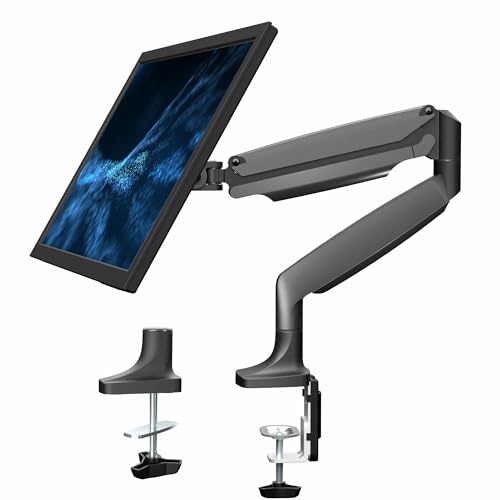
Monitor-only shake with a stable desk is a stand problem: the monitor’s own stand neck flexes. A monitor arm with a rigid mount, or a stand upgrade, fixes it — which is one reason the desks in roundups like Best Desks for Monitor Arms are specified with arm loads in mind.
Prevention: Keep It Solid
Re-check fasteners twice a year — the same round you just did, five minutes with the Allen key that came with the desk (keep it taped underneath). Avoid dragging the desk sideways when moving it; lifting prevents the leg joints from being levered loose. Keep heavy loads over supports rather than mid-span, and re-level after moving the desk or after flooring work. Desks chosen with stability as a priority — steel frames, crossbars, sane spans — are compared in How to Choose a Desk if replacement is on the horizon.
When to Stop Fixing and Replace or Claim
Some wobble is a verdict, not a maintenance task. A frame with cracked welds or split leg sockets, a desktop with a spreading crack or water-swollen core, or an adjustable frame whose columns have developed uneven play are safety and warranty matters: stop loading the desk, photograph the fault, and contact the manufacturer rather than improvising structural repairs. A desk that cannot be made safe and stable is telling you its service is over — and a wobble you have correctly diagnosed makes you a much better buyer of its replacement.
Wobble in Specific Desk Types
Different constructions wobble in their own dialects. Panel-leg desks (where flat panels form the sides) rack sideways when their back panel or modesty board loosens, because that board is their bracing — check its fixings first. Desks with wooden legs joined by aprons loosen at the leg-to-apron joints as wood shrinks seasonally; a wobble that arrives every winter and leaves every summer is wood movement, and the cure is re-tightening on a seasonal rhythm rather than glue. Trestle and sawhorse designs depend on their wedges or cross-pins being fully seated; a trestle that has crept a few millimetres rocks exactly like a short leg.
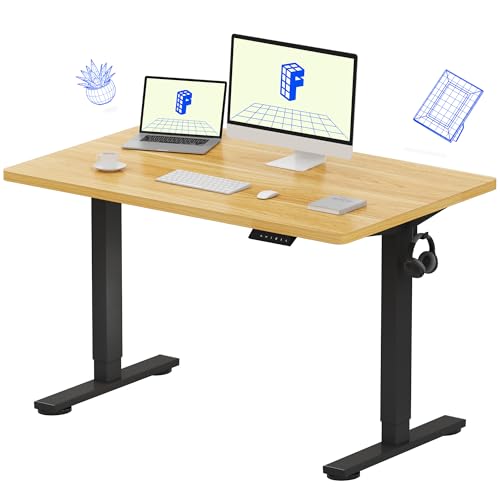
Sit-stand desks add the columns: a small amount of play at full extension is inherent to telescoping designs and is not a fault, but play that grows, or one column moving differently from the other, is — level the desk, re-run its reset so the columns re-synchronise, and treat persistent unevenness as a warranty conversation. Glass-top desks transmit every tremor to the items on them and amplify the perception of wobble; check that the top’s suction cups or pads are all present and seated before condemning the frame.
The Two-Allen-Key Maintenance Kit
Everything this guide asks of you fits in a sandwich bag kept under the desk: the Allen key (or keys) the desk shipped with, a small screwdriver, a few furniture shims and felt pads, a spare set of the desk’s most common bolt if the maker supplied extras, and the assembly manual. With that kit, the twice-yearly round — every bolt checked, feet re-levelled, pads replaced where compressed — takes five minutes and prevents nearly every wobble this article describes.
The deeper principle is that furniture joints are maintenance items, like bicycle bolts or guitar strings: they relax with use, and a small scheduled input keeps them at specification. A desk that is maintained feels expensive for a decade; the identical desk unmaintained feels cheap within two years. The difference is the sandwich bag.
Wobble Versus Flex Versus Vibration: Naming the Enemy Precisely
Three sensations get lumped together as ‘wobble’, and separating them sharpens every fix in this guide. Wobble proper is low-frequency movement of the whole desk — rock or sway — and it lives in feet, floors, and joints. Flex is the desktop itself bending under load, localised and springy, and it lives in spans and materials. Vibration is high-frequency tremor transmitted from something else — a PC’s fans, a washing machine through the floor, a printer in its cycle — and it lives in coupling: the desk may be perfectly tight and still tremble because it is faithfully transmitting a neighbour’s energy.
Fixes for the vibration case
Vibration is the one this guide’s main sequence does not cure, because nothing is loose. Isolate instead: felt or rubber pads under the feet break the transmission path from floor to frame; moving the source (or the desk) a short distance can leave a floor resonance node; a printer that shakes the desk earns its own stand or a foam pad beneath it. A PC whose fans vibrate the desktop is telling you a fan is unbalanced or a case foot is missing — fix the source, and the desk returns to innocence.
Diagnosing which of the three you have takes ten seconds: wobble responds to a push and keeps moving; flex responds to downward pressure in one spot; vibration continues untouched by your hands and stops when the suspected source stops. Name it correctly and the fix is usually already obvious.
A Note on Desks That Wobble by Design
A small class of desks moves intentionally, and it is worth not ‘fixing’ them. Wobble stools and active desks aside, some lightweight designs — folding desks, camping-style tables pressed into home service, ultra-light laptop desks — have inherent flex that no tightening will remove, because their joints and materials were specified for portability rather than rigidity. Diagnose honestly: if every bolt is tight, the feet are level, the frame is square, and the desk still dances, the desk is not broken; it is out of its depth.
The correct response is reassignment, not reinforcement: move the featherweight desk to featherweight duties — a laptop in a guest room, a hallway landing strip — and put a structure designed for permanence under your daily work. Bolting braces onto a folding desk produces a heavy folding desk that still flexes at its hinges, plus a cautionary tale. Matching the furniture to the load is the final fix in this guide, and sometimes it is the only one.
Documenting the fix for next time
When you cure a wobble, leave a note — literally, a dated line taped under the desktop with the maintenance kit: which foot was shimmed, which bolt had stripped and how it was repaired, when the frame was last squared. Desks outlast memories, and the next wobble, two years from now, will be diagnosed in half the time by whoever reads that note, even if it is you. Furniture maintenance is a correspondence with your future self; write clearly.
Testing Your Fix Like an Engineer
A fix is a hypothesis until it survives testing, so finish the job with the same three pushes that opened the diagnosis — corner pressure, lateral push, typing test — and one addition: the loaded test. Wobble often hides until the desk carries its real weight and your elbows, so test with the full setup in place and a day of real work behind it before declaring victory. A fix that survives a week of work is a repair; one that survives an afternoon is a postponement.
If the wobble returns on schedule — the same bolt relaxing, the same foot sinking — treat the recurrence itself as the diagnosis: that joint is not merely loose but worn, that floor spot is not merely uneven but soft. Recurrence is the desk telling you the difference between maintenance and repair, and it deserves to be believed the second time.
The five-minute monthly round
Convert this whole guide into a habit small enough to survive: once a month, while the kettle boils or a backup runs, walk the desk with its Allen key. Four leg bolts, the crossbar, the top fixings — a quarter-turn check each, no more. Feet glanced at, pads pressed back into place. Five minutes, monthly, is the entire difference between a desk that is maintained and a desk that is eventually troubleshooted. The wobble you prevent never gets a guide written about it, which is precisely the point.
A Diagnostic Flow You Can Follow in Order
Random fixing wastes the one resource diagnosis needs, which is a desk whose state you have not yet disturbed. Work this sequence before touching a tool. First, empty the desk completely — every diagnosis that follows is cleaner without a monitor’s weight flattering the frame. Second, the corner push test: press down firmly on each corner in turn and note which corners move, which creak, and whether the movement is vertical (a short leg or a soft floor) or sideways (racking in the frame). Third, the diagonal rock test: push the whole desk gently from side to side at desktop height and watch the legs — a leg that lifts points at levelling; a frame that parallelograms points at joints.
Fourth, get underneath with a light and look while a helper repeats the pushes. Movement you can see beats movement you can only feel: a joint that opens a hair at each push has named itself, and a leg fitting that flexes against the desktop has named a different repair. Fifth, check the floor as a suspect in its own right — a spirit level on the floor where each foot stands, and a straightedge across the desk’s footprint — because a meaningful share of wobbly desks are level furniture standing on an unlevel world, and no amount of bolt-tightening cures geography.
Write down what each test showed before you fix anything. The note takes two minutes and does two jobs: it stops you re-diagnosing from memory after the first fix changes the symptoms, and it becomes the evidence you will want if the desk turns out to be a warranty conversation rather than a repair. Diagnosis is a sequence, not a vibe — follow it in order and the fix usually announces itself.
The Floor as a Suspect: Slope, Spring, and Honest Shimming
Floors fail desks in three ways. Slope is the simplest: the floor runs downhill, the desk stands plumb to gravity rather than to the floor, and two feet carry more than their share while the others hover at the edge of contact. A level across the footprint tells you the slope’s direction and rough size; the cure is the levelling feet or shims under the downhill pair, adjusted until the desktop — not the floor — reads level and all four feet are loaded. Spring is subtler: floorboards and joists flex under load, so a desk that is stable empty dances when you lean, because the floor itself is the moving part. Test by standing beside the desk and shifting your weight; if the desk trembles in sympathy with your bounce, you are diagnosing architecture, not furniture.
Carpet is the third failure, and the most misdiagnosed. Thick pile lets each foot sink to a different depth, and worse, it keeps sinking slowly, so a desk levelled on Monday leans by the month’s end. The honest cures are patience — level after the carpet has compressed for a week, not before — and area: wide feet, cups, or a board under the desk spread the load and slow the sink. Shimming on carpet is a temporary dialect of the same language; expect to revisit it.
A word on shimming ethics, since folded cardboard under a leg is the world’s commonest furniture repair. A shim is legitimate when it is firm, full-foot, and stable — hardwood, plastic furniture shims, a cut of dense board. It is a lie when it is soft, partial, or stacked from scraps that will creep out over a month and return the wobble as a surprise. Shim like you mean it, check it at the monthly tightening pass, and if a leg needs more than a modest shim, the real problem is the floor’s shape or the leg’s length, and it deserves the real fix.
Wobble That Only Appears Under Load, or Only When You Type
Some wobbles are shy: the empty desk is a rock, the loaded desk sways. Load-dependent wobble points at flex rather than looseness — a desktop spanning too far between supports, a frame whose crossbar only engages when weight bows the top into it, a monitor arm whose leverage multiplies your typing into visible screen shake. Diagnose by loading the desk in stages, testing after each addition, and noting the stage where the movement arrives; the last thing added is rarely the culprit, but the stage at which flex begins tells you which span or joint has reached its limit.
Typing-only wobble is the connoisseur’s case. Typing applies a small, rhythmic, horizontal force at the front edge, and a desk can be statically perfect yet resonate with that rhythm — the frame’s natural frequency meeting your keystrokes. The cures are frequency cures: stiffen the frame with a crossbar or diagonal brace, add mass low in the structure, move the keyboard tray’s load path, or decouple the screen with a properly tightened arm so the resonance has nothing visible to shake. Our assembly guide’s tightening sequence is worth re-running first, because a joint at ninety percent tightness is a resonator waiting for its note.
Heat can play a part in seasonal cases: a desk stable all winter that loosens each summer is reporting humidity’s effect on wooden joints and board, which swell and shrink across the year. The fix is the calendar — a tightening pass at each season’s turn — and the reassurance is that the desk is not failing; it is breathing, as wooden things do, and asking for the maintenance rhythm this guide’s prevention section describes.
The Monitor Arm Problem: When the Desk Is Innocent
A generation of wobble complaints are filed against desks that are standing still while their monitor arms dance. An arm is a lever: it holds a heavy screen at a distance from its mount, and every keystroke’s vibration arrives at the screen multiplied by that distance. The desk may move a fraction of a millimetre — unmeasurable, blameless — while the screen’s corners travel visibly, and the user quite reasonably concludes the desk wobbles. Diagnose by removing the screen’s freedom first: rest a hand on the desktop and watch the desk’s own edge against a fixed background, then watch the screen. If the edge is still and the screen swims, your patient is the arm.
Arm fixes are their own small discipline. Every pivot and joint on the arm has a tension adjustment, and arms leave the factory set for a generic screen; set each joint just tight enough that the screen holds position against a nudge, because an under-tensioned joint is a hinge and a hinge is a wobble amplifier. Check the mount’s grip on the desk edge — a clamp on a thin or bevelled edge flexes at the clamp itself — and consider a through-desk bolt mount, which removes the clamp’s spring from the system entirely. Gas-spring arms also age: a spring that no longer quite holds its screen lets it nod slowly and tremble at typing frequency, and the cure is the tension screw’s extra quarter-turn, or the arm’s honourable retirement.
The pairing matters as much as the parts. A heavy, long-reach arm on a light desk is a mismatch no tightening cures, because the system genuinely is top-heavy and under-damped. Match arm to desk as you would match any load to any structure — and if you are choosing both, our monitor-arm desk selection lists the tops and frames that take arms without complaint.
Temporary Stabilisation: Holding the Line Without Making It Worse
Sometimes the desk must serve tonight and be repaired at the weekend. Temporary stabilisation is legitimate — with rules. A wedge under the short leg, firmly driven and marked so you remember it is temporary, is honest first aid. Books or boards under a foot to level a desk on a sloping floor are fine for days, provided the stack is stable and full-footed. What is not fine is the class of bodges that hide the diagnosis: tightening one joint brutally to compensate for another’s looseness, which racks the frame and wears the good joint; or jamming the desk hard against a wall to borrow the wall’s stiffness, which works until the wall’s paint, the desk’s edge, and your downstairs neighbour’s ceiling have all filed their objections.
Sit-stand desks add a prohibition: never brace a moving desk against anything fixed. A desk wedged to a wall or a shelf will fight its own motors, strain its columns, and convert a wobble repair into a mechanism replacement. Stabilise a sit-stand desk only through its own feet and joints, and if it cannot be made safe at height, use it at its lowest setting — where leverage is least — until the real repair happens.
Write the temporary fix on the same note as your diagnosis, with the date. Temporary fixes fail in one predictable way: they work, and are forgotten, and become the permanent arrangement by default, quietly degrading. The note is the difference between first aid and neglect.
Protecting Your Equipment While the Desk Is Still Moving
A wobbling desk is an equipment hazard before it is an annoyance, and the days between diagnosis and repair deserve a defensive setup. Drinks are the first exile: a trembling desk walks a mug toward the edge with the patience of geology, and one spill into a keyboard or a PC’s top vents costs more than every repair in this guide combined. Until the desk is solid, drinks live on a side table or the floor-side stand, not on the patient. Desktop PCs are the second consideration — a tower on a wobbling desk endures constant small vibration, which spinning hard drives in particular do not enjoy, and which loosens case screws and cable seats over time; move the tower to the floor on a stand if the wobble is pronounced, which also lowers the desk’s centre of gravity and sometimes halves the wobble itself.
Cables need slack in a moving system. A cable run pulled taut between a wobbling desk and a wall socket transmits every sway into the ports at both ends, worrying connectors loose and, in the worst case, levering a plug half out of its socket. Leave a service loop while the desk is under repair. Finally, anything tall and narrow on the surface — speakers on stands, a lamp with a high centre of gravity — should be laid down or relocated for the duration. A wobble you are mid-way through fixing is a wobble at its most unpredictable, because half-tightened joints behave worse than honestly loose ones.
Documenting a Wobble for a Warranty Claim
If the desk is under warranty, your diagnosis notes become a claim, and claims are won on evidence. Film the wobble: phone at desktop height, a fixed object in frame for reference, one corner push and one typing sequence, at the desk’s normal working load. A ten-second clip communicates amplitude and character — rock, rack, or flex — better than any paragraph, and support teams triage video claims faster because the video answers their first five questions. Photograph the joints you found loose and any part that has visibly worn, cracked, or pulled its fixings.
Record the desk’s history in the claim: when the wobble began, whether it followed a move or a new load, and what you have already tightened — which also protects you, since it shows the reasonable maintenance the warranty expects. Ask specifically for the remedy you want: replacement fittings, a frame part, or a technician, rather than a vague plea for help, and keep the claim’s reference with the desk’s paperwork. If the maker argues the wobble is within tolerance, your diagnostic sequence is the rebuttal: a desk that rocks on a level floor with tight joints is not within any tolerance that matters, and you can say so with measurements in hand.
The Seasonal and Situational Wobbles: A Field Guide to Patterns
Wobbles keep diaries, and reading the pattern often names the cause before a tool comes out. The wobble that arrives every summer and leaves every winter is humidity moving wooden joints, as covered above — schedule the tightening pass and stop worrying. The wobble that appears only in the evening is usually a load pattern: the desk carries the day’s accumulation, a bag hangs from a hook that was empty at nine, a cat has claimed the warm corner above the PC. Empty the desk to its morning state and test; if the wobble leaves with the clutter, the frame was never the problem — the day’s cargo was, and the fix is a hook elsewhere and a home for the bag.
The wobble that began the day something new arrived — a heavier monitor, a desktop PC moved from floor to surface, a second screen on a dual arm — is a load-path problem, and it should be diagnosed at the new item’s mounting point first. New weight finds the frame’s weakest span with unerring instinct. Conversely, the wobble that began when nothing changed is the one to take most seriously: spontaneous looseness means a joint is wearing, a fixing is pulling out of board, or a floor has shifted, and it will not improve unexamined. Patterns are the troubleshooter’s shortcut — the desk has been keeping notes, and the first diagnostic skill is reading them.
Keep your own notes to complete the loop. A line in the desk’s file — date, symptom, fix, result — turns the next wobble from a fresh mystery into the second verse of a known song. Desks that wobble once tend to wobble again at the same joint, because the joint, the floor, or the load that challenged it is still in the story; the note tells you where the story left off, and the repair starts at the last page rather than the first.
Gear for This Guide
No product fixes a loose bolt, so the single verified item here addresses the one wobble-adjacent problem hardware genuinely solves: monitor shake from a flexing stock stand.

VIVO Premium Aluminum Single Monitor Desk Mount
A rigid height-adjustable mount for screens up to 32 inches that replaces a wobbly stock stand and clamps the screen firmly at the desk’s back edge. VIVO Premium Aluminum Single Monitor Desk Mount — Check on Amazon
Frequently Asked Questions
Why does my desk wobble only when I type?
Typing excites whatever looseness exists at typing frequency. If the whole desk moves, work through the fixes in order — feet, bolts, racking. If only the screen moves, the desk is probably fine and the monitor stand is flexing; a rigid arm or better stand is the fix.
Is a wobbly desk dangerous?
Ordinary looseness is an annoyance and a wear accelerator rather than an immediate hazard, but cracked frames, split sockets, or a desk that rocks enough to slide loads are safety issues. Stop, diagnose, and treat structural damage as a warranty or replacement matter, not a tightening job.
Can I fix a wobbly desk on carpet?
Yes, but diagnose the carpet’s role first: feet sink unevenly into pile, so wide glides or a firm board under the feet often stabilises more than bolt-tightening. Also confirm the wobble is not the floor flexing beneath the carpet by testing the desk on a hard surface if possible.
How tight should desk bolts be?
Firmly snug plus a small additional turn, tightened in a criss-cross pattern. In engineered board, more force is not better: over-torquing strips the material and permanently weakens the joint. If a bolt never reaches snug, the hole needs repair, not more torque.
My desk is new and already wobbles. What did I do wrong?
Most likely the frame was fully tightened joint-by-joint during assembly, locking in a slight skew. Loosen the frame bolts, let the desk settle flat on the floor, re-square it, and pattern-tighten — the sequence in the assembly guide linked above. New-desk wobble is an assembly-order problem far more often than a defect.
My brand-new desk wobbles straight out of the box. Should I fix it or return it?
Diagnose first, briefly: if the wobble is a levelling foot on your floor, that is yours to adjust and every desk would do it. If the frame racks with every bolt properly tight, or a joint will not close, or a part is visibly mis-drilled, that is a manufacturing fault and the return or replacement route is the right one — do not invest hours of repair into a desk that arrived broken, and do not modify anything, since modifications complicate returns. Film the fault before you contact the seller; a new desk’s wobble, documented, is one of the easiest claims in furniture.
Is it safe to anchor a wobbly desk to the wall?
For a fixed desk, a discreet bracket can be a legitimate last resort — it borrows the wall’s rigidity and ends racking permanently — but it makes the desk a fixture: it cannot be moved for cleaning or rearranged, it transfers vibration into the wall, and in rented homes it leaves holes to answer for. Exhaust the desk’s own fixes first, because a wall anchor treats the symptom in a way that can mask a worsening joint. For a sit-stand desk, never: the desk must travel freely through its whole range, and an anchor turns its own mechanism into the force that tears it loose.
The wobble started right after we moved house. What most likely happened?
Moves injure desks in predictable places. Joints that were carried under load — a desk lifted by its top, dragged, or transported assembled — work loose or rack slightly, and cam locks in particular tolerate being moved assembled very poorly. Run the full sequence: re-level for the new floor, which is a different floor with its own slope, then re-tighten every structural bolt in pattern, then test. Most post-move wobbles die at one of those two steps. If a joint was strained in transit, the glued-dowel rescue from our assembly guide restores the hole’s grip.
Can a glass-top desk be fixed, or is wobble just how they are?
Glass tops flex less than people fear and their frames loosen like any other, so most glass-desk wobble is ordinary frame wobble wearing a scarier outfit — diagnose and tighten as usual. The glass-specific cautions are two: never use the top as a lever when moving or testing the desk, since the panel’s strength is in its plane, not against twisting; and check the suction cups or pads that seat the glass on its frame, because perished pads let the panel itself shift a millimetre at each push, which feels exactly like frame wobble and cures with new pads in minutes.
How much wobble is normal for a standing desk at full height?
Some, and honesty requires saying so: a raised desk is a tall structure on two columns, and a firm push at full height will move any of them slightly — the test is recovery, not rigidity. A healthy desk sways a little and settles immediately, silently, without creaks, clicks, or a lingering oscillation, and it does not move at all under typing. A desk that keeps trembling after the push, walks its monitor visibly while you type, or has developed play that was not there when new has left the land of normal and entered this guide’s territory — start with the columns’ mounting bolts, which are the usual first loosening.
I tightened everything and it still wobbles. What am I missing?
Usually one of three things. A joint that feels tight but whose fixing has stripped its hole, so the screw spins against nothing — test by trying to tighten further and feeling for the absence of rising resistance. A floor contribution you diagnosed as furniture, which the level-across-the-footprint test separates. Or a structural flex that tightening cannot address, in a span that needs a crossbar or a brace rather than more torque. Work the diagnostic flow again with those three suspects named, and the desk will usually confess to one of them.
Does adding a heavy PC tower to the desk make wobble better or worse?
Both, depending on placement. Weight low and over a leg damps movement and can calm a lively frame; weight high, centred, or cantilevered on an arm raises the centre of gravity and feeds every sway. If the tower must live on the surface, park it over support, against the frame’s strongest corner, and re-run the corner push test afterwards — the desk will tell you within seconds which effect you bought.
Should I fix a wobble before or after moving the desk to a new room?
After — because the new room’s floor is half the equation, and a desk levelled and tensioned for the old floor will need its levelling redone regardless. Transport it carefully, joints unloaded, then run the sequence in its new home: level, tighten, test. Fixing it twice is not thoroughness; it is doing the floor’s half of the job in the wrong room.
The Bottom Line
Diagnose before you fix: rocking means feet or floor, swaying means joints and bracing, flexing means the top’s span, and screen-only shake means the stand. Work the fixes in that order — level, tighten, brace, support — and most wobbly desks are solid again within the hour.
Related Guides
Revisit the assembly sequence, compare stable replacements, and see the standing-desk companion troubleshooting guide: