Disclosure: As an Amazon Associate, ilcastellomenu.com earns from qualifying purchases. Links on this page are affiliate links; they cost you nothing extra. Prices and availability change often, so check the current Amazon listing before you buy.
This guide is built around one practical question: what does hdmi splitter reviews really involve when the screens, sources, and cables are your own? The short answer is that an hdmi splitter mirrors a single source to several displays at once, faithfully and simultaneously, and everything else in this article, from setup order to troubleshooting, follows from that one behaviour. Read the sections that match your room, test with your own hardware, and the right choice usually becomes obvious.
Plural matters here: these hdmi splitter reviews compare several representative models side by side, because most buyers are not asking whether splitters work in the abstract but which style of splitter fits their room. A compact living room mirror, a tidy desk unit, and a dependable venue workhorse solve the same problem with different priorities, and this roundup keeps those priorities separate so you can shortlist by use case instead of by marketing volume.
Key Takeaways
A splitter sends one picture to many screens at the same time, and never different pictures to different screens. A powered model from an identifiable maker, fed with sound cables, is the reliable default. Mixed screens agree on a shared format, with downscaling on some models softening that compromise. Setup order, cable quality, and a calm restart solve most faults. Buy for the screens you own, test every source during the first week, and judge success by how uneventful the system becomes.
In this guide
How These Reviews Were Put Together
Build quality shows itself in connectors that grip properly, a case that does not flex worryingly, and controls or indicators that make the state of the unit legible. Indicator lights for power and active outputs sound trivial until the first fault, when they instantly tell you whether the splitter sees the source and each display. A clear layout, sensible port spacing for real cables, and a power supply that feels substantial are the physical signs of a maker who expects the product to be used daily.
Brand choice in this category is less about prestige and more about support and honesty. Established accessory and video brands publish clearer guidance, answer compatibility questions, and design for the handshakes modern sources expect. The products gathered in this guide come from makers with a real presence in cables, adapters, or video distribution, which matters more than any single feature claim. When a listing avoids naming its maker or explains nothing about setup, that silence is information too, and it usually argues for choosing a better-documented alternative.
Content protection handshakes are part of modern video, and legitimate sources expect the whole chain to cooperate. A splitter from a reputable maker is designed to handle this negotiation properly for ordinary home and presentation use. Problems in this area usually present as a blank screen from one particular app or player while other sources work, which is a clue worth noting before changing hardware at random. Testing each of your real sources, not just the easiest one, is part of a thorough first-day setup.
What Every Model Here Shares
An HDMI splitter takes one source and sends the same picture and sound to two or more screens at the same time. That single sentence explains both its power and its limit. Every connected display shows identical content, in step with every other display, which is exactly what you want for a presentation shown on a projector and a confidence monitor, a match shown on two televisions in different corners of a room, or a console feeding both a television and a capture or recording display. It is not a way to show different things on different screens.
Because every output carries the same signal, a splitter cannot extend a computer desktop across screens or give each display its own content. That job belongs to a graphics output with multiple independent connections, a docking station, or a dedicated multi-display setup. Buyers who expect a splitter to behave like a second monitor output for a laptop will be disappointed, and the disappointment is entirely avoidable once the one-picture-everywhere rule is understood. Treat the splitter as a mirror maker: faithful, simultaneous, and deliberately identical on every screen it feeds.
EDID is the quiet negotiation that happens whenever a source meets a display. Each screen tells the source what picture formats it can accept, and the source chooses a format based on that conversation. With a splitter in the middle, the conversation involves several screens at once, and the splitter helps manage it so the source settles on a format the connected displays can all handle. When screens differ in age or capability, the shared format tends to reflect what the group can commonly support, which is why matching screens behave most predictably.
Power matters more than first-time buyers expect. Serious splitters are powered devices with their own supply, because reliably driving several long cable runs and maintaining a stable handshake with multiple displays is real work. Tiny unpowered designs that borrow energy from the source connection exist at the margins of the category, but they are the first suspects whenever a picture flickers, drops, or refuses to appear on the farther screen. A powered unit from a recognised maker, plugged into a stable supply, removes an entire class of intermittent faults before they start.
Where the Models Genuinely Differ
Mixed collections of screens are the hardest test. A new main display beside an older spare can usually find a shared format they both accept, but the newer screen may not be using everything it could offer if it were connected alone. Some buyers accept that trade happily because mirroring is the point. Others decide the main screen deserves a direct connection and the splitter should serve only the secondary screens. Neither answer is wrong; the mistake is buying before deciding which priority rules your room.
Think about how many outputs you genuinely need, then leave modest headroom. A two-output splitter serves the classic two-screen mirror perfectly and keeps cost, size, and complexity down. Larger output counts serve signage and multi-room ambitions but add cabling, power, and fault-finding surface. Buying far beyond the plan rarely pays, because unused outputs do not improve the used ones. The sweet spot is the count that covers the screens you own plus the one screen you can describe concretely, not a vague someday.
Picture quality expectations should be calm and precise. A good splitter passes the agreed picture faithfully to every output; it does not improve a poor source, sharpen a soft stream, or make an older display behave like a newer one. If every screen shows the same softness, the source or its settings are responsible. If only one screen looks wrong, that display, its cable, or its own picture settings are the likely story. This division of responsibility saves buyers from returning healthy splitters and from keeping faulty cables.
Future-proofing should be approached with restraint. Buy for the sources and screens you own or have firmly planned, in the formats they actually use, rather than chasing every specification a listing can print. Video standards evolve, but a splitter bought correctly for today’s chain keeps doing its one job regardless of what arrives later, and it can move to a secondary room when the main system changes. Overbuying specification you cannot use is still overbuying, even when the marketing makes it feel prudent.
Mirroring Across Real Rooms
For living rooms, the classic splitter job is sharing one player or console between a main television and a second screen, perhaps in an adjoining space or a bedroom. The appeal is obvious: the same film, match, or game appears in both places without moving hardware or juggling subscriptions and inputs. The limitation is equally obvious once stated: both rooms watch the same thing at the same time, and control of the source still lives wherever the source and its remote are. Households that understand that bargain tend to be very satisfied with it.
Classrooms and training rooms are natural splitter territory. A teacher or trainer drives a projector for the room and a smaller monitor at the desk from the same laptop or player, so the presenter sees exactly what the audience sees without turning around. The same logic serves houses of worship, community halls, and meeting spaces where a feed must reach both a main display and an overflow or operator screen. In these settings reliability and simplicity outrank every other virtue, because the person running the session rarely has time to troubleshoot.
Streaming sticks and media players are friendly sources for a splitter because they are simple, always similar in behaviour, and easy to relocate. A single stick feeding a television and a projector in the same room lets a household choose the screen that suits the moment, a smaller picture for daytime viewing or the big projected picture for film night, without unplugging anything. The projector and television both receive the same programme, and the choice of which one to watch becomes a matter of turning one on and the other off.
Bedrooms and second rooms raise the remote control question. A splitter mirrors the picture, but the source still answers to its remote or app from wherever it sits. Streaming apps on a phone largely solve this, since the phone controls playback from either room. Traditional remotes may need line of sight or a separate control solution. Thinking about control before buying is the difference between a clever two-room setup and a setup where someone walks back to the living room every time they want to pause.
Reading Any Review in This Category Critically
Ventilation and placement deserve a sentence each. Powered splitters generate a little warmth in normal operation, so avoid burying one inside a sealed pile of equipment or under soft furnishings. Keep the unit reachable, since the most common maintenance act is reseating a cable or restarting the chain, and a splitter hidden behind a heavy cabinet turns a ten-second fix into furniture moving. Dust the vents and connectors occasionally, keep liquids away, and route cables so nobody trips the whole installation out of its sockets.
Returns and testing windows are part of a smart purchase because compatibility is a property of your whole chain, not of the splitter alone. Even a well-chosen splitter should be tested with your source, your cables, and your screens during the first days, including the longest cable run and the oldest display. Keep the packaging until the system has survived a week of normal use, several restarts, and every source you care about. A splitter that passes that week will very likely serve quietly for years.
Retail and hospitality settings care about first impressions. Screens that wake reliably, show the same polished content, and recover together after closing and opening routines make a venue feel competent. The splitter’s contribution is invisible when it works, which is the highest compliment infrastructure can earn. Choosing a dependable powered unit, testing the morning routine, and keeping one spare cable in the drawer are the operational habits that keep the compliment coming.
Portable use is an underrated virtue. A compact splitter travels well between a classroom, a hall, and a home, letting one kit serve several venues. For portable kits, durability of the case, a power supply that packs sensibly, and cables kept in labelled sets matter more than anything else. Practise the setup once at home so the venue setup is muscle memory. Presenters who can rebuild their display chain calmly in five minutes look professional in a way no specification sheet can imitate.
HDMI Splitter Reviews: The Picks in This Guide
The picks below are presented prose-first, in qualitative tiers, so you can compare purpose and ownership experience without pretending that a specification printed in a listing settles compatibility with your own screens. Each pick is a real product family from a maker with a genuine presence in video distribution or connectivity accessories. None of them changes the fundamental rule of the category: one source, mirrored everywhere, all at once.

UGREEN HDMI Splitter
Best for: readers who want a splitter from a widely recognised accessories brand, aimed at buyers who prefer established accessory makers and a neat, modern enclosure for a desk or entertainment unit. Not suited for: anyone expecting a splitter to show different content on different screens, because no splitter in this guide can do that.
Considered as an everyday mirror for a living room or small venue, this pick earns attention through steadiness rather than novelty. In daily use, the experience that matters is unglamorous: the unit powers up with the system, the connected screens recognise the source without a negotiation argument, and the picture settles identically on every output. Judge this model the way you would judge any piece of distribution hardware, by how completely it disappears. Check the current listing before you buy, confirm the output count matches the screens you actually own, and plan its power connection inside your cabinet rather than treating it as an afterthought.
Strengths worth weighing include a clear purpose, a footprint that suits real furniture, and a setup routine a household member or colleague can repeat without help. The honest trade-off is the one shared by the whole category: mirroring is all it does, mixed screens must agree on a shared format, and your cables and displays remain half the system. Bought with those truths in view, it is a sensible representative of its tier, and a fair benchmark against the other picks gathered here.
Cable Matters HDMI Splitter
Best for: readers who want an option from a connectivity brand known for cables and adapters, suited to tidy desk and media cabinet installations where build feel and clean cable routing matter. Not suited for: anyone expecting a splitter to show different content on different screens, because no splitter in this guide can do that.
Viewed from the desk of someone who sets up shared screens for other people, this pick makes sense because its behaviour is predictable. In daily use, the experience that matters is unglamorous: the unit powers up with the system, the connected screens recognise the source without a negotiation argument, and the picture settles identically on every output. Judge this model the way you would judge any piece of distribution hardware, by how completely it disappears. Check the current listing before you buy, confirm the output count matches the screens you actually own, and plan its power connection inside your cabinet rather than treating it as an afterthought.
Strengths worth weighing include a clear purpose, a footprint that suits real furniture, and a setup routine a household member or colleague can repeat without help. The honest trade-off is the one shared by the whole category: mirroring is all it does, mixed screens must agree on a shared format, and your cables and displays remain half the system. Bought with those truths in view, it is a sensible representative of its tier, and a fair benchmark against the other picks gathered here.
OREI UHD-102
Best for: readers who want a compact powered splitter from a brand that specialises in video distribution, aimed at home entertainment and small presentation setups where reliability matters more than extra features. Not suited for: anyone expecting a splitter to show different content on different screens, because no splitter in this guide can do that.
Approached as a first splitter for a household that has never mirrored a source before, this pick keeps the learning curve gentle. In daily use, the experience that matters is unglamorous: the unit powers up with the system, the connected screens recognise the source without a negotiation argument, and the picture settles identically on every output. Judge this model the way you would judge any piece of distribution hardware, by how completely it disappears. Check the current listing before you buy, confirm the output count matches the screens you actually own, and plan its power connection inside your cabinet rather than treating it as an afterthought.
Strengths worth weighing include a clear purpose, a footprint that suits real furniture, and a setup routine a household member or colleague can repeat without help. The honest trade-off is the one shared by the whole category: mirroring is all it does, mixed screens must agree on a shared format, and your cables and displays remain half the system. Bought with those truths in view, it is a sensible representative of its tier, and a fair benchmark against the other picks gathered here.

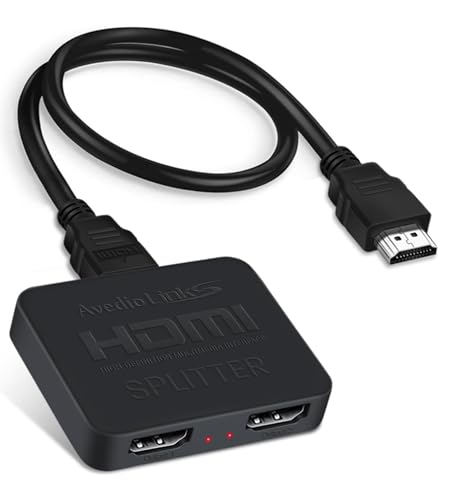
avedio links HDMI Splitter
Best for: readers who want a straightforward splitter often chosen for everyday living room and classroom use, where the priority is a picture on both screens without a complicated setup routine. Not suited for: anyone expecting a splitter to show different content on different screens, because no splitter in this guide can do that.
Judged for a small business or classroom that cannot afford mid-session surprises, this pick represents the dependable end of the market. In daily use, the experience that matters is unglamorous: the unit powers up with the system, the connected screens recognise the source without a negotiation argument, and the picture settles identically on every output. Judge this model the way you would judge any piece of distribution hardware, by how completely it disappears. Check the current listing before you buy, confirm the output count matches the screens you actually own, and plan its power connection inside your cabinet rather than treating it as an afterthought.
Strengths worth weighing include a clear purpose, a footprint that suits real furniture, and a setup routine a household member or colleague can repeat without help. The honest trade-off is the one shared by the whole category: mirroring is all it does, mixed screens must agree on a shared format, and your cables and displays remain half the system. Bought with those truths in view, it is a sensible representative of its tier, and a fair benchmark against the other picks gathered here.
Techole HDMI Splitter
Best for: readers who want a small, simple splitter that appeals to buyers who want the least complicated route to feeding two screens from one source, with a tidy footprint beside a console or player. Not suited for: anyone expecting a splitter to show different content on different screens, because no splitter in this guide can do that.
For a buyer comparing tiers rather than chasing novelty, this pick shows what a step toward established accessory brands buys in confidence. In daily use, the experience that matters is unglamorous: the unit powers up with the system, the connected screens recognise the source without a negotiation argument, and the picture settles identically on every output. Judge this model the way you would judge any piece of distribution hardware, by how completely it disappears. Check the current listing before you buy, confirm the output count matches the screens you actually own, and plan its power connection inside your cabinet rather than treating it as an afterthought.
Strengths worth weighing include a clear purpose, a footprint that suits real furniture, and a setup routine a household member or colleague can repeat without help. The honest trade-off is the one shared by the whole category: mirroring is all it does, mixed screens must agree on a shared format, and your cables and displays remain half the system. Bought with those truths in view, it is a sensible representative of its tier, and a fair benchmark against the other picks gathered here.
Setup, Care and Troubleshooting Essentials
Small businesses use splitters for digital signage, menu boards, waiting room screens, and demonstration displays. One player feeding several screens keeps content consistent and updates simple: change the source once and every screen follows. The buying priorities here shift toward dependable all-day operation, tidy installation, and a powered design that recovers gracefully after a power interruption. A splitter that needs babysitting after every outage is a poor fit for a shop floor, while a boring, stable one quietly earns its place for years.
Gamers find narrower but real uses. A splitter can mirror gameplay to a second screen for a spectator, a stream preview, or a recording path while the main display carries the game. What it cannot do is give two players different views, and players sensitive to any added processing should test their own setup and expectations honestly. Competitive players who route their main display through any extra device should verify their experience in practice sessions first. For casual and shared gaming spaces, though, mirroring is a genuinely enjoyable trick.
When two screens sit in the same room, mirroring supports comparison, teaching, and shared viewing. A coach can show the same clip on a large screen and a smaller one near the group. A family can keep a match visible from both the sofa and the kitchen doorway. A presenter can face the audience while a confidence screen shows the slides. These are humble uses, but they are the ones owners describe as worthwhile months later, because the splitter disappears into the routine and simply makes the picture be where people already are.
Installation is mostly a matter of order and patience. Place the splitter where its cables can reach comfortably without strain, connect the source to the input, connect each display to an output, attach power, then switch the displays on and choose the correct input on each before starting the source. Check each screen in turn, then check them together. Label the cables while everything works, because the day something is unplugged for cleaning is the day labels pay for themselves. A photograph of the finished wiring is a surprisingly useful manual.
Going Deeper: Living With a Mirrored System
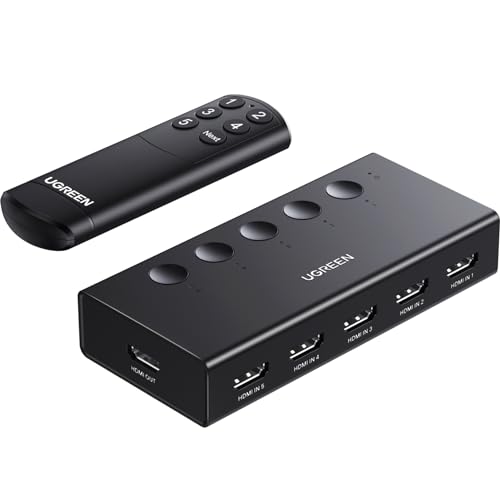
Confusion with an HDMI switch is the most common buying mistake in this category, so it is worth settling early. A switch works in the opposite direction: several sources feed one screen, and you choose which source is visible. A splitter works one-to-many, one source feeding several screens simultaneously. Some combination devices exist, but the job you are hiring the hardware to do should decide the purchase. If your problem is too many devices and one television, you need switching. If your problem is one picture that must appear in several places at once, you need splitting.
Downscaling is the companion idea to that negotiation. Some splitters can take a higher-resolution picture from the source and present a version suited to a lower-resolution display on one output, while another output keeps the fuller picture. Described at the level that matters for buying, it is a compatibility helper for mixed screen collections, not a quality upgrade and not a guarantee. How gracefully any given setup handles mixed displays depends on the specific screens, the source, and the splitter working together, so mixed collections deserve extra care and a willingness to test.
Sound travels with the picture through the same cable, which means a splitter also duplicates audio to every connected display or to a sound system fed from one of those displays. In a simple living room that is effortless. In a setup where one output feeds a television and another feeds a receiver or a soundbar arrangement, think through which device will actually handle the sound before you buy, because the splitter mirrors the whole signal rather than deciding audio routing for you. Planning the audio path on paper first prevents the classic silent-second-screen surprise.
Cable quality and length shape results just as much as the splitter itself. Each output run should use a sound, well-made cable suited to the distance involved, and very long runs may need extra thought about signal integrity. Swap-one-variable testing is the fastest diagnostic habit you can learn: if one screen misbehaves, exchange its cable with a known good one before blaming the splitter. In practice, a large share of splitter problems reported by owners trace back to a tired cable, a loose connector, or a port that was never fully seated.
The handshake sequence explains many mysteries. When a source, splitter, and displays power up, they introduce themselves and agree on a format. Powering equipment in a different order, waking a sleeping display, or hot-plugging a cable can restart that negotiation with a different result. If a setup behaves inconsistently, a calm full restart in a consistent order, displays first and source last, often restores order. This is not superstition; it is giving the negotiation the cleanest possible start, with every display awake and ready to describe itself accurately.
Workshops, garages, and hobby spaces benefit in a quieter way. Instructions, a match, music videos, or a parts diagram from one source can appear on a screen near the bench and another across the room, so the content follows the worker instead of the worker crossing the room to see it. Screens in these spaces are often older spares, which makes the mixed-display conversation about shared formats especially relevant. A patient setup, tested before the project starts, turns a pile of spare screens into a genuinely useful system.
Troubleshooting follows a narrowing path. If no screen shows a picture, confirm power to the splitter, confirm the source is awake and playing, and confirm each display is on the input you actually used. If one screen works and another does not, swap outputs and cables to learn whether the fault follows the cable, the port, or the display. If the picture appears and vanishes, suspect cable integrity, power stability, or a format negotiation the weaker display dislikes. Change one thing at a time and note the result, and most faults confess quickly.
Cable management finishes the job properly. Route the input and output cables so they are not pulling sideways on the ports, leave gentle service loops rather than tight bends, and keep power leads distinguishable from signal cables at a glance. In shared spaces, a small labelled diagram inside the cabinet door helps anyone else restore the system after cleaning or furniture moves. These finishing habits sound fussy, yet they are the difference between an installation and a tangle that happens to work today.
There is also a social dimension to mirrored viewing worth naming. A splitter makes one programme a shared experience across spaces, which suits households that drift between kitchen and sofa during a match, or venues that want atmosphere in two areas from one feed. It suits less well the household hoping for independence, where different people want different programmes at the same time. That household needs separate sources, not distribution hardware. Naming the real desire honestly is the cheapest step in the whole purchase.
Energy and standby behaviour are minor but real considerations. A powered splitter left on continuously draws a small amount of power and stays ready, which many owners prefer because the system then works the moment the source wakes. Others switch it with the rest of the cabinet. Either habit is fine, provided restarts behave predictably in your chain; test your preferred routine during the first week. If a switched routine causes handshake grumbles, leaving the splitter powered while displays sleep is the usual peace treaty.
Accessibility benefits deserve mention. Mirroring lets a screen be placed where it is easiest to see, at a closer distance or a better height, without moving the source or its controls. In care settings, community rooms, and family homes, a second screen at the right place can make shared viewing comfortable for someone who would otherwise strain or miss out. The technology is simple, but placing the picture where the person is, rather than moving the person to the picture, is a genuinely kind use of it.
Security cameras and monitoring feeds are another practical mirror. A recorder or camera system in an office or shop can appear on a screen at the desk and another at the counter, so staff see the same view wherever they stand. The splitter does not record, alert, or add cameras; it only shows the existing feed in more places. Within that honest limit, it is an inexpensive way to make an existing monitoring setup more useful without rebuilding it.
For renters and anyone avoiding permanent installation, a splitter is refreshingly non-committal. It sits in the cabinet, connects with ordinary cables, and leaves no trace when removed. Two screens can share a source across a rental living room without wall work or long fixed runs, and the whole arrangement packs into one box on moving day. That reversibility lowers the stakes of trying the mirrored lifestyle, which for many households is exactly the encouragement they need.
Second-hand screens find new life through mirroring. The older television displaced by an upgrade becomes the kitchen, workshop, or guest room screen, fed by the same source as its replacement. This reuse is satisfying and economical, with the mixed-format caveat already discussed: test the pairing, accept the shared format both can handle, and enjoy the fact that a stored screen is earning its shelf space again. Many beloved two-room setups began exactly this way.
Documentation habits separate calm owners from frustrated ones. Note which source feeds the input, which output feeds which room, and any power-up order that your chain prefers. Tape the note inside the cabinet. When a well-meaning relative unplugs something, restoration takes minutes. When a fault appears months later, your notes turn guesswork into comparison. The splitter itself needs almost no maintenance, so the little documentation you keep is really about the system around it.
Finally, judge the category by the right standard. A splitter is not exciting, and it should not try to be. It is a small piece of distribution plumbing whose success is measured in uneventful days: the picture appears everywhere it should, every time, without negotiation drama. Buy a powered unit from a maker you can identify, feed it with sound cables, test it with your real screens, and it will repay you with exactly that uneventfulness. In infrastructure, boring is beautiful, and this category proves it weekly in thousands of rooms.
Living With the System Day to Day
If you move house or reconfigure the room, the splitter is the easiest part to carry forward. Photograph the chain before dismantling, keep each cable with the display it served, and rebuild in the same order at the other end. Because the concept never changes, one source mirrored to several screens, prior experience transfers completely. Many owners report that the second installation takes minutes, not an evening, and that confidence is part of what they paid for the first time around.
Support from the maker, when you need it, is mostly about clarity. A maker who publishes a plain setup order, explains the shared-format behaviour in ordinary language, and answers compatibility questions without evasion is telling you how the ownership will feel. Keep the model details and your purchase record with your other household documents, not because faults are likely, but because precise information shortens every conversation you might ever have about the system, with support, with a retailer, or with the next owner of the house.
Patience during the first fault is a skill worth rehearsing. The urge to replace the most expensive-looking component immediately is strong and usually wrong, because the chain fails at its cheapest links first: a cable, a setting, a sleeping display, a source that updated itself overnight. Work from the wall socket outward, change one thing, and observe. That discipline, borrowed from every trade that maintains systems, is why some owners solve in minutes what others chase for a weekend, using exactly the same hardware.
Ultimately the mirrored room changes how a household or venue uses its screens. The programme becomes a place rather than a device, present wherever people gather, and the technology steps back. That is the outcome worth buying, and it is available at every tier in this guide provided the expectations are honest. Choose the pick whose purpose matches your rooms, install it calmly, and let the picture simply be everywhere it should be; the rest is just watching.
Ownership settles into a rhythm after the first week. The splitter stops being a purchase and becomes part of the room, noticed only when a guest asks how the same programme is playing in two places. That invisibility is earned during setup, not bought in the box, which is why the unhurried first evening of testing, labelling, and restarting matters more than any single feature. Owners who invest that evening rarely touch the unit again except to dust it, and that is the strongest recommendation this category can offer any product.
A useful habit is the monthly glance. Once in a while, look at the cabinet with fresh eyes: cables still seated, vents still clear, indicator lights behaving as they did on the first day, and no new device quietly added to the chain by another member of the household. Small drifts in a shared system explain most sudden mysteries, and a monthly glance catches them while they are still trivial. It takes less time than making tea, and it keeps the mirrored system feeling as dependable as it did when it was new.
When friends or colleagues copy your setup, they will ask for a model name, but the transferable lesson is really the method. Count the screens, respect the shared format, buy powered hardware from a maker you can identify, use cables you trust, and test with the oldest display in the collection. That method survives model changes, room changes, and the slow turnover of televisions and players. Handing someone the method rather than just a name is the difference between a recommendation and a favour that keeps working.
There is a temptation to keep expanding a mirrored system one screen at a time until it sprawls. Resist the sprawl unless each new screen has a named job and a named viewer. Every added output is another cable to seat, another display to negotiate with the source, and another place a fault can hide. The best mirrored systems stay legible: anyone standing in front of the cabinet can say which source feeds which screens and why. Legibility, more than output count, is the mark of a mature installation.
A Closer Hands-On Check: Putting a Hdmi Splitter Through Real Tasks
A fair test repeats the same task at least twice, once while you are paying attention and once while you work normally, because concentration can hide clumsy design. Consider who else will use, move or clean around this hdmi splitter, because a choice that only works for one careful owner often frustrates everyone else in the household or team. Notice how the hdmi splitter behaves when you are tired or in a hurry, since products that demand perfect technique tend to fail exactly when you have least patience. A calm final test is to walk away mid-task, come back later, and see whether the setup still makes sense at a glance without reconstructing what you were doing.
As a concrete listing check, take the UGREEN HDMI Splitter and the Cable Matters HDMI Splitter named earlier in this article and confirm, line by line, that each variant offered matches the size, connection and contents described for it here. Avoid forcing a connector, bracket or moving part that resists you, because resistance is usually information about alignment or fit rather than an invitation to push harder. Keep the instructions somewhere you can find them months later, since the setting or step you skip today is often the one a future problem sends you hunting for. Ask what you would do on the day this hdmi splitter stops working as expected, and whether you could swap, reset, clean or return it without dismantling half your setup. Note the moment you first had to think about the hdmi splitter instead of your work, since that moment usually reveals more than any summary of features can.
Think about storage for the accessories this hdmi splitter brings with it, so spare parts and tools end up in one known place instead of scattered across drawers. Separate the features you will use in the first month from the ones that only sound reassuring, and let the first group carry far more weight in the decision. Write the exact model name and variant from the packaging into your notes, so replacement parts, accessories and support conversations start from certainty rather than guesswork. If you work in more than one place, decide whether this hdmi splitter stays fixed in one spot or travels, and judge its size, weight and setup time accordingly.
Keep liquids, loose papers and anything that sheds dust or fibres at a sensible distance, unless the hdmi splitter was clearly designed to work right beside them. Picture the busiest version of your week and ask whether this hdmi splitter still fits when other people, other tasks and other equipment compete for the same space. The strongest sign in a hands-on check is consistency: the same input should produce the same result on the first attempt and on the twentieth. Check that nothing you place on, under or beside the hdmi splitter blocks airflow, movement, visibility or access that the design quietly depends on. Treat any accessory bundled in the box as a starting point, and check whether it suits your setup before assuming the maker has solved that part for you.
When something behaves oddly, return to the basics first: power, connection, position, cleanliness and the last setting you changed, in that order, before assuming a fault. Ask whether the benefit you want survives your least favourite conditions, such as low light, a crowded desk, a warm room or a rushed start to the day. Give a new hdmi splitter a fair trial in the position it was bought for before improvising workarounds, since many early complaints disappear once placement is corrected.
Look for the failure you would notice first if you chose badly: a port you cannot reach, a part that will not fit, a control you cannot see, or a routine that becomes slower instead of easier. When you check a single hdmi splitter closely, work from the outside in: condition and finish first, then controls and connections, then behaviour during a real task from start to finish. Decide in advance what good enough looks like for your use, so a minor cosmetic flaw does not distract you from performance that genuinely meets the brief. Check the underside, back or hidden face of the hdmi splitter as part of your inspection, because labels, vents, switches and fasteners often live where first impressions never look. When you compare notes with other owners, match their comments to setups like yours, because advice from a very different room, workload or routine can mislead.
Measure the place where a hdmi splitter will actually live, including the clearance you need to reach cables, doors, trays, vents or controls without moving everything else first.
Frequently Asked Questions
What is the difference between a splitter and a switch?
A splitter takes one source and feeds several screens simultaneously. A switch takes several sources and feeds one screen, letting you choose which source is visible. The names describe the direction of the job. Households with too many devices and one television usually need a switch, while anyone who needs one picture in several places at once needs a splitter. Some people eventually own both, solving different problems at different points in the same system.
Will a splitter show different content on each screen?
No. A splitter mirrors one source to every connected screen at the same time, so each display shows identical picture and sound. If you need different content on different screens, you need separate sources or a computer output arrangement designed for independent displays. Understanding this single rule before you buy prevents the most common disappointment in the category, because everything a splitter does well flows from faithful, simultaneous mirroring.
Can a splitter help when my screens are different ages?
It can, with honest expectations. The source, splitter, and displays agree on a picture format the group can share, and some splitters offer downscaling help for a lower-resolution screen on one output. Mixed collections usually work, but the newest screen may not use everything it could manage on a direct connection. Test your actual screens together early, and decide whether mirroring matters more than the main screen’s solo best.
Do I need a powered splitter?
For most real setups, yes. A powered splitter drives several cable runs reliably and manages the conversation between the source and multiple displays with far fewer dropouts and flickers. Unpowered designs depend on energy borrowed from the source connection and are a common cause of intermittent faults. Choosing a powered model from a recognisable maker, and giving it a stable supply, is the simplest reliability decision in the whole purchase.
Why does one screen work while another stays blank?
Work through the chain one link at a time. Confirm the blank display is on the correct input, then swap its cable with the cable feeding a working screen. If the fault follows the cable, replace the cable. If it stays with the display, check that display’s own settings and try a full restart with every screen awake before the source starts. Most one-screen faults are cables, inputs, or a display that negotiated poorly during power-up.
Related Guides
the hdmi splitter buying guide
hdmi splitter pros and cons in full
whether an hdmi splitter is worth it
how to choose an hdmi splitter step by step
feeding two monitors from a hub
sharing monitors with a KVM switch