Disclosure: As an Amazon Associate, ilcastellomenu.com earns from qualifying purchases. Links on this page are affiliate links; they cost you nothing extra. Prices and availability change often, so check the current Amazon listing before you buy.
Is a resin 3d printer worth it? The honest answer depends on three things money cannot summarise: what you will print, how often, and whether your home can house the process safely. This article works through the value a resin 3d printer actually returns, the real costs beyond money that ownership charges, and the buyer profiles on each side of the line, so that your is a resin 3d printer worth it decision rests on your life rather than on enthusiasm. Short answer first. Worth it if your projects are small, detailed and regular, and your space can host a ventilated station. Not worth it if your projects are large and functional, your printing would be rare, or the chemical routine would go resented and then skipped. Readers weighing technologies should pair this article with best 3D printers for professional use and best dual extruder 3D printers under a larger budget.
Key Takeaways
- Worth it for regular, detail-led printing in a suitable space.
- Not worth it for rare printing, large functional parts or unsuitable homes.
- Judge value on the whole station’s cost, not the printer’s price.
- Frequency is the hidden variable: output buries the fixed routine.
- The workflow is part of the product; buy it willingly or not at all.
Worth it if: you print miniatures, display models, jewellery or detail-led prototypes regularly; you have a ventilated space away from children, pets and food; and a calm wash-and-cure routine sounds like craft. Not worth it if: your list is large brackets and storage boxes; your only space is a bedroom or kitchen; or you would print a handful of times a year. The sections below defend both halves of that verdict.
In this guide
Safety First: Read This Before Anything Else
Resin printing is rewarding precisely because the material is reactive, and that same reactivity is why safety is not a footnote in this guide but the foundation of it. Uncured resin is a skin and eye irritant. Treat every bottle, every vat, every freshly printed part and every paper towel that has touched resin as something that must never meet bare skin or eyes. Wear nitrile gloves and eye protection whenever you handle resin or uncured prints, without exception, including during quick jobs like topping up the vat or lifting a finished build plate. Latex gloves are not a substitute; use nitrile, keep spares at the station, and change them the moment they tear or become contaminated on the outside.
Work in a ventilated space. A resin printer belongs in a room, garage corner or enclosure where air moves and where fumes are carried away from the people living in the home, ideally vented outdoors or through suitable filtration. If you can smell resin strongly while you work, your ventilation is not doing its job. If resin touches your skin, stop and wash the contact area immediately, following the guidance on the resin maker’s own safety sheet for that product, because formulations differ and the maker’s sheet is the authority for the bottle in your hand. Keep the safety sheet for every resin you own somewhere you can reach it with clean hands.
The washing stage brings its own hazard. Isopropyl alcohol, the wash liquid most resin printers use, is flammable. Keep it away from ignition sources, open flames, sparks and heat, never use it near a running heater or a gas appliance, and store it sealed in its container between sessions. The same discipline applies to the curing stage: the ultraviolet light in a curing station or inside the printer is there to harden resin, and you should never look directly at UV curing light. Use the machine’s lid, shield or viewing window as intended and let the timer finish before you open it.
Disposal is the rule new owners most often get wrong, so learn it before your first print: never pour resin, and never pour wash water or used wash liquid containing resin, down a drain. Liquid resin waste must be cured solid first, exposed to UV light until it is fully hardened, and then disposed of according to your local rules for household chemical waste. Failed prints, used gloves, contaminated paper towels and empty bottles all follow the same principle: cure anything with uncured resin on it until it is solid, then follow local guidance. Finally, keep resin, alcohol, tools and the whole printing setup away from children and pets, store bottles upright, sealed and out of reach, and keep food and drink completely away from the printing station. No eating, no drinking, no coffee mug next to the vat. A resin station is a small workshop, and it earns that respect from day one.
Is a Resin 3D Printer Worth It? What You Actually Get
Why the Detail Is Genuinely Different
People coming from filament printing often assume the detail advantage of resin is marketing. It is not. A resin printer resolves fine surface texture, tiny lettering, sharp undercuts and delicate features like fingers on a miniature or scales on a model creature with a fidelity that filament machines simply cannot match at any reasonable effort. The reason is geometric: a filament printer draws lines with a nozzle, so its smallest feature is tied to the width of an extruded strand, while a resin printer paints with light at pixel scale and stacks layers far thinner than a typical filament layer.
That advantage shows most on organic shapes. Faces, drapery, fur, bark, woven textures and sculpted detail that would turn to mush or demand hours of sanding on a filament machine come off a resin plate recognisable straight away. It also shows on small functional parts: fine threads, small gears, snap features and engraved labels all print cleanly. Where resin does not automatically win is size, toughness and convenience, and the honest sections later in this guide give those limits equal weight.
Detail also changes how you design and choose models. Files intended for resin printing often include detail that would be pointless on a filament machine, and marketplaces and sculptors now design specifically for the medium. If your interest is tabletop gaming figures, display models, custom jewellery or prototypes where surface finish is judged at arm’s length or closer, resin is not a luxury upgrade; it is the correct tool for the job.
How Resin Printing Actually Works
A resin printer builds objects upside down, one whisper-thin layer at a time. A build plate lowers into a shallow vat of liquid photopolymer resin until only a hair’s breadth of liquid remains between the plate and the transparent film at the bottom of the vat. Ultraviolet light then shines up through that film in the exact shape of the first layer, hardening the resin it touches. The plate lifts, fresh liquid flows underneath, and the process repeats hundreds or thousands of times until the finished object hangs from the plate, complete in every detail.
Modern desktop machines create that patterned UV light with an LCD screen, which is why they are often called MSLA or LCD resin printers. The screen acts as a mask: pixels that switch on let light through, pixels that stay dark block it, and each pixel therefore defines the smallest detail the printer can reproduce across the build area. A small number of machines use a laser or a projector instead, but for home buyers the LCD approach dominates because it exposes a whole layer at once, which keeps print times predictable regardless of how many objects share the plate.
Two consequences of this process shape everything else in this guide. First, detail is extraordinary because the layers are extremely thin and the light pattern is fine-grained, which is why resin is the technology of miniatures, jewellery masters, dental models and display pieces. Second, the part is not finished when the printing stops. It emerges coated in uncured resin and must be washed, dried and given a final UV cure before it reaches its full strength and is safe to handle with bare hands. Printing is only the middle third of the workflow.
You also get capability that cannot be bought off a shelf: your own character sculpted and printed, a discontinued part’s detailed replica, a jewellery design iterated in a day, a gift that exists once in the world. Owners consistently undervalue this before buying and cite it most afterwards. A printer is one of the few tools whose output improves as your skill does, so its value a year in, when supports and settings are second nature, is higher than its value in week one. Judge worth across that curve, not across the first frustrating fortnight.
The Real Costs Beyond Money
The Real Costs Beyond the Printer
The printer is the cheapest decision in resin printing; the hobby’s real costs are recurring and mostly small, which is exactly why they surprise people. Resin is consumed with every print, including the supports and the occasional failure. Vat films wear and are replaced. Screens eventually age. Wash liquid becomes saturated and must be cured and disposed of, then replaced. Gloves are consumed by the box, because you change them constantly and should never be tempted to ration them. Paper towels, filters for straining resin back into the bottle and replacement build plates or plate surfaces all join the list over a year of ownership.
None of this makes resin printing poor value. A miniature printed at home costs a fraction of a bought equivalent, a prototype iterated in a day replaces weeks of ordering parts, and a jewellery master or a custom game piece may be effectively priceless because it exists nowhere else. The honest point is that the value calculation must use the whole station’s cost, not the printer’s price tag, and must credit the hobby with what it actually produces for you. Buyers who do that maths calmly almost never regret the purchase; buyers who price only the box sometimes feel ambushed by the second month.
Tier language helps here. Entry-tier ownership means a compact printer, one resin type, a simple wash and cure setup and modest consumables. Mid-tier ownership adds a larger or faster machine, a dedicated wash and cure station and two or three resin types. Premium ownership is a larger-format machine, an organised ventilated station and speciality resins. Decide which tier of ownership you are actually funding before you decide which printer belongs in it.
Space, Smell and Where the Printer Will Live
Choose the printer’s home before you choose the printer. The station needs a stable, level surface, room to lift the printer’s lid or cover fully, space beside it for washing and curing, and storage for resin bottles, gloves and towels that keeps them away from children, pets and food preparation. A garage, workshop, spare room or well-ventilated utility space suits resin printing far better than a bedroom or a kitchen counter, both because of fumes and odour and because the work involves chemicals and flammable wash liquid.
Odour varies by resin and by person. Some owners barely notice a covered printer in a ventilated room; others find even mild resin smell intrusive. Enclosures, lids kept closed during printing, suitable filtration and venting all help, but none of them converts resin printing into a bedroom activity, and no filter removes the need for the handling rules. If the only available space is a living space shared with children or someone sensitive to smells, that is a genuine reason to pause, and the worth-it article in this cluster discusses that decision honestly.
Temperature is the quiet variable. Resin flows and cures best in a comfortably warm room; a cold garage in winter thickens resin, lengthens exposures and causes failures that look like machine faults. If your space runs cold, plan for gentle room warmth during printing, keep resin stored at room temperature, and expect your first winter to teach you settings your summer self never needed. None of this is exotic. It is the normal physics of a liquid that must flow thin and harden on cue.
Time and attention are costs too. Every print charges a post-processing session. The learning curve charges a few weekends. Maintenance charges small, regular habits: straining resin, inspecting film, re-levelling, restocking gloves. None of these is heavy, but they are charged whether the month’s printing was one miniature or fifty, which is precisely why frequency decides value. Spread across weekly output, the routine is trivial. Charged against two prints a year, it dominates them.
Who It Pays Off For
The weekly gamer and painter, whose hobby output is constant and whose per-piece savings and creative control compound fastest. The display modeller building a body of work, for whom surface quality is the entire point and whose skills grow into the machine’s capability. The maker-designer iterating jewellery, prototypes or custom pieces, where a day-turnaround at home replaces weeks of ordering and where some outputs simply cannot be purchased at any price. For these three profiles, the answer is not close.
Who Should Skip It
The large-and-functional maker, whose projects belong to filament and whose resin machine would idle. The space-constrained household, where safety separation cannot be honestly achieved; this skip is not a judgement on enthusiasm but on architecture. The rare printer, whose few annual projects are cheaper and simpler bought or commissioned. And the routine-averse buyer, who knows their own habits well enough to predict an unused machine. Skipping, for these profiles, is the purchase decision done correctly.
Strengths and Trade-Offs
Strengths
- Output quality and detail unavailable any other way at home
- Batch efficiency that rewards regular hobby production
- Skills compound: the machine gets better as you do
- Per-piece economics favour anyone who prints often
Trade-Offs
- Fixed routine and station costs regardless of output
- Chemical handling and disposal discipline for life of ownership
- Small build areas cap project ambition
- Supplies age and consumables recur even in quiet months
Alternatives to Consider
Filament printing is the main alternative and the right one for large, tough, functional work, covered by the filament guides linked in this cluster. Buying finished models suits the truly occasional need, with zero station and zero routine. A printing service suits rare detailed projects: you supply the file, someone else owns the gloves. Renting time at a makerspace, where available, lets you test the workflow for a season before committing your own space and money, and for the undecided it may be the smartest alternative of all.
If the verdict lands on buying, these three reference classes cover the realistic entry points, prose-only until verified. The compact class is where most worth-it stories begin.

Elegoo Mars 4 — Best for beginners and miniature painters
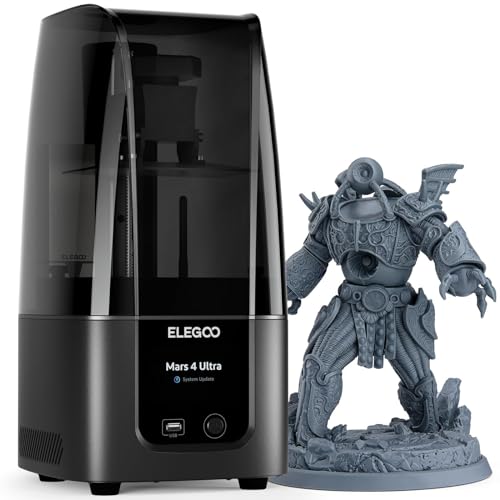
Tier: compact class, positioned in words only until listings are checked. A compact-class machine from Elegoo’s long-running Mars line, aimed squarely at tabletop miniatures, jewellery-scale work and small display pieces. The Mars family’s appeal has always been focus: a modest footprint, a workflow tuned for small detailed objects, and a large community whose settings and advice cover almost every resin a beginner might buy. As a first resin printer it represents the entry tier honestly, asking little space and little fuss while delivering the fine detail that is the whole reason to choose resin. It is not suited to large display pieces in one piece, and owners of big projects should look at the larger class below instead.
Best for: buyers whose projects match the class described above. Not suited for: buyers whose space, project size or budget points to a different class in this guide. Check price on Amazon when the listing is verified, and confirm the current version, included accessories and the making of the decision with the space and safety sections of this guide before ordering.

Elegoo Saturn 4 — Best for larger display pieces and batch printing
Tier: larger-format class, positioned in words only until listings are checked. The Saturn line is Elegoo’s larger-format answer: a bigger build area for statues, larger terrain, multi-part kits printed together and generous batches of miniatures in a single run. Everything the larger class promises and warns about applies here: more room, more resin in the vat, more impressive output, and a station that needs to be sized for it. For painters whose projects outgrew a compact plate, this class is the natural step up. It sits in the premium tier of this guide relative to compact machines, and it is not suited to buyers whose work is exclusively small, who would pay in space and consumables for area they never use.
Best for: buyers whose projects match the class described above. Not suited for: buyers whose space, project size or budget points to a different class in this guide. Check price on Amazon when the listing is verified, and confirm the current version, included accessories and the making of the decision with the space and safety sections of this guide before ordering.

Anycubic Photon Mono M7 — Best for speed-minded hobbyists
Tier: mid-to-large class, positioned in words only until listings are checked. Anycubic’s Photon line is one of the oldest names in desktop resin printing, and the Photon Mono M7 represents its mid-to-large, speed-conscious class. Anycubic pairs its printers with a broad resin range of its own, which simplifies the early months: one maker’s guidance for both machine and material. This class suits hobbyists who print often, value a mature ecosystem and want headroom above the compact class without committing to the largest format. It is not suited to buyers who want the smallest, simplest possible station, and as with every pick here, current specification and availability should be checked on the listing before buying.
Best for: buyers whose projects match the class described above. Not suited for: buyers whose space, project size or budget points to a different class in this guide. Check price on Amazon when the listing is verified, and confirm the current version, included accessories and the making of the decision with the space and safety sections of this guide before ordering.
How to Get the Most Value If You Buy
The Real Workflow, Step by Step
Every resin print follows the same rhythm, and learning it honestly is the difference between buyers who thrive and buyers whose printer gathers dust. You prepare the file in a slicer, arranging the model on the virtual plate, adding supports and hollowing large solid pieces to save resin and reduce suction forces. You pour resin into the vat, start the print and leave the machine to work quietly for the next few hours. When it finishes, the plate comes out wearing gloves, the print is removed, washed in alcohol or a maker-approved wash solution, dried fully, supports are snipped away, and the part goes into a UV curing station or another controlled UV source for its final cure.
None of those steps is difficult, but none is optional either. Skipping the wash leaves sticky, irritating residue. Under-curing leaves parts soft and not fully safe to handle. Rushing support removal snaps the fine details you bought the machine for. The workflow rewards a calm, repeatable routine: same gloves, same order of operations, same clean-up, every time. Most experienced owners describe the post-processing as a few minutes of active work wrapped around waiting time, and they set up their station so that routine is easy to follow even when they are tired.
Build that routine into your buying decision. A printer is not just the box that exposes layers; it is the wash container, the curing light, the gloves, the towels, the spare film and the space all of it occupies. Guides that review the printer alone are reviewing a third of the product. This guide assesses the whole station, because that is what you will actually live with.
Supports, Hollowing and the Slicer’s Quiet Importance
Supports are the scaffolding of resin printing. Because the model hangs upside down and each new layer must have something to attach to, overhangs and floating regions need fine support structures that are printed alongside the model and removed after washing. Good supports are the difference between a flawless miniature and a warped disappointment, and modern slicer software can generate them automatically with increasing competence. Pre-supported files, offered by many sculptors, remove this learning curve for popular models entirely.
Hollowing is the second slicer skill that matters. Large solid models use a great deal of resin and create strong suction forces against the vat film as each layer peels away, which can distort or detach a print. Hollowing the model to a shell, with drain holes placed to let trapped resin escape, saves material, improves reliability and makes parts lighter. Those drain holes are not cosmetic: a sealed hollow print traps uncured resin inside, which is both a quality and a safety problem, so holes and a thorough wash of the interior are part of doing the job properly.
None of this requires engineering talent. It requires an afternoon of learning, a few test prints and the humility to let early attempts teach you. Every resin owner has a small museum of early failures, and the slicer settings that caused them. Treat that phase as tuition rather than evidence against the technology, and lean on the maker’s recommended settings for your resin as the starting point before experimenting.
Washing and Curing: The Other Half of the Printer
A wash and cure station is the most valuable accessory in resin printing, and many buyers eventually treat it as part of the printer itself. Washing removes the film of uncured resin clinging to a fresh print. Doing it well means enough liquid, enough agitation and enough time, followed by complete drying before curing, because curing a wet print traps residue and clouds the finish. A dedicated wash container or station keeps the flammable wash liquid sealed, contained and reusable across many prints, which is safer and tidier than open tubs.
Curing is what turns a washed print into a finished object. Controlled UV exposure completes the hardening through the part, giving it its final strength and a dry, safe-to-handle surface. Under-cured parts feel tacky, stay weaker and should keep being handled with gloves; over-curing standard resin for very long periods can make it more brittle, so follow the resin maker’s guidance rather than guessing. A proper curing station with a turntable and timer makes this step boring, and boring is exactly what you want from a safety-relevant routine.
Sunlight can cure resin and some owners use it in a pinch, but it is uncontrolled, weather-dependent and slow to cure evenly, and it tempts people to leave contaminated items outdoors where children, pets and wildlife can reach them. A modest curing station is the responsible default. When you compare printer prices, compare station prices too: the honest cost of the hobby is the printer, the wash setup, the cure setup, protective supplies and the first bottles of resin together.
Maintenance: Small Habits, Long Machine Life
A resin printer asks for little maintenance, but it asks consistently. Keep resin strained when you return it to the bottle if debris is suspected, because a single cured fragment left in the vat can be pressed into the screen by the build plate and cause real damage. Inspect the vat film regularly for clouding, dents and punctures, and replace it when it degrades; a film is cheap, a screen is not. Wipe spills immediately with gloved hands, keep the machine’s cover on to block ambient light, and never let resin sit in sunlight.
Levelling the build plate is the ritual at the centre of maintenance. It is quick, it is described in every maker’s manual, and it solves a large share of all printing problems. Recheck it when prints start failing, when the plate has been knocked, and after any film change. Keep the lead screw clean and lightly maintained as the maker directs, keep firmware and slicer profiles reasonably current, and store the machine with the vat either emptied and cleaned or covered and undisturbed, never with debris floating in leftover resin.
Your station needs maintenance too. Wash liquid that has gone cloudy with resin is losing effectiveness and should be dealt with by the cure-and-dispose rule, not poured away. Gloves, towels and filters should be restocked before they run out, because the day you run out of gloves is the day you are tempted to skip them, and that temptation is exactly what the routine exists to defeat. A tidy station is not about pride; it is how the safe way stays the easy way.
Print regularly enough to keep skills warm, finish what you print, paint and use the output, and let completed projects, not printer specifications, measure the purchase. Keep one resin mastered before adding another. Maintain the station so the safe way stays the easy way. Value in this hobby is manufactured by use, and use is manufactured by a station that is pleasant to work at.
The Decision Checklist
Answer honestly. Are most of my projects small and detailed? Will I print at least monthly? Do I have a ventilated station away from children, pets and food? Have I budgeted the whole station, not just the printer? Does the wash-and-cure routine sound acceptable, even enjoyable? Can I store resin and alcohol sealed and out of reach? If most answers are yes, a resin printer is worth it for you, and the buying guide in this cluster will choose your class. If several are no, the checklist has saved you money and shelf space, which is also a good outcome.
Build Volume: Smaller Than You Think, Bigger Than You Need
Resin printers are compact machines with compact build areas, and the single most common sizing mistake is buying by anxiety rather than by measurement. Take the largest object you realistically expect to print in one piece, measure it, and compare it honestly with the build area of the class you are considering. Tabletop miniatures, jewellery, small display pieces, dental-style models and most prototyping parts fit comfortably on a compact machine. Larger display statues, helmets and big terrain pieces either need a larger-format machine or need to be printed in sections and joined, which many hobbyists do routinely.
Height deserves separate thought from footprint. A tall, narrow object may fit a smaller machine than a wide, flat one, and tilting a model in the slicer changes what fits, though tilting also changes support needs and surface quality. Remember too that a bigger plate tempts you to fill it, and a failed full plate wastes more resin and more time than a failed single piece. Many seasoned owners run a mid-size machine as their daily printer even when they own a larger one, simply because the workflow is cheaper and calmer.
There is also a physical side to size. Larger machines hold more resin in the vat, weigh more, need a sturdier bench and produce larger volumes of wash waste per clean-out. None of that is a reason to avoid them if your projects genuinely need the area. It is a reason to size the machine to the work you have, not the work you vaguely imagine, and to remember that a second, larger machine later is a happier purchase than an oversized first machine that makes every small job feel heavy.
The Screen: Resolution, Size and Honest Expectations
The LCD screen is the heart of a resin printer, and it is also where marketing is loudest. Screen resolution figures sound dramatic, but what governs the detail you actually see is the size of each pixel, which depends on resolution relative to screen size. A very high resolution stretched over a large screen can produce similar real-world detail to a lower headline figure on a small screen. This is why compact machines often produce astonishingly fine miniatures: their pixels are tiny even when the headline number looks modest.
For buyers, the practical reading is simple. If you print small, intricate objects, pixel size matters more than plate size. If you print large objects, you accept slightly larger pixels in exchange for area, and at the viewing distance of a large statue the difference is invisible. Judge a machine by the kind of work it is aimed at, not by the biggest number on the box, and be suspicious of any listing that shouts a resolution figure without making the screen size equally clear.
The screen is also a consumable. LCD panels degrade with UV exposure over time and will eventually need replacement, and the transparent film at the bottom of the vat wears, clouds and needs periodic replacement too. Neither fact should scare you; both are normal maintenance, like nozzles on a filament machine. But a sensible buyer checks, before purchase, that replacement screens and films for the model are actually available and that the maker’s replacement procedure looks manageable, because a printer you cannot maintain is a printer with an expiry date.
Resin Types, in Plain Language
Standard resin is the starting point for most owners: affordable, detailed and relatively brittle. It is ideal for display pieces and models that will be handled gently, and it is the right resin to learn on because its behaviour is predictable. Tough and ABS-like resins trade a little of that crispness for much better resistance to drops and flexing, which makes them the choice for gaming miniatures that get handled weekly, functional prototypes and parts that must survive real use. Flexible resins bend rather than snap and are usually blended or used for specific soft parts.
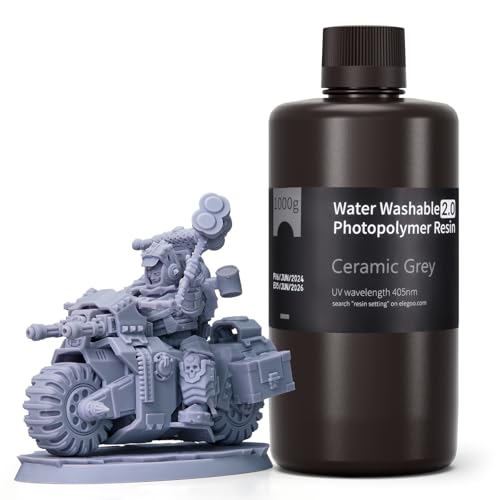
Water-washable resins simplify clean-up by allowing prints to be washed in water instead of alcohol, which some buyers prefer, though the wash water is still contaminated with resin and must never go down a drain; it is cured and disposed of exactly like any other resin waste. Plant-based and low-odour formulations reduce smell for some users, which helps in shared spaces, but low odour does not mean low hazard: the glove, eye protection and ventilation rules apply to every resin in this guide, whatever the label promises. Speciality resins exist for casting, for high-temperature moulds and for dental and engineering work, each with its own handling sheet.
The buyer’s rule is to match resin to the object’s life, not to the printer. A display bust lives a gentle life and standard resin serves it beautifully. A game piece handled by excited players every Friday needs toughness. A prototype bracket that will be bolted, flexed and tested needs an engineering resin and realistic expectations. Budget for resin as a recurring cost of the hobby, keep to one or two types while you learn, and always read the maker’s safety and settings guidance for the specific bottle you buy, because exposure and washing behaviour vary between formulations.
Resin or Filament: Choosing the Right Tool
Filament and resin printing are not rivals so much as different trades sharing a surname. Filament machines lay down melted plastic strand by strand, producing larger, tougher, cheaper parts with minimal post-processing and no chemical handling. They excel at big functional objects: brackets, enclosures, jigs, storage, cosplay armour sections and anything that will be dropped, drilled or bolted. Their weakness is fine detail and surface finish, where visible layer lines and nozzle-limited resolution show.
Resin inverts that profile. It produces small, exquisite, smooth objects with detail filament cannot reach, at the price of a smaller build area, a wet chemical workflow, mandatory protective habits and parts that, in standard resins, are more brittle. Neither technology is better. The question is which objects you actually want to make. Many serious hobbyists eventually own both, using filament for the large and practical and resin for the small and beautiful, and each machine makes the other more useful.
If you are deciding between them as a first purchase, let the project list decide. Write down the ten things you most want to print. If most are small and detailed, resin leads. If most are large or functional, filament leads. If the list is mixed and budget allows only one machine, consider which list you would still care about in a year, and read the head-to-head comparison linked in this cluster before deciding.
Failures, Troubleshooting and the Learning Curve
Every resin owner knows the flat, cured pancake stuck to the vat film where a model should be. Failures have causes, and the causes are learnable: insufficient supports, exposure settings mismatched to the resin, cold resin, a worn or damaged vat film, a build plate that needs re-levelling, or suction forces from a solid model that should have been hollowed. Working through them systematically, changing one variable at a time and keeping brief notes, turns a frustrating week into permanent skill.
The emotional side matters too. Resin printing asks for patience in a way filament printing often does not, because a failure is discovered hours in, wearing gloves, with clean-up attached. Owners who thrive tend to print test pieces first with a new resin, keep the maker’s settings as home base, and treat the community knowledge around their machine as a reference library. Owners who struggle usually changed three settings at once, bought an exotic resin before mastering a standard one, or placed the printer somewhere so inconvenient that every session felt like an expedition.
Build plate adhesion deserves a special word because it frightens beginners. The first layer must bond firmly to the plate, which is why levelling matters and why the plate’s surface condition matters. A print that will not stick is almost never a broken printer; it is levelling, settings or temperature asking for attention. Conversely, a print that sticks too well is removed with patience and the right tool, never with force near your hands. Slow is smooth, and smooth is fast, at every stage of this hobby.
Who Resin Printing Suits Best
Tabletop gamers are the classic resin household: armies, heroes, monsters and terrain details at a quality that transforms a game, produced at home on a schedule no shop can match. Display modellers and painters follow close behind, because resin holds the fine sculpted detail their painting deserves. Jewellery makers use resin to produce masters and castable patterns. Tabletop role-players print characters that actually look like their characters. Engineers and product designers use it for form studies, fit checks and presentation prototypes where surface finish sells the idea.
Cosplayers use resin for the detailed components of a build: gems, badges, buckles, weapon details and small props, often alongside filament-printed large pieces. Educators and researchers print anatomical, geological and mechanical models whose detail is the entire point. Dentistry-adjacent and professional users operate under their own validated materials and rules and are outside this guide’s scope, but their existence underlines the technology’s precision. What unites the home users is that the object they want is small, detailed and personal, and cannot simply be bought.
Just as clearly, resin does not suit everyone. If you want large, tough, purely functional parts, filament serves you better. If you have no ventilated space away from children and pets, the honest answer may be not yet. If the idea of gloves, washing and curing sounds like a chore rather than a craft, believe yourself: the workflow is the hobby, and a printer whose workflow you resent will not be used. Good buying advice sometimes says wait, and this guide would rather say that than sell you a shelf ornament.
Who Gets Their Money’s Worth and Who Should Skip It
The one-question shortcut
If the full analysis still leaves you undecided, ask the question that cuts through it: if this resin 3d printer disappeared from your home after a month of use, would you replace it immediately, eventually, or not at all? People answer honestly when the purchase is framed as a loss. Immediate replacers should buy with confidence and choose the better model; eventual replacers should buy modestly; the not-at-all group has its answer too. In a household where the gear gets used hard on weekends and barely touched midweek, that instinct, checked against the use-frequency count, settles the worth-it question more reliably than any feature comparison.
Count the uses, honestly
The worth-it question for a resin 3d printer is mostly a frequency question. Estimate how many times a month the product would genuinely be used in your routine — not the enthusiastic first fortnight, but month four, when the novelty has worn off. In a household where the gear gets used hard on weekends and barely touched midweek, a resin 3d printer used weekly almost always justifies itself through saved time, avoided workarounds or better results, while the same product used twice a year is usually an expensive storage obligation. If your honest count is low, borrowing, hiring or using a service is the mathematically sound answer, and there is no shame in it.
The workaround you are already paying for
Most people considering a resin 3d printer are already solving the problem somehow — with a slower method, a borrowed tool, a workaround that costs time or produces worse results. Price that workaround in attention and frustration, not just money: how often does it interrupt you, and what does the interruption cost the rest of your day? A purchase is worth it when it retires a recurring annoyance, not when it merely upgrades a process that was already painless. If your current workaround barely bothers you, the honest verdict for you is probably to skip the purchase.
Lifespan changes the whole calculation
A resin 3d printer that serves for many years spreads its cost across thousands of uses; one that wears out, dates quickly or loses its supporting ecosystem does not. Judge lifespan by construction, consumable availability and how actively the maker still supports the line, rather than by optimism. This is where the picks discussed earlier differ most meaningfully for value: the model with the longer realistic service life can be the better value even when it is not the cheapest route in, because the cost per year of service is what your household actually pays.
If a candidate fails this check, strike it from the list without regret and let the remaining options compete on merit.
Frequently Asked Questions
Is a resin 3d printer worth it for miniatures?
For miniature painters and tabletop gamers, it is the clearest yes in this entire guide. The detail transforms games and painting projects, a full unit prints in one batch session, and the per-piece cost undercuts buying equivalent figures comfortably once the station exists. Add a tough resin for handled gaming pieces and the value compounds season after season. If miniatures are your main hobby, the question is usually not whether, but which class, and the compact class is the place to start.
Is a resin printer worth it if I only print occasionally?
Occasional printing is the weakest case, because the fixed costs of ownership, the station, the routine and the consumables, are spread over few finished objects, and resin supplies age whether you print or not. If occasional means a few beloved projects a year, buying finished pieces or using a printing service may serve you better. If occasional grows into monthly batches, the balance tips quickly. Be honest about frequency; it matters as much as project type.
What are the hidden costs that change the value calculation?
The station around the printer: washing and curing equipment, resin as a recurring purchase, replacement vat films and eventually a screen, wash liquid, gloves and towels. Individually small, together they are the true cost of ownership, and guides that price only the printer mislead you. The good news is that none of it is unpredictable, and the costs section of this article lays the tiers out in words so the calculation can be done calmly before buying.
Is resin printing worth it compared with filament?
They return value in different currencies. Resin repays you in detail, finish and batch efficiency on small objects; filament repays you in size, toughness and zero post-processing on larger, practical ones. If your project list is small and beautiful, resin is worth more to you. If it is large and functional, filament is. Many households conclude both are worth it for different jobs, starting with the one their current projects demand.
Can I make money with a resin printer?
Some owners sell miniatures, custom pieces and printed services, and batch efficiency genuinely helps small production. But treat income as a bonus, not the justification: licensing of sculptors’ files, your time in washing, curing and finishing, consumables and the safety-grade workspace a business deserves all belong in that calculation. Buy the printer because your own projects justify it, run it well, and let any selling grow from proven skill rather than from a spreadsheet written before your first print.
When is a resin printer definitely not worth it?
When the station cannot be housed safely, ventilated, away from children, pets and food, no print quality justifies forcing it. When your projects are large and purely functional, filament returns more per hour and per coin. And when you know the gloves, washing and curing routine would stop you using the machine, believe yourself in advance. A printer that fits your life gets used for years; one that fights it becomes furniture within a season.
Related Guides
- our in-depth resin 3D printer review
- our round-up of resin 3D printer reviews
- the resin 3D printer buying guide
- resin 3D printer pros and cons in full
- how to choose a resin 3d printer step by step
- our filament 3D printer review
- the filament 3D printer buying guide
- 3D printer vs resin 3D printer compared