Disclosure: As an Amazon Associate, ilcastellomenu.com earns from qualifying purchases. Links on this page are affiliate links; they cost you nothing extra. Prices and availability change often, so check the current Amazon listing before you buy.
This guide is a complete webcam light reviews resource for readers who appear on camera for work, streaming, teaching or creating, and who want an honest answer rather than a sales pitch. Whether you arrived looking for a webcam light reviews to fix a dim home office or to polish a streaming setup, the same truth applies: light is the input your webcam lives on, and understanding it will improve your picture more reliably than chasing a new camera.
Key Takeaways
- Better light improves most webcam pictures more than a pricier camera does.
- Diffusion, distance and angle matter more than raw brightness, especially for eye comfort and glasses.
- A bright window behind you defeats any desk light, so fix placement and background first.
- One well-placed light covers most desks; buy for your room, your hours on camera and your mount, not for a feature list.
In this guide
Webcam Light Reviews: Reading the Category Honestly
What a Webcam Light Is and Where It Fits
Brightness aimed at your face from a small panel can glare, and pretending otherwise would be dishonest. A compact light is a concentrated source, so at full output and close range it can feel harsh on the eyes and flatten your features into a bright mask with dark edges. Diffusion is the fix that matters most: a built-in diffuser, a soft front surface, or simply bouncing and angling the panel softens the transition between lit and unlit skin. Distance matters just as much, because moving a light a little further away and raising its output gently almost always looks kinder than parking a small panel close and dim. Nobody should stare into a bright panel at close range for long stretches, so treat eye comfort as a real setup criterion, not an afterthought, and take breaks during long sessions.
Glasses wearers get reflections, and this deserves its own honest paragraph because it is the complaint that surprises people most. A panel placed straight in front of your face, at eye level, will often mirror itself in your lenses as a bright rectangle that hides your eyes from everyone watching. The usual fix is angle rather than brightness: move the light a little to one side, raise it slightly, or tilt the panel so the reflection bounces away from the camera instead of into it. Sitting a touch further from the light helps too. If you wear glasses all day, judge any light by how easily it can sit off-axis, because a light that only works dead-centre will fight your lenses every single call.
Background and window light behind you defeats any desk light, no matter how good the panel is. When a bright window sits behind your chair, the webcam exposes for that window and turns you into a silhouette, and no small desk panel can outmuscle daylight coming through glass. The placement honesty is simple: turn your desk so the window is in front of you or to your side, close a blind during important calls, or move away from the window entirely. A webcam light works best as the main light on your face in a controlled room, not as a rescue rope against a glowing background. Fix the room first, then let the light do the smaller, easier job it was designed for.
Design, Build and Setup
Placement decides more than the badge on the box. A light that sits just above your screen, angled slightly down at your face, mimics the flattering direction people expect from a window and keeps shadows under the chin soft and short. A light placed too low creates the torch-under-the-face look that nobody wants in a job interview, while a light placed far to one side carves the face into bright and dark halves. Height, angle and distance are free adjustments, and spending ten quiet minutes on them with your camera preview open will improve your picture more than any control buried in a companion app. Treat placement as part of the product you are really buying.
Colour quality is the quiet difference between a face that looks healthy and a face that looks like office lighting from decades ago. Good panels aim for light that renders skin tones naturally rather than pushing them orange, green or chalky, and they let you warm or cool the output so your face does not clash with the room behind you. A warm setting can feel relaxed for evening streams, while a cooler, daylight-leaning setting often suits bright daytime offices. What matters is range and consistency: the light should hold its character as you dim it, rather than changing colour every time you touch the brightness control during a call.
Controls sound boring until you are live and need them. The best desk lights let you change brightness and tone without leaving your seat, fumbling behind a panel, or opening three menus while a client watches you squint. Physical dials and buttons win for speed and reliability, app control wins when the light is out of reach or part of a larger streaming rig, and the honest answer is that most people use whichever is closest in the moment. Before buying, picture your busiest call of the week and ask whether you could soften the light mid-sentence without breaking eye contact. If the answer is no, the control scheme, not the panel, is the weak point.
Performance in Real Use
Mounting decides whether a light becomes part of your desk or part of your clutter. Monitor clips are neat and keep the light exactly where the camera is, but they add weight to the top of a screen and can wobble on thin laptop lids. Desk stands are steadier and easier to angle, yet they claim desk space and can sit too low unless the stand is tall enough. Clamp arms and small tripods sit between the two, flexible but visually busier. Think about what else shares that space: a second monitor, a microphone arm and a laptop on a riser all compete for the same few inches, and the right mount is the one that survives your real desk, not a tidy product photo.
For everyday work meetings, the job is modest and specific: look clear, look awake, and stop distracting people with a murky picture. A webcam light earns its place in stand-ups, one-to-ones and client calls by making your face the brightest, sharpest thing in the frame, which quietly changes how present you seem. You do not need studio drama for a Tuesday status call; you need even, soft light that flatters without announcing itself. Colleagues will rarely compliment your lighting, and that is the point. The best meeting light is the one nobody notices, because the conversation stays on the work instead of drifting to why you look like you are calling from a cave.
Streaming raises the bar because the audience watches for hours, not minutes, and small flaws become familiar characters. A consistent face light anchors the whole scene: games, overlays and alerts can change around you while your face stays steady, readable and recognisably you. Streamers also sit longer under their lights, so comfort, heat and eye strain matter more than they do in a short call, and a panel that feels fine for ten minutes can become tiring across an evening. Think about how the light behaves at the brightness you will actually use for a full session, not the punchy output that looks impressive in a thirty-second demo.
Models Worth a Closer Look

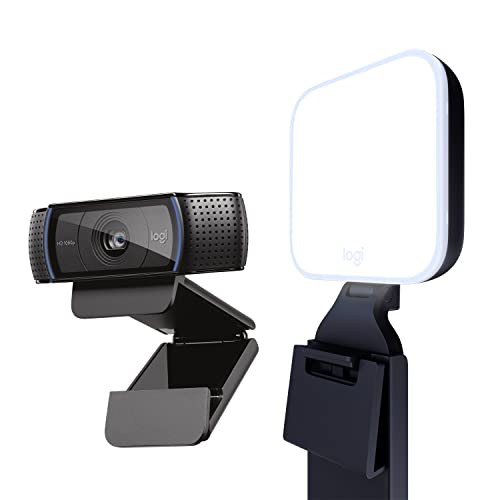
Logitech Litra Glow
Considered on its own terms, this option deserves a careful look. The Logitech Litra Glow is a compact monitor-mounted panel built for everyday calls and streaming, with soft diffused output and simple controls that suit a tidy desk. In qualitative terms it sits in the mid-range tier of this category, so judge it against lights of a similar size and purpose rather than against large studio panels. What decides satisfaction is rarely the headline brightness; it is whether the mount suits your desk, whether the controls are reachable mid-call, and whether the diffused output flatters your face at the distance you actually sit. Best for: readers whose desk and routine match the description above. Not suited for: anyone expecting a small desk panel to light a whole room or to defeat a bright window behind them.
Razer Key Light Chroma
Considered on its own terms, this option deserves a careful look. The Razer Key Light Chroma is a larger streaming panel aimed at creators who want app control and colourful accent options alongside their main face light. In qualitative terms it sits in the premium tier of this category, so judge it against lights of a similar size and purpose rather than against large studio panels. What decides satisfaction is rarely the headline brightness; it is whether the mount suits your desk, whether the controls are reachable mid-call, and whether the diffused output flatters your face at the distance you actually sit. Best for: readers whose desk and routine match the description above. Not suited for: anyone expecting a small desk panel to light a whole room or to defeat a bright window behind them.

Elgato Key Light Air
Considered on its own terms, this option deserves a careful look. The Elgato Key Light Air is a desk-standing panel on a weighted base, designed for streamers who want a taller, adjustable light that stays off the monitor. In qualitative terms it sits in the premium tier of this category, so judge it against lights of a similar size and purpose rather than against large studio panels. What decides satisfaction is rarely the headline brightness; it is whether the mount suits your desk, whether the controls are reachable mid-call, and whether the diffused output flatters your face at the distance you actually sit. Best for: readers whose desk and routine match the description above. Not suited for: anyone expecting a small desk panel to light a whole room or to defeat a bright window behind them.
Neewer LED Video Light Panel
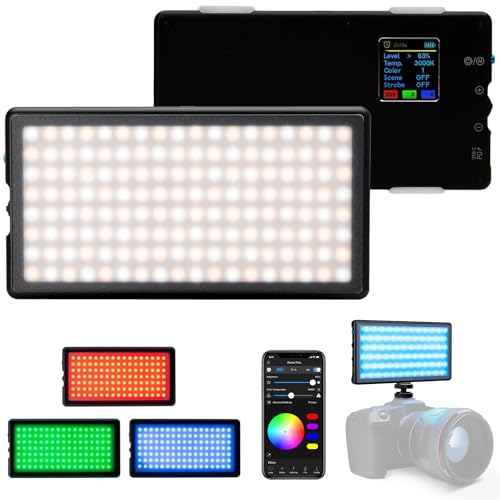
Considered on its own terms, this option deserves a careful look. The Neewer LED Video Light Panel is a versatile panel family from a long-running budget lighting brand, often chosen by people who also shoot photos or video away from the desk. In qualitative terms it sits in the entry-to-mid tier of this category, so judge it against lights of a similar size and purpose rather than against large studio panels. What decides satisfaction is rarely the headline brightness; it is whether the mount suits your desk, whether the controls are reachable mid-call, and whether the diffused output flatters your face at the distance you actually sit. Best for: readers whose desk and routine match the description above. Not suited for: anyone expecting a small desk panel to light a whole room or to defeat a bright window behind them.
Lume Cube Panel
Considered on its own terms, this option deserves a careful look. The Lume Cube Panel is a small portable panel that travels well between a home desk, a laptop bag and an occasional shoot location. In qualitative terms it sits in the mid-range tier of this category, so judge it against lights of a similar size and purpose rather than against large studio panels. What decides satisfaction is rarely the headline brightness; it is whether the mount suits your desk, whether the controls are reachable mid-call, and whether the diffused output flatters your face at the distance you actually sit. Best for: readers whose desk and routine match the description above. Not suited for: anyone expecting a small desk panel to light a whole room or to defeat a bright window behind them.
Weilisi Webcam Light
Considered on its own terms, this option deserves a careful look. The Weilisi Webcam Light is a conferencing-focused light aimed squarely at video calls, typically bundled with mounting aimed at laptops and monitors. In qualitative terms it sits in the entry-to-mid tier of this category, so judge it against lights of a similar size and purpose rather than against large studio panels. What decides satisfaction is rarely the headline brightness; it is whether the mount suits your desk, whether the controls are reachable mid-call, and whether the diffused output flatters your face at the distance you actually sit. Best for: readers whose desk and routine match the description above. Not suited for: anyone expecting a small desk panel to light a whole room or to defeat a bright window behind them.
How It Compares
Teachers, trainers and anyone who presents to camera have a slightly different brief: gestures, whiteboards, products held up to the lens and a face that must stay readable while moving. A light that is too focused creates a bright circle you keep drifting out of, which looks restless on a recording. A broader, softer source is more forgiving of movement and keeps teaching materials from falling into shadow when you lean in to show something. If you record lessons to watch later, test the light on a recording rather than a live preview, because recordings reveal flicker, harshness and wandering exposure that a quick glance in a meeting window can easily miss.
Job interviews and important first impressions are where a modest light quietly pays for itself in confidence. You cannot control the interviewer’s screen, their room or their connection, but you can control whether your face is clear and your eyes are visible, and visible eyes carry a surprising amount of trust on camera. A soft light also steadies you: instead of worrying about leaning toward a lamp or apologising for a dark room, you can sit still, look at the camera and answer questions. Candidates rarely fail interviews because of lighting, yet many start them apologising for it, and removing that apology is worth more than the panel itself.
Strengths and Trade-Offs
Strengths
- Soft, diffused light flatters faces on ordinary webcams without any camera upgrade.
- Placement and dimming give you control over glare, shadows and eye comfort.
- A dedicated face light makes you consistently presentable across changing daylight.
Trade-Offs
- A small panel can glare at close range and reflects in glasses if placed dead-centre.
- It cannot rescue a setup with a bright window behind the chair.
- It adds one more mounted object, cable and control to an already busy desk.
Who Should Buy It and Who Should Skip It
Small rooms and shared spaces add constraints that product pages rarely mention. A light that floods a whole room can annoy a partner working nearby, light up laundry you would rather keep in shadow, and bounce off pale walls in ways that change its character. A focused, dimmable panel aimed only at your face is kinder to shared spaces, and angling it slightly downward keeps spill off the wall behind you. In a bedroom office, also consider what the light reveals: a brighter face often comes with a brighter background, so a quick tidy of whatever sits behind your chair is part of the lighting setup, whether we admit it or not.
Portability changes the maths for people who work from laptops in more than one place. A small panel that slips into a laptop bag and runs from the same kind of power as your other travel gear can rescue hotel-room calls, where the lighting is designed for mood rather than for faces. The trade-off is size: a travel panel is closer to your face and covers less of it, so diffusion and careful angling matter even more. If you mostly work at one desk, portability is a nice extra you may never use; if your office is wherever you open the laptop, it can be the feature that decides the purchase.
Setup, Care and Maintenance Essentials
A sensible first setup takes minutes and repays patience. Start with the room: face your main window if you have one, or close the curtains if the window is behind you. Place the light just above or just beside your camera, raise it a little above eye level, and angle it gently down. Open your camera preview, set the light to a middle brightness, and look at your eyes first, because catchlights in the eyes are the quickest sign the angle is right. Then check your forehead and nose for hot spots, soften or move the light if you find them, and only then fine-tune warmth so your skin matches the room. Save or note the settings that work, because recreating a good setup beats rediscovering it before every call.
The common mistakes are remarkably consistent. People buy brightness they do not need and then run the light too close and too strong, place it below the screen so shadows climb upward, or leave a bright window behind them and blame the panel. Others chase a camera upgrade first, set the light once and never revisit it after moving desks, or judge everything from the tiny self-view window instead of a full-screen preview or a short test recording. The deepest mistake is treating light as an accessory rather than as the main input your camera works with. Almost every disappointing result traces back to placement, background or expectations, not to the panel being fundamentally incapable.
Final Verdict
Care is simple but not nothing. Dust dulls a diffuser slowly, so a gentle wipe with a dry, soft cloth keeps output even, and fingerprints on the front surface can create odd bright patches that look like faults. Cables and mounts take the real wear: a clip opened and closed daily, or a stand adjusted by force, will loosen long before the light itself gives up. Keep the panel out of long sessions at maximum output in a hot, unventilated corner if you can, give it air, and coil its cable loosely rather than winding it tight around the mount. Treated kindly, a desk light is one of the least demanding pieces of a streaming or home-office setup.
Value in this category is measured in problems removed per week, not in specifications collected. If you take calls daily in a dim room, a light that makes you instantly presentable removes a small friction dozens of times a month, and that repetition is what turns a gadget into infrastructure. If you appear on camera twice a month in a bright room, the same panel mostly removes a problem you barely have. Honest value judgements therefore start with your calendar and your room, not with a feature list. Count your on-camera hours, look at your current picture with fresh eyes, and let that evidence, rather than enthusiasm for new gear, decide how much light you actually need.
Going Deeper: Getting the Most From Your Light
Small rooms and shared spaces add constraints that product pages rarely mention. A light that floods a whole room can annoy a partner working nearby, light up laundry you would rather keep in shadow, and bounce off pale walls in ways that change its character. A focused, dimmable panel aimed only at your face is kinder to shared spaces, and angling it slightly downward keeps spill off the wall behind you. In a bedroom office, also consider what the light reveals: a brighter face often comes with a brighter background, so a quick tidy of whatever sits behind your chair is part of the lighting setup, whether we admit it or not.
It is worth saying that light is one half of being understood on camera, and a clear picture buys you attention that poor sound can spend quickly. That is not an argument against a webcam light; it is an argument for sequencing. Fix the picture with light, because it is cheap and immediate, then be honest about whether your next frustration is really about the camera or about echo, room noise and a distant microphone. Readers building a setup piece by piece get the most from each purchase when they solve the most visible problem first, and in a dim room the most visible problem is almost always the light, which is why this category keeps growing.
Test any light the way your audience actually sees you. Record a short clip in the app you use most, at the time of day you usually call, and watch it full-screen without touching anything. Look at your eyes, your skin, the wall behind you and any reflections in glasses, in that order. Then change one thing only, height, angle, distance or brightness, and record again. This slow method feels fussy for an evening and then saves you months of vague dissatisfaction, because you will know which adjustment fixed which problem. Keep the clip you are happy with as a reference for the day you move desks or seasons change the daylight in your room.
Brightness aimed at your face from a small panel can glare, and pretending otherwise would be dishonest. A compact light is a concentrated source, so at full output and close range it can feel harsh on the eyes and flatten your features into a bright mask with dark edges. Diffusion is the fix that matters most: a built-in diffuser, a soft front surface, or simply bouncing and angling the panel softens the transition between lit and unlit skin. Distance matters just as much, because moving a light a little further away and raising its output gently almost always looks kinder than parking a small panel close and dim. Nobody should stare into a bright panel at close range for long stretches, so treat eye comfort as a real setup criterion, not an afterthought, and take breaks during long sessions.
What sits behind you is half the picture, and light changes how it reads. Raising the light on your face usually lowers the relative brightness of the background, which can make a busy room recede pleasantly, or can plunge it into gloom that looks accidental. A small amount of gentle background light, from a lamp out of frame, often balances the scene better than a darker room with one bright face floating in it. Check the whole frame in your preview, corners included, and not just your own face in the middle. Viewers see everything you share, and a considered background quietly supports the professional effect the face light is trying to create.
Here is the honest reason this category exists at all, stated plainly before anything else. For most webcams, better light improves the picture more than a pricier camera does. A webcam sensor is small, and in a dim room it copes by raising its sensitivity and slowing its exposure, which is exactly why faces look grainy, smeared and oddly grey on evening calls. Give that same modest camera a soft, well-placed light and it suddenly has something to work with: skin looks like skin, edges sharpen, colours separate, and the automatic exposure settles down instead of hunting. Readers who upgrade the camera first and the light second usually end up wishing they had reversed the order, because the expensive sensor was starved of light the whole time.
Controls sound boring until you are live and need them. The best desk lights let you change brightness and tone without leaving your seat, fumbling behind a panel, or opening three menus while a client watches you squint. Physical dials and buttons win for speed and reliability, app control wins when the light is out of reach or part of a larger streaming rig, and the honest answer is that most people use whichever is closest in the moment. Before buying, picture your busiest call of the week and ask whether you could soften the light mid-sentence without breaking eye contact. If the answer is no, the control scheme, not the panel, is the weak point.
Portability changes the maths for people who work from laptops in more than one place. A small panel that slips into a laptop bag and runs from the same kind of power as your other travel gear can rescue hotel-room calls, where the lighting is designed for mood rather than for faces. The trade-off is size: a travel panel is closer to your face and covers less of it, so diffusion and careful angling matter even more. If you mostly work at one desk, portability is a nice extra you may never use; if your office is wherever you open the laptop, it can be the feature that decides the purchase.
Alternatives deserve fair mention. A well-placed desk lamp with a soft shade, turned toward your face or bounced off a nearby wall, can improve a picture more than people expect, and a bright window in front of you remains the finest free light in any home. A ring light is another route, strong for beauty and close-up work, though its signature catchlight and its reflections in glasses divide opinion. A larger video panel is the step up when a desk light feels too small or too close. None of these is automatically better; each trades size, softness, cost of ownership and desk space differently, and the right answer depends on the room and the work.
Background and window light behind you defeats any desk light, no matter how good the panel is. When a bright window sits behind your chair, the webcam exposes for that window and turns you into a silhouette, and no small desk panel can outmuscle daylight coming through glass. The placement honesty is simple: turn your desk so the window is in front of you or to your side, close a blind during important calls, or move away from the window entirely. A webcam light works best as the main light on your face in a controlled room, not as a rescue rope against a glowing background. Fix the room first, then let the light do the smaller, easier job it was designed for.
Teachers, trainers and anyone who presents to camera have a slightly different brief: gestures, whiteboards, products held up to the lens and a face that must stay readable while moving. A light that is too focused creates a bright circle you keep drifting out of, which looks restless on a recording. A broader, softer source is more forgiving of movement and keeps teaching materials from falling into shadow when you lean in to show something. If you record lessons to watch later, test the light on a recording rather than a live preview, because recordings reveal flicker, harshness and wandering exposure that a quick glance in a meeting window can easily miss.
For everyday work meetings, the job is modest and specific: look clear, look awake, and stop distracting people with a murky picture. A webcam light earns its place in stand-ups, one-to-ones and client calls by making your face the brightest, sharpest thing in the frame, which quietly changes how present you seem. You do not need studio drama for a Tuesday status call; you need even, soft light that flatters without announcing itself. Colleagues will rarely compliment your lighting, and that is the point. The best meeting light is the one nobody notices, because the conversation stays on the work instead of drifting to why you look like you are calling from a cave.
Glasses wearers get reflections, and this deserves its own honest paragraph because it is the complaint that surprises people most. A panel placed straight in front of your face, at eye level, will often mirror itself in your lenses as a bright rectangle that hides your eyes from everyone watching. The usual fix is angle rather than brightness: move the light a little to one side, raise it slightly, or tilt the panel so the reflection bounces away from the camera instead of into it. Sitting a touch further from the light helps too. If you wear glasses all day, judge any light by how easily it can sit off-axis, because a light that only works dead-centre will fight your lenses every single call.
Some people eventually ask about a second light, and the honest answer is that one good light, well placed, covers most desks. A second, dimmer light from the other side can soften shadows and separate you from the background, which is why streamers and presenters drift toward two-light setups over time. But a second light also doubles the reflections in glasses, the cables on the desk and the chances of an unbalanced picture with two competing angles. Master one light first: its height, its angle, its distance and its warmth. If, after weeks of use, one specific shadow or flatness still bothers you, you will then know exactly what the second light is for, which is the only good reason to buy one.
The common mistakes are remarkably consistent. People buy brightness they do not need and then run the light too close and too strong, place it below the screen so shadows climb upward, or leave a bright window behind them and blame the panel. Others chase a camera upgrade first, set the light once and never revisit it after moving desks, or judge everything from the tiny self-view window instead of a full-screen preview or a short test recording. The deepest mistake is treating light as an accessory rather than as the main input your camera works with. Almost every disappointing result traces back to placement, background or expectations, not to the panel being fundamentally incapable.
A sensible first setup takes minutes and repays patience. Start with the room: face your main window if you have one, or close the curtains if the window is behind you. Place the light just above or just beside your camera, raise it a little above eye level, and angle it gently down. Open your camera preview, set the light to a middle brightness, and look at your eyes first, because catchlights in the eyes are the quickest sign the angle is right. Then check your forehead and nose for hot spots, soften or move the light if you find them, and only then fine-tune warmth so your skin matches the room. Save or note the settings that work, because recreating a good setup beats rediscovering it before every call.
Value in this category is measured in problems removed per week, not in specifications collected. If you take calls daily in a dim room, a light that makes you instantly presentable removes a small friction dozens of times a month, and that repetition is what turns a gadget into infrastructure. If you appear on camera twice a month in a bright room, the same panel mostly removes a problem you barely have. Honest value judgements therefore start with your calendar and your room, not with a feature list. Count your on-camera hours, look at your current picture with fresh eyes, and let that evidence, rather than enthusiasm for new gear, decide how much light you actually need.
Mounting decides whether a light becomes part of your desk or part of your clutter. Monitor clips are neat and keep the light exactly where the camera is, but they add weight to the top of a screen and can wobble on thin laptop lids. Desk stands are steadier and easier to angle, yet they claim desk space and can sit too low unless the stand is tall enough. Clamp arms and small tripods sit between the two, flexible but visually busier. Think about what else shares that space: a second monitor, a microphone arm and a laptop on a riser all compete for the same few inches, and the right mount is the one that survives your real desk, not a tidy product photo.
Care is simple but not nothing. Dust dulls a diffuser slowly, so a gentle wipe with a dry, soft cloth keeps output even, and fingerprints on the front surface can create odd bright patches that look like faults. Cables and mounts take the real wear: a clip opened and closed daily, or a stand adjusted by force, will loosen long before the light itself gives up. Keep the panel out of long sessions at maximum output in a hot, unventilated corner if you can, give it air, and coil its cable loosely rather than winding it tight around the mount. Treated kindly, a desk light is one of the least demanding pieces of a streaming or home-office setup.
Placement decides more than the badge on the box. A light that sits just above your screen, angled slightly down at your face, mimics the flattering direction people expect from a window and keeps shadows under the chin soft and short. A light placed too low creates the torch-under-the-face look that nobody wants in a job interview, while a light placed far to one side carves the face into bright and dark halves. Height, angle and distance are free adjustments, and spending ten quiet minutes on them with your camera preview open will improve your picture more than any control buried in a companion app. Treat placement as part of the product you are really buying.
Colour quality is the quiet difference between a face that looks healthy and a face that looks like office lighting from decades ago. Good panels aim for light that renders skin tones naturally rather than pushing them orange, green or chalky, and they let you warm or cool the output so your face does not clash with the room behind you. A warm setting can feel relaxed for evening streams, while a cooler, daylight-leaning setting often suits bright daytime offices. What matters is range and consistency: the light should hold its character as you dim it, rather than changing colour every time you touch the brightness control during a call.
Job interviews and important first impressions are where a modest light quietly pays for itself in confidence. You cannot control the interviewer’s screen, their room or their connection, but you can control whether your face is clear and your eyes are visible, and visible eyes carry a surprising amount of trust on camera. A soft light also steadies you: instead of worrying about leaning toward a lamp or apologising for a dark room, you can sit still, look at the camera and answer questions. Candidates rarely fail interviews because of lighting, yet many start them apologising for it, and removing that apology is worth more than the panel itself.
Related Guides
Related reading on this site: webcam light review, webcam light buying guide, webcam light pros and cons.
Related reading on this site: is a webcam light worth it, webcam light vs led video light panel, led video light panel review.
Related reading on this site: led video light panel buying guide, is an led video light panel worth it, choosing a webcam for your monitor.
Related reading on this site: webcams for dual-monitor desks, monitors for gaming and streaming, keyboards for streaming setups.
Checking a Webcam Light Listing Against Reality: Variant, Contents and First Use
Note the moment you first had to think about the webcam light instead of your work, since that moment usually reveals more than any summary of features can. Keep the instructions somewhere you can find them months later, since the setting or step you skip today is often the one a future problem sends you hunting for. Take a quick photo of the working setup before you change anything, so cable routes, positions and settings can be restored exactly if the new arrangement disappoints. Revisit the decision after the novelty fades: the right webcam light should feel almost boring in use, doing its job without negotiation every single time.
As a concrete listing check, take the Logitech Litra Glow and the Razer Key Light Chroma named earlier in this article and confirm, line by line, that each variant offered matches the size, connection and contents described for it here. Give a new webcam light a fair trial in the position it was bought for before improvising workarounds, since many early complaints disappear once placement is corrected. Prefer a setup you can explain to another person in a minute, because simple arrangements are easier to troubleshoot, share and repeat than fragile clever ones. Avoid forcing a connector, bracket or moving part that resists you, because resistance is usually information about alignment or fit rather than an invitation to push harder. Compare what the listing promised with what the box actually contained, item by item, and treat any mismatch as a reason to pause before the return window closes.
Consider who else will use, move or clean around this webcam light, because a choice that only works for one careful owner often frustrates everyone else in the household or team. Think about the next purchase this one commits you to, whether that is matching accessories, consumables, a bigger surface or a different connection, and count that commitment honestly. Check the underside, back or hidden face of the webcam light as part of your inspection, because labels, vents, switches and fasteners often live where first impressions never look. Ask whether the benefit you want survives your least favourite conditions, such as low light, a crowded desk, a warm room or a rushed start to the day.
Check the connection points you rely on every day, and note which ones are already occupied, shared or awkward to reach once furniture is back in place. Recheck the return window and the condition requirements before you discard any packaging, especially for a webcam light whose fit only becomes clear after several real sessions. Judge the controls by whether you can use them without looking down or stopping your task, because that is how they will be used for most of their life. Clean and inspect the area around a webcam light on a simple schedule, since dust, loose fasteners and tangled leads cause many problems that get blamed on the product itself. Ask what you would do on the day this webcam light stops working as expected, and whether you could swap, reset, clean or return it without dismantling half your setup.
Allow a short settling period for your own habits to adapt, but set a firm date to decide, well inside the return window, whether this webcam light has earned its place. Keep the packaging and any small adapters, feet, brackets or fasteners together until the webcam light has survived a full week of ordinary use in its final position.
Frequently Asked Questions
Do I need a webcam light if my room already has a window?
It depends where the window sits. A window in front of you or to your side is excellent free light during the day, and many people need nothing else until evening. A window behind you is a problem a desk light cannot fully solve, because the camera exposes for the bright background. A webcam light earns its keep after dark, on grey days, and in rooms where the only window is in the wrong place.
Will a webcam light help more than a better webcam?
For most people in ordinary rooms, yes. A modest webcam with soft, well-placed light usually produces a clearer, more natural picture than an expensive webcam starved of light in a dim room. Cameras amplify whatever light they receive, including noise and grain when there is too little of it. Improve the light first, live with the result for a few weeks, and only then decide whether the camera itself is still holding you back.
How do I stop my glasses reflecting the light?
Angle is the fix, not brightness. Move the light a little to one side, raise it slightly, or tilt the panel so the reflection bounces away from the camera rather than into your lenses. Sitting slightly further from the light also helps. Test in your camera preview before a call, turning your head slowly, because reflections often appear only at certain angles during a real conversation.
Can a webcam light hurt my eyes during long sessions?
A bright panel close to your face can contribute to tired, dry-feeling eyes over long sessions, especially alongside normal screen strain. Use diffusion, keep a sensible distance, avoid running the light stronger than the picture needs, and take regular breaks away from the screen. If your eyes feel strained, soften or reposition the light rather than enduring it, because comfort is part of a sustainable setup.
Where exactly should I place a webcam light?
Just above or just beside the camera, a little above eye level, angled gently down at your face is the reliable starting point. That direction flatters most faces and keeps shadows short. Avoid placing the light below the screen, which throws shadows upward, and keep it far enough away that the light feels soft rather than glaring. Fine-tune with a test recording rather than the small self-view window.
Is one light enough, or do I need two?
One well-placed light is enough for most desks, meetings and streams. A second, dimmer light can soften shadows and add separation from the background once you know exactly what you want it to fix. Start with one, learn its height, angle and distance properly, and add a second only to solve a specific problem you can name. Two lights bought on day one usually means two lights placed badly.