Disclosure: As an Amazon Associate, ilcastellomenu.com earns from qualifying purchases. Links on this page are affiliate links; they cost you nothing extra. Prices and availability change often, so check the current Amazon listing before you buy.
These sd card reader reviews gather the readers photographers actually argue about — the premium dual-slot workhorses, the focused single-slot tools, the multi-format docks, and the pocket readers that cost less than lunch — and judge them on the criteria that decide real offloads: whether they support the bus your cards use, whether they hold a connection from the first file to the last, and whether they survive the bag they live in. If our single deep-dive sd card reader review is the microscope, this roundup is the map: the whole field, sorted by who each reader truly suits.
One principle governs every verdict below. The reader is rarely the bottleneck in a transfer — the card’s bus sets the ceiling, the computer’s port sets another, and the reader’s job is to impose no ceiling of its own while staying reliable under repetition. That is why these reviews spend less time on promised performance and more on slot quality, heat behaviour, cable choices, and the small consistencies that separate a reader you forget from a reader you curse at midnight.
Key Takeaways From Our Sd Card Reader Reviews
- Match the reader to your fastest cards: UHS-II media needs a reader built for the second row of contacts, or it silently runs at UHS-I pace.
- Dual-slot readers suit dual-card camera bodies; single-slot readers suit everyone else and travel better.
- Multi-format readers earn their size only when your bag genuinely holds more than one card family.
- Eject or unmount before removing any card, every time — yanking a card mid-write corrupts file systems.
- Verify paid offloads with checksums; a reader that drops connections mid-transfer should be retired, not tolerated.
- The cheapest reader that meets your bus is a fine spare; the reader you rely on nightly should be the best-built one you can justify.
Best for: anyone choosing among reader styles — professional, traveller, mixed-kit, or budget — and wanting the field sorted by real workflow rather than marketing order. Not suited for: readers of tea leaves: if you want a single crowned winner regardless of your cards, no honest roundup can give you one, because the right reader is the one matched to your chain.
In this guide
How These Reviews Were Judged
Every reader in this roundup was assessed against the same five questions. First, bus honesty: does the reader support UHS-II where it claims to, in the slot you will actually use, and does it fall back gracefully with UHS-I cards? Second, connection stability: does it mount first time, stay mounted when the desk is nudged, and finish long transfers without drama? Third, thermal behaviour: does a sustained video offload leave it merely warm, or hot enough to worry about? Fourth, physical design: slot action, body rigidity, cable sense. Fifth, fit: does its shape — slots, formats, size — match a recognisable real workflow, or is it a compromise in search of an owner?
Notice what is absent from that list: laboratory speed rankings. In the field, two competent readers attached to the same card and the same port deliver transfers that feel identical, because the card is doing the pacing. Differences appear at the edges — sustained loads, marginal cables, hot rooms, worn slots — and edges are where working photographers live. These reviews therefore read like ownership reports rather than benchmark charts, and they pair with our guidance on the best sd memory cards for cameras, since reviewing readers without reviewing the cards they serve would miss the system entirely.
A word on tiers, since no prices appear in these reviews by design. Readers sort into entry, mid, and premium tiers, and the tiers buy build, slots, and bus support — not magic. An entry reader that matches your cards’ bus will offload your evening as fast as a premium one; the premium money buys the second slot, the metal body, the calmer heat, and the expectation of surviving years of nightly use. Knowing which of those you actually need is the whole art of choosing, and it is why the verdicts below are written as fits rather than rankings.

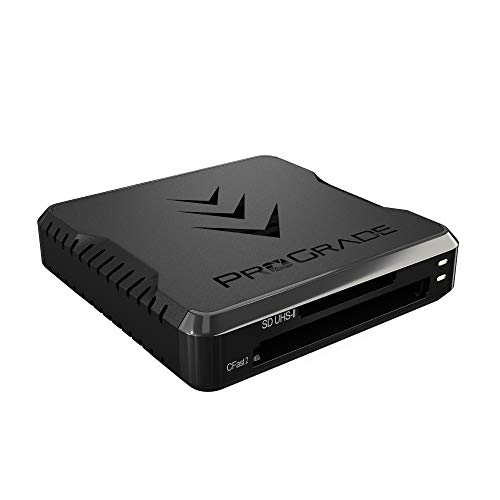
ProGrade Digital Dual Slot SD Card Reader — The Professional Benchmark
ProGrade Digital built its name on memory cards for professionals, and its dual-slot SD reader carries the same philosophy into the accessory: two slots, both built for UHS-II, in a rigid body designed to be stacked and used nightly without ceremony. In these reviews it is the benchmark against which other readers’ compromises become visible. Both cards from a mirrored dual-slot body mount together, offload together, and the ingest step that used to require supervision becomes a single unattended pass.
What owners consistently value is not drama but absence — absence of renegotiated connections, of slots that need a second push, of heat that makes you glance over. The reader simply holds up its end of the chain, night after night. Its trade-offs are equally clear: it is a premium-tier purchase, it is more reader than a UHS-I shooter can use, and its desk-oriented design is not the one you throw loose into a jacket pocket. Best for: working photographers offloading UHS-II card pairs as a nightly ritual. Not suited for: single-card UHS-I kits, where its second fast slot would sit permanently idle. Shooters building toward the newest media should also read the cfexpress card review to see where high-end workflows are heading.
Ownership notes from long-term users add texture the spec sheet cannot. The dual-slot layout quietly changes how cards are handled: because both cards mount together, the pair can be verified together, and the discipline of never formatting until verification passes becomes easy to keep — the hardware stops tempting you to clear one card while the other still copies. Owners also report that the reader’s stacking design, shared with ProGrade’s other format readers, produces the tidiest multi-format desks in this roundup for photographers whose kits straddle card generations. Its size, unremarkable on a desk, is the main reason it is not also the travel answer; in the bag, its owners tend to pair it with a pocket spare rather than ask it to be both.

SanDisk Extreme Pro SD UHS-II Card Reader — The Focused Single Slot
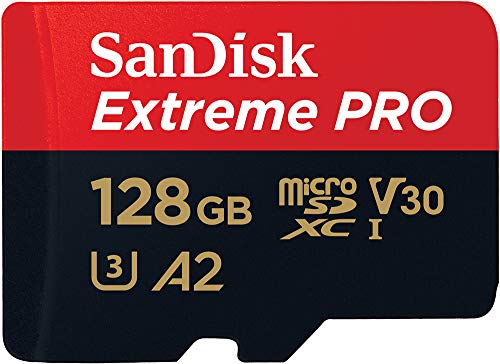
SanDisk’s Extreme Pro reader takes the opposite design brief from ProGrade’s — one slot, executed seriously — and for the large population of single-card shooters it is arguably the most sensible reader in this roundup. It supports the UHS-II bus, pairs naturally with the same brand’s cards that fill so many camera bags, and keeps a body small enough to live in a laptop sleeve without announcing itself.
The ownership experience is defined by focus. There is no second slot to wonder about, no format menu, nothing to configure: card in, files off, eject, done. Its limitation is the mirror of its virtue — the dual-card body owner will spend evenings feeding cards one at a time, and on a heavy event schedule that relay becomes the workflow’s slowest human step. Within its brief, though, it is the reader most likely to be recommended across a camera-store counter, and the recommendation is sound. Best for: single-card UHS-II shooters who want the fast bus without paying for slots they will never fill. Not suited for: mirrored-card workflows or mixed-format bags.
Long-term owners of the SanDisk reader tend to describe it with the vocabulary of good tools rather than gadgets: it lives where it was put, it works when it is picked up, and it has never been the subject of a story. That uneventfulness is the review. One practical note recurs — because it is small and cable-dependent like all its kind, owners who treat the cable as part of the reader, storing them together, report none of the “dead reader” scares that trace back to a swapped charge-only cable from a drawer. The reader was fine; the chain was not, which is this roundup’s refrain in miniature.

Lexar Professional Multi-Card Reader — The Mixed-Kit Answer
Lexar’s Professional multi-card readers exist for the desk that serves more than one generation of camera. An SD body beside an older body, a drone beside a stills camera, a household where several card families circulate — these kits accumulate dongles the way kitchens accumulate adapters, and a multi-format reader consolidates them into one dock with SD at its heart.
The reviews verdict on multi-format designs is always conditional, and Lexar’s is the strong version of the condition: the consolidation is genuinely convenient, the build is professional rather than novelty-grade, and the SD performance does not feel like an afterthought bolted onto a novelty hub. The costs are size — this is a desk resident, not a pocket item — and the simple fact that unused slots are pure overhead for the many shooters whose bags hold SD alone. Best for: mixed-format kits and shared desks serving several cameras. Not suited for: SD-only minimalists, who should buy a focused reader and a smaller bag. If your transition is toward newer media entirely, weigh is a cfexpress card worth it before investing further in legacy formats.
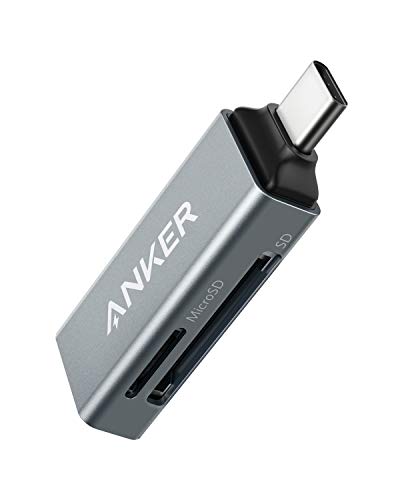
Anker USB-C SD and microSD Reader — The Everyday Carry
Anker’s little USB-C reader is the entry-tier representative in these reviews, and it earns its place by covering the two slots most casual kits actually use — full-size SD and microSD — in a body small enough to be forgotten in a pocket until the moment it saves a trip. Drone pilots, action-camera users, and travellers are its natural owners, along with every photographer wise enough to carry a spare reader against the day the main one is left at home.
Judged within its tier, it does its job honestly: everyday cards offload without fuss, the connector is the modern USB-C found on current laptops, and the whole thing asks nothing of its owner. Judged outside its tier, its limits are plain — it is not the reader to feed a UHS-II workflow at full pace, and it is not built to be a desk’s nightly workhorse for a decade. Both judgements can be true, and holding them together is what a review is for. Best for: microSD-heavy kits, travel spares, and light everyday offloads. Not suited for: UHS-II professionals or anyone offloading large video cards nightly.

Apple USB-C to SD Card Reader — The Ecosystem Default
Apple’s own reader appears in these reviews as the baseline many owners start from: a simple single-slot SD reader, bought alongside a laptop, finished to match it, and entirely adequate for UHS-I cards and unhurried offloads. There is nothing wrong with it within that brief, and its predictability inside Apple’s ecosystem is a real comfort — it behaves exactly as the operating system expects, every time.
Its role in the roundup is to define the upgrade triggers. Move to UHS-II cards and this reader becomes the ceiling on your transfers. Move to a dual-card body and its single slot becomes your evening’s bottleneck of patience. Either move is the signal to step up to the SanDisk or ProGrade above. Until then, owners lose nothing by keeping it — a point our value analysis in is an sd card reader worth it develops from the budget side. Best for: Apple laptop owners with UHS-I cards and light needs. Not suited for: UHS-II media or multi-card workflows.

UGREEN USB-C SD Card Reader — The Sensible Middle
UGREEN has built a following by occupying the sensible middle of accessory tiers — better finished than the no-name crowd, priced in spirit below the professional badges — and its USB-C SD readers represent that middle in this roundup. For hobbyists who offload weekly rather than nightly, and for households where the reader serves cameras, drones, and the occasional trail camera alike, this tier is often the honest sweet spot.
The review judgement is straightforward: you give up the professional readers’ absolute build confidence and dual fast slots, and in exchange you get a competent, tidy tool that matches most real kits. The ownership discipline matters more at this tier — treat it gently, keep its slot clean, eject religiously — because mid-tier hardware rewards care and punishes the bag-bottom life sooner than the premium bodies do. Best for: weekly hobbyist offloads and mixed household kits. Not suited for: nightly professional volume or rough travel without a case.
The Bus Question in Depth: Why UHS-II Dominates These Reviews
No technical idea matters more in this roundup than the card bus, because it silently decides which readers can even compete for your money. SD cards speak to the world through contacts on their back. UHS-I cards carry a single row, and that row defines a bus with a fixed ceiling on how fast data can move. UHS-II cards add a second row of contacts, and that second row carries the additional lanes that let fast cards run at their full character. The card’s own controller and memory set how close to the ceiling it gets, but the ceiling itself is architectural — it cannot be negotiated, upgraded, or wished away.
A reader participates in this by the contacts inside its slot. A UHS-II reader’s slot reaches both rows; a UHS-I reader’s slot physically cannot touch the second row, so a UHS-II card inserted into it is spoken to in the older language and performs accordingly — correctly, reliably, and at a fraction of its capability. Nothing warns the user. There is no dialog box saying your premium card is idling; there is only a transfer that feels oddly patient. This silence is why these reviews repeat the contact check so insistently: turn the card over, count the rows, and you know which reader tier is even eligible for your kit.
The port at the computer end plays the same gatekeeping role one link further along. A reader speaking a fast bus into an old or heavily shared port is a fast conversation forced through a narrow door. Modern USB-C ports on current laptops generally give a good reader room to work; older ports, and hubs loaded with drives and docks, ration it. When owners report that a well-reviewed reader underwhelms, the post-mortem most often finds the port or the hub — the reader was reviewed honestly, but the chain it joined was not the chain the reviewer used. Judge your own chain before judging any reader in this roundup.
There is a forward-looking wrinkle too. The very fastest current cameras have moved beyond SD entirely to newer card families, and readers exist for those as well; photographers planning a body upgrade should think about card ecosystems as a whole rather than optimising one link. That is the spirit in which this roundup cross-references the newer-format coverage — the reader decision you make this year should not strand you when the camera decision arrives next year.
Sustained Transfers, Heat and the Long-Copy Test
Short transfers flatter every reader. A few hundred stills move in a burst that ends before controllers warm, before marginal cables misbehave, before a nearly full destination drive starts hunting for space. The long copy — a card or two of continuous video, the kind shot at events, ceremonies, and documentary days — is the test that separates this roundup’s tiers, because it converts every weakness from theoretical to scheduled. Heat builds in the reader’s controller and in the card itself; electronics respond to heat by easing their pace; and a reader with nowhere for warmth to go will either slow or, in the worst designs, let go of the connection entirely near the end of the copy, which is the cruellest moment to fail.
Metal-bodied readers handle this test with a structural advantage: the body itself is a heat sink, spreading warmth across its surface and radiating it away. Compact plastic readers are not automatically disqualified — many manage their thermals honestly at the speeds everyday cards sustain — but a pocket reader asked to run back-to-back video cards on a hot location is being asked to work outside its design brief. The professional habit visible across these reviews is tier-matching by duty: the reader that handles the longest copies you shoot should be the reader built for sustained work, and the pocket reader should be the spare and the travel companion, not the marathon runner.
Destination drives share this test. A long copy landing on a drive that is nearly full, or on the same drive your editing software is indexing, slows for reasons that have nothing to do with the reader — and owners misdiagnose it constantly, replacing innocent readers while the real bottleneck keeps its job. Before any reader in this roundup is blamed for a slow long copy, copy the same card to a different, emptier drive through a direct port. The comparison takes minutes and has acquitted more readers than any other experiment in computing.
The multi-format proposition deserves one more honest paragraph, because its value compounds in a way single-format owners underestimate. Every card family in a household eventually produces a “can you get the files off this?” moment — a relative’s older camera, a dashcam, a recorder — and the desk with the multi-format reader answers all of them without a drawer excavation. That household-hub role, unglamorous and genuinely useful, is why Lexar’s design keeps a place in this roundup even for readers whose own kit is SD-pure: the desk serves more than the desk’s owner.
Strengths and Trade-Offs of the Field as a Whole
Strengths
- A reader for every real workflow: dual-slot professional, focused single-slot, multi-format, and pocket tiers each map cleanly onto recognisable kits — nobody needs to buy a compromise.
- Mature, driver-free operation: every reader here is plug-and-play on current systems, so the choice is about hardware character, not software roulette.
- Cheap insurance at every tier: even the premium end of this category costs little against the value of the images it protects, and a spare reader is among the cheapest workflow insurance sold.
Trade-Offs
- Bus mismatch is silent: no reader in this roundup will warn you that your card is running below its bus — the fallback is quiet, and owners must learn to check contact rows themselves.
- Premium buys durability, not magic: the top tier does not make a given card faster than a competent mid-tier reader does; it buys slots, build, and calm under repetition.
- Every reader is one more cable: the category as a whole adds a dongle to the bag, and laptops with a proper built-in slot of the right bus remain the zero-carry ideal.
One scenario deserves explicit treatment because it decides many real purchases: the first reader bought alongside a first serious camera. The temptation is to buy the flagship reader to “future-proof” the kit, but the logic of the chain argues the opposite. A new photographer’s cards are almost certainly UHS-I, their body almost certainly single-slot, and their offloads modest — a profile the mid-tier serves completely. The premium reader bought on day one delivers no benefit the mid-tier does not, and the money difference buys a second card, which delivers backup safety the reader cannot. Future-proofing is real only when the future is scheduled: if a UHS-II body is genuinely arriving this season, buy for it; if it is a someday, buy for today and let someday’s readers — which will be better and no dearer in spirit — be someday’s purchase.
The mirror scenario is the experienced shooter upgrading cameras and forgetting the reader entirely. The new body writes faster cards, the cards arrive, and the old reader — perfectly healthy, perfectly obsolete — quietly caps every transfer at the old bus while the owner blames the new cards. Kit upgrades are system upgrades. When the camera changes, audit the whole chain in the same week: cards, reader, ports, destination drive. The reader is the cheapest link in that audit and the most commonly forgotten, which is precisely why this roundup exists in the shadow of our camera and card coverage.
How to Choose Among Them: A Buying Guide in Miniature
Start with your cards, not with the readers. Turn your fastest card over: a second row of contacts means UHS-II, and UHS-II ownership is what justifies the SanDisk or ProGrade tier. One row means any reader here serves you, and the choice drops to slots and size. Next, count the cards a shooting day produces and whether they arrive in mirrored pairs — pairs argue for dual slots with a force that no other feature matches. Then survey the bag for other card families; genuine multi-format ownership is the only honest argument for the Lexar style, and aspiration is not ownership.
Then examine the computer end with the same honesty. A reader is only as good as the port it reaches, and a premium reader dangling from a congested hub performs like a budget one. If your laptop’s ports are few and shared, budget attention for the connection — a direct port for offload nights — before budgeting for reader tiers. Finally, decide where the reader lives. Desk readers can be larger and dual-slotted; travel readers should be small, cased, and ideally duplicated. Our step-by-step companion, how to use an sd card reader, shows the routine these readers slot into, and our card guides — the best and fastest sd cards for photography — complete the other half of the system.
Worked examples sharpen it. A wedding photographer with mirrored UHS-II cards: ProGrade, without a serious rival in this list. A travel photographer with one UHS-II body and a drone: the SanDisk for the desk, the Anker as the bag spare for both card sizes. A family desk with two camera generations and a trail camera: the Lexar or the UGREEN, chosen by how nightly the use really is. An Apple-centric hobbyist with UHS-I cards: keep the Apple reader until the cards change, then re-read this page.
Travel, Spares and the Two-Reader Strategy
Ask experienced travelling photographers how many readers they carry and the common answer surprises newcomers: two. Not because readers fail often, but because the failure that matters is total — a reader left in a hotel room, crushed in a bag, or simply dead on arrival at a location where no replacement exists turns a card full of work into a hostage. The two-reader strategy pairs a primary chosen from the serious end of this roundup with a featherweight spare of the Anker type, kept in a different bag. The spare is not expected to be fast or luxurious; it is expected to exist.
Travel also reframes the cable question. A reader with a captive cable can never be separated from its lifeline by a packing oversight; a reader with a detachable cable shares its cable standard with the rest of a modern kit, so a lost cable is replaceable from the same pouch that holds phone and camera cables. Either philosophy works if it is chosen deliberately. What fails travellers is the accidental setup — the proprietary cable left coiled at home because it looked like a spare. Whichever reader tops your list, pack its cable the night before, in the bag, as part of the reader itself.
Hotel-desk reality adds one more criterion these reviews weighed: tolerance of awkward power and ports. Location offloads happen on tired laptops running on battery, through ports at odd angles, on surfaces that wobble. Readers with short, stiff cables lever themselves out of shallow ports; readers with heavy bodies dangle from vertical ports and strain their own connections. The readers that travel best are light, short-cabled, and indifferent to orientation — another reason the pocket tier, whatever its speed limits, keeps its place in professional bags alongside the benchmarks.
What Breaks First: A Field Guide to Reader Wear
Readers rarely die dramatically; they fade, and the fading has a recognisable order. First to go, usually, is the cable at its strain relief — the point where cable meets body flexes with every packing and every desk rearrangement, and conductors fatigue invisibly inside intact-looking insulation. The symptom is positional: the reader works when the cable rests one way and drops when it rests another. Detachable-cable designs turn this death into a cable replacement; captive designs turn it into a reader replacement, which is worth remembering at purchase time.
Second comes the slot. Its contacts are springs, and springs soften; its guides wear, and cards begin to sit fractionally less true. The symptoms are the reseat rituals — a card that mounts on the second push, a fast card that occasionally mounts slow because its second contact row met a tired spring. Third comes the connector at the computer end, loosened by a thousand insertions until a desk bump becomes a disconnection. None of these failures announces itself in advance except through the behaviour changes these reviews keep naming: mounting that needs coaxing, connections that drop, heat that grows. The professional response is uniform — replace at the pattern, not at the catastrophe — because the catastrophe is scheduled, with grim humour, for the card that matters most.
There is one wear item owners cause themselves: the dirty slot. A reader carried loose in a bag ingests lint, grit, and the occasional crumb, and every card inserted afterwards drags that debris across both sets of contacts. Cased storage is not fussiness; it is the cheapest maintenance in this entire roundup. Compressed air, a visual check under a bright light, and a case or cap will extend any reader’s honest service more than any other habit — short of the eject discipline, which protects not the reader but everything the reader exists to serve.
Care and Safety Rules Every Owner in These Reviews Shares
Whichever reader you choose, the same disciplines protect your files. First and always: eject or unmount the card in the operating system and wait for confirmation before removing it. A card pulled mid-write — and the system writes more often than you see, finishing copies and updating file systems in the background — can corrupt its file system and strand every file on it, including ones that copied cleanly an hour earlier. This single habit prevents more data loss than every other practice combined.
Second, verify what matters. For paid or irreplaceable work, offload with tools that confirm copies by checksum, and do not format a card until the verified copy also exists in a second location — the drives in the best external hard drives for photography are where verified files should land. Third, keep contacts clean and dry: cards in cases, readers capped or pouched, no wet or gritty card ever inserted. Fourth, read behaviour changes as retirement notices. A reader that runs very hot, drops connections mid-transfer, or needs repeated reseating is not having a bad week; it is ending its service, and replacing it early is the cheapest data-protection decision in photography.
Desk Readers and Bag Readers Are Different Jobs
A pattern runs through every verdict in this roundup, and naming it helps buyers who feel torn between finalists: the desk job and the bag job reward different virtues. The desk job rewards slots, build, and thermal calm across nightly volume; it does not punish size or weight at all. The bag job rewards smallness, cable forgiveness, and indifference to being packed badly; it punishes bulk and rewards being cheap enough to duplicate as a spare. Readers fail their owners most often when they are hired for the wrong job — a pocket reader asked to run a studio’s nightly ingest, or a dual-slot benchmark expected to vanish into a jacket.
Many photographers therefore end up owning one of each, and these reviews regard that as the category’s natural end-state rather than extravagance. The combined cost of a serious desk reader and a pocket spare remains small against a single camera body, and the pairing covers the full map of real use: the benchmark for the nightly ritual, the featherweight for everywhere else. If your budget forces one purchase today, buy for the job you do most — and know which second purchase the other job is quietly queuing.
How to Read Any Card Reader Review, Including This One
Close with a transferable skill: how to read reviews in this category without being misled, by this page or any other. Discount any review that ranks readers by a single burst-speed test with one card — it measured the card. Look instead for evidence about sustained transfers, about behaviour with the reviewer’s actual card bus, about the port and cable used, and about weeks of ownership rather than an afternoon. Weight complaints about dropped connections and heat far above complaints about pace, because pace belongs to the chain while stability belongs to the reader. And hold every verdict, including ours, against your own contact rows, your own ports, and your own card count — the review that matters is the one your kit writes.
microSD Across the Roundup
MicroSD has become the second card of modern kits — drones, action cameras, audio recorders, and handheld consoles all feed on it — and the readers here handle it three ways. The Anker carries a dedicated microSD slot, which is the cleanest arrangement: no adapter, no extra contacts, nothing to lose. The larger readers generally expect microSD to arrive in a full-size adapter, which works but adds a contact interface and a small, losable intermediary to every offload. And some kits sidestep the question by dedicating a pocket reader to microSD duty entirely.
The review position is practical. Occasional microSD offloads forgive the adapter route completely. Weekly microSD work deserves a native slot, because adapters wear, wander, and occasionally seat a card imperfectly enough to produce the slow, flaky behaviour owners then blame on the card. Either way, the small card obeys the same laws as its big sibling: eject before removal, keep its contacts clean, and never trust a copy of irreplaceable footage until it is verified — the disciplines scale down even when the card does not feel like it should need them.
The Verdict Matrix: Matching Reader to Owner
Compressed to its essence, the roundup sorts owners rather than products. The professional with mirrored UHS-II cards belongs to ProGrade. The single-card UHS-II shooter belongs to SanDisk. The multi-generation desk belongs to Lexar, the careful household to UGREEN, the traveller and drone pilot to Anker — usually as a second reader beside a desk primary — and the contented UHS-I Apple owner to the reader already in the drawer, until the cards say otherwise. Every mismatch in that matrix is a small, recurring tax on an evening; every match is a transfer step that disappears. That disappearance, repeated nightly, is the entire prize this category offers, and it is worth the one careful decision these reviews ask of you.
Final Verdict
Sorted by fit, the field is clear. ProGrade’s dual-slot reader is the professional benchmark for UHS-II pairs. SanDisk’s Extreme Pro is the focused single-slot for one-card shooters. Lexar’s multi-format design tidies genuinely mixed kits, UGREEN serves the sensible middle, Anker’s pocket reader covers travel and microSD duty, and Apple’s own reader remains a fair baseline until your cards outgrow it. None of them can make a slow card fast or a slow port quick — the chain rules every verdict — but matched to your cards and used with eject-and-verify discipline, any of them will make the transfer step the least interesting part of your photography, which is exactly what it should be.
A final purchasing note applies to every reader in this roundup: buy the reader and its storage together. A small hard case or pouch, bought in the same order, will do more for the reader’s lifespan than any warranty, because the slot contamination and cable fatigue that end most readers’ service both happen in bags, not on desks. Treat the case as part of the product, the spare as part of the system, and the eject habit as part of the purchase — and the reader you choose from this page will likely still be serving, unremarked and unremarkable, when the camera it was bought for has been replaced twice over.
Households deserve a sentence of their own in these reviews, because the family reader lives a harder life than the professional one — it serves school projects, holiday cameras, a parent’s drone, and a teenager’s recorder, inserted by hands of every size and care level, and stored wherever it was last dropped. For that duty, the mid-tier readers earn a specific recommendation: choose the design with the most forgiving slot and the fewest small accessories to lose, keep it in a labelled drawer rather than a bag, and accept that it is a consumable with a multi-year fuse rather than an heirloom. The household that treats its reader this way will replace it rarely and miss it never — which, for a shared tool, is the whole definition of good.
Students and beginners on strict budgets can read this roundup with a simpler filter: any reader here that matches your card’s bus will serve a course, a hobby, and a first portfolio without complaint, and the entry tier exists precisely so that the reader never has to be the purchase that crowds out a card or a drive. Buy the honest cheap reader, form the eject habit from the very first offload, and upgrade only when your cards or your card count outgrow it — by then you will know exactly which tier your work has earned.
What a Careful First Week With a Sd Card Reader Reveals
Compare what the listing promised with what the box actually contained, item by item, and treat any mismatch as a reason to pause before the return window closes. Think about storage for the accessories this sd card reader brings with it, so spare parts and tools end up in one known place instead of scattered across drawers. Write down the oldest and the newest device you expect this sd card reader to work alongside, because compatibility problems usually appear at the edges of a setup rather than in the middle of it. Think about the longest session you realistically run, not the average one, since heat, noise, clutter and small annoyances all grow more noticeable over time.
As a concrete listing check, take the ProGrade Digital Dual Slot SD card reader and the SanDisk Extreme Pro SD UHS-II card reader named earlier in this article and confirm, line by line, that each variant offered matches the size, connection and contents described for it here. Notice how the sd card reader behaves when you are tired or in a hurry, since products that demand perfect technique tend to fail exactly when you have least patience. A calm final test is to walk away mid-task, come back later, and see whether the setup still makes sense at a glance without reconstructing what you were doing. Notice the small sounds, lights and movements during normal use, because those everyday details decide whether a sd card reader feels settled or constantly demands attention. The strongest sign in a hands-on check is consistency: the same input should produce the same result on the first attempt and on the twentieth.
Ask whether the benefit you want survives your least favourite conditions, such as low light, a crowded desk, a warm room or a rushed start to the day. Keep the packaging and any small adapters, feet, brackets or fasteners together until the sd card reader has survived a full week of ordinary use in its final position. Keep the instructions somewhere you can find them months later, since the setting or step you skip today is often the one a future problem sends you hunting for. Take a quick photo of the working setup before you change anything, so cable routes, positions and settings can be restored exactly if the new arrangement disappoints.
When something behaves oddly, return to the basics first: power, connection, position, cleanliness and the last setting you changed, in that order, before assuming a fault. Check the connection points you rely on every day, and note which ones are already occupied, shared or awkward to reach once furniture is back in place. Note the moment you first had to think about the sd card reader instead of your work, since that moment usually reveals more than any summary of features can. Give a new sd card reader a fair trial in the position it was bought for before improvising workarounds, since many early complaints disappear once placement is corrected. Keep liquids, loose papers and anything that sheds dust or fibres at a sensible distance, unless the sd card reader was clearly designed to work right beside them.
Clean and inspect the area around a sd card reader on a simple schedule, since dust, loose fasteners and tangled leads cause many problems that get blamed on the product itself. When a specification is stated in unfamiliar terms, translate it into your own routine: how long, how often, how far, how loud in practice, before letting it sway you. Leave a little headroom in every direction that matters, whether that means physical space, connection capacity, adjustment range or simply time to do a task properly.
Decide in advance what good enough looks like for your use, so a minor cosmetic flaw does not distract you from performance that genuinely meets the brief. A fair test repeats the same task at least twice, once while you are paying attention and once while you work normally, because concentration can hide clumsy design. Allow a short settling period for your own habits to adapt, but set a firm date to decide, well inside the return window, whether this sd card reader has earned its place. Measure the place where a sd card reader will actually live, including the clearance you need to reach cables, doors, trays, vents or controls without moving everything else first. Check the underside, back or hidden face of the sd card reader as part of your inspection, because labels, vents, switches and fasteners often live where first impressions never look.
Run one deliberately awkward task early on, the kind you usually avoid, and see whether this sd card reader handles your edge cases or only your easiest work. Look for the failure you would notice first if you chose badly: a port you cannot reach, a part that will not fit, a control you cannot see, or a routine that becomes slower instead of easier. Picture the busiest version of your week and ask whether this sd card reader still fits when other people, other tasks and other equipment compete for the same space. When you check a single sd card reader closely, work from the outside in: condition and finish first, then controls and connections, then behaviour during a real task from start to finish.
Frequently Asked Questions
Which sd card reader is best overall?
There is no honest single answer, because “overall” hides your cards. For UHS-II dual-card professionals, the ProGrade dual-slot reader is the benchmark. For single-card UHS-II shooters, SanDisk’s reader fits better and costs less in spirit. For UHS-I owners, nearly every reader here performs identically, and size and slots should decide. The best reader is the one whose bus, slots, and build match your actual kit — start from your fastest card and work outward.
Do more expensive readers transfer files faster?
Only when the cheaper reader was the bottleneck — for instance, when it lacked support for your card’s bus. Between two readers that both support your cards’ bus fully, transfers run at the card’s pace through either, and the premium price buys build quality, extra slots, calmer heat behaviour, and longevity instead of speed. Spend first on matching the bus; spend on premium tiers for durability and workflow, with clear eyes about which you are buying.
Why does my UHS-II card feel slow in my reader?
Work the chain. The reader may support UHS-II only in one slot, or not at all. The card may be seated so the second contact row never engages — eject, reseat firmly, retry. The cable may be a charge-oriented one, the port may be an older generation, or the destination drive may be the true limit. Change one link at a time, starting with reseating and a direct port connection, and the culprit usually identifies itself within minutes.
Is a dual-slot reader worth it for a hobbyist?
Only if the hobby produces card pairs or multi-card days. A hobbyist with one camera and one card gains nothing from a second slot and loses the pocketability of a small single-slot reader. The exception is the hobbyist whose camera writes mirrored backups for safety — that pair-offload convenience is real at any level. Buy for the cards you actually bring home, and let keen amateurs with single cards spend the difference on a second card instead.
How long should a card reader last?
Years, if it is decently built and decently treated — but judge by behaviour, not birthday. A reader that still mounts instantly, holds connections through long transfers, and runs no hotter than it did when new is a reader still in service. One that has begun dropping transfers, needing reseats, or running very hot should be replaced immediately regardless of age, because its next failure is scheduled for your most important card.
Can a card reader damage my memory card?
A healthy reader cannot; it only reads and writes through the card’s own controller. The realistic dangers are indirect: a reader with damaged slot contacts can score a card’s contacts over repeated insertions, and — far more commonly — a card removed without ejecting corrupts its own file system with the computer’s help. Keep slots clean, insert cards straight and fully, eject before removal, and the reader-card relationship stays harmless for the life of both.
Related Reading
Go deeper with our sd card reader review, learn the routine in how to use an sd card reader, and check the card side of the system in the best sd cards for professional photography.