A smartwatch with eSIM is really two products wearing one name. The first is a watch: time, notifications, health tracking, apps. The second is a tiny phone that lives on your wrist, able to place a call, answer a message or stream music while your actual phone sits in a drawer at home. Plenty of watches advertise the first product. Far fewer deliver the second, because the second depends on a cellular radio, an embedded SIM provisioned by a carrier, a compatible phone and a plan structure that ties the two devices together. This guide is about that second product. Every pick below is a watch whose maker sells a true cellular version, and every comparison returns to the same axis: how the connection works, what it demands, and what it costs in battery and flexibility.
A quick note on how this page works before the picks: this article contains affiliate links, and if you buy through one of them this site may earn an affiliate commission at no extra cost to you. That income keeps guides like this one free to read, and it never changes which products get picked. Every watch below earned its place on its manufacturer’s published specifications, its documented carrier support and its honest fit for a stated kind of buyer, not on any commercial arrangement. The research behind the guide is documentary: spec sheets, carrier support pages and plan terms, read carefully and compared like for like.
The single most common buying mistake in this category is not choosing the wrong watch. It is choosing the right watch in the wrong version. Almost every model below also exists as a GPS-only or Bluetooth-only twin that looks identical, carries a near-identical listing title, and cannot make a call without a phone nearby. Marketplaces merge these variants into one product page with selectable options, and the cellular version is only one of those options. So this guide treats variant discipline as a feature in itself: for each pick, the exact cellular configuration is named, the GPS-only twin is flagged, and the buyer’s checklist starts with confirming that the unit in the basket is the connected one. A cellular watch bought wrong is just an expensive regular watch.
The six picks divide along the lines that actually govern ownership. Two are Apple Watches, because the iPhone allows nothing else. Two are Samsung’s, the default cellular line for Android. One is Google’s, built for Pixel owners. And one is Garmin’s, which takes the whole idea of wrist connectivity somewhere the carriers do not reach. Between them they cover every realistic way a buyer in the United States can put a phone line on a wrist today — including, in Garmin’s case, the honest exception that proves what the others are really selling.
It helps to picture the moments this purchase is actually for, because they are narrower and more specific than the marketing suggests. A run with music and a safety line, and no phone bouncing in a pocket. A school morning where a child needs to be reachable but not yet handed the open internet. A worksite, a pool deck, a fishing boat, a festival crowd — the places phones get left in lockers, bags and cars, or simply forgotten on the kitchen counter. In each scene the watch is not a smaller phone; it is the phone’s reach, extended to a wrist. The picks below are ordered by the ecosystem they belong to rather than by any single ranking, because the ecosystem decides first, and the differences that remain after that decision are the ones worth arguing about.
What to look for in a smartwatch with eSIM
eSIM, and why there is no SIM tray to find
An eSIM is a SIM card that exists as a chip soldered inside the device rather than a plastic card in a tray. The carrier writes your line’s credentials onto that chip over the air during activation, usually through the watch’s companion app on your phone, sometimes with a QR code. Every watch in this guide works this way: none of the six has a SIM tray, and none accepts a physical nano-SIM in its United States configuration. That has two practical consequences. First, activation is a software errand, not a hardware one — you add the watch line in an app, and the carrier provisions it in minutes when everything goes smoothly. Second, the watch is bound to carriers that support its specific eSIM implementation. A phone can be unlocked and moved between networks with a card swap; a watch moves only where its maker’s carrier agreements and its radio bands let it.
This is also where international variants deserve suspicion. Some watches sold in other regions — certain Chinese-market models most famously — use a physical nano-SIM, a regional eSIM standard, or a band set that omits frequencies United States carriers rely on. An imported unit can be a perfectly good watch that will never activate on a US watch plan, or that activates and then roams poorly. The listing title rarely explains any of this. For a connectivity-first purchase, the region of the SKU matters as much as the model name, and each pick below notes where that trap sits.
Carrier support comes before the watch
A cellular watch is only as connected as its carrier agreement. In the United States, the three national carriers — AT&T, T-Mobile and Verizon — all sell watch plans for the major watch families, but support is granted per watch line, not per category. Apple Watch cellular models are supported by all three, as are Samsung’s Galaxy Watch LTE models and Google’s Pixel Watch LTE models. Garmin’s connected watch, as its section explains, is supported by none of them, because it does not use a carrier line at all. The check that matters is boring and essential: confirm your carrier lists your exact watch family on its smartwatch plan page before buying, because a watch bought first and checked later can turn out to be an island.
Prepaid and smaller carriers deserve a harder look. Most low-cost brands historically could not host a watch line at all, and while a few have added Apple Watch support in recent years, support for Android watches on prepaid plans remains patchy to nonexistent. If your phone line lives on a small carrier, the watch decision may force a phone-plan decision too — either moving the phone line to a carrier that supports your watch, or accepting a watch that only connects through the phone. Neither answer is wrong, but the time to learn which one you are living with is before the purchase, not during activation, when the error messages are least informative.
how to choose a green screen backdrop
Number sharing versus a standalone number
Most watch lines in the United States are not independent phone lines. They are extensions. Through services each carrier brands differently — AT&T calls its version NumberSync, T-Mobile builds it on DIGITS, Verizon calls it Number Share — the watch borrows your phone’s number. Calls to your number ring both devices; calls from the watch show your number; texts follow the same path. For most buyers this is exactly right: the watch is a way to stay reachable as yourself while the phone stays home, and nobody needs to learn a second number for you. Number sharing requires the phone line and the watch line to live on the same carrier account, which is one more reason the carrier check comes first.
The alternative is a standalone line, where the watch receives a number of its own. Apple supports this most completely through Family Setup: a cellular Apple Watch can be configured for a family member who has no iPhone of their own, given its own number, and managed from a parent’s phone. It is the standard route for children’s watches and for watches given to older relatives. Standalone options exist in narrower forms elsewhere — some carriers will sell a standalone watch plan for Android watches, with more restrictions — but the breadth of the feature differs sharply by platform, and the pick sections below say plainly which watches can live on their own number and which can only ever be an extension of a phone.
Activation day: how the line actually gets onto the watch
Because there is no card to insert, activation is a short software ceremony, and knowing its steps in advance turns most failures into detours. The pattern is the same across Apple, Samsung and Google: the companion app on the phone offers to set up cellular, hands the buyer to the carrier’s sign-in, the carrier adds the watch line to the account and provisions the eSIM, and the watch registers on the network a few minutes later. Two steps in that ceremony deserve attention. The first is identity: the carrier account holder’s credentials are required, so a watch bought as a gift often cannot be fully activated by its recipient alone. The second is the registered service address. Carriers ask for a street address attached to the watch line, used to route emergency calls made over Wi-Fi; it should be the place the watch actually lives, and it can be updated when the wearer moves.
The failures that do occur cluster in predictable places. A phone line on an incompatible plan tier, a carrier account with a block on new lines, a watch whose previous owner never removed their line — the used-market version of this trap, and a real one, since a second-hand cellular watch can arrive still provisioned to a stranger’s account until that line is released. Buyers of used cellular watches should confirm the seller has cancelled the watch line and unpaired the device, and should treat an activation that stalls at the carrier step as a provisioning problem to solve with the carrier, not a defect in the watch. Garmin’s Pro skips the ceremony entirely: its services activate against a Garmin account and plan, with no carrier involved at any step.
The phone in your pocket decides the watch
Cellular smartwatches are the most ecosystem-bound products in consumer electronics. An Apple Watch, cellular or not, pairs only with an iPhone; there is no Android activation path at any price. Samsung’s Galaxy Watch LTE models require an Android phone, and a handful of their health features are reserved for Samsung’s own Galaxy phones. Google’s Pixel Watch LTE requires an Android phone as well and leans on a Google account and Fitbit for its health side. Garmin’s watch is the freest of the six — it pairs with either phone platform — precisely because its connectivity does not run through the phone ecosystem at all. None of this is a flaw; it is the physics of the category. But it means the honest first question in this guide is not which watch is best. It is which phone you already own, because that answer eliminates most of the list before comparisons begin.
Buyers who follow voice platforms as closely as connections may also want our companion roundup of the best smartwatches with google assistant, which ranks many of these same watches by assistant and platform instead of by radio.
What LTE does to battery life
Every manufacturer battery figure in this guide is quoted for mixed use with the phone nearby for much of the day, and the reason is simple: a watch radio hunting for a tower and holding a cellular session is the most power-hungry thing a watch does. Streaming music over LTE, holding a call, or navigating with the phone absent drains a watch battery several times faster than the same watch idling on Bluetooth. Makers publish their endurance numbers honestly but optimistically, and the pick sections below translate each one into its realistic shape: how the watch behaves on an ordinary connected day, and how quickly a phone-free workout habit eats into it. The practical summary is that small watches are one-day devices when their radios work hard, the big Samsung Ultra is the exception that stretches toward several days, and Garmin plays a different sport entirely, measuring endurance in weeks because its radio wakes only for messages, calls and emergencies rather than holding a permanent carrier registration.
Roaming and travel with a watch line
The one place the connected-watch promise quietly thins is the border. Phone lines roam around the world as a matter of routine; watch lines historically did not roam at all, and support is still narrower than the phone’s. Apple and its carrier partners have added international roaming for cellular Apple Watch models on selected networks, so an iPhone traveller’s watch may keep its own connection abroad — but the carrier list and the plan terms decide, and they change. Samsung and Google watches roam in fewer arrangements still. In practice, most travelling watches spend most of their time doing what they do at home: leaning on the phone’s connection, which roams normally. The buyer whose plan for the watch involves leaving the phone in a hotel room in another country should read their carrier’s current watch-roaming terms before relying on it, and the buyer whose travel leaves coverage altogether is, once again, Garmin’s customer.
The variant trap: GPS-only twins, sizes and imports
One listing page for a popular watch can quietly contain multitudes: the GPS-only version and the cellular version, two case sizes, several case materials, a shelf of band options, and occasionally a prior generation at a tempting position in the options grid. The cellular hardware is one specific combination inside that grid. For Apple and Samsung watches the difference is also written into model numbers and, on Apple Watch, into the red ring on the Digital Crown of cellular models — a small physical tell worth knowing. The discipline this guide recommends is unglamorous: decide the exact configuration from the maker’s own page first, write down its full name including size, then match the listing option to that name word for word. Where a pick’s family includes a trap of its own — a non-Pro Garmin with no radio at all, a Galaxy Watch in a Bluetooth-only regional SKU — the pick section names it directly.
In this guide
The six picks at a glance
The table below compresses the connectivity facts that decide ownership. It is deliberately qualitative: the numbers that matter here are carrier names and plan structures, not benchmark scores.
| Watch | Phone it needs | Connection | Shares your number | Battery character | Best for |
|---|---|---|---|---|---|
| Apple Watch Series 11 GPS + Cellular | iPhone only | eSIM, LTE and 5G | Yes, all three US majors | About a day, per Apple | The complete iPhone cellular watch |
| Apple Watch SE 3 GPS + Cellular | iPhone only | eSIM, LTE and 5G | Yes, plus Family Setup standalone | About a day, per Apple | Kids, relatives, first cellular watch |
| Samsung Galaxy Watch 8 LTE | Android | eSIM, LTE | Yes, all three US majors | A day to a day and a half | The mainstream Android pick |
| Samsung Galaxy Watch Ultra LTE | Android | eSIM, LTE on every unit | Yes, all three US majors | Several days, per Samsung | Long days and outdoor use |
| Google Pixel Watch 4 LTE | Android | eSIM, LTE, satellite SOS | Yes, majors and Google Fi | About a day, per Google | Pixel owners wanting a safety net |
| Garmin Fenix 8 Pro | iPhone or Android | LTE-M and satellite via Garmin | No — Garmin Messenger identity | Weeks, per Garmin | Training beyond carrier coverage |
The picks in detail

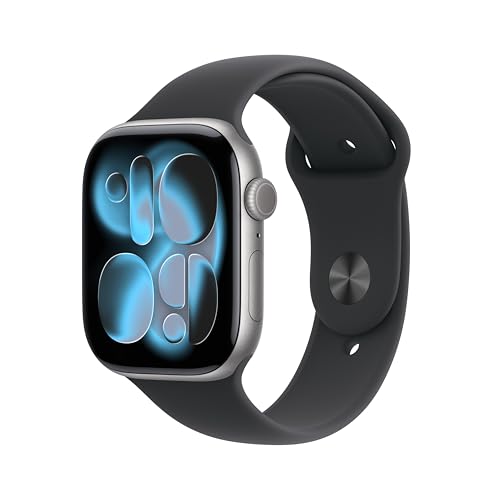
Apple Watch Series 11 GPS + Cellular — the default for iPhone owners
The Series 11 GPS + Cellular is the fullest expression of what a carrier-connected watch currently is, and for iPhone owners it is the reference against which the rest of this list is measured. Apple sells the Series 11 in two case sizes, 42 and 46 millimetres, in aluminium and in titanium, and the cellular configuration is its own model line rather than an activation trick: the GPS + Cellular version carries the eSIM radio, supports LTE and, new for this generation, 5G on supported carrier networks. Activation runs through the Watch app on the paired iPhone, where the carrier provisions the eSIM and links the watch to the phone’s number through its sharing service. AT&T, T-Mobile and Verizon all support the watch, and Apple’s published carrier list for the United States is the deepest in the category.
The ownership shape is the polished one. With number sharing active, the watch is a true extension of the phone: calls and messages arrive under your own number whether the iPhone is in your pocket or in another building, and the handover between Bluetooth, Wi-Fi and cellular is handled without the wearer thinking about which radio is carrying the conversation. Apple publishes battery endurance of up to 24 hours for the Series 11 in typical use, a step up from the figure its predecessors carried for years, with a low-power mode stretching considerably further. Treat that as a full waking day with the radio working normally; a long phone-free run with music streamed over 5G or LTE remains the fastest way to shorten it, as it is on every watch here.
The cellular identity is also visible, which helps at the buying stage: cellular Apple Watches carry a red ring on the Digital Crown, a physical tell that separates them from the GPS-only twin on a shelf or in a photograph. What the Series 11 cannot do is escape its platform. It pairs only with an iPhone, its line must sit on a carrier that supports Apple Watch, and the titanium and larger configurations widen the spread of what the same product name can mean in a listing. None of that diminishes the pick; it defines it. Within the iPhone world, this is the connected watch with the fewest asterisks.
One lifecycle point is worth knowing before the first activation. The eSIM profile lives on the watch, not in the account in the abstract, so changing carriers later means removing the old carrier’s plan from the watch and provisioning the new one — a few minutes in the Watch app when the new carrier supports the watch, and a genuine errand when the move also involves a new iPhone, since the watch pairs to one phone at a time and its line follows the pairing. Buyers who change phones or carriers often should treat this as routine maintenance rather than a defect: it is the price of a SIM that cannot simply be lifted out and carried across.
Strengths:
- True eSIM cellular with LTE and 5G, supported by all three national US carriers
- Number sharing through each carrier’s service, so the watch answers as your own number
- Apple publishes up to 24 hours of typical battery endurance, the strongest figure yet on the mainstream Apple Watch line
- The red-ringed Digital Crown makes the cellular version physically identifiable
- Family Setup is available on this model for a standalone line managed from a parent iPhone
Trade-offs:
- iPhone only — there is no Android pairing path at any configuration
- Two sizes and two case materials make listing options easy to confuse; the GPS-only twin sits in the same listing
- Sustained phone-free streaming or calling over cellular shortens the day considerably
- The watch line requires a carrier that supports Apple Watch; most prepaid brands still cannot host it
Who it suits: iPhone owners who want the complete cellular experience — calls, messages and streaming with the phone left behind — on the deepest carrier support in the category, and who will confirm the GPS + Cellular configuration and case size before buying.
If you carry an iPhone and want the most complete cellular watch its maker sells, in the size and case that fit your wrist, the Series 11 GPS + Cellular is the one to check price on Amazon.
Availability note: the current listing for this pick is a renewed unit, professionally inspected and restored rather than factory-new.

Apple Watch SE 3 GPS + Cellular — the family-setup route into cellular
The SE 3 GPS + Cellular exists for the buyers the flagship forgets: children who need a reachable wrist before they need a phone, older relatives whose family wants a simple line and fall detection on them, and adults who want a first cellular watch without flagship commitments. Apple builds the SE 3 in 40 and 44 millimetre aluminium cases, and the cellular version mirrors the flagship’s connectivity story in the ways that matter — an eSIM provisioned through the Watch app, LTE with 5G on supported networks, and support from the same three national carriers. This generation also closed much of the display gap, bringing an always-on screen to the SE line for the first time, so the budget model no longer looks like a compromise every time the wrist rises.
The feature that defines this pick is Family Setup, and it only exists on cellular models. A parent pairs the watch to their own iPhone but configures it for a family member; the watch receives its own number and its own line, works independently of any phone of its own, and reports into the parent’s device for location, contacts and controls. It is the cleanest standalone-watch arrangement sold in the United States today, and the SE 3 is its natural hardware: light, comparatively simple, and sized for smaller wrists in its 40 millimetre form. Used this way, the watch is not an accessory to a phone. It is a first phone, worn on a wrist, with a school-day mode and an approved contact list where a smartphone would have an open door.
Apple publishes up to 18 hours of battery endurance for the SE 3, with fast charging that returns a useful charge quickly — a practical pairing, since a child’s watch forgotten on a charger overnight is a watch that misses the school run. The trade-offs against the flagship are real but legible: a smaller health sensor set, no titanium case, and the same absolute iPhone dependency, doubled in Family Setup, where the managing phone must be an iPhone on a participating carrier. For its intended households, none of that outweighs what the pick is: the lowest-friction route to a genuinely independent wrist line in the Apple ecosystem.
Strengths:
- Full eSIM cellular with LTE and 5G, on the same three national carriers as the flagship
- Family Setup support: a standalone number for a child or relative, managed from a parent’s iPhone
- Always-on display arrives on the SE line with this generation
- 40 millimetre size suits smaller wrists, including children’s
- Fast charging softens the consequences of a forgotten overnight charge
Trade-offs:
- Apple publishes up to 18 hours of endurance, a shorter day than the Series 11
- Smaller health sensor set than the flagship line
- Family Setup requires a participating carrier and an iPhone to manage from
- The GPS-only SE 3 shares its listing; the cellular option must be selected deliberately
Who it suits: Parents setting up a first connected device for a child, families putting a simple line on an older relative’s wrist, and iPhone owners who want cellular independence at the gentlest commitment in Apple’s range.
If the watch is for a child, a parent, or your own first step into leaving the phone at home, the SE 3 GPS + Cellular is the version to check price on Amazon.

Samsung Galaxy Watch 8 LTE — the mainstream Android cellular watch
For Android owners, the Galaxy Watch 8 LTE is the standard answer to the cellular question, and its position comes from breadth rather than any single flourish. Samsung sells the Watch 8 in 40 and 44 millimetre sizes, in Bluetooth-only and LTE configurations, and the LTE version carries an eSIM that the three national US carriers all support. Activation runs through the Galaxy Wearable app on the paired phone, the carrier provisions the line, and number sharing ties the watch to the phone’s number through each carrier’s sharing service. The watch runs Wear OS with Samsung’s One UI Watch layer and the current generation of Google’s assistant services, so a phone-free wrist still answers messages, takes calls and handles the ordinary business of a connected day.
The platform terms need stating, because Samsung’s are layered. The Watch 8 LTE requires an Android phone; it will not pair with an iPhone. Within Android, a small set of Samsung health features — the ones routed through Samsung Health Monitor, such as ECG — ask for a Galaxy phone specifically, a restriction Samsung documents and buyers on other Android brands should know before they purchase. Everything about the cellular side, though, is brand-neutral: the eSIM, the carrier line and the number sharing work the same on a Pixel or any other recent Android handset as they do on a Galaxy. Battery endurance on Samsung’s published figures lands in the day-to-day-and-a-half territory with the always-on display managed sensibly, and drops fastest, as always, when the watch holds its own LTE session for calls or streaming with the phone left behind.
The variant discipline for this pick is the listing grid. Bluetooth and LTE versions of the Watch 8 share product pages, the two sizes sit a click apart, and Samsung’s naming does not shout the difference — the letters LTE in the configuration name are the whole signal. Regional SKUs add a second layer: Galaxy Watches sold for some other markets are Bluetooth-only or carry band sets meant for those markets, and an imported unit is a poor foundation for a US carrier line. Bought in its correct US LTE form, though, this is the Android cellular watch with the widest carrier welcome and the least experimental ownership in its class.
Activation holds one Samsung-specific wrinkle worth preparing for. Depending on the carrier, the eSIM may be provisioned entirely inside Galaxy Wearable or through a carrier-issued QR code scanned during setup, and a small number of carrier flows still begin on the carrier’s own website before the watch is involved. None of these paths is difficult, but they are different enough that a buyer following generic instructions for the wrong carrier can conclude the watch is broken when it is merely waiting for a different doorway. The carrier’s own Galaxy Watch setup page, for the carrier actually holding the phone line, is the only instruction set that counts.
Strengths:
- eSIM LTE supported by AT&T, T-Mobile and Verizon, with number sharing on each
- Works across recent Android phones, not only Samsung’s own
- Current Wear OS platform with a full assistant and app catalogue for phone-free use
- Two case sizes, with the larger carrying the longer day
- Activation and line management handled inside the Galaxy Wearable app
Trade-offs:
- No iPhone pairing; a small set of health features additionally requires a Galaxy phone
- Bluetooth-only and LTE versions share listings, and the naming difference is easy to miss
- Imported regional SKUs may lack US carrier support or bands
- Standalone-line options are narrower and more carrier-dependent than Apple’s Family Setup
Who it suits: Android owners — Galaxy phone owners first, but not only them — who want the mainstream cellular watch experience with all three national carriers open to them.
If you carry a Galaxy or another recent Android phone and want the standard-bearer cellular watch for that side of the fence, the Galaxy Watch 8 LTE is the one to check price on Amazon.

Samsung Galaxy Watch Ultra LTE — the big-battery Android flagship
The Galaxy Watch Ultra simplifies one part of this guide’s usual warning and complicates another. The simplification: every Galaxy Watch Ultra is an LTE watch. Samsung does not sell a Bluetooth-only Ultra, so the GPS-only twin that haunts the other picks does not exist here; any genuine Ultra carries the eSIM radio and can take a carrier line from AT&T, T-Mobile or Verizon with number sharing, activated through Galaxy Wearable like its smaller sibling. The complication is that the Ultra is a single large proposition — a 47 millimetre titanium case built for wrists and days that can absorb it — and that its endurance claims, while the strongest on the Android side, are published against usage patterns gentler than a week of phone-free training.
Endurance is the reason this watch exists. Samsung builds the Ultra around the largest battery in its watch line and publishes endurance of up to several days in typical use, extending much further in its power-saving mode — figures no other carrier watch in this guide approaches. For the cellular buyer, that headroom is not a luxury; it is what makes the radio usable. A watch that must choose between an LTE-connected afternoon and making it to bedtime has failed at its job, and the Ultra is the Android pick least likely to force that choice. It adds the outdoor hardware to match: a titanium case, sapphire glass, dual-frequency satellite positioning for route accuracy, and water resistance aimed at open-water swimming rather than splashes.
The platform terms are the Watch 8’s, unchanged: Android required, a few Samsung health features reserved for Galaxy phones, and the same warning about imported units, which for the Ultra carries an extra edge because grey-market stock of flagship watches is common and a foreign SKU’s bands and eSIM provisioning may not suit a US carrier. There is also only one size, and buyers with smaller wrists should treat that as a genuine filter rather than a detail. For the Android owner whose days are long, whose training is serious, or whose work keeps them away from chargers, the Ultra is the cellular watch that treats battery as the main event.
Strengths:
- LTE on every unit — no Bluetooth-only version exists to buy by mistake
- The strongest published endurance of any carrier watch here, stretching to several days
- Titanium case, sapphire glass and dual-frequency positioning for outdoor work
- Full number-sharing support across the three national carriers
- Power-saving mode extends the watch to expedition-length absences from a charger
Trade-offs:
- One large 47 millimetre size; small wrists need not apply
- Published endurance assumes typical use — heavy LTE and positioning shorten it like any other watch
- Android only, with the same Galaxy-phone reservation on a few health features
- Grey-market imports are common for this model; region and band checks matter
Who it suits: Android owners with long workdays, serious training loads or outdoor habits, who want a cellular watch whose battery is measured in days and who have the wrist for a large case.
If your runs, rides and workdays are long enough that a nightly charge is a genuine burden, the Galaxy Watch Ultra LTE is the Android cellular watch to check price on Amazon.

Google Pixel Watch 4 LTE — the Pixel owner’s watch, with a satellite in reserve
The Pixel Watch 4 LTE is Google’s most complete answer yet to the connected-watch question, and it adds one capability no other carrier watch in this guide offers: a satellite safety net. The watch comes in 41 and 45 millimetre sizes, in Wi-Fi and LTE configurations. The LTE version carries the eSIM, takes lines from the national carriers and from Google Fi — a carrier option the other Android watches here cannot match in the same integrated way — and supports number sharing so the watch answers as the phone’s own number. On top of that, Google equips the LTE model with satellite emergency messaging: when the wearer is beyond cellular coverage in the United States and an emergency demands it, the watch can reach emergency services through a satellite connection. It is a narrow feature with an enormous premise — the call for help that a dead zone would otherwise swallow.
The rest of the ownership shape follows Google’s platform logic. The watch requires an Android phone — Pixel phones integrate most tightly, but the requirement is Android rather than Pixel specifically — and runs Wear OS with Google’s assistant and Fitbit’s health platform carrying the tracking side. Google publishes battery endurance of up to 30 hours for the smaller size and up to 40 hours for the larger with the always-on display active, which frames the LTE version honestly: a full connected day, with the usual warning that phone-free calls and streaming over LTE spend that budget faster than any other habit. The two sizes also matter more than usual here, because the smaller watch’s shorter day is the price of its lighter case, and buyers choosing between them are really choosing a battery.
Variant discipline for this pick is the familiar grid with a Google accent: Wi-Fi and LTE versions share listings, the satellite feature belongs to the LTE model alone, and the size choice is entangled with band and colour options in the same selector. A buyer who wants the safety feature must land on three specifics at once — LTE, their size, their band — and the listing will not stop them landing on the Wi-Fi version instead. Verified carefully, the Pixel Watch 4 LTE is the pick for the Android owner who wants the mainstream carrier experience and one genuine extra: a way to call for help from the places carriers do not reach.
The satellite feature itself deserves a plain description, because it is easy to over-read. It is an emergency channel, not a messaging service: when the watch has no cellular signal, the wearer can start an emergency satellite session, answer a short guided questionnaire on the watch face, and have the report relayed to emergency services, with the wearer’s emergency contacts notified afterwards. It needs a clear view of the sky and a little patience while the watch finds and holds a satellite. Within those limits it is the real thing — a distress path from a trail, a ski slope or a stretch of rural highway where the LTE radio, on any watch in this guide, would simply find nothing.
Strengths:
- eSIM LTE with number sharing on the national carriers, plus integrated Google Fi support
- Satellite emergency messaging on the LTE model for coverage dead zones
- Google publishes up to 40 hours for the larger size with always-on display active
- Full Wear OS platform with Google’s assistant and Fitbit health tracking
- Two sizes let the buyer trade case weight against battery directly
Trade-offs:
- Android required; the satellite feature is exclusive to the LTE configuration
- The smaller size’s published day is meaningfully shorter than the larger one’s
- Wi-Fi and LTE versions share listings — the wrong twin is one click away
- Satellite messaging is for emergencies, not a general messaging channel
Who it suits: Pixel and other Android owners who want the standard carrier-connected experience, value Google Fi as an option, and like the idea that the watch can still call for help where no carrier can hear it.
If a Pixel phone is already in your pocket and you want its watch counterpart with satellite backup on the LTE model, the Pixel Watch 4 LTE is the one to check price on Amazon.
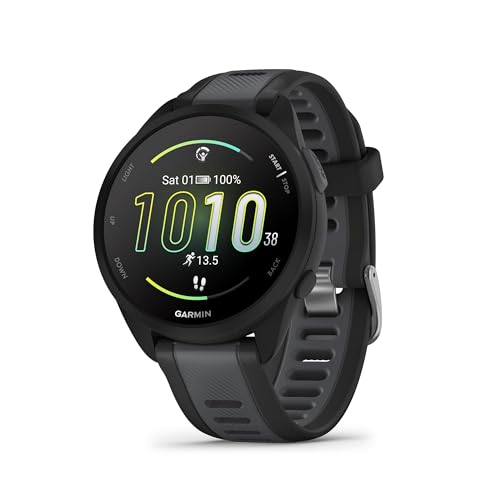
Garmin Fenix 8 Pro — satellite and LTE-M for leaving coverage behind
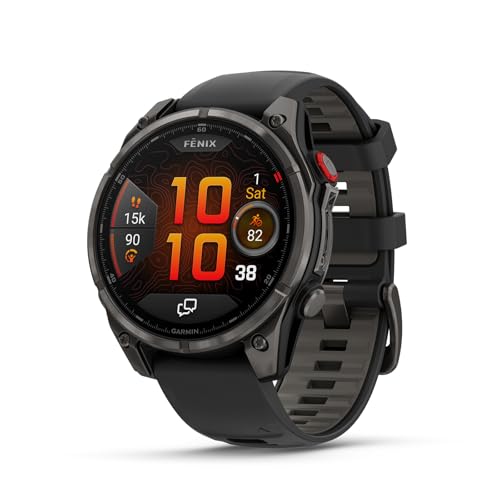
The fenix 8 Pro is in this guide as the honest exception, and its section has to begin with what it is not. It is not a carrier watch. No version of it takes a line from AT&T, T-Mobile or Verizon, it cannot share your phone’s number, and there is no carrier eSIM to provision. What Garmin builds into the Pro — and only the Pro — is a different communications stack: LTE-M, a low-power cellular standard, plus satellite messaging through Garmin’s inReach system, both running through Garmin’s own services and a subscription plan. Through the Garmin Messenger app, the watch can exchange messages and place voice calls using its own Garmin identity, share its location with contacts, and send an interactive SOS to Garmin’s emergency coordination centre from places where no carrier tower has ever stood. For the athlete whose map regularly runs off the edge of coverage, that is not a lesser version of connectivity. It is the only version that works there.
The variant warning for this pick is the sharpest in the guide. The standard fenix 8 — a large, popular, current watch — has no communications radio of any kind beyond its phone connection. Only the fenix 8 Pro carries LTE-M and satellite, and within the Pro line there are further divisions, including AMOLED models in 47 and 51 millimetres and a MicroLED flagship variant. A listing that says fenix 8 without the Pro is a listing for a watch that cannot do anything this guide is about. Garmin publishes smartwatch-mode endurance for the Pro in weeks rather than days — up to roughly two weeks for the 47 millimetre AMOLED model — because its radios sleep until a message, call or emergency wakes them; satellite sessions and LTE-M calls spend that reserve far faster, as physics insists, but the baseline is a different world from the nightly-charge carrier watches.
Ownership terms are correspondingly different. The watch pairs with either iPhone or Android, the freest arrangement here, because the phone is a companion rather than a lifeline. The subscription is the standing cost of the concept: the satellite and LTE-M services run on Garmin’s inReach plans, and a buyer should read the current plan tiers on Garmin’s site before purchasing, since messaging allowances and SOS terms live there rather than with any carrier. Judged as a phone replacement, the fenix 8 Pro fails on purpose. Judged as the watch that stays in touch from a ridgeline, a desert or an ocean passage — while also being the most serious training instrument in this list — it has no rival here at all.
The daily mechanics run through the Garmin Messenger app, and they set expectations correctly. Messages composed on the watch travel over whichever path is available — the phone’s connection when it is near, LTE-M where that network reaches, satellite when nothing else does — and the watch chooses without ceremony. Voice calls from the watch likewise run through Garmin’s service to contacts in the Messenger world rather than to arbitrary phone numbers dialled at will, which is the honest boundary of the system: it keeps a defined circle of people reachable, anywhere on the map, instead of pretending to be a telephone. LiveTrack sessions can share the wearer’s position with chosen contacts during an activity, so the safety story is continuous rather than only an emergency button. For buyers who understand that trade — a circle, everywhere, over a telephone, somewhere — the arrangement is not a compromise at all.
Strengths:
- Satellite messaging and SOS through Garmin’s inReach system, far beyond carrier coverage
- LTE-M messaging and voice calls through Garmin Messenger where low-power networks reach
- Published endurance measured in weeks, not days, in smartwatch mode
- Pairs with iPhone or Android — the only platform-free pick in this guide
- The most complete training and navigation instrument among the six
Trade-offs:
- Not a carrier eSIM watch: no number sharing, no line from the national carriers
- Connectivity runs on a Garmin subscription; plan terms and allowances apply
- Only the Pro has the radios — the standard fenix 8 has none, and the names differ by one word
- Calls and messages use a Garmin Messenger identity, not your phone number
Who it suits: Trail runners, hikers, sailors, backcountry travellers and remote workers whose routes leave carrier coverage behind, and who want messaging, location sharing and an SOS that does not ask a tower’s permission.
If your training and travel regularly leave carrier coverage behind entirely, the fenix 8 Pro is the connected watch built for exactly that map edge, so check price on Amazon.
Frequently asked questions
Is eSIM the same thing as cellular on a smartwatch?
In practice, yes. On every mainstream watch sold in the United States, the cellular connection is delivered through an embedded SIM — there is no card to insert. When a listing says a watch is cellular, LTE or GPS + Cellular, it is describing an eSIM model; when it says GPS or Bluetooth only, there is no radio to activate later. The capability is fixed at manufacture, which is why choosing the right variant at purchase matters more than any setting.
Can a smartwatch with eSIM work without a phone?
Partly, and the boundary matters. A cellular watch with number sharing works away from its phone — calls, messages, streaming — but the line belongs to the phone’s account, and the phone must exist on the same carrier. A genuinely phone-free arrangement needs a standalone line: Apple’s Family Setup is the complete example, giving a cellular Apple Watch its own number for a family member with no phone of their own. Garmin’s fenix 8 Pro stands apart from both patterns, since its messaging and SOS run through Garmin’s services rather than any phone line.
Why does one listing contain so many versions of the same watch?
Because manufacturers sell one watch name as a family: two case sizes, GPS-only and cellular radios, several case materials and a wall of bands, and marketplaces fold the family into a single page with an options grid. The cellular version is one specific cell in that grid. The defence is to fix the exact configuration from the maker’s own page first — model, radio, size — and then match the listing option to it word for word, treating any title that omits the word cellular or LTE as a GPS-only watch until proven otherwise.
How much faster does LTE drain a watch battery?
Faster than any other habit the watch has. Published endurance figures assume mixed use with the phone nearby carrying much of the load; a watch holding its own cellular session for a long call, a streamed run or navigation spends its charge several times faster than the same watch on Bluetooth. This is why the picks above are framed the way they are: small watches are one-day devices when their radios work hard, the Galaxy Watch Ultra’s large battery exists precisely to absorb that cost, and Garmin avoids it structurally by waking its radios only when there is something to say.
Will an imported smartwatch work on a US carrier’s watch plan?
Often not, and the failure is silent until activation. Watch plans are granted per watch family and region: an imported unit may carry a band set missing frequencies the carrier uses, an eSIM implementation the carrier does not provision, or in some markets a physical SIM arrangement the US version never had. The watch will still pair and track perfectly, which makes the trap easy to miss. For a purchase whose whole point is the connection, a US-market SKU from a reputable listing is the safe foundation.
The bottom line
Choose the phone first, the carrier second and the watch third, and this category becomes simple. iPhone owners pick between Apple’s flagship and its family-minded SE; Android owners pick between Samsung’s mainstream watch, Samsung’s endurance flagship and Google’s satellite-backed alternative; and the buyer whose life happens beyond the coverage map picks Garmin and accepts its different definition of connected. In every case, the discipline that protects the purchase is the same unglamorous one: confirm the carrier supports the watch, confirm the listing is the cellular variant in the size intended, and let the GPS-only twin stay on the shelf. The right watch, in the right version, on the right line, is the one that lets the phone stay home — and that small freedom, earned correctly, is what an eSIM watch is actually for.