A video doorbell and an exterior camera do two different jobs, and a good home security setup usually needs both. The doorbell watches the front door: it shows you who is there, lets you talk to a visitor or a delivery driver from anywhere, and records the packages left on your step. The exterior camera watches the rest of the property: the driveway, the garden, the side gate, and the back door, where a doorbell cannot see. Together they cover the approaches to a home, and this guide covers both, with six doorbells and two exterior camera systems. The products below were chosen for the features that matter in practice: video resolution, night vision, motion detection, two-way audio, battery life, and whether a subscription is required. Some cameras store video locally with no monthly fee, and others work best with a cloud plan. Both approaches are valid, and the right choice depends on how much you want to pay each month and how much you want to manage yourself. Every product below is a real, current model from a known security brand, checked against its Amazon listing. Ring, Blink, eufy, Wyze, and aosu are all established names in home security, and the models here are the ones buyers actually install. Read the comparison table for a fast overview, then dig into the individual sections for the strengths and trade-offs of each product. The buying guide at the end explains resolution, power, storage, and the practical details of placing cameras, so you can build a setup that covers your home without gaps.
In this guide
Quick picks: best video doorbell and exterior cameras
| # | Product | Where to buy |
|---|---|---|
| 1 | Ring Battery Doorbell 2K, Matte Mocha | Check on Amazon |
| 2 | Ring Battery Doorbell 2K Plus, Nickel Silver | Check on Amazon |
| 3 | Blink Wired Doorbell 2K Plus | Check on Amazon |
| 4 | eufy Security Video Doorbell E340, Dual Cameras, 2K FHD | Check on Amazon |
| 5 | Wyze Battery Video Doorbell Wireless Camera | Check on Amazon |
| 6 | Blink Outdoor 4 Wireless Smart Security Camera | Check on Amazon |
| 7 | aosu D1 Classic 4-Cam Kit, Security Cameras Wireless Outdoor | Check on Amazon |
| 8 | BOIFUN Video Doorbell Camera Wireless, 2K HD, No Subscription Required | Check on Amazon |
Quick comparison
| Product | Key traits |
|---|---|
| Ring Battery Doorbell 2K, Matte Mocha | Video doorbell, 2K, battery powered, two-way talk |
| Ring Battery Doorbell 2K Plus, Nickel Silver | Video doorbell, 2K Plus, battery powered, enhanced zoom |
| Blink Wired Doorbell 2K Plus | Video doorbell, 2K Plus, wired, head-to-toe view |
| eufy Security Video Doorbell E340, Dual Cameras, 2K FHD | Video doorbell, dual cameras, 2K FHD, local storage, no subscription |
| Wyze Battery Video Doorbell Wireless Camera | Video doorbell, HD+, battery, colour night vision, two-way audio |
| Blink Outdoor 4 Wireless Smart Security Camera | Exterior camera, wireless, 1080p, two-year battery life |
| aosu D1 Classic 4-Cam Kit, Security Cameras Wireless Outdoor | Exterior cameras, 4-cam kit, solar powered, 32GB storage |
| BOIFUN Video Doorbell Camera Wireless, 2K HD, No Subscription Required | Video doorbell, 2K HD, wireless, no subscription, 166 degree view |
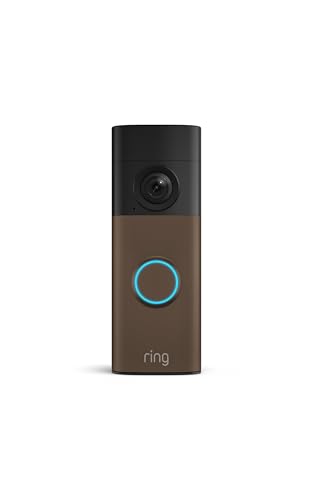
1. Ring Battery Doorbell 2K, Matte Mocha
What stands out
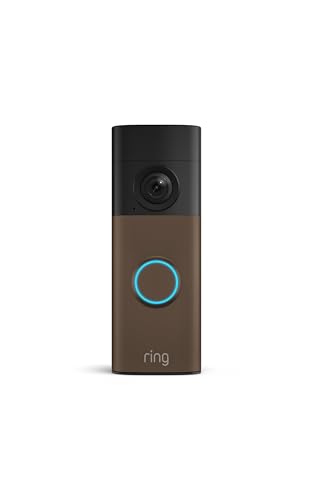
The Ring Battery Doorbell 2K is the most popular video doorbell in this guide, and the newest model earns that position with a sharper picture and a wider view. The 2K resolution shows faces and package labels clearly, the wide-angle lens covers the whole step and the path, and the two-way talk lets you speak to a visitor from your phone, whether you are at home or away. The battery power means no wiring is needed, so installation is a matter of mounting the doorbell and connecting it to your Wi-Fi. Ring is the best-known doorbell brand, and its app is the most polished in this list, with clear alerts and an easy history view.
Trade-offs to weigh
The trade-offs are the subscription and the battery. The fullest features, including video history, work best with a Ring subscription, and the battery needs charging every few weeks depending on how busy your door is. The doorbell is also a visible, modern-looking device, which suits most homes but not every style of front door. For a first video doorbell, though, the Ring 2K is the safest choice.
Who it fits best
Best for first-time video doorbell buyers who want the most popular, best-supported doorbell with a sharp 2K picture and simple battery installation.
In daily use
In everyday use, the Ring Battery Doorbell 2K, Matte Mocha settles into a routine quickly. Set it up once, the way you like it, and give yourself a few days to adjust before judging it. The first session is about learning the layout and the feel; the second and third are where it starts to feel natural. Keep it clean, keep it in the conditions it was designed for, and it will stay consistent. If it has parts that wear — cables, surfaces, moving components — a quick check now and then keeps small issues from becoming real ones, and keeping the packaging and documentation for the first weeks makes any return or exchange far simpler.
Before you buy
Before buying the Ring Battery Doorbell 2K, Matte Mocha, check two practical things. First, measure and compare: check the dimensions, the capacity, and the compatibility details listed on the product page against what you already own and the space you have. A product that does not fit your setup will never feel right, whatever its specifications say. Second, think about your routine — where it will live, how it will be stored, and what it needs to connect to. None of this is difficult, but all of it is easier to plan before the product arrives than after.
Check price on Amazon: Ring Battery Doorbell 2K, Matte Mocha

2. Ring Battery Doorbell 2K Plus, Nickel Silver
What stands out
The Ring Battery Doorbell 2K Plus is the step up from the standard 2K model, and the difference is in the view. The Plus adds an enhanced zoom that lets you look closer at a face or a package, and the retinal wide-angle video gives a clearer, more detailed picture across the frame. Night vision is strong, and the two-way talk is the same clear system as the standard model. The battery power keeps installation simple, and the Ring app ties the doorbell into a wider Ring system if you add cameras later. For buyers who want the best Ring doorbell without wiring, the Plus is the one to buy.
Trade-offs to weigh
The compromises are cost and the subscription. The Plus costs more than the standard 2K doorbell for a better zoom and a sharper image, and the full video history still works best with a subscription. Battery charging is the same routine as the standard model. Buyers who want the best picture and are willing to pay for it should take the Plus; buyers on a budget should take the standard 2K instead.
Who it fits best
Best for buyers who want the sharpest Ring doorbell picture, with enhanced zoom for faces and packages, and simple battery installation.
In daily use
Day to day, the Ring Battery Doorbell 2K Plus, Nickel Silver is the kind of product you stop thinking about, which is the highest praise it can earn. It does its job the same way every time, without quirks or surprises, and lets you focus on the work or the game instead of the hardware. That consistency matters more than any single feature. Treat it reasonably — a clean desk, a suitable surface, and storage that protects it when it is not in use — and it will keep that consistency for a long time. The best products are the ones that fade into the background.
Before you buy
A few checks before you order the Ring Battery Doorbell 2K Plus, Nickel Silver will save disappointment. Confirm the key details on the listing match what you expect — the exact model name, the included accessories, and the variant — since similar-looking models can differ in important ways. Check the return policy and the warranty terms so you know your options if it arrives damaged or does not suit you. And if you are replacing something you already own, compare the new product with the old one on the points that mattered most, rather than on headline features you may never use.
Check price on Amazon: Ring Battery Doorbell 2K Plus, Nickel Silver

3. Blink Wired Doorbell 2K Plus
What stands out
The Blink Wired Doorbell 2K Plus is the wired option in this guide, and it is the pick for buyers who never want to charge a battery. Continuous hardwired power means the doorbell is always on, always recording, and never needs a battery swap. The 2K Plus picture is head-to-toe, so you see a visitor from head to foot and packages on the step below, and the doorbell pairs with Alexa for announcements and routines. Blink is Amazon own security brand, and the doorbell fits naturally into an Alexa household, with voice announcements and app alerts that work well together.
Trade-offs to weigh
The trade-offs are the wiring and the features. A wired doorbell needs existing doorbell wiring, so it is not an option for homes without it, and installation is more work than a battery model. The Blink app is simpler than Ring, with fewer features and a plainer interface. Buyers who have wiring and want a set-and-forget doorbell will be happy; buyers who want the richest app should look at Ring instead.
Who it fits best
Best for homes with existing doorbell wiring, and for buyers who want a doorbell that never needs charging, with a head-to-toe 2K view.
In daily use
Over a full week of use, the Blink Wired Doorbell 2K Plus shows its character in small ways. The feel stays the same from the first day to the last, nothing loosens or rattles, and the finish holds up to regular handling. If you switch between tasks, you will appreciate that it does not need a different setup for each one: configure it once for the way you actually use it and leave it alone. If you share the space with work or family, the same product should handle those jobs without feeling out of place, which is a useful bonus for a single-product setup.
Before you buy
When the Blink Wired Doorbell 2K Plus arrives, spend a little time setting it up properly. Follow the included instructions, check that everything listed as included is actually in the box, and test the main functions within the first day or two. Then leave the settings alone for a week. Constant tweaking is the enemy of getting used to a product, and most people get better results from a stable setup than from a perfect one. If something feels wrong after a few days, change one thing at a time so you know what actually helped.
Check price on Amazon: Blink Wired Doorbell 2K Plus
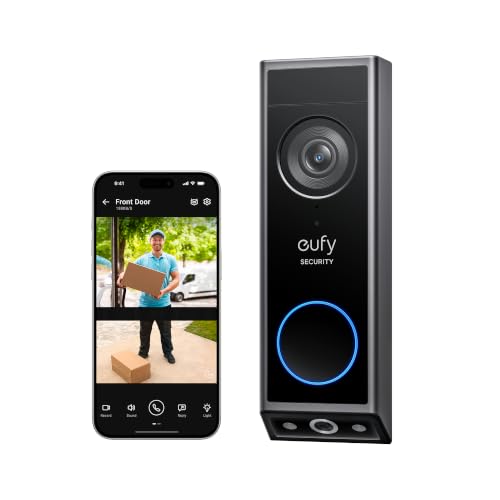
4. eufy Security Video Doorbell E340, Dual Cameras, 2K FHD
What stands out
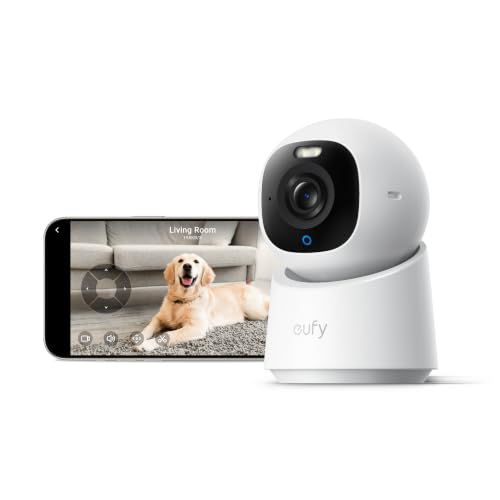
The eufy Security Video Doorbell E340 is the no-subscription pick in this guide, and its dual cameras are the reason it stands out. Two cameras give you two views at once: one for faces at the door, and one for packages on the step, so nothing is missed. The 2K FHD picture is sharp, the 8GB of local storage keeps video on the device with no monthly fee, and the head-to-toe view covers the whole doorway. Wireless operation keeps installation simple, and eufy has built a strong reputation for local storage and privacy, with no cloud plan required to use the doorbell properly.
Trade-offs to weigh
The compromises are the app and the ecosystem. The eufy app is good but not as polished as Ring, and the doorbell does not tie into as many smart home systems. The dual-camera design makes the doorbell larger than a single-camera model, so check the space beside your door. For buyers who refuse a monthly fee, though, the E340 is the best doorbell in this list.
Who it fits best
Best for buyers who want no subscription, dual cameras for faces and packages, and local storage that keeps video on the device.
In daily use
In everyday use, the eufy Security Video Doorbell E340, Dual Cameras, 2K FHD settles into a routine quickly. Set it up once, the way you like it, and give yourself a few days to adjust before judging it. The first session is about learning the layout and the feel; the second and third are where it starts to feel natural. Keep it clean, keep it in the conditions it was designed for, and it will stay consistent. If it has parts that wear — cables, surfaces, moving components — a quick check now and then keeps small issues from becoming real ones, and keeping the packaging and documentation for the first weeks makes any return or exchange far simpler.
Before you buy
Before buying the eufy Security Video Doorbell E340, Dual Cameras, 2K FHD, check two practical things. First, measure and compare: check the dimensions, the capacity, and the compatibility details listed on the product page against what you already own and the space you have. A product that does not fit your setup will never feel right, whatever its specifications say. Second, think about your routine — where it will live, how it will be stored, and what it needs to connect to. None of this is difficult, but all of it is easier to plan before the product arrives than after.
Check price on Amazon: eufy Security Video Doorbell E340, Dual Cameras, 2K FHD

5. Wyze Battery Video Doorbell Wireless Camera
What stands out
The Wyze Battery Video Doorbell is the budget pick in this guide, and it shows how much a cheap doorbell can now do. The 1536×1536 HD+ picture is sharp, colour night vision keeps the image usable after dark, and two-way audio lets you talk to visitors from your phone. The 1:1 head-to-toe view covers the whole doorway, and the battery power means no wiring is needed. Wyze has built its name on affordable smart home products, and this doorbell is the clearest expression of that idea: most of the features of the premium doorbells, at a fraction of the cost.
Trade-offs to weigh
The trade-offs are the app and the build. The Wyze app is functional rather than polished, and the doorbell feels lighter and less premium than the Ring or eufy models. Some features work best with a Wyze subscription, and the battery needs regular charging. For a first doorbell on a tight budget, though, the Wyze is remarkably capable.
Who it fits best
Best for budget buyers who want a capable video doorbell with colour night vision and two-way audio, without paying a premium price.
In daily use
Day to day, the Wyze Battery Video Doorbell Wireless Camera is the kind of product you stop thinking about, which is the highest praise it can earn. It does its job the same way every time, without quirks or surprises, and lets you focus on the work or the game instead of the hardware. That consistency matters more than any single feature. Treat it reasonably — a clean desk, a suitable surface, and storage that protects it when it is not in use — and it will keep that consistency for a long time. The best products are the ones that fade into the background.
Before you buy
A few checks before you order the Wyze Battery Video Doorbell Wireless Camera will save disappointment. Confirm the key details on the listing match what you expect — the exact model name, the included accessories, and the variant — since similar-looking models can differ in important ways. Check the return policy and the warranty terms so you know your options if it arrives damaged or does not suit you. And if you are replacing something you already own, compare the new product with the old one on the points that mattered most, rather than on headline features you may never use.
Check price on Amazon: Wyze Battery Video Doorbell Wireless Camera

6. Blink Outdoor 4 Wireless Smart Security Camera
What stands out
The Blink Outdoor 4 is the exterior camera in this guide, and it is the pick for buyers who want a simple, long-lasting outdoor camera. The wireless design means no cables to run, the 1080p HD picture with infrared night vision covers day and night, and the two-year battery life is the longest in this list, so you can mount the camera and forget about it. The two-way audio lets you speak to someone in the garden or the driveway, and the camera pairs with Alexa for announcements and routines. For a single camera watching a back door, a driveway, or a garden, the Outdoor 4 is the easiest choice.
Trade-offs to weigh
The compromises are resolution and features. The 1080p picture is a step below the 2K doorbells above, and the camera does not have the solar charging or the multi-camera kits of the aosu system below. The Blink app is simple, which is a strength for some buyers and a limitation for others. For a straightforward outdoor camera, though, the Outdoor 4 is hard to fault.
Who it fits best
Best for a first exterior camera, for watching a driveway, garden, or back door, and for buyers who want the longest battery life with the least fuss.
In daily use
Over a full week of use, the Blink Outdoor 4 Wireless Smart Security Camera shows its character in small ways. The feel stays the same from the first day to the last, nothing loosens or rattles, and the finish holds up to regular handling. If you switch between tasks, you will appreciate that it does not need a different setup for each one: configure it once for the way you actually use it and leave it alone. If you share the space with work or family, the same product should handle those jobs without feeling out of place, which is a useful bonus for a single-product setup.
Before you buy
When the Blink Outdoor 4 Wireless Smart Security Camera arrives, spend a little time setting it up properly. Follow the included instructions, check that everything listed as included is actually in the box, and test the main functions within the first day or two. Then leave the settings alone for a week. Constant tweaking is the enemy of getting used to a product, and most people get better results from a stable setup than from a perfect one. If something feels wrong after a few days, change one thing at a time so you know what actually helped.
Check price on Amazon: Blink Outdoor 4 Wireless Smart Security Camera
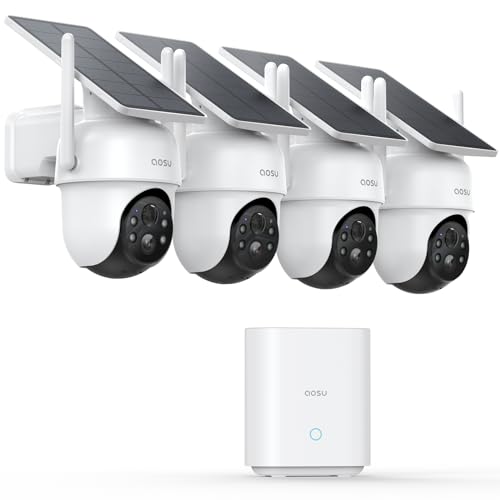
7. aosu D1 Classic 4-Cam Kit, Security Cameras Wireless Outdoor
What stands out
The aosu D1 Classic 4-Cam Kit is the whole-property system in this guide, and it is the pick for buyers who want to cover a home properly. Four wireless outdoor cameras, solar powered so the batteries stay charged, cover the front, the back, the driveway, and the side gate in one purchase. The 32GB of built-in storage keeps video local with no subscription required, and the cameras work together in one app, so you see the whole property at a glance. Solar power is the key feature: the cameras charge themselves in daylight, so you rarely need to take them down.
Trade-offs to weigh
The trade-offs are complexity and cost. A four-camera kit costs more than a single camera, and installation takes longer, with four mounts to place and four cameras to aim. The cameras need enough daylight to keep the solar charging working, so a shaded north-facing wall is not ideal. The app is good but not as polished as Ring. For buyers who want full coverage with no monthly fee, though, the aosu kit is the best value in this list.
Who it fits best
Best for buyers who want to cover a whole property with four cameras, solar charging, and local storage, with no subscription.
In daily use
In everyday use, the aosu D1 Classic 4-Cam Kit, Security Cameras Wireless Outdoor settles into a routine quickly. Set it up once, the way you like it, and give yourself a few days to adjust before judging it. The first session is about learning the layout and the feel; the second and third are where it starts to feel natural. Keep it clean, keep it in the conditions it was designed for, and it will stay consistent. If it has parts that wear — cables, surfaces, moving components — a quick check now and then keeps small issues from becoming real ones, and keeping the packaging and documentation for the first weeks makes any return or exchange far simpler.
Before you buy
Before buying the aosu D1 Classic 4-Cam Kit, Security Cameras Wireless Outdoor, check two practical things. First, measure and compare: check the dimensions, the capacity, and the compatibility details listed on the product page against what you already own and the space you have. A product that does not fit your setup will never feel right, whatever its specifications say. Second, think about your routine — where it will live, how it will be stored, and what it needs to connect to. None of this is difficult, but all of it is easier to plan before the product arrives than after.
Check price on Amazon: aosu D1 Classic 4-Cam Kit, Security Cameras Wireless Outdoor

8. BOIFUN Video Doorbell Camera Wireless, 2K HD, No Subscription Required
What stands out
The BOIFUN Video Doorbell Camera is the budget no-subscription doorbell in this guide, and its wide view is the feature that stands out. The 166-degree wide angle covers the whole doorway and the step below, the 2K HD picture is sharp enough to show faces clearly, and HDR night vision keeps the image usable after dark. Motion alerts tell you when someone approaches, and the wireless design means no wiring is needed. No subscription is required, so the doorbell works properly without a monthly fee, which is the point for buyers who refuse to pay one.
Trade-offs to weigh
The trade-offs are the brand and the app. BOIFUN is a smaller brand than Ring or eufy, so the app is simpler and the long-term support is less certain. The build feels lighter than the premium doorbells, and the two-way audio is functional rather than outstanding. For a cheap doorbell that works without a subscription, though, the BOIFUN is remarkably capable, and it is the lowest-cost no-subscription doorbell in this guide.
Who it fits best
Best for budget buyers who want a no-subscription doorbell with a wide 166-degree view and 2K video, without paying a premium price.
In daily use
Day to day, the BOIFUN Video Doorbell Camera Wireless, 2K HD, No Subscription Required is the kind of product you stop thinking about, which is the highest praise it can earn. It does its job the same way every time, without quirks or surprises, and lets you focus on the work or the game instead of the hardware. That consistency matters more than any single feature. Treat it reasonably — a clean desk, a suitable surface, and storage that protects it when it is not in use — and it will keep that consistency for a long time. The best products are the ones that fade into the background.
Before you buy
A few checks before you order the BOIFUN Video Doorbell Camera Wireless, 2K HD, No Subscription Required will save disappointment. Confirm the key details on the listing match what you expect — the exact model name, the included accessories, and the variant — since similar-looking models can differ in important ways. Check the return policy and the warranty terms so you know your options if it arrives damaged or does not suit you. And if you are replacing something you already own, compare the new product with the old one on the points that mattered most, rather than on headline features you may never use.
Check price on Amazon: BOIFUN Video Doorbell Camera Wireless, 2K HD, No Subscription Required
Buying guide
Resolution: 1080p, 2K, and what you can actually see
Resolution decides how much detail a camera records. A 1080p camera shows faces and general activity clearly. A 2K camera shows finer detail, including package labels and facial features at a distance. For a doorbell, 2K is worth having, because the subject is close and the detail matters. For a wide exterior view, 1080p is often enough. Do not judge a camera by resolution alone: the lens, the sensor, and the night vision matter just as much.
Battery or wired: the power decision
Battery cameras are easy to install anywhere, but they need charging every few weeks or months, depending on how busy the location is. Wired cameras never need charging, but they need existing wiring or a cable run. Solar panels, as on the aosu kit, keep battery cameras charged in daylight and are the best of both worlds where the sun reaches the camera. Choose based on your home: if you have wiring, use it; if you do not, battery or solar is the practical answer.
Storage and subscriptions: who holds your video
Video has to be stored somewhere. Cloud storage keeps video off the device and accessible from anywhere, but it usually costs a monthly fee. Local storage, on the device or on a hub, costs nothing each month and keeps your video at home, but it can be lost if the camera is stolen. eufy and aosu favour local storage with no subscription, while Ring and Blink work best with a cloud plan. Decide how much you want to pay each month before you buy.
Night vision and motion detection
Night vision decides whether a camera is useful after dark. Infrared night vision gives a clear black-and-white picture, while colour night vision, found on the Wyze doorbell, gives a more natural image where there is some light. Motion detection decides when the camera records and alerts you. Look for adjustable motion zones, so the camera ignores passing cars and alerts you only for people on your property, and check whether person detection is included or needs a subscription.
Placement: cover the approaches, not just the door
A doorbell covers the front door, but a home has more approaches. Place exterior cameras to cover the driveway, the back door, the side gate, and any ground-floor windows that are out of sight from the street. Mount cameras high enough that they cannot be reached easily, angle them down to cover the ground, and avoid pointing them at a bright sky or a busy road, which causes false alerts and washed-out pictures.
Privacy and the law
Security cameras record people, including neighbours and passers-by, so use them responsibly. Point cameras at your own property, not at a neighbour garden or a public pavement, and check local rules about recording audio, which is restricted in some places. Tell visitors that a doorbell records video and audio, and keep the firmware updated so the camera stays secure. A camera that is itself hacked is worse than no camera at all.
Frequently asked questions
Do I need a video doorbell and an exterior camera?
A doorbell covers the front door, but it cannot see the driveway, the garden, or the back door. An exterior camera covers those areas. Most homes benefit from both, and this guide covers both for that reason. If you can only buy one, buy the doorbell first, because the front door is the most common approach, then add exterior cameras later.
Do video doorbells need a subscription?
Not necessarily. The eufy E340 and the aosu kit store video locally with no subscription, while Ring and Blink work best with a cloud plan that adds video history and extra features. A doorbell without a subscription still shows live video and alerts you, but you may not be able to review past events. Decide how much video history you need before you buy.
How long do battery doorbells last between charges?
It depends on how busy your door is. A quiet door may go for months between charges, while a busy door with frequent motion may need charging every few weeks. Cold weather shortens battery life. Wired doorbells and solar-powered cameras avoid the charging routine entirely.
Can I install a video doorbell myself?
Yes, in most cases. A battery doorbell needs only a mount, a drill, and a Wi-Fi connection, and the installation takes well under an hour. A wired doorbell needs existing doorbell wiring, and you should turn off the power at the breaker before you start. If you are not comfortable with wiring, hire an electrician for the wired models.
Will a video doorbell work in the rain?
Yes. The doorbells in this guide are weather resistant and designed to work outdoors in rain and cold. Keep the lens clean, check the seal around the mount, and the doorbell will work through the seasons. Extreme cold can shorten battery life, so expect more frequent charging in winter.
Conclusion
The best video doorbell and exterior camera setup is the one that covers your home without gaps and without a monthly fee you resent. For the front door, the Ring Battery Doorbell 2K is the safest first choice, the Ring 2K Plus is the sharpest Ring picture, the Blink Wired Doorbell 2K Plus is the set-and-forget wired option, the eufy E340 is the best no-subscription doorbell with dual cameras, the Wyze doorbell is the budget pick that does far more than its price suggests, and the BOIFUN is the cheapest no-subscription doorbell with a wide 166-degree view. For the rest of the property, the Blink Outdoor 4 is the simplest exterior camera, and the aosu 4-cam kit is the best way to cover a whole home with solar power and local storage. Start with the doorbell, add exterior cameras to cover the driveway and the back door, and check the storage and subscription terms before you buy, so the setup you build is one you are happy to live with.