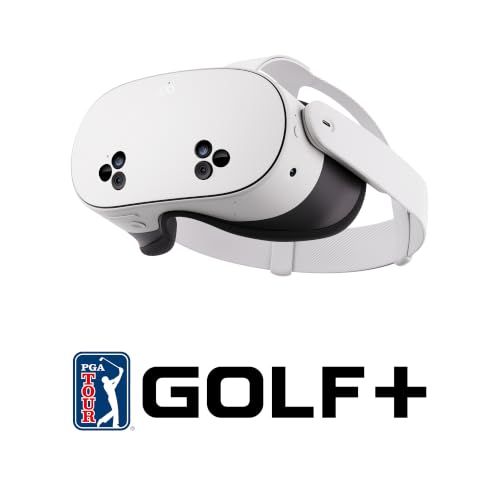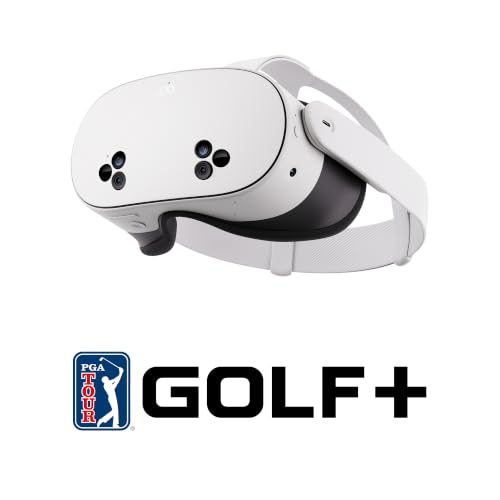
A standalone VR headset is a virtual reality headset that works without a PC, a console, or a phone, and this guide compares the best ones you can buy. Everything the headset needs — processor, display, tracking, and battery — is built into the headset itself, so you put it on, pick up the controllers, and you are in a virtual world within a minute. There are no cables to trip over, no gaming PC to buy, and no base stations to mount on the wall, which is why standalone headsets are now the way most people first try virtual reality. The headsets in this guide cover the three families that matter in standalone VR. Meta makes the Quest line, which is the most popular standalone system: a large store of games and apps, mixed reality that blends the virtual world with your room, and the easiest setup. HTC makes the Vive Focus headsets, which suit buyers who also want PC VR, with higher-end displays and eye tracking on some models. DPVR makes headsets aimed at commercial and training use, which suits businesses more than living rooms. Storage ranges from 128GB to 512GB here, so there is a headset for casual play and a headset for a large game library. This guide compares seven standalone VR headsets, from the affordable Meta Quest 3S 128GB to the high-end Meta Quest Pro and HTC Vive Focus Vision. Each one below is a complete standalone headset — headset, controllers, and built-in processing included — not a phone holder, a head strap, a battery pack, or a Renewed unit. Every model was checked against its current Amazon listing. Read the comparison table for a fast overview, then dig into the individual sections for the strengths and trade-offs that matter for your games, your space, and the way you play. One practical note before the list: standalone headsets need a clear play area and a charged battery, and the battery usually lasts around two hours of play. Clear a space without furniture or fragile objects, keep the play area free of trip hazards, and charge the headset between sessions so a low battery never ends a game early.
In this guide
Quick picks: best standalone vr headsets
| # | Product | Where to buy |
|---|---|---|
| 1 | Meta Quest 3S, 128GB | Check on Amazon |
| 2 | Meta Quest 3, 512GB | Check on Amazon |
| 3 | Meta Quest 3S, 256GB | Check on Amazon |
| 4 | HTC Vive Focus Vision | Check on Amazon |
| 5 | Meta Quest Pro | Check on Amazon |
| 6 | HTC Vive Pro Focus Plus 6DOF VR Headset | Check on Amazon |
| 7 | DPVR E3S Softstrap VR Headset | Check on Amazon |
Quick comparison
| Product | Key traits |
|---|---|
| Meta Quest 3S, 128GB | 128GB, standalone, mixed reality, lightweight |
| Meta Quest 3, 512GB | 512GB, standalone, 4K+ display, mixed reality |
| Meta Quest 3S, 256GB | 256GB, standalone, mixed reality, lightweight |
| HTC Vive Focus Vision | Standalone and PC VR, mixed reality, controllers |
| Meta Quest Pro | Standalone, pro design, mixed reality |
| HTC Vive Pro Focus Plus 6DOF VR Headset | 6DOF, standalone, bundle with controllers |
| DPVR E3S Softstrap VR Headset | Standalone, commercial use, 110-degree field of view |

1. Meta Quest 3S, 128GB
What stands out
The Meta Quest 3S 128GB is the best standalone VR headset for most buyers, and its combination of price, ease, and game library is the reason. It runs the same Quest store as the more expensive Quest 3, so you get the same games, the same apps, and the same mixed reality features, in a lighter and cheaper headset. Setup takes minutes: draw your play area, connect to Wi-Fi, and download a game. For a first headset, or a headset for the family, this is the one that makes virtual reality simple.
Trade-offs to weigh
The trade-offs are display quality and storage. The 3S uses lower-resolution lenses than the Quest 3, so text and distant objects look a little softer, and 128GB fills up if you install many large games. The battery also lasts around two hours, which is normal for standalone headsets but short for long sessions. If you play a lot and you notice display quality, the Quest 3 512GB below is the upgrade; if you want the cheapest way into VR, this is it.
Who it fits best
Best for first-time VR buyers and families who want an affordable standalone headset with a large game library.
In daily use
In everyday use, the Meta Quest 3S, 128GB settles into a routine quickly. Set it up once, the way you like it, and give yourself a few days to adjust before judging it. The first session is about learning the layout and the feel; the second and third are where it starts to feel natural. Keep it clean, keep it in the conditions it was designed for, and it will stay consistent. If it has parts that wear — cables, surfaces, moving components — a quick check now and then keeps small issues from becoming real ones, and keeping the packaging and documentation for the first weeks makes any return or exchange far simpler. Pay attention to the small details in the first week, like how it feels after an hour of use and whether anything needs adjusting, because those early impressions usually predict how happy you will be with it in six months.
Before you buy
Before buying the Meta Quest 3S, 128GB, check two practical things. First, measure and compare: check the dimensions, the capacity, and the compatibility details listed on the product page against what you already own and the space you have. A product that does not fit your setup will never feel right, whatever its specifications say. Second, think about your routine — where it will live, how it will be stored, and what it needs to connect to. None of this is difficult, but all of it is easier to plan before the product arrives than after. Finally, check the reviews for long-term reports rather than first impressions, because a product that still earns praise after six months is a safer buy than one that only impresses on the first day.
Check price on Amazon: Meta Quest 3S, 128GB

2. Meta Quest 3, 512GB
What stands out
The Meta Quest 3 512GB is the best high-end Meta headset in this guide, and its sharper display and large storage are the reason. The 4K+ display makes text crisp and distant objects clear, which matters in games and in virtual desktop work, and 512GB holds a large library of games without deleting anything. It has the same mixed reality features as the 3S, so you can see your room and your hands while virtual objects sit in the space, and the same Quest store, so nothing in the library is missing. For buyers who play often, this is the Quest to get.
Trade-offs to weigh
The trade-offs are price and weight. It costs more than the 3S, and the sharper display and larger battery make it a little heavier on the face during long sessions. The battery life is still around two hours, so long play sessions need a break or a battery accessory. If you play casually, the 3S is better value; if VR is a regular hobby, the clearer display and the extra storage are worth paying for.
Who it fits best
Best for regular VR players who want the sharpest Meta display and room for a large game library.
In daily use
Day to day, the Meta Quest 3, 512GB is the kind of product you stop thinking about, which is the highest praise it can earn. It does its job the same way every time, without quirks or surprises, and lets you focus on the work or the game instead of the hardware. That consistency matters more than any single feature. Treat it reasonably — a clean desk, a suitable surface, and storage that protects it when it is not in use — and it will keep that consistency for a long time. The best products are the ones that fade into the background. If you use it in different places, try it in each one during the first week, because a product that works well on a desk can feel different in a bag, in a car, or in a shared room.
Before you buy
A few checks before you order the Meta Quest 3, 512GB will save disappointment. Confirm the key details on the listing match what you expect — the exact model name, the included accessories, and the variant — since similar-looking models can differ in important ways. Check the return policy and the warranty terms so you know your options if it arrives damaged or does not suit you. And if you are replacing something you already own, compare the new product with the old one on the points that mattered most, rather than on headline features you may never use. Also check what is not included in the box, like cables, mounts, or adapters, since those extras can add cost and delay if you need to order them separately after the product arrives.
Check price on Amazon: Meta Quest 3, 512GB
3. Meta Quest 3S, 256GB
What stands out
The Meta Quest 3S 256GB is the middle option in the Quest 3S line, and it exists for buyers who like the 3S but need more storage. It is the same headset as the 128GB model — same lenses, same processor, same mixed reality, same game library — with twice the room for games and apps. That matters if you play several large games at once, or if you download media and apps for virtual desktop use, because deleting games to make room gets old quickly. It costs more than the 128GB model but less than the Quest 3, which makes it a sensible middle step.
Trade-offs to weigh
The trade-offs are the same as the 128GB 3S: the display is softer than the Quest 3, and the battery lasts around two hours. You pay for storage only, not for a better screen or longer play. Buyers who play one or two games at a time should save money with the 128GB model; buyers who keep a large library installed should take this one, and buyers who want the sharpest display should take the Quest 3.
Who it fits best
Best for Quest 3S buyers who install many games and want twice the storage without paying for the Quest 3.
In daily use
Over a full week of use, the Meta Quest 3S, 256GB shows its character in small ways. The feel stays the same from the first day to the last, nothing loosens or rattles, and the finish holds up to regular handling. If you switch between tasks, you will appreciate that it does not need a different setup for each one: configure it once for the way you actually use it and leave it alone. If you share the space with work or family, the same product should handle those jobs without feeling out of place, which is a useful bonus for a single-product setup. Notice how it handles the edges of its job too, not just the middle: the first and last minutes of a session, the switch between tasks, and the moment you put it away all tell you more than the headline features do.
Before you buy
When the Meta Quest 3S, 256GB arrives, spend a little time setting it up properly. Follow the included instructions, check that everything listed as included is actually in the box, and test the main functions within the first day or two. Then leave the settings alone for a week. Constant tweaking is the enemy of getting used to a product, and most people get better results from a stable setup than from a perfect one. If something feels wrong after a few days, change one thing at a time so you know what actually helped. Write down the settings that work best for you once you find them, so you can return to them quickly if the product is ever reset or if you need to set up a second one the same way.
Check price on Amazon: Meta Quest 3S, 256GB

4. HTC Vive Focus Vision
What stands out
The HTC Vive Focus Vision is the most versatile headset in this guide, because it works as a standalone headset and as a PC VR headset. On its own, it runs VR games and apps without a computer. Connected to a PC, it runs the full PC VR library with higher-end graphics, which makes it the pick for buyers who already own a gaming PC or plan to buy one. It has mixed reality, eye tracking, and a display that suits both standalone and PC use, and the controllers are included.
Trade-offs to weigh
The trade-offs are cost, complexity, and the smaller app store. It costs more than any Quest here, and the standalone game library is smaller than the Quest store, so the headset is at its best when paired with a PC. Setup for PC VR takes more work than a Quest, with software to install and settings to tune. Buyers who only want standalone play should take a Quest; buyers who want both standalone and PC VR in one headset should take this one.
Who it fits best
Best for buyers who want one headset for standalone play and for PC VR with a gaming computer.
In daily use
In everyday use, the HTC Vive Focus Vision settles into a routine quickly. Set it up once, the way you like it, and give yourself a few days to adjust before judging it. The first session is about learning the layout and the feel; the second and third are where it starts to feel natural. Keep it clean, keep it in the conditions it was designed for, and it will stay consistent. If it has parts that wear — cables, surfaces, moving components — a quick check now and then keeps small issues from becoming real ones, and keeping the packaging and documentation for the first weeks makes any return or exchange far simpler. Pay attention to the small details in the first week, like how it feels after an hour of use and whether anything needs adjusting, because those early impressions usually predict how happy you will be with it in six months.
Before you buy
Before buying the HTC Vive Focus Vision, check two practical things. First, measure and compare: check the dimensions, the capacity, and the compatibility details listed on the product page against what you already own and the space you have. A product that does not fit your setup will never feel right, whatever its specifications say. Second, think about your routine — where it will live, how it will be stored, and what it needs to connect to. None of this is difficult, but all of it is easier to plan before the product arrives than after. Finally, check the reviews for long-term reports rather than first impressions, because a product that still earns praise after six months is a safer buy than one that only impresses on the first day.
Check price on Amazon: HTC Vive Focus Vision

5. Meta Quest Pro
What stands out
The Meta Quest Pro is the premium Meta headset in this guide, and its design is built for comfort and work as much as for games. It has a slimmer profile, a balanced fit that sits well during long sessions, and mixed reality that is tuned for virtual desktop work, meetings, and creative apps as well as games. The controllers track themselves without external sensors, which keeps tracking steady even when your hands move out of view. For buyers who use VR for work and play in equal measure, this is the most polished Meta headset here.
Trade-offs to weigh
The trade-offs are price and the game library. It is the most expensive Meta headset in the guide, and its standalone game library is the same Quest store as the cheaper models, so you are paying for design, comfort, and tracking rather than for new games. The battery life is also around two hours, and the headset is aimed at professionals, so casual players get less value from it. Buyers who mainly play games should take the Quest 3; buyers who work in VR should consider the Pro.
Who it fits best
Best for professionals who use VR for work, meetings, and creative apps as well as games.
In daily use
Day to day, the Meta Quest Pro is the kind of product you stop thinking about, which is the highest praise it can earn. It does its job the same way every time, without quirks or surprises, and lets you focus on the work or the game instead of the hardware. That consistency matters more than any single feature. Treat it reasonably — a clean desk, a suitable surface, and storage that protects it when it is not in use — and it will keep that consistency for a long time. The best products are the ones that fade into the background. If you use it in different places, try it in each one during the first week, because a product that works well on a desk can feel different in a bag, in a car, or in a shared room.
Before you buy
A few checks before you order the Meta Quest Pro will save disappointment. Confirm the key details on the listing match what you expect — the exact model name, the included accessories, and the variant — since similar-looking models can differ in important ways. Check the return policy and the warranty terms so you know your options if it arrives damaged or does not suit you. And if you are replacing something you already own, compare the new product with the old one on the points that mattered most, rather than on headline features you may never use. Also check what is not included in the box, like cables, mounts, or adapters, since those extras can add cost and delay if you need to order them separately after the product arrives.
Check price on Amazon: Meta Quest Pro
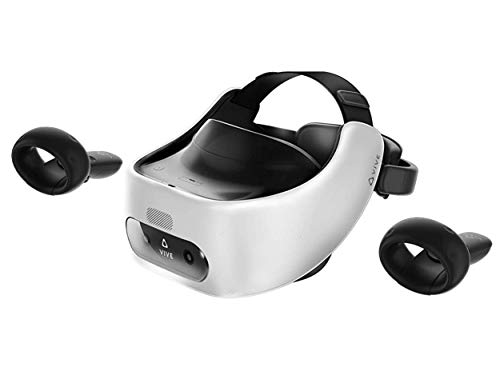
6. HTC Vive Pro Focus Plus 6DOF VR Headset
What stands out
The HTC Vive Pro Focus Plus 6DOF VR Headset is the enterprise-ready pick in this guide, and its bundle is the reason. It arrives as a complete kit with the headset, controllers, face cushion, and charger, and the 6DOF tracking follows your head and hands in full three-dimensional space, which makes movement in VR feel natural. It suits training, demos, and business use, where the headset is shared between people and needs to be comfortable, durable, and easy to hand over. The Focus Plus is a proven standalone design that has been used in commercial settings for years.
Trade-offs to weigh
The trade-offs are age and the app store. This is an older design than the Quest 3 and the Vive Focus Vision, so its display and processor are a step behind, and its standalone app library is smaller than the Quest store. It is also aimed at business buyers, so the price reflects a commercial product rather than a consumer one. Home players should take a Quest; businesses that need a reliable shared headset for training or demos should consider this bundle.
Who it fits best
Best for businesses and trainers who need a complete standalone VR bundle for shared use.
In daily use
Over a full week of use, the HTC Vive Pro Focus Plus 6DOF VR Headset shows its character in small ways. The feel stays the same from the first day to the last, nothing loosens or rattles, and the finish holds up to regular handling. If you switch between tasks, you will appreciate that it does not need a different setup for each one: configure it once for the way you actually use it and leave it alone. If you share the space with work or family, the same product should handle those jobs without feeling out of place, which is a useful bonus for a single-product setup. Notice how it handles the edges of its job too, not just the middle: the first and last minutes of a session, the switch between tasks, and the moment you put it away all tell you more than the headline features do.
Before you buy
When the HTC Vive Pro Focus Plus 6DOF VR Headset arrives, spend a little time setting it up properly. Follow the included instructions, check that everything listed as included is actually in the box, and test the main functions within the first day or two. Then leave the settings alone for a week. Constant tweaking is the enemy of getting used to a product, and most people get better results from a stable setup than from a perfect one. If something feels wrong after a few days, change one thing at a time so you know what actually helped. Write down the settings that work best for you once you find them, so you can return to them quickly if the product is ever reset or if you need to set up a second one the same way.
Check price on Amazon: HTC Vive Pro Focus Plus 6DOF VR Headset

7. DPVR E3S Softstrap VR Headset
What stands out
The DPVR E3S Softstrap VR Headset is the commercial-use pick in this guide, and it is built for training and business rather than for the living room. It is a standalone VR headset with a 110-degree field of view and a soft strap designed for comfort during long sessions, which suits classrooms, training rooms, and demos where many people wear the headset in turn. The commercial focus means it is sold and supported for organisations, not just for individual buyers, which matters when you need several headsets that work the same way.
Trade-offs to weigh
The trade-offs are the app store and the home experience. The E3S is not aimed at the consumer game library, so the games and apps you know from the Quest store are not the point here, and the display refresh is 72Hz, which is lower than the gaming headsets in this guide. Home buyers who want games should take a Quest; organisations that need a fleet of headsets for training, education, or demos should look at the E3S.
Who it fits best
Best for organisations that need standalone VR headsets for training, education, or commercial demos.
In daily use
In everyday use, the DPVR E3S Softstrap VR Headset settles into a routine quickly. Set it up once, the way you like it, and give yourself a few days to adjust before judging it. The first session is about learning the layout and the feel; the second and third are where it starts to feel natural. Keep it clean, keep it in the conditions it was designed for, and it will stay consistent. If it has parts that wear — cables, surfaces, moving components — a quick check now and then keeps small issues from becoming real ones, and keeping the packaging and documentation for the first weeks makes any return or exchange far simpler. Pay attention to the small details in the first week, like how it feels after an hour of use and whether anything needs adjusting, because those early impressions usually predict how happy you will be with it in six months.
Before you buy
Before buying the DPVR E3S Softstrap VR Headset, check two practical things. First, measure and compare: check the dimensions, the capacity, and the compatibility details listed on the product page against what you already own and the space you have. A product that does not fit your setup will never feel right, whatever its specifications say. Second, think about your routine — where it will live, how it will be stored, and what it needs to connect to. None of this is difficult, but all of it is easier to plan before the product arrives than after. Finally, check the reviews for long-term reports rather than first impressions, because a product that still earns praise after six months is a safer buy than one that only impresses on the first day.
Check price on Amazon: DPVR E3S Softstrap VR Headset
Buying guide
Standalone, PC VR, or phone VR: know the difference
A standalone headset has its own processor and battery, so it works anywhere with no other device. A PC VR headset needs a gaming computer and usually a cable, but it runs more detailed games. A phone VR holder just holds a phone in front of your eyes and is not a real headset. Every headset in this guide is standalone, and the Vive Focus Vision also works with a PC, which gives you both options in one purchase.
Storage: how much do you need
Standalone headsets store games on the headset itself, so storage matters. 128GB holds a handful of large games and a set of apps, which suits casual players. 256GB suits players who keep several games installed at once. 512GB suits players with a large library who never want to delete anything. Games can be re-downloaded, so small storage is an inconvenience, not a dead end, but it gets annoying if you switch games often.
Mixed reality: seeing your room
Mixed reality uses cameras on the headset to show your room while virtual objects appear in it, which makes the headset useful for more than games: virtual screens, workouts, and apps that sit on your real desk. The Quest headsets and the Vive Focus Vision all support it. If you plan to use VR for work or for fitness, mixed reality matters; if you only play games, it is a bonus rather than a necessity.
Play area and safety
Standalone VR needs a clear space, because you will move, reach, and turn without seeing the room. Clear at least a small area of furniture, cables, and fragile objects, and draw the play boundary the headset asks for. The headset warns you when you reach the edge, but it cannot move a coffee table. Keep pets and children out of the play area while you are in VR, and take the headset off before walking anywhere.
Battery life and comfort
Standalone headsets run for around two hours on a charge, which is enough for most sessions but short for a long evening. Charge between sessions, and consider a battery head strap if you play for hours at a time. Comfort matters as much as battery: a headset that presses on your face will end a session early, so adjust the strap, balance the weight, and take a short break every half hour if you feel eye strain or discomfort.
Games and apps: check the store first
The Quest store has the largest standalone game library, which is a real advantage, because a headset is only as good as the games and apps you can run on it. Before you buy, check that the games you want are available for the headset you are considering. The Vive and DPVR headsets have smaller consumer libraries, which suits business use but limits home play. A headset with the wrong library is a headset that gathers dust.
Frequently asked questions
What is the best standalone VR headset?
For most buyers, the Meta Quest 3S 128GB is the best standalone VR headset: affordable, easy to set up, and backed by the largest standalone game library. Regular players should take the Quest 3 512GB for its sharper display and larger storage. Buyers who also want PC VR should take the HTC Vive Focus Vision.
Do standalone VR headsets need a PC?
No. A standalone headset has its own processor, display, and battery, so it works without a PC, a console, or a phone. The HTC Vive Focus Vision is the exception in this guide in a good way: it works standalone, and it can also connect to a PC for PC VR games.
How long does a standalone VR headset battery last?
Around two hours of play on a charge, which is normal across the headsets in this guide. Charge the headset between sessions, and take breaks during long play. A battery head strap accessory can extend play if you need longer sessions.
What is the difference between the Quest 3S and the Quest 3?
Both run the same Quest store and the same games. The Quest 3 has a sharper 4K+ display and comes in 512GB, while the Quest 3S has a softer display and comes in 128GB or 256GB at a lower cost. Casual players will be happy with the 3S; players who notice display quality should take the Quest 3.
Can I use a VR headset for work?
Yes. The Meta Quest Pro and the Quest 3 support mixed reality and virtual desktop apps, which let you work with virtual screens in your room. The Pro is tuned for work, meetings, and creative apps, while the Quest 3 is the better value if work is only part of how you use VR.
Is VR safe for children?
Check the age guidance for the headset and the games before letting a child use VR, and supervise their sessions. Children should take frequent breaks, use a clear play area, and stop if they feel dizzy or uncomfortable. Keep play sessions short and make sure the headset fits properly.
Conclusion
The best standalone VR headset is the one that matches your games, your space, and your budget. The Meta Quest 3S 128GB is the best choice for most buyers, the Quest 3S 256GB is the pick if you need more storage, and the Quest 3 512GB is the pick for regular players who want the sharpest display. The HTC Vive Focus Vision is the pick for buyers who want standalone and PC VR in one headset, the Meta Quest Pro is the pick for professional and work use, the HTC Vive Pro Focus Plus bundle is the pick for business training and demos, and the DPVR E3S is the pick for organisations that need headsets for commercial use. Clear a play area, charge the headset, and check the store for your games before you buy.