The best surveillance cameras for Ring video doorbell setups work as one system: the doorbell watches the front door, outdoor cameras cover the yard and driveway, a floodlight camera lights the dark corners, and an indoor camera keeps an eye on the rooms that matter. Ring is the common thread, because all of these cameras live in the same app, send the same kind of motion alerts, and record to the same subscription. This guide covers the current Ring lineup for a full home setup, from battery and wired doorbells in 2K and 4K to outdoor, floodlight and indoor cameras. Every product here is a current Ring listing verified against the site product feed, and the guide explains where each camera belongs so the system covers the home without overlap or blind spots.
A Ring system is only as good as its weakest link, and the weakest link is usually Wi-Fi, not the camera. A doorbell that cannot reach the router sends no alerts, and an outdoor camera at the far end of the garden is only useful if the signal reaches it. That is why this guide spends time on placement and signal strength alongside the cameras themselves: the hardware is the easy part, and the network is what makes it work. The cameras here all share the same app, the same alert style and the same subscription, which is the real advantage of staying with one brand. Mixing brands splits the system across apps, and the doorbell that matters is the one whose alert actually arrives.
In this guide
Quick picks: best surveillance cameras for ring video doorbell
| # | Product | Where to buy |
|---|---|---|
| 1 | Ring Battery Doorbell 2K, Matte Mocha | Check on Amazon |
| 2 | Ring Battery Doorbell 2K Plus, Nickel Silver | Check on Amazon |
| 3 | Ring Wired Doorbell 4K Pro, Deep Silver | Check on Amazon |
| 4 | Ring Wired Doorbell 2K Plus, Nickel Silver | Check on Amazon |
| 5 | Ring Outdoor Cam 2K, Battery | Check on Amazon |
| 6 | Ring Floodlight Cam 2K, White | Check on Amazon |
| 7 | Ring Indoor Cam 2K, White | Check on Amazon |
| 8 | Ring Spotlight Cam Plus, White | Check on Amazon |
How the picks were chosen
The picks were chosen from current Ring cameras and doorbells, with the requirement that each product is a genuine Ring camera or doorbell that works in the Ring app and ecosystem. Non-Ring cameras were excluded, even when they appeared in the search results, because a mixed system splits alerts and recordings across apps. Used-condition listings were also excluded. Within those filters the guide covers the four positions a home system needs: the front door, the outdoor perimeter, floodlit areas, and indoors. It includes both battery and wired power options so the list works for homes with and without doorbell wiring, and it notes video resolution and zoom so buyers can match the camera to the distance it must cover.
Resolution was weighed against bandwidth, because a 4K camera that the home Wi-Fi cannot support is worse than a 2K camera that streams reliably. The guide includes one 4K doorbell for homes with strong Wi-Fi and a long driveway, and 2K models for everything else, which is the honest balance. Battery versus wired was treated as a placement decision rather than a quality difference: battery cameras go where wires cannot, and wired cameras go where the wiring already exists. Finally, the guide excludes the accessories that appear in Ring searches, like chimes and mounts, because a chime is not a camera and does not belong in a camera roundup.
Quick comparison
| Product | Standout detail |
|---|---|
| Ring Battery Doorbell 2K, Matte Mocha | Battery doorbell, 2K retinal video, 6x zoom, two-way talk, mocha |
| Ring Battery Doorbell 2K Plus, Nickel Silver | Battery doorbell, 2K Plus, night vision, nickel silver |
| Ring Wired Doorbell 4K Pro, Deep Silver | Wired doorbell, 4K Pro, 10x zoom, night vision, deep silver |
| Ring Wired Doorbell 2K Plus, Nickel Silver | Wired doorbell, 2K Plus, 6x zoom, night vision, nickel silver |
| Ring Outdoor Cam 2K, Battery | Battery outdoor cam, 2K, wide-angle, 6x zoom |
| Ring Floodlight Cam 2K, White | Floodlight cam, 2K wide-angle, motion-activated lights, white |
| Ring Indoor Cam 2K, White | Indoor cam, 2K retinal video, 6x zoom, night vision, white |
| Ring Spotlight Cam Plus, White | Spotlight cam, HD video, two-way talk, colour night vision, white |
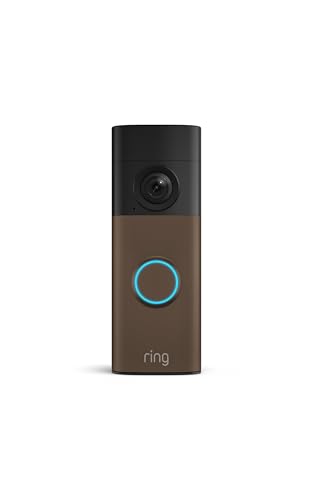
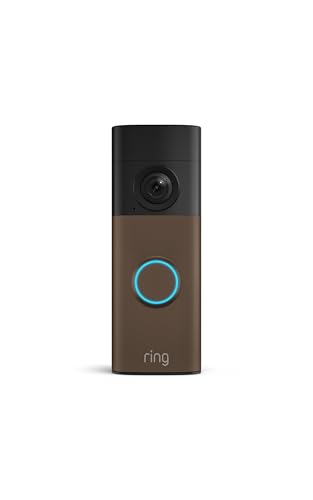
1. Ring Battery Doorbell 2K, Matte Mocha
Key specs
Battery-powered video doorbell with 2K retinal wide-angle video, up to 6x enhanced zoom, two-way talk, and a matte mocha finish. Newest model.
Strengths
- Battery power means no doorbell wiring is needed, so it fits homes without existing wiring.
- 2K retinal wide-angle video gives a clear, wide view of the front door and porch.
- Two-way talk lets the owner speak with visitors from anywhere.
Trade-offs
- Battery needs recharging, so the doorbell is offline while the battery charges unless a spare is kept.
- 6x zoom is digital enhancement rather than optical zoom, so distant detail is limited.
- Battery models depend on Wi-Fi signal at the door, which can be weak through thick walls.
Who it fits
Renters and homes without doorbell wiring who want a Ring doorbell at the front door.
Best for: homes without doorbell wiring that want a battery Ring doorbell.
Not suited for: homes with existing wiring that want a wired doorbell with no battery chores.
In daily use
In daily use, the battery doorbell is the doorbell you install in an afternoon: mount it, connect it to Wi-Fi, and the front door is covered. Motion alerts arrive when someone approaches, and two-way talk handles deliveries and visitors without opening the door. The battery is the only chore: it needs charging every few weeks depending on motion activity, so keep an eye on the battery level in the app and charge it before it runs flat. A strong Wi-Fi signal at the door matters more than anything else for reliable alerts.
Before you buy
Before buying the Ring Battery Doorbell 2K, Matte Mocha, check two practical things. First, test the Wi-Fi signal at the exact mounting point with a phone, since a camera that cannot reach the router is useless. Second, check the power situation: battery models need a charging plan, and wired models need existing doorbell wiring with a compatible transformer. Measure the transformer rating against the doorbell requirements on the product page, because an underpowered transformer causes unreliable operation that looks like a faulty camera.
Check price on Amazon: Ring Battery Doorbell 2K, Matte Mocha

2. Ring Battery Doorbell 2K Plus, Nickel Silver
Key specs
Battery-powered video doorbell, 2K Plus model, with retinal wide-angle video, up to 6x enhanced zoom, and night vision. Nickel silver finish. Newest model.
Strengths
- Battery power fits homes without doorbell wiring, with the step up to the 2K Plus model.
- Night vision keeps the front door visible after dark.
- Nickel silver finish suits modern front doors and hardware.
Trade-offs
- Battery needs periodic recharging, which takes the doorbell offline during charging.
- 2K Plus still relies on digital zoom, so fine detail at distance is limited.
- Needs a solid Wi-Fi signal at the mounting point.
Who it fits
Homes without wiring that want the Plus model with night vision at the front door.
Best for: front doors that need a battery doorbell with night vision.
Not suited for: homes with wiring that would rather have a wired doorbell.
In daily use
In daily use, the Battery Doorbell 2K Plus is the front-door camera for homes that cannot or do not want to wire a doorbell. Night vision is the difference after dark: the porch stays visible when the lights are off, and motion alerts still arrive. The battery routine is the same as any battery doorbell, with charging every few weeks and a spare battery making the swap painless. Mount it at a height that sees faces rather than the tops of heads, and test the motion zones in the app during the first week so alerts match real visits.
Before you buy
Before buying the Ring Battery Doorbell 2K Plus, Nickel Silver, think about the subscription. Live view and motion alerts work without a plan, but video history and recording need a Ring subscription, so a camera without a plan cannot show what happened an hour ago. Decide which cameras need recording before buying, since the subscription cost is part of the system cost. Also check the mounting surface: brick, render and wood all need different fixings, and the right screws and wall plugs should be bought with the camera.
Check price on Amazon: Ring Battery Doorbell 2K Plus, Nickel Silver

3. Ring Wired Doorbell 4K Pro, Deep Silver
Key specs
Wired video doorbell, 4K Pro model, with retinal wide-angle video, up to 10x enhanced zoom, and night vision. Deep silver finish. Newest model.
Strengths
- 4K resolution gives the sharpest video in this guide, with the most detail for identifying visitors.
- 10x enhanced zoom reaches further than the 2K models for driveways and paths.
- Wired power means no battery charging, ever.
Trade-offs
- Needs existing doorbell wiring and a compatible transformer, which some homes lack.
- 4K video uses more bandwidth and storage than 2K, so Wi-Fi and subscription needs are higher.
- Installation is more involved than a battery doorbell.
Who it fits
Homes with doorbell wiring that want the sharpest Ring doorbell video available.
Best for: wired homes that want 4K doorbell video with 10x zoom.
Not suited for: renters and homes without doorbell wiring.
In daily use
In daily use, the Wired Doorbell 4K Pro is the set-and-forget doorbell. Wired power means there is no battery to think about, and the 4K video gives the clearest view of faces, packages and plates at the door. The 10x zoom is useful for long driveways where a 2K doorbell would run out of detail. Check the existing transformer rating before ordering, since an underpowered transformer causes unreliable operation, and confirm the Wi-Fi signal at the door is strong enough for 4K streaming.
Before you buy
Before buying the Ring Wired Doorbell 4K Pro, Deep Silver, consider the neighbours and the household. Aim cameras at the property, not at neighbours windows or the street, and tell household members and regular visitors where cameras are placed, especially indoors. Check local rules on recording public areas and audio, since the law varies by place. Also plan the motion zones in advance: walk the property and note where people actually walk, so the zones can be set correctly on day one instead of after a week of false alerts.
Check price on Amazon: Ring Wired Doorbell 4K Pro, Deep Silver

4. Ring Wired Doorbell 2K Plus, Nickel Silver
Key specs
Wired video doorbell, 2K Plus model, with retinal wide-angle video, up to 6x enhanced zoom, and night vision. Nickel silver finish. Newest model.
Strengths
- Wired power removes battery charging from the routine entirely.
- 2K Plus video with night vision covers the front door clearly day and night.
- Less demanding on bandwidth than 4K, so it suits average home Wi-Fi.
Trade-offs
- Needs doorbell wiring and a compatible transformer.
- 6x zoom is less than the 4K Pro model for long driveways.
- Wired installation takes longer than mounting a battery doorbell.
Who it fits
Wired homes that want a reliable 2K doorbell without battery chores or 4K bandwidth demands.
Best for: wired homes that want a 2K Plus Ring doorbell.
Not suited for: homes without wiring and renters who cannot modify the doorbell circuit.
In daily use
In daily use, the Wired Doorbell 2K Plus is the dependable middle ground: wired power, clear 2K video, night vision, and no battery routine. It is the doorbell to pick when the home already has wiring and the owner wants reliability over the highest resolution. Motion alerts, two-way talk and night vision all work the same as the other models, and the lower bandwidth needs make it forgiving of average Wi-Fi. Verify the transformer before installation, and set motion zones to cover the walkway without catching every passing car.
Before you buy
Before buying the Ring Wired Doorbell 2K Plus, Nickel Silver, check two practical things. First, test the Wi-Fi signal at the exact mounting point with a phone, since a camera that cannot reach the router is useless. Second, check the power situation: battery models need a charging plan, and wired models need existing doorbell wiring with a compatible transformer. Measure the transformer rating against the doorbell requirements on the product page, because an underpowered transformer causes unreliable operation that looks like a faulty camera.
Check price on Amazon: Ring Wired Doorbell 2K Plus, Nickel Silver
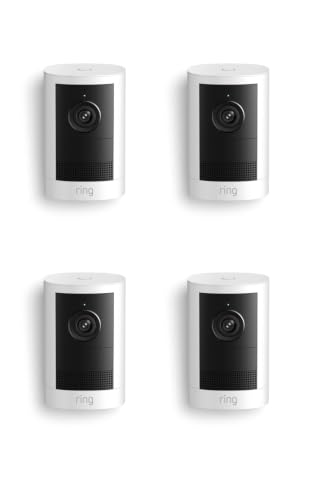
5. Ring Outdoor Cam 2K, Battery
Key specs
Battery-powered outdoor camera with 2K wide-angle retinal video, up to 6x enhanced zoom, and night vision. For home or business security. Newest model.
Strengths
- Battery power lets it mount anywhere outdoors without running cables.
- 2K wide-angle video covers yards, driveways and side gates in one view.
- Works in the same Ring app as the doorbell, so alerts stay in one place.
Trade-offs
- Battery needs recharging, and cold weather shortens battery life.
- Outdoor mounting needs a sheltered spot or the camera faces rain and sun directly.
- Depends on Wi-Fi signal reaching the mounting point.
Who it fits
Yards, driveways and side gates that need a wire-free outdoor camera in the Ring system.
Best for: outdoor spots without power that need a battery Ring camera.
Not suited for: indoor rooms, where the indoor cam is the right tool instead.
In daily use
In daily use, the Outdoor Cam 2K is the camera that fills the gaps the doorbell cannot see: the driveway, the side gate, the back yard. Battery power is what makes those spots possible without running cable, and the wide-angle 2K view covers a large area from one mount. Check the Wi-Fi signal at each mounting point before fixing the bracket, since a camera that cannot reach the router sends no alerts. In cold climates, expect shorter battery life in winter and plan charging accordingly.
Before you buy
Before buying the Ring Outdoor Cam 2K, Battery, think about the subscription. Live view and motion alerts work without a plan, but video history and recording need a Ring subscription, so a camera without a plan cannot show what happened an hour ago. Decide which cameras need recording before buying, since the subscription cost is part of the system cost. Also check the mounting surface: brick, render and wood all need different fixings, and the right screws and wall plugs should be bought with the camera.
Check price on Amazon: Ring Outdoor Cam 2K, Battery

6. Ring Floodlight Cam 2K, White
Key specs
Floodlight camera with 2K wide-angle retinal video, up to 6x enhanced zoom, and motion-activated floodlights. White finish. Newest model.
Strengths
- Motion-activated floodlights deter intruders and light the area for the camera at night.
- 2K wide-angle video covers large outdoor areas from a single mount.
- Wired power means no battery charging for a camera that runs all night.
Trade-offs
- Needs a wired floodlight mounting point, which limits placement to existing junction boxes.
- Bright floodlights can annoy neighbours if aimed poorly.
- Larger and more visible than a small battery camera.
Who it fits
Driveways, back yards and dark corners that need light plus video in one wired unit.
Best for: dark driveways and yards that need a floodlight camera.
Not suited for: renters and spots without a wired junction box.
In daily use
In daily use, the Floodlight Cam 2K is the camera that changes the night-time picture completely. When motion triggers the lights, the camera records in bright, clear 2K instead of grainy night vision, and the light itself is a deterrent. Aim the lights down and at the property, not at the street or neighbours windows, and set the motion sensitivity so passing cars do not trigger the lights all night. Because it is wired, there is no battery routine, but the mounting point must be an existing junction box, so placement is decided by the wiring.
Before you buy
Before buying the Ring Floodlight Cam 2K, White, consider the neighbours and the household. Aim cameras at the property, not at neighbours windows or the street, and tell household members and regular visitors where cameras are placed, especially indoors. Check local rules on recording public areas and audio, since the law varies by place. Also plan the motion zones in advance: walk the property and note where people actually walk, so the zones can be set correctly on day one instead of after a week of false alerts.
Check price on Amazon: Ring Floodlight Cam 2K, White
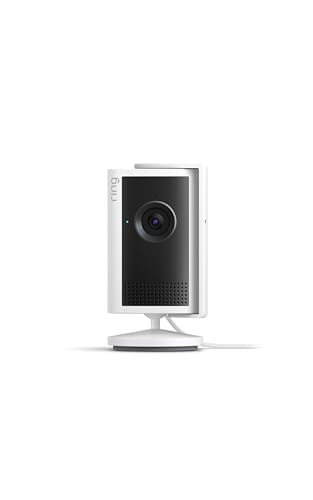
7. Ring Indoor Cam 2K, White
Key specs
Indoor camera with 2K retinal video, up to 6x enhanced zoom, and night vision. White finish. For home and business security. Newest model.
Strengths
- 2K video with night vision covers rooms clearly day and night.
- Small and discreet, so it fits on a shelf or mounts in a corner without dominating the room.
- Same Ring app as the doorbells and outdoor cameras, so the whole system stays together.
Trade-offs
- Indoor use only: it is not weatherproof for outdoor mounting.
- Needs a power outlet nearby, so placement follows the outlets.
- Indoor cameras raise privacy questions for household members and guests, which need handling openly.
Who it fits
Living rooms, entrances and home offices that need an indoor camera in the Ring system.
Best for: indoor spaces that need a discreet 2K Ring camera.
Not suited for: outdoor use, where the outdoor cam is the right product.
In daily use
In daily use, the Indoor Cam 2K is the quiet member of the system. It sits on a shelf or mounts high in a corner and watches the room it is pointed at, with night vision covering the hours after dark. Use it for entrances, living areas and home offices rather than bedrooms and bathrooms, and tell household members and regular visitors that it is there. Keep it near an outlet and a strong Wi-Fi signal, and set a schedule or use privacy modes so the camera is off when the house is occupied and on when it is empty.
Before you buy
Before buying the Ring Indoor Cam 2K, White, check two practical things. First, test the Wi-Fi signal at the exact mounting point with a phone, since a camera that cannot reach the router is useless. Second, check the power situation: battery models need a charging plan, and wired models need existing doorbell wiring with a compatible transformer. Measure the transformer rating against the doorbell requirements on the product page, because an underpowered transformer causes unreliable operation that looks like a faulty camera.
Check price on Amazon: Ring Indoor Cam 2K, White

8. Ring Spotlight Cam Plus, White
Key specs
Spotlight camera with HD video, two-way talk, and colour night vision, for home or business security. White finish. First generation Plus model.
Strengths
- Spotlight LEDs light the area when motion is detected, improving night video.
- Two-way talk lets the owner speak with anyone near the camera.
- Colour night vision gives a clearer night image than standard infrared.
Trade-offs
- HD resolution is lower than the 2K cameras in this guide.
- First generation Plus model, so it lacks the newest model refinements.
- Spotlight needs a power source, so placement follows the wiring or battery options.
Who it fits
Buyers who want a spotlight camera with colour night vision for a side gate or driveway.
Best for: side gates and driveways that need a spotlight camera.
Not suited for: buyers who need the sharpest 2K video available.
In daily use
In daily use, the Spotlight Cam Plus is the camera for the spots that need light as well as video: a side gate, a driveway corner, a dark path. The spotlight LEDs fire when motion is detected, which gives the camera a clear colour image at night and deters anyone who should not be there. Colour night vision is the difference from a plain infrared camera, since it keeps colours visible after dark. Mount it where the light covers the path rather than the street, and set the motion zones so passing cars do not trigger the light all night.
Before you buy
Before buying the Ring Spotlight Cam Plus, White, think about the subscription. Live view and motion alerts work without a plan, but video history and recording need a Ring subscription, so a camera without a plan cannot show what happened an hour ago. Decide which cameras need recording before buying, since the subscription cost is part of the system cost. Also check the mounting surface: brick, render and wood all need different fixings, and the right screws and wall plugs should be bought with the camera.
Check price on Amazon: Ring Spotlight Cam Plus, White
Buying guide
Where each camera goes
Put the doorbell at the front door, an outdoor camera on the driveway and side gate, a floodlight camera on dark corners and the back yard, and an indoor camera in the living area or entrance. Overlap is wasteful, and gaps are worse: walk the property at night and look for dark spots the cameras do not cover.
Battery or wired
Battery cameras mount anywhere but need charging every few weeks, and cold weather shortens battery life. Wired cameras never need charging but only go where wiring exists. For the front door, wired is best if the wiring is already there; for yards and gates, battery is usually the only practical option.
Wi-Fi signal at the camera
A camera that cannot reach the router sends no alerts and no video. Test the Wi-Fi signal at each mounting point with a phone before fixing the bracket, and add a mesh node or extender if the signal is weak at the far end of the property.
Motion zones and sensitivity
Set motion zones to cover walkways and driveways while excluding the street, or alerts will fire for every passing car. Start with medium sensitivity and adjust after a week of real alerts, since every property has its own pattern of movement, pets and shadows.
Subscription and video history
A Ring subscription is what turns motion alerts into a record: without a plan, there is no saved footage to review after an event. Decide before buying which cameras need recording, since the subscription is a recurring cost on top of the hardware. The doorbell and the outdoor cameras are the usual priorities for recording, while an indoor camera may only need live view. Check the plan options on the Ring site for the current pricing and the number of cameras covered.
Night vision and lighting
Night vision lets cameras see in the dark, but the image is grainy and the range is limited. A floodlight camera changes the picture entirely by lighting the area, which gives a clear colour image at night. For dark driveways and yards, a floodlight camera is worth more than a higher resolution, because light is what the camera needs most after dark. Keep outdoor lights clean and aimed at the property, not at the camera lens.
Warranty and returns
Check the warranty length and the return policy before ordering, since a camera that cannot hold a Wi-Fi signal at its mounting point is only discovered after installation. Keep the packaging for the first weeks and test each camera at its actual mounting point during the return window, not just on a table next to the router. Ring offers a subscription that includes extended warranty and device protection on some plans, which is worth comparing against the cost of replacing a camera outright.
Usage and care
Mount cameras at a height that sees faces rather than the tops of heads, usually around two metres for doorbells and outdoor cameras. Keep lenses clean with a soft cloth, since outdoor cameras collect dust, rain spots and spider webs that blur the view. Check battery levels weekly in the app and charge before the battery runs flat, because a flat battery leaves a blind spot. Review motion zones after the first week and adjust them to the real pattern of alerts. For indoor cameras, use schedules or privacy modes so the camera is active when the house is empty and off when it is occupied, and tell household members where cameras are placed.
Review the footage and the alerts after the first week, not just on day one. False alerts usually come from a motion zone that includes the street, a tree that moves in the wind, or a reflective surface, and each one has a fix in the app settings. Adjust the sensitivity down if cars trigger the camera, and narrow the zones to the walkway and driveway. For battery cameras, note how fast the battery drains in the first two weeks: a battery that drops quickly usually means the motion zones are too wide or the sensitivity is too high, and tightening both extends battery life more than any other change.
Common mistakes
The most common mistake is mounting the doorbell too high, so it films the tops of heads instead of faces. Another is skipping the Wi-Fi check at the mounting point, which leads to missed alerts and choppy video. A third is leaving motion zones on their defaults, so the system alerts for every car on the street. Buyers also mix non-Ring cameras into a Ring system, which splits alerts across apps, and some forget that video history needs a subscription, so they expect recordings without one. Finally, do not aim floodlights at neighbours windows or the street; the lights should cover the property, not the neighbourhood.
Another common mistake is mounting cameras where the sun shines directly into the lens at some point in the day, which blinds the camera for an hour and triggers false motion alerts from the glare. Check the sun path before fixing a bracket, and angle the camera slightly away from the direct sun. Buyers also forget that indoor cameras record audio as well as video, which raises privacy questions that should be discussed openly with the household. A further mistake is ignoring firmware updates: Ring cameras update automatically in most cases, but a camera that never updates can miss features and fixes, so check the app for the camera status now and then.
Final recommendation
For most homes, the Ring Battery Doorbell 2K is the right starting point if there is no wiring, and the Ring Wired Doorbell 2K Plus is the right pick if wiring exists. Add the Outdoor Cam 2K for the driveway and yard, the Floodlight Cam 2K for dark corners, and the Indoor Cam 2K for the living area, and the home is covered as one system in one app. Start with the door, then add cameras for the gaps, and check the Wi-Fi signal at every mounting point before fixing a bracket.
Start with the front door, because it is the camera that gets used every day for deliveries, visitors and parcels. Then add one outdoor camera for the driveway or the side gate, and only then consider floodlight and indoor cameras for the remaining gaps. Each camera should cover a spot no other camera sees, and the motion zones should be tuned over the first two weeks until the alerts match real visits. A Ring system grows one camera at a time, and a system built that way ends up covering the home properly without overlap or blind spots.
Frequently asked questions
Do Ring cameras need a subscription?
Live view, motion alerts and two-way talk work without a subscription, but video history and recording need a Ring subscription plan. Without a plan, there is no saved footage to review after an event, so most owners add a plan for the cameras that matter.
Can I use a Ring doorbell without existing wiring?
Yes, the battery doorbells in this guide run on a rechargeable battery and need no wiring at all. They mount with screws and connect over Wi-Fi, which makes them suitable for renters and homes without a doorbell circuit.
What is the difference between 2K and 4K doorbells?
4K doorbells record more detail, which helps with identifying faces and reading details at distance, and the 4K Pro also offers 10x zoom. 2K doorbells are clearer than older HD models and use less bandwidth and storage, which suits average home Wi-Fi.
How long does a Ring battery last?
Battery life depends on motion activity, temperature and settings, and is usually measured in weeks rather than days. Busy front doors with frequent motion drain the battery faster, and cold weather shortens life, so check the level in the app and keep a spare battery for quick swaps.
Do Ring cameras work with other smart home systems?
Ring cameras work in the Ring app and integrate with Amazon Alexa for announcements and live view on Echo devices. Mixing Ring with other camera brands splits alerts and recordings across apps, so most owners keep the whole system on Ring.
Can Ring cameras record without Wi-Fi?
No, Ring cameras need Wi-Fi to send alerts and upload video. If the Wi-Fi goes down, the cameras cannot record to the cloud. Some models have limited local storage, but the system is designed around a working internet connection, which is why the Wi-Fi signal at each camera matters so much.
How do I reduce false motion alerts?
Narrow the motion zones to the walkway and driveway, excluding the street, and lower the sensitivity if cars or trees trigger alerts. Check for reflective surfaces and direct sunlight in the camera view, and review the alert history after a week to see which triggers repeat. Most false alerts are fixed by zone and sensitivity changes, not by replacing the camera.
Can I move a Ring camera to a new house?
Yes, Ring cameras can be removed from one location and set up at another through the app, which removes the device from the old account location and adds it to the new one. Battery cameras move easily, while wired cameras need the wiring at the new house. Remove the device from the app before uninstalling it, and factory reset it if it is being sold or given away, so the new owner starts clean.