The best gaming laptops CES highlights each year are the machines that set the pace for the next twelve months, and the current crop is built around NVIDIA's RTX 50-series graphics: the RTX 5060, 5070, 5070 Ti and 5080 that appear across the eight laptops in this guide. CES is where ASUS, MSI, Lenovo, Alienware and Gigabyte show their newest gaming laptops, and the models here are those new-generation machines, with fast high-refresh displays, current Intel and AMD processors, and the memory and storage to match. Every laptop below is a current listing with its brand and model confirmed, and each one states its graphics card, processor and display in the listing, so there is no guessing about what you are buying.
What separates one new gaming laptop from another is the balance between graphics, display and size. The RTX 5070 is the sweet spot in this guide, appearing in five of the eight picks, because it handles modern games at high settings on a 144Hz or 165Hz display without the cost of the 5080. The RTX 5060 models are the affordable entry to the new generation, the RTX 5070 Ti in the MSI Stealth 16 AI+ adds a step up for high-refresh OLED gaming, and the RTX 5080 machines from MSI are the flagship picks for buyers who want the most graphics power in a laptop. Display matters too: the OLED panels on the MSI Stealth and the Lenovo Legion 5i give deeper blacks and faster response than the standard IPS panels, while the 240Hz displays suit competitive play.
Size is the other choice to make before you buy. A 15.6-inch or 16-inch laptop is the portable gaming machine: it fits in a backpack, it works on a train, and it still has room for a full keyboard. An 18-inch laptop such as the ASUS ROG Strix G18 or the MSI Stealth A18 is a desktop replacement that stays on the desk, with a bigger screen and more cooling headroom. The guide includes both, and it says plainly which is which, so you can pick the size that matches how you actually use a laptop rather than the size that looks best on a specification sheet.
In this guide
Quick picks: best gaming laptops ces
| # | Product | Where to buy |
|---|---|---|
| 1 | MSI Cyborg 15.6 Inch RTX 5070 Gaming Laptop | Check on Amazon |
| 2 | ASUS ROG Strix G16 (2025) Gaming Laptop | Check on Amazon |
| 3 | MSI Stealth 16 AI+ Gaming Laptop | Check on Amazon |
| 4 | GIGABYTE Gaming A16 Gaming Laptop | Check on Amazon |
| 5 | Lenovo Legion 5i 15.3 Inch OLED Gaming Laptop | Check on Amazon |
| 6 | Alienware 16 Aurora Gaming Laptop | Check on Amazon |
| 7 | ASUS ROG Strix G18 Gaming Laptop | Check on Amazon |
| 8 | MSI Katana 15 HX Gaming Laptop | Check on Amazon |
How the picks were chosen
The picks were chosen from current gaming laptop listings, with three hard filters. First, the laptop must be a new-generation gaming laptop of the kind shown at CES: a current model with an RTX 50-series graphics card, which rules out the older RTX 40-series and 30-series machines and the integrated-graphics laptops that appeared in the search results. The MSI Venture A16 was excluded because its listing states UMA AMD Radeon integrated graphics rather than a discrete gaming GPU. Second, the listing must state the graphics card, the processor and the display, so buyers can compare them honestly. Third, the laptop must be a current, new listing from a named brand.
Within those filters the guide favours variety: two ASUS ROG Strix models at 16 and 18 inches, two MSI models at 16 inches plus one Katana, one Lenovo Legion, one Alienware Aurora, and one Gigabyte Gaming A16. RTX 5070 leads the list because it is the sweet spot of the new generation, with one RTX 5060 model for affordability, one RTX 5070 Ti for high-refresh OLED gaming, and one RTX 5080 for flagship power. Display type, size and processor were weighed alongside graphics, because a laptop is a balance of parts, not a single chip.
One judgement call is worth stating plainly. CES is a trade show, not a product line, so no laptop is sold as a CES edition, and this guide treats the best gaming laptops CES as the newest generation of gaming laptops shown there, rather than pretending a special edition exists. The guide also notes where listings bundle extras, such as the MSI Cyborg that ships with an external hard drive in the box, so buyers know what is in the listing and what is not. The laptops are judged on their own specifications, not on the show they were launched at.
Quick comparison
| Product | Standout detail |
|---|---|
| MSI Cyborg 15.6 Inch RTX 5070 Gaming Laptop | 15.6 inch, RTX 5070, Intel 10-core 7 240H, 16GB, 1TB |
| ASUS ROG Strix G16 (2025) Gaming Laptop | 16 inch, RTX 5060, Intel Core i7, 165Hz |
| MSI Stealth 16 AI+ Gaming Laptop | 16 inch, RTX 5070Ti, Ultra 9, OLED 240Hz, 32GB |
| GIGABYTE Gaming A16 Gaming Laptop | 16 inch, RTX 5070, i7-13620H, 165Hz, 32GB |
| Lenovo Legion 5i 15.3 Inch OLED Gaming Laptop | 15.3 inch, RTX 5070, Ultra 7, OLED 165Hz, 16GB |
| Alienware 16 Aurora Gaming Laptop | 16 inch, RTX 5070, Core 9 270H, 120Hz, 32GB |
| ASUS ROG Strix G18 Gaming Laptop | 18 inch, RTX 5070, Ryzen 9 9955HX, 240Hz |
| MSI Katana 15 HX Gaming Laptop | 15.6 inch, RTX 5070, i9-14900HX, 165Hz, 32GB |

1. MSI Cyborg 15.6 Inch RTX 5070 Gaming Laptop
Key specs
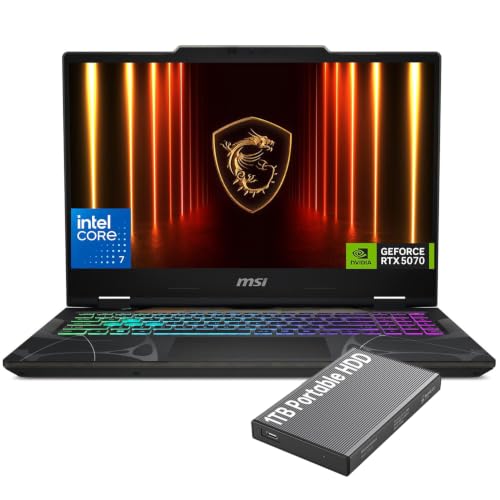
15.6-inch RTX 5070 gaming laptop, Intel 10-core 7 240H up to 5.2GHz, 16GB DDR5, 1TB SSD plus 1TB external hard drive. The MSI Cyborg is the affordable RTX 5070 pick in this guide.
Strengths
- RTX 5070 graphics at the most affordable place in this guide gives new-generation gaming without flagship cost.
- Intel 10-core 7 240H processor up to 5.2GHz handles gaming and multitasking well.
- 1TB SSD plus a 1TB external hard drive in the box gives generous storage from day one.
Trade-offs
- 15.6-inch display is the standard size here, not the larger 16 or 18-inch screens.
- 16GB of memory is the base level in this guide, so heavy multitasking may want more.
- Bundle includes an external hard drive, which is useful but not a substitute for internal storage.
Who it fits
Buyers who want an RTX 5070 laptop at the lowest cost in this guide, with plenty of storage included.
Best for: a first RTX 50-series gaming laptop on a sensible budget.
Not suited for: anyone who needs 32GB of memory, or a larger 16 or 18-inch display.
In daily use
In daily use, the MSI Cyborg is the laptop that gets you into the new generation without a flagship budget. The RTX 5070 handles modern games at high settings, the Intel 10-core processor keeps up with streaming and multitasking, and the 1TB SSD plus the bundled external drive mean you will not run out of space in the first year. It is a 15.6-inch machine, so it fits in a backpack and works on a desk, a train or a sofa. Keep the vents clear, use a cooling stand for long sessions, and the Cyborg will be the laptop that proves you did not need to spend more.
Check price on Amazon: MSI Cyborg 15.6 Inch RTX 5070 Gaming Laptop

2. ASUS ROG Strix G16 (2025) Gaming Laptop
Key specs
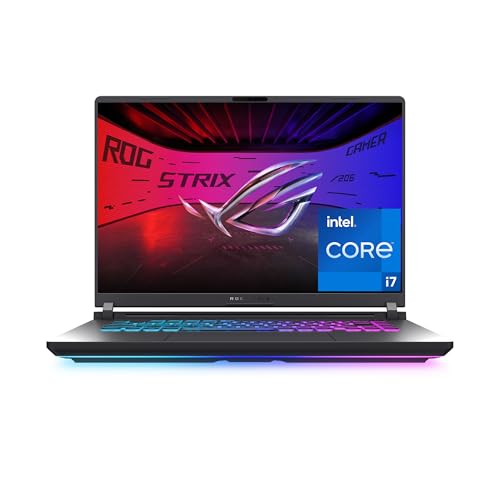
16-inch FHD+ 16:10 165Hz display, 3ms response, NVIDIA GeForce RTX 5060, Intel Core i7 processor. The ASUS ROG Strix G16 2025 is the affordable ROG pick in this guide.
Strengths
- 165Hz display with 3ms response suits fast games where a high refresh rate matters.
- RTX 5060 graphics bring the new generation to the most affordable ROG Strix in this guide.
- 16-inch 16:10 display gives more vertical space than a 16:9 screen for work as well as play.
Trade-offs
- RTX 5060 is the entry graphics card in this guide, so the most demanding games need lower settings.
- Listing does not state memory and storage in the visible title, so confirm both before ordering.
- 16-inch size is portable, but not as compact as a 14 or 15-inch laptop.
Who it fits
Buyers who want an ASUS ROG laptop with a fast display at the most affordable place in the range.
Best for: a gamer who values a 165Hz screen and the ROG build over the fastest graphics.
Not suited for: anyone who needs RTX 5070 power, or a stated memory and storage figure in the title.
In daily use
In daily use, the ROG Strix G16 2025 is the ROG laptop for fast games: the 165Hz display with 3ms response makes shooters and racing games feel smoother than a 60Hz screen ever could, and the RTX 5060 handles them at high settings. The 16:10 display gives a little extra height for documents and web pages when you are not gaming, which makes the laptop a better all-rounder than its gaming looks suggest. Confirm the memory and storage on the product page, keep the vents clear, and the Strix will be the laptop that does everything well rather than one thing perfectly.
Check price on Amazon: ASUS ROG Strix G16 (2025) Gaming Laptop

3. MSI Stealth 16 AI+ Gaming Laptop
Key specs
16-inch 240Hz QHD+ OLED gaming laptop, Intel Core Ultra 9 386H, NVIDIA GeForce RTX 5070 Ti, 32GB DDR5, 1TB SSD. The MSI Stealth 16 AI+ is the OLED flagship pick in this guide.
Strengths
- 240Hz QHD+ OLED display gives the best picture in this guide: deep blacks, vivid colour and a fast response.
- RTX 5070 Ti graphics and an Intel Core Ultra 9 processor handle demanding games and creative work alike.
- 32GB of DDR5 memory and a 1TB SSD give generous headroom for multitasking and storage.
Trade-offs
- OLED display costs more than a standard IPS panel, and it needs care to avoid image retention.
- 16-inch OLED laptop is a premium machine, so the cost is the highest in the guide outside the 5080 models.
- Thin Stealth design trades some cooling headroom for portability, so long sessions need good airflow.
Who it fits
Buyers who want the best display and the strongest all-round specification in a portable 16-inch laptop.
Best for: a gamer and creator who wants OLED colour and 240Hz speed in one machine.
Not suited for: anyone on a tight budget, or who prefers a standard IPS display.
In daily use
In daily use, the MSI Stealth 16 AI+ is the laptop that makes other screens look dull. The OLED display shows blacks that are truly black, colours that pop without looking artificial, and motion at 240Hz that feels immediate. The RTX 5070 Ti and the Ultra 9 processor handle anything you throw at them, from the newest games to video editing, and the 32GB of memory means you will not close apps to free space. Use a dark wallpaper and hide the taskbar to look after the OLED panel, keep the vents clear, and the Stealth will be the laptop you reach for first, every time.
Check price on Amazon: MSI Stealth 16 AI+ Gaming Laptop

4. GIGABYTE Gaming A16 Gaming Laptop
Key specs
Intel i7-13620H, GeForce RTX 5070, 16-inch laptop, 165Hz, 1920×1200 WUXGA, 1TB SSD, 32GB DDR5 RAM. The GIGABYTE Gaming A16 is the balanced RTX 5070 pick in this guide.
Strengths
- RTX 5070 graphics with 32GB of DDR5 memory gives a strong balance of gaming and multitasking power.
- 165Hz WUXGA display keeps fast games smooth without the cost of an OLED panel.
- 1TB SSD gives room for a game library without an external drive.
Trade-offs
- WUXGA resolution is lower than the QHD+ displays on the MSI and Lenovo models here.
- GIGABYTE's gaming laptop range is less well known than ASUS ROG or MSI, so support varies by region.
- 16-inch size is portable, but the laptop is a gaming machine first and an office machine second.
Who it fits
Buyers who want an RTX 5070 laptop with 32GB of memory and a fast display at a balanced cost.
Best for: a gamer who wants plenty of memory for multitasking and streaming.
Not suited for: anyone who needs a QHD+ or OLED display, or the widest support network.
In daily use
In daily use, the GIGABYTE Gaming A16 is the laptop that does the sums right: RTX 5070 for the games, 32GB of memory for everything else, a 165Hz display for smooth motion, and a 1TB SSD for the library. It does not have the OLED wow of the MSI Stealth or the ROG name of the ASUS, but it gives you more memory than most laptops at its level, and that is what you feel when you have a game, a stream and a browser open at once. Keep the vents clear, use a cooling stand for long sessions, and the A16 will be a reliable gaming companion.
Check price on Amazon: GIGABYTE Gaming A16 Gaming Laptop

5. Lenovo Legion 5i 15.3 Inch OLED Gaming Laptop
Key specs
15.3-inch OLED WQXGA 165Hz gaming notebook, Intel Core Ultra 7 251HX, 16GB RAM, 1TB SSD, NVIDIA GeForce RTX 5070. The Lenovo Legion 5i is the compact OLED pick in this guide.
Strengths
- OLED WQXGA display at 165Hz gives deep blacks and smooth motion in a compact 15.3-inch body.
- RTX 5070 graphics with an Intel Core Ultra 7 processor handle modern games at high settings.
- 15.3-inch size is the most portable laptop in this guide, fitting easily in a backpack.
Trade-offs
- 16GB of memory is the base level here, so heavy multitasking may want an upgrade.
- OLED display needs care to avoid image retention, like any OLED panel.
- 15.3-inch display is smaller than the 16 and 18-inch models, so it suits portability over screen size.
Who it fits
Buyers who want an OLED gaming laptop in the most portable size in this guide.
Best for: a gamer who travels and wants a 15.3-inch laptop with a superb display.
Not suited for: anyone who needs 32GB of memory, or the largest possible screen.
In daily use
In daily use, the Lenovo Legion 5i is the laptop that travels well and plays hard. The 15.3-inch OLED display is the star: films look cinematic, games look vivid, and the 165Hz refresh keeps motion smooth. The RTX 5070 handles modern titles at high settings, the Ultra 7 processor keeps up with work and streaming, and the compact body fits in a backpack without weighing you down. Use a dark wallpaper for the OLED panel, keep the vents clear on soft surfaces, and the Legion 5i will be the laptop that goes everywhere with you.
Check price on Amazon: Lenovo Legion 5i 15.3 Inch OLED Gaming Laptop

6. Alienware 16 Aurora Gaming Laptop
Key specs
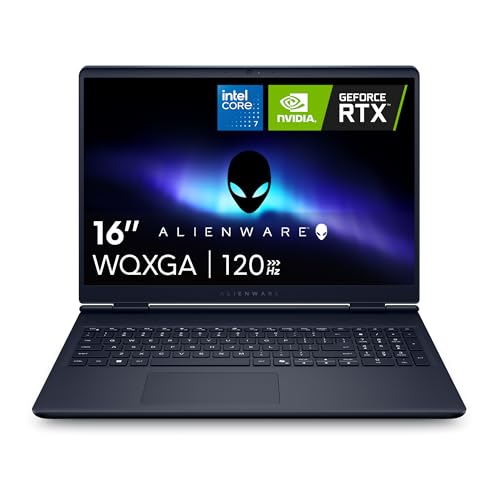
RTX 5070, Intel Core 9 270H, 2560×1600 display, 120Hz, 300 nits, NVIDIA GeForce, 32GB memory. The Alienware 16 Aurora is the premium-design RTX 5070 pick in this guide.
Strengths
- 2560×1600 display gives a sharper picture than the Full HD models in this guide.
- Intel Core 9 270H processor and 32GB of memory give flagship-level computing power.
- Alienware design and build quality suit buyers who want a premium laptop, not just a fast one.
Trade-offs
- 120Hz refresh is lower than the 165Hz and 240Hz displays here, so competitive gamers may want more.
- 300-nit brightness is modest for a premium laptop, so bright rooms will wash the screen out a little.
- Alienware styling and cost put it at the premium end of the RTX 5070 range.
Who it fits
Buyers who want an Alienware laptop with a sharp display and flagship computing power.
Best for: a gamer who values build quality and design alongside graphics performance.
Not suited for: competitive gamers who need 165Hz or more, or anyone on a tight budget.
In daily use
In daily use, the Alienware 16 Aurora is the laptop that feels premium from the moment you open it. The 2560×1600 display is sharp for games and for work, the Core 9 processor and 32GB of memory handle anything you open, and the RTX 5070 plays modern games at high settings. The 120Hz refresh is enough for most games, though competitive players will notice the difference against a 165Hz screen. Keep the laptop on a hard surface for airflow, use a cooling stand for long sessions, and the Aurora will be the laptop that looks as good as it plays.
Check price on Amazon: Alienware 16 Aurora Gaming Laptop

7. ASUS ROG Strix G18 Gaming Laptop
Key specs
AMD Ryzen 9 9955HX, NVIDIA GeForce RTX 5070, 18-inch ROG Nebula Display, 16:10, 2.5K, 240Hz, 3ms. The ASUS ROG Strix G18 is the big-screen RTX 5070 pick in this guide.
Strengths
- 18-inch ROG Nebula display at 2.5K and 240Hz gives the largest, fastest screen in this guide.
- AMD Ryzen 9 9955HX processor is the most powerful CPU in this guide for gaming and rendering.
- RTX 5070 graphics on an 18-inch laptop give desktop-replacement performance.
Trade-offs
- 18 inches is the largest laptop here, so it stays on a desk rather than travelling in a backpack.
- Big screen and fast processor need more power and more cooling, so battery life is short under load.
- Listing does not state memory and storage in the visible title, so confirm both before ordering.
Who it fits
Buyers who want the biggest, fastest gaming laptop screen and a desktop-replacement machine.
Best for: a gamer who plays at a desk and wants an 18-inch display that fills the view.
Not suited for: anyone who travels with their laptop, or needs long battery life.
In daily use
In daily use, the ROG Strix G18 is less a laptop and more a portable desktop: the 18-inch Nebula display at 240Hz fills your view, the Ryzen 9 processor chews through games and rendering, and the RTX 5070 keeps the frame rate high. It is not a machine you carry every day, and it is not meant to be: it lives on a desk, plugged in, with a mouse and a headset, and it replaces a desktop PC for most buyers. Confirm the memory and storage on the product page, keep the vents clear, and the G18 will be the most immersive gaming laptop in this guide.
Check price on Amazon: ASUS ROG Strix G18 Gaming Laptop

8. MSI Katana 15 HX Gaming Laptop
Key specs
15.6-inch 165Hz QHD+ gaming laptop, Intel Core i9-14900HX, NVIDIA GeForce RTX 5070, 32GB DDR5, 1TB NVMe SSD. The MSI Katana 15 HX is the compact flagship pick in this guide.
Strengths
- Intel Core i9-14900HX is the most powerful processor in a 15.6-inch laptop in this guide.
- RTX 5070 graphics with 32GB of DDR5 memory and a 1TB NVMe SSD give flagship-level performance.
- 165Hz QHD+ display in a 15.6-inch body gives a sharp, fast picture in a portable size.
Trade-offs
- 15.6-inch body with a flagship processor runs hot under load, so cooling matters.
- Katana design is plainer than the Stealth range, so it suits buyers who care about performance over looks.
- Flagship processor in a compact body means fan noise under heavy load.
Who it fits
Buyers who want flagship processor power in a portable 15.6-inch laptop.
Best for: a gamer and creator who needs an i9 processor and an RTX 5070 in a backpack-sized machine.
Not suited for: anyone who wants the quietest laptop, or the largest screen.
In daily use
In daily use, the MSI Katana 15 HX is the laptop that surprises people: a 15.6-inch body with an i9 processor, an RTX 5070, 32GB of memory and a 165Hz QHD+ display. It plays the newest games at high settings, it renders video without breaking a sweat, and it still fits in a backpack. The trade-off is heat and fan noise under load, because a flagship processor in a compact body has to work hard to stay cool. Use it on a hard surface, use a cooling stand for long sessions, and the Katana will give you desktop power in a laptop you can carry.
Check price on Amazon: MSI Katana 15 HX Gaming Laptop
Buying guide: best gaming laptops ces
RTX 5060, 5070, 5070 Ti or 5080
The RTX 5060 is the entry to the new generation and suits 1080p gaming at high settings. The RTX 5070 is the sweet spot in this guide, handling modern games at high settings on a 144Hz or 165Hz display, and it appears in five of the eight picks. The RTX 5070 Ti in the MSI Stealth adds a step up for high-refresh OLED gaming, and the RTX 5080 is the flagship for buyers who want the most graphics power in a laptop. Pick the graphics card that matches your display: a 1080p screen does not need a 5080, and a 240Hz QHD+ display deserves more than a 5060.
Display: OLED, refresh and resolution
The display is what you look at all day, so it matters as much as the graphics card. OLED panels on the MSI Stealth and the Lenovo Legion give deeper blacks and more vivid colour than standard IPS panels, but they cost more and need care to avoid image retention. A 165Hz or 240Hz refresh rate makes fast games feel smoother, while a 120Hz display is enough for slower games and everyday use. Resolution matters too: a 2560×1600 or QHD+ display is sharper than Full HD, but it also asks more of the graphics card.
Size: portable or desktop replacement
A 15.6-inch or 16-inch laptop fits in a backpack and works anywhere, while an 18-inch laptop such as the ROG Strix G18 is a desktop replacement that stays on the desk. The bigger the laptop, the bigger the screen and the better the cooling, but the heavier it is to carry and the shorter its battery life under load. Decide how you will use the laptop before you buy: if it travels, pick 15.6 or 16 inches; if it stays on a desk, 18 inches gives you the most immersive experience.
Memory, storage and processor
16GB of memory is enough for gaming alone, but 32GB is better if you stream, edit video or keep many apps open at once. A 1TB SSD is the minimum for a game library in this generation, because modern games are large, and a second drive or an external drive helps if you play many titles. The processor matters less than the graphics card for gaming, but an Intel Core Ultra 9 or a Ryzen 9 will handle streaming and rendering better than a Core i7 or an Ultra 7.
Cooling: the hidden specification
A gaming laptop's cooling decides how fast it can run for how long, and it is the specification that matters most after the graphics card. A thin laptop with a flagship processor will throttle under sustained load if its cooling cannot keep up, while a thicker laptop with the same parts will hold its speed. The 18-inch ROG Strix G18 has the most cooling headroom here, the 15.6-inch Katana the least, and the difference shows in long sessions. Read reviews for sustained performance, not just benchmark scores, and use a cooling stand for long gaming sessions.
Battery life: what to expect
A gaming laptop's battery lasts a few hours for work and much less for gaming, because a graphics card that draws a lot of power drains a battery quickly. Do not buy a gaming laptop expecting all-day battery life: buy it for the performance when plugged in, and treat the battery as a way to move between rooms or to work on a train. For gaming, always plug in, because the laptop will throttle its graphics on battery alone and the game will run slower.
Upgrades: what you can change later
A gaming laptop is harder to upgrade than a desktop, so check what can change before you buy. Memory and storage are the parts most often upgradeable: some laptops here have a spare memory slot or a second SSD bay, while others have memory soldered in place and no room for a second drive. The graphics card and the processor cannot be upgraded in a laptop, so buy the graphics power you need now, not the power you hope to add later. If you plan to keep the laptop for years, 32GB of memory and a 1TB SSD are the safer choices.
Usage and care
Set up a new gaming laptop on a hard surface, not on a bed or a sofa, because the vents on the bottom need clear air to cool the processor and the graphics card. Let the laptop finish its first round of updates before you judge its performance, because a new machine spends its first day downloading drivers and indexing files. Install games on the SSD rather than an external drive where possible, because loading times are much faster, and keep at least a tenth of the SSD free so the drive can manage itself. Use the maker's control software to set a balanced or performance mode for gaming, and a quiet or silent mode for work and films.
Look after the display, especially if it is OLED. Use a dark wallpaper, hide the taskbar when you are not using it, and do not leave a static image on the screen for hours, because OLED panels can retain an image. Clean the screen with a soft, dry cloth, never with paper towels or harsh cleaners, and close the lid gently rather than slamming it. Keep the laptop plugged in for gaming, because gaming on battery alone will throttle performance and drain the battery quickly, and use a cooling stand for long sessions to give the vents more air.
Common mistakes
The most common mistake is buying a laptop for its graphics card alone and ignoring the display: an RTX 5070 with a 60Hz screen will never show the frame rate the graphics card can produce. Another is buying an 18-inch laptop and then discovering it does not fit in a backpack or on a small desk. A third is filling the SSD completely, which slows the drive and the laptop with it. Buyers also forget to check the memory: 16GB is enough for gaming, but 32GB is better for streaming and multitasking, and upgrading memory later is not always possible on every model.
Do not game on a soft surface such as a bed or a cushion, because the vents will be blocked and the laptop will overheat and throttle. Do not ignore fan noise that suddenly gets louder: it is usually dust in the vents, and a quick clean fixes it. Do not leave a gaming laptop plugged in at full charge for months without using the battery, because the battery will degrade faster. And do not buy a laptop with a graphics card you do not need for the games you play: an RTX 5080 for a 1080p screen is money spent on performance you will never see.
Final recommendation
For most buyers, the GIGABYTE Gaming A16 is the best gaming laptop CES pick in this guide: an RTX 5070, 32GB of memory, a 165Hz display and a 1TB SSD in a balanced, portable package. If you want the best display, the MSI Stealth 16 AI+ with its 240Hz QHD+ OLED screen and RTX 5070 Ti is the flagship. If you want the most affordable RTX 5070, the MSI Cyborg is the pick, and if you want the biggest screen, the ASUS ROG Strix G18 with its 18-inch 240Hz display is the desktop replacement to buy.
The Lenovo Legion 5i is the pick for travellers who want OLED in a compact 15.3-inch body, the Alienware 16 Aurora is the pick for buyers who want premium design with their RTX 5070, and the MSI Katana 15 HX is the pick for flagship processor power in a portable size. Whichever laptop you choose, match the graphics card to the display, pick the size that fits how you use it, and keep the vents clear.
The newest generation of gaming laptops is a good one to buy into, with RTX 50-series graphics across the range and fast displays as standard. Match the graphics card to the display, pick the size that fits how you use the laptop, and do not pay for power you will never use. The laptop that fits your life is the right laptop, not the fastest one on the page.
Frequently asked questions
What are the best gaming laptops CES showed this year?
The newest generation shown at CES is built around NVIDIA's RTX 50-series graphics, and the eight laptops in this guide are those new-generation machines: RTX 5060, 5070, 5070 Ti and 5080 models from ASUS, MSI, Lenovo, Alienware and Gigabyte, with fast high-refresh displays and current Intel and AMD processors.
Is an RTX 5070 laptop enough for modern games?
Yes, the RTX 5070 is the sweet spot in this guide: it handles modern games at high settings on a 144Hz or 165Hz display, and five of the eight laptops here use it. The RTX 5060 suits 1080p gaming, the RTX 5070 Ti adds headroom for high-refresh OLED displays, and the RTX 5080 is the flagship for the most demanding games.
Should I buy an OLED gaming laptop?
An OLED display gives deeper blacks, more vivid colour and a faster response than a standard IPS panel, and the MSI Stealth 16 AI+ and the Lenovo Legion 5i in this guide both use OLED. OLED costs more and needs care to avoid image retention, so use a dark wallpaper and do not leave static images on screen for hours.
What size gaming laptop should I buy?
A 15.6-inch or 16-inch laptop is portable and fits in a backpack, while an 18-inch laptop is a desktop replacement that stays on a desk. Pick 15.6 or 16 inches if the laptop travels, and 18 inches if it stays on a desk and you want the biggest, most immersive screen.
How much memory and storage does a gaming laptop need?
16GB of memory is enough for gaming alone, but 32GB is better for streaming, video editing and multitasking. A 1TB SSD is the minimum for a game library in this generation, because modern games are large, and keeping some free space on the drive keeps it fast.
Can a gaming laptop replace a desktop PC?
An 18-inch laptop such as the ROG Strix G18 can replace a desktop for most buyers, with a large screen, a fast processor and an RTX 5070. A 15.6-inch or 16-inch laptop is more portable but has less cooling headroom, so it suits gaming on the move rather than as a full desktop replacement. Either way, a cooling stand and an external monitor help.
How long will an RTX 50-series gaming laptop last?
A new RTX 50-series laptop should play modern games at high settings for several years, because the graphics card is current and the memory and storage are generous. The display and the cooling matter as much as the graphics card for longevity: a laptop that runs cool will last longer than one that runs hot, so keep the vents clear and use a cooling stand.
More from ilcastellomenu.com
Best Low End Gaming Laptops: affordable gaming laptops
Best Current Gaming Laptops: the latest gaming laptops
Best 17 Inch and Up Gaming Laptops: big-screen gaming laptops