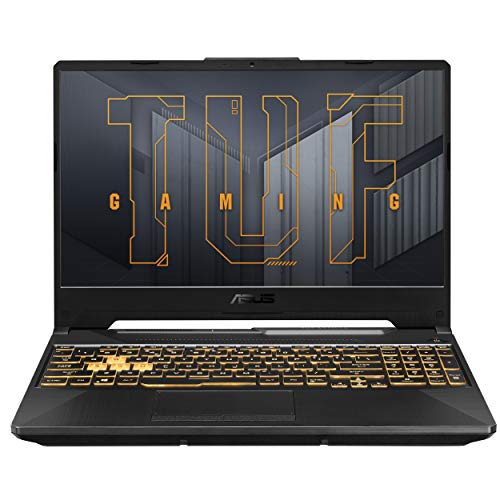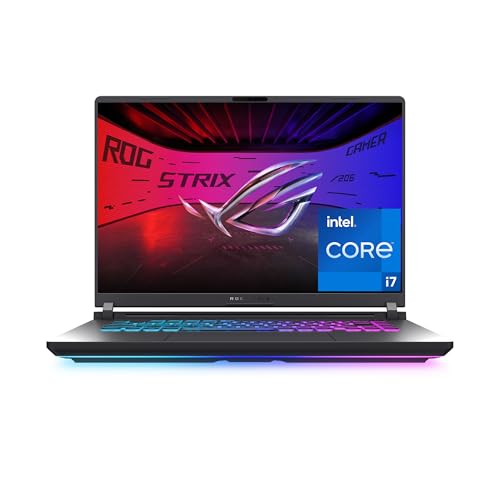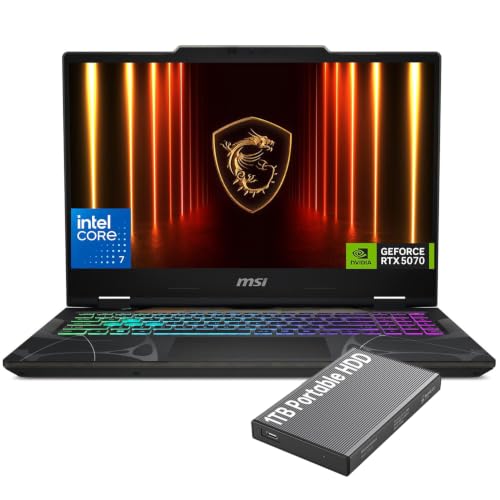
The best current gaming laptops are the models shipping now with the newest graphics cards, fast high-refresh displays, and current-generation processors, so this guide focuses on what is actually on sale today rather than last year hardware. The current generation is defined by RTX 50-series laptop graphics, from the RTX 5050 up to the RTX 5070 Ti, paired with Intel Core 7 and Core Ultra processors or AMD Ryzen 9 chips, 16GB or 32GB of DDR5 memory, and displays running at 120Hz to 240Hz. This guide covers seven current models from Alienware, MSI, Lenovo, ASUS, Acer and HP, all current listings verified against the site product feed. Every laptop here is a genuine gaming laptop with a discrete graphics card, not a thin ultrabook with integrated graphics, and the guide explains how the graphics card, display and memory change what each laptop can actually play.
The other thing to understand about current gaming laptops is that the graphics card generation matters more than the brand. An RTX 50-series card brings newer features and better efficiency than the previous generation, which is why this guide focuses on current models rather than discounted older stock. That said, a previous-generation card at a good price is not a bad buy, and the guide includes one RTX 4050 model for buyers who value portability and a fast display over the newest silicon. The key is to buy knowingly: understand what generation the graphics card is, and match it to the games that will actually be played.
In this guide
Quick picks: best current gaming laptops
| # | Product | Where to buy |
|---|---|---|
| 1 | Alienware 16 Aurora Gaming Laptop, RTX 5050 | Check on Amazon |
| 2 | MSI Stealth 16 AI+ Gaming Laptop, RTX 5070 Ti | Check on Amazon |
| 3 | Lenovo Legion 5a Gaming Laptop, 2026, RTX 5060 | Check on Amazon |
| 4 | Alienware 15 Gaming Laptop, RTX 4050 | Check on Amazon |
| 5 | ASUS ROG Strix G16 Gaming Laptop, RTX 5060 | Check on Amazon |
| 6 | Acer Nitro V 16S AI Gaming Laptop, RTX 5060 | Check on Amazon |
| 7 | HP OMEN 15 Gaming Laptop, RTX 5050 | Check on Amazon |
| 8 | Acer Nitro V Gaming Laptop, RTX 5050 | Check on Amazon |
How the picks were chosen
The picks were chosen from current gaming laptops in the product feed, with the requirement that each laptop has a discrete gaming graphics card, a high-refresh display, and a current-generation processor. Generic no-name laptops and office laptops with integrated graphics were excluded, even when they appeared in the search results, because they are not gaming laptops. The guide covers the graphics range buyers actually shop: RTX 5050 for entry-level current gaming, RTX 5060 for the mainstream, and RTX 5070 Ti for high-end play. It mixes 15-inch and 16-inch models, OLED and IPS displays, and 16GB and 32GB memory configurations, so the list works for buyers at different budgets who all want a laptop that is current, not last-generation.
The guide also checked that every laptop has a discrete graphics card and a high-refresh display, since those two features are what make a laptop a gaming laptop rather than a general-purpose machine. Generic laptops with integrated graphics were excluded even when they appeared in the search results, because they cannot play modern games properly. Display quality was weighed alongside graphics performance: a sharp, fast display makes a bigger difference to the daily experience than a small step up in graphics, which is why the guide includes both OLED and high-refresh IPS models and explains the trade-off between them.
Quick comparison
| Product | Standout detail |
|---|---|
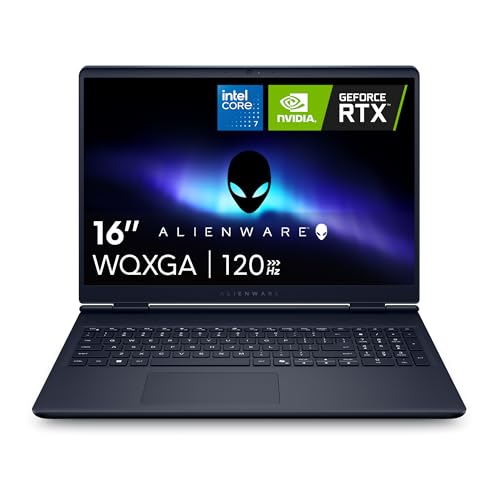
| Alienware 16 Aurora Gaming Laptop, RTX 5050 | RTX 5050, Core 7 240H, WQXGA 120Hz, 16GB DDR5, 1TB SSD |
| MSI Stealth 16 AI+ Gaming Laptop, RTX 5070 Ti | RTX 5070 Ti, Core Ultra 9 386H, QHD+ OLED 240Hz, 32GB DDR5 |
| Lenovo Legion 5a Gaming Laptop, 2026, RTX 5060 | RTX 5060, Ryzen, 15.3-inch OLED WQXGA 165Hz, 2026 model |
| Alienware 15 Gaming Laptop, RTX 4050 | RTX 4050, Core 7 240H, WUXGA 165Hz, 16GB DDR5, 15-inch |
| ASUS ROG Strix G16 Gaming Laptop, RTX 5060 | RTX 5060, Ryzen 9 9955HX, 32GB DDR5, 1TB SSD, 16-inch |
| Acer Nitro V 16S AI Gaming Laptop, RTX 5060 | RTX 5060, Ryzen 7 260, 16-inch WUXGA IPS 165Hz |
| HP OMEN 15 Gaming Laptop, RTX 5050 | RTX 5050, Ryzen 5 240, 2K 165Hz, 16GB RAM, 512GB SSD |
| Acer Nitro V Gaming Laptop, RTX 5050 | RTX 5050, Core 7 240H, 16-inch WUXGA IPS 165Hz |

1. Alienware 16 Aurora Gaming Laptop, RTX 5050
Key specs
16-inch gaming laptop with NVIDIA RTX 5050 graphics, Intel Core 7 240H processor, WQXGA 120Hz display, 16GB DDR5 RAM and 1TB SSD.
Strengths
- RTX 5050 graphics bring current-generation features to an entry-level gaming laptop.
- WQXGA 120Hz display gives smooth motion and sharp detail for the price class.
- 16GB DDR5 RAM and 1TB SSD cover modern games without immediate upgrades.
Trade-offs
- RTX 5050 is the entry-level current card, so demanding games need lowered settings.
- 16-inch size is less portable than a 14-inch laptop.
- 16GB of RAM is the minimum for comfortable modern gaming, with no headroom for heavy multitasking.
Who it fits
Buyers who want a current Alienware gaming laptop at the entry level of the RTX 50 series.
Best for: entry-level current gaming on a 16-inch Alienware.
Not suited for: players who need maximum settings on the most demanding games.
In daily use
In daily use, the Alienware 16 Aurora with RTX 5050 is the laptop that gets the current generation into a sensible budget. Games run well at the native resolution with sensible settings, and the 120Hz display makes even everyday scrolling feel smooth. The 1TB SSD holds a reasonable library without constant uninstalling, and 16GB of RAM is enough for gaming plus a browser and chat. Keep the vents clear and the laptop on a hard surface during long sessions, since a gaming laptop on a bed or blanket throttles quickly, and check for driver updates monthly.
Before you buy
Before buying the Alienware 16 Aurora Gaming Laptop, RTX 5050, check two practical things. First, confirm the RAM and storage configuration in the listing, since the same model name can be sold with different memory and SSD sizes. Second, check whether the RAM and storage can be upgraded later, because a laptop that allows upgrades stays useful for years longer than a sealed one. Also check the port selection: the number of USB ports, video outputs and the charging connector decide what else can be plugged in without a hub.
Check price on Amazon: Alienware 16 Aurora Gaming Laptop, RTX 5050

2. MSI Stealth 16 AI+ Gaming Laptop, RTX 5070 Ti
Key specs
16-inch gaming laptop with NVIDIA RTX 5070 Ti graphics, Intel Core Ultra 9 386H processor, 240Hz QHD+ OLED display, 32GB DDR5 RAM and 1TB SSD.
Strengths
- RTX 5070 Ti is the strongest graphics card in this guide, for high settings at high resolutions.
- 240Hz QHD+ OLED display gives exceptional colour, contrast and motion clarity.
- 32GB DDR5 RAM and a Core Ultra 9 processor handle gaming plus streaming and content work.
Trade-offs
- High-end specifications mean a high-end size, weight and heat output.
- OLED displays need care with static images to avoid burn-in over years.
- Battery life is short under gaming load, as with all powerful gaming laptops.
Who it fits
Players who want the strongest graphics and the best display in this guide.
Best for: high-end gaming and content creation on a 16-inch MSI.
Not suited for: buyers who need all-day battery life or an ultraportable laptop.
In daily use
In daily use, the MSI Stealth 16 AI+ is the laptop that makes other laptops feel ordinary. The OLED display is the first thing you notice: deep blacks, vivid colour, and 240Hz motion that makes fast games feel immediate. The RTX 5070 Ti handles demanding titles at high settings, and 32GB of RAM means streaming, a browser and a game can run together without stutter. Keep it plugged in for serious gaming, since battery power cannot feed this hardware at full speed, and vary the screen content to protect the OLED panel over the years.
Before you buy
Before buying the MSI Stealth 16 AI+ Gaming Laptop, RTX 5070 Ti, think about where it will be used. A 16-inch gaming laptop is heavy for daily carrying, so a good bag and a realistic view of the commute matter. Check the weight and the charger size, since gaming laptop chargers are large and add to the carry weight. Also check the Wi-Fi standard and the webcam quality, since a gaming laptop is also a work and study machine, and video calls are part of daily life.
Check price on Amazon: MSI Stealth 16 AI+ Gaming Laptop, RTX 5070 Ti

3. Lenovo Legion 5a Gaming Laptop, 2026, RTX 5060
Key specs
2026 Lenovo Legion 5a gaming laptop with NVIDIA RTX 5060 graphics, 15.3-inch OLED WQXGA display at 165Hz, and a Ryzen processor.
Strengths
- 2026 model with current RTX 5060 graphics in the mainstream sweet spot.
- 15.3-inch OLED WQXGA display at 165Hz gives rich colour and smooth motion.
- Slightly smaller 15.3-inch size is easier to carry than 16-inch models.
Trade-offs
- OLED display needs care with static images over long periods.
- 15.3-inch screen is smaller than the 16-inch models for split-screen work.
- Mainstream RTX 5060 is a step below the RTX 5070 Ti for the most demanding games.
Who it fits
Buyers who want a current 2026 Lenovo Legion with an OLED display and mainstream RTX 5060 graphics.
Best for: mainstream 2026 gaming on a 15.3-inch Legion with OLED.
Not suited for: players who need the strongest graphics available or the largest screen.
In daily use
In daily use, the Legion 5a is the balanced laptop: current graphics, a beautiful OLED screen, and a size that still fits in a normal bag. The RTX 5060 runs modern games well at the native resolution, and the 165Hz OLED makes both games and video look superb. Lenovo cooling is generally well regarded, but the usual rules still apply: keep the vents clear, use a hard surface for long sessions, and update drivers regularly. The 2026 model year means the design is current, which matters for parts and support.
Before you buy
Before buying the Lenovo Legion 5a Gaming Laptop, 2026, RTX 5060, consider the total cost beyond the laptop itself. A cooling stand or a laptop stand improves airflow and ergonomics, a mouse and a headset are usually needed for serious gaming, and an external drive helps if the SSD is only 512GB. Also check the warranty and the return policy, since a gaming laptop is a large purchase and a dead pixel or a faulty fan should be covered. Finally, check the power brick wattage against the laptop requirements if a spare charger is planned.
Check price on Amazon: Lenovo Legion 5a Gaming Laptop, 2026, RTX 5060

4. Alienware 15 Gaming Laptop, RTX 4050
Key specs
15-inch gaming laptop with NVIDIA RTX 4050 graphics, Intel Core 7 240H processor, WUXGA 1920×1200 display at 165Hz, 16GB DDR5 RAM, and Windows 11 Home.
Strengths
- 15-inch size is more portable than 16-inch gaming laptops.
- 165Hz display gives smooth motion for competitive and fast-paced games.
- Core 7 240H and 16GB DDR5 RAM cover modern gaming comfortably.
Trade-offs
- RTX 4050 is a previous-generation card, so it lacks the newest RTX 50-series features.
- 16GB of RAM is the minimum for modern gaming with multitasking.
- 15-inch screen is smaller than the 16-inch models for immersive play.
Who it fits
Buyers who want a portable 15-inch Alienware with a fast display and proven graphics.
Best for: portable 15-inch gaming on an Alienware with a 165Hz display.
Not suited for: buyers who insist on the newest RTX 50-series graphics.
In daily use
In daily use, the Alienware 15 with RTX 4050 is the laptop for players who value portability and a fast screen over the newest graphics generation. The 165Hz display is genuinely useful in fast games, and the 15-inch body fits bags and desks that a 16-inch laptop crowds. The RTX 4050 still runs modern games well at sensible settings, and the Core 7 processor keeps the system responsive. Treat it like any gaming laptop: keep the vents clear, game on a hard surface, and keep drivers updated for the best performance.
Before you buy
Before buying the Alienware 15 Gaming Laptop, RTX 4050, check two practical things. First, confirm the RAM and storage configuration in the listing, since the same model name can be sold with different memory and SSD sizes. Second, check whether the RAM and storage can be upgraded later, because a laptop that allows upgrades stays useful for years longer than a sealed one. Also check the port selection: the number of USB ports, video outputs and the charging connector decide what else can be plugged in without a hub.
Check price on Amazon: Alienware 15 Gaming Laptop, RTX 4050

5. ASUS ROG Strix G16 Gaming Laptop, RTX 5060
Key specs
16-inch gaming laptop with NVIDIA RTX 5060 graphics, AMD Ryzen 9 9955HX processor, 32GB DDR5 RAM, 1TB SSD, and a 16-inch 1920×1200 display.
Strengths
- Ryzen 9 9955HX is a powerful processor for gaming and multi-core work.
- 32GB DDR5 RAM gives headroom for streaming, recording and multitasking.
- RTX 5060 graphics sit in the mainstream sweet spot for current games.
Trade-offs
- 1920×1200 display is lower resolution than the WQXGA and OLED screens in this guide.
- 16-inch gaming laptop is heavy for daily carrying.
- High-performance hardware means short battery life under load.
Who it fits
Players who want a powerful Ryzen 9 laptop with 32GB of RAM for gaming and streaming.
Best for: Ryzen 9 gaming and streaming on a 16-inch ROG Strix.
Not suited for: buyers who need the sharpest display or the lightest laptop.
In daily use
In daily use, the ROG Strix G16 is the laptop for players who run more than just the game. The Ryzen 9 processor and 32GB of RAM mean streaming software, a browser, voice chat and the game can all run together without the system struggling. The RTX 5060 handles modern titles well, and the 1TB SSD holds a solid library. The display is a standard-resolution panel rather than a high-resolution OLED, which is a fair trade for the price and performance. Keep the vents clear and the laptop plugged in for serious sessions.
Before you buy
Before buying the ASUS ROG Strix G16 Gaming Laptop, RTX 5060, think about where it will be used. A 16-inch gaming laptop is heavy for daily carrying, so a good bag and a realistic view of the commute matter. Check the weight and the charger size, since gaming laptop chargers are large and add to the carry weight. Also check the Wi-Fi standard and the webcam quality, since a gaming laptop is also a work and study machine, and video calls are part of daily life.
Check price on Amazon: ASUS ROG Strix G16 Gaming Laptop, RTX 5060

6. Acer Nitro V 16S AI Gaming Laptop, RTX 5060
Key specs
16-inch gaming laptop with NVIDIA RTX 5060 graphics, AMD Ryzen 7 260 processor, 16-inch WUXGA IPS display at 165Hz, and AI features.
Strengths
- RTX 5060 graphics give current mainstream performance at a sensible price.
- 165Hz WUXGA IPS display gives smooth motion with good viewing angles.
- Ryzen 7 260 processor covers gaming and everyday work comfortably.
Trade-offs
- WUXGA resolution is lower than the WQXGA screens in this guide.
- AI branding adds little to gaming performance in practice.
- Nitro V is a budget-oriented line, so build materials are more modest than premium models.
Who it fits
Buyers who want current RTX 5060 graphics in a sensibly priced 16-inch laptop.
Best for: mainstream current gaming on a 16-inch Acer Nitro V.
Not suited for: buyers who want a premium build or the sharpest display available.
In daily use
In daily use, the Acer Nitro V 16S AI is the value pick: current graphics, a fast 165Hz display, and a Ryzen 7 processor that handles gaming and work without complaint. It does not have the premium materials or the OLED screen of the high-end models, and the display resolution is standard rather than high, but the gaming experience is solid where it counts. Keep the vents clear, since budget cooling needs airflow more than premium cooling does, and update the graphics drivers regularly to get the best performance from the RTX 5060.
Before you buy
Before buying the Acer Nitro V 16S AI Gaming Laptop, RTX 5060, consider the total cost beyond the laptop itself. A cooling stand or a laptop stand improves airflow and ergonomics, a mouse and a headset are usually needed for serious gaming, and an external drive helps if the SSD is only 512GB. Also check the warranty and the return policy, since a gaming laptop is a large purchase and a dead pixel or a faulty fan should be covered. Finally, check the power brick wattage against the laptop requirements if a spare charger is planned.
Check price on Amazon: Acer Nitro V 16S AI Gaming Laptop, RTX 5060

7. HP OMEN 15 Gaming Laptop, RTX 5050
Key specs
15-inch HP OMEN gaming laptop with NVIDIA RTX 5050 graphics, 2K 165Hz display, AMD Ryzen 5 240 processor, 16GB RAM and 512GB SSD.
Strengths
- 2K 165Hz display gives sharp detail and smooth motion in a 15-inch body.
- 15-inch size is the most portable in this guide.
- RTX 5050 graphics bring current-generation features to a compact laptop.
Trade-offs
- 512GB SSD fills up fast with modern games, so storage management is needed.
- Ryzen 5 240 is the least powerful processor in this guide.
- 16GB of RAM is the minimum for modern gaming with other apps open.
Who it fits
Buyers who want a compact 15-inch gaming laptop with a sharp 2K display and current graphics.
Best for: compact 15-inch gaming on an HP OMEN with a 2K 165Hz display.
Not suited for: players with large game libraries who need 1TB or more of storage.
In daily use
In daily use, the HP OMEN 15 is the laptop for players who move around. The 15-inch body and 2K 165Hz display make a combination that is sharp, smooth and genuinely portable, and the RTX 5050 handles current games at sensible settings. The 512GB SSD is the limitation: modern games are large, so plan on keeping a small library installed and uninstalling finished games. An external drive for the game library is a practical addition. Keep the vents clear and game on a hard surface for the best sustained performance.
Before you buy
Before buying the HP OMEN 15 Gaming Laptop, RTX 5050, check two practical things. First, confirm the RAM and storage configuration in the listing, since the same model name can be sold with different memory and SSD sizes. Second, check whether the RAM and storage can be upgraded later, because a laptop that allows upgrades stays useful for years longer than a sealed one. Also check the port selection: the number of USB ports, video outputs and the charging connector decide what else can be plugged in without a hub.
Check price on Amazon: HP OMEN 15 Gaming Laptop, RTX 5050

8. Acer Nitro V Gaming Laptop, RTX 5050
Key specs
Acer Nitro V gaming laptop with Intel Core 7 240H processor, NVIDIA RTX 5050 laptop GPU, 16-inch WUXGA IPS display at 165Hz, DDR5 RAM and SSD storage.
Strengths
- RTX 5050 graphics bring current-generation features to a sensibly priced laptop.
- 16-inch WUXGA IPS display at 165Hz gives smooth motion with good viewing angles.
- Core 7 processor and DDR5 memory cover gaming and everyday work.
Trade-offs
- WUXGA resolution is lower than the WQXGA screens in this guide.
- Nitro V is a budget-oriented line with more modest build materials.
- Storage details in the listing are limited, so check the configuration on the product page.
Who it fits
Buyers who want a current RTX 5050 laptop from Acer at a sensible price.
Best for: mainstream current gaming on a 16-inch Acer Nitro V.
Not suited for: buyers who want a premium build or the sharpest display.
In daily use
In daily use, the Acer Nitro V with RTX 5050 is the value companion to the Nitro V 16S AI: current graphics, a fast 165Hz display, and a Core 7 processor that handles gaming and work. The WUXGA display is standard resolution rather than high, and the build is practical rather than premium, but the gaming experience is solid where it counts. Check the RAM and storage configuration on the product page before ordering, since the same model name can be sold in different configurations, and keep the vents clear for the best sustained performance.
Before you buy
Before buying the Acer Nitro V Gaming Laptop, RTX 5050, think about where it will be used. A 16-inch gaming laptop is heavy for daily carrying, so a good bag and a realistic view of the commute matter. Check the weight and the charger size, since gaming laptop chargers are large and add to the carry weight. Also check the Wi-Fi standard and the webcam quality, since a gaming laptop is also a work and study machine, and video calls are part of daily life.
Check price on Amazon: Acer Nitro V Gaming Laptop, RTX 5050
Buying guide
Graphics card first
The graphics card decides what a gaming laptop can play and at what settings. RTX 5050 is the entry-level current card, RTX 5060 is the mainstream sweet spot, and RTX 5070 Ti is the high-end choice. Match the card to the games actually played: competitive and older titles run well on a 5050, while demanding new releases benefit from a 5060 or higher.
Display resolution and refresh
A 165Hz or 240Hz display makes fast games feel smoother, and the benefit is real even in everyday use. Resolution matters too: WQXGA and 2K screens are sharper than WUXGA, and OLED screens give the best colour and contrast but need care with static images. Choose the display for the games played, not just the numbers on the box.
Memory and storage
16GB of RAM is the minimum for modern gaming, and 32GB gives headroom for streaming, recording and multitasking. For storage, 1TB is the comfortable size for a game library, while 512GB needs regular uninstalling. Check whether the laptop allows RAM and storage upgrades, since that decides how long it stays useful.
Portability and battery
Gaming laptops are heavy and their batteries last only a few hours under load, so they are portable rather than all-day machines. A 15-inch model is easier to carry than a 16-inch one, but the difference is modest. Plan on gaming plugged in, and treat battery life as a bonus for light work rather than a gaming feature.
Cooling and thermals
Gaming laptops generate a lot of heat, and cooling design decides whether the hardware can sustain its performance. Check reviews for thermal behaviour, since a laptop that throttles under load performs worse than its specifications suggest. In daily use, keep the vents clear, use a hard surface, and consider a cooling stand for long sessions. A laptop that runs cooler also lasts longer, since heat is what ages components fastest.
Keyboard and trackpad
A gaming laptop keyboard should feel good for both gaming and typing, since the laptop is also a work machine. Check the key travel and layout, especially the placement of the arrow keys and the function row, which vary between makers. The trackpad matters less for gaming, since a mouse is usually used, but it matters for everyday use away from the desk. Try the keyboard in a store if possible, since feel is hard to judge from specifications.
Usage and care
Keep the laptop on a hard, flat surface during gaming so the vents can breathe, and clean the vents every few months with compressed air. Update the graphics drivers regularly, since new drivers often improve performance in new games. Use a cooling stand or a raised rear edge for long sessions, and avoid gaming on beds or blankets, which block airflow and cause throttling. Charge the battery to around 80 percent for storage and avoid leaving the laptop plugged in at 100 percent for weeks unused. For OLED models, vary the screen content and avoid leaving static images on screen for hours.
Battery care matters for a laptop that is mostly plugged in: modern laptops manage charging well, but leaving the battery at 100 percent for months unused is not ideal, and many makers offer a battery care mode that caps charging at 80 percent for desk use. Use it if the laptop lives on a desk. Keep the keyboard clean, since crumbs and dust under the keys affect the feel over time, and use a soft cloth on the screen rather than paper towels, which can scratch coatings. For OLED models, use dark mode where possible and vary the content, since static interface elements left on screen for hours are what cause burn-in over years.
Common mistakes
The most common mistake is buying the most powerful graphics card and pairing it with too little RAM or storage, so the system stutters despite the GPU. Another is gaming on a soft surface that blocks the vents, which causes throttling that buyers blame on the laptop. A third is choosing a 512GB SSD and then being surprised when three modern games fill it. Buyers also forget that gaming laptops need mains power for full performance: on battery, the graphics card runs slower. Finally, do not judge an OLED display by a showroom demo alone; check how it handles the static interface elements of the games actually played.
Another common mistake is buying a gaming laptop for the graphics card alone and ignoring the display: a powerful GPU paired with a dim, slow screen wastes the hardware. Check the display brightness and refresh rate as well as the resolution. Buyers also forget that gaming laptops need desk space: a 16-inch laptop plus a mouse and a headset needs a larger desk than a 13-inch ultrabook. A further mistake is never updating the BIOS and drivers, which can leave performance and stability fixes uninstalled. Finally, do not judge battery life by the marketing number, which is measured for light use: under gaming load, expect one to two hours at most.
Final recommendation
For most buyers, the Lenovo Legion 5a with RTX 5060 and an OLED display is the best balance of current graphics, screen quality and portability. If the budget is lower, the Alienware 16 Aurora with RTX 5050 gets the current generation at a sensible price, and if maximum performance is the goal, the MSI Stealth 16 AI+ with RTX 5070 Ti and a 240Hz OLED display is the strongest laptop in this guide. Whichever model fits, check the RAM and storage before ordering, because those are the specifications that decide how the laptop feels a year from now.
The laptop will be used for years, so the specifications that matter most are the ones that cannot be changed later: the graphics card, the display, and the build quality. RAM and storage can often be upgraded, but the GPU and the screen are fixed. Spend the budget on the graphics card and the display first, and treat RAM and storage as secondary, since they can be improved later. A current gaming laptop bought this way stays relevant for years, while a laptop bought for a single specification ages quickly.
Frequently asked questions
Is an RTX 5050 good enough for current games?
Yes, for most current games at sensible settings. The RTX 5050 is the entry-level current card, so it runs modern titles well at 1080p and 1440p with adjusted settings, though the most demanding games need lowered details. Players who want maximum settings should step up to an RTX 5060 or higher.
Is 16GB of RAM enough for a gaming laptop?
16GB is the minimum for comfortable modern gaming, and it works well for gaming plus a browser and chat. 32GB gives headroom for streaming, recording and heavy multitasking, and it is the better choice for a laptop meant to last several years.
Do gaming laptops work well on battery?
No, gaming laptops are designed to run at full performance on mains power. On battery, the graphics card runs slower to save power, and battery life under gaming load is usually only one to two hours. Treat battery life as a feature for light work, not for gaming.
Is an OLED display worth it on a gaming laptop?
OLED displays give the best colour, contrast and response times, which makes games look superb. The trade-off is the need to vary screen content to avoid burn-in from static images over years. For players who mostly play varied games and video, OLED is worth it; for players with static interfaces on screen for hours daily, IPS is the safer choice.
How long will a current gaming laptop stay relevant?
A laptop with an RTX 50-series card, 16GB or more of RAM and a fast display should handle new games at sensible settings for several years. The graphics card is the part that ages first, so choosing one step up in graphics usually adds more useful life than the same money spent on cosmetic upgrades.
Should I buy a gaming laptop or a desktop?
A gaming laptop suits buyers who need portability: students, people who move between rooms, and anyone without space for a desk setup. A desktop gives more performance per dollar and is easier to upgrade, so it suits buyers with a fixed desk and a larger budget for performance. The laptop trades some performance for the ability to move.
Can I upgrade a gaming laptop later?
It depends on the model. Many gaming laptops allow RAM and storage upgrades, which are the most useful ones. The graphics card and processor are usually soldered and cannot be upgraded, so those should be chosen carefully at purchase time. Check the upgrade options for the specific model before buying.