The best gaming laptops today are not the laptops of two years ago, and the difference is not subtle. The current generation runs RTX 50-series graphics, which bring frame generation and better ray tracing to machines that cost what the old mid-range cost, and the displays have caught up too, with 165Hz and 240Hz panels that were once reserved for flagships. A gaming laptop bought today should last for years, and the way to make sure of that is to buy current graphics, plenty of memory, and a screen that is fast enough for the games that will come out next year.
This guide looks at eight gaming laptops that are current right now, from the HP Victus that opens the door to PC gaming for the price of a console and a few games, through the ASUS ROG Strix and Lenovo Legion machines that define the mid-range, to the MSI Stealth and Legion Pro flagships that run the newest games at their best. Every pick has a discrete graphics card, a fast display, and a modern processor, and every pick is linked to the exact model shown. No integrated-graphics machine made the list, because a gaming laptop without a real graphics card is not a gaming laptop.
A note on what today means in this guide. The laptops here are the current generation: RTX 5060, 5070, 5070 Ti and 5080 graphics, Intel Core Ultra and 14th-generation chips, and AMD Ryzen AI processors. Older models with RTX 30-series graphics still exist and still sell, and the Victus with the RTX 3050 is the one exception here, included because it is the cheapest way into real PC gaming. For everything else, the rule was simple: current graphics, current processor, and a display fast enough to show what the graphics can do.
In this guide
Quick picks: best gaming laptops today
| # | Product | Where to buy |
|---|---|---|
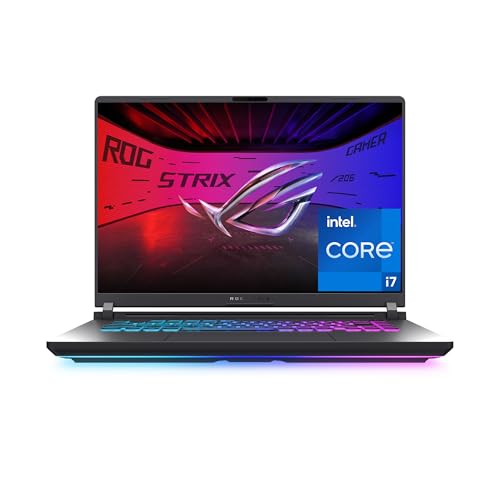
| 1 | ASUS ROG Strix G16 (2025) | Check on Amazon |
| 2 | Lenovo Legion 5a (2026) | Check on Amazon |
| 3 | MSI Stealth 16 AI+ | Check on Amazon |
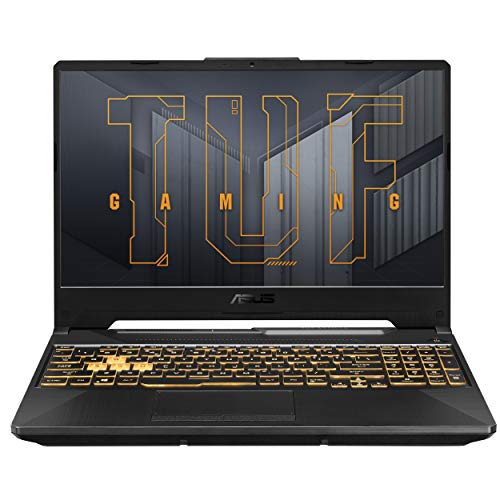
| 4 | ASUS TUF Gaming F16 (2025) | Check on Amazon |
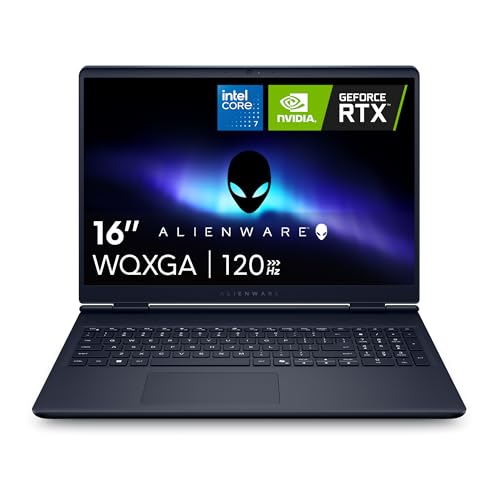
| 5 | Alienware 16 Aurora | Check on Amazon |
| 6 | Lenovo Legion Pro 7i Gen 10 | Check on Amazon |
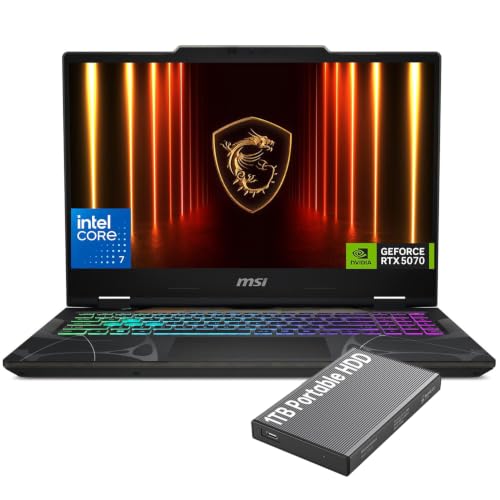
| 7 | MSI Katana 15 HX | Check on Amazon |
| 8 | HP Victus 15.6 | Check on Amazon |
How the picks were chosen
The picks were chosen from the site's own product listings, and only laptops with a discrete graphics card made the list. Machines with integrated graphics were left out, however good their processors are, because integrated graphics cannot run modern games properly. Each pick was checked for a current-generation graphics card, at least 16GB of memory, a solid-state drive, and a display of at least 144Hz, because a gaming laptop with a slow screen wastes a fast graphics card.
The graphics card was the first test, and the hierarchy is straightforward: the RTX 5060 is the current mid-range and the right choice for most buyers, the RTX 5070 and 5070 Ti step up to higher settings and higher resolutions, and the RTX 5080 is the flagship for anyone who wants the best available. The RTX 3050 in the Victus is the budget exception, and it is included honestly as the cheapest way in, not as a peer of the others. The processor was the second test: Intel Core Ultra, Intel 14th-generation, and AMD Ryzen AI chips all made the list, because the processor matters less than the graphics card for gaming, as long as it is current.
The display was the third test, and it matters more than most buyers think. A 144Hz display is the minimum for a gaming laptop today, and the 165Hz and 240Hz panels in this guide make fast games look smoother and feel more responsive. Resolution matters too: the 2560×1600 and QHD panels in the flagships show more detail than the Full HD panels in the budget picks, and the OLED panels in the Legion and Stealth machines show deeper blacks and richer colours. The comparison table calls out the display on every pick, so the choice is easy to make.
Quick comparison
| Product | Standout detail |
|---|---|
| ASUS ROG Strix G16 (2025) | ASUS ROG Strix G16, RTX 5060, 165Hz |
| Lenovo Legion 5a (2026) | Lenovo Legion 5a, RTX 5060, OLED 165Hz |
| MSI Stealth 16 AI+ | MSI Stealth 16 AI+, RTX 5070 Ti, OLED 240Hz |
| ASUS TUF Gaming F16 (2025) | ASUS TUF F16, Core i5, 165Hz |
| Alienware 16 Aurora | Alienware 16 Aurora, RTX 5060, 2560×1600 |
| Lenovo Legion Pro 7i Gen 10 | Lenovo Legion Pro 7i, RTX 5080, OLED |
| MSI Katana 15 HX | MSI Katana 15 HX, RTX 5060, QHD 165Hz |
| HP Victus 15.6 | HP Victus 15.6, RTX 3050, 144Hz |

1. ASUS ROG Strix G16 (2025)
Key specs
16-inch FHD+ display, 16:10, 165Hz with 3ms response. NVIDIA GeForce RTX 5060 graphics and an Intel Core i7 processor.
Strengths
- The RTX 5060 is the current mid-range sweet spot, fast enough for modern games at high settings.
- The 165Hz display makes fast games look smooth, and the 16:10 shape gives more vertical room than a 16:9 screen.
- The ROG Strix line is built for daily gaming, with cooling that holds up over long sessions.
Trade-offs
- The Full HD resolution is lower than the QHD panels on the flagships in this guide.
- The Strix styling is loud, and it will not suit a quiet office.
- The battery lasts for a working day of light use, not a day of gaming unplugged.
Who it fits
Gamers who want the current mid-range done properly, with no weak link.
Best for: Modern games at high settings on a fast, bright display.
Not suited for: Anyone who needs a subtle laptop for the office, or 4K gaming on the go.
In daily use
The Strix G16 is the default answer in this guide, and defaults earn their place. The RTX 5060 runs the games people actually play at the settings they actually use, the 165Hz display shows what the card can do, and the Intel Core i7 keeps the whole machine responsive. It is not the cheapest laptop here and not the fastest, and that is exactly why it suits most buyers.
Buy the Strix with the memory and storage as listed, and check the listing before ordering, because the G16 comes in several configurations and the RTX 5060 is the one this guide recommends.
Check price on Amazon: ASUS ROG Strix G16 (2025)

2. Lenovo Legion 5a (2026)
Key specs
15.3-inch OLED display, WQXGA, 165Hz. NVIDIA GeForce RTX 5060 graphics and a Ryzen processor.
Strengths
- The OLED display shows deeper blacks and richer colours than any LCD in this guide.
- The RTX 5060 pairs well with the 2560×1600 OLED panel, so games look sharp without needing flagship graphics.
- The 2026 Legion design is quieter and cooler than the gaming laptops of a few years ago.
Trade-offs
- The 15.3-inch screen is smaller than the 16-inch panels on most of the other picks.
- OLED displays need care with static images left on screen for hours.
- The Legion 5a is a newer model, so long-term reliability reports are still thin.
Who it fits
Gamers who care about how games look as much as how fast they run.
Best for: Story-driven games and colourful worlds on a display that does them justice.
Not suited for: Anyone who leaves the same desktop on screen for hours at a time.
In daily use
The Legion 5a is the prettiest laptop in this guide, and the OLED panel is the reason. Games look different on OLED: the blacks are black, the colours are rich, and the contrast makes even familiar games look new. The RTX 5060 is the right partner for it, fast enough to drive the panel without paying flagship money.
OLED screens reward a moving image, so let the screen dim or the wallpaper change when the laptop is idle, and the panel will stay beautiful for years.
Check price on Amazon: Lenovo Legion 5a (2026)

3. MSI Stealth 16 AI+
Key specs
16-inch QHD+ OLED display, 240Hz. Intel Core Ultra 9 386H processor, NVIDIA GeForce RTX 5070 Ti graphics, 32GB DDR5 memory, 1TB SSD.
Strengths
- The 240Hz OLED display is the fastest and best-looking screen in this guide.
- The RTX 5070 Ti and 32GB of memory run modern games at high settings without breaking a sweat.
- The Stealth design is thin and light for a laptop this powerful, so it travels well.
Trade-offs
- The flagship specification costs flagship money.
- The thin design means the fans work hard under load, and they are audible.
- The OLED panel needs the same care with static images as the Legion above.
Who it fits
Gamers who want a flagship that still fits in a bag.
Best for: High-refresh gaming on the best display in this guide.
Not suited for: Anyone on a budget, or anyone who games with headphones off in a silent room.
In daily use
The Stealth 16 AI+ is the laptop for the buyer who wants it all and is willing to pay for it. The 240Hz OLED display is genuinely special, the RTX 5070 Ti is fast enough for anything current, and 32GB of memory means the machine will not feel old next year. It is thin, it is light for its power, and it looks like a premium machine because it is one.
The Stealth rewards a cooling pad on long sessions; thin laptops run warm, and a little airflow underneath keeps the fans quieter and the performance steadier.
Check price on Amazon: MSI Stealth 16 AI+

4. ASUS TUF Gaming F16 (2025)
Key specs
16-inch FHD+ display, 165Hz, 16:10. Intel Core i5 processor 13450HX and NVIDIA GeForce RTX graphics.
Strengths
- The TUF line is built to military-grade durability standards, so it survives knocks that would mark other laptops.
- The 165Hz display and the current-generation processor make it a proper gaming machine, not a pretender.
- The price sits below the ROG Strix, which makes it the value pick in the ASUS range.
Trade-offs
- The exact graphics configuration varies by listing, so check the model before ordering.
- The TUF styling is functional rather than beautiful.
- The speakers are adequate, not impressive, and headphones are the better choice.
Who it fits
Gamers who want a tough, no-nonsense laptop that will survive daily carrying.
Best for: Gaming on the go, in a bag, on a train, and back again.
Not suited for: Anyone who wants the thinnest or the prettiest laptop in the guide.
In daily use
The TUF F16 is the workhorse of this guide. It is not the fastest or the prettiest, but it is the one most likely to still be working perfectly in three years, because it is built to be carried, dropped, and used hard. The 165Hz display and the Core i5 keep it honest as a gaming machine, and the price leaves money for games.
Check the exact configuration in the listing before ordering, because the F16 comes in several graphics options, and the one in this guide is the current-generation RTX model.
Check price on Amazon: ASUS TUF Gaming F16 (2025)

5. Alienware 16 Aurora
Key specs
16-inch display, 2560×1600, 120Hz, 16:10. NVIDIA RTX 5060 graphics, Intel Core 7 240H processor, 16GB DDR5 memory.
Strengths
- The 2560×1600 display is sharper than the Full HD panels, and the 16:10 shape suits work as well as play.
- The RTX 5060 and the Intel Core 7 make a balanced pair, with no bottleneck in either direction.
- The Alienware design and build quality feel a step above the budget picks.
Trade-offs
- The 120Hz display is slower than the 144Hz and 165Hz panels elsewhere in this guide.
- Alienware styling is distinctive, and the light ring will not suit everyone.
- The Aurora is heavier than the Stealth, so it travels less happily.
Who it fits
Gamers who want a sharper screen and a premium feel without flagship prices.
Best for: Games and work on one machine, with a display that suits both.
Not suited for: Competitive players who need the fastest possible display.
In daily use
The Aurora is the grown-up gaming laptop in this guide. The 2560×1600 display makes games look sharper and makes documents easier to read, and the RTX 5060 drives it well. The 120Hz refresh is the compromise, and it is a fair one: most players will not miss the extra hertz, and the sharper image is visible every minute.
The Aurora suits a desk better than a lap, so pair it with a proper mouse and a headset and it becomes a desktop replacement that can still travel.
Check price on Amazon: Alienware 16 Aurora

6. Lenovo Legion Pro 7i Gen 10
Key specs
16-inch OLED display. Intel Core Ultra 9 275HX processor and NVIDIA GeForce RTX 5080 graphics.
Strengths
- The RTX 5080 is the fastest graphics card in this guide, and it shows in every game.
- The OLED display pairs with the flagship graphics to make games look their best.
- The Intel Core Ultra 9 keeps the machine fast for work as well as play.
Trade-offs
- The flagship price is the highest in this guide.
- The fans are audible under full load, as they are on every flagship this thin.
- The battery is for carrying between desks, not for gaming unplugged.
Who it fits
Gamers who want the fastest laptop in this guide and are willing to pay for it.
Best for: The newest games at their best settings, on the best display available.
Not suited for: Anyone on a budget, or anyone who mostly plays older or lighter games.
In daily use
The Legion Pro 7i is the fastest laptop in this guide, and it does not apologise for it. The RTX 5080 runs the newest games at settings the other picks cannot reach, and the OLED display shows every frame at its best. It is a lot of money, and it is also a lot of laptop, and for the buyer who wants the best available today, it is the answer.
A flagship like this one deserves a cooling pad and a proper headset; the hardware is the best available, and the accessories should match it.
Check price on Amazon: Lenovo Legion Pro 7i Gen 10

7. MSI Katana 15 HX
Key specs
15.6-inch QHD display, 165Hz. Intel Core i7-14650HX processor, NVIDIA GeForce RTX 5060 graphics, 16GB DDR5 memory, 1TB NVMe SSD.
Strengths
- The QHD display is sharper than Full HD, and the 165Hz refresh keeps fast games smooth.
- The RTX 5060 and the Core i7-14650HX are a strong pairing for the price.
- The 1TB SSD leaves room for a proper game library without juggling installs.
Trade-offs
- The Katana's build is plastic where the flagships are metal, and it feels it.
- The 15.6-inch screen is smaller than the 16-inch panels elsewhere in this guide.
- The fans are noticeable under load, and a headset helps.
Who it fits
Gamers who want QHD and 165Hz without paying flagship prices.
Best for: A proper gaming laptop for the price of a mid-range machine.
Not suited for: Anyone who wants a metal body or a silent laptop.
In daily use
The Katana is the value pick for the buyer who cares about the screen. QHD at 165Hz is a genuine step up from Full HD, and the RTX 5060 drives it well, so games look sharper and play smoother than on the budget picks. The plastic build is the compromise, and it is a fair one at this price.
The Katana's 1TB drive fills up faster than expected with modern games, so an external drive for the backlog is a sensible accessory.
Check price on Amazon: MSI Katana 15 HX

8. HP Victus 15.6
Key specs
15.6-inch Full HD display, 144Hz. Intel Core i5-12450H processor, NVIDIA GeForce RTX 3050 graphics, 16GB RAM, 512GB PCIe SSD.
Strengths
- The cheapest way into real PC gaming in this guide, by a clear margin.
- The RTX 3050 runs modern games at sensible settings, and older games very well indeed.
- The 144Hz display is fast enough to show what the graphics can do.
Trade-offs
- The RTX 3050 is the previous generation, and it will age faster than the RTX 50-series picks.
- The 512GB drive fills up quickly with modern games.
- The Victus build is plain, and the screen is the least impressive in this guide.
Who it fits
First-time PC gamers, and anyone whose budget is the deciding factor.
Best for: Getting started in PC gaming without spending flagship money.
Not suited for: Anyone who wants the newest games at the highest settings.
In daily use
The Victus is the honest budget pick, and it is included as exactly that. It will not run the newest games at their best settings, and it does not pretend to, but it runs them, and it runs the games most people actually play very well indeed. For a first gaming laptop, or a second machine, it is the right amount of laptop for the money.
The 512GB drive is the first upgrade to plan for; a larger drive or an external SSD for the game library will be needed within the first year.
Check price on Amazon: HP Victus 15.6
Buying guide: best gaming laptops today
The graphics card decides what the laptop can play
The graphics card is the single most important part of a gaming laptop, and the hierarchy in this guide is straightforward. The RTX 5060 is the current mid-range and the right choice for most buyers, running modern games at high settings on a Full HD or QHD screen. The RTX 5070 and 5070 Ti step up to higher settings and higher resolutions, and the RTX 5080 is the flagship. The RTX 3050 in the Victus is the budget exception, and it runs modern games at sensible settings rather than the highest ones. Buy the graphics card for the games that will come out next year, not just the ones out today.
The display must keep up with the graphics card
A fast graphics card behind a slow screen is wasted money, because the screen can only show as many frames as its refresh rate allows. A 144Hz display is the minimum for a gaming laptop today, and the 165Hz and 240Hz panels in this guide make fast games look smoother. Resolution matters too: Full HD is fine for the budget picks, QHD is sharper, and the 2560×1600 panels suit both games and work. OLED panels show deeper blacks and richer colours than LCD, and they are worth the premium for anyone who plays story-driven games.
Memory and storage: 16GB and 1TB are the new normal
Sixteen gigabytes of memory is the minimum for a gaming laptop today, and every pick in this guide meets it, with the flagships going to 32GB. Eight gigabytes is no longer enough for modern games alongside a browser and a chat application. Storage is the other half: 512GB fills up fast with modern games, and 1TB is the sensible minimum. The Katana and the Stealth both have 1TB drives, and the Victus is the pick most likely to need a storage upgrade first.
The processor matters less than the graphics card
For gaming, the processor matters less than the graphics card, as long as it is current. The Intel Core Ultra, Intel 14th-generation, and AMD Ryzen AI chips in this guide are all fast enough for modern games, and the differences between them are small compared with the differences between graphics cards. The processor matters more for work: video editing, compiling code, and streaming all benefit from a faster chip, which is why the flagships pair the best graphics with the best processors.
Cooling and noise: thin laptops run warm
Gaming laptops generate heat, and thin laptops generate it in a smaller space. The fans on every laptop in this guide are audible under full load, and that is normal. What matters is whether the laptop holds its performance when hot, and the picks here were chosen from lines known for holding up. A cooling pad helps on long sessions, and so does raising the back of the laptop slightly so air can flow underneath. Never block the vents, and never game with the laptop on a bed or a blanket.
Battery life: a gaming laptop is a portable desktop
No gaming laptop in this guide will game all day on battery, and buyers should not expect it to. The battery is for carrying the laptop between desks and for light work unplugged, not for gaming away from a socket. The Victus and the Strix will manage a working day of light use; the flagships will manage less. Judge a gaming laptop by what it does plugged in, because that is where it will spend its life.
Buying current versus buying last year's model
Last year's gaming laptops are often discounted, and the discount can be tempting. The question to ask is what the discount costs in longevity: a laptop with RTX 40-series graphics will run today's games well, but it will age faster than a current RTX 50-series machine, and it will miss the frame generation features that make the new cards faster than their raw specifications suggest. If the discount is large and the games are not demanding, last year's model can be a good buy; if the laptop must last for years, current graphics are worth the premium.
The configuration trap: same name, different machine
Gaming laptops are sold in many configurations under the same name, and the configuration is what matters. A Strix G16 with an RTX 5050 is a different machine from a Strix G16 with an RTX 5060, and a Legion with 8GB of memory is a different machine from the same Legion with 16GB. Always check the exact graphics card, memory, and storage in the listing before ordering, because the name on the lid tells only half the story.
Usage and care
Use the laptop plugged in for gaming, and on battery only for light work. The graphics card draws its full power only from the mains, and gaming on battery throttles the performance and drains the charge in an hour or two. Keep the vents clear, and never game with the laptop on a soft surface that blocks the airflow underneath. A hard desk, or a cooling pad, is where a gaming laptop belongs.
Keep the drivers current, and the laptop will stay fast. Graphics drivers are updated regularly, and the updates bring performance improvements for new games as well as fixes. Update the graphics driver from the manufacturer's software, not from a random download, and check for a BIOS update every few months, because manufacturers fix cooling and power behaviour that way. Uninstall the trial software that comes preinstalled, because it slows the machine down for no benefit.
Look after the battery, and it will look after the laptop. Lithium batteries age fastest when they are kept at full charge in a hot machine, so use the manufacturer's battery care setting to limit the charge to around eighty percent when the laptop lives on a desk. If the laptop will not be used for weeks, leave it at about half charge in a cool place. A battery that is treated well lasts for years; one that is cooked daily does not.
Common mistakes
The most common mistake is buying a gaming laptop for the processor and ignoring the graphics card. A laptop with a fast processor and a weak graphics card will run games badly, while a laptop with a modest processor and a strong graphics card will run them well. The graphics card decides what the laptop can play, and it should be the first thing on the specification sheet, not the last. The second mistake is buying too little memory: 8GB is no longer enough, and upgrading later is not always possible.
Another common mistake is judging a gaming laptop by its battery life. Gaming laptops are portable desktops, and their batteries exist for carrying the machine between sockets, not for gaming unplugged. A laptop that games for two hours on battery is not a bad laptop; it is a normal one. Buy for plugged-in performance, and carry a charger, because the charger is part of the laptop.
The third mistake is buying the cheapest configuration of a good name. A Strix or a Legion with the weakest graphics card and the smallest drive is still a Strix or a Legion, but it is not the machine this guide recommends. The name on the lid does not make the laptop fast; the graphics card, the memory, and the storage do. Check the exact configuration in the listing, and pay for the parts that matter.
External monitors: a gaming laptop's second screen
A gaming laptop spends most of its life on a desk, and a second monitor turns it into a desktop. A fast external display, connected by HDMI or USB-C, gives a bigger picture for games and a second screen for chat, video, or work. The laptops in this guide all have the ports for it, and the graphics cards are fast enough to drive an external display alongside the built-in one. The habit to build is docking the laptop when it is at the desk and undocking it when it leaves, because a laptop that never leaves the desk is a desktop that costs more.
Upgrading a gaming laptop: what can change and what cannot
A gaming laptop can be upgraded in two places: the memory and the storage. The memory can usually be increased, and the storage can usually be swapped for a larger drive, and both are worth doing when the laptop starts to feel slow. The graphics card and the processor cannot be changed, because they are soldered to the board, which is why buying the right graphics card at purchase matters so much. Check the upgrade options in the listing before ordering, because a laptop with an accessible memory slot and a spare M.2 slot is a laptop that can grow.
Final recommendation
If one laptop has to win this guide, it is the ASUS ROG Strix G16 with the RTX 5060, because it gets the balance right: current graphics, a fast display, a modern processor, and a price that most buyers can reach. The Lenovo Legion 5a is the pick for anyone who cares about the display, because its OLED panel makes games look better than any LCD. The MSI Stealth 16 AI+ and the Legion Pro 7i are the flagships, for buyers who want the best available and are willing to pay for it.
For most buyers, the choice is between the Strix and the Legion 5a, and the deciding factor is the screen: the Strix is the safe all-rounder, and the Legion is the prettier machine. The Katana is the value pick for anyone who wants QHD without flagship prices, and the Victus is the honest budget pick for a first gaming laptop. The TUF F16 is the tough pick, for a laptop that will be carried every day, and the Aurora is the grown-up pick, for games and work on one machine.
Whatever laptop is chosen, check the exact configuration in the listing before ordering, because the graphics card, the memory, and the storage are what make the machine, not the name on the lid. Buy current graphics, buy 16GB of memory, and buy a display fast enough to show what the graphics can do. The eight laptops in this guide all do the job; the right one is the one that matches the games, the budget, and the desk it will live on.
Frequently asked questions
What is the best gaming laptop to buy today?
The best gaming laptop to buy today is one with current RTX 50-series graphics, at least 16GB of memory, and a display of at least 144Hz. In this guide, the ASUS ROG Strix G16 with the RTX 5060 is the best all-rounder, the Lenovo Legion 5a is the best for display quality, and the MSI Stealth 16 AI+ is the best flagship for buyers who want the fastest machine available.
Is the RTX 5060 good enough for gaming?
Yes, the RTX 5060 is good enough for modern games at high settings on a Full HD or QHD screen, and it is the current mid-range sweet spot. It runs the games most people actually play very well, and its frame generation features help it punch above its raw specifications. Buyers who want the highest settings at higher resolutions should look at the RTX 5070 Ti or 5080 instead.
How much RAM does a gaming laptop need?
A gaming laptop needs at least 16GB of memory today, and 32GB is better for the flagships and for anyone who also edits video or streams. Eight gigabytes is no longer enough for modern games alongside a browser and a chat application. Every laptop in this guide has at least 16GB, and the flagships have 32GB.
Is OLED worth it on a gaming laptop?
OLED is worth it for anyone who plays story-driven or colourful games, because the deeper blacks and richer colours make games look noticeably better than on an LCD. OLED needs a little care with static images left on screen for hours, so it suits players who let the screen dim or change when idle. The Legion 5a and the Stealth 16 AI+ in this guide both have OLED displays.
Can I game on a laptop battery?
A gaming laptop can game on battery, but only for an hour or two, and the performance drops because the graphics card cannot draw its full power. The battery exists for carrying the laptop between desks and for light work unplugged. Game plugged in, and carry the charger, because the charger is part of the laptop.
Should I buy a gaming laptop or a desktop?
A gaming laptop suits anyone who needs to move the machine, work in different places, or keep the desk tidy. A desktop suits anyone who wants the most performance for the money and never moves the machine. Laptops cost more for the same performance, but they go where the buyer goes, and that is worth the premium for most people.
Can I upgrade a gaming laptop later?
A gaming laptop can usually be upgraded in memory and storage, which are the two parts that age fastest. The graphics card and the processor are soldered to the board and cannot be changed, which is why buying the right graphics card at purchase matters so much. Check the upgrade options before ordering.
Should I use an external monitor with a gaming laptop?
Yes, an external monitor turns a gaming laptop into a desktop, with a bigger picture for games and a second screen for chat or work. The laptops in this guide all have the ports for it. Dock the laptop at the desk and undock it when it leaves, because a laptop that never leaves the desk is a desktop that costs more.
More from ilcastellomenu.com
Gaming laptops from CES: the newest generation