The best wireless gaming key board and mouse combos solve the oldest problem on a gaming desk, which is the cables. A wired keyboard and a wired mouse do the job, but their cables snag, tangle, and drag, and the mouse cable in particular fights the hand at exactly the wrong moment. A wireless set removes all of that, and modern wireless is fast enough that the difference in response is not something a human can feel. The cable is gone, the desk is cleaner, and the game plays the same.
This guide looks at eight wireless gaming keyboard and mouse combos, from the Redragon and RedThunder sets that cost less than a single premium keyboard, through the Logitech bundles that pair a proven mouse with a proven keyboard, to the Razer esports bundle that puts tournament-grade hardware on the desk. Every pick is a genuine keyboard-and-mouse set, wireless throughout, and every pick is linked to the exact model shown. Wired-only sets were left out, and so were mice and keyboards sold on their own, because this guide is about the pair.
A note on what wireless means here. The sets in this guide connect by 2.4GHz wireless, which is the fast, low-lag connection that gaming needs, and several also offer Bluetooth, which is handy for a second device, and a wired mode, which is handy when the battery runs out mid-game. Tri-mode sets offer all three, and they are the most flexible picks in the guide. Battery life varies, but every set here is rechargeable, so there are no disposable batteries to buy, and a short charge brings the set back to life.
In this guide
Quick picks: best wireless gaming key board and mouse
| # | Product | Where to buy |
|---|---|---|
| 1 | Redragon S101M-KS Wireless Gaming Keyboard and Mouse | Check on Amazon |
| 2 | Redragon S107KS Wireless Gaming Keyboard and Mouse | Check on Amazon |
| 3 | RedThunder K10 Wireless Gaming Keyboard and Mouse Combo | Check on Amazon |
| 4 | Logitech G305 Lightspeed Wireless Gaming Mouse + G213 Prodigy Keyboard Bundle | Check on Amazon |
| 5 | Logitech G502 X Lightspeed Wireless Gaming Mouse + G515 TKL Wireless Keyboard Bundle (White) | Check on Amazon |
| 6 | Razer PC Esports Gaming Bundle: DeathAdder V4 Pro + Huntsman V3 Pro TKL | Check on Amazon |
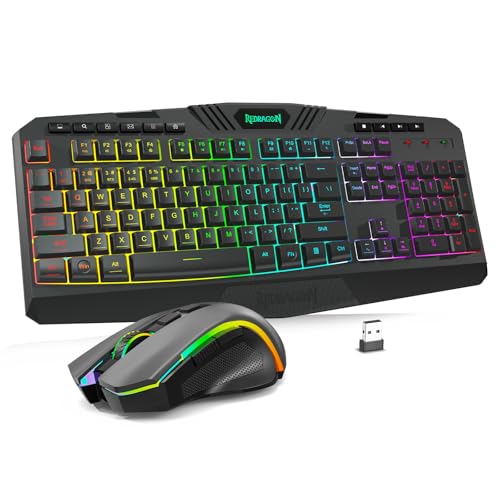
| 7 | RedThunder K84 Wireless Keyboard and Mouse Combo | Check on Amazon |
| 8 | Snpurdiri 2.4G 60% Wireless Gaming Keyboard and Mouse Combo (Black-White) | Check on Amazon |
How the picks were chosen
The picks were chosen from the site's own product listings, and only genuine wireless keyboard-and-mouse sets made the list. Wired-only sets were left out, however good they are, because the keyword asks for wireless. Mice sold alone and keyboards sold alone were left out too, because a combo is a matched pair, and the pair is the point. Each pick was checked for a wireless connection on both the keyboard and the mouse, a rechargeable battery, and backlighting, because a gaming set that cannot be seen in the dark is a gaming set that will be fumbled with.
The wireless connection was the first test. A 2.4GHz connection is the standard for gaming wireless, because it is fast and stable, and every set in this guide has one. Bluetooth is a bonus for a second device, and a wired mode is a safety net for a flat battery. The second test was the pair itself: the keyboard and the mouse should feel like they belong together, with matching backlighting and a shared receiver where possible, so the desk has one dongle instead of two. The third test was the mouse sensor, because the mouse does the aiming, and a sensor that cannot keep up will cost games.
The keyboard layout was the final test. Full-size keyboards suit buyers who need a number pad, tenkeyless layouts suit buyers who want the mouse closer, and 60 percent layouts suit buyers who want the smallest possible desk footprint. The picks in this guide cover all three, and the comparison table calls out the layout on every set, so the choice is easy to make. The mouse size matters too: a large mouse suits a palm grip, and a small mouse suits a claw grip, so check the shape before ordering.
Quick comparison
| Product | Standout detail |
|---|---|
| Redragon S101M-KS Wireless Gaming Keyboard and Mouse | Redragon S101M-KS, tri-mode, 4800 DPI mouse |
| Redragon S107KS Wireless Gaming Keyboard and Mouse | Redragon S107KS, 3-mode, 10,000 DPI mouse |
| RedThunder K10 Wireless Gaming Keyboard and Mouse Combo | RedThunder K10, 3800mAh battery, LED backlit |
| Logitech G305 Lightspeed Wireless Gaming Mouse + G213 Prodigy Keyboard Bundle | Logitech G305 + G213 bundle, Lightspeed |
| Logitech G502 X Lightspeed Wireless Gaming Mouse + G515 TKL Wireless Keyboard Bundle (White) | Logitech G502 X + G515 bundle, white, tactile |
| Razer PC Esports Gaming Bundle: DeathAdder V4 Pro + Huntsman V3 Pro TKL | Razer DeathAdder V4 Pro + Huntsman V3 Pro |
| RedThunder K84 Wireless Keyboard and Mouse Combo | RedThunder K84, 75% TKL, rainbow backlit |
| Snpurdiri 2.4G 60% Wireless Gaming Keyboard and Mouse Combo (Black-White) | Snpurdiri 60%, mini keyboard, black-white |

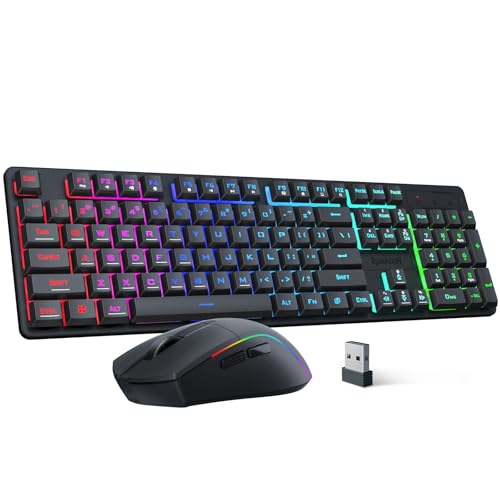
1. Redragon S101M-KS Wireless Gaming Keyboard and Mouse
Key specs
Wireless gaming keyboard and mouse with tri-mode connection, RGB keyboard, and a 4800 DPI gaming mouse.
Strengths
- Tri-mode wireless covers 2.4GHz, Bluetooth and wired, so the set works with any device and never dies mid-game.
- The RGB keyboard lights up the keys for dark-room gaming, and the colours can be changed to match the setup.
- The 4800 DPI mouse is fast enough for most games, and the sensitivity can be adjusted on the fly.
Trade-offs
- The 4800 DPI sensor is slower than the 10,000 DPI sensors on the pricier sets in this guide.
- The keyboard feel is membrane rather than mechanical, so the keys are quieter but less crisp.
- The tri-mode setup needs a moment to learn, because switching between modes is not always obvious.
Who it fits
Gamers who want a complete wireless set for the price of a single premium keyboard.
Best for: A first wireless gaming set, with every connection option included.
Not suited for: Competitive players who need the fastest sensor and the crispest switches.
In daily use
The S101M-KS is the best-value set in this guide, and it earns the title honestly. Tri-mode wireless means the set connects to anything, the RGB keyboard looks the part, and the 4800 DPI mouse is fast enough for the games most people play. It is not the fastest set here, but it is the cheapest way to cut every cable from the desk.
Start on the 2.4GHz connection for gaming, because it is the fastest and most stable, and keep Bluetooth for a second device such as a laptop or a tablet.
Check price on Amazon: Redragon S101M-KS Wireless Gaming Keyboard and Mouse
2. Redragon S107KS Wireless Gaming Keyboard and Mouse
Key specs
Wireless gaming keyboard and mouse with RGB backlighting and three modes: wired, 2.4G and Bluetooth. Gaming mouse up to 10,000 DPI.
Strengths
- The 10,000 DPI mouse is twice as fast as the sensor on the S101M-KS, and it shows in fast games.
- Three modes cover every situation, from tournament play on a wire to couch gaming on Bluetooth.
- The RGB backlighting on both the keyboard and the mouse makes the set look like a matched pair.
Trade-offs
- The keyboard is still a membrane-feel board, not a mechanical one.
- The 10,000 DPI ceiling is more than most players need, so the extra speed is headroom rather than necessity.
- The set needs charging more often than a wired set, which is the price of wireless.
Who it fits
Gamers who want a faster sensor and full wireless flexibility at a budget price.
Best for: Fast games on a wireless set that keeps up.
Not suited for: Anyone who wants a mechanical keyboard, which this set is not.
In daily use
The S107KS is the S101M-KS with the sensor upgraded, and the upgrade matters. Ten thousand DPI is more than most players will use, but the headroom means the mouse never feels slow, and the three modes mean the set is ready for any device. For the price, it is the best sensor in this guide outside the premium bundles.
Set the mouse sensitivity to a level that suits the game, not the maximum, because a sensor at full speed is harder to control than one set sensibly.
Check price on Amazon: Redragon S107KS Wireless Gaming Keyboard and Mouse

3. RedThunder K10 Wireless Gaming Keyboard and Mouse Combo
Key specs
Wireless gaming keyboard and mouse combo with LED backlighting and a rechargeable 3800mAh battery. Mechanical-feel keys.
Strengths
- The 3800mAh battery lasts for long sessions between charges, so the set is rarely flat.
- The LED backlighting is bright and clear, and the keys are easy to find in the dark.
- The mechanical-feel keys give a tactile response without the noise of true mechanical switches.
Trade-offs
- The battery is built in, so when it eventually wears out, the set cannot take a fresh one.
- The K10 is a full-size set, so it takes up more desk space than the compact sets.
- The LED backlighting is simpler than the RGB on the Redragon sets.
Who it fits
Gamers who want long battery life and a full-size keyboard.
Best for: Long sessions without worrying about the battery.
Not suited for: Anyone who wants the smallest possible desk footprint.
In daily use
The K10 is the battery-life pick in this guide. A 3800mAh battery is a big one for a keyboard and mouse set, and it means the set goes for days between charges instead of hours. The mechanical-feel keys are a good compromise too: they feel more responsive than a plain membrane board, and they are quieter than true mechanical switches.
Charge the set overnight every few days rather than waiting for it to die mid-game; a lithium battery lasts longer when it is not run flat every time.
Check price on Amazon: RedThunder K10 Wireless Gaming Keyboard and Mouse Combo

4. Logitech G305 Lightspeed Wireless Gaming Mouse + G213 Prodigy Keyboard Bundle
Key specs
Bundle of the Logitech G305 Lightspeed wireless gaming mouse and the G213 Prodigy gaming keyboard, in black.
Strengths
- The G305 is a proven gaming mouse with the Lightspeed wireless connection, which is as fast as a wire.
- The G213 is a comfortable, spill-resistant keyboard that suits long sessions.
- Buying the pair as a bundle costs less than buying the mouse and the keyboard separately.
Trade-offs
- The G213 is a membrane keyboard, not a mechanical one, so the keys feel softer.
- The G305 runs on a single AA battery, which needs replacing rather than recharging.
- The bundle is black only, so there is no colour choice.
Who it fits
Gamers who trust Logitech and want a proven pair at a fair price.
Best for: A reliable wireless set from a brand with a long record in gaming.
Not suited for: Anyone who wants a mechanical keyboard or a rechargeable mouse.
In daily use
The G305 and G213 bundle is the safe pick in this guide. The G305 is one of the most popular gaming mice ever made, and for good reason: it is light, it is accurate, and the Lightspeed connection is genuinely as fast as a wire. The G213 is the quiet partner, a comfortable keyboard that does its job without fuss, and together they are a set that just works.
The G305 takes a single AA battery, so keep a spare in the desk drawer; the mouse gives plenty of warning before it dies, but a spare is cheaper than a lost game.
Check price on Amazon: Logitech G305 Lightspeed Wireless Gaming Mouse + G213 Prodigy Keyboard Bundle

5. Logitech G502 X Lightspeed Wireless Gaming Mouse + G515 TKL Wireless Keyboard Bundle (White)
Key specs
Bundle of the Logitech G502 X Lightspeed wireless gaming mouse and the G515 TKL wireless gaming keyboard with tactile switches, in white.
Strengths
- The G502 X is a flagship mouse with a sensor and switches that suit serious play.
- The G515 TKL is a low-profile wireless keyboard with tactile switches, so the keys feel crisp without being loud.
- The white finish looks clean and modern, and the tenkeyless layout leaves more room for the mouse.
Trade-offs
- The bundle costs more than the budget sets in this guide.
- The white finish shows dirt and wear more than black.
- The tenkeyless layout has no number pad, which some buyers will miss.
Who it fits
Gamers who want a premium Logitech pair and a clean white setup.
Best for: Serious play on a wireless set that matches the best wired hardware.
Not suited for: Anyone who needs a number pad, or a black setup.
In daily use
The G502 X and G515 bundle is the premium Logitech pick, and the pairing is thoughtful: the G502 X is a mouse for players who want every button and every setting, and the G515 is a low-profile keyboard that feels fast and looks modern. The tactile switches give feedback without the clatter of clicky ones, and the white finish makes the whole desk look intentional.
The G515 is a low-profile keyboard, so the keys travel less than on a full-height board; give it a few days, because low-profile keys feel strange at first and natural afterwards.

6. Razer PC Esports Gaming Bundle: DeathAdder V4 Pro + Huntsman V3 Pro TKL
Key specs
Razer esports bundle with the DeathAdder V4 Pro wireless 8KHz gaming mouse and the Huntsman V3 Pro TKL 1KHz gaming keyboard.
Strengths
- The DeathAdder V4 Pro polls at 8KHz, which is the fastest wireless response in this guide.
- The Huntsman V3 Pro is a tournament-grade keyboard with optical switches built for speed.
- The bundle pairs two flagship devices that are designed to work together.
Trade-offs
- The esports bundle is the most expensive set in this guide.
- The 8KHz polling needs a fast computer to show its full benefit.
- The bundle is built for competitive play, so casual players will not use half of what it offers.
Who it fits
Competitive players who want the fastest wireless hardware available.
Best for: Tournament-grade play, where every millisecond counts.
Not suited for: Casual players, who will not notice the difference from the budget sets.
In daily use
The Razer bundle is the fastest set in this guide, and it is not close. An 8KHz polling rate means the mouse reports its position eight thousand times a second, and the Huntsman V3 Pro is a keyboard built for players who measure their performance in milliseconds. It is overkill for most buyers, and it is exactly right for the few who need it.
The 8KHz polling rate uses more battery and more processor time than standard polling, so drop it to 1KHz for everyday use and save the full speed for matches.
Check price on Amazon: Razer PC Esports Gaming Bundle: DeathAdder V4 Pro + Huntsman V3 Pro TKL
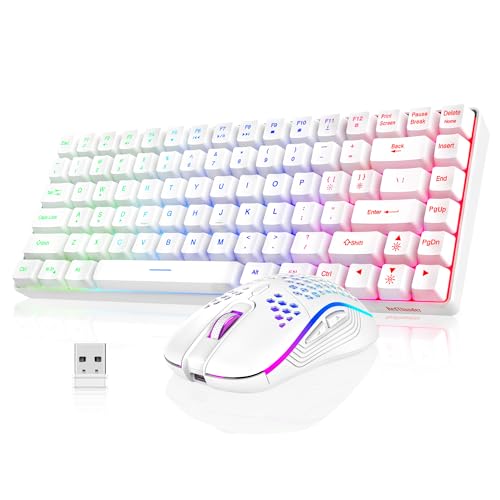
7. RedThunder K84 Wireless Keyboard and Mouse Combo
Key specs
Wireless keyboard and mouse combo with rainbow backlighting and a rechargeable battery. 75 percent layout, tenkeyless, ultra compact gaming design.
Strengths
- The 75 percent layout keeps the function keys and the arrows while cutting the size down.
- The rainbow backlighting is bright and cheerful, and the keys are easy to find.
- The ultra-compact design leaves plenty of desk room for the mouse.
Trade-offs
- The compact layout takes a few days to learn if the buyer is used to a full-size board.
- The rainbow backlighting is fixed in its colour pattern, unlike the RGB on the Redragon sets.
- The mouse is compact too, so large hands may find it small.
Who it fits
Gamers with a small desk who still want function keys.
Best for: A compact setup that keeps the keys that matter.
Not suited for: Anyone with large hands, or anyone who needs a number pad.
In daily use
The K84 is the compact pick in this guide, and the 75 percent layout is the sweet spot for small desks: it keeps the function keys and the arrow keys that games need, and drops the number pad that most games do not. The rainbow backlighting is a bonus, and the rechargeable battery means there are no disposables to buy.
Give the compact layout a week before judging it; the keys are all there, but the fingers need time to learn where they moved to.
Check price on Amazon: RedThunder K84 Wireless Keyboard and Mouse Combo

8. Snpurdiri 2.4G 60% Wireless Gaming Keyboard and Mouse Combo (Black-White)
Key specs
2.4G wireless gaming keyboard and mouse combo in black and white. Mini 60 percent gaming RGB backlit keyboard with a wireless gaming mouse.
Strengths
- The 60 percent keyboard is the smallest in this guide, and it frees the maximum desk space for the mouse.
- The RGB backlighting makes the tiny keyboard easy to use in the dark.
- The black-white finish looks sharp and stands out from the all-black sets.
Trade-offs
- The 60 percent layout has no function row and no arrow keys, so some keys need combinations.
- The tiny keyboard is not for touch typists or anyone who writes long documents.
- The brand is less well known than Logitech or Razer, so support is less certain.
Who it fits
Gamers with a tiny desk, or a portable setup that travels.
Best for: The smallest possible wireless set, for the smallest possible desk.
Not suited for: Anyone who types a lot, or anyone who needs arrow keys without combinations.
In daily use
The Snpurdiri set is the smallest in this guide, and it knows it. A 60 percent keyboard is a specialist tool: it gives the mouse the maximum possible room, and it asks the buyer to learn key combinations for the missing keys. For a tiny desk, or a setup that packs away after every session, it is the right tool, and the black-white finish makes it look like it means it.
Learn the key combinations for the missing keys before the first game, because hunting for an arrow key mid-match is how games are lost.
Check price on Amazon: Snpurdiri 2.4G 60% Wireless Gaming Keyboard and Mouse Combo (Black-White)
Buying guide: best wireless gaming key board and mouse
2.4GHz, Bluetooth or wired: which connection for gaming
For gaming, 2.4GHz wireless is the connection to use, because it is the fastest and the most stable of the wireless options. Bluetooth is convenient for a second device, such as a laptop, but it has more lag, and lag is what loses games. Wired mode is the safety net: when the battery runs out mid-game, plug the cable in and keep playing. The tri-mode sets in this guide offer all three, and they are the most flexible picks for a desk with more than one device.
The mouse sensor: DPI is not everything, but it matters
The mouse sensor decides how accurately the mouse tracks, and the DPI figure is the headline number. A 4800 DPI sensor is fast enough for most games, a 10,000 DPI sensor is faster, and the 8KHz polling on the Razer bundle is faster still. The truth is that most players use far less than the maximum DPI, and a sensor set sensibly matters more than a sensor set to its ceiling. What matters most is that the sensor tracks cleanly without skipping, and every mouse in this guide does that.
Keyboard layout: full-size, tenkeyless or 60 percent
The layout decides how much desk space the keyboard takes and how far the mouse must travel. Full-size keyboards have a number pad, which suits buyers who type numbers often. Tenkeyless layouts drop the number pad and bring the mouse closer, which suits most gamers. Sixty percent layouts drop the function row and the arrows too, which suits tiny desks and portable setups. The K84 in this guide is the middle ground at 75 percent, keeping the function keys while cutting the size.
Battery life: rechargeable is the only sensible choice
Every set in this guide is rechargeable except the G305 in the Logitech bundle, which takes a single AA battery. Rechargeable sets need charging every few days, and the 3800mAh battery in the RedThunder K10 lasts longest between charges. The habit to build is charging overnight every few days, not waiting for the low-battery warning mid-game. A set that dies during a match is a set that was not charged, and the fix is a routine, not a new battery.
Backlighting: RGB looks good, but it must also work
Backlighting on a gaming keyboard is not just decoration: it makes the keys findable in a dark room, which is when most gaming happens. RGB backlighting can be set to any colour, and the Redragon and Snpurdiri sets offer it. Simpler LED backlighting, like the RedThunder sets, is fixed in colour but just as visible. The test is whether the legends on the keys are readable in the dark, and every set in this guide passes it.
One dongle or two: the receiver question
A wireless set needs a receiver, and the number of receivers matters on a desk with limited USB ports. Matched sets such as the Redragon and RedThunder combos use a single receiver for both the keyboard and the mouse, which leaves ports free. Bundles of separate devices, such as the Logitech and Razer pairs, may need two receivers, or a shared one where the brand supports it. Check the listing before ordering, and keep a USB port free for the receiver that matters most.
Matching the set to the grip and the game
The mouse shape matters as much as the sensor, because the hand holds the mouse for hours. A large mouse suits a palm grip, where the whole hand rests on the mouse, and a small mouse suits a claw or fingertip grip, where the fingers do the work. The G502 X is a large mouse for palm grips, the G305 is a smaller one for claw grips, and the DeathAdder is the classic ergonomic shape that suits most hands. If the mouse is the wrong shape, no sensor will save the session.
When wireless is not the answer
Wireless is the right choice for most gamers, but not for all. A tournament player who cannot risk any interference may still prefer a wire, and a buyer on the tightest budget will get more performance from a wired set for the same money. The sets in this guide all offer a wired mode as well, so the choice is not final: play wireless when it suits, and plug in when it does not. The best set is the one that offers both.
Usage and care
Use the set wirelessly for everyday gaming, and keep the cable in the desk drawer for the day the battery runs out. Charge the keyboard and the mouse overnight every few days, rather than waiting for the low-battery warning, because a lithium battery lasts longer when it is not run flat. Keep the receiver in a front USB port, close to the desk surface, because a receiver buried behind the computer has a weaker signal than one with a clear path.
Clean the keyboard and the mouse regularly, and they will feel new for years. Turn the keyboard upside down and tap it gently to dislodge crumbs, and wipe the keys with a damp cloth once a week. Clean the mouse sensor with a soft, dry cloth, and never use a solvent on it, because a scratched sensor tracks badly. Replace the mouse feet when they wear smooth, because worn feet drag and make the mouse feel slow.
Look after the battery, and it will look after the set. Lithium batteries age fastest when they are kept at full charge in a hot room, so do not leave the set charging for weeks at a time, and do not leave it in direct sunlight. If the set will not be used for a while, leave it at about half charge in a cool place. A battery that is treated well lasts for years; one that is cooked daily does not.
Common mistakes
The most common mistake is buying a wireless set and then using it on Bluetooth for gaming, because Bluetooth is convenient and already paired. Bluetooth has more lag than 2.4GHz wireless, and the lag shows up in fast games as a mouse that feels slightly behind the hand. Use the 2.4GHz receiver for gaming, and save Bluetooth for a second device. The second mistake is running the mouse at maximum DPI, which makes it twitchy and hard to control; set the sensitivity to suit the game, not the specification sheet.
Another common mistake is buying a 60 percent keyboard without learning the key combinations first. The missing keys are still there, reached by holding a function key, but the combinations must be learned before the first game, not during it. Hunt for an arrow key mid-match and the game is lost. Practice the combinations for a few days, and the compact layout becomes second nature.
The third mistake is ignoring the battery until it dies mid-game. Wireless sets give warning, usually a blinking light or a notification, and the warning should be acted on at once. Charge the set overnight every few days, keep the cable where it can be found in the dark, and the battery will never cost a game. A set that dies during a match was not charged, and the fix is a routine, not a new set.
The desk mat: the forgotten half of a wireless set
A wireless keyboard and mouse deserve a proper desk mat, because the mat is the surface the mouse moves on, and the surface decides how the mouse feels. A good mat is smooth, consistent, and large enough for the keyboard and the mouse together, so the mouse never runs off the edge mid-game. A cheap mat, or a bare desk, makes the mouse skip and drag, and no sensor can fix a bad surface. Buy the mat with the set, in a size that covers the whole desk area, and the mouse will feel faster and more accurate the same day.
Charging habits: the routine that keeps a wireless set alive
A wireless set lives or dies by its charging routine, and the routine is simple: charge overnight every few days, and never wait for the low-battery warning. The warning comes at the worst moment, which is always mid-game, and a set that dies during a match is a set that was not charged. Keep the charging cable in the desk drawer, where it can be found in the dark, and plug the set in when the session ends, not when it starts. A lithium battery lasts longest when it is kept between a fifth and four-fifths full, so short, frequent charges beat rare, full ones.
Final recommendation
If one set has to win this guide, it is the Redragon S107KS, because it offers the fastest sensor at a budget price, three connection modes, and RGB backlighting on both the keyboard and the mouse. The S101M-KS is the value pick for buyers who do not need the faster sensor, and the RedThunder K10 is the battery-life pick. The Logitech bundles are the safe picks, with the G305 and G213 the best value and the G502 X and G515 the premium choice, and the Razer bundle is the esports pick for players who need the fastest hardware available.
For most buyers, the choice is between the two Redragon sets, and the deciding factor is the sensor: the S107KS is faster, and the S101M-KS is cheaper. The RedThunder sets suit buyers who want long battery life or a compact layout, and the Logitech bundles suit buyers who trust the brand and want a proven pair. The Razer bundle is for competitive players only, and it is honest about that: it is the fastest set here, and it costs like it.
Whatever set is chosen, use the 2.4GHz connection for gaming, charge the set regularly, and set the mouse sensitivity to suit the game rather than the maximum. A wireless set is a set that must be looked after, and the looking after is simple: charge it, clean it, and keep the receiver where it can see the desk. The eight sets in this guide all do the job; the right one is the one that matches the desk, the hand, and the games.
Frequently asked questions
Is wireless as fast as wired for gaming?
Modern 2.4GHz wireless is as fast as wired for gaming, and the difference is not something a human can feel. The Logitech Lightspeed connection and the Razer 8KHz polling in this guide are both designed to match or beat a wired connection. Bluetooth is slower and should not be used for gaming; use the 2.4GHz receiver instead.
How long does a wireless keyboard and mouse battery last?
A wireless keyboard and mouse set lasts for days between charges with normal use, and the RedThunder K10 with its 3800mAh battery lasts longest in this guide. The exact time depends on the backlighting brightness and how much the set is used. Charge overnight every few days, and the set will never die mid-game.
Should I buy a combo or a separate keyboard and mouse?
A combo is cheaper, uses one receiver, and matches the keyboard and mouse in style and backlighting. Separate devices offer more choice, and the Logitech and Razer bundles in this guide are the middle ground: proven devices paired together at a bundle price. Buy a combo for value and simplicity, and buy separate devices when only a specific model will do.
What is the best wireless gaming keyboard and mouse for beginners?
The best wireless gaming keyboard and mouse for beginners is the Redragon S101M-KS, because it is cheap, it offers all three connection modes, and it does everything a beginner needs. The S107KS is the step up for beginners who want a faster sensor, and the Logitech G305 and G213 bundle is the step up for beginners who want a trusted brand.
Do I need a mechanical keyboard for gaming?
A mechanical keyboard is not necessary for gaming, and the membrane-feel boards in the budget sets in this guide play games perfectly well. Mechanical and optical switches feel crisper and last longer, which is why the premium bundles in this guide use them. Buy mechanical for the feel and the longevity, not because games demand it.
Can I use a wireless gaming set with a console?
A wireless gaming keyboard and mouse set can be used with a console that supports keyboard and mouse input, connected by the 2.4GHz receiver or by Bluetooth. Not every game on a console supports a keyboard and mouse, so check the game first. The sets in this guide work with a PC first and foremost, and console use is a bonus, not the purpose.
Do I need a desk mat for a wireless gaming mouse?
Yes, a desk mat gives the mouse a smooth, consistent surface, which makes it feel faster and more accurate. A good mat is large enough for the keyboard and the mouse together, so the mouse never runs off the edge mid-game. A bare desk makes the mouse skip and drag, and no sensor can fix a bad surface.
How should I charge a wireless keyboard and mouse?
Charge overnight every few days, and never wait for the low-battery warning, which always comes mid-game. Keep the charging cable in the desk drawer where it can be found in the dark. Short, frequent charges are better for a lithium battery than rare, full ones.
More from ilcastellomenu.com
Gaming mice for 60 dollars: more mouse picks