The best selling VR headsets are easy to name and hard to choose between, because the headsets that sell the most are not all selling to the same buyer. The Meta Quest 3S sells because it is the cheapest way into proper virtual reality. The Meta Quest 3 sells because it is the best all-round headset. The PlayStation VR sells because it is the headset for people who already own a PlayStation. And the Pimax and the HTC Vive sell to the smaller group who want the sharpest image or the most open platform, and who will pay for it.
This guide sticks to genuine headsets: self-contained headsets with their own screens, and PC headsets with their own displays. It leaves out the phone holders that call themselves VR headsets, the straps and face cushions sold as accessories, and the renewed units that appear in the search results with a lower price and a previous owner. Every pick below is a complete headset, new, with its own display and its own controllers where the listing includes them.
Eight headsets made the list, from the Quest 3S at the affordable end to the Pimax Crystal Super at the specialist end. They cover standalone play, PC play, console play, flight simulation and movies, and each one was chosen because it is genuinely among the headsets people buy most. What follows is what each one does well, where it falls short, and who should buy it. The eight headsets below were all checked the same way: the listing had to be a complete headset with its own display, not a phone holder, an accessory, or a renewed unit.
In this guide
Quick picks: best selling vr headsets
| # | Product | Where to buy |
|---|---|---|
| 1 | Meta Quest 3S 128GB VR Headset | Check on Amazon |
| 2 | Meta Quest 3 512GB VR Headset | Check on Amazon |
| 3 | Meta Quest 3S 256GB VR Headset | Check on Amazon |
| 4 | HTC Vive Focus Vision Mixed Reality and PC VR Headset | Check on Amazon |
| 5 | Pimax Crystal Super VR Headset | Check on Amazon |
| 6 | PICO 4 Ultra All-in-One MR Headset | Check on Amazon |
| 7 | Meta Quest Pro Headset | Check on Amazon |
| 8 | Sony PlayStation VR Marvel's Iron Man Bundle | Check on Amazon |
How the picks were chosen
The picks were chosen from the site's own product search, looking only at complete VR headsets. A listing was dropped if it was a renewed unit, a phone-holder viewer, an accessory such as a strap, a face cushion or a charging dock, or a listing whose title said compatible with a headset rather than being the headset itself. The remaining headsets were sorted by what they are for, because a headset for flight simulation and a headset for a living room are different purchases.
Standalone headsets come first, because they are what most buyers want: a headset that works without a computer or a console. The Meta Quest 3S and Quest 3 lead the list, and the PICO 4 Ultra joins them as the alternative. PC headsets come next, for buyers who already own a powerful computer and want the sharpest image it can produce. Console headsets come last, for PlayStation owners, because a PlayStation headset only makes sense if the console is already in the house.
Finally, each headset was checked against the way it will actually be used. A headset for a family needs to be simple to set up and easy to share. A headset for simulation needs a wide field of view and a sharp display. A headset for movies needs comfort for long sessions. The notes below say which use each headset fits, and the buying guide explains the differences that matter before the money is spent. A headset for a family was judged on simplicity and price, while a headset for simulation was judged on its display and its field of view, because the two buyers want different things.
Quick comparison
| Product | Standout detail |
|---|---|
| Meta Quest 3S 128GB VR Headset | Cheapest proper standalone headset |
| Meta Quest 3 512GB VR Headset | Sharpest Quest display, 512GB |
| Meta Quest 3S 256GB VR Headset | Affordable Quest with room to grow |
| HTC Vive Focus Vision Mixed Reality and PC VR Headset | Standalone and PC in one headset |
| Pimax Crystal Super VR Headset | Sharpest display here, for simulation |
| PICO 4 Ultra All-in-One MR Headset | All-in-one alternative, good for movies |
| Meta Quest Pro Headset | Premium Meta comfort, work and play |
| Sony PlayStation VR Marvel's Iron Man Bundle | Complete PlayStation VR bundle |

1. Meta Quest 3S 128GB VR Headset
Key specs
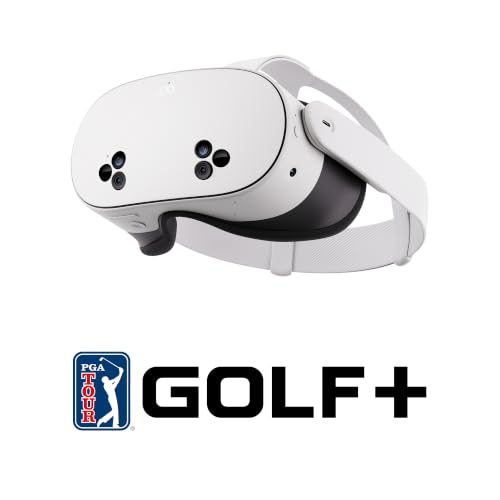
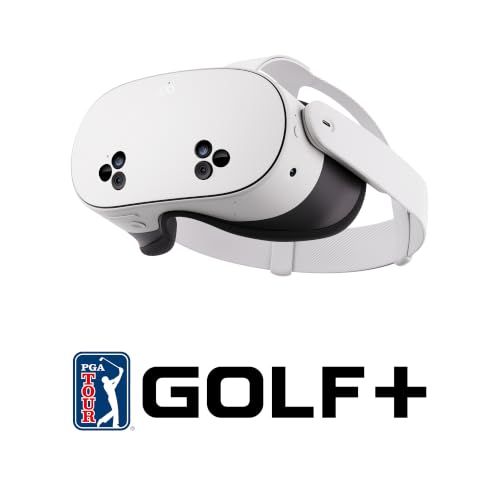
Meta Quest 3S 128GB VR headset, Golf+ included, high-definition resolution, lightweight design, VR gaming.
Strengths
- The 128GB model is the cheapest way into a proper standalone headset.
- Golf+ is included, so there is a full game ready on the first day.
- The lightweight design is comfortable for longer sessions than the price suggests.
Trade-offs
- 128GB fills quickly once several large games are installed.
- The resolution is high-definition rather than the sharper display of the Quest 3.
- There is no PC connection in the box, so PC play needs extra equipment.
Who it fits
A first-time buyer, a family buyer, or anyone who wants to try virtual reality without spending much.
Best for: A first VR headset, and family play.
Not suited for: Buyers who want the sharpest display or the largest storage.
In daily use
Set the play area up in an open room with the furniture pushed back, and let each new user try Golf+ first, because it is a gentle introduction. Charge the headset after each session, and keep the lenses out of direct sunlight, which can damage them.
The Quest 3S is the starting point in this guide: the headset most buyers should buy first, and the one that makes virtual reality affordable.
Before you buy
Before buying the Meta Quest 3S 128GB VR Headset, measure the play area, because virtual reality needs an open floor with no furniture at shin height. A small room can still work for seated games, but standing games need space to step, reach and turn without hitting anything.
Check price on Amazon: Meta Quest 3S 128GB VR Headset

2. Meta Quest 3 512GB VR Headset
Key specs
Meta Quest 3 512GB VR headset, Golf+ included, 4K+ Infinite Display, lightweight design, VR gaming.
Strengths
- The 4K+ Infinite Display is the sharpest in the Quest range.
- 512GB of storage holds a large library without deleting games.
- Golf+ is included, so the headset is ready to play on arrival.
Trade-offs
- The price is higher than the Quest 3S for the same games.
- 512GB is more than most buyers will fill in the first year.
- The battery lasts a few hours, so long sessions need a break or a cable.
Who it fits
A buyer who wants the best all-round standalone headset and the storage to keep a library.
Best for: The main headset for a household that plays VR regularly.
Not suited for: Buyers on a tight budget, who should buy the Quest 3S instead.
In daily use
Install the games that will actually be played, and delete the ones that will not, because a full headset is a slow headset. Use the guardian boundary every time, and keep the play area clear, because the most common VR injury is a shin against a coffee table.
The Quest 3 is the best all-round pick in this guide: the sharpest Quest display, the largest storage, and the headset most households should buy if the budget allows.
Before you buy
Before buying the Meta Quest 3 512GB VR Headset, check the platform it needs, because a standalone headset works on its own, a PC headset needs a powerful computer, and a console headset needs a PlayStation. The platform is decided first, and the headset follows.
Check price on Amazon: Meta Quest 3 512GB VR Headset
3. Meta Quest 3S 256GB VR Headset
Key specs
Meta Quest 3S 256GB VR headset, Golf+ included, high-definition resolution, lightweight design, VR gaming.
Strengths
- 256GB is the comfortable middle: room for a library without paying for 512GB.
- Golf+ is included, so the first game is ready.
- The same lightweight design as the 128GB model, at a modest step up in price.
Trade-offs
- The display is the same high-definition panel as the 128GB model, not the sharper Quest 3 display.
- 256GB still fills eventually if every game is kept installed.
- There is no PC connection in the box.
Who it fits
A buyer who likes the Quest 3S but wants more storage than 128GB.
Best for: A first headset with room to grow.
Not suited for: Buyers who want the sharpest display available.
In daily use
Buy the 256GB model if the plan is to keep a dozen games installed at once, and the 128GB model if the plan is to play one game at a time. Either way, set the storage to warn before it fills, and keep the headset charged between sessions.
The Quest 3S 256GB is the sensible middle: the affordable headset, with the storage that most buyers actually need.
Before you buy
Before buying the Meta Quest 3S 256GB VR Headset, think about storage, because games are large and storage cannot be added later on most standalone headsets. Buyers who keep a library should choose more storage now, rather than deleting games every week to make room.
Check price on Amazon: Meta Quest 3S 256GB VR Headset

4. HTC Vive Focus Vision Mixed Reality and PC VR Headset
Key specs
HTC Vive Focus Vision, mixed reality and PC VR headset with controllers, consumer edition.
Strengths
- The headset works as a standalone device and as a PC headset, so it covers both uses.
- Mixed reality means the real room can be seen alongside the virtual one.
- The controllers are included, so the headset is complete out of the box.
Trade-offs
- The price sits above the Quest range for a similar standalone experience.
- The Vive store has fewer games than the Quest store.
- The headset is heavier than the Quest 3S, so long sessions need breaks.
Who it fits
A buyer who wants one headset for standalone play and PC play, and who prefers the Vive platform.
Best for: Mixed use: standalone games and PC virtual reality.
Not suited for: Buyers who only want the cheapest standalone headset.
In daily use
Use it standalone for quick sessions and connected to the PC for the demanding games, and keep the controllers charged, because a flat controller ends a session faster than a flat headset. The mixed reality view is worth trying for room-scale games, where seeing the furniture prevents collisions.
The Vive Focus Vision is the flexible pick: the headset for buyers who want both standalone and PC play in one device.
Before you buy
Before buying the HTC Vive Focus Vision Mixed Reality and PC VR Headset, try a headset if possible, because comfort is personal: the weight, the balance and the fit of the strap feel different on every head. A headset that is tried before buying is a headset that will actually be worn.
Check price on Amazon: HTC Vive Focus Vision Mixed Reality and PC VR Headset

5. Pimax Crystal Super VR Headset
Key specs
Pimax Crystal Super VR headset, 3840×3840 per eye, ultrawide, 140-degree field of view, eye tracking, ultra-sharp for flight and racing simulation.
Strengths
- The 3840×3840 resolution per eye is the sharpest in this guide, by a wide margin.
- The 140-degree field of view is wider than any other headset here.
- Eye tracking focuses the sharpest rendering where the buyer is looking.
Trade-offs
- The price is far above the Quest range, and it needs a powerful PC as well.
- The headset is built for simulation, not for casual family play.
- Setup is more involved than a standalone headset.
Who it fits
A flight or racing simulation enthusiast with a powerful PC, who wants the sharpest image available.
Best for: Flight simulation and racing simulation, where the wide view matters.
Not suited for: First-time buyers, families, or anyone without a powerful PC.
In daily use
Pair it with a powerful PC and a flight stick or a racing wheel, and use it for the simulation it was built for. Do not buy it as a first headset: it is a specialist tool, and it rewards the buyer who already knows what simulation needs.
The Pimax Crystal Super is the specialist pick: the sharpest, widest headset here, for the simulation enthusiast who will use every pixel of it.
Before you buy
Before buying the Pimax Crystal Super VR Headset, measure the play area, because virtual reality needs an open floor with no furniture at shin height. A small room can still work for seated games, but standing games need space to step, reach and turn without hitting anything.
Check price on Amazon: Pimax Crystal Super VR Headset

6. PICO 4 Ultra All-in-One MR Headset
Key specs
PICO 4 Ultra all-in-one MR headset, 3D panoramic VR glasses, built-in screen casting, immersive gaming and home movie viewing.
Strengths
- The all-in-one design needs no computer or console.
- Built-in screen casting sends the headset view to a television for spectators.
- The home movie viewing is a genuine use, not an afterthought, with a large panoramic screen.
Trade-offs
- The PICO store is smaller than the Quest store.
- The listing's wording is broader than the Quest listings, so the buyer should read it carefully.
- Support and accessories are thinner than for the Meta headsets.
Who it fits
A buyer who wants an alternative to Meta, or a headset mainly for movies and casual play.
Best for: Movies, casual games, and showing VR to friends on a television.
Not suited for: Buyers who want the largest game store.
In daily use
Try the screen casting on the first day, because watching on the television is how a household shares VR, and it is the feature that turns a solo headset into a family device. Keep the headset updated, because the PICO platform changes quickly.
The PICO 4 Ultra is the alternative pick: the headset for buyers who want out of the Meta store, or who mainly want movies on a huge virtual screen.
Before you buy
Before buying the PICO 4 Ultra All-in-One MR Headset, check the platform it needs, because a standalone headset works on its own, a PC headset needs a powerful computer, and a console headset needs a PlayStation. The platform is decided first, and the headset follows.
Check price on Amazon: PICO 4 Ultra All-in-One MR Headset

7. Meta Quest Pro Headset
Key specs
Meta Quest Pro headset, with Virtual Reality Field Trips 1-month subscription.
Strengths
- The Quest Pro is Meta's premium standalone headset, with a more comfortable design for long sessions.
- The 1-month Virtual Reality Field Trips subscription is included, so there is content ready on day one.
- The Pro design suits work and meetings as well as games.
Trade-offs
- The price is above the Quest 3 for a similar games library.
- The Pro is an older premium model, so the Quest 3 has caught up in display sharpness.
- The subscription lasts a month, and then it is an extra cost if it is kept.
Who it fits
A buyer who wants Meta's premium design and comfort, or who will use the headset for work as well as play.
Best for: Long sessions, work use, and premium comfort.
Not suited for: Buyers who want the best value for money in games.
In daily use
Use the subscription in the first month, because it is included and it shows what the headset can do beyond games. If the headset is mainly for games, the Quest 3 is the better value, and the Pro earns its place on comfort and on work use.
The Quest Pro is the premium pick: the most comfortable Meta headset here, for buyers who wear it for hours rather than minutes.
Before you buy
Before buying the Meta Quest Pro Headset, think about storage, because games are large and storage cannot be added later on most standalone headsets. Buyers who keep a library should choose more storage now, rather than deleting games every week to make room.
Check price on Amazon: Meta Quest Pro Headset

8. Sony PlayStation VR Marvel's Iron Man Bundle
Key specs
Sony PlayStation VR Marvel's Iron Man Bundle, white: PlayStation VR headset, camera, 2 Move motion controllers, VR digital game.
Strengths
- The bundle includes everything needed: headset, camera, two Move controllers and the Iron Man game.
- It is the PlayStation VR headset, so it works with the PlayStation games library.
- The Iron Man game is a full game, not a demo, so the first session is a real one.
Trade-offs
- It needs a PlayStation console, so it is useless without one.
- The original PlayStation VR is an older design than the headsets above.
- The camera needs a clear view of the play area, which takes setup.
Who it fits
A PlayStation owner who wants virtual reality on the console they already own.
Best for: PlayStation VR games, with the full bundle in one box.
Not suited for: Buyers without a PlayStation, or buyers who want a standalone headset.
In daily use
Set the camera up high, facing the play area, and clear the floor before the first session. Play Iron Man first, because it shows what the headset can do, and then look at the rest of the PlayStation VR library, which is larger than most buyers expect.
The PlayStation VR bundle is the console pick: the complete VR set for the PlayStation household, with the game included.
Before you buy
Before buying the Sony PlayStation VR Marvel's Iron Man Bundle, try a headset if possible, because comfort is personal: the weight, the balance and the fit of the strap feel different on every head. A headset that is tried before buying is a headset that will actually be worn.
Check price on Amazon: Sony PlayStation VR Marvel's Iron Man Bundle
Buying guide: best selling vr headsets
Standalone, PC, or console: pick the platform first
A standalone headset works on its own, with no computer and no console. A PC headset needs a powerful computer. A console headset needs a PlayStation. The platform decides the games, the setup, and the cost, and it should be decided before any headset is compared, because the best headset on the wrong platform is a bad buy.
Storage: 128GB, 256GB, or 512GB
Games are large, and a headset fills faster than expected. 128GB holds a handful of large games. 256GB holds a proper library. 512GB holds everything and never needs deleting. Buyers who play one game at a time can buy 128GB; buyers who keep a library should buy 256GB or more. Storage cannot be added later on the Quest headsets, so the choice is permanent.
Resolution and field of view, in plain language
Resolution is how sharp the image looks, and field of view is how much of the world is visible at once. The Quest 3 has a sharper display than the Quest 3S, and the Pimax has a sharper display than both, with a wider field of view. For most buyers the Quest 3 is sharp enough; for simulation, where distant instruments must be read, the Pimax earns its price.
Comfort matters more than specifications
A headset is worn on the face, and an uncomfortable headset is a headset that stays in a drawer. Weight, balance and the fit of the strap matter more than a specification sheet suggests. The lightweight Quest headsets suit long sessions, and the premium headsets suit them better still. If possible, try a headset before buying, and budget for a better strap if the standard one does not fit.
The play area is part of the purchase
Virtual reality needs space: an open floor, no furniture at shin height, and no glass nearby. The guardian boundary that the headset draws is a safety feature, not a suggestion, and it should be set up carefully on the first day. A headset bought for a cluttered room is a headset that will cause an injury, and the injury is usually to the furniture or the shin, not the headset.
Motion sickness is real, and it passes
Some new users feel unwell in virtual reality, especially in games with smooth movement. It usually passes after a few short sessions, and the trick is to stop at the first sign of discomfort, not to push through it. Start with stationary games, keep sessions short for the first week, and use teleport movement where the game offers it.
Do not buy a phone holder by mistake
The search results for VR headsets include phone holders: plastic goggles that hold a phone in front of the eyes. They are not VR headsets, they have no display of their own, and they do not play VR games. Check that the listing names a headset with its own display and its own controllers, and skip anything that says it is for a phone.
What to check when the box arrives
Check that the headset, the controllers and the cables are all in the box, and that the lenses are clean and undamaged. Charge the headset fully before the first session, update the software, and set up the guardian boundary before anyone puts the headset on. A headset set up properly on day one is a headset that gets used.
Check the return window
A headset should be tried within its return window, because comfort and motion tolerance are personal. Wear it for a few sessions in the first week, try more than one type of game, and decide while a return is still possible. A headset that causes discomfort in the first week may settle with practice, but it may also be the wrong fit.
Budget for accessories
A headset is rarely the whole purchase: a better strap, a carry case, and a charging dock are the accessories most owners buy within a month. Budget for at least a case, because a headset without one is a headset that gets dusty, scratched, and left on a shelf. The accessories in the search results were not picked here, because this guide is about headsets, but they are worth knowing about.
Usage and care
Charge the headset after every session, and store it with the lenses facing away from windows, because direct sunlight can damage the lenses. Wipe the lenses with a soft cloth, never with paper, and keep the controllers in the same place so they are not lost between sessions.
Take a break every half hour, especially in the first weeks. Virtual reality is tiring for the eyes and the neck, and a short break keeps the experience pleasant. Drink water, look at something far away, and let the eyes rest before the next session.
Keep the play area clear every time, not just the first time. Furniture moves, bags get left on the floor, and pets walk into the room. Check the floor before putting the headset on, and use the guardian boundary, which is there to stop the player from walking into the wall.
Common mistakes
The most common mistake is buying a headset for the wrong platform: a PC headset without a powerful PC, or a PlayStation headset without a PlayStation. Check the platform first, then the headset. The second most common mistake is buying the smallest storage to save money, and then deleting games every week to make room.
The second mistake is skipping the guardian boundary. The boundary is the line between the player and the furniture, and setting it up takes two minutes. Players who skip it hit tables, and players who set it up forget it exists, which is exactly how it should be.
The third mistake is buying a renewed headset to save money, and then finding the battery is tired, the lenses are scratched, or the controllers are worn. A headset is worn on the face and held in the hands, and a previous owner's wear is felt every session. Buy new, and buy the storage that will last.
VR for movies and travel
A headset is also a cinema: a huge virtual screen in a dark room, with no one else's phone glowing in the corner. The PICO 4 Ultra and the Quest headsets all play movies well, and a headset is the best screen available on a plane or in a hotel room, provided the motion settings are turned off. For travel, the Quest 3S is the right size, and it fits in a bag with its case.
VR for work and meetings
A headset can be a meeting room: a shared virtual space where people meet as avatars, with a whiteboard and a presentation screen. The Quest Pro is the headset built for this, with a design that suits long sessions and a passthrough view that lets the wearer see the keyboard. It is not for everyone, but for a team that meets remotely, it is a genuine alternative to another video call.
VR for older players
Virtual reality is not only for the young: older players use headsets for travel experiences, for gentle games, and for meeting family in virtual spaces. The Quest 3S is the right starting point, because it is simple to set up and comfortable to wear, and seated experiences need no standing or fast movement. Start with short sessions and a comfortable chair, and the experience is a pleasant one.
Sharing one headset in a household
A headset shared by a household needs separate profiles, or it becomes a tangle of games, settings and save files. The Quest headsets support multiple accounts, and each person should have their own, with their own comfort settings and their own guardian boundary. Set the profiles up on the first day, because untangling a shared headset later takes far longer.
Final recommendation
If one headset has to win this guide, it is the Meta Quest 3, because it is the best all-round headset: the sharpest Quest display, enough storage, and the largest game library. The Quest 3S is the best buy for first-time buyers and families, and the Pimax Crystal Super is the best headset for simulation, where its display earns its price.
For most buyers, the choice comes down to budget and platform. Standalone buyers should buy the Quest 3S or the Quest 3. PC owners who simulate should buy the Pimax. PlayStation owners should buy the PlayStation VR bundle. The platform is decided first, and the headset follows.
Whatever headset is chosen, set up the play area on the first day, charge it after every session, and keep the lenses out of sunlight. A headset is a device that is worn, and the habits around it decide whether it gets used or stays in a drawer.
Frequently asked questions
Which VR headset sells the most?
The Meta Quest range sells the most, by a wide margin, and the Quest 3S is the volume seller because it is the cheapest proper standalone headset. The Quest 3 sells to buyers who want the sharper display and more storage, and the PlayStation VR sells to PlayStation owners. The headsets in this guide are the ones that top the charts, not the ones with the most advertising.
Do I need a PC to use a VR headset?
Not for the standalone headsets in this guide: the Quest 3S, Quest 3, Quest Pro, PICO 4 Ultra and Vive Focus Vision all work on their own. A PC is needed for PC headsets like the Pimax Crystal Super, and a PlayStation is needed for the PlayStation VR bundle. Check the platform before buying.
How much storage do I need in a VR headset?
128GB holds a handful of large games, 256GB holds a proper library, and 512GB holds everything without deleting. Storage cannot be added later on the Quest headsets, so buyers who keep a library should buy 256GB or more from the start.
Is a phone VR viewer the same as a VR headset?
No. A phone viewer is a plastic holder that puts a phone in front of the eyes, and it does not play VR games. A proper VR headset has its own display, its own tracking and its own controllers. This guide includes only proper headsets, and the phone viewers in the search results were left out.
Will VR make me feel sick?
Some new users feel unwell at first, especially in games with smooth movement. It usually passes after a few short sessions. Start with stationary games, keep sessions short for the first week, stop at the first sign of discomfort, and use teleport movement where the game offers it.
Can I watch movies on a VR headset?
Yes, and it is one of the best uses for a headset: a huge virtual screen in a dark room. The PICO 4 Ultra and the Quest headsets all play movies well, and a headset is the best screen available on a plane or in a hotel room, provided the motion settings are turned off.
Can children use a VR headset?
Most makers set a minimum age, and parents should check it before buying. Children should use a headset in short sessions, with an adult nearby, and with the guardian boundary set up carefully. The Quest 3S is the most suitable first headset for a family, because it is the cheapest and the simplest to share.
Do I need glasses to use a VR headset?
Many headsets can be worn over glasses, and some offer prescription lens inserts as an accessory. The fit depends on the frame size, so glasses with small frames work best. Buyers who wear glasses should check the headset's glasses clearance before ordering, and try the fit on the first day.
Can a VR headset be used for fitness?
Yes, and it is one of the most popular uses: boxing, dancing and rhythm games give a real workout, and the headset tracks movement without any extra equipment. Clear the play area, keep water nearby, and take breaks, because a VR workout is a real workout and the sweat is real too.
What happens if I walk into a wall while wearing a headset?
The guardian boundary is designed to stop that: it appears as a visible wall in the virtual world when the player approaches the edge of the play area. Set the boundary up carefully on the first day, keep the floor clear, and the boundary will do its job. Players who skip the boundary are the ones who hit furniture.