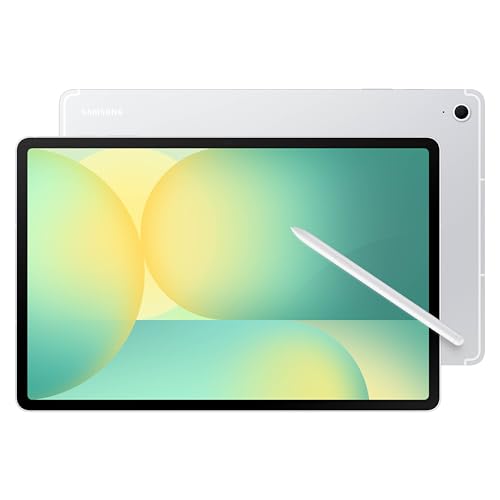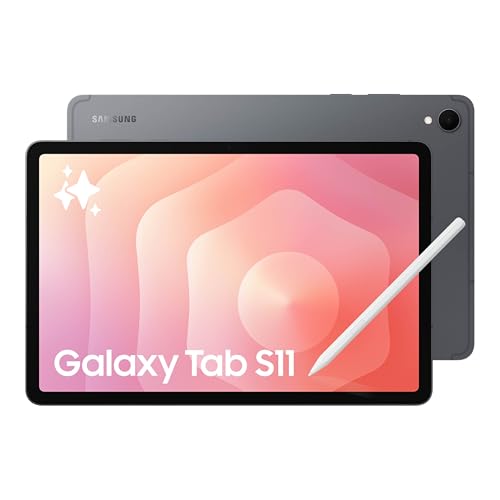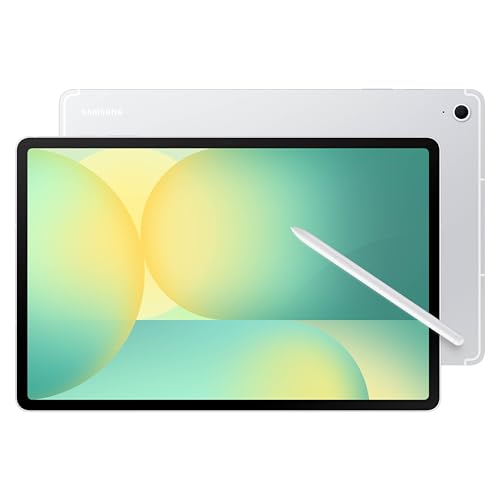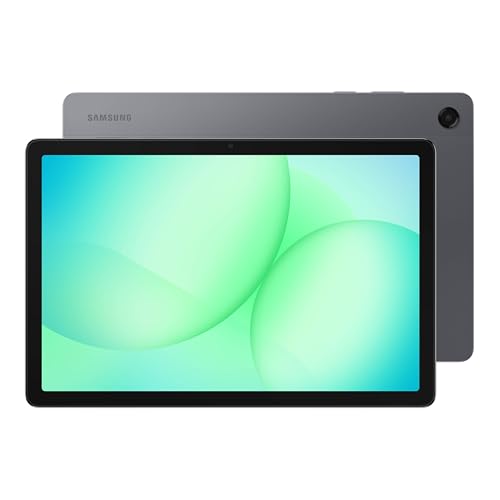
The best tablets for 100 dollars are the budget tablets that do the everyday jobs without asking the buyer to make excuses for them: video calls that stay smooth, reading that does not strain the eyes, streaming that runs for hours, and a web browser that keeps up with a dozen open tabs. A tablet at this level is not a flagship, and it should not be judged like one. It should be judged on whether it turns on quickly, holds a charge through the day, shows a clear picture, and still has room for the apps and files that matter after a few months of use.
Eight tablets made the list, led by Samsung and Lenovo, with Amazon's own Fire tablet and a Teclast value pick alongside them. Every one is a genuine tablet sold as a complete device, with a touchscreen, a battery, and storage that can be expanded with a card on most picks, which matters more at this level than any other single feature, because the built-in storage on a budget tablet fills up fast. The screens run from a compact 8 inches to a roomy 11 inches, so the guide covers the small tablet for reading, the mid-size tablet for video, and the larger tablet for study and work.
A word on what a hundred dollars buys in a tablet, and what it does not. It buys a clear screen, a battery that lasts a working day, and enough performance for video, reading, browsing, email and light games. It does not buy a flagship processor, a pen that feels like paper, or a screen that stays perfect in direct sunlight, and this guide does not pretend otherwise. What it does buy, when the choice is made well, is a tablet that is used every day rather than left in a drawer.
In this guide
Quick picks: best tablets for 100 dollars
| # | Product | Where to buy |
|---|---|---|
| 1 | Samsung Galaxy Tab A11+ 6GB RAM, 128GB Storage | Check on Amazon |
| 2 | Samsung Galaxy Tab A8 10.5 Inch, 64GB | Check on Amazon |
| 3 | Lenovo Tab One, 8.7 Inch HD Display | Check on Amazon |
| 4 | Lenovo Tab M10 10.1 Inch, 128GB | Check on Amazon |
| 5 | Lenovo Tab M11, 11 Inch Display | Check on Amazon |
| 6 | Fire HD 8 Tablet, 8 Inch HD, 32GB (2020) | Check on Amazon |
| 7 | TECLAST P35 10 Inch Android 16 Tablet | Check on Amazon |
| 8 | Lenovo Idea Tab, 11 Inch 2.5K IPS, 90Hz | Check on Amazon |
How the picks were chosen
The picks were chosen from the site's own product search, looking only at genuine tablets sold as complete devices: a screen, a battery, a processor and storage in one unit. Tablet cases, keyboards, screen protectors and stands were left out, because they are accessories, not tablets, and this guide is about tablets. Listings that were only a tablet bundled with a pile of accessories were judged on the tablet itself, and listings whose titles belonged to a different device entirely were dropped.
Storage was the first test after the tablet itself, because a budget tablet lives or dies on storage. A 32GB tablet with a card slot is a workable tablet, because a card adds room for films, books and photos. A 32GB tablet without one is a tablet that will run out of room, and the guide says so plainly where it applies. The picks here run from 32GB to 128GB, and most of them take a card, so the buyer can start small and add storage later rather than paying for it up front.
Screen size, battery and the maker's name were the remaining tests. Samsung and Lenovo dominate the list because they are the makers whose budget tablets keep getting software support and whose screens and batteries are consistent from one unit to the next. Amazon's Fire HD 8 earns its place as the cheapest way into a proper tablet, and the Teclast pick earns its place as the value alternative with the largest stated memory.
Quick comparison
| Product | Standout detail |
|---|---|
| Samsung Galaxy Tab A11+ 6GB RAM, 128GB Storage | Samsung A11+, 6GB, 128GB, expandable |
| Samsung Galaxy Tab A8 10.5 Inch, 64GB | Samsung A8, 10.5 inch, 64GB, fast charging |
| Lenovo Tab One, 8.7 Inch HD Display | Lenovo Tab One, 8.7 inch, 12.5-hour video |
| Lenovo Tab M10 10.1 Inch, 128GB | Lenovo Tab M10, 10.1 inch FHD+, 128GB plus card |
| Lenovo Tab M11, 11 Inch Display | Lenovo Tab M11, 11 inch, folio case included |
| Fire HD 8 Tablet, 8 Inch HD, 32GB (2020) | Fire HD 8, 8 inch HD, 32GB, 2020 release |
| TECLAST P35 10 Inch Android 16 Tablet | TECLAST P35, Widevine L1, 2TB card support |
| Lenovo Idea Tab, 11 Inch 2.5K IPS, 90Hz | Lenovo Idea Tab, 11 inch 2.5K, 90Hz, pen included |

1. Samsung Galaxy Tab A11+ 6GB RAM, 128GB Storage
Key specs
Samsung Galaxy Tab A11+ with 6GB of RAM, 128GB of storage, expandable storage, a large display, Dolby Atmos sound and a long-lasting battery.
Strengths
- The 6GB of memory is the most generous in this guide, and it is what keeps the tablet smooth with several apps open at once.
- The 128GB of built-in storage is double what most budget tablets offer, so films, books and apps fit without a card from day one.
- Expandable storage means the tablet can grow later, which is the right design for a tablet bought to last.
Trade-offs
- The large display is the main attraction, so a buyer who wants a pocket-size tablet should look at the smaller Lenovo pick below.
- The listing gives no screen size to quote, so the buyer should check the dimensions in the listing before ordering a case.
- As the newest Samsung in this guide, it is the pick most likely to be the one the buyer compares everything else against, which is a compliment, not a fault.
Who it fits
A buyer who wants the strongest Samsung budget tablet in this guide, with the most memory and storage.
Best for: Everyday use as the main household tablet, from video to reading to browsing.
Not suited for: Buyers who want the smallest tablet in this guide, who should take the Lenovo Tab One.
In daily use
Set the tablet up on Wi-Fi first, sign into the Samsung account, and let the software update before installing apps. Add a card later if the 128GB fills up, and keep the brightness a notch below maximum for video, which stretches the battery without hurting the picture.
The Galaxy Tab A11+ is the default pick in this guide: the Samsung budget tablet with the most memory and the most storage.
Check price on Amazon: Samsung Galaxy Tab A11+ 6GB RAM, 128GB Storage
2. Samsung Galaxy Tab A8 10.5 Inch, 64GB
Key specs
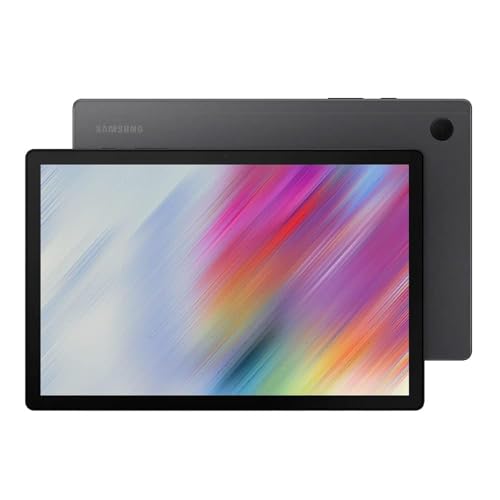
Samsung Galaxy Tab A8, 10.5-inch LCD screen, 64GB of storage, expandable memory, Kids Content, Smart Switch, long-lasting battery and fast charging, US version.
Strengths
- The 10.5-inch screen is the right size for video, large enough to watch comfortably and small enough to hold in one hand.
- Fast charging shortens the wait when the battery runs low, which matters for a tablet that is used every day.
- Smart Switch moves the files and settings from an old Samsung device, so the new tablet feels familiar within minutes.
Trade-offs
- The 64GB of storage is half the A11+ pick above, so a card is a sensible early addition for a film collection.
- The LCD screen is clear indoors, but it will not match a brighter panel in direct sunlight.
- Kids Content is included, which is a bonus for a family tablet and an unused extra for a buyer without children.
Who it fits
A buyer who wants a proven Samsung tablet at the budget level, with a 10.5-inch screen.
Best for: Video, reading and family use, where the screen size and the battery matter most.
Not suited for: Buyers who need 128GB built in, who should take the Galaxy Tab A11+ above.
In daily use
Use Smart Switch on the first day, before installing apps by hand, because it copies the old tablet's layout and saves an hour of setup. Add a card once the photo and video folders start to grow, which is cheaper than buying a bigger tablet later.
The Galaxy Tab A8 is the proven pick: the Samsung tablet that has earned its place by being dependable rather than new.
Check price on Amazon: Samsung Galaxy Tab A8 10.5 Inch, 64GB

3. Lenovo Tab One, 8.7 Inch HD Display
Key specs
Lenovo Tab One, a lightweight tablet with up to 12.5 hours of YouTube streaming, an 8.7-inch HD display, 4GB of memory, 64GB of storage and a MediaTek Helio G85 processor.
Strengths
- The 8.7-inch size is the smallest in this guide, which makes it the easiest tablet here to hold for a long read.
- Up to 12.5 hours of video streaming is the longest battery claim in this guide, and it is the number that matters for a travel tablet.
- The lightweight build means the tablet disappears into a bag, which is exactly what a small tablet should do.
Trade-offs
- The 4GB of memory is the smallest in this guide, so heavy multitasking will show its limits sooner than on the Samsung picks.
- The HD display is clear for video and reading, but it is not the sharpest panel in this guide.
- The 64GB of storage is modest, so a buyer with a large film library should plan on a card.
Who it fits
A reader or traveller who wants the smallest, lightest tablet in this guide.
Best for: Reading, video on the move, and carrying a tablet everywhere without noticing the weight.
Not suited for: Buyers who run several apps at once and need more memory, who should take a Samsung pick.
In daily use
Keep the tablet in a sleeve in the bag, because a small tablet is easy to carry and easy to knock. Charge it overnight before a trip, and download films and books before leaving Wi-Fi.
The Lenovo Tab One is the small pick: the tablet for the buyer who wants the lightest bag and the longest video battery.
Check price on Amazon: Lenovo Tab One, 8.7 Inch HD Display

4. Lenovo Tab M10 10.1 Inch, 128GB
Key specs
Lenovo Tab M10, a 10.1-inch Android tablet with 128GB of eMMC storage plus a 128GB SD card, FHD+ resolution at 1920 by 1200, an 8-core MediaTek processor and an ultra-light design.
Strengths
- The 128GB of built-in storage plus a 128GB card in the listing is the most total storage in this guide.
- The FHD+ display at 1920 by 1200 is sharper than the HD panels elsewhere in this guide, which shows in text and photos.
- The ultra-light design keeps a 10.1-inch tablet comfortable to hold, which is not a given at this size.
Trade-offs
- The storage is eMMC rather than a faster SSD-style drive, so app installs take a little longer than on the Samsung picks.
- The card in the listing is part of the bundle, so a buyer who already owns cards should check what is actually included.
- The 8-core MediaTek chip handles everyday work well, but it is not a gaming processor.
Who it fits
A buyer who wants the most storage and the sharpest budget screen in this guide.
Best for: Study, reading and video where a sharp screen and room for files matter.
Not suited for: Buyers who want a Samsung tablet, who should take the Galaxy Tab A8 or A11+.
In daily use
Check the card slot and the bundled card on arrival, because the listing pairs the tablet with a card, and the two should be set up together. Set the display to the FHD+ resolution the panel offers, and keep the tablet updated.
The Lenovo Tab M10 is the storage pick: the tablet with the most room and the sharpest screen at this level.
Check price on Amazon: Lenovo Tab M10 10.1 Inch, 128GB

5. Lenovo Tab M11, 11 Inch Display
Key specs
Lenovo Tab M11, an 11-inch tablet with a MediaTek Helio G88 octa-core processor, 4GB of RAM, 128GB of SSD storage, a 1920 by 1200 display, an ambient light sensor, a 10-hour battery and a folio case.
Strengths
- The 11-inch screen is the largest in this guide, which makes it the best pick here for split-screen study and video.
- The folio case is included, so the tablet is protected from the first day without a separate purchase.
- The ambient light sensor adjusts the screen to the room, which keeps reading comfortable in the evening.
Trade-offs
- The 4GB of memory is modest for an 11-inch tablet, so the buyer should not expect heavy multitasking.
- The large screen makes it the heaviest tablet in this guide to hold one-handed for a long read.
- The 10-hour battery is shorter than the Tab One's video claim, so a long day needs a charger nearby.
Who it fits
A student or reader who wants the biggest screen in this guide, with a case included.
Best for: Study and video on the largest budget screen here, with the folio case doing the protecting.
Not suited for: Buyers who want a small tablet for one-handed reading, who should take the Lenovo Tab One.
In daily use
Use the folio case as a stand for video, which turns the big screen into a small television on a desk or a tray table. Keep the brightness on automatic so the light sensor does its job, and charge the tablet each evening.
The Lenovo Tab M11 is the big-screen pick: the largest tablet in this guide, with a case in the box.
Check price on Amazon: Lenovo Tab M11, 11 Inch Display
6. Fire HD 8 Tablet, 8 Inch HD, 32GB (2020)
Key specs
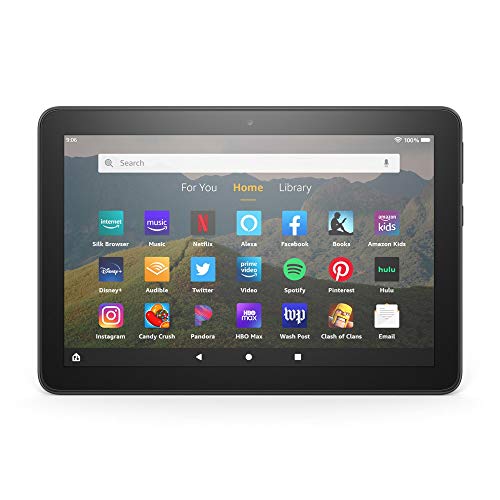
Amazon Fire HD 8 tablet, 8-inch HD display, 32GB of storage, 2020 release, designed for portable entertainment, in black, without lockscreen ads.
Strengths
- The Fire HD 8 is Amazon's own tablet, so it is built around the services Amazon sells, and it does that job well.
- The 8-inch size is small and light, which suits reading and video in bed or on a train.
- Without lockscreen ads, the tablet wakes to the home screen rather than an advert, which is a small thing that matters every day.
Trade-offs
- The 32GB of storage is the smallest in this guide, so a card is almost essential for a film collection.
- The 2020 release means it is an older tablet, and its software will not stay current as long as the newer picks.
- It is built for Amazon's store and services first, so a buyer who lives outside that world will find it less flexible.
Who it fits
A buyer who wants the cheapest way into a proper Amazon tablet, for reading and video.
Best for: Portable entertainment and reading, where a small, light tablet is the whole point.
Not suited for: Buyers who want the newest software and the longest support, who should take a Samsung or Lenovo pick.
In daily use
Add a card before loading films, because 32GB fills up fast once videos are downloaded. Turn off the apps that are not needed, and keep the tablet charged.
The Fire HD 8 is the entry pick: the smallest outlay in this guide for a real tablet that does the everyday jobs.
Check price on Amazon: Fire HD 8 Tablet, 8 Inch HD, 32GB (2020)

7. TECLAST P35 10 Inch Android 16 Tablet
Key specs
TECLAST P35, a 10-inch Android 16 tablet with an octa-core processor, Widevine L1, face unlock, 16GB of RAM and 32GB of ROM, support for 2TB of TF card storage, a 6000mAh battery, GPS, a dual camera and an HD IPS display.
Strengths
- Widevine L1 support means streaming apps can play in high definition, which many budget tablets cannot offer.
- Face unlock is a convenience the other picks in this guide do not offer at this level.
- The 2TB card support is the largest expansion in this guide, so storage never has to be the limit.
Trade-offs
- The 32GB of built-in storage is small, so the tablet depends on a card for any serious collection.
- Teclast is a value brand rather than a household name, so support and updates will not match Samsung or Lenovo.
- The stated 16GB of memory should be read as the listing states it, and the buyer should check the listing for how it is made up.
Who it fits
A buyer who wants the most features per dollar in this guide, and accepts a value brand.
Best for: Streaming in high definition and storing a large collection on a card.
Not suited for: Buyers who want a household name and long software support, who should take Samsung or Lenovo.
In daily use
Set up face unlock in good light on the first day, and test the streaming apps the tablet will actually be used for, because Widevine L1 is the feature that justifies this pick. Add a card early, since 32GB is small.
The TECLAST P35 is the value pick: the tablet with the longest feature list at this level.
Check price on Amazon: TECLAST P35 10 Inch Android 16 Tablet

8. Lenovo Idea Tab, 11 Inch 2.5K IPS, 90Hz
Key specs
Lenovo Idea Tab, a college tablet with an 11-inch 2.5K IPS touchscreen display at 90Hz, a MediaTek Dimensity 6300 processor, 4GB of memory, 128GB of storage, an integrated Arm Mali-G57 MC2 graphics unit, a Tab Pen and a folio case.
Strengths
- The 2.5K display at 90Hz is the sharpest and smoothest screen in this guide, and the difference shows in scrolling and video.
- The Tab Pen and folio case are included, so the tablet is ready for notes and study from the first day.
- The Dimensity 6300 is a current chip, which gives the tablet a longer useful life than the older picks.
Trade-offs
- The 4GB of memory is modest for a tablet with such a good screen, so heavy apps should be kept to a few at a time.
- The 11-inch size and the pen make it a study tablet first, and a less natural choice for one-handed reading.
- As a newer Lenovo tablet, it is the pick the buyer is most likely to compare with the Tab M11, and the choice between them is the screen against the sensor.
Who it fits
A student who wants the best screen in this guide, with a pen and a case included.
Best for: Study, notes and video on a sharp 90Hz screen, with the pen for handwriting.
Not suited for: Buyers who want a small tablet, who should take the Lenovo Tab One.
In daily use
Charge the pen with the tablet, and keep the folio case on, because the pen is small and easy to lose without it. Set the display to 90Hz for scrolling and video, and turn it down for reading if the battery needs stretching.
The Lenovo Idea Tab is the screen pick: the sharpest, smoothest display in this guide, with a pen in the box.
Check price on Amazon: Lenovo Idea Tab, 11 Inch 2.5K IPS, 90Hz
Buying guide: best tablets for 100 dollars
Screen size first
The screen is the first choice, because it decides how the tablet is held and what it is used for. An 8-inch tablet, like the Fire HD 8 and the Lenovo Tab One, is a reading and travel tablet, light enough to hold one-handed for an hour. A 10-inch tablet, like the Tab A8, the Tab M10 and the TECLAST P35, is the all-rounder, big enough for video and small enough to carry. An 11-inch tablet, like the Tab M11 and the Idea Tab, is a study tablet, best used on a desk or a lap with a case as a stand. Buy the size for the job, not the biggest screen available, because a tablet that is too big for its job is a tablet that stays at home.
Storage and the card slot
Storage is the second choice, and it is the one budget buyers get wrong most often. The built-in storage runs from 32GB to 128GB in this guide, and 32GB is enough for apps and a few books, but not for a film collection. Most picks here take a card, and a card is cheap, so the sensible approach is to buy the tablet with the right screen and add a card later, rather than paying more for built-in storage that may never be needed. The exception is the Fire HD 8, where the card is almost essential from the start, and the guide says so in its section.
Memory: what 4GB and 6GB mean
Memory decides how many apps can run at once without the tablet slowing down. The picks here carry 4GB or 6GB, and the difference is real but narrow: 4GB is enough for one app at a time, which is how most people use a tablet, while 6GB, found on the Galaxy Tab A11+, keeps several apps open and switching smoothly. A buyer who reads, watches and browses one thing at a time will not notice the difference. A buyer who keeps a video, a browser and a notes app open together will, and should take the 6GB pick.
Battery: read the claim carefully
Battery claims are measured differently from one maker to the next, so they should be compared with care. The Lenovo Tab One claims up to 12.5 hours of video streaming, which is a video claim, while the Tab M11 claims 10 hours, which is a general-use claim, and the two are not directly comparable. The practical test is simpler: a tablet that lasts a working day of mixed use is a good tablet, and every pick in this guide is built to do that. Charge overnight, keep the brightness a notch below maximum, and the battery will not be the thing that limits the day.
The maker's name and support
The maker's name matters at this level, because it decides how long the tablet keeps getting updates and how easy it is to get help. Samsung and Lenovo are the safe choices, with regular updates and a support line that answers. Amazon's Fire tablet is supported by Amazon itself, which is a different kind of safety, tied to Amazon's store. Teclast is the value choice, and the buyer trades some of that safety for a longer feature list, which is a fair trade when it is made with open eyes.
Cases, pens and the extras that matter
Two picks in this guide include a case, and one includes a pen, and those extras are worth real money. A folio case protects the screen and doubles as a stand, and a tablet without one should have a case bought on the same day, because a bare screen in a bag is a scratched screen within a week. A pen is worth having only if it will be used for notes, and the Idea Tab is the pick for that buyer. A keyboard case is a separate purchase, and it turns a tablet into a light laptop, but it is not needed to enjoy any pick in this guide.
What to check before ordering
Before ordering, check three things in the listing: the screen size, the storage, and whether a card is included or only supported. Screen size decides the case size, storage decides whether a card is needed, and the card question decides the first extra purchase. Check the colour, because some listings vary by colour, and check the model name, because a tablet with a similar name from the same maker can be a different device entirely. The picks in this guide are named exactly, and the listing should match the name before the order is placed.
Tablets for children and students
A tablet for a child or a student has different needs from a tablet for an adult. A child needs a case, a screen that survives a drop, and content controls, and the Galaxy Tab A8 with its Kids Content and the Fire HD 8 both suit that job. A student needs a bigger screen, a pen or a keyboard, and room for documents, and the Lenovo Idea Tab with its pen and the Tab M11 with its case are the picks for that job. Buy for the user, not for the household, and the tablet will be used rather than fought over.
Usage and care
Set the tablet up on Wi-Fi before anything else, and let the software update finish before installing apps, because the first update is usually the largest and it fixes the things the factory software got wrong. Sign into the accounts the tablet will use, turn on automatic updates, and set a lock screen, because a tablet without a lock is a tablet anyone can open. Install the apps the tablet will actually use, and delete the ones it will not, because a clean home screen is a faster tablet.
Look after the battery by charging the tablet overnight and keeping the brightness a notch below maximum, which is the single change that stretches battery life the most. Avoid leaving the tablet in a hot car or in direct sunlight, because heat ages a battery faster than use does. Keep the screen clean with a soft cloth, and keep the tablet in its case when it is in a bag, because the screen is the part that costs the most to repair and the easiest to scratch.
Store films, books and photos on a card where the tablet takes one, and keep the built-in storage for apps, because apps cannot always move to a card and they are the things that slow a tablet down when storage runs low. Back up photos to the cloud, and check the storage once a month, deleting the downloads that have already been watched, because a full tablet is a slow tablet, and the fix is a minute of housekeeping rather than a new device.
Common mistakes
The most common mistake is buying on storage alone: a 128GB tablet with a poor screen is a worse purchase than a 64GB tablet with a good one, because the screen is looked at every minute and the storage is only noticed when it runs out. Choose the screen first, then the maker, then the storage, and add a card later if it is needed. A card is cheap, and a good screen is not something that can be added afterwards.
The second mistake is forgetting the case. A tablet without a case is a tablet with a scratched screen within weeks, and a screen repair costs more than the case would have. Two picks in this guide include a case, and the rest should have one ordered on the same day as the tablet. A case is not an accessory, it is part of the purchase, and the tablet should not be used without one.
The third mistake is expecting a budget tablet to behave like a flagship. A tablet at this level is built for video, reading, browsing and light games, and it does those jobs well. It is not built for heavy video editing, for demanding games at high settings, or for running a dozen apps at once, and judging it by those standards will only disappoint. Buy the tablet for the jobs it is built for, and it will feel like a bargain rather than a compromise.
Tablets for reading
A tablet for reading wants a small screen, a light body and a long battery, and the Lenovo Tab One and the Fire HD 8 are the picks for that job. Hold the tablet in one hand, keep the brightness low, and use a reading app with a warm background in the evening, because the screen is the whole experience for a reader. A large tablet is the wrong choice for reading in bed, however good its screen is, because it is too heavy to hold for an hour.
Tablets for video
A tablet for video wants a screen of 10 inches or more, a battery that lasts a film, and speakers that can be heard across a room. The Galaxy Tab A8, the Tab M10 and the Idea Tab cover that job between them, and the TECLAST P35 adds Widevine L1 for high-definition streaming. Use the case as a stand, keep the tablet charged, and download films before a trip, because streaming over a weak connection is the fastest way to ruin a film.
Tablets for study
A tablet for study wants a large screen, a pen or a keyboard, and room for documents, and the Lenovo Idea Tab with its pen and the Tab M11 with its case are the picks for that job. Split the screen between the lecture and the notes, keep the documents in the cloud so they survive a lost tablet, and charge the tablet each evening, because a student tablet that dies in a lecture is a lecture lost.
Final recommendation
If one tablet has to win this guide, it is the Samsung Galaxy Tab A11+, because it is the strongest all-rounder at this level: the most memory, the most storage, expandable storage, and the Samsung name behind it. The Lenovo Tab M10 is the pick for buyers who want the most total storage and the sharpest budget screen, and the Lenovo Tab One is the pick for readers and travellers who want the smallest, lightest tablet here.
For most buyers, the choice comes down to three questions. How big should the screen be? If the answer is small, the Tab One and the Fire HD 8 are the answers. How much storage is needed? If the answer is a lot, the Tab M10 and the A11+ are the answers. Does the tablet need a pen? If yes, the Idea Tab is the only pick with one in the box. Answer those three, and the right tablet in this guide picks itself.
Whatever tablet is chosen, buy a case on the same day, add a card when the storage starts to fill, and set the tablet up properly on the first day. A budget tablet bought carefully is a tablet that serves every day, and the eight tablets in this guide are all tablets that can do that, in different sizes and for different jobs.
Frequently asked questions
What is the best tablet for 100 dollars?
The best tablet for 100 dollars is the Samsung Galaxy Tab A11+, because it offers the most memory and storage in this guide, with expandable storage and the Samsung name behind it. The Lenovo Tab M10 is the best alternative for buyers who want the most total storage and a sharper screen, and the Fire HD 8 is the cheapest way into a proper tablet.
Are cheap tablets worth buying?
A cheap tablet is worth buying when it is chosen for the jobs it is built for: video, reading, browsing, email and light games. The tablets in this guide are chosen for those jobs, and they do them well. A cheap tablet is not worth buying when it is expected to behave like a flagship, because it will disappoint on the jobs it was never built for.
How much storage does a budget tablet need?
A budget tablet needs 64GB or more built in, and a card slot for the rest. The picks in this guide run from 32GB to 128GB, and most of them take a card, so the buyer can start small and add storage later. A 32GB tablet without a card will run out of room, and the Fire HD 8 in this guide is the pick where a card is almost essential.
Can a tablet under 100 dollars play videos in high definition?
Some can, and the TECLAST P35 in this guide supports Widevine L1, which lets streaming apps play in high definition. Most budget tablets play video well in standard definition, and the screen size matters more than the resolution for watching. A 10-inch screen with a good panel is a better video tablet than a small screen with a sharper one.
Is the Fire HD 8 still worth buying?
The Fire HD 8 is still worth buying as the cheapest way into a proper tablet, for reading and video, especially for a buyer who already uses Amazon's services. Its 2020 release means it is an older tablet, and buyers who want the newest software and the longest support should take a Samsung or Lenovo pick instead.
Should I buy a Samsung or a Lenovo tablet?
Buy Samsung for the strongest all-round budget tablet and the longest support, with the Galaxy Tab A11+ and the Tab A8 leading this guide. Buy Lenovo for the widest choice of sizes, from the small Tab One to the large Tab M11 and the Idea Tab, and for the best screens at this level. Both makers are safe choices, and the decision comes down to size and screen.
Do budget tablets need a case?
Yes. A tablet without a case is a tablet with a scratched screen within weeks, and a screen repair costs more than the case. Two picks in this guide include a case, and the rest should have one ordered on the same day as the tablet. A case is part of the purchase, not an accessory to be added later.
More from ilcastellomenu.com
Best micro SD cards for Android tablets: cards that add storage to a budget tablet
Best Bluetooth keyboards for Android tablets: keyboards that turn a tablet into a light laptop
Best gaming Bluetooth mouse for Android tablet: a mouse for tablet gaming