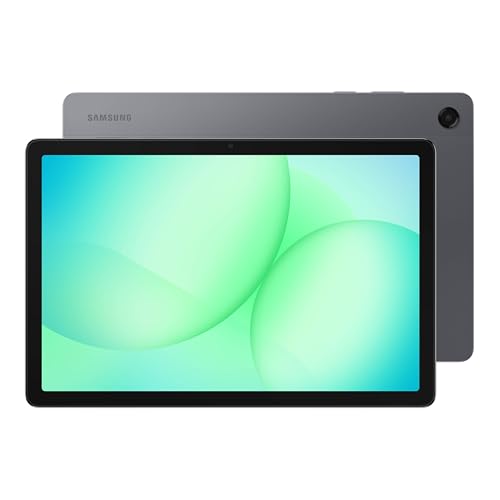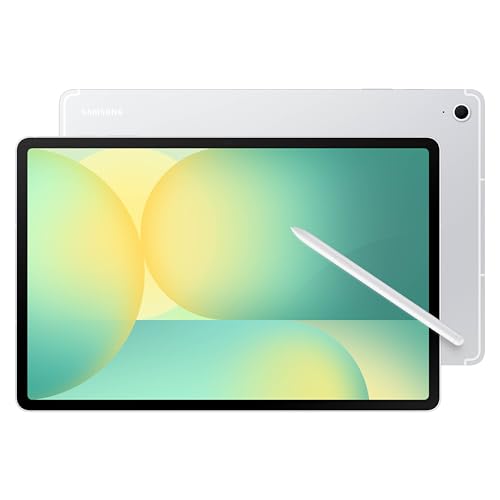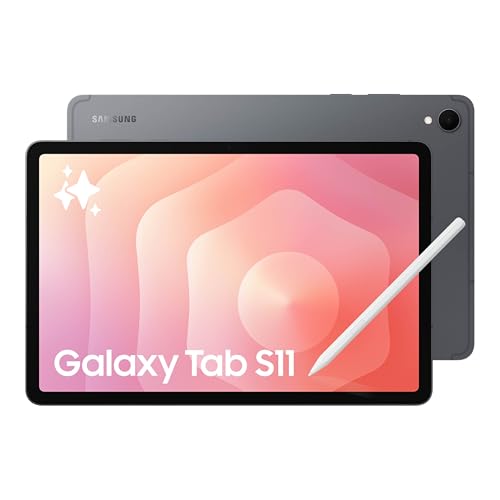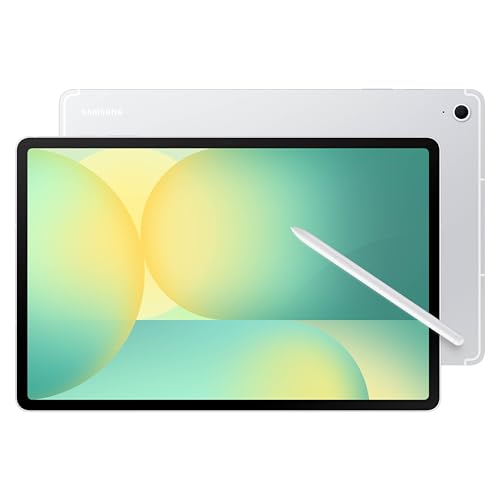
The best non apple tablets are the tablets that run Android or Fire OS rather than iPadOS, and the choice is wider than most buyers expect. Samsung makes the best Android tablets, Lenovo makes the best value Android tablets, and Amazon makes the cheapest tablets of all, and each of them suits a different buyer. A Samsung Galaxy Tab is the closest Android equivalent to an iPad, with a pen, a bright screen, and years of software support, while a Lenovo Idea Tab is the value choice for a student or a family, and a Fire HD is the tablet for reading, video, and the kids. The tablets in this guide were chosen across that range. Every one of them is a real, current listing, and every one of them is a non-Apple tablet: Samsung Galaxy Tab S10 and S11 models, a Samsung Galaxy Tab A11+, a Lenovo Idea Tab Pro, and an Amazon Fire HD 8. The list spans the range from the budget Fire HD 8 to the flagship Galaxy Tab S11, and it covers the screen sizes from 8 inches to 13.1 inches, so there is a tablet here for a bag, a desk, and a sofa. What makes a non-Apple tablet good is not the brand on the back. It is the screen, the battery, the software support, and whether it comes with a pen, since a pen turns a tablet from a video screen into a notebook. Samsung includes an S Pen with the Tab S models, Lenovo bundles a pen with the Idea Tab Pro, and the Fire HD has no pen at all, which tells you what each tablet is for. The sections below explain those differences in plain terms, so you can choose by use rather than by brand. Read the comparison table for a fast overview of screen size and storage, then dig into the individual sections for the strengths and trade-offs of each tablet. The buying guide at the end explains Android and Fire OS, screen size, storage, and how to choose between a Samsung, a Lenovo, and a Fire tablet.
In this guide
Quick picks: best non apple tablets
| # | Product | Where to buy |
|---|---|---|
| 1 | Samsung Galaxy Tab S10 FE 128GB | Check on Amazon |
| 2 | Samsung Galaxy Tab S10 Lite 128GB | Check on Amazon |
| 3 | Samsung Galaxy Tab S10+ Plus 12.4-inch 256GB | Check on Amazon |
| 4 | Samsung Galaxy Tab S10 FE+ 13.1-inch 128GB | Check on Amazon |
| 5 | Samsung Galaxy Tab S11 128GB | Check on Amazon |
| 6 | Samsung Galaxy Tab A11+ 128GB | Check on Amazon |
| 7 | Lenovo Idea Tab Pro 12.7-inch 3K | Check on Amazon |
| 8 | Amazon Fire HD 8 Tablet 32GB | Check on Amazon |
How the picks were chosen
The picks in this guide were chosen from the site own product listings, with the brand and model verified against each listing before it was included. Apple iPads were excluded, since the guide is about non-Apple tablets, and renewed or refurbished listings were excluded, since a tablet bought for years of use should be new. Each tablet was judged on the same four points: the screen, including size, resolution, and whether it is LCD or AMOLED; the battery, since a tablet that dies at noon is no use to a student; the software support, since a tablet that stops getting updates becomes a security risk; and whether it comes with a pen, since a pen turns a tablet into a notebook. The list covers the full range of sizes and costs, from the 8-inch Fire HD 8 to the 13.1-inch Galaxy Tab S10 FE+, so that every buyer can find a tablet that fits their bag and their budget.
Quick comparison
| Product | Screen and storage |
|---|---|
| Samsung Galaxy Tab S10 FE 128GB | 128GB, WiFi, large display, long battery, Exynos 1580, S Pen included |
| Samsung Galaxy Tab S10 Lite 128GB | 10.9-inch LCD, 6GB RAM, 128GB, expandable to 2TB, S Pen included |
| Samsung Galaxy Tab S10+ Plus 12.4-inch 256GB | 12.4-inch Dynamic AMOLED 2X, 256GB, Galaxy AI, Circle to Search |
| Samsung Galaxy Tab S10 FE+ 13.1-inch 128GB | 13.1-inch display, 128GB, WiFi, long battery, Exynos 1580 |
| Samsung Galaxy Tab S11 128GB | 128GB, WiFi, Dynamic AMOLED 2X, Galaxy AI, IP68, 3nm MediaTek |
| Samsung Galaxy Tab A11+ 128GB | 6GB RAM, 128GB, expandable storage, long battery |
| Lenovo Idea Tab Pro 12.7-inch 3K | 12.7-inch 3K LCD, 8GB memory, 128GB, MediaTek, Google Gemini, pen and folio case |
| Amazon Fire HD 8 Tablet 32GB | 8-inch HD display, 32GB, Fire OS, portable entertainment |

1. Samsung Galaxy Tab S10 FE 128GB
Key specs: 128GB, WiFi, large display, long battery, Exynos 1580, S Pen included
Strengths
- The S Pen is included, so note-taking and sketching work from the first day without buying an accessory.
- The long battery lasts a full day of classes or reading, which matters more than benchmark speed for a student tablet.
- It is the best-value Samsung tablet here, with the same software and the same pen as the flagship models at a lower cost.
Trade-offs
- The LCD display is good rather than exceptional, with less deep blacks and less vivid color than the AMOLED models.
- The Exynos 1580 processor is slower than the chips in the flagship Tab S models, so demanding apps take longer.
- It is a WiFi-only tablet, so it needs a wireless network rather than a mobile connection.
Who it fits best
Students and note-takers who want a Samsung tablet with an S Pen at the best value.
Best for: Students and note-takers who want a Samsung tablet with an S Pen at the best value. Not suited for: buyers who want the best display, the fastest processor, or a mobile connection.
In daily use
In everyday use, the Samsung Galaxy Tab S10 FE 128GB settles into a routine quickly. Set it up once, the way you like it, and give yourself a few days to adjust before judging it. The first session is about learning the layout and the feel; the second and third are where it starts to feel natural. Keep it clean, keep it in the conditions it was designed for, and it will stay consistent. If it has parts that wear — cables, surfaces, moving components — a quick check now and then keeps small issues from becoming real ones, and keeping the packaging and documentation for the first weeks makes any return or exchange far simpler.
Before you buy
Before buying the Samsung Galaxy Tab S10 FE 128GB, check two practical things. First, measure and compare: check the dimensions, the capacity, and the compatibility details listed on the product page against what you already own and the space you have. A product that does not fit your setup will never feel right, whatever its specifications say. Second, think about your routine — where it will live, how it will be stored, and what it needs to connect to. None of this is difficult, but all of it is easier to plan before the product arrives than after.
Check price on Amazon: Samsung Galaxy Tab S10 FE 128GB
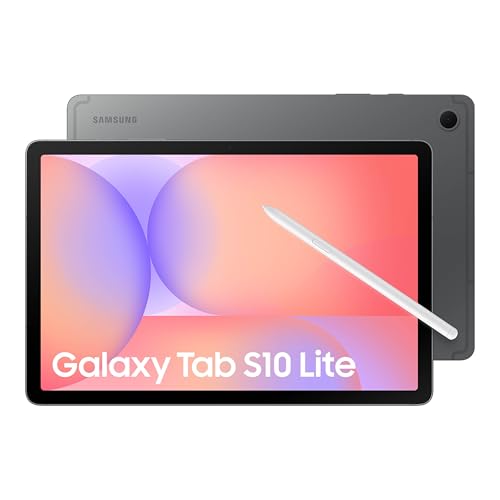
2. Samsung Galaxy Tab S10 Lite 128GB
Key specs: 10.9-inch LCD, 6GB RAM, 128GB, expandable to 2TB, S Pen included
Strengths
- The S Pen is included at the lowest cost in the Tab S line, so it is the cheapest way into pen note-taking.
- It is light and portable at 10.9 inches, so it fits in a bag and is easy to hold for reading.
- Storage expands to 2TB with a microSD card, so video and photos never force a choice about what to delete.
Trade-offs
- The processor and the 6GB of memory are slower than the FE and Plus models, so split-screen multitasking lags.
- The LCD display is good rather than exceptional, and it cannot match the AMOLED screens for video.
- It is a WiFi-only tablet, so it needs a wireless network for the internet.
Who it fits best
First-time tablet buyers and families who want an S Pen tablet at the lowest cost.
Best for: First-time tablet buyers and families who want an S Pen tablet at the lowest cost. Not suited for: buyers who multitask heavily, edit video, or want the best screen available.
In daily use
Day to day, the Samsung Galaxy Tab S10 Lite 128GB is the kind of product you stop thinking about, which is the highest praise it can earn. It does its job the same way every time, without quirks or surprises, and lets you focus on the work or the game instead of the hardware. That consistency matters more than any single feature. Treat it reasonably — a clean desk, a suitable surface, and storage that protects it when it is not in use — and it will keep that consistency for a long time. The best products are the ones that fade into the background.
Before you buy
A few checks before you order the Samsung Galaxy Tab S10 Lite 128GB will save disappointment. Confirm the key details on the listing match what you expect — the exact model name, the included accessories, and the variant — since similar-looking models can differ in important ways. Check the return policy and the warranty terms so you know your options if it arrives damaged or does not suit you. And if you are replacing something you already own, compare the new product with the old one on the points that mattered most, rather than on headline features you may never use.
Check price on Amazon: Samsung Galaxy Tab S10 Lite 128GB

3. Samsung Galaxy Tab S10+ Plus 12.4-inch 256GB
Key specs: 12.4-inch Dynamic AMOLED 2X, 256GB, Galaxy AI, Circle to Search
Strengths
- The 12.4-inch Dynamic AMOLED 2X display is the best screen for video in this guide, with true blacks and vivid color.
- The 12.4-inch size gives room for split-screen work, with two apps side by side and space left over.
- 256GB of storage and Galaxy AI tools, including Circle to Search, give room and help for study and for work.
Trade-offs
- A 12.4-inch tablet is large and heavy in a bag, and it is awkward to hold one-handed for long reading sessions.
- It is more expensive than the FE and Lite models, so it is a real investment rather than a casual buy.
- It is a WiFi-only tablet, so it needs a wireless network rather than a mobile connection.
Who it fits best
Buyers who want a large AMOLED display for video, reading, and split-screen work.
Best for: Buyers who want a large AMOLED display for video, reading, and split-screen work. Not suited for: buyers who want a light tablet for one-handed reading, travel, or a small bag.
In daily use
Over a full week of use, the Samsung Galaxy Tab S10+ Plus 12.4-inch 256GB shows its character in small ways. The feel stays the same from the first day to the last, nothing loosens or rattles, and the finish holds up to regular handling. If you switch between tasks, you will appreciate that it does not need a different setup for each one: configure it once for the way you actually use it and leave it alone. If you share the space with work or family, the same product should handle those jobs without feeling out of place, which is a useful bonus for a single-product setup.
Before you buy
When the Samsung Galaxy Tab S10+ Plus 12.4-inch 256GB arrives, spend a little time setting it up properly. Follow the included instructions, check that everything listed as included is actually in the box, and test the main functions within the first day or two. Then leave the settings alone for a week. Constant tweaking is the enemy of getting used to a product, and most people get better results from a stable setup than from a perfect one. If something feels wrong after a few days, change one thing at a time so you know what actually helped.
Check price on Amazon: Samsung Galaxy Tab S10+ Plus 12.4-inch 256GB
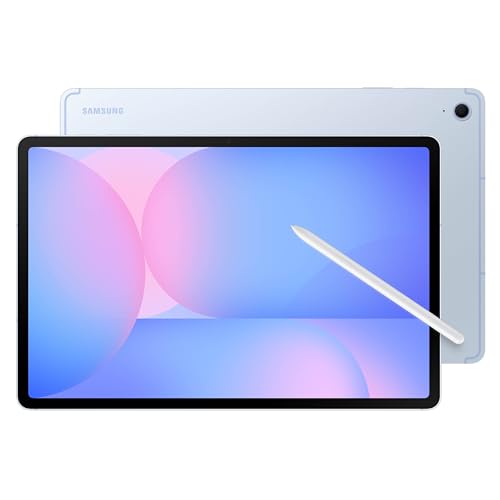
4. Samsung Galaxy Tab S10 FE+ 13.1-inch 128GB
Key specs: 13.1-inch display, 128GB, WiFi, long battery, Exynos 1580
Strengths
- The 13.1-inch display is the largest screen here, roomy enough for split-screen work and for reading a full page.
- It gives the biggest screen at the FE cost, so it is the best-value large tablet in the Samsung range.
- The long battery lasts a full day, so the big screen does not mean a short day.
Trade-offs
- A 13.1-inch tablet is the largest and heaviest here, so it is awkward to carry and to hold one-handed.
- The LCD display is good rather than exceptional, and it cannot match the AMOLED models for video.
- It is a WiFi-only tablet, so it needs a wireless network for the internet.
Who it fits best
Buyers who want the largest screen at the FE cost, for a desk or a sofa.
Best for: Buyers who want the largest screen at the FE cost, for a desk or a sofa. Not suited for: buyers who carry a tablet everywhere, read one-handed, or travel light.
In daily use
In everyday use, the Samsung Galaxy Tab S10 FE+ 13.1-inch 128GB settles into a routine quickly. Set it up once, the way you like it, and give yourself a few days to adjust before judging it. The first session is about learning the layout and the feel; the second and third are where it starts to feel natural. Keep it clean, keep it in the conditions it was designed for, and it will stay consistent. If it has parts that wear — cables, surfaces, moving components — a quick check now and then keeps small issues from becoming real ones, and keeping the packaging and documentation for the first weeks makes any return or exchange far simpler.
Before you buy
Before buying the Samsung Galaxy Tab S10 FE+ 13.1-inch 128GB, check two practical things. First, measure and compare: check the dimensions, the capacity, and the compatibility details listed on the product page against what you already own and the space you have. A product that does not fit your setup will never feel right, whatever its specifications say. Second, think about your routine — where it will live, how it will be stored, and what it needs to connect to. None of this is difficult, but all of it is easier to plan before the product arrives than after.
Check price on Amazon: Samsung Galaxy Tab S10 FE+ 13.1-inch 128GB

5. Samsung Galaxy Tab S11 128GB
Key specs: 128GB, WiFi, Dynamic AMOLED 2X, Galaxy AI, IP68, 3nm MediaTek
Strengths
- It is the newest flagship tablet here, with the latest processor, the best display, and the newest software.
- The Dynamic AMOLED 2X display gives true blacks and vivid color, and Galaxy AI tools help with study and work.
- The IP68 rating means it resists water and dust, which no other tablet in this guide does.
Trade-offs
- It is the most expensive tablet in this guide, and its extra power is wasted on light use like reading and video.
- Its flagship features, including the IP68 rating, matter more to some buyers than to others.
- It is a WiFi-only tablet, so it needs a wireless network rather than a mobile connection.
Who it fits best
Buyers who want the newest flagship Android tablet, with the best display and water resistance.
Best for: Buyers who want the newest flagship Android tablet, with the best display and water resistance. Not suited for: budget buyers, or buyers who only read and watch video and do not need flagship power.
In daily use
Day to day, the Samsung Galaxy Tab S11 128GB is the kind of product you stop thinking about, which is the highest praise it can earn. It does its job the same way every time, without quirks or surprises, and lets you focus on the work or the game instead of the hardware. That consistency matters more than any single feature. Treat it reasonably — a clean desk, a suitable surface, and storage that protects it when it is not in use — and it will keep that consistency for a long time. The best products are the ones that fade into the background.
Before you buy
A few checks before you order the Samsung Galaxy Tab S11 128GB will save disappointment. Confirm the key details on the listing match what you expect — the exact model name, the included accessories, and the variant — since similar-looking models can differ in important ways. Check the return policy and the warranty terms so you know your options if it arrives damaged or does not suit you. And if you are replacing something you already own, compare the new product with the old one on the points that mattered most, rather than on headline features you may never use.
Check price on Amazon: Samsung Galaxy Tab S11 128GB

6. Samsung Galaxy Tab A11+ 128GB
Key specs: 6GB RAM, 128GB, expandable storage, long battery
Strengths
- It is the cheapest Samsung tablet here, with the Samsung software and build quality at the lowest cost.
- Storage expands with a microSD card, and the long battery lasts a full day of reading and video.
- The larger screen and the 6GB of memory make it a better buy than the standard Tab A11 for everyday use.
Trade-offs
- It has no S Pen, so it is not the tablet for handwriting, sketching, or annotating documents.
- The LCD display and the slower processor are a step behind the Tab S models for video and for apps.
- It is a WiFi-only tablet, so it needs a wireless network for the internet.
Who it fits best
Budget buyers who want a Samsung tablet for reading, video, and light apps.
Best for: Budget buyers who want a Samsung tablet for reading, video, and light apps. Not suited for: note-takers, sketchers, or buyers who need strong performance for demanding apps.
In daily use
Over a full week of use, the Samsung Galaxy Tab A11+ 128GB shows its character in small ways. The feel stays the same from the first day to the last, nothing loosens or rattles, and the finish holds up to regular handling. If you switch between tasks, you will appreciate that it does not need a different setup for each one: configure it once for the way you actually use it and leave it alone. If you share the space with work or family, the same product should handle those jobs without feeling out of place, which is a useful bonus for a single-product setup.
Before you buy
When the Samsung Galaxy Tab A11+ 128GB arrives, spend a little time setting it up properly. Follow the included instructions, check that everything listed as included is actually in the box, and test the main functions within the first day or two. Then leave the settings alone for a week. Constant tweaking is the enemy of getting used to a product, and most people get better results from a stable setup than from a perfect one. If something feels wrong after a few days, change one thing at a time so you know what actually helped.
Check price on Amazon: Samsung Galaxy Tab A11+ 128GB

7. Lenovo Idea Tab Pro 12.7-inch 3K
Key specs: 12.7-inch 3K LCD, 8GB memory, 128GB, MediaTek, Google Gemini, pen and folio case
Strengths
- The 12.7-inch 3K display is the sharpest screen here outside the AMOLED models, which suits reading and study.
- A pen and a folio case are bundled, so note-taking works from the first day without extra spending.
- It is the best-value large tablet in this guide, with a big, sharp screen at a lower cost than the Samsung flagships.
Trade-offs
- Lenovo tablets get fewer years of software support than Samsung tablets, so it will stop getting updates sooner.
- The app choice and the accessories are less extensive than the Samsung Galaxy Tab range.
- It is a WiFi-only tablet, so it needs a wireless network for the internet.
Who it fits best
Students who want a large, sharp 3K display and a pen at the best value.
Best for: Students who want a large, sharp 3K display and a pen at the best value. Not suited for: buyers who want the longest software support, the widest app choice, or the most accessories.
In daily use
In everyday use, the Lenovo Idea Tab Pro 12.7-inch 3K settles into a routine quickly. Set it up once, the way you like it, and give yourself a few days to adjust before judging it. The first session is about learning the layout and the feel; the second and third are where it starts to feel natural. Keep it clean, keep it in the conditions it was designed for, and it will stay consistent. If it has parts that wear — cables, surfaces, moving components — a quick check now and then keeps small issues from becoming real ones, and keeping the packaging and documentation for the first weeks makes any return or exchange far simpler.
Before you buy
Before buying the Lenovo Idea Tab Pro 12.7-inch 3K, check two practical things. First, measure and compare: check the dimensions, the capacity, and the compatibility details listed on the product page against what you already own and the space you have. A product that does not fit your setup will never feel right, whatever its specifications say. Second, think about your routine — where it will live, how it will be stored, and what it needs to connect to. None of this is difficult, but all of it is easier to plan before the product arrives than after.
Check price on Amazon: Lenovo Idea Tab Pro 12.7-inch 3K
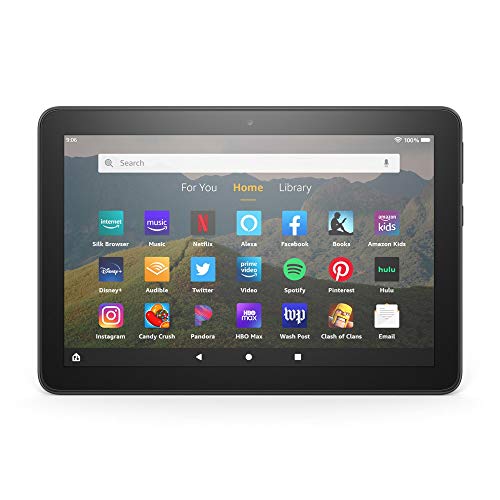
8. Amazon Fire HD 8 Tablet 32GB
Key specs: 8-inch HD display, 32GB, Fire OS, portable entertainment
Strengths
- It is the cheapest tablet in this guide, and the smallest and lightest, so it fits in a pocket and a small bag.
- It is built for the basics it does well: reading, video, music, and light apps, with Amazon services built in.
- The 8-inch size makes it the best travel and bedside tablet here, and the obvious first tablet for a child.
Trade-offs
- The 8-inch HD display and the 32GB of storage are the smallest here, so video and apps fill it up fast.
- The older processor is slower than every other tablet here, so demanding apps lag.
- It runs Fire OS rather than full Android, so it has the Amazon app store instead of the Google Play store, and no pen.
Who it fits best
Budget buyers who want a small, cheap tablet for reading, video, and portable entertainment.
Best for: Budget buyers who want a small, cheap tablet for reading, video, and portable entertainment. Not suited for: buyers who need Google apps, a pen, strong performance, or a large screen.
In daily use
Day to day, the Amazon Fire HD 8 Tablet 32GB is the kind of product you stop thinking about, which is the highest praise it can earn. It does its job the same way every time, without quirks or surprises, and lets you focus on the work or the game instead of the hardware. That consistency matters more than any single feature. Treat it reasonably — a clean desk, a suitable surface, and storage that protects it when it is not in use — and it will keep that consistency for a long time. The best products are the ones that fade into the background.
Before you buy
A few checks before you order the Amazon Fire HD 8 Tablet 32GB will save disappointment. Confirm the key details on the listing match what you expect — the exact model name, the included accessories, and the variant — since similar-looking models can differ in important ways. Check the return policy and the warranty terms so you know your options if it arrives damaged or does not suit you. And if you are replacing something you already own, compare the new product with the old one on the points that mattered most, rather than on headline features you may never use.
Check price on Amazon: Amazon Fire HD 8 Tablet 32GB
Buying guide: best non apple tablets
Android or Fire OS
Most tablets here run Android, which means the Google Play store, Google apps, and the widest choice of apps. The Fire HD 8 runs Fire OS, which is based on Android but uses the Amazon app store instead, so it has Amazon services built in and a smaller choice of apps. If you use Google apps, buy an Android tablet. If you use Amazon services and want the cheapest tablet, the Fire HD is the answer.
Screen size: 8 inches to 13 inches
Screen size decides how a tablet is used. An 8-inch tablet, like the Fire HD 8, fits in a pocket and is best for reading and travel. A 10.9-inch tablet, like the Tab S10 Lite, is the all-round size for a bag. A 12-inch tablet, like the Tab S10+ and the Idea Tab Pro, is best for split-screen work and for video. A 13.1-inch tablet, like the Tab S10 FE+, is a desk tablet. Choose by where you use it, not by the biggest number.
The pen: S Pen and note-taking
A pen turns a tablet from a video screen into a notebook, and the Samsung tablets here include an S Pen, while the Lenovo Idea Tab Pro bundles a pen and a folio case. The Fire HD and the Tab A11+ have no pen, so they are not the tablets for handwriting. If you take notes, annotate documents, or sketch, buy a tablet with a pen included, since a pen bought separately costs more and may not fit the tablet.
Storage: 32GB to 256GB
Thirty-two gigabytes, as on the Fire HD 8, is enough for reading and a few apps, but it fills up fast with video. One hundred and twenty-eight gigabytes is the sweet spot for most buyers, and 256GB is worth having if you keep a lot of video offline. Most tablets here have expandable storage through a microSD card, which is the cheapest way to add room for video and for photos.
Software support and updates
Software support decides how long a tablet stays useful. Samsung tablets get the longest support in the Android world, with years of updates, while Lenovo tablets get fewer years, and Fire tablets get Amazon updates for a shorter period. If you plan to keep a tablet for years, buy a Samsung. If you replace a tablet every couple of years, the Lenovo and Fire models are the better value.
WiFi only or mobile
Every tablet in this guide is a WiFi model, which means it needs a wireless network for the internet. A WiFi tablet is cheaper and has a longer battery than a mobile tablet, and it suits a home, a school, and an office. If you need the internet on the move, tether the tablet to a phone, or buy a mobile version of the same tablet, which costs more and needs a data plan.
How to use and care for it
A tablet lasts longer with a little care. Put it in a case from the first day, since a cracked screen costs more to fix than a case costs to buy, and add a screen protector if the tablet travels in a bag with keys and pens. Charge it with the charger it came with, and avoid letting the battery sit empty for weeks, since a lithium battery left flat can refuse to charge again. Keep the storage from filling up completely, since a full tablet slows down, and move photos and video to a microSD card or to cloud storage when the tablet warns you. Install software updates when they arrive, since they carry security fixes as well as new features, and back up notes and photos so a lost tablet is an inconvenience rather than a disaster.
Common mistakes to avoid
The most common mistake is buying too little storage, since 32GB fills up fast with video and apps, and a tablet with no room left slows down and stops updating. The second is ignoring software support, since a cheap tablet that stops getting updates in two years is a worse buy than a slightly dearer tablet that gets updates for five. The third is choosing the wrong size, since a 13-inch tablet is a burden in a small bag and an 8-inch tablet is too small for split-screen work. The fourth is forgetting the pen, since a tablet bought for notes without a pen in the box needs a separate purchase that costs more and may not fit. The fifth is buying a mobile model you do not need, since a WiFi tablet with phone tethering does the same job for less money.
Final recommendation
The best non-Apple tablet depends on what you use it for and how long you keep it. The Samsung Galaxy Tab S10 FE is the best all-round choice, with a large display, a long battery, and an S Pen at the best value, while the Tab S10 Lite is the cheapest way into the S Pen experience and the Tab A11+ is the cheapest Samsung of all. The Galaxy Tab S10+ and the Tab S11 have the best displays, with AMOLED screens and Galaxy AI, and the Tab S10 FE+ is the largest screen at the FE cost. The Lenovo Idea Tab Pro is the best-value large tablet for students, with a sharp 3K display and a pen, and the Amazon Fire HD 8 is the cheapest tablet here for reading and video. Whichever you choose, buy the storage you will need, check that it comes with a pen if you take notes, and remember that a Samsung tablet will stay supported the longest.
Frequently asked questions
What is the best non-Apple tablet?
For most buyers, the Samsung Galaxy Tab S10 FE is the best non-Apple tablet: it has a large display, a long battery, an S Pen, and the best value in the Samsung range. For the best display, choose the Galaxy Tab S10+ or the Tab S11, and for the best value large screen, choose the Lenovo Idea Tab Pro.
Is a Samsung tablet better than a Lenovo tablet?
Samsung tablets have better screens, longer software support, and a better pen, while Lenovo tablets have a lower cost for the same screen size. If you keep a tablet for years and want the best experience, buy a Samsung. If you want the biggest screen for the least money, buy a Lenovo.
Do non-Apple tablets come with a pen?
The Samsung Galaxy Tab S models include an S Pen, and the Lenovo Idea Tab Pro bundles a pen and a folio case. The Samsung Galaxy Tab A11+ and the Amazon Fire HD 8 have no pen, so they are not the tablets for handwriting or sketching.
Can I use Google apps on a Fire tablet?
The Fire HD 8 runs Fire OS with the Amazon app store, so it does not have the Google Play store or Google apps built in. It is best for Amazon services, reading, and video. If you use Google apps, buy an Android tablet from Samsung or Lenovo instead.
What size tablet should I buy?
An 8-inch tablet is best for reading and travel, a 10.9-inch tablet is the all-round size for a bag, and a 12-inch or 13-inch tablet is best for split-screen work and for video. Choose by where you use the tablet, not by the biggest screen available.
Related guides
More on this site: Bluetooth keyboards for Samsung Tab A 10.1 keyboards for Galaxy Tab A 10.1 Bluetooth keyboards for Android tablets