The best affordable launch monitors are the golf launch monitors that tell the truth about a swing without asking for a tour-level budget. A launch monitor earns its place in a bag by measuring what the eye cannot see: how fast the ball leaves the face, how fast the club is moving, and the angle the ball starts on. Those three numbers, tracked over time, are what turn a driving-range session from hitting balls into practice, and they are the reason a launch monitor has become the most useful training aid a regular golfer can own.
Eight launch monitors made the list, led by the Garmin Approach R10 and the Rapsodo MLM2PRO, with Voice Caddie, PRGR, FlightScope and Blue Tees alongside them. Every one is a genuine portable launch monitor sold as a complete device, built to sit behind the ball and report shot data in real time, indoors or on the range. The list runs from the small Doppler units that fit in a pocket to the dual-camera simulator units that turn a garage into a driving range, so it covers the golfer who practices in a net, the golfer who practices on the range, and the golfer who wants a simulator at home.
A word on what affordable means for a launch monitor, and what it does not. It means a monitor that measures the core numbers well and is honest about the rest, rather than a monitor that promises everything and measures nothing reliably. It does not mean a toy, and this guide does not pretend that a pocket unit is the same as a tour unit.
In this guide
Quick picks: best affordable launch monitors
| # | Product | Where to buy |
|---|---|---|
| 1 | Garmin Approach R10 Portable Golf Launch Monitor | Check on Amazon |
| 2 | Rapsodo MLM2PRO Mobile Launch Monitor | Check on Amazon |
| 3 | Rapsodo Mobile Launch Monitor (MLM) | Check on Amazon |
| 4 | Voice Caddie SC300i Portable Golf Launch Monitor | Check on Amazon |
| 5 | Voice Caddie SC200Plus Portable Golf Launch Monitor | Check on Amazon |
| 6 | PRGR HS 130-A Portable Golf Launch Monitor | Check on Amazon |
| 7 | FlightScope Mevo Portable Personal Launch Monitor | Check on Amazon |
| 8 | Blue Tees Golf Rainmaker Portable Golf Launch Monitor | Check on Amazon |
How the picks were chosen
The picks were chosen from the site's own product search, looking only at genuine golf launch monitors sold as complete devices: a radar or camera unit that measures ball and club data and reports it to a phone or a screen. Cases, stands, nets, mats and simulator software sold on their own were left out, because they are accessories, not launch monitors, and this guide is about launch monitors. Listings that were only a carry case for a monitor were judged as cases and dropped, and listings whose titles belonged to a different device entirely, such as a rangefinder or a GPS watch, were dropped too.
Portability was the first test after the monitor itself, because an affordable launch monitor lives or dies on whether it leaves the house. A monitor that needs a fixed installation and a dedicated room is a simulator, not a practice aid, and the picks here are all portable units that sit behind the ball and run on a battery. Battery life was read from the listing where the maker states it, and the picks run from a half-day of range use to a full day, so the guide covers the quick session and the long practice day alike.
The numbers each monitor reports were the remaining test. Every pick here reports ball speed and club speed, and most report launch angle and carry distance as well, because those are the numbers a golfer can act on. The dual-camera picks add more metrics and a simulator view, and the guide says so plainly where that applies, so the buyer who wants a simulator knows which picks offer one and which picks are pure measurement units.
Quick comparison
| Product | Standout detail |
|---|---|
| Garmin Approach R10 Portable Golf Launch Monitor | Garmin R10, portable, up to 10-hour battery |
| Rapsodo MLM2PRO Mobile Launch Monitor | Rapsodo MLM2PRO, dual camera, 15 metrics |
| Rapsodo Mobile Launch Monitor (MLM) | Rapsodo MLM, iPhone and iPad only, GPS view |
| Voice Caddie SC300i Portable Golf Launch Monitor | Voice Caddie SC300i, up to 20-hour battery |
| Voice Caddie SC200Plus Portable Golf Launch Monitor | Voice Caddie SC200Plus, 12-hour battery |
| PRGR HS 130-A Portable Golf Launch Monitor | PRGR HS 130-A, Doppler radar, smash factor |
| FlightScope Mevo Portable Personal Launch Monitor | FlightScope Mevo, portable personal unit |
| Blue Tees Golf Rainmaker Portable Golf Launch Monitor | Blue Tees Rainmaker, 21+ metrics, 4.3-inch display |
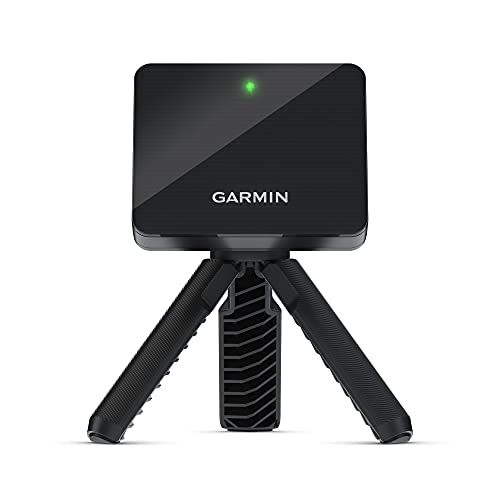
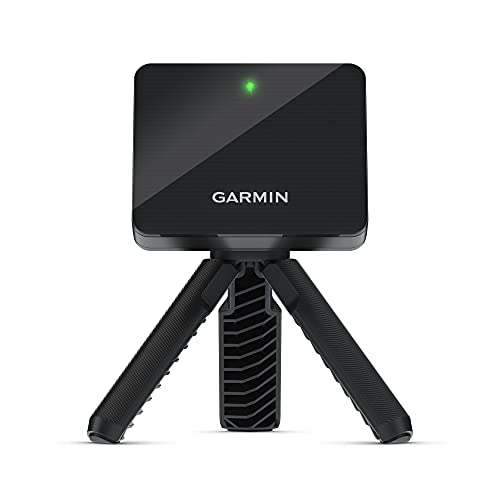
1. Garmin Approach R10 Portable Golf Launch Monitor
Key specs
Garmin Approach R10, portable golf launch monitor, for home, indoors or the driving range, up to 10 hours of battery life.
Strengths
- The 10-hour battery is the longest stated battery life in this guide, and it is what makes the R10 a true all-day range companion.
- It works indoors and on the driving range, so the same unit covers the garage net in winter and the range in summer.
- Garmin is the household name in this guide, with the support and software backing that a big maker brings.
Trade-offs
- The listing gives no metric count to quote, so the buyer should check the listing for the full list of reported numbers before ordering.
- As a portable unit it is built for practice, so a buyer who wants a full simulator view should look at the dual-camera Rapsodo pick below.
- The compact size is a strength for carrying and a limit for a fixed setup, because the unit needs to be placed behind the ball for every session.
Who it fits
A golfer who wants the most dependable portable launch monitor in this guide, with the longest battery.
Best for: Practice at home and on the driving range, where a long battery and a trusted name matter most.
Not suited for: Buyers who want a dual-camera simulator view, who should take the Rapsodo MLM2PRO below.
In daily use
Set the unit behind the ball at the distance the listing specifies, and let it connect to the phone before the first swing, because a rushed setup is the usual cause of a missed shot. Charge it overnight before a long range day, and keep the phone charged too, because the monitor and the phone work as a pair.
The Garmin Approach R10 is the default pick in this guide: the portable launch monitor with the longest battery and the most trusted name.
Check price on Amazon: Garmin Approach R10 Portable Golf Launch Monitor

2. Rapsodo MLM2PRO Mobile Launch Monitor
Key specs
Rapsodo MLM2PRO mobile launch monitor golf simulator, dual camera, 15 metrics, 3 Chrome Tour balls included, swing trainer and shot tracker for home and the driving range.
Strengths
- The dual camera is the standout feature in this guide, and it is what turns the MLM2PRO from a measurement unit into a simulator.
- The 15 metrics are the most stated metrics in this guide, which gives the serious practicer more to work on than any other pick here.
- The 3 Chrome Tour balls in the listing mean the monitor is ready for the range from the first day, without a separate purchase.
Trade-offs
- The dual-camera design means the setup takes a little longer than a pocket radar unit, so a buyer who wants the fastest setup should look at the PRGR pick below.
- The listing is a bundle with balls, so a buyer who already owns marked balls should check what is actually included.
- As the most capable unit in this guide it is also the one that asks the most of the golfer, because 15 metrics are only useful if they are read and acted on.
Who it fits
A serious practicer who wants the most metrics and a simulator view in this guide.
Best for: Home simulator practice and detailed swing work, where the dual camera and the metric count matter.
Not suited for: Buyers who want the simplest pocket unit, who should take the PRGR HS 130-A below.
In daily use
Place the unit so both cameras have a clear view of the ball and the club, and use the marked balls from the listing for the most consistent readings, because the cameras track the ball. Let the software update finish before the first session, and practice with one metric at a time rather than watching all 15 at once.
The Rapsodo MLM2PRO is the capability pick: the launch monitor with the most metrics and the only dual-camera view in this guide.
Check price on Amazon: Rapsodo MLM2PRO Mobile Launch Monitor

3. Rapsodo Mobile Launch Monitor (MLM)
Key specs
Rapsodo Mobile Launch Monitor, MLM, for iPhone and iPad only, indoor and outdoor swing analyzer and tracker, GPS satellite view, ball speed, club speed and launch angle data.
Strengths
- The MLM is the original Rapsodo launch monitor, and it is the simplest way into the Rapsodo system in this guide.
- The GPS satellite view is a feature no other pick in this guide offers, and it turns a range session into a mapped round of practice.
- Ball speed, club speed and launch angle are the three core numbers, and the MLM reports them plainly, without clutter.
Trade-offs
- It works with iPhone and iPad only, so a buyer on another phone platform should take a different pick in this guide.
- It reports the core numbers rather than the full metric set, so a buyer who wants 15 metrics should take the MLM2PRO above.
- The listing gives no battery claim to quote, so the buyer should check the listing for battery details before ordering.
Who it fits
An iPhone or iPad owner who wants the simplest Rapsodo launch monitor in this guide.
Best for: Range practice with a phone, where the core numbers and the GPS view matter most.
Not suited for: Buyers who do not use an iPhone or iPad, who should take the Garmin R10 above.
In daily use
Check the phone is on the supported list before ordering, because the MLM works with iPhone and iPad only. Set the phone on the mount behind the ball, and let the GPS lock on before the first swing, so the satellite view is ready when the session starts.
The Rapsodo MLM is the entry pick: the simplest Rapsodo launch monitor, built for the golfer who practices with a phone.
Check price on Amazon: Rapsodo Mobile Launch Monitor (MLM)

4. Voice Caddie SC300i Portable Golf Launch Monitor
Key specs
Voice Caddie SC300i portable golf launch monitor and swing analyzer, real-time shot data tracking, up to 20 hours of battery life, for indoor and outdoor use.
Strengths
- The 20-hour battery is the longest battery claim in this guide by a wide margin, and it is the number that matters for a monitor used all week.
- Real-time shot data tracking means the numbers appear as the shot is hit, without waiting for a sync or a download.
- It works indoors and outdoors, so the same unit covers the net, the range and the course practice area.
Trade-offs
- The listing gives no metric count to quote, so the buyer should check the listing for the full list of reported numbers.
- The long battery is a strength, and it means the unit is a little larger than the pocket PRGR pick below.
- Voice Caddie is a golf specialist rather than a household electronics name, so a buyer who wants the biggest brand should take the Garmin pick.
Who it fits
A golfer who practices often and wants the longest battery in this guide.
Best for: Frequent practice indoors and outdoors, where battery life is the limit that matters.
Not suited for: Buyers who want the smallest pocket unit, who should take the PRGR HS 130-A below.
In daily use
Charge the unit fully before a week of practice, because 20 hours is a week of sessions for most golfers, not a single day. Place it behind the ball at the distance the listing specifies, and read the numbers after each shot rather than after the bucket, because the feedback is most useful while the swing is still fresh.
The Voice Caddie SC300i is the battery pick: the launch monitor that keeps going long after the others need a charge.
Check price on Amazon: Voice Caddie SC300i Portable Golf Launch Monitor

5. Voice Caddie SC200Plus Portable Golf Launch Monitor
Key specs
Voice Caddie SC200Plus portable golf launch monitor and swing analyzer, real-time shot data tracking, 12-hour battery life.
Strengths
- The 12-hour battery is a full day of practice, and it is more than enough for a range session and a round of practice after it.
- Real-time shot data tracking keeps the feedback immediate, which is what makes a launch monitor useful rather than a gadget.
- As the smaller Voice Caddie in this guide it is the easier unit to carry, and it fits in a golf bag pocket.
Trade-offs
- The listing gives no metric count to quote, so the buyer should check the listing for the full list of reported numbers.
- The 12-hour battery is shorter than the SC300i above, so a golfer who practices every day should take the bigger Voice Caddie.
- It is a measurement unit rather than a simulator, so a buyer who wants a simulator view should take the Rapsodo MLM2PRO.
Who it fits
A golfer who wants a compact Voice Caddie with a full day of battery.
Best for: Range sessions and bag-carry practice, where a small unit and a full-day battery matter.
Not suited for: Buyers who want the longest battery in this guide, who should take the Voice Caddie SC300i above.
In daily use
Keep the unit charged between sessions, and place it behind the ball at the distance the listing specifies. Read the numbers after each shot, and keep a note of the speeds across the session, because the trend across a bucket of balls is more useful than any single shot.
The Voice Caddie SC200Plus is the compact pick: the smaller Voice Caddie, with a full day of battery in a bag-friendly size.
Check price on Amazon: Voice Caddie SC200Plus Portable Golf Launch Monitor

6. PRGR HS 130-A Portable Golf Launch Monitor
Key specs
PRGR HS 130-A portable golf launch monitor, Doppler radar, measures club and ball speed, smash factor, total and carry distance, swing speed training aid.
Strengths
- Doppler radar is the measurement method the tour units use, and the HS 130-A brings it to a pocket-size unit.
- Smash factor is reported alongside club and ball speed, which is the number that tells the golfer how cleanly the ball was struck.
- Total and carry distance are both reported, so the golfer learns how far the ball carries and how far it runs out.
Trade-offs
- The listing gives no battery claim to quote, so the buyer should check the listing for battery details before ordering.
- It is a measurement unit rather than a simulator, so a buyer who wants a simulator view should take the Rapsodo MLM2PRO.
- The pocket size is a strength for carrying and a limit for a fixed setup, because the unit must be placed and aimed for every session.
Who it fits
A golfer who wants the smallest launch monitor in this guide, with Doppler radar measurement.
Best for: Quick range sessions and swing-speed training, where a pocket unit and the smash factor matter.
Not suited for: Buyers who want a simulator view, who should take the Rapsodo MLM2PRO above.
In daily use
Place the unit on the ground behind the ball and aim it at the target line, because Doppler radar needs a clear view of the ball flight. Watch the smash factor as well as the speeds, because it is the number that shows whether the strike was clean, and practice with one club at a time to learn its numbers.
The PRGR HS 130-A is the pocket pick: the smallest launch monitor in this guide, with Doppler radar and the smash factor.
Check price on Amazon: PRGR HS 130-A Portable Golf Launch Monitor

7. FlightScope Mevo Portable Personal Launch Monitor
Key specs
FlightScope Mevo, portable personal launch monitor for golf.
Strengths
- FlightScope is a launch-monitor specialist, and the Mevo is the unit that made portable launch monitors practical for regular golfers.
- The portable personal design means it is built to be carried to the range and used on the spot, without a fixed setup.
- As the most established name in portable launch monitors in this guide, it is the pick with the longest track record.
Trade-offs
- The listing gives no battery claim or metric count to quote, so the buyer should check the listing for those details before ordering.
- It is a measurement unit rather than a simulator, so a buyer who wants a simulator view should take the Rapsodo MLM2PRO.
- The simple listing means the buyer should read the full description, because the short title does not list every reported number.
Who it fits
A golfer who wants the most established portable launch monitor name in this guide.
Best for: Range practice with a proven portable unit, where the name and the track record matter.
Not suited for: Buyers who want the most metrics in this guide, who should take the Rapsodo MLM2PRO above.
In daily use
Set the unit behind the ball at the distance the listing specifies, and pair it with the phone before the first swing. Practice with one club at a time, and compare the numbers across sessions rather than across single shots, because the trend is what shows improvement.
The FlightScope Mevo is the proven pick: the portable launch monitor with the longest track record in this guide.
Check price on Amazon: FlightScope Mevo Portable Personal Launch Monitor

8. Blue Tees Golf Rainmaker Portable Golf Launch Monitor
Key specs
Blue Tees Golf Rainmaker portable golf launch monitor, indoor and outdoor golf simulator, Doppler radar, 21+ ball and club metrics, E6 and GSPro compatible, 4.3-inch color display.
Strengths
- The 21+ ball and club metrics are the most in this guide, which gives the serious practicer more data than any other pick here.
- The 4.3-inch color display is the only built-in display in this guide, so the numbers can be read without looking at a phone.
- E6 and GSPro compatibility means the Rainmaker works as a simulator with established simulator software, not only with its own app.
Trade-offs
- The listing gives no battery claim to quote, so the buyer should check the listing for battery details before ordering.
- The simulator features mean the setup takes longer than a pocket radar unit, so a buyer who wants the fastest setup should take the PRGR pick.
- Blue Tees is a golf brand rather than a household electronics name, so a buyer who wants the biggest brand should take the Garmin pick.
Who it fits
A serious practicer who wants the most metrics and a built-in display in this guide.
Best for: Simulator practice at home and detailed swing work, where the metric count and the display matter.
Not suited for: Buyers who want the simplest pocket unit, who should take the PRGR HS 130-A above.
In daily use
Use the built-in display for quick checks during a session, and the phone app for the full metric view, because the display shows the headline numbers and the app shows the rest. Set the unit behind the ball with a clear view of the flight, and let the simulator software update before the first session.
The Blue Tees Golf Rainmaker is the display pick: the launch monitor with the most metrics and the only built-in screen in this guide.
Check price on Amazon: Blue Tees Golf Rainmaker Portable Golf Launch Monitor
Buying guide: best affordable launch monitors
Radar or camera: how a launch monitor measures
A launch monitor measures the ball with radar or with cameras, and the choice shapes what it reports. Doppler radar, used by the PRGR and the Blue Tees picks, tracks the ball in flight and reports speed and distance directly, which is why radar units are strong on the core numbers. Camera units, used by the Rapsodo MLM2PRO, watch the ball and the club and can report more metrics, including spin, which is why they suit simulator use. Neither method is better in every case: radar is simple and robust, cameras are richer and fussier about setup. Buy the method for the job, not the method with the longer feature list.
The core numbers: ball speed, club speed, launch angle
Three numbers matter most, and every pick in this guide reports them in some form. Ball speed is how fast the ball leaves the face, and it is the number that decides distance more than any other. Club speed is how fast the club is moving at impact, and it is the number that shows whether the swing is getting faster. Launch angle is the angle the ball starts on, and it is the number that shows whether the ball is launched too low or too high for the club in hand. Learn these three before worrying about spin or smash factor, because they are the numbers that change with practice.
Smash factor and carry distance
Smash factor is ball speed divided by club speed, and it is the number that shows how cleanly the ball was struck. A clean strike gives a higher smash factor, and a mishit gives a lower one, so it is the quickest way to tell a good strike from a bad one without looking at the ball flight. Carry distance is how far the ball flies before it lands, and it is the number that matters for choosing a club, because it is the distance the ball covers in the air. Total distance adds the run-out after landing, which depends on the ground, and is less useful for club selection than carry distance.
Battery life: read the claim carefully
Battery claims are measured differently from one maker to the next, so they should be compared with care. The Voice Caddie SC300i claims up to 20 hours, which is a week of sessions for most golfers, while the Garmin R10 claims up to 10 hours, which is a full day on the range, and the two are not directly comparable because they are measured on different use patterns. The practical test is simpler: a monitor that lasts a range session without a charge is a good monitor, and every pick in this guide is built to do that. Charge the unit overnight before a long practice day, and keep the phone charged too.
Indoor or outdoor: where the monitor will be used
A launch monitor used indoors, in a net or a garage, needs a short ball flight to measure, and the picks here are all built for that. A monitor used outdoors, on the range, has a full ball flight to track, and the radar picks are strongest there. The Garmin R10, the Voice Caddie picks and the Rapsodo picks all work in both settings, which is why they lead this guide. Before ordering, check the space the monitor will be used in, because a net that is too short or a garage that is too low will limit any monitor, however good it is.
Simulator or measurement: what the buyer actually wants
Some launch monitors are measurement units, and some are simulators, and the difference matters more than the price. A measurement unit, like the PRGR HS 130-A or the FlightScope Mevo, reports the numbers and leaves the rest to the golfer. A simulator, like the Rapsodo MLM2PRO or the Blue Tees Rainmaker, turns those numbers into a round of golf on a screen, with courses and games. A buyer who wants to practice should take a measurement unit. A buyer who wants to play golf at home should take a simulator. Buying a simulator for pure practice, or a measurement unit for home golf, is the most common mistake in this guide.
What to check before ordering
Before ordering, check three things in the listing: the phone the monitor works with, the battery claim, and whether balls or a mount are included. The phone question matters most, because the Rapsodo MLM works with iPhone and iPad only, and a buyer on another platform needs a different pick. The battery claim decides whether the monitor lasts a session. The included extras decide the first extra purchase. Check the model name, because a monitor with a similar name from the same maker can be a different device entirely, and the picks in this guide are named exactly, so the listing should match the name before the order is placed.
Launch monitors for beginners
A beginner does not need 21 metrics. A beginner needs ball speed, club speed and launch angle, reported plainly after every shot, and a unit that sets up in a minute. The PRGR HS 130-A and the FlightScope Mevo are the picks for that golfer, because they measure the core numbers and stay out of the way. A beginner who buys the most capable unit in this guide will spend the session reading metrics instead of swinging, and the swing is what needs the practice.
Usage and care
Set the monitor behind the ball at the distance the listing specifies, and let it connect to the phone before the first swing, because a rushed setup is the usual cause of a missed shot. Practice with one club at a time, and read the numbers after each shot, because the feedback is most useful while the swing is still fresh. Keep a note of the speeds across the session, because the trend across a bucket of balls is more useful than any single shot.
Look after the battery by charging the monitor overnight before a long practice day, and keep the phone charged too, because the monitor and the phone work as a pair. Avoid leaving the monitor in a hot car or in direct sunlight, because heat ages a battery faster than use does. Keep the unit in its case when it is in the golf bag, because the lens or the radar window is the part that costs the most to repair and the easiest to scratch.
Store the monitor dry, and wipe the lens or the radar window with a soft cloth before a session, because dust on the window is the most common cause of a missed reading. Update the software before a practice day rather than during it, and back up the session data to the cloud where the app offers it.
Common mistakes
The most common mistake is buying on the metric count alone: a monitor with 21 metrics that is never set up properly is a worse purchase than a monitor with 3 metrics that is used every week, because the numbers only help when they are read. Choose the monitor for the space it will be used in, then for the phone it works with, then for the metrics, and the right unit picks itself.
The second mistake is forgetting the phone. A launch monitor is a pair with the phone, and a phone that is out of charge, out of storage, or on the wrong platform will waste the session. Check the phone is on the supported list before ordering, charge it before the range, and clear space for the app, because the monitor cannot do its job without the phone doing its job too.
The third mistake is judging the swing by a single shot. A single shot can be a mishit, a gust of wind, or a bad ball, and the numbers from one shot say little about the swing. Judge the session by the trend across a bucket of balls, and judge improvement by the trend across a month of sessions, because a launch monitor earns its keep over time, not in a single swing.
Launch monitors for the driving range
A launch monitor for the driving range wants a long battery, a quick setup, and numbers that can be read in sunlight. The Garmin R10 and the Voice Caddie SC300i are the picks for that job, because their batteries last a full day and their readings appear in real time. Place the unit behind the ball, read the numbers after each shot, and practice with one club at a time, because the range is for learning the numbers of each club, not for hitting a bucket as fast as possible.
Launch monitors for home simulators
A launch monitor for a home simulator wants cameras or a display, simulator software, and enough metrics to play a round. The Rapsodo MLM2PRO and the Blue Tees Rainmaker are the picks for that job, because they offer a simulator view and the metric count to support it. Set the unit up with a clear view of the ball and the screen, let the software update before the first round, and practice with the simulator courses, because playing a round at home is the fastest way to learn course management.
Launch monitors for swing-speed training
A launch monitor for swing-speed training wants club speed and smash factor, reported after every swing, and a unit small enough to carry to the practice ground. The PRGR HS 130-A is the pick for that job, because it reports club speed and smash factor from a pocket-size unit. Practice with the same club across the session, and watch the club speed trend rather than any single swing.
Final recommendation
If one launch monitor has to win this guide, it is the Garmin Approach R10, because it is the most dependable all-rounder at this level: a long battery, indoor and outdoor use, and the Garmin name behind it. The Rapsodo MLM2PRO is the pick for golfers who want the most metrics and a simulator view, and the Voice Caddie SC300i is the pick for golfers who practice every day and want the longest battery here.
For most buyers, the choice comes down to three questions. Where will the monitor be used? If the answer is the range, the Garmin R10 and the Voice Caddie picks are the answers. Does the golfer want a simulator? If yes, the Rapsodo MLM2PRO and the Blue Tees Rainmaker are the answers. How small should the unit be? If the answer is pocket-size, the PRGR HS 130-A is the answer.
Whatever launch monitor is chosen, set it up properly on the first day, charge it overnight before a practice day, and use it every week. A launch monitor bought carefully is a monitor that turns practice into progress.
Frequently asked questions
What is the best affordable launch monitor?
The best affordable launch monitor is the Garmin Approach R10, because it offers a long battery, indoor and outdoor use, and the Garmin name behind it. The Rapsodo MLM2PRO is the best alternative for golfers who want the most metrics and a simulator view, and the Voice Caddie SC300i is the best alternative for golfers who want the longest battery.
Are cheap launch monitors accurate?
An affordable launch monitor is accurate on the core numbers, ball speed, club speed and launch angle, when it is set up at the distance the listing specifies and the ball flight is clear. The monitors in this guide use Doppler radar or cameras, the same methods the larger units use, and they report the numbers a golfer can act on. A monitor that is set up wrongly will read wrongly, however much it costs, so setup matters more than the price.
Do I need a simulator, or just a launch monitor?
A golfer who wants to practice should take a measurement unit, such as the PRGR HS 130-A or the FlightScope Mevo, which reports the numbers plainly. A golfer who wants to play golf at home should take a simulator, such as the Rapsodo MLM2PRO or the Blue Tees Rainmaker, which turns the numbers into a round on a screen. Buying a simulator for pure practice is the most common mistake, because the extra features go unused.
Can a launch monitor be used indoors?
Yes. Every pick in this guide works indoors, in a net or a garage, as well as outdoors on the range. An indoor setup needs enough room for the ball flight the monitor requires, and a net that catches the ball safely, because the monitor measures the ball in flight. Check the space before ordering, because a net that is too short or a room that is too low will limit any monitor.
What is smash factor?
Smash factor is ball speed divided by club speed, and it shows how cleanly the ball was struck. A clean strike gives a higher smash factor, and a mishit gives a lower one, so it is the quickest way to tell a good strike from a bad one without watching the ball flight. The PRGR HS 130-A in this guide reports smash factor alongside club and ball speed.
Does the Rapsodo MLM work with Android phones?
No. The Rapsodo MLM in this guide works with iPhone and iPad only, and a buyer on another phone platform should take a different pick, such as the Garmin Approach R10, which is not limited to one phone platform. Check the phone is on the supported list before ordering any launch monitor, because the monitor and the phone work as a pair.
How long does a launch monitor battery last?
The picks in this guide claim from a full day of practice to a week of sessions, with the Voice Caddie SC300i claiming up to 20 hours and the Garmin Approach R10 claiming up to 10 hours. Battery claims are measured differently from one maker to the next, so they should be compared with care.
More from ilcastellomenu.com
Best launch monitors under 1000: launch monitors for a bigger budget
Best launch monitors under 500: launch monitors for a smaller budget
Best golf launch monitors for home: launch monitors for home practice