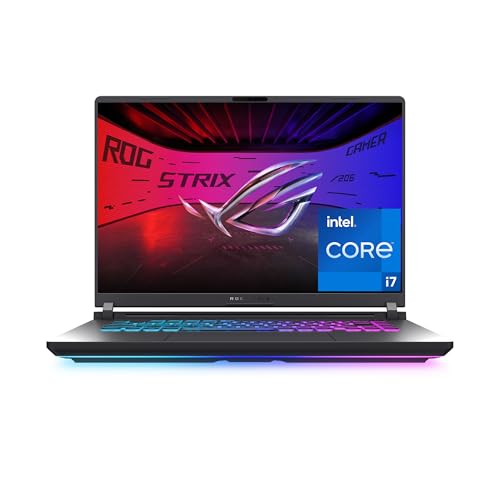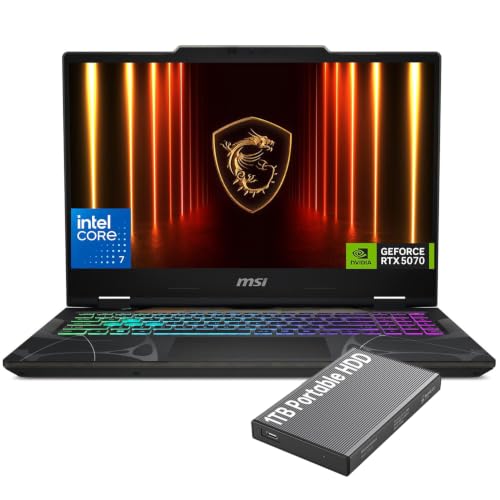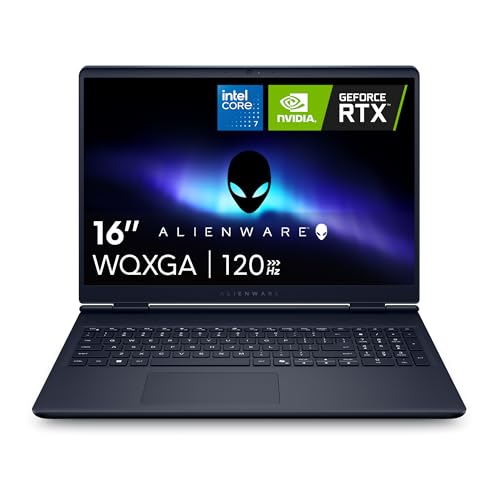
The best 15-inch gaming laptops hit a sweet spot that bigger and smaller machines miss: the screen is large enough for serious play, the laptop still fits in a normal bag, and the hardware inside can run real games without a desktop. This guide compares eight 15-inch gaming laptops, from affordable RTX 3050 models to current-generation machines with RTX 5060 and 5070 graphics, and explains how to choose between them. Every pick was verified against its Amazon listing for the exact brand and model, including the screen size, so no 16-inch or 17-inch machine slipped in. The guide covers graphics cards, screens, memory, storage, and the everyday details that decide whether a gaming laptop is a pleasure to live with. The guide also explains the details that do not show up in a specification table: how the screen feels in daily use, how the laptop handles heat during a long session, and how the memory and storage limits will show up over the first year. A gaming laptop is a machine that has to be lived with every day, not just benchmarked once, so the guide weighs the everyday experience alongside the raw numbers.
In this guide
Quick picks: best 15 innch gaming laptops
| # | Product | Where to buy |
|---|---|---|
| 1 | ASUS TUF Gaming A15 (FA506NC-DS53) | Check on Amazon |
| 2 | ASUS TUF Dash 15 (FX517ZM-AS73) | Check on Amazon |
| 3 | MSI Katana 15 HX (B14WFK-810US) | Check on Amazon |
| 4 | MSI Katana 15 (B13VEK-277US) | Check on Amazon |
| 5 | HP Victus 15 (Intel Core i5-12450H, RTX 3050, 16GB) | Check on Amazon |
| 6 | HP Victus 15 (Intel Core i5-13420H, RTX 3050, 8GB) | Check on Amazon |
| 7 | Lenovo Legion 5i 15-inch OLED | Check on Amazon |
| 8 | Acer Nitro V (ANV15-52-586Z) | Check on Amazon |
How the picks were chosen
The picks were chosen from Amazon listings returned by the site's own product search, and every model was verified by its full listing title before it was included — a step that matters here, because search results mix 16-inch and 17-inch laptops into a 15-inch search. A laptop only made the list if its full title confirms a 15-inch-class screen: 15.6-inch or 15-inch. Sixteen-inch models were excluded, as were renewed listings. The eight that remain cover the main 15-inch gaming lines — ASUS TUF, MSI Katana, HP Victus, Lenovo Legion, and Acer Nitro — with graphics from the RTX 3050 to the RTX 5070. Screen refresh rate, memory, storage, and processor were weighed alongside the graphics card, since a gaming laptop is a system, not a single chip. Size was verified strictly: every laptop in this guide has a 15-inch-class screen confirmed in its full listing title, and 16-inch and 17-inch models that appeared in the search results were excluded. That matters, because a 16-inch laptop is a different machine — bigger, heavier, and harder to carry — and a guide about 15-inch laptops should not smuggle one in. Renewed listings were also excluded, since a renewed gaming laptop can arrive with a worn battery and unknown history.
Quick comparison
| Product | Best for |
|---|---|
| ASUS TUF Gaming A15 (FA506NC-DS53) | 15.6-inch 144Hz, RTX 3050, 16GB DDR5 |
| ASUS TUF Dash 15 (FX517ZM-AS73) | 15.6-inch 144Hz, RTX 3060, Thunderbolt 4 |
| MSI Katana 15 HX (B14WFK-810US) | 15.6-inch QHD 165Hz, RTX 5060, 1TB |
| MSI Katana 15 (B13VEK-277US) | 15.6-inch, RTX 4050, 1TB |
| HP Victus 15 (Intel Core i5-12450H, RTX 3050, 16GB) | 15.6-inch 144Hz, RTX 3050, 16GB, Win 11 Pro |
| HP Victus 15 (Intel Core i5-13420H, RTX 3050, 8GB) | 15.6-inch 144Hz, RTX 3050, 8GB |
| Lenovo Legion 5i 15-inch OLED | 15-inch OLED 165Hz, RTX 5070 |
| Acer Nitro V (ANV15-52-586Z) | 15.6-inch 165Hz, RTX 4050, 8GB DDR5 |
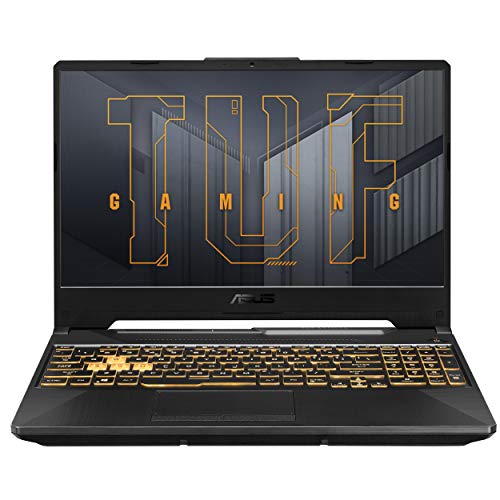
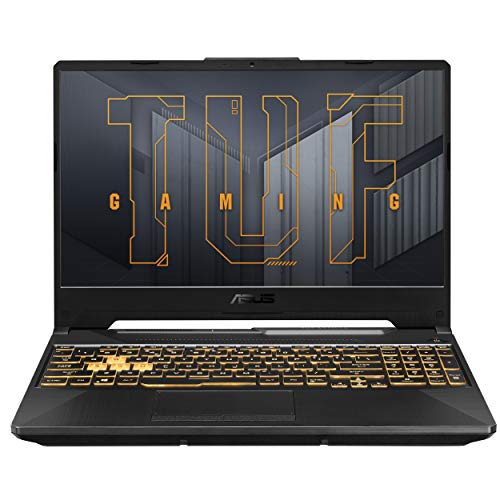
1. ASUS TUF Gaming A15 (FA506NC-DS53)
15.6-inch FHD 144Hz gaming laptop (FA506NC-DS53) with an AMD Ryzen 5 7535HS processor, NVIDIA GeForce RTX 3050, 16GB DDR5, a 512GB PCIe Gen 4.0 SSD, Wi-Fi 6, and Windows 11 Home.
Strengths
- The 15.6-inch 144Hz screen is the right size for gaming on the go — big enough to see the action, small enough to carry.
- Sixteen gigabytes of DDR5 memory and a Gen 4 SSD keep games and loading times moving.
- The TUF line is built around durability, which suits a laptop that travels between home, school, and a friend's house.
Trade-offs
- The RTX 3050 is the entry-level card in this guide, so demanding games will need lower settings.
- The Ryzen 5 7535HS is a mid-range chip, not the fastest here.
- TUF styling is plain and military-inspired, which will not suit everyone.
Who it fits
Gamers who want a tough, affordable 15-inch laptop for everyday play rather than the fastest card available.
Best for: an affordable, durable 15-inch gaming laptop for everyday games
Not suited for: anyone who plays demanding titles at maximum settings
In daily use
In daily use the TUF Gaming A15 is the laptop you grab without thinking: it boots quickly, the 144Hz screen makes movement feel smooth, and the 15.6-inch size fits a standard laptop bag without a fight. It handles schoolwork and browsing as easily as games, and the DDR5 memory keeps a dozen browser tabs open alongside a game without stalling. Keep the vents clear when gaming — a laptop on a bed or a blanket will run hot and slow down — and use a sleeve when it travels, since the screen is the most fragile part.
Before you buy
Before you buy, check the games you actually play against the RTX 3050: it runs popular competitive and older titles well, but the newest demanding games will need medium settings. Confirm the 512GB storage is enough, since modern games are large, and check the weight against your bag — 15.6-inch gaming laptops are portable, but they are not ultrabooks.
Check price on Amazon: ASUS TUF Gaming A15 (FA506NC-DS53)
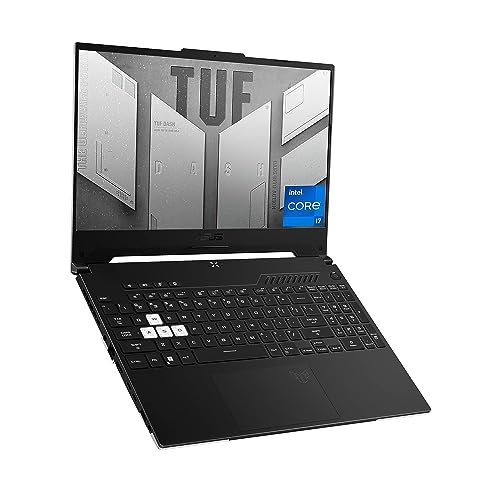
2. ASUS TUF Dash 15 (FX517ZM-AS73)
15.6-inch 144Hz FHD gaming laptop (FX517ZM-AS73) from 2022 with an Intel Core i7-12650H, GeForce RTX 3060, 16GB DDR5, a 512GB SSD, Thunderbolt 4, and Windows 11 Home.
Strengths
- The RTX 3060 is a step up from the RTX 3050 models here, so it handles more demanding games at higher settings.
- Thunderbolt 4 gives a fast port for an external display, storage, or a dock.
- The i7-12650H is a strong gaming processor that also handles video editing and heavy multitasking.
Trade-offs
- It is a 2022 model, so the battery and the WiFi generation are a step behind the newest laptops here.
- The Dash line is slimmer than the standard TUF, which can mean warmer running under load.
- A 512GB drive fills quickly with modern games, so storage needs planning.
Who it fits
Gamers who want a stronger graphics card and Thunderbolt in a slim 15-inch body, and who do not mind a 2022 model.
Best for: a slim 15-inch gaming laptop with an RTX 3060 and Thunderbolt 4
Not suited for: anyone who wants the newest WiFi or the longest battery life
In daily use
In daily use the TUF Dash 15 feels like a laptop that does two jobs: it plays games well on its 144Hz screen, and it works as a portable workstation thanks to the i7 and Thunderbolt 4. The slim body slips into a bag easily, and the RTX 3060 keeps frame rates smooth in most titles at 1080p. Keep it on a hard surface when gaming so the cooling can breathe, and consider an external drive for a growing game library, since 512GB fills faster than expected.
Before you buy
Before you buy, confirm the listing is the FX517ZM-AS73 configuration, since Dash 15 models vary by year and graphics card. Check that Thunderbolt 4 matters to you — if nothing you own uses it, a simpler model may do. Also check the battery expectations: a gaming laptop is not an all-day unplugged machine, so keep the charger in the bag.
Check price on Amazon: ASUS TUF Dash 15 (FX517ZM-AS73)

3. MSI Katana 15 HX (B14WFK-810US)
15.6-inch QHD 165Hz gaming laptop (B14WFK-810US) with an Intel Core i7-14650HX, NVIDIA GeForce RTX 5060, 16GB DDR5, a 1TB NVMe SSD, Wi-Fi 6E, and an RGB keyboard.
Strengths
- The RTX 5060 is the newest graphics card in this guide, with the latest features for current games.
- A QHD 165Hz screen is sharper than the FHD screens on most picks here, so games look crisper.
- One terabyte of storage holds a proper game library without constant uninstalling.
Trade-offs
- It is one of the more expensive picks here, which is hard to justify for casual play.
- A QHD screen asks more of the graphics card than FHD, so the newest games may still need tuned settings.
- The Katana line is plain-looking next to flashier gaming laptops.
Who it fits
Gamers who want the newest graphics card and a sharper screen in a standard 15-inch laptop.
Best for: a current-generation 15-inch gaming laptop with an RTX 5060 and QHD screen
Not suited for: a tight budget or light, casual games only
In daily use
In daily use the Katana 15 HX is the laptop for someone who plays current games and wants them to look good: the QHD screen shows more detail, the 165Hz refresh keeps motion smooth, and the 1TB drive means the game library stays installed. The i7-14650HX handles streaming and recording alongside the game without complaint. Keep it on a desk or a cooling stand for long sessions, since a QHD screen and a new graphics card together make heat, and heat is what slows a laptop down.
Before you buy
Before you buy, check that your games benefit from QHD — competitive players often prefer FHD for maximum frame rates. Confirm the 1TB drive is enough for your library, and check the weight and the charger size, since a current-generation gaming laptop and its power brick are not light. Also confirm the listing is the B14WFK-810US configuration.
Check price on Amazon: MSI Katana 15 HX (B14WFK-810US)

4. MSI Katana 15 (B13VEK-277US)
15.6-inch gaming laptop (B13VEK-277US) with an Intel Core i7-13620H, NVIDIA GeForce RTX 4050, 16GB DDR5, a 1TB NVMe SSD, Type-C, and Windows 11 Home.
Strengths
- The RTX 4050 with 16GB of DDR5 is a solid mid-range combination for 1080p gaming.
- One terabyte of NVMe storage is generous at this level, so the game library fits.
- The i7-13620H is a strong processor for gaming and for work that needs real power.
Trade-offs
- The RTX 4050 sits below the RTX 5060 and 5070 models here for the newest titles.
- The screen resolution is not stated as QHD in the listing, so expect FHD-class sharpness.
- Katana styling is understated, which some gamers will find plain.
Who it fits
Gamers who want a balanced 15-inch laptop with a good processor, a mid-range card, and plenty of storage.
Best for: a balanced 15-inch gaming laptop with 1TB of storage
Not suited for: anyone chasing the highest settings in the newest games
In daily use
In daily use this Katana 15 is the dependable middle of the range: it boots fast, loads games from the 1TB NVMe drive without long waits, and runs popular titles smoothly at 1080p. The i7 keeps background tasks — voice chat, a browser, a stream — running without stutter. It is a laptop that works as well for coursework or office tasks as it does for games, which makes it a sensible single machine. Keep the vents clear and the drivers updated, and it will stay consistent.
Before you buy
Before you buy, confirm the configuration is B13VEK-277US, since Katana 15 models vary by processor and graphics card. Check the screen details on the listing if resolution matters to you, and think about storage: 1TB is generous, but a large modern library can still fill it. Also weigh the laptop against its charger when planning travel.
Check price on Amazon: MSI Katana 15 (B13VEK-277US)

5. HP Victus 15 (Intel Core i5-12450H, RTX 3050, 16GB)
15.6-inch Full HD 144Hz gaming laptop with an Intel Core i5-12450H, NVIDIA GeForce RTX 3050, 16GB RAM, a 512GB PCIe SSD, Wi-Fi 6, a backlit keyboard, and Windows 11 Pro.
Strengths
- Sixteen gigabytes of RAM with an RTX 3050 is a well-judged combination for 1080p gaming on a budget.
- Windows 11 Pro adds business features that Home lacks, which suits a laptop that also works.
- The 144Hz screen and backlit keyboard cover the two features gamers notice first.
Trade-offs
- The RTX 3050 is entry-level, so demanding games need lower settings.
- Five hundred twelve gigabytes of storage fills quickly with modern games.
- The i5-12450H is a step below the i7 models here for heavy multitasking.
Who it fits
Budget-conscious gamers who also need a work laptop, and who play popular titles at 1080p.
Best for: a budget 15-inch gaming laptop that doubles as a work machine
Not suited for: anyone who wants maximum graphics power
In daily use
In daily use this Victus 15 is the practical choice: it is affordable, it plays the games most people actually play, and Windows 11 Pro means it fits into a work setup without fuss. The backlit keyboard helps in a dim room, and the 144Hz screen makes even everyday scrolling feel smoother. Keep it on a hard surface while gaming, use a sleeve for travel, and remember that 512GB means choosing which games stay installed — an external drive solves that cheaply.
Before you buy
Before you buy, check the games you play against the RTX 3050 and the 512GB drive, since both are the limits here. Confirm the listing includes Windows 11 Pro if that matters for work, and check the RAM: 16GB is right for gaming today, but it is worth knowing whether it can be expanded later.
Check price on Amazon: HP Victus 15 (Intel Core i5-12450H, RTX 3050, 16GB)

6. HP Victus 15 (Intel Core i5-13420H, RTX 3050, 8GB)
15.6-inch FHD 144Hz gaming laptop with an Intel 8-core i5-13420H, NVIDIA GeForce RTX 3050, 8GB DDR4 SDRAM, a 512GB NVMe SSD, Windows 11 Home, Wi-Fi 6, and a backlit keyboard.
Strengths
- The 8-core i5-13420H is a strong processor for the money, handling games and multitasking well.
- The 144Hz FHD screen and RTX 3050 cover smooth 1080p gaming in popular titles.
- Wi-Fi 6 and a backlit keyboard are genuinely useful everyday features, not decorations.
Trade-offs
- Eight gigabytes of DDR4 RAM is the lowest memory in this guide, and it is the first thing that will limit multitasking.
- The 512GB drive fills quickly, so storage needs managing.
- DDR4 memory is a generation behind the DDR5 models here.
Who it fits
Gamers on a tight budget who play popular titles and can live with 8GB of memory for now.
Best for: a low-cost 15-inch gaming laptop with a strong processor
Not suited for: heavy multitaskers or anyone who keeps dozens of tabs open while gaming
In daily use
In daily use this Victus 15 is honest about what it is: a strong processor and a capable entry graphics card in an affordable package, with 8GB of memory as the compromise. For gaming with a browser and voice chat open, it copes well; for heavy multitasking with video editing on the side, the memory will show first. The 144Hz screen still makes games feel smooth, and the backlit keyboard is a small pleasure every evening. Keep the vents clear, and check whether the memory can be upgraded later — that is the single best improvement for this machine.
Before you buy
Before you buy, be clear about the 8GB of RAM: it is enough for gaming and everyday use, but not for heavy multitasking. Check whether the listing allows a memory upgrade, since that changes the long-term value. Also confirm the 512GB storage against your game library, and compare this model with the 16GB Victus in this guide — the difference is real.
Check price on Amazon: HP Victus 15 (Intel Core i5-13420H, RTX 3050, 8GB)

7. Lenovo Legion 5i 15-inch OLED
15-inch gaming laptop with an Intel Core i7-14700HX, a 15-inch 2.5K WQXGA PureSight OLED display at 165Hz, NVIDIA GeForce RTX 5070, 16GB of memory, 1TB of storage, and three months of PC Game Pass.
Strengths
- The OLED display is the best screen in this guide, with deep blacks and vivid colour that make games look exceptional.
- The RTX 5070 is a current-generation card, so new games run well at the screen's 2.5K resolution.
- The i7-14700HX is a powerful processor for gaming, streaming, and creative work alike.
Trade-offs
- OLED screens cost more, so this is one of the most expensive picks here.
- A 2.5K OLED display asks a lot of the graphics card in the newest games.
- OLED care matters — static images left for hours can mark the screen over time.
Who it fits
Gamers who care most about picture quality and want the best screen in a 15-inch laptop.
Best for: the best-looking 15-inch gaming laptop screen in this guide
Not suited for: a tight budget or anyone who leaves static images on screen for hours
In daily use
In daily use the Legion 5i is the laptop that makes other screens look dull: the OLED display shows games with a depth and colour that an ordinary panel cannot match, and the 165Hz refresh keeps motion clean. The RTX 5070 and the i7 keep the newest titles running smoothly, and the 1TB drive holds a serious library. It is a laptop that invites long sessions, so use a proper desk setup, keep the vents clear, and let the screen sleep when you step away — OLED care is mostly about not leaving the same image up for hours.
Before you buy
Before you buy, check that the OLED screen is what you want: it is the best picture here, but it costs more and needs a little care. Confirm the listing is the 15-inch OLED configuration, since Legion 5i models vary. Also check the weight and the charger, and make sure the 1TB drive suits your library before ordering.
Check price on Amazon: Lenovo Legion 5i 15-inch OLED

8. Acer Nitro V (ANV15-52-586Z)
15.6-inch FHD IPS 165Hz gaming laptop (ANV15-52-586Z) with an Intel Core i5-13420H processor, NVIDIA GeForce RTX 4050 laptop GPU, 8GB DDR5, a 512GB Gen 4 SSD, Wi-Fi 6, and a backlit keyboard.
Strengths
- The 165Hz IPS screen is faster than the 144Hz panels on several picks here, which competitive players will notice.
- The RTX 4050 with a Gen 4 SSD is a good mid-range pairing for 1080p gaming.
- DDR5 memory and Wi-Fi 6 keep the platform current, even at this level.
Trade-offs
- Eight gigabytes of RAM is the minimum here, and it will limit heavy multitasking.
- The 512GB drive needs managing with a large game library.
- The Nitro V line is plainer than Acer's higher-end gaming laptops.
Who it fits
Gamers who want a fast screen and a current mid-range card at a sensible cost, and who can live with 8GB for now.
Best for: a 15-inch gaming laptop with a 165Hz screen at a fair cost
Not suited for: heavy multitaskers or anyone who wants 16GB from the start
In daily use
In daily use the Nitro V is the fast-screen bargain of this guide: the 165Hz display makes movement feel immediate, the RTX 4050 handles popular titles smoothly, and the Gen 4 SSD keeps loading short. It is a straightforward laptop without frills, which is part of its appeal — everything in it earns its place. Keep it ventilated during long sessions, and check whether the memory can be upgraded, since 8GB is the one compromise that matters over time.
Before you buy
Before you buy, check the memory situation first: 8GB is enough for gaming, but an upgrade path changes the value. Confirm the configuration is ANV15-52-586Z, since Nitro V models vary by processor and graphics card. Also check the storage against your library, and weigh the 165Hz screen against the 16GB models if multitasking matters.
Check price on Amazon: Acer Nitro V (ANV15-52-586Z)
Buying guide: best 15-inch gaming laptops
Start with the graphics card
The graphics card decides which games run well and at what settings. An RTX 3050 handles popular competitive titles and older games at 1080p, an RTX 4050 or 4060 covers most current games at medium to high settings, and an RTX 5060 or 5070 is for the newest titles at higher settings or higher resolutions. Match the card to the games you actually play, not the games you might play one day — a card bought for games you never install is money spent on nothing.
Do not ignore the screen
A fast graphics card deserves a screen that can show it. A 144Hz screen is the baseline for smooth gaming, and 165Hz is a little better for competitive play. Resolution matters too: FHD is easiest on the graphics card, QHD is sharper but harder to drive, and OLED is the best-looking panel here but costs more. A 15.6-inch screen is the standard for this size class, and anything larger is a different category of laptop.
Memory and storage decide the daily experience
Sixteen gigabytes of memory is the comfortable level for gaming with a browser and voice chat open; 8GB works for gaming alone but shows its limits quickly when multitasking. Storage is the other quiet limit: modern games are large, and a 512GB drive holds only a handful of them, while 1TB gives real breathing room. Check whether the memory can be upgraded later — on a budget laptop, that option is worth more than a slightly faster processor.
Check the size and the weight honestly
A 15-inch gaming laptop is portable, but it is not light in the ultrabook sense, and its charger adds weight too. If the laptop will travel daily, check the weight with the charger included, and make sure the bag fits a 15.6-inch machine with room for the power brick. If it will mostly sit on a desk, weight matters less than cooling — a laptop that breathes stays fast, while one that cooks on a soft surface slows down.
Cooling is a feature, not a footnote
Gaming laptops make heat, and heat is what makes them slow down mid-game. A laptop with good vents, kept on a hard surface, will hold its speed far longer than one suffocating on a bed or a blanket. A cooling stand helps for long sessions, and keeping the vents free of dust matters more than any setting. When comparing two similar laptops, the one that stays cooler under load is the better buy, even if the specifications look the same.
Think about the screen size in daily use
A 15.6-inch screen is the standard for this size class, and it is worth understanding what that means day to day. It is large enough that games are easy to follow and documents are comfortable to read, and small enough that the laptop fits a standard bag and a train tray table. A 17-inch laptop gives a bigger picture but is noticeably harder to carry, while a 14-inch laptop is more portable but makes games feel cramped. For a laptop that travels, 15 inches is the balance point — and it is worth checking the weight with the charger, since a gaming laptop and its power brick together are heavier than the laptop alone suggests.
Using and caring for your pick
Set the laptop up properly on the first day: install updates, sign in, and let it finish its first round of updates before judging its speed. Keep it on a hard, flat surface when gaming so the cooling can breathe, and use a sleeve when it travels. Charge it sensibly — lithium batteries last longest when they are not kept at full charge all the time — and use the battery-care setting if the laptop offers one. Back up work regularly, since a gaming laptop holds documents and saves that are worth more than the machine. Clean the vents with compressed air every few months, and keep the drivers updated for the games you play. Treat the laptop as a portable machine, not a desktop: use a sleeve, keep the charger in the bag, and avoid leaving it in a hot car or in direct sun. When gaming at home, a cooling stand or a raised rear edge helps the airflow and keeps the keyboard cooler. Back up game saves and documents regularly — a cloud save or an external drive costs little and saves a lot when a drive fails. And keep the operating system and the graphics drivers updated, since new drivers often improve performance in new games.
Common mistakes to avoid
The most common mistake is buying a 16-inch or 17-inch laptop when a 15-inch was wanted — check the screen size in the full listing, not the search result. The second is choosing on the graphics card alone and ignoring the memory: an 8GB laptop with a good card will still stutter when multitasking. The third is gaming on a bed or a blanket, which blocks the vents and slows the laptop down. The fourth is filling a 512GB drive and then wondering why updates fail. And the fifth is judging battery life by a gaming laptop's marketing — these are desk-first machines that need their charger for real gaming sessions. The sixth mistake is ignoring the screen: a fast graphics card on a 60Hz screen wastes the card, while a high-refresh screen on a weak card wastes the screen — the two should match. The seventh is buying for a single game and then discovering the laptop struggles with the next one. And the eighth is forgetting the charger: a gaming laptop without its charger is a short-lived machine, so the charger should live in the bag, not on the desk at home.
Final recommendation
For most gamers, the MSI Katana 15 HX is the strongest all-round choice: a current RTX 5060, a sharp QHD 165Hz screen, and 1TB of storage cover current games properly. If the budget is tighter, the ASUS TUF Gaming A15 gives a tough, affordable 15-inch machine with 16GB of memory, and the HP Victus 15 with 16GB is the best value pick that also works as an office laptop. If picture quality matters most, the Lenovo Legion 5i with its OLED screen is the one to beat. Whichever you choose, check the screen size, the memory, and the storage before ordering — those three details decide the daily experience more than the badge on the lid. The rest of the range covers the other budgets and needs: the two HP Victus models are the value picks, with the 16GB version the better choice for anyone who multitasks, while the Acer Nitro V gives the fastest screen at its level for competitive players. The MSI Katana 15 with the RTX 4050 and 1TB of storage is the balanced middle, and the ASUS TUF Dash 15 with Thunderbolt 4 suits anyone who docks the laptop to a monitor and peripherals at home.
Frequently asked questions
Is a 15-inch gaming laptop big enough?
Yes, for most gamers. A 15.6-inch screen is large enough to see the action clearly, and it keeps the laptop portable enough for a normal bag. Larger screens suit desk-only use better, while smaller screens make games harder to follow. If the laptop also connects to an external monitor at home, 15 inches is the ideal travel size.
Is 8GB of RAM enough for a gaming laptop?
It is enough for gaming on its own, but it limits multitasking — a browser, voice chat, and a game together will push against it. Sixteen gigabytes is the comfortable level for most gamers, and it is worth choosing when the budget allows. Check whether the memory can be upgraded later before buying an 8GB model.
What is the difference between the RTX 3050 and the RTX 5060?
The RTX 5060 is a much newer card that handles current games at higher settings and resolutions, while the RTX 3050 is an entry-level card suited to popular titles and older games at 1080p. The 3050 is fine for casual and competitive play; the 5060 is for gamers who play the newest titles and want them to look their best.
Do gaming laptops work for school or office work?
Yes — every laptop in this guide runs Windows 11 and handles documents, browsing, and video calls as well as games. The HP Victus with Windows 11 Pro is the most work-ready of the budget picks. The trade-off is weight and battery life: a gaming laptop is heavier than an ultrabook and needs its charger for demanding work.
How much storage do I need in a gaming laptop?
Five hundred twelve gigabytes holds a handful of modern games, while 1TB gives comfortable room for a library. Modern games are large, and a full drive causes update failures and slowdowns. If the laptop has 512GB, plan on an external drive or a storage upgrade, and check whether the drive can be expanded.
Is a 15-inch gaming laptop good for college?
Yes — it is one of the best sizes for college, since it is large enough for gaming and coursework and small enough to carry between classes. The trade-off is weight and battery life: it is heavier than an ultrabook and needs its charger for demanding work, so a sleeve and a bag with room for the power brick are worth having. The HP Victus models in this guide are the most budget-friendly college choices.
Can a 15-inch gaming laptop replace a desktop?
For most gamers, yes, as long as the graphics card and the screen match the games played. A gaming laptop will not match a high-end desktop for raw power or cooling, but it plays the same games and travels as well. Pair it with an external monitor, keyboard, and mouse at home, and it works like a desktop during the day and a portable machine at night.
How long will a 15-inch gaming laptop last?
A well-chosen gaming laptop lasts several years for the games it was bought for, though the newest titles will gradually need lower settings. The parts that age first are usually the battery and the storage, not the processor. Choosing 16GB of memory and 1TB of storage, and keeping the vents clean, extends the useful life more than buying the fastest graphics card available.