The best large curved monitors change how a desk feels: instead of a flat rectangle, the screen wraps around the viewer, so games feel wider, films feel closer, and work spreads across a single sweeping surface. This guide compares eight large curved monitors, from affordable 34-inch ultrawides to a 57-inch Dual 4K showpiece, and explains how to choose between them. Every pick was verified against its Amazon listing for the exact brand and model, including the screen size and the curve, so the guide can be trusted on the numbers that matter — size, resolution, refresh rate, and response time. Whether the monitor is for gaming, work, or both, the guide covers the trade-offs that decide which one fits the desk. The guide also covers the everyday reality of living with a large curved screen: how much desk it really needs, how the curve feels after a week of use, and how the monitor behaves as a work screen as well as a gaming screen. A large curved monitor is a significant purchase and a significant piece of furniture, so the guide weighs the practical details — desk depth, viewing distance, and cable management — alongside the specifications.
In this guide
Quick picks: best large curved monitors
| # | Product | Where to buy |
|---|---|---|
| 1 | Samsung Odyssey G5 34-inch Curved Monitor (G55H) | Check on Amazon |
| 2 | Samsung Odyssey Neo G9 57-inch Curved Monitor (G95NC) | Check on Amazon |
| 3 | LG UltraGear 34G600A-B Curved Gaming Monitor | Check on Amazon |
| 4 | LG UltraGear OLED 34GS95QE Curved Gaming Monitor | Check on Amazon |
| 5 | Dell S3425DW 34-inch Curved Monitor | Check on Amazon |
| 6 | Alienware AW3425DWM 34-inch Curved Gaming Monitor | Check on Amazon |
| 7 | Acer Nitro EDA340CUR X0biip Curved Gaming Monitor | Check on Amazon |
| 8 | Sceptre C345B-QUT168 34-inch Curved Monitor | Check on Amazon |
How the picks were chosen
The picks were chosen from Amazon listings returned by the site's own product search, and every model was verified by its full listing title before it was included. A monitor only made the list if its full title confirms a large curved screen — 34 inches or larger — with the resolution and refresh rate stated. Smaller monitors and flat screens that appeared in the results were excluded, as were renewed listings. The eight that remain cover the main curved-monitor makers — Samsung, LG, Dell, Alienware, Acer, and Sceptre — from a value 34-inch screen to a 57-inch Dual 4K flagship, with OLED, Mini-LED, and VA panels represented. Screen size, curve, refresh rate, response time, and connectivity were weighed alongside the panel type. Size and curve were verified for every pick: a monitor only made the list if its full listing title confirms a large curved screen of 34 inches or more, with the resolution and refresh rate stated. Smaller monitors and flat screens that appeared in the results were excluded, as were renewed listings. The eight that remain range from a value 34-inch screen to a 57-inch Dual 4K flagship, with OLED, Mini-LED, and VA panels all represented.
Quick comparison
| Product | Best for |
|---|---|
| Samsung Odyssey G5 34-inch Curved Monitor (G55H) | 34-inch, 1000R, 180Hz |
| Samsung Odyssey Neo G9 57-inch Curved Monitor (G95NC) | 57-inch Dual 4K, 240Hz |
| LG UltraGear 34G600A-B Curved Gaming Monitor | 34-inch, 1800R, 160Hz |
| LG UltraGear OLED 34GS95QE Curved Gaming Monitor | 34-inch OLED, 800R, 240Hz |
| Dell S3425DW 34-inch Curved Monitor | 34-inch, USB-C 65W, 120Hz |
| Alienware AW3425DWM 34-inch Curved Gaming Monitor | 34-inch, 1500R, 180Hz |
| Acer Nitro EDA340CUR X0biip Curved Gaming Monitor | 34-inch, 200Hz, HDMI 2.1 |
| Sceptre C345B-QUT168 34-inch Curved Monitor | 34-inch, 180Hz, value |

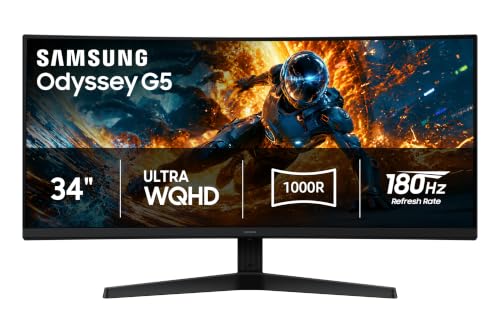
1. Samsung Odyssey G5 34-inch Curved Monitor (G55H)
34-inch Ultra WQHD curved gaming monitor (G55H) with a 1000R curved screen, 180Hz refresh rate, and AMD FreeSync Premium.
Strengths
- The 1000R curve is the most curved screen in this guide, wrapping the image around the viewer for real immersion.
- A 180Hz refresh rate keeps fast games smooth on the wide 34-inch screen.
- Ultra WQHD resolution gives far more width than a standard monitor, so games and work both gain space.
Trade-offs
- It is a gaming-focused screen, so colour accuracy for professional photo work is not its strength.
- A 34-inch ultrawide needs a deep desk, since the curve and the stand take up room.
- The 1000R curve is dramatic — some people love it, others find it too much for office work.
Who it fits
Gamers who want a deeply curved 34-inch screen for immersive play at a fair cost.
Best for: an immersive, deeply curved 34-inch gaming monitor
Not suited for: anyone who wants a flat screen for office work or colour-critical tasks
In daily use
In daily use the Odyssey G5 wraps around the game: the 1000R curve pulls the edges of the screen into view, so the world feels wider and closer at the same time. The 180Hz refresh keeps fast movement clean, and the ultrawide format means the game interface and the action share the screen without crowding. For work, the same width holds two documents side by side without a second monitor. Give the curve a few days — it feels unusual at first, then normal, then hard to give up.
Before you buy
Before you buy, measure the desk: a 34-inch curved monitor needs depth as well as width, and the stand takes space. Check the graphics card, since Ultra WQHD at 180Hz asks more of it than a standard screen. Also think about the curve — 1000R is the most dramatic curve here, so if the monitor will also serve office work, consider whether a gentler curve suits better.
Check price on Amazon: Samsung Odyssey G5 34-inch Curved Monitor (G55H)

2. Samsung Odyssey Neo G9 57-inch Curved Monitor (G95NC)
57-inch Dual 4K UHD curved gaming monitor (G95NC) with a 1000R curve, 240Hz refresh rate, 1ms response, DisplayPort 2.1, Quantum Mini-LED, DisplayHDR 1000, and AMD FreeSync Premium Pro.
Strengths
- Fifty-seven inches of Dual 4K is the largest screen in this guide — two 4K screens in one curved panel.
- A 240Hz refresh rate with Quantum Mini-LED and DisplayHDR 1000 is the best picture quality here.
- DisplayPort 2.1 supports the bandwidth this enormous screen demands.
Trade-offs
- It is by far the most expensive and the largest monitor here, needing a very deep desk and a powerful graphics card.
- Dual 4K at 240Hz is beyond what most graphics cards can drive in the newest games.
- It is a gaming and showpiece screen, not a sensible office monitor.
Who it fits
Gamers with a powerful PC and a deep desk who want the biggest, most immersive curved screen available.
Best for: the biggest curved gaming monitor in this guide, for a powerful PC
Not suited for: a normal desk, a modest graphics card, or a tight budget
In daily use
In daily use the Neo G9 is less a monitor and more a cockpit: the 57-inch curve fills the field of view, the Dual 4K resolution shows two full desktops side by side, and the Mini-LED picture is bright and vivid in a way smaller screens cannot match. It is the monitor for someone who games seriously and works seriously on the same desk. It needs a deep desk, a strong graphics card, and a proper mount or a very sturdy stand — and once it is set up, a normal monitor feels small by comparison.
Before you buy
Before you buy, measure everything: the desk depth, the wall clearance, and the graphics card's ability to drive Dual 4K. Check the DisplayPort version, since this screen needs DisplayPort 2.1 for its full performance. Also think about the use — this is a gaming showpiece first, and it is far more screen than an office or a casual setup needs.
Check price on Amazon: Samsung Odyssey Neo G9 57-inch Curved Monitor (G95NC)
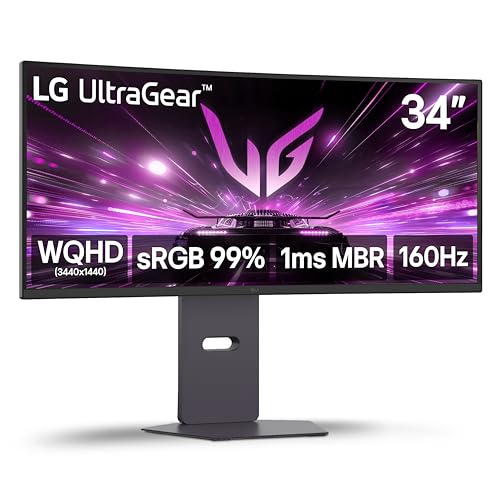
3. LG UltraGear 34G600A-B Curved Gaming Monitor
34-inch UltraGear WQHD curved gaming monitor (34G600A-B) with a 3440×1440 resolution, 160Hz refresh, HDR10, an 1800R curve, 1ms MBR, AMD FreeSync Premium, a built-in speaker, and a tilt, height, and swivel stand.
Strengths
- The 160Hz refresh with 1ms MBR keeps fast games sharp on the wide screen.
- The adjustable stand — tilt, height, and swivel — makes it easy to find a comfortable position.
- A built-in speaker means the monitor works straight out of the box without separate speakers.
Trade-offs
- The 1800R curve is gentler than the 1000R Samsung models, so the wraparound feel is milder.
- HDR10 on this panel is basic, so it will not match the Mini-LED or OLED models here for contrast.
- The built-in speaker is convenient but not a replacement for proper speakers or headphones.
Who it fits
Gamers who want a well-rounded 34-inch curved screen with a good stand and a fair cost.
Best for: a well-rounded 34-inch curved gaming monitor with a good stand
Not suited for: anyone who wants the deepest curve or the best HDR
In daily use
In daily use the UltraGear 34G600A-B is the sensible 34-inch choice: the screen is wide and smooth, the stand adjusts to the right height without a fight, and the built-in speaker covers a quick video or a casual game. The 1800R curve is gentle enough for office work as well as gaming, so the same monitor serves both without feeling extreme. Set the height so the top of the screen is at eye level, keep the desk deep enough for the curve, and the monitor disappears into the work.
Before you buy
Before you buy, check the desk depth for a 34-inch curved screen, and confirm the graphics card can drive 3440×1440 at 160Hz. Think about the stand: the tilt, height, and swivel adjustment is a real advantage if the desk is shared or the seating changes. Also check whether the built-in speaker matters — if good headphones are already in use, it adds little.
Check price on Amazon: LG UltraGear 34G600A-B Curved Gaming Monitor

4. LG UltraGear OLED 34GS95QE Curved Gaming Monitor
34-inch UltraGear OLED curved gaming monitor (34GS95QE) with WQHD 1440p resolution, an 800R curve, 240Hz refresh, 0.03ms response, AMD FreeSync Premium Pro, NVIDIA G-Sync, HDMI 2.1, DisplayPort, and a tilt, height, and swivel stand.
Strengths
- The OLED panel with an 800R curve is the best-looking screen in this guide, with perfect blacks and vivid colour.
- A 240Hz refresh with 0.03ms response is the fastest response here, so motion is exceptionally clean.
- Both FreeSync Premium Pro and G-Sync support cover AMD and NVIDIA graphics cards.
Trade-offs
- It is one of the most expensive monitors here, and OLED needs a little care with static images.
- The 800R curve is very dramatic, which will not suit everyone for office work.
- A 240Hz OLED asks a lot of the graphics card to reach its full potential.
Who it fits
Gamers who want the best picture quality in a curved screen and are willing to pay for OLED.
Best for: the best-looking curved gaming monitor in this guide
Not suited for: a tight budget or anyone who leaves static images on screen for hours
In daily use
In daily use the OLED UltraGear is the screen that makes other monitors look flat: the blacks are truly black, the colours are vivid without being loud, and the 240Hz motion is so clean that fast games feel effortless. The 800R curve wraps the image around the viewer, and the adjustable stand gets the height right. It is a monitor that rewards a good graphics card and a proper desk setup. Let the screen sleep when stepping away, keep static images from sitting for hours, and the OLED will stay beautiful.
Before you buy
Before you buy, check that the graphics card can use 240Hz at WQHD — otherwise the speed is wasted. Confirm the desk depth for the 800R curve, and think about OLED care: it is the best picture here, but it needs a little attention. Also confirm the listing is the 34GS95QE, since LG's UltraGear models vary by panel and refresh rate.
Check price on Amazon: LG UltraGear OLED 34GS95QE Curved Gaming Monitor

5. Dell S3425DW 34-inch Curved Monitor
34-inch curved monitor (S3425DW) with WQHD VA panel, 120Hz refresh, FreeSync Premium, Eye Comfort, HDR10, anti-glare, 300 cd/m2 brightness, 3000:1 contrast, 95% DCI-P3, two 10W speakers, and USB-C with 65W power delivery.
Strengths
- USB-C with 65W power delivery charges a laptop and carries the picture on one cable, which keeps the desk tidy.
- Eye Comfort with anti-glare and 95% DCI-P3 colour suits long work days as well as gaming.
- Two 10W speakers are stronger than the built-in speakers on most monitors here.
Trade-offs
- A 120Hz refresh is lower than the 160Hz and 240Hz gaming models here, so competitive players may want more.
- The VA panel is good for contrast but not as fast as the OLED or IPS gaming panels.
- It is a work-first monitor, so the gaming features are lighter than the dedicated gaming screens.
Who it fits
People who want one large curved screen for work and play, with a laptop connected by a single USB-C cable.
Best for: a large curved monitor for work and play with single-cable laptop docking
Not suited for: competitive gamers who need the highest refresh rate
In daily use
In daily use the Dell S3425DW is the desk organiser: one USB-C cable connects the laptop, charges it, and shows the picture, while the 34-inch curved screen holds the work — documents side by side, a spreadsheet and a browser, or a game after hours. The 120Hz refresh keeps everything smooth, the anti-glare coating handles a bright room, and the speakers cover a video call without headphones. It is the monitor for someone whose desk does two jobs and who wants one screen to do both well.
Before you buy
Before you buy, check that the laptop supports USB-C with video and 65W charging, since that is the feature that makes this monitor special. Confirm the desk depth for a 34-inch curve, and think about the refresh rate: 120Hz is smooth for work and casual gaming, but competitive players should look at the 165Hz or 240Hz models instead.
Check price on Amazon: Dell S3425DW 34-inch Curved Monitor

6. Alienware AW3425DWM 34-inch Curved Gaming Monitor
34-inch curved gaming monitor (AW3425DWM) with a WQHD 180Hz 1ms display, 1500R curve, AMD FreeSync Premium, and VESA AdaptiveSync.
Strengths
- A 180Hz refresh with 1ms response on a 34-inch curved screen is a strong gaming combination.
- The 1500R curve is a good middle ground — immersive for games, still comfortable for work.
- Alienware's gaming design and build quality suit a serious gaming desk.
Trade-offs
- It is a gaming-first screen, so the work features are lighter than the Dell S3425DW.
- The listing is brief on extras such as speakers and USB ports, so check the product page.
- Alienware styling is distinctive, which will not suit a plain office desk.
Who it fits
Gamers who want a fast, curved 34-inch Alienware screen that also handles everyday work.
Best for: a fast 34-inch curved Alienware gaming monitor
Not suited for: anyone who needs USB-C docking or built-in speakers
In daily use
In daily use the Alienware AW3425DWM is the gaming desk centrepiece: the 180Hz screen keeps fast games smooth, the 1500R curve pulls the action around the viewer, and the WQHD width gives room for the game and the chat side by side. It is a screen that looks as good as it plays, with Alienware's clean gaming design. Set it at eye level, keep the desk deep enough for the curve, and pair it with a graphics card that can drive WQHD at high refresh rates.
Before you buy
Before you buy, check the graphics card against WQHD at 180Hz, since that is what this screen wants. Confirm the desk depth and the stand footprint, and check the product page for the ports and extras, since the listing is brief. Also think about the curve — 1500R is immersive without being extreme, which suits a desk that does both gaming and work.
Check price on Amazon: Alienware AW3425DWM 34-inch Curved Gaming Monitor
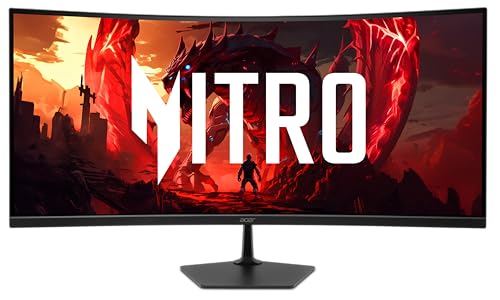
7. Acer Nitro EDA340CUR X0biip Curved Gaming Monitor
34-inch WQHD curved gaming monitor (EDA340CUR X0biip) with a 3440×1440 resolution, 200Hz refresh, 0.5ms response, AMD FreeSync Premium, 99% sRGB, two HDMI 2.1 ports, DisplayPort, a 1500R curve, VESA mounting, and a blue light filter.
Strengths
- A 200Hz refresh with 0.5ms response is among the fastest in this guide, for very smooth gaming.
- Two HDMI 2.1 ports cover a PC and a console on the same screen.
- Ninety-nine percent sRGB with a blue light filter suits long sessions without eye strain.
Trade-offs
- The Acer Nitro line is plainer than the premium brands here, with less striking design.
- The stand details are not spelled out in the listing, so check the adjustment options.
- A 200Hz screen needs a strong graphics card to reach its full speed.
Who it fits
Gamers who want a fast 200Hz curved screen with console connectivity at a fair cost.
Best for: a fast 200Hz curved monitor that also takes a console
Not suited for: anyone who wants a premium design or USB-C docking
In daily use
In daily use the Nitro EDA340CUR is the fast, practical choice: the 200Hz screen makes movement feel immediate, the two HDMI 2.1 ports mean a console and a PC can share the screen, and the 1500R curve wraps the game around the viewer without being extreme. The blue light filter helps on long evenings, and the 99% sRGB colour is honest for everyday work as well as games. Keep the desk deep enough for the curve and the graphics card strong enough for 200Hz.
Before you buy
Before you buy, check that the graphics card can reach 200Hz at WQHD in the games played — otherwise the speed is unused. Confirm the console setup if a console will share the screen, since HDMI 2.1 is what makes that work well. Also check the stand adjustment on the product page, since the listing does not spell it out.
Check price on Amazon: Acer Nitro EDA340CUR X0biip Curved Gaming Monitor

8. Sceptre C345B-QUT168 34-inch Curved Monitor
34-inch curved ultrawide WQHD monitor (C345B-QUT168) with a 3440×1440 resolution, R1500 curve, up to 180Hz or 165Hz refresh, two DisplayPorts, 99% sRGB, 1ms response, built-in speakers, in machine black, 2025 model.
Strengths
- The most affordable 34-inch curved screen in this guide, with a 180Hz refresh and a 1ms response.
- Two DisplayPorts give flexible connectivity for a PC and a second device.
- Built-in speakers and 99% sRGB cover everyday use without extra purchases.
Trade-offs
- The brand is less well known than Samsung, LG, or Dell, so long-term support is less certain.
- The refresh rate is listed as up to 180Hz or 165Hz depending on the connection, so check the details.
- The stand and the adjustment options are not spelled out in the listing.
Who it fits
Budget-conscious buyers who want a large curved screen without paying for a premium brand.
Best for: an affordable large curved monitor with a fast refresh rate
Not suited for: anyone who wants a premium brand or USB-C docking
In daily use
In daily use the Sceptre is the value pick that surprises: the 34-inch curved screen is wide and smooth, the 180Hz refresh keeps games and scrolling clean, and the built-in speakers mean it works straight out of the box. It is a straightforward monitor without frills, which is part of its appeal — the money went into the panel, not the badge. Keep the desk deep enough for the curve, check which connection gives the full refresh rate, and the monitor does its job quietly for years.
Before you buy
Before you buy, check the refresh rate by connection, since the listing gives up to 180Hz or 165Hz depending on the port. Confirm the stand and adjustment on the product page, and check the desk depth for a 34-inch curve. Also weigh the brand: Sceptre costs less than the big names, but the support and the extras are simpler.
Check price on Amazon: Sceptre C345B-QUT168 34-inch Curved Monitor
Buying guide: best large curved monitors
Size is a desk question first
A large curved monitor needs a deep desk, not just a wide one. A 34-inch ultrawide is about 32 inches wide and needs roughly 24 inches of depth for comfortable viewing, while a 49-inch or 57-inch screen needs far more. Measure the desk before ordering, including the stand footprint, and check the viewing distance: too close, and the edges of the curve are hard to see; too far, and the curve loses its effect. A monitor arm can help, but it must be rated for the weight of a large curved screen.
Understand the curve
The curve is measured in R — 1000R is the most curved, 1500R is a middle ground, and 1800R is gentler. A tighter curve wraps the image around the viewer for immersion in games, while a gentler curve is more comfortable for office work and shared viewing. There is no right answer, only a fit: gamers usually prefer 1000R or 1500R, while a desk that does both work and play often suits 1500R or 1800R. If possible, see a curved screen in person before committing to the tightest curve.
Match the refresh rate to the graphics card
A 240Hz screen is wasted on a graphics card that can only deliver 60 frames a second, and a 120Hz screen will cap a powerful card. Check the graphics card against the resolution — WQHD at 165Hz or higher asks a lot — and buy the refresh rate the card can actually use. For work and casual gaming, 120Hz is smooth enough; for competitive gaming, 165Hz or higher is worth having; for the newest games at high settings, the card matters more than the monitor.
Panel type decides the picture
OLED gives the best picture — perfect blacks, vivid colour, and instant response — but it costs more and needs a little care with static images. Mini-LED, as in the Samsung Neo G9, gives very bright HDR with good contrast. VA panels offer strong contrast at a fair cost, which suits most users. IPS panels give accurate colour and wide viewing angles. Choose the panel for the work the monitor will do: OLED for the best picture, VA for value, IPS for colour work.
Check the ports before you buy
A large curved monitor is often the hub of the desk, so the ports matter. USB-C with power delivery connects and charges a laptop on one cable; two HDMI 2.1 ports let a PC and a console share the screen; DisplayPort 2.1 is needed for the very largest, fastest screens. Count the devices that will connect, check the cable versions, and make sure the monitor has the ports for all of them — an adapter is a poor substitute for a missing port.
Plan the desk before the monitor
A large curved monitor deserves a desk that fits it, and the planning is worth doing before ordering. Measure the desk depth as well as the width, check the weight limit of the desk and of any monitor arm, and think about where the cables will go — a 34-inch screen with a laptop, a keyboard, and speakers needs cable management, not a tangle. Leave room behind the monitor for ventilation and for reaching the ports, since a curved screen pushed hard against a wall is difficult to adjust. A desk that fits the monitor is the difference between a setup that feels spacious and one that feels cramped.
Using and caring for your pick
Place the monitor at eye level with the top of the screen at or just below eye height, and sit at arm's length or a little more from a 34-inch screen — further for larger screens. Keep the desk deep enough that the curve can do its work, and avoid bright light behind the viewer, which causes reflections on a curved panel. Clean the screen with a dry microfibre cloth, never with paper towels or household cleaner. Let an OLED screen sleep when stepping away, and keep static images from sitting for hours. Update the graphics drivers so the monitor runs at its full refresh rate, and check the display settings after setup — many monitors default to 60Hz until changed. Calibrate the monitor after setup: most large curved monitors arrive in a vivid mode that looks impressive in a shop but tiring at home, so spend ten minutes adjusting the brightness, the colour temperature, and the refresh rate in the display settings. Check that the monitor is actually running at its full refresh rate — many default to 60Hz until changed. Keep the screen clean with a dry microfibre cloth, and avoid placing anything on top of the monitor, since the curve makes it easy for items to slide off and damage the panel.
Common mistakes to avoid
The most common mistake is buying a curved monitor that does not fit the desk — measure the depth, not just the width. The second is leaving the monitor at 60Hz and never seeing the high refresh rate that was paid for. The third is choosing a 240Hz screen for a graphics card that cannot drive it. The fourth is sitting too close to a large curved screen, which makes the edges hard to see. And the fifth is ignoring the panel type: an OLED screen left on a static desktop all day, or a VA panel bought for colour-critical work, will both disappoint. The sixth mistake is buying a curved monitor for a shared desk without checking the viewing angles — a tight curve looks best from directly in front, and someone sitting to the side sees a distorted image. The seventh is ignoring the stand: a monitor with a poor stand will wobble or sit at the wrong height, and a good stand or a monitor arm is worth the cost. And the eighth is forgetting the warranty and the return policy — a large monitor is expensive to ship back, so check the terms before ordering.
Final recommendation
For most buyers, the LG UltraGear 34G600A-B is the strongest all-round choice: a 34-inch curved screen, 160Hz, a good adjustable stand, and a fair cost cover gaming and work together. If the budget allows, the LG OLED 34GS95QE has the best picture in this guide, and the Samsung Odyssey G5 is the most immersive at its level with its 1000R curve. If work matters as much as play, the Dell S3425DW with its single-cable USB-C docking is the pick, and the Sceptre is the value choice for a large curved screen without a premium cost. Whichever you choose, measure the desk first and check the graphics card — those two steps decide whether the monitor fits the setup. The rest of the range covers the other needs: the Samsung Odyssey Neo G9 is the showpiece for a powerful PC and a deep desk, while the Alienware AW3425DWM gives a fast, curved gaming screen with Alienware's design. The Acer Nitro EDA340CUR is the fast 200Hz choice with console connectivity, and the Sceptre is the value pick for a large curved screen without a premium cost.
Frequently asked questions
What size is a large curved monitor?
In this guide, large means 34 inches or larger, measured diagonally. A 34-inch ultrawide is the standard large size, 49 inches is a super-ultrawide, and 57 inches is the largest here. The screen also needs a deep desk — a 34-inch curved monitor needs roughly 24 inches of depth for comfortable viewing.
Is a curved monitor good for work?
Yes, if the curve is gentle — 1500R or 1800R suits work well, since the wide screen holds two documents side by side without a second monitor. A very tight 1000R curve is more of a gaming feature, and it can feel extreme for spreadsheets and writing. The Dell S3425DW in this guide is the most work-focused pick.
What does 1000R, 1500R, or 1800R mean?
The R number is the radius of the curve in millimetres: 1000R is a tighter curve that wraps more around the viewer, while 1800R is a gentler curve. A smaller number means more curve. Gamers usually prefer 1000R or 1500R for immersion, while a desk that does both work and play often suits 1500R or 1800R.
Do I need a powerful graphics card for a large curved monitor?
Yes, more than for a standard monitor. A 34-inch ultrawide at WQHD resolution asks significantly more of the graphics card, and a 57-inch Dual 4K screen asks far more again. Check the graphics card against the resolution and refresh rate before buying, and buy the monitor the card can actually drive.
Is OLED better than other panels for a curved monitor?
OLED gives the best picture quality — perfect blacks, vivid colour, and instant response — and the LG OLED in this guide is the best-looking screen here. It costs more and needs a little care, since static images left for hours can mark the screen. For most users, a good VA or IPS panel is excellent; OLED is for those who want the best picture and are willing to care for it.
Can I use a large curved monitor with a laptop?
Yes — most large curved monitors connect to a laptop by HDMI or DisplayPort, and the Dell S3425DW in this guide connects by a single USB-C cable that also charges the laptop. Check that the laptop's graphics can drive the monitor's resolution and refresh rate, since an older laptop may only manage 60Hz at WQHD. A laptop with USB-C video output gets the tidiest setup with one cable.
Is a 49-inch or 57-inch monitor too big?
It depends on the desk and the use. A 49-inch or 57-inch screen needs a very deep desk and a viewing distance of a metre or more, and it suits gaming and multitasking more than ordinary office work. For most people, 34 inches is the sweet spot — wide enough to feel immersive, small enough to fit a normal desk. Measure the desk before considering anything larger.
Do curved monitors cause eye strain?
A curved monitor can reduce eye strain, since the screen is a more even distance from the eyes across its width, which means less refocusing. The key is the setup: sit at the right distance, set the top of the screen at eye level, and match the brightness to the room. The Dell S3425DW in this guide includes Eye Comfort features for long work days, and a blue light filter helps on long evenings.