Disclosure: As an Amazon Associate, ilcastellomenu.com earns from qualifying purchases. The product mentions in this guide are editorial: we link only to items that genuinely fit the topic, and a link never changes what we recommend checking, comparing, or avoiding.
The curved vs flat monitors debate looks like a style question and is actually a geometry question. A curved screen wraps its edges toward you, keeping more of the panel at a similar distance and angle from your eyes; a flat screen keeps geometry honest, which matters for lines that must be straight and work that is shared. The wider the screen, the stronger the case for the curve — at ultrawide sizes it is close to a necessity — while at 24 and 27 inches the curve is a preference with modest effects either way. This guide separates the genuine effects from the showroom drama.
We will take immersion, viewing angles, desk practicalities, creative accuracy, gaming, and price in turn, with verdicts by size and use. Product context: the curved gaming roundups at Best 27 Inch Curved Monitors for Under 200 and the flat-panel workhorses in Best Monitors for Productivity show both shapes at their best.
Curved vs Flat Monitors: The Quick Verdict
Choose curved for ultrawide and 32-inch-plus screens used solo, especially for gaming and films, where the wrap increases immersion and keeps edges at a comfortable angle. Choose flat for screens up to 27 inches, for design and CAD work where straight lines must stay straight, for shared viewing, and for multi-monitor setups where flat panels tile predictably. At 27 inches solo, either is fine — buy the better panel and let the shape follow.
| Criterion | Curved | Flat |
|---|---|---|
| Immersion (solo) | Wraps the view; strong at wide sizes | Neutral; depends on size and distance |
| Edge viewing angles | Edges angled toward you; more uniform | Edges angle away on wide screens |
| Straight-line accuracy | Lines bow slightly; check CAD/design fit | Geometrically true |
| Shared viewing | Best seat is the centre only | Everyone sees a fair picture |
| Multi-monitor fit | Awkward joins; mostly single-screen use | Tiles cleanly in pairs and triples |
| Reflections | Can bend reflections oddly | Predictable; easier to angle away |
| Where it shines | Ultrawide, 32-inch+, solo gaming/film | Work, design, shared, multi-screen |
In this guide
What the Curve Actually Does: Distance, Angles, and Immersion
On a wide flat screen, the edges are measurably farther from your eyes than the centre, and viewed at a sharper angle — which on VA panels also means the edges shift colour and lose contrast. A curve pulls those edges forward and turns them toward you, evening out distance and angle across the whole surface. The felt result is immersion: content wraps into your peripheral vision, and the screen feels larger than its diagonal suggests. Curvature is quoted as a radius — 1000R is a strong curve, 1800R a gentle one — and smaller numbers wrap harder.
The effect scales with width. On a 34-inch ultrawide it is substantial and most owners would not go back. On a 27-inch 16:9 screen it is a mild enhancement. On a 24-inch screen it is essentially cosmetic. Anyone selling you a dramatic curve story at small sizes is selling; anyone dismissing curves at ultrawide sizes has not sat in front of one. The ultrawide context is explored fully in Ultrawide vs Dual Monitors.
Work, Design, and the Straight-Line Test
Spreadsheets and documents are indifferent to curve — text follows the surface either way, and many users find a gentle curve comfortable for wide document spreads. Precision visual work is pickier. On a curved screen, a horizontal rule is rendered on a curved surface: it is geometrically faithful to the file but your eye reads a slight bow, and designers, architects, and CAD users often find that subtly wrong all day. Photographers retouching at the edges face the same question in milder form. This is why the design-focused screens in Best Monitors for Graphic Design are overwhelmingly flat.
There is also the matter of consistency across a team: if files are judged on flat screens everywhere else, introducing one curved judgement seat adds a variable nobody needs. Solo creators who love the wrap for timelines and canvas work exist and are happy — but they chose knowingly, which is the entire point of this section.
Gaming and Films: Where Curved Earns Its Keep
Gaming is the curve’s best argument after ultrawide itself. Racing, flight, and first-person games gain peripheral wrap; strategy and story titles gain a cinema feel; and the centred seating the curve demands is exactly how gamers sit anyway. Most curved gaming monitors are VA panels, whose centre-seat strength and edge weakness the curve neatly complements — the pairing in roundups like Best Curved Monitors for Gaming Under 200 is no accident. Panel trade-offs themselves are covered in IPS vs VA Panel.
Films benefit similarly in a dim room from a centred seat, with one caveat: reflections. A curved glossy surface can stretch a window or lamp reflection into a long smear across the picture, where a flat screen gives you one tidy reflection you can angle away. In controlled lighting the caveat vanishes; in a bright multi-window room, flat and matte remains the pragmatic cinema.
Desks, Mounts, and Multi-Screen Practicalities
Curved screens occupy depth differently: the edges come forward, the centre sits back, and the stand footprint is often deeper to balance the shape. Measure your desk depth before assuming a 34-inch curved will sit at a comfortable distance — owners are regularly surprised. Wall-mounting and arms work fine (VESA is VESA), but a curved panel on an arm swings a wider arc, so check clearance to walls and neighbouring screens. The mounting options are in Best Wall Mounts for Monitors.
Multi-monitor setups are flat’s fortress. Two curved screens meet at an awkward angle and their wraps fight; flat panels align into a clean, continuous wall, which is why trading and coding arrays are flat. If your future includes a second screen, buy flat now — or accept that the curved screen becomes the solo centrepiece and the flat one the side reference, a combination that works better than purists admit.
Price, Choice, and the Final Verdict
At mainstream tiers, curved models cluster in VA gaming lines and are competitively priced within them; flat IPS owns the work and creator shelves. You rarely pay a pure ‘curve tax’ so much as get steered into the panel families that curve. Judge the panel first (type, resolution, refresh), then the shape — an excellent flat panel beats a mediocre curved one at any size, and the reverse is equally true.
Final verdicts: ultrawide or 32-inch-plus solo screen — curved, confidently. 27-inch mixed desk — the better panel wins, shape is a tiebreaker. Design, CAD, shared, or multi-screen — flat, confidently. And whichever shape lands on your desk, set height and angles with How to Adjust a Monitor; a curved screen at the wrong height wraps your neck into the bargain too.
Trying Before Buying: What to Test in Five Minutes
If a showroom or a friend’s desk offers a curved screen, run the tests that predict ownership rather than the demos designed to sell. Open a document and read for two minutes — does the wrap disappear, as it should? Open a spreadsheet or a drawing and look at long straight lines near the top and bottom edges — do they trouble you? Sit slightly off-centre, where a second chair would go — is the picture still fair? Stand, lean, perch: the curve assumes a centred, seated viewer, and your habits should be audited against that assumption before your money is.
Then do the same on the flat alternative at the same size. Most people discover their preference is weaker than their opinion — which is liberating, because it returns the decision to panel quality and price, where measurable differences live. The minority who feel a strong pull in either direction have learned something worth paying for: preference that survives contact with both products is data, not fashion.
The Curve and Your Eyes: Comfort Claims, Examined
Marketing claims that curves reduce eye strain rest on the even-distance argument: edges at a similar focal distance ask less refocusing of your eyes. The geometry is real; the magnitude at ordinary sizes is small, and no comfort claim survives a screen at the wrong height or brightness. Treat curvature as neutral for health and decide it on content and company. The users who report genuine comfort gains are ultrawide owners who stopped turning their heads — a benefit of the wrap at widths where head-turning was the alternative — which is a posture story, not an optics miracle.
Resale, Hand-Me-Downs, and Second Lives
Flat screens have easier second lives: they suit any desk, any user, any pairing, which keeps their resale and hand-me-down value predictable. Curved screens are more personal — the next owner must want the wrap and the size — and ultrawide curves especially are a taste their second market must share. None of this should steer a purchase you will love for years; it simply belongs in the honest ledger for buyers who rotate equipment quickly, alongside the observation that the best resale value belongs to whichever screen you kept longest because it suited you.
Living With the Choice: Adaptation and Regret Patterns
Owners adapt to either shape faster than forums predict. The curved screen’s wrap, remarked upon hourly in week one, becomes invisible by week three — which cuts both ways: the immersion remains, but so does any line-bow that annoyed you on day one, because adaptation dulls novelty faster than it dulls irritation. Flat owners never think about shape again at all, which is its own kind of luxury. Regret, when it comes, is rarely about the curve itself; it is about the unconsidered companion facts — the shared viewing that never happens on a curved screen, the second monitor that never joins it, the desk depth that never suited it.
The practical insurance is the return window used honestly: live with the shape through real work and real play for a fortnight, including the shared viewing and the spreadsheet marathons, and let the fortnight vote. A shape that survives its own adaptation period is a shape you will keep for the panel’s whole life — and panels, as every other section of this batch observes, live long enough to make a fortnight of diligence look very cheap.
Decision Shortcuts by Desk, Distilled
The profiles, plainly. The solo gamer building around one screen of 32 inches or an ultrawide: curved, and enjoy the wrap you bought it for. The designer, architect, photographer, or anyone whose lines must be true: flat, at any size, without a second thought. The home worker whose screen is shared with a partner’s eyes, a child’s homework, and the occasional film from the sofa: flat, because its best seat is every seat. The trader, coder, or analyst planning a multi-screen wall: flat, so the wall can exist. The 27-inch mixed desk that started this comparison undecided: the better panel at the better price, with shape as the tiebreaker your taste is entitled to cast.
Underneath every shortcut sits the same principle that opened this guide: the curve is geometry, and geometry serves the viewer it was shaped for — one centred person, at one distance, inside one kind of content. If your desk is that person, the curve is a genuine feature and you should pay for it gladly. If your desk is a committee, a studio, or a wall, flat is not the conservative choice; it is simply the correct shape for the work, and choosing it is the opposite of settling.
Head-to-Head by Content: Where Each Shape Wins Its Hours
Judge the shapes by the content that fills your week, because shape is a content decision before it is a furniture one. Racing and flight simulation, first-person games, and films reward the curve’s wrap: the edges of the picture stay at a working distance from your eyes, peripheral information arrives without the flattening that a wide flat panel imposes, and the sense of being inside the scene — the quality players actually mean by immersion — is measurably easier to reach. The advantage scales with width; on a standard 27-inch screen the curve is a gentle suggestion, while on an ultrawide it becomes the geometry that makes the format usable from a single chair.
Documents, design, photography, and anything built on straight lines argue the other way with equal force. A spreadsheet does not care about immersion, but a designer aligning elements across a wide canvas cares intensely that a horizontal rule is horizontal everywhere, and the curve’s gentle perspective asks the eye to keep forgiving small distortions that a flat panel never introduces. Photo editing adds its own caution: judging composition and horizon lines on a curved surface is a skill professionals can learn, but it is a skill purchased with attention that flat-screen editors spend on the photograph itself.
Mixed weeks — which is to say most weeks — resolve by asking which content is load-bearing. The screen that hosts your income should be shaped for your income; the screen that hosts your evenings can then be forgiven its compromises by the work it does after hours. Buyers who reverse that priority, shaping the desk for the weekend and tolerating it through the working week, are the ones writing the regretful posts this comparison exists to prevent.
The Radius Numbers Decoded: 1000R, 1500R, 1800R in Plain Terms
The R number is the radius, in millimetres, of the circle the panel would complete if its curve continued — so a smaller number means a tighter, more pronounced curve. An 1800R screen bends gently, close to the natural arc of a wide flat panel viewed from a desk; a 1000R screen wraps assertively and assumes a viewer seated near its centre of curvature, roughly a metre away. Neither is better in the abstract. The tighter curve delivers more of the format’s immersion and more of its distortion, in proportion, and it commits its owner more completely to the centred, solo seat that the geometry assumes.
Match the radius to your distance before matching it to your taste. A tight-radius screen viewed from too far flattens its own benefit, while a gentle curve viewed from very close behaves almost like a flat panel with opinionated edges. Ultrawide models justify tighter radii because their width places their edges far from a centred viewer; a modest 27-inch screen with an aggressive radius is mostly theatre. When comparing two curved finalists, let the radius and your measured viewing distance do the talking before the styling does.
One practical consequence follows: the tighter the curve, the more the screen’s sweet spot narrows to one seat, one distance, one posture. Households and shared desks should read a small R number as a solo commitment. The buyer who genuinely lives in that seat — the sim racer, the solo ultrawide worker — will find the tight curve the most honest geometry on the market. Everyone else is renting immersion at the price of flexibility they will miss.
Two People, One Screen: The Shared-Viewing Test
Flat panels are social; curved panels are personal, and the difference shows within one shared film. The second viewer, seated off the curve’s centre, receives a picture whose far edge has turned away and whose near edge has turned toward them, with brightness and geometry shifting accordingly. It remains watchable — households do it nightly — but it is not the picture the centred viewer is enjoying, and for two people who regularly watch together from a desk, that asymmetry is a daily tax rather than a theoretical one. A flat screen of the same size gives both chairs the same film, slightly angled, equally honest.
Work sharing follows the same geometry with higher stakes. A colleague leaning in to review a design, a pair programming session, a child showing a parent their homework — the curved screen asks the second person to accept a distorted seat or to displace the owner from the sweet spot, while the flat screen simply admits them. Offices learned this early, which is why curved panels remain rare on shared and hot-desking fleets even where individuals love them: a fleet screen belongs to whoever sits down next, and flat is the shape of hospitality.
The compromise position is real and worth naming: a gentle curve, at a moderate size, watched by two people who sit close together near the centre, loses very little. Couples at a shared desk and parents with a child beside them routinely live happily with mild radii. The failures cluster at the extremes — tight curves, wide panels, viewers spread wide — so judge your household’s actual seating chart rather than an imagined cinema, and the shared test will usually grade itself.
Portrait Mode, Rotation, and the Second-Screen Afterlife
Curved screens rotate poorly, in both senses. Physically, a curved panel on a rotating stand sweeps a wide arc and demands clearance its flat sibling does not; in use, a curved panel in portrait orientation bends its long axis toward and away from you in a way most readers find actively unpleasant, because the geometry that flatters a landscape view fights a vertical document at every line. If your workflow imagines a portrait second screen — for documents, code, or chat columns — that screen should be flat, full stop, and the main screen’s shape should be chosen knowing the portrait role is spoken for.
The afterlife of a retired main screen follows from this. Flat panels retire gracefully into second screens, family desks, portrait roles, and wall mounts in kitchens and workshops. Curved panels retire into one specific excellent job — a dedicated media and games screen in a den or bedroom, viewed solo from its centre — and into few others. A buyer who rotates equipment through a household should count the curved panel’s narrower second life as part of its true cost, the way a two-seater car’s owner counts theirs: not a flaw, a shape of life.
Wall mounting sharpens the same point. A flat panel against a wall is a picture; a curved panel against a wall is an object, projecting its centre toward the room and complicating every bracket and viewing angle. None of this vetoes a curved purchase for the desk it suits. It merely insists the purchase be made with the whole lifecycle in view, because monitors live long and desks change around them.
Trying the Curve Honestly: A First-Week Protocol
Curved screens have the widest gap in this entire comparison between showroom impression and week-two reality, in both directions. Some buyers feel the wrap as a revelation on day one and never think about shape again; others feel it as a low-grade wrongness that concentrates, tellingly, in their most shape-sensitive work. The protocol that separates the two groups is content order: spend day one on the content that made you want the curve, day two on your most line-sensitive work — the design file, the architectural drawing, the dense spreadsheet — and the rest of the week simply working, noting each evening whether the shape entered your thoughts at all. A shape you stop noticing has passed; a shape you keep noticing during load-bearing work has failed, whatever its charms after hours.
Give adaptation its fair chance and no more. Genuinely new geometry takes days for the visual system to normalise, and lines that bow on Monday often read as straight by Friday as your perception recalibrates — the same recalibration that makes the old flat screen look faintly convex when you return to it. But adaptation should be trending clearly downward in annoyance by the end of the first week. A flat or rising annoyance curve inside the return window is data, and the honest response to data is the exchange counter, not another month of hoping.
Photograph your desk from your chair’s exact position before and after, if you can. The centred photograph is the curve’s best case and its marketing portrait; your eyes, moving and glancing, are the real test. Trust the week over the photograph — and trust, above all, the testimony of the work you cannot afford to have distracted.
Curve and Panel Type: The Combination Most Buyers Actually Get
Shape does not arrive alone; it arrives married to a panel family, and the marriage is lopsided. The great majority of curved screens use VA panels, whose contrast flatters the dim, solo, cinematic use the curve is sold for, while flat screens span every family. This means many buyers choosing a curve are simultaneously, perhaps unknowingly, choosing VA’s traits: strong blacks, weaker off-axis manners, and dark-transition behaviour that needs auditioning in fast games. The comparison you are actually making at the shelf is often curved-VA against flat-IPS, and both halves of that bundle deserve a vote.
Flat VA and curved IPS models exist at the margins and are worth seeking when your flowchart splits — the worker who wants VA contrast for evening films but flat geometry for daytime design, or the player who wants IPS colour and angles inside a gentle wrap. They are fewer, and sometimes priced as the specialties they are, but their existence proves the axes are separable. A buyer who knows which axis they care about can shop the combination rather than accepting the bundle.
Judge the bundle in the first-week trial with tests for both axes: a dark scene for the panel, a straight-line document for the shape, a second chair for the household. A screen that passes its panel test and fails its shape test has still failed, and the return conversation is easier when you can name which axis failed — because the replacement you choose next will be the one that changes exactly that axis and keeps the other.
Desk Depth, Mounts, and the Physical Footprint of a Curve
A curved screen occupies its desk differently from a flat one of the same nominal size. The panel’s edges sweep forward of the wall line, so the screen’s effective depth — centre back to edge front — exceeds a flat panel’s, and on a shallow desk those forward edges sit closer to your eyes than the centre does, which is the point of the design and occasionally the problem with the room. Measure the desk with the curve’s depth in mind, and if the screen will live on an arm, confirm the arm’s travel lets the panel’s swept edges clear shelves, walls, and a second screen through its full range of tilt and swivel.
Cable and port access also bend with the panel. Ports on a curved screen’s back sit on a surface that is itself angled, and the centre of a wide curved panel can be surprisingly far from either edge when you are reaching behind it from a chair. A first-week task worth doing deliberately is one full cable swap, performed seated, to learn whether your setup’s routine maintenance is a thirty-second job or a small expedition. Desks that pass this test stay tidy; desks that fail it accumulate workarounds.
None of these physical notes are arguments against the curve. They are the difference between a curve installed and a curve accommodated, and accommodated curves — like accommodated anything — quietly tax their owners for years. The tape measure, applied before the order, remains the cheapest tool in this entire comparison.
The Verdict by Budget Tier: Where Shape Money Is Well Spent
At the value end of the market, shape should be the last thing bought. A modest budget stretched across size, panel, resolution, and stand has nothing left that a curve can honourably claim, and value curved models often fund the bend by thinning exactly the specifications that decide daily satisfaction. The flat screen at this tier is not a compromise; it is the correct allocation, and the buyer who loves the idea of a curve serves that love better by waiting a tier than by bending a thin budget around it.
In the middle tiers the question becomes genuine, because the fundamentals are funded and the curve’s price premium shrinks to a real choice between shape and a step of panel or resolution. This is the tier where the flowchart earns its keep: solo, immersive, wide-screen buyers can take the curve with a clear conscience, while shared and line-sensitive desks take the same money in panel quality and never miss the bend. At the top of the market, shape is nearly free as a line item and the decision returns to pure geometry and taste, which is where it always wanted to live.
Whichever tier you occupy, let shape be decided after the fundamentals are shortlisted — the order this guide opened with — because a curve chosen first quietly filters your options to the models that offer it, and that filter, not the bend itself, is where most curved purchases go wrong. Readers ready to compare concrete curved models can start from our curved monitors for work roundup, where the fundamentals have been kept in front of the shape.
What Owners Report After a Year: Adaptation, Loyalty, and Quiet Returns
Long-term owner reports cluster into three honest groups. The largest group adapted completely within weeks and now finds flat wide screens faintly strange — the curve became their normal, and their loyalty is real but should be read carefully, because adaptation is not evidence the choice was optimal, only evidence that humans normalise their desks. The second group kept the curve for media and quietly moved their most line-sensitive work to a flat second screen, arriving by experience at the role-splitting this guide recommends on paper. The third group, the smallest, returned or sold within months, and their reports share a signature: the shape was bought for occasional content and taxed daily work.
The pattern across all three groups is the comparison’s whole thesis in diary form. Shape satisfaction tracks the share of your hours the shape serves, almost mechanically. Nobody’s year was decided by the radius number, the marketing, or the showroom; it was decided by Tuesdays. Audit your Tuesdays — the ordinary, load-bearing, unglamorous hours — and the curved-versus-flat question answers itself with unusual completeness for a topic the internet argues about so warmly.
A final report worth trusting is your own after the trial week, extrapolated honestly. If the shape served your Tuesday and vanished from your thoughts by Friday, a year of the same is a safe prediction. If it charmed your Friday film and nagged your Tuesday document, believe the Tuesday. Desks are judged by their ordinary days, and so, in the end, are their shapes.
Gear for This Guide
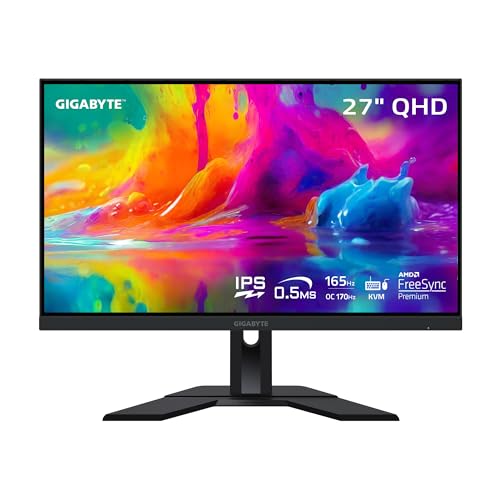
A verified example of each shape at the contested 27-inch size, so you can see what the shape decision looks like in real product form.
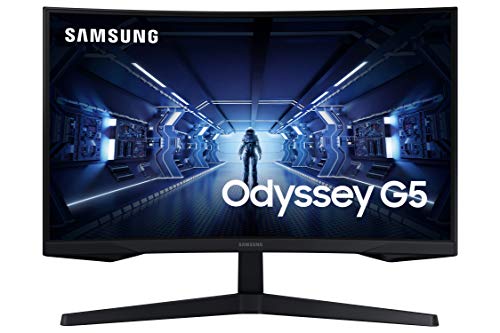
Samsung Odyssey G5 27-Inch WQHD Curved Gaming Monitor — A 1440p curved VA gaming panel with high refresh and FreeSync — the mainstream curved formula, and a fair test of whether the wrap suits your games and your room. Check on Amazon

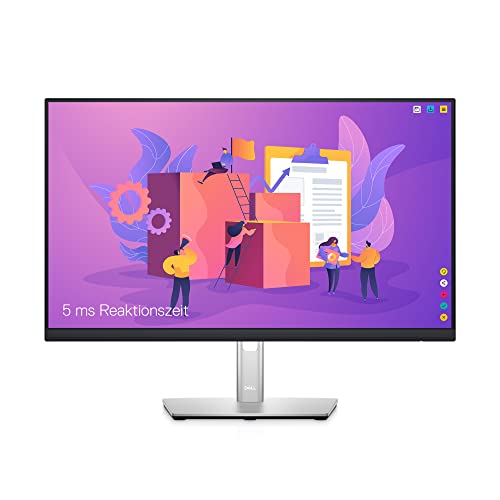
Dell P2422H 24-Inch Full HD IPS Monitor — A flat IPS workhorse with DisplayPort, HDMI, and a USB hub — the flat case in product form: honest geometry, wide angles, and zero fuss for work and shared viewing. Check on Amazon
Frequently Asked Questions
Is a curved monitor better for your eyes?
Not inherently. Comfort comes from size, distance, brightness, and height, all of which exist in both shapes. The curve’s even edge distance can feel marginally more natural on wide screens, and some users report less head-turning on ultrawides. But a flat screen at the right height beats a curved screen at the wrong one every time. Buy shape for your content; buy comfort from setup.
Do curved monitors distort the image?
They do not distort the signal — every pixel is where it should be — but straight lines follow the curved surface, so your eye perceives a gentle bow in rules, horizons, and architectural lines. In games and films this is imperceptible. In CAD, design, and spreadsheet-heavy judgement work, some users notice it constantly. If your work is lines, choose flat and remove the question.
What does 1000R or 1800R mean?
It is the radius, in millimetres, of the circle the curve is cut from: a 1000R screen would complete a circle of one-metre radius, and is strongly curved; 1800R is gentler. Stronger curves suit closer viewing and wider screens; gentler curves suit mixed desks. The number is a geometry spec, not a quality grade — neither is ‘better’ outside its intended size and distance.
Are curved monitors good for office work?
For solo office work on a wide screen, yes — documents wrap comfortably and the centred seat is how most of us work anyway. For shared screens, hot-desking, or pairing with a second monitor later, flat is the safer office citizen. Many offices standardise on flat for consistency; home workers are free to follow their own preference at 27 inches and should follow the size rule above it.
Can you mount a curved monitor on an arm or wall?
Yes — curved monitors carry standard VESA patterns and mount like flat ones, with two practical notes: check the arm’s weight rating against the (often heavier) curved model, and allow swing clearance, since the forward-swept edges trace a wider arc. A curved screen on an arm is a genuinely good setup for solo desks because the wrap angle can be tuned exactly.
Should I buy curved for a 27-inch monitor?
Only as a preference, not as a performance decision. At 27 inches the curve’s optical benefits are mild; its costs — shared viewing, line judgement, multi-screen joins — are also mild. Let panel quality, resolution, and price decide, and take the shape that appeals to you. The size where the answer stops being a shrug is 32 inches and ultrawide, where curved becomes the recommendation.
Do curved monitors work well in portrait orientation?
Rarely and awkwardly. A curved panel rotated to portrait wraps vertically, which serves no content well and looks faintly seasick; the portrait role in multi-screen setups belongs to flat panels, which is one more reason mixed setups pair a curved centrepiece with flat wings. If portrait reading is central to your work — documents, code, feeds — build around flat from the start.
Are curved monitors harder to clean or easier to damage?
Neither, materially: the same microfiber-and-distilled-water method applies, following the surface’s shape with the same light touch. The practical differences are small — a curved panel rocks slightly on some stands when wiped, so steady it by the bezel, and its forward edges catch dust from the desk below. The full safe method is in our cleaning guide; shape changes the wrist angle, not the rules.
Does a curved monitor take more desk space than a flat one?
In width, no — a curved screen’s diagonal spans slightly less width than the same diagonal flat, because its edges sweep forward rather than outward. In depth, often yes: the centre sits back on a typically deeper stand, and the forward edges need clearance. The honest measurement is the footprint and the viewing distance together, taken from the manufacturer’s dimensions rather than the diagonal. On shallow desks this depth question, not the curve itself, is what usually decides against.
Can two people watch a film on a curved monitor?
They can, with the understanding that the centre seat gets the picture the curve was designed for and the second seat gets a fair but lesser one — still perfectly watchable for casual viewing, especially at 27 inches and below where the wrap is gentle. Households whose screen doubles as a shared television should weight this honestly; solo viewers can forget the question entirely. It is a geometry fact, not a flaw, and it is priced into every verdict in this comparison.
Is a curved monitor a bad idea for a 27-inch desk screen?
Not bad, but often unnecessary. At 27 inches the panel is not wide enough for its edges to sit at troublesome angles, so the curve’s geometric benefit is small while its costs — shared viewing, portrait limits, straight-line work — remain full price. Most 27-inch buyers are better served spending the same money on panel quality, resolution, or a better stand in a flat screen. The exceptions are players who simply love the feel and single-purpose gaming desks where the costs never come due.
Can I put a curved and a flat monitor side by side?
You can, and many desks do — typically a curved ultrawide as the main screen with a flat portrait companion, a pairing that assigns each shape its best work. The pairing to avoid is two screens of similar size and role, one curved and one flat, because your eyes will audit the geometry difference every time a window crosses the seam. Give the shapes different jobs and different sizes, and the desk reads as designed rather than accumulated.
Do curved monitors break or fail more easily?
The panel itself is no more fragile in service, but the shape changes two practical risks. A curved screen concentrates any accidental pressure unevenly when it is carried or cleaned, so it should be lifted by its frame with two hands and never pressed at the centre of the curve. And its box matters more at resale and moving time, because the moulded packaging is shaped to the curve in a way a generic box is not. Keep the packaging, handle by the edges, and the shape carries no meaningful durability penalty.
Why do so many gaming monitors curve while office monitors stay flat?
Because the two markets optimise for different chairs. Gaming sells to one centred player in a dim room playing immersive content — the curve’s exact home fixture. Offices buy for shared desks, angled collaboration, straight-line work, and fleets that rotate between users, where flat’s neutrality is the feature. The split is not fashion; it is each market correctly reading its own seating chart, and a buyer whose desk resembles an office more than a cockpit should let the office’s verdict inform theirs.
Does a curved monitor help with eye strain over long days?
It can help one specific contributor and does nothing for the others. By keeping a wide screen’s edges at a more even distance, a curve reduces the constant refocusing between centre and edges that a very wide flat panel asks for — a real effect on ultrawide formats at proper distance. It does not change brightness discipline, blink rates, viewing distance, or break habits, which account for most eye fatigue on any shape. Treat the curve as a geometry comfort on wide screens, not an eye-health feature, and keep the ordinary habits whatever shape you choose.
The Bottom Line
Curved is a viewing-geometry tool: the wider and more solo the screen, the more it earns. Flat is the honest default: true geometry, easy sharing, clean multi-screen tiling, and no compromises for line-based work. Most buyers should decide by size and company — ultrawide and alone means curved; shared, precise, or multiplied means flat — and spend the rest of their attention on the panel inside the shape.
Shape is the last decision, not the first: size, panel, and ports shortlist the candidates, and only then does the curve get its say.
A closing thought for the genuinely undecided, who are more numerous than either camp admits: your indecision is itself the data. Buyers with a real stake in the answer — the ultrawide gamer, the CAD professional, the shared family screen — feel the pull of one shape immediately, because their desk is arguing for it. If no argument arrives, your desk is shape-neutral, and you are free to spend the whole budget on the panel, the size, and the stand. That is not a failed decision process; it is the process working perfectly and returning a liberating verdict.
Related Guides
Keep going with these related guides and roundups from the same desk-setup cluster: