The wifi 6e vs wifi 7 decision is the current crossroads of home networking. Wi-Fi 6E added the 6 GHz band; Wi-Fi 7 keeps all three bands and makes them work harder — wider 320 MHz channels on 6 GHz, Multi-Link Operation that lets a device use several bands at once, and more efficient modulation. The result is a higher performance ceiling, especially for multi-gig internet plans and the newest devices. But Wi-Fi 7 routers sit in higher tiers, and the benefits only appear with Wi-Fi 7 clients. This comparison separates the real advances from the headline numbers so you can judge whether the step up is worth it for your home.
If you are still deciding whether 6 GHz itself matters to you, read Wi-Fi 6 vs Wi-Fi 6e first — Wi-Fi 7 only makes sense once the answer is yes.
Disclosure: As an Amazon Associate, ilcastellomenu.com earns from qualifying purchases. Links to Amazon on this page are affiliate links; they cost you nothing extra. Listing details such as price and availability change often, so check the current Amazon listing before you buy.
Wi-Fi 6E vs Wi-Fi 7: the quick verdict
Choose Wi-Fi 7 if you have (or are about to get) a multi-gig internet plan, own recent flagship devices with Wi-Fi 7, play or stream locally at the demanding end, or simply keep a router for many years and want maximum headroom. Choose Wi-Fi 6E if your plan is gigabit or below, your devices are Wi-Fi 6E or older, and you would rather put the saving toward coverage — an extra mesh node improves more homes than a faster ceiling does. Neither choice is wrong; they serve different device fleets.
In this guide
Side-by-side comparison
| Criterion | Wi-Fi 6E | Wi-Fi 7 |
|---|---|---|
| Bands | 2.4, 5 and 6 GHz | 2.4, 5 and 6 GHz |
| Widest channel | 160 MHz (on 6 GHz) | 320 MHz (on 6 GHz) |
| Multi-Link Operation | No — one band at a time per device | Yes — devices can combine bands simultaneously |
| Modulation | 1024-QAM | 4096-QAM (denser, needs clean signal) |
| Latency behaviour | Good on an empty 6 GHz band | Better still: multi-link redundancy smooths spikes |
| Multi-gig readiness | Often a single 2.5 Gbps port | Multi-gig ports increasingly standard, some models higher |
| Device support | Flagships of the early 2020s onward | Flagships from the mid-2020s onward; growing fast |
| Router positioning | Mid tiers | Mid-high to flagship tiers |
Multi-Link Operation: the feature that actually feels different
Most Wi-Fi 7 marketing leads with peak speeds nobody’s internet plan reaches. The genuinely useful advance is Multi-Link Operation (MLO). Until now, a device connected on one band at a time and switched when conditions changed. With MLO, a Wi-Fi 7 device and router can send traffic across two bands simultaneously — combining throughput, or more valuably, duplicating or instantly failing over so that a burst of interference on one band does not become a stutter on your call or game. In congested homes this steadiness, rather than the top speed, is what owners notice. MLO requires both ends to be Wi-Fi 7, which is why your device list matters more than the router’s box claims.
320 MHz channels and 4096-QAM, honestly appraised
Doubling channel width to 320 MHz on 6 GHz doubles the theoretical per-link rate, and 4096-QAM packs roughly twenty percent more data into each transmission than Wi-Fi 6E’s modulation — but only at close range with a clean signal, since denser modulation needs a stronger signal-to-noise ratio. Treat both as same-room accelerants: excellent for a gaming PC near the router, a VR headset, or a mesh backhaul link between nearby nodes; irrelevant to the far bedroom, where your device will be on 5 GHz using neither feature. They raise the ceiling, not the floor — and most homes feel the floor.
Ports and plans: where Wi-Fi 7 quietly wins
A less glamorous difference matters for multi-gig households: Wi-Fi 7 routers more often ship with multiple 2.5 Gbps ports, and flagship models go further, so a fast NAS, a wired PC and a multi-gig modem can all run at full speed. Many Wi-Fi 6E routers have a single multi-gig port, which bottlenecks wired devices to gigabit even when the plan is faster. If your plan exceeds a gigabit, count ports before comparing wireless logos — the wired side may decide it. Relevant shortlists live in Best Routers for 1gb Internet and Best Routers for Gigabit Internet, and the plan-matching logic is in How Fast Should Your Router Be.
Device support and timing
Wi-Fi 7 clients are now common in flagship phones and premium laptops and are spreading into mid-range devices and motherboards, but the long tail of the home — TVs, consoles of the previous generation, smart-home gear — will not use it for years, and does not need to. A router purchase is a five-year decision, so the question is really about your next two phone and laptop upgrades. If those will be Wi-Fi 7 anyway, buying the router to match is defensible; if your fleet turns over slowly, Wi-Fi 6E at a lower tier plus better coverage is the smarter allocation.
Mesh considerations
In mesh systems Wi-Fi 7’s advantages compound: MLO backhaul between nodes is both faster and more resilient, and 320 MHz channels give the backhaul enormous headroom. Wi-Fi 6E mesh with a 6 GHz backhaul is already very good, however, and usually costs less per node — and node count beats node speed in most floor plans. The mesh fundamentals are in What is Mesh Wi-Fi, and 6E mesh kits worth considering are in Best Mesh Wi-Fi Routers for Large Homes.
Who should buy which
- Wi-Fi 7: multi-gig plan owners; households with Wi-Fi 7 phones/laptops now; competitive gamers chasing the steadiest local link; buyers who keep routers five-plus years; mesh buyers wanting MLO backhaul.
- Wi-Fi 6E: gigabit-and-below plans; Wi-Fi 6E device fleets; anyone whose real problem is coverage, not ceiling; value-focused buyers who will add a node instead.
Certification and buying a Wi-Fi 7 router today
Wi-Fi 7 (802.11be) has an official certification programme, and routers on sale now span certified models and earlier designs built to the standard as it finalised. In practice the distinction matters less than the brand’s update policy: what you want is a maker that ships firmware actively, because features such as multi-link operation have continued to mature through updates after launch. Check the date of the latest firmware on any model you shortlist; a Wi-Fi 7 router with a live update stream is a safer buy than a nominally fancier one abandoned at launch firmware. The same logic applies to your devices: phones and laptops have received meaningful Wi-Fi 7 improvements via their own updates, so keep those current too, and do not judge a new router by a first-day test on day-one device software.
MLO backhaul: where Wi-Fi 7 mesh pulls away
The consumer-facing story of Wi-Fi 7 is client speed, but its strongest structural effect is between mesh nodes. A Wi-Fi 7 mesh backhaul can use multi-link operation across bands: if interference spikes on one band, traffic leans on the other without a renegotiation pause, and when both are clear they combine. The felt result in a busy home is not a bigger speed-test number at the far node — though that improves too — it is the disappearance of the little stalls that wireless backhaul used to produce under load. This is why, of all Wi-Fi 7 purchases, a mesh kit for a large busy home extracts the most from the standard, and why a single Wi-Fi 7 router in a small flat extracts the least. If your shortlist is a mesh kit, weight MLO backhaul heavily; if it is a single router for a modest space, weight price and ports instead.
The unglamorous differences: size, heat and power
Flagship Wi-Fi 7 routers are physically larger, run warmer, and draw more power than the Wi-Fi 6E models they replace — more radios, wider channels and faster processors are not free. Practically: give them open air rather than a closed cabinet (which this site’s placement guidance recommends anyway), expect a bigger footprint on the shelf, and do not be surprised by a warm case. None of this is a reason to avoid them; it is a reason to plan their home before they arrive, and to prefer models whose makers publish firmware that manages thermals well. It is also a small argument, at the margin, for 6E in a tiny flat where the router lives on a crowded desk.
A decision framework in three profiles
- The multi-gig household: plan above a gigabit, wired NAS and PCs, new flagships arriving yearly. Wi-Fi 7, chosen by port layout first — the standard was practically designed for you.
- The busy mainstream home: gigabit or below, a mix of 6E and older devices, several simultaneous users. Either works; 6E plus an extra node usually beats 7 with fewer nodes. Buy 7 only if the price gap is small or you keep routers a long time.
- The light household: sub-gigabit plan, few devices, small space. Both are more than you need; a good Wi-Fi 6 router remains the rational buy, and this comparison is permission to ignore the new logos entirely.
Notice what the framework never asks: which standard is ‘better’. It asks what your plan, devices and floor plan can exploit — the only question a router purchase ever really poses.
The wired side of Wi-Fi 7 homes
A Wi-Fi 7 purchase drags a wired audit behind it, because the standard’s headroom exposes every slower link in the chain. The modem or ONT must itself support the plan’s speed on its Ethernet side. Any switch between router and wired devices must be multi-gig to pass multi-gig through; a gigabit switch silently caps every device behind it, and it is the most commonly forgotten component in an upgraded network. Cables, mercifully, are rarely the issue: the Cat5e and Cat6 runs in most homes carry 2.5 Gbps happily at household distances, so a port upgrade usually does not mean a cabling project. Do the audit before the router arrives — list modem port, router ports, switch, and the two or three wired devices that matter — and the Wi-Fi 7 decision becomes concrete: either the chain supports the plan end to end, or the honest purchase is the router plus the one component that was actually the bottleneck.
Power users: what Wi-Fi 7 does not change
Enthusiasts should calibrate expectations in three places. Wi-Fi 7 does not fix bufferbloat on a slow or asymmetric connection; queue management on the router does, and it is a settings-and-features question independent of generation. It does not make VPN throughput free; encrypting at multi-gig speeds is processor work, and router VPN performance varies by model far more than by Wi-Fi generation — check the specific model’s VPN figures if that is your use case. And it does not repeal the placement laws: a Wi-Fi 7 router in a cupboard is a cupboard network with excellent same-room benchmarks. The standard rewards good networks; it does not substitute for one.
Waiting, upgrading and the shape of the market
Finally, the timing question, honestly framed. Wi-Fi standards arrive roughly on a half-decade rhythm, and each generation’s routers start expensive and broaden downward. Wi-Fi 7 has already made that journey’s first half: flagships first, then credible mid-tier models. A buyer whose current setup works loses little by waiting for the tier to settle further; a buyer replacing a dead or unsupported router today loses nothing by buying 7 if the budget stretches, because the backwards compatibility is total and the ownership horizon is long. The genuinely poor outcome is the panic purchase — the most expensive 7 router in the shop, bought to fix a problem that was placement, congestion on an old band, or a failing line. Diagnose first; the standard will still be there next month, slightly cheaper.
Battery, heat and the client side of the bargain
Comparisons are usually written from the router’s side of the link, but Wi-Fi 7’s features are negotiated with the device in your hand, and that device has a battery and a thermal budget. Early Wi-Fi 7 phones and laptops showed a pattern familiar from every new radio generation: the peak performance is real, and so is the extra power draw when the widest channels and multi-link modes are worked hard. In daily use the effect is modest — devices spend most of their time on efficient settings and sip rather than gulp — but it is one more reason the standard’s benefits concentrate where they are needed: plugged-in machines, docks, desks and mesh nodes, rather than a phone in a pocket at the garden’s end. None of this argues against Wi-Fi 7; it argues for judging it as a system. A router upgrade that your two most-used devices exploit fully is worth more than one whose features your fleet politely declines.
The second-hand and hand-me-down angle
Standards transitions create a quiet opportunity: the previous generation’s flagships become the market’s best value, sold by upgraders and discounted by shops. A Wi-Fi 6E flagship of the last cycle — strong radios, mature firmware, multi-gig port — at a reduced price is, for most households, a better purchase than a first-wave Wi-Fi 7 model at full price with firmware still settling. The checks are the same as for any used or discounted flagship: firmware still current, hardware revision identified, factory reset on arrival. Households that buy one step behind the frontier, every cycle, consistently get ninety percent of the experience for much less of the money — and this comparison, read honestly, tells you exactly which ten percent you are forgoing and whether your devices would have used it.
What reviewers measure, and what to steal from their method
If you read reviews to settle this comparison, borrow the method of the good ones rather than their conclusions, because their houses are not yours. The useful reviewers test at distance and through walls, with several clients active, and report the bad rooms rather than the good ones; the useless ones line routers up beside a laptop and rank the resulting numbers. Weight sustained throughput under load over peak, latency stability over latency minimums, and any review that mentions firmware behaviour over one that only benchmarks. Then discount every conclusion by your own floor plan: a router that wins a reviewer’s open-plan test loft may be ordinary in your brick terrace, and the one that merely placed may be the steadier citizen in real walls. Reviews rank radios; households live with systems.
One more consideration belongs in the ledger: the rest of the household’s patience. A router change re-pairs nothing if you keep the same network name and password, and both standards honour that trick equally — so the migration cost of either choice is an evening, not a weekend. What differs is how often you will repeat it. Buying the newer standard buys time before the next conversation about the router; buying the older one at a keener price buys budget for the coverage that household members will actually thank you for. There is no universal exchange rate between those currencies, which is why this guide ends where it began: with your plan, your devices and your floors, not with a logo.
The short version
Wi-Fi 7 is Wi-Fi 6E with a higher ceiling and a steadier hand: MLO is the meaningful upgrade, 320 MHz and 4096-QAM are same-room bonuses, and the port selection often matters as much as the radio. Buy it for the devices and plan you will have over the router’s life — not for the number on the box.
Gear mentioned in this guide
You do not need new hardware for most of the steps in this guide, but the products below are the ones referenced above. Each was verified against Amazon’s Creators API product data for this site, so the link matches the exact model named.

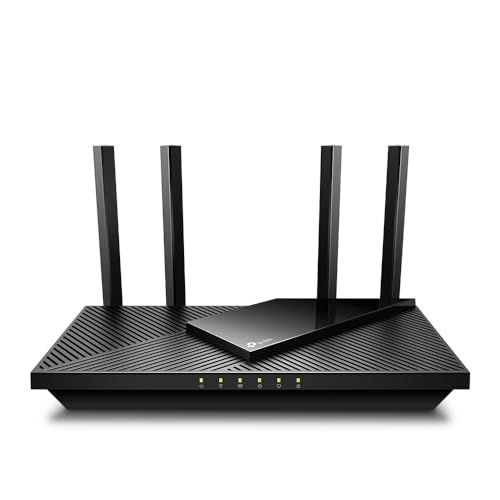
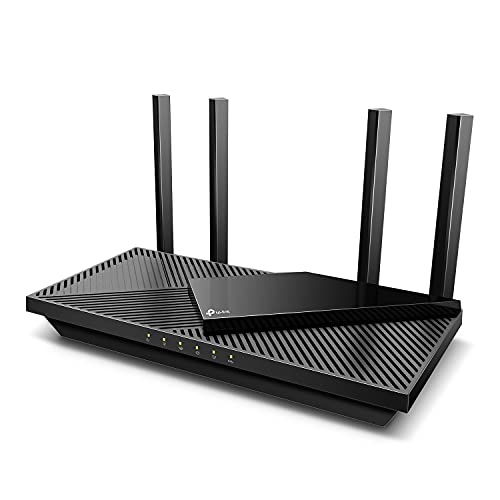
TP-Link AXE5400 Tri-Band WiFi 6E Router, 2025 PCMag Editors’ Choice
The TP-Link AXE5400 Tri-Band Wi-Fi 6E router (Archer AXE75) is the value side of this comparison: full 6 GHz access with 160 MHz channels and a 2.5 Gbps WAN port, covering most homes’ needs for years.

TP-Link Tri-Band BE9300 WiFi 7 Router (Archer BE550)
The TP-Link Archer BE550 is a tri-band Wi-Fi 7 router with full 2.5 Gbps ports throughout and EasyMesh expansion — the port layout this guide argues multi-gig households should prioritise.

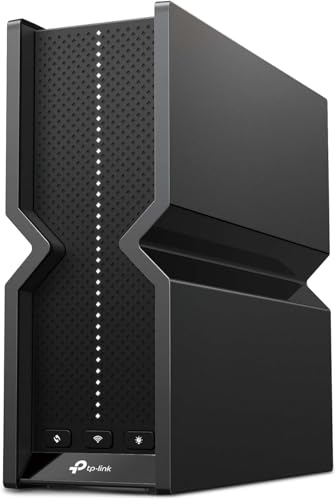
NETGEAR Nighthawk WiFi 7 Router RS300, Up to 2,500 sq ft, 9.3 Gpbs
The NETGEAR Nighthawk RS300 brings Wi-Fi 7 in NETGEAR’s Nighthawk line, with tri-band operation and a mix of 2.5 Gbps and gigabit ports, for those who prefer NETGEAR’s app and ecosystem.
Wireless VR and game streaming: the use case that tips the scale
Most comparisons between these standards are written for phones, laptops and televisions, but the household device that argues hardest for Wi-Fi 7 is one that sits on your face. A wireless VR headset streaming games from a PC is an almost cruelly demanding client: it needs high throughput, yes, but above all it needs that throughput delivered with rock-steady timing, because a frame that arrives late is not a buffering spinner — it is a lurch in your stomach. On Wi-Fi 6E, a headset gets a dedicated-feeling 6 GHz link that already serves this job well when the router is in the same room and the band is clear. Wi-Fi 7’s contribution is multi-link operation: the headset’s connection can use two bands at once, so a momentary disturbance on one link does not interrupt the stream while the connection renegotiates. Players describe the difference not as speed but as the disappearance of the occasional inexplicable stutter in an otherwise perfect session.
The same logic applies, more mildly, to local game streaming around the house — a console or PC in one room sending its picture to a handheld or a television in another. Those streams are latency-sensitive and bandwidth-hungry, and they compete with whatever else the household is doing. On 6E they work well when the network is quiet. Wi-Fi 7’s advantage shows at the busy hour, when the stream’s multi-link connection can keep its timing while a download hammers one of its bands. If your household neither plays wireless VR nor streams games locally, file this entire section under “someone else’s problem” — it is the clearest example in this comparison of a benefit that is real, significant, and entirely irrelevant to a large share of homes. Knowing which side of that line you live on is worth more than any benchmark.
One placement truth survives both standards: for VR, the router or node belongs in the play room, on the same band plan, with nothing between it and the player that you would not want between you and a conversation partner. No standard yet invented streams well through two walls and a bathroom, and Wi-Fi 7’s premium buys the least when it is spent compensating for a router in the wrong room.
Where 320 MHz channels can and cannot exist
The widest channel in Wi-Fi 7’s brochure — 320 MHz — deserves a geography lesson, because whether it can exist at all depends on how much of the 6 GHz band your country has opened. A 320 MHz channel needs 320 MHz of contiguous spectrum. Countries that opened the full 6 GHz range have room for several such channels. Countries that opened only the lower portion of the band have room for exactly one, or in the tightest allocations, none — in which case routers sold there cap out at 160 MHz, the same width Wi-Fi 6E already uses, and one of Wi-Fi 7’s headline advantages quietly leaves the spec sheet. This is not a defect in the routers; it is spectrum policy, and it means the honest size of the Wi-Fi 7 advantage genuinely varies by where you live. Before paying a premium partly justified by the widest channels, check what your market’s routers actually advertise — the regional spec sheet, not the global launch article, is the document that describes the product you can buy.
Even where a 320 MHz channel fits, using it is a judgement call rather than a default. A channel that wide overlaps everything in its path, so in a flat surrounded by other 6 GHz networks — still rare today, less rare each year — your router and your neighbours’ routers will spend their time negotiating around each other, and a narrower channel can deliver steadier real performance. Wi-Fi 7 includes a refinement for exactly this: the ability to keep a wide channel while notching out a disturbed portion of it, rather than abandoning the whole width when part of the spectrum is busy. That feature, more than the raw width, is the durable engineering advance, because it makes wide channels usable in the messy real spectrum instead of only in empty countryside. For the buyer, the practical translation is simple: Wi-Fi 7’s speed advantage is at its largest in low-density housing with full-band allocation, and at its smallest in dense housing in partial-band countries — the same households, not coincidentally, where 6E’s emptiness argument was already at its strongest.
Preamble puncturing, restricted target wake time and the unglamorous features
Beyond the headline trio of wider channels, denser modulation and multi-link operation, Wi-Fi 7 carries a set of quieter improvements that matter in aggregate. The notching behaviour described above — formally a way of transmitting around interference inside a wide channel — means a neighbour’s network overlapping a slice of your channel no longer forces your router to shrink or move. Multi-link operation also has a load-balancing personality distinct from its redundancy personality: a Wi-Fi 7 client can spread its traffic across bands according to which is freer, smoothing the spikes that occur when one band is momentarily busy. And the scheduling refinements aimed at time-sensitive traffic give routers better tools to guarantee that a call or a game gets its slot even while a backup saturates the connection — tools whose benefit you feel as the absence of glitches rather than the presence of speed.
Wi-Fi 6E is not defenceless in this company. It shares the 6 GHz band, the modern scheduling foundations and the same security baseline, and in a home whose devices are mostly 6E or older, a Wi-Fi 7 router spends much of its life speaking 6E’s language anyway — standards are negotiated per device, and your 6E laptop will get a 6E connection from a Wi-Fi 7 router, with only the router’s better radios and processing as a marginal bonus. This per-device reality is the single most underappreciated fact in the whole comparison: upgrading the router upgrades the ceiling for future devices immediately, but it upgrades the experience of your current devices hardly at all. The households that feel a Wi-Fi 7 purchase on day one are those who buy it alongside their first Wi-Fi 7 devices — a new laptop, a new phone, a mesh system whose nodes use multi-link backhaul between themselves even before any client can.
The five-year cost picture nobody puts on the box
Price comparisons between these standards usually stop at the shelf, but the routers will sit powered in your home for years, and their appetites differ. Wi-Fi 7 routers are, as a class, larger-computered machines: more radios, more processing, more heat to shed, and a higher idle power draw than their 6E counterparts, which are themselves thirstier than the Wi-Fi 6 generation. The difference per hour is small; multiplied by every hour of a five-year life, and by two or three nodes in a mesh system, it becomes a real, if modest, line in the household’s energy use — worth knowing about, rarely worth deciding on. Heat is the more practical cost: a high-end Wi-Fi 7 unit needs open air around it, which constrains placement in exactly the homes where a discreet cupboard was the plan, and a node cooked slowly in an enclosed cabinet will not deliver the reliability its price promised.
There is also the ecosystem cost of being early in a standard’s life. Wi-Fi 7’s earliest routers were designed against a draft of the standard before certification settled, and while the major makers have handled this responsibly with firmware updates, the general pattern of first-generation hardware — premium prices, features that mature over the first year of updates, the occasional model quietly replaced by a revised edition — is a real consideration that has nothing to do with the technology’s merit. Wi-Fi 6E hardware, by contrast, is a known quantity at mature prices, its quirks documented in years of owner experience. None of this argues against Wi-Fi 7; it argues for buying it with eyes open, from a maker with a strong update record, and for households whose devices and patience match an early-adopter curve. If you are equipping a fast connection for the long term, the flagship options in Best Routers for Gigabit Internet show how the two generations currently sit against each other at the top of the market.
Security and the 6 GHz baseline both standards share
One comparison point that rarely makes the brochures: on the 6 GHz band, both standards require modern security. WPA3 is mandatory there, and the older, weaker modes are not permitted, which means any device joining the new band does so under the strongest widely available protection, with per-device encryption of management traffic that older bands made optional. For a household, the practical meaning is that moving your important devices onto 6 GHz — under either standard — quietly upgrades their security posture as a side effect of chasing speed. Wi-Fi 7 does not add a further consumer-visible security leap over 6E; its protections are the same generation, extended across its multi-link connections so that a device using two bands at once is protected on both. Security, in other words, is a reason to leave the 2.4 and 5 GHz-only era, but it is not a reason to choose between these two standards, and any salesperson who presents it as one is decorating the truth.
The more consequential security variable is the one this site returns to in every router guide: the manufacturer’s update record. A router of either standard, patched promptly for its whole supported life, is a safer device than a theoretically superior router abandoned by its maker two years in. When the comparison is otherwise close — and for many households it is close — let the brands’ support behaviour cast the deciding vote. It is the least exciting criterion in this entire article and the one most likely to matter in year four.
The device roadmap: when your next phone and laptop change the answer
Routers are bought at a moment, but they serve a moving fleet, and the wisest version of this comparison is run against your household’s replacement calendar rather than today’s inventory. Phones are typically replaced every two to four years, laptops every four to six, tablets and consoles on longer cycles still. Flagship phones adopted Wi-Fi 7 quickly; mainstream laptops are following; consoles and streaming devices trail, as they always do, because their makers optimise for cost and their jobs are undemanding. Plot your own fleet honestly: if a phone and a laptop refresh are both due within a year, a Wi-Fi 7 router bought today will be speaking its native language to your two most-used devices before it is eighteen months old, and its premium amortises across the rest of its long service. If your fleet was refreshed last year on 6E devices and nothing is due for three years, the same router would spend its prime speaking the older standard to everything you own — a perfectly good router, bought at the wrong point in your cycle.
There is a second calendar running underneath: the router market’s own. Wi-Fi 7 hardware prices follow the usual curve, falling as the standard matures and more models compete, while 6E hardware sits at its mature plateau. A household whose current router is failing cannot wait for curves; a household whose router is merely ageing can time its purchase to the intersection of its device calendar and the market’s, and the intersection is rarely “immediately”. This is why the verdict in this guide so often reduces to a question about timing rather than technology: the standards’ merits are stable, but the value of the upgrade swings widely with when you buy it relative to everything else you own.
Mixing generations: one new node, an older system, and other hybrids
Real networks evolve piecemeal, so the hybrid questions matter. Can you add a Wi-Fi 7 node to a Wi-Fi 6E mesh? Within a single manufacturer’s ecosystem, usually yes — the systems are designed to interoperate — but the network then behaves as a 6E system with one stronger member: the new node serves Wi-Fi 7 clients at full capability, yet its backhaul conversation with its 6E siblings is a 6E conversation, and the multi-link advantages stop at the boundary between generations. That is not a reason to refuse the upgrade path — replacing nodes one at a time as they fail or as rooms demand it is how sane households evolve a network — but it is a reason to expect incremental rather than transformational change from a partial upgrade, and to put the first Wi-Fi 7 node where your Wi-Fi 7 devices actually live rather than at the network’s centre by habit.
The same realism applies to the router-plus-old-router household, where the retired unit becomes an access point in a far room. A 6E router pressed into access-point duty behind a Wi-Fi 7 main router gives that room an excellent 6E service; nothing about the arrangement is wasteful, and it beats buying a second new unit for a guest bedroom. What hybrids cannot do is pool their standards: there is no configuration in which a 6E device borrows Wi-Fi 7’s multi-link operation, because the capability lives in the client’s own radios. Plan hybrids for coverage and capacity, where they shine, and reserve the generational benefits for the devices and nodes that natively have them. Households designing a whole new system rather than evolving one can compare the current flagships in Best Routers for 3000 Sq Ft House, where full-system Wi-Fi 7 designs show what the standard does when every node speaks it.
One hybrid deserves a warning rather than encouragement: running two full router systems in one home — the old 6E router left routing alongside a new Wi-Fi 7 router, each with its own network names — because it was easier than retiring the old one. Two routers means two address schemes, devices stranded on the wrong side of a double NAT, and smart home gear that can see the phone controlling it only half the time. If you evolve piecemeal, evolve roles, not kingdoms: the old unit becomes an access point or a node inside the new system’s plan, or it leaves the network entirely. A tidy hybrid has exactly one device in charge of the network, whatever generations its helpers belong to.
The same discipline applies when the hybrid is temporary — a new system installed while the old one still serves a lodger, a home office, or a building project in the garden. Give the overlap a deadline, write it in the network note, and finish the migration when it arrives, because temporary dual networks have a way of becoming permanent by neglect, and every month they persist, the household’s troubleshooting doubles in complexity for no benefit anyone chose.
Frequently asked questions
Is Wi-Fi 7 backwards compatible with Wi-Fi 6E and older devices?
Completely. A Wi-Fi 7 router serves every older generation on the shared bands; older devices simply do not use the new features. Nothing you own is orphaned by upgrading the router.
Do I need Wi-Fi 7 for a gigabit internet plan?
No. A good Wi-Fi 6E router saturates a gigabit plan for Wi-Fi 7 and 6E devices alike in real conditions. Wi-Fi 7 earns its premium with multi-gig plans, demanding local traffic, or long ownership horizons.
What is Multi-Link Operation in plain terms?
Instead of your device using one band at a time, it can use two at once — combining them for speed or using the second as an instant backup path. The practical effect is smoother performance when interference strikes, not just higher peaks.
Will Wi-Fi 7 improve my range?
Not meaningfully. It uses the same bands with the same physics; 6 GHz remains short-ranged. Coverage problems are solved by placement and mesh nodes, not by a newer generation.
Should I wait for prices to fall?
Wi-Fi 7 tiers are already broadening beyond flagships. If your current router works and your devices are older, waiting is painless; if you are buying now for a multi-gig plan or new flagship devices, there is no need to hold off.
If I buy a Wi-Fi 7 router now, will my Wi-Fi 6E devices get any benefit?
A small one. They will connect using Wi-Fi 6E, exactly as they do today, so their maximum speeds and features do not change. They may still gain indirectly: a Wi-Fi 7 router usually has stronger processing and radios, handles a busy household’s scheduling with more headroom, and — in a mesh system — its nodes may talk to each other over multi-link backhaul, which steadies the whole network including the parts serving older devices. But if your device fleet is entirely 6E and older, most of what you are buying is readiness for future devices, and it is fair to price that readiness honestly against a mature 6E router.
Is Wi-Fi 7 worth it for a small flat?
Usually it is the hardest place to justify, and the easiest place for it to work. Coverage is a non-issue in a small flat, so the decision rests on congestion and devices. If you have Wi-Fi 7 devices, neighbours pressing in on every band, and latency-sensitive hobbies, the standard’s multi-link steadiness is genuinely useful even in two rooms. If your devices are 6E or older and your current network feels fine, a small flat is where 6E’s value shines brightest — the band is empty, the distances are short, and the premium for 7 buys capability you have no devices to exercise.
Do I need a faster internet plan to justify Wi-Fi 7?
No, because most of Wi-Fi 7’s advantages are local. Multi-link steadiness, wide channels and better scheduling apply to traffic between your devices and the router — and between mesh nodes — whatever your plan’s speed. A household on a modest plan that plays wireless VR, streams games between rooms, or moves large files locally can use Wi-Fi 7 fully. Conversely, a gigabit plan does not by itself justify the upgrade if your devices are old and your current network is calm. Match the standard to your devices and your local traffic, and let the plan be a separate question — the sizing method in the speed guide applies either way.
Will Wi-Fi 8 make a Wi-Fi 7 router a bad buy soon?
Standards work in long cycles, and each generation remains useful far into its successor’s era — Wi-Fi 6 routers bought years ago still serve most homes well today. Wi-Fi 7’s installed life will be measured in many years, its 6 GHz foundation is shared with whatever follows, and the devices you buy over the next several years will speak it natively. The realistic risk in buying any router is never the next standard; it is buying more standard than your devices and home can use, or a model whose maker stops updating it. Choose for your next three to five years of devices, and the horizon takes care of itself.
Related Guides
- Wi-Fi 6 vs Wi-Fi 6e — whether the 6 GHz band itself is worth it for you
- Router Buying Guide — the full criteria list for your next router
- How Fast Should Your Router Be — matching router class to your plan speed
- Best Routers for Fiber Internet — picks for fibre households, including multi-gig plans