The wifi 6 vs wifi 6e question comes down to one thing: Wi-Fi 6E adds a whole new frequency band, 6 GHz, to everything Wi-Fi 6 already does. Wi-Fi 6 (802.11ax) operates on the familiar 2.4 GHz and 5 GHz bands; Wi-Fi 6E takes the same technology and extends it into 6 GHz, where there is far more empty spectrum, wider channels, and no older devices competing for airtime. Whether that difference matters to you depends on your devices, your home’s congestion, and how long you keep a router — this comparison works through each factor so you can decide without paying for a band nothing you own can use.
If you are also weighing the next step up, Wi-Fi 6e vs Wi-Fi 7 continues the story, and Router Buying Guide places both in the wider buying picture.
Disclosure: As an Amazon Associate, ilcastellomenu.com earns from qualifying purchases. Links to Amazon on this page are affiliate links; they cost you nothing extra. Listing details such as price and availability change often, so check the current Amazon listing before you buy.
Wi-Fi 6 vs Wi-Fi 6E: the quick verdict
Buy Wi-Fi 6E if you own or expect soon to own 6 GHz-capable devices — recent flagship phones, laptops and desktops increasingly include it — and you live somewhere with crowded airwaves, such as an apartment block, or you want the cleanest possible link for a gaming PC or a wireless backhaul. Buy Wi-Fi 6 if your devices are older, your home is a house with few neighbouring networks, and you would rather spend the difference elsewhere; a good Wi-Fi 6 router still serves most households very well. Both are mature, stable choices — this is about matching the band to your devices, not about one being broken.
In this guide
Side-by-side comparison
| Criterion | Wi-Fi 6 | Wi-Fi 6E |
|---|---|---|
| Bands | 2.4 GHz and 5 GHz | 2.4 GHz, 5 GHz and 6 GHz |
| Extra spectrum | — | Large block of new 6 GHz spectrum (varies by country) |
| Channel widths | Up to 160 MHz on 5 GHz, often congested | 160 MHz channels readily usable on 6 GHz |
| Congestion | Shares airtime with every nearby network and older device | 6 GHz band is new, uncrowded, and excludes legacy devices |
| Range of the newest band | 5 GHz reaches moderately far | 6 GHz reaches less far and penetrates walls less well |
| Device support | Very widespread since 2019 | Flagship phones, laptops and PCs from the early 2020s onward |
| Router positioning | Entry to mid tiers | Mid to high tiers |
| Mesh backhaul | Shares bands with clients or uses 5 GHz | 6 GHz makes an excellent dedicated wireless backhaul |
The 6 GHz band: what it actually buys you
Spectrum is the resource Wi-Fi fights over. The 5 GHz band has been filling up for a decade: your neighbours’ networks, your older gadgets, and non-Wi-Fi devices all share it. The 6 GHz band opened a large amount of fresh spectrum with room for several very wide 160 MHz channels that do not overlap — on 5 GHz, by contrast, a 160 MHz channel often collides with weather-radar restrictions and neighbouring networks, so many routers quietly fall back to narrower widths. In practice, 6 GHz delivers its rated speeds more consistently in dense environments, with lower latency because there is simply less contention and no slow legacy devices forcing the band to speak slowly on their behalf: 6 GHz admits only Wi-Fi 6E and newer clients, all of which support the modern, efficient protocols.
The catch: range and walls
Higher frequencies travel less far and pass through obstacles less well, and 6 GHz is the highest band home Wi-Fi has used. Expect the 6 GHz band to be a same-room or next-room technology: superb at a desk near the router or in an open-plan living space, fading quickly through two masonry walls. Devices handle this gracefully — they fall back to 5 GHz at distance — but it means 6E is not a coverage upgrade. If your problem is a dead zone in a far bedroom, 6 GHz does nothing for it; placement, mesh, or the options in Best Wi-Fi 6 Routers for Large Homes address that instead. Also confirm 6 GHz Wi-Fi is permitted and enabled in your country; most major markets allow it, but the exact spectrum varies.
Device support decides everything
A 6 GHz band that no device can join is decoration. Check what you own: flagship phones from the major brands have included Wi-Fi 6E (or 7, which also uses 6 GHz) for several generations, as have many premium laptops and motherboard models, while budget phones, most smart TVs, and nearly all smart-home gadgets remain 2.4/5 GHz only. Game consoles vary by model and revision. Make a quick list of your most demanding devices — the gaming PC, the work laptop, the phones — because those are the ones that would actually use the band. If none qualify and upgrades are years away, Wi-Fi 6 is the rational buy today.
Gaming, streaming and mesh backhaul
Three use cases benefit disproportionately. First, competitive gaming on a 6 GHz-capable PC or laptop gets a near-wired feel in the same room: low contention means low, stable latency. Second, local streaming — a VR headset streaming from a PC, for instance — loves the wide clean channel; router picks for that niche appear in Best Routers for Oculus Air Link. Third, and most quietly valuable, mesh systems use 6 GHz as their backhaul: the nodes talk to each other on the empty band, leaving 5 GHz entirely for your devices. That is a large part of why tri-band mesh kits feel fast, a theme continued in Dual Band vs Tri Band Router and What is Mesh Wi-Fi.
Who should buy which
- Wi-Fi 6: houses with few neighbouring networks; households whose phones and laptops are a few years old; anyone whose bottleneck is the internet plan rather than local Wi-Fi; tight budgets where the saving funds better placement or a second node.
- Wi-Fi 6E: apartments and dense streets; owners of recent flagship devices; gamers and VR users in the same room as the router; mesh buyers who want a dedicated 6 GHz backhaul; anyone who keeps a router five-plus years and wants the headroom.
The Wi-Fi 6 features both standards share
It is worth remembering what is not different, because marketing implies otherwise. Both generations use OFDMA, which lets one transmission serve several devices at once — the single biggest real-world improvement of the ax generation in busy homes — and MU-MIMO, which lets the router talk to multiple devices simultaneously rather than in rapid turns. Both support the same modern security (WPA3), the same target-wake-time tricks that let battery gadgets sleep between check-ins, and the same beamforming. A household moving from an old Wi-Fi 5 router to either will feel those shared features far more than the band difference between them. That is why the honest framing of this comparison is narrow: 6E is 6 plus spectrum. If your current pain is a busy home on an ancient router, both fix it; if your pain is specifically a crowded 5 GHz band with modern devices that cannot spread out, only 6E addresses it.
Costs beyond the router
Price the whole migration, not the box. The router premium for 6E over 6 is the visible part; the invisible part is that the band only pays out through compatible devices, so its value arrives on your phone and laptop replacement schedule, not on delivery day. There is one more subtlety: because 6 GHz range is short, getting its benefit in more than one room can mean a mesh kit rather than a single router — a materially bigger purchase than the single-box comparison suggests. None of this argues against 6E; it argues for buying it with eyes open, as a platform for the devices you are about to own, ideally in a form (mesh-ready, or a kit) that lets coverage grow. Buying a lone premium 6E router for a large house whose far rooms will never smell 6 GHz is the classic misallocation this guide exists to prevent.
Two households, two answers
The apartment with forty visible networks
Here 5 GHz is a shared corridor at rush hour. A 6E router gives the resident’s newest phone and laptop a private floor: same-room speeds jump, latency steadies, and calls stop competing with the building. The smart TV and older gadgets stay on the old bands, unaffected. Verdict: 6E earns its premium in this building more than anywhere else.
The detached house with two visible networks
Here 5 GHz is already a quiet road. The same 6E router delivers its band to the same devices, but they were never contending, so the felt difference shrinks to the same-room peak speeds. The money usually does more work as placement, a node for the far wing, or simply saved. Verdict: Wi-Fi 6, confidently — and revisit when the device fleet turns over.
The pattern generalises: congestion is the disease 6E treats. Diagnose your airwaves — a free Wi-Fi analyser app shows how many networks share your channels — before prescribing.
What about Wi-Fi 5 households? The upgrade you are actually making
Most people reading this comparison are not choosing between two new routers in a vacuum; they are leaving Wi-Fi 5 (or older) behind, and that context changes the answer’s emphasis. From Wi-Fi 5, both options are large upgrades — the shared ax features alone transform a busy home — so the marginal question is only whether to pay the extra step for the band. Two implications follow. First, do not let the 6-versus-6E debate delay the upgrade itself; either is a decisive improvement, and analysis paralysis is the worst outcome. Second, because you are buying a platform for five-plus years, the device-fleet question deserves its longer horizon: the phones and laptops arriving in your household over the router’s life will increasingly speak 6 GHz, which tilts a close call toward 6E for owners who keep routers long, and toward 6 for those who replace often and cheaply. The worst purchase in this whole comparison is the premium Wi-Fi 5 router still lingering in some catalogues — yesterday’s flagship at today’s mid price, with neither the ax features nor the band.
Interference, DFS and other fine print
Two technical footnotes belong in an honest comparison. On 5 GHz, some channels are shared with radar systems (the DFS channels) and routers using them must vacate if radar is detected — near airports and weather radar this can cause occasional channel jumps that look like brief dropouts, on both Wi-Fi 6 and 6E. The 6 GHz band has no radar-sharing in most regions, one more reason it feels calm. Conversely, 6 GHz in some regions operates under power rules that differ between indoor use and other modes, and standard-power operation may involve coordination systems; for ordinary indoor home use this is invisible — the router handles it — but it is why outdoor 6 GHz products are a separate category with separate rules. Neither footnote changes the verdict for a typical home; both explain behaviours that otherwise get blamed on the wrong generation.
If you remember nothing else
Wi-Fi 6E is not ‘the faster one’ in the way adverts imply; it is the one with more room. Room matters when the street is crowded and the devices can move in. Check your devices, check your airwaves, and the comparison answers itself — which is exactly what a good standard upgrade should do: be boringly rational, not excitingly confusing.
Gaming and video calls: where the band difference is felt
Two activities expose Wi-Fi’s character more than any speed test. Competitive gaming sends tiny packets constantly and judges the network on the worst moment, not the average: a band shared with a neighbour’s downloads produces occasional spikes that no average-speed figure reveals, and 6 GHz’s emptiness is precisely a spike-removal technology for devices that can use it. Video calls are the same shape — modest bandwidth, zero tolerance for gaps — which is why a work laptop on 6 GHz in a crowded flat feels transformed while its speed test barely moves. Conversely, in a quiet house both activities already run cleanly on Wi-Fi 6, and the band adds nothing they can perceive. This is the comparison in miniature: 6E is a consistency upgrade for contended environments, and consistency is what real-time applications eat. Judge it by your worst call and your worst match, not by a download.
A note on routers that do both jobs over time
One underappreciated buying pattern deserves mention: purchasing a 6E router or mesh kit before your devices fully support it, as a staged migration. The router serves today’s fleet on the shared bands — no worse than the Wi-Fi 6 model it replaces — and each new phone, laptop or console that arrives over the following years finds the 6 GHz band waiting. The pattern suits households that replace routers rarely and devices often. Its mirror image is the trap to avoid: buying a Wi-Fi 6 router at a premium ‘gaming’ price days before a fleet refresh, then watching every new device ask for a band the router does not have. Line the two replacement cycles up on paper — router years on one side, device years on the other — and the right side of this comparison usually selects itself.
The environmental footnote
A comparison of wireless standards rarely mentions the shelf, but routers are replaced on a five-year rhythm and the old ones accumulate. If the 6E decision means retiring a working Wi-Fi 6 router early, give the old unit a second life before the recycling centre: it can serve as a wired access point in a relative’s home, a spare for the day the main router dies mid-week, or the dedicated router for a guest or IoT segment in a larger setup. A router demoted is not e-waste, and a household with a configured spare experiences router failure as a ten-minute swap rather than a weekend emergency. Buy the new standard when it serves you — and let the old one’s remaining years serve someone, somewhere, rather than a drawer.
Checking your own airwaves in five minutes
The congestion question at the heart of this comparison can be answered empirically before you spend anything. Install any reputable Wi-Fi analyser app on your phone, stand where you most use Wi-Fi, and look at the 5 GHz picture: count the networks, note how many share or overlap your channel, and repeat in the evening when the neighbourhood is home. A handful of weak strangers is a quiet street; a crowd of strong ones is the rush hour 6 GHz exists to bypass. Repeat the check in the room where your connection feels worst — congestion and weak signal often coexist there, and the analyser separates them, showing a strong crowd (buy the band) versus a faint whisper of your own network (fix the coverage). Five minutes of measurement converts this entire comparison from theory into a diagnosis of your own home.
In short: measure the crowd, audit the devices, and let those two facts — not the shop display — tell you whether the extra band is a necessity, a luxury or an irrelevance in your particular home.
The short version
Wi-Fi 6E is Wi-Fi 6 plus a big, empty 6 GHz motorway: faster and calmer where your devices can use it, shorter-ranged, and pointless if nothing you own speaks it. Audit your devices first, then decide — the band is the benefit, and the benefit is real exactly when your most demanding gadgets can join it.
Gear mentioned in this guide
You do not need new hardware for most of the steps in this guide, but the products below are the ones referenced above. Each was verified against Amazon’s Creators API product data for this site, so the link matches the exact model named.
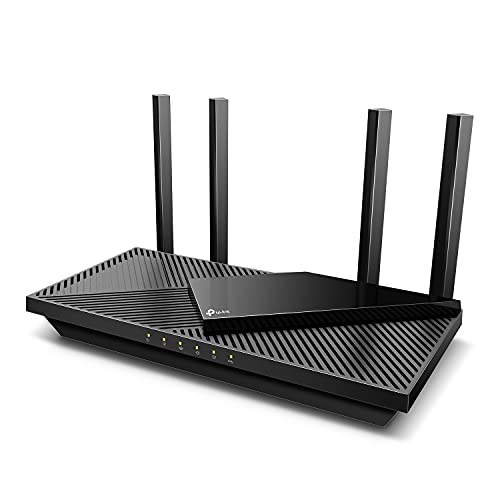
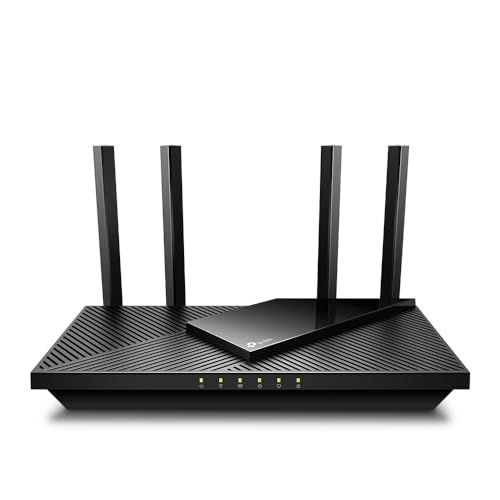
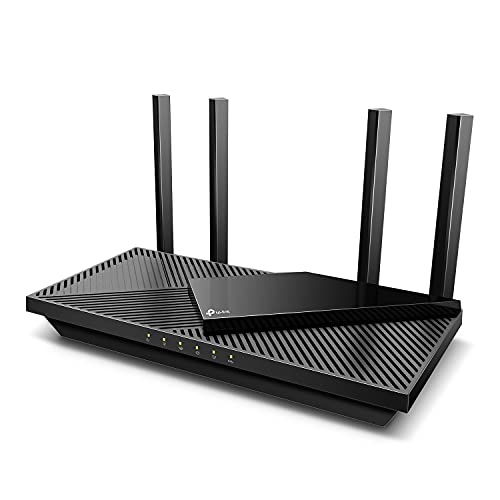
TP-Link Dual-Band AX3000 Wi-Fi 6 Wireless Gigabit Internet Router for Home
The TP-Link Archer AX3000 (Archer AX55) represents the Wi-Fi 6 side of this comparison: dual-band, with OFDMA and MU-MIMO, USB 3.0 and EasyMesh support — the sensible default when your devices do not use 6 GHz.

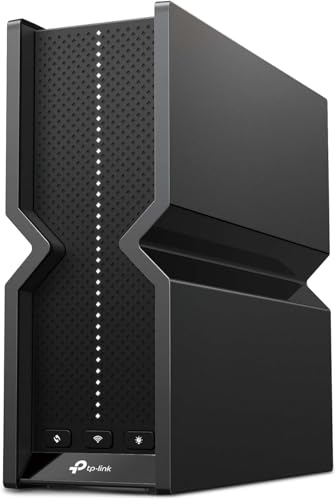
TP-Link AXE5400 Tri-Band WiFi 6E Router, 2025 PCMag Editors’ Choice
The TP-Link AXE5400 Tri-Band Wi-Fi 6E router (Archer AXE75) is the 6E side: it adds the 6 GHz band with 160 MHz channels and a 2.5 Gbps WAN port, suiting multi-gig plans and 6 GHz-capable devices.
Channel width: the quiet reason the extra band feels faster
Speed comparisons between these two standards usually focus on the headline rates printed on boxes, but the lived difference comes from something less marketable: how wide a channel your router can actually use where you live. Wi-Fi speed scales with channel width, and both Wi-Fi 6 and 6E support channels up to 160 MHz wide. On the 5 GHz band that Wi-Fi 6 depends on, a 160 MHz channel consumes nearly the entire usable band, which means it almost always overlaps neighbours, radar-controlled portions of the spectrum, or both. In a detached house it may work beautifully. In a flat, most routers quietly fall back to 80 MHz or narrower, and the theoretical advantage evaporates. The 6 GHz band changes the arithmetic completely: it offers far more spectrum, so several clean 160 MHz channels exist side by side, and a router can actually use the width it advertises without treading on everyone around it.
This is why two routers with similar box numbers can feel so different in practice. The Wi-Fi 6 router is not slower silicon; it is a fast radio confined to a crowded, narrow road. The 6E router has access to a second, wider, emptier road reserved for newer vehicles. When you read measurements of 6E connections sustaining higher speeds at the same distance, you are usually seeing channel width and emptiness working together, not a generational leap in radio efficiency. It also explains why the gap between the standards shrinks in rural and suburban homes with few visible networks: where the 5 GHz road is already empty, the extra road adds capacity the household may never call on, and the honest verdict tilts back towards keeping the Wi-Fi 6 router and spending nothing.
There is a matching caveat on the client side. A 160 MHz channel only helps devices that support it, and support varies: flagship phones and laptops generally do, while budget devices, tablets and smart home gear commonly top out at 80 MHz or connect on narrower channels still. Your network’s real-world speed is therefore a blend, device by device, which is why the comparison in this guide keeps returning to the inventory of what you own. The band gives your best devices room to run; it does nothing for the rest, and a household whose fastest device is three years old will see a smaller slice of the benefit than the marketing suggests.
Power rules on 6 GHz: why some 6E networks feel shorter-legged than physics requires
The range discussion in the main comparison covers walls and distance, but there is a regulatory layer underneath it that explains a few puzzling experiences. In many countries, the 6 GHz band was opened for indoor use at limited power, on the reasoning that the band is shared with existing services that must not be disturbed. Routers and access points sold for home use are therefore typically “low power indoor” devices: they are not permitted to be used outdoors, they may lack weatherproofing for a reason, and their transmit power on 6 GHz can be lower than what they are allowed on 5 GHz. A second, higher-power class exists in some regions for professionally coordinated installations, but it is not what sits on a home router’s shelf. The result is that a 6E router’s 6 GHz signal sometimes fades faster than the modest frequency difference alone would predict — you are hearing a quieter transmitter, not just a higher frequency.
Practical consequences follow. Mesh nodes relying on a 6 GHz backhaul need to be placed a little closer together than their 5 GHz equivalents for an equally strong link, and the placement experiments in this guide’s sister articles matter more, not less, on the new band. Outdoor coverage from an indoor 6E router — the doorbell, the garden — should never be part of the plan; those devices will live on 2.4 or 5 GHz regardless, which is fine, because they need reach rather than speed. And when comparing routers, antenna design and placement quality separate good 6E implementations from mediocre ones more visibly than on older bands, because there is less power to waste. A well-designed 6E router at sensible placement will still cover a typical flat or a floor of a house on 6 GHz; a careless one will have you wondering what the fuss was about.
Rules also differ by country, and they have changed over time as regulators opened more of the band. A router bought in one market is configured for that market’s channels and power limits, which is why importing hardware can produce a 6E router whose new band is partly or wholly unavailable where you live. Buy for your own market, from a seller who stocks that market’s version, and the band you paid for is the band you get.
Latency under load: the measurement that decides game nights and call quality
Peak speed is a fair-weather number. What households actually feel — the call that stutters when someone starts a download, the game that spikes when a cloud backup fires — is latency under load, and here the extra band earns its keep in a specific, mechanical way. Every device sharing a band shares its airtime, and when the band is busy, each transmission waits its turn, which shows up as delay and jitter rather than as a lower speed-test result. Moving your most demanding devices onto an otherwise empty 6 GHz band removes them from the queue entirely. The laptop on a video call no longer waits behind the television’s streaming buffer top-ups on 5 GHz; the gaming PC’s packets stop queuing behind a phone uploading photos. The improvement is not that the new band is magically faster per packet — it is that there is nobody else in line.
Wi-Fi 6’s own headline features, which 6E inherits, attack the same problem from the scheduling side: the router can talk to several devices in one transmission window and can wake sleepy gadgets on a timetable instead of letting them chatter at random. Those features narrow the gap on a well-run Wi-Fi 6 network, which is why a household with a modern Wi-Fi 6 router and a modest device count may notice little difference. The honest way to frame the choice is by contention: count the simultaneously busy, demanding devices in your worst hour. Two or three, and Wi-Fi 6’s scheduling handles it gracefully. A houseful of simultaneous calls, streams, games and uploads in a building full of neighbours doing the same, and the empty band stops being a luxury and becomes the difference between a network that degrades politely and one that falls over at 7 p.m.
If you are choosing hardware with this in mind, the current gaming-oriented options in Best Wi-Fi Routers for Gaming are tested by their makers against exactly this worst-hour standard, and their 6E and tri-band designs exist primarily to keep queues short rather than to raise speed-test trophies.
A worked example: the same flat, upgraded two ways
Consider a two-bedroom flat with a gigabit-class fibre connection, a Wi-Fi 6 router in the hallway, two adults working from home, and a familiar list of complaints: calls glitch when both are on video at once, the bedroom television buffers in the evening, and a scanner shows dozens of neighbouring networks. Option one keeps the router and spends the upgrade budget on placement and wiring: the router moves to a shelf nearer the flat’s centre, the main work laptop gets an Ethernet cable along the skirting, and the television gets a cable too because it sits against the same wall as the router’s new position. The calls stabilise because the heaviest, most fixed loads have left the airwaves entirely. The bedroom remains the weakest room, improved but not transformed. Option two replaces the router with a 6E model in the original hallway position. Both work laptops, being recent, join the 6 GHz band and stop contending with the neighbours and each other; calls become clean without any cables. The television, an older model without 6 GHz support, sees no change at all, and the bedroom’s evening buffering continues exactly as before, because its problem was never contention — it was the path through two walls and a tiled bathroom.
The example is deliberately unglamorous, because it shows what each standard can and cannot buy. The 6E upgrade solved a congestion problem for the devices new enough to use it. It did nothing for a coverage problem or for legacy devices. The wiring upgrade solved fixed-device problems permanently and cheaply, and did nothing for congestion among the mobile devices. Most real flats need some of each, and the comparison that matters is not Wi-Fi 6 against 6E in the abstract but your household’s specific mixture of congestion, coverage and device age. Households whose audit points to congestion among modern devices will feel the 6E difference within an evening; households whose audit points to dead rooms should spend on nodes and cables first, and let the band decision wait for the next router.
How this decision ages over the next five years
Routers are replaced slowly, so the standard you choose now will mediate your network for years, and the two options age differently. A Wi-Fi 6 router bought today starts its life already mature: every device you own can use all of it, its firmware is stable, and its limitations are known. Its ageing risk is not obsolescence in the dramatic sense — it will still be routing happily in five years — but a slow accumulation of missed headroom as your phones, laptops and consoles are replaced with 6 GHz-capable models that have no new band to join. A 6E router ages in the opposite direction: it may feel underused in its first year if your device fleet is old, then grow into its role with every device refresh, because each new phone and laptop arrives able to use the band the router has been holding open. Buying 6E is therefore partly a bet on your own replacement cycle, and the bet is better the more often your household upgrades its devices.
The arrival of Wi-Fi 7, covered in the companion comparison, reframes rather than cancels this bet. Wi-Fi 7 builds on the same 6 GHz foundation, so a household that moves to 6E now is not buying into a dead end; it is buying into the band that the next standard also uses. What Wi-Fi 7 adds — wider channels, multi-link operation — benefits the newest devices most, and a 6E network will serve a mixed household well for a long time. The household that should pause is the one planning a Wi-Fi 7 purchase within a year or so for a specific reason, such as a mesh system with multi-link backhaul; for everyone else, the choice remains the one this guide opened with, between a mature standard at full stretch today and its extension into emptier spectrum that your future devices will thank you for. If your audit says buy now and buy once, the tri-band 6E options among Best Routers for Gigabit Internet are the natural shortlist for a fast connection with a long planning horizon.
Mesh backhaul in practice: where the third band quietly does its best work
The main comparison mentions mesh backhaul as a 6E strength, and it deserves a fuller explanation because it is the benefit buyers feel most and understand least. In a mesh system, the nodes must talk to each other as well as to your devices, and that node-to-node traffic — the backhaul — has to travel on some band. On a dual-band Wi-Fi 6 mesh, backhaul shares the 5 GHz band with your phones and laptops, so every video stream a satellite node forwards is competing with the devices it serves. A tri-band 6E mesh can dedicate the 6 GHz band to backhaul, giving the nodes a private motorway: client traffic rides 2.4 and 5 GHz, node traffic rides 6 GHz, and the two flows stop taxing each other. The effect is most visible at the furthest node, where a shared-backhaul system slows down precisely because it is far away and busy, while a dedicated-backhaul system holds its speed much better.
There are two honest caveats. First, the 6 GHz backhaul’s shorter range means nodes must be placed with a bit more care — the placement rules from the positioning guide apply with interest, and a node pushed to the very edge of coverage will throttle the whole chain behind it. Second, not every 6E mesh dedicates its third band full-time; some systems share it dynamically between backhaul and clients, which is still an improvement over dual-band sharing but a smaller one. If backhaul is your reason for buying, read how a given system uses its bands before you pay for the third radio. The systems in Best Wi-Fi Routers for Large Homes are compared with exactly this node-to-node behaviour in mind, because in a large home it decides more evenings than any headline speed.
Four households, four verdicts: applying the comparison
Abstract comparisons end in a shrug unless they are forced through real households, so here are four, each decided by a different variable in this guide. The smart-home-heavy house — sixty gadgets, three phones, two laptops, modest streaming — should keep its Wi-Fi 6 router and spend nothing: its devices overwhelmingly live on 2.4 GHz, its congestion is low, and the 6 GHz band would sit empty while the gadgets behave identically. The competitive gaming flat — two players, modern PCs, a building full of networks — is the strongest 6E case outside mesh: the empty band removes the neighbours from the equation and the players’ machines are new enough to use it, so the upgrade is felt the same evening. The multi-generational house — grandparents on older tablets, parents on mid-range phones, one new laptop — lands in the middle: a 6E router helps the laptop and future purchases, but the honest expectation is a modest improvement now and a better one as devices rotate, which makes it a “buy when the current router next needs replacing” verdict rather than a “buy this weekend” one.
The fourth household is the one most often mis-sold: the large house blaming its standard for what is actually a coverage problem. Dead bedrooms and a buffering television at the far end of the building will not be rescued by a band change at a single router in the hallway; they need nodes, placement or cables, in either standard. If that household buys, it should buy a system — and within systems, the 6E tri-band designs earn their premium through the backhaul behaviour described above, which is a coverage-and-capacity argument, not a speed-test argument. Sorting your own household into one of these four sketches, honestly, is the fastest route through this entire comparison: the standard matters less than the match between the standard and the problem you actually have.
Frequently asked questions
Is Wi-Fi 6E faster than Wi-Fi 6?
Per device in the same room, yes, potentially — the 6 GHz band offers wider, cleaner channels. At range or through walls, devices fall back to the same 5 GHz both share, so real-world advantage depends heavily on distance and your device list.
Will a Wi-Fi 6E router work with my older devices?
Yes. It still broadcasts 2.4 GHz and 5 GHz, and every older device connects exactly as before. The 6 GHz band is simply additional; nothing is lost by having it.
Is Wi-Fi 6E already obsolete because Wi-Fi 7 exists?
No. Wi-Fi 7 builds on the same bands including 6 GHz, and 6E routers remain a strong mid-tier choice. The step-up case is examined in the Wi-Fi 6E vs Wi-Fi 7 comparison; 6E is not a dead end.
Does 6 GHz work in my country?
Most major markets — including the US and much of Europe — permit Wi-Fi use of 6 GHz, though the exact channels differ. Routers apply regional rules automatically based on where they are sold and set up.
Should I upgrade from a working Wi-Fi 6 router to 6E?
Only if you have 6 GHz devices that are currently contending on a crowded 5 GHz band, or you are adding a mesh system that can use 6 GHz backhaul. If your Wi-Fi 6 setup is performing well, the honest answer is to wait.
Will a Wi-Fi 6E router improve my 2.4 GHz smart home devices?
No — and it is important to be clear about this before buying. Smart plugs, bulbs, sensors and most cameras live on the 2.4 GHz band, which is identical in both standards and unchanged by the presence of a 6 GHz radio. A new router may still help them indirectly: a better-designed unit with a stronger 2.4 GHz implementation and a less congested network overall can make gadgets feel more reliable. But if your complaint is specifically smart devices dropping off, the causes are usually range, interference or the sheer number of gadgets, and a band they cannot use will not fix any of those.
Can I turn off the 6 GHz band if I do not use it yet?
On most 6E routers, yes — bands can usually be disabled individually in the settings. There is little reason to, though. An idle 6 GHz radio consumes a small amount of power and does not interfere with your other bands, and leaving it on means the first 6 GHz-capable device to enter the house — a new phone, a guest’s laptop — simply works. Disable it only if you are troubleshooting and want to eliminate variables, or if a specific device behaves oddly in its presence, which is rare and usually fixed by a firmware update.
Does 6E help if my internet plan is slow?
Only in one specific way. If your plan is modest — the kind where the connection itself, not the Wi-Fi, is the bottleneck for downloads — then the extra band will not make the internet faster, because nothing can. What it can still improve is local contention: several people sharing that modest connection will queue more gracefully when some of them sit on an empty band, and local traffic between your own devices, such as streaming from a home server or moving files, runs at full local speed regardless of the plan. Judge the upgrade by your household’s congestion, not by your plan’s headline number alone.
If I buy a 6E router, do I need new cables or a new modem?
Almost certainly not. The modem or fibre terminal you already have hands the connection to the router over Ethernet, and that handover is independent of the Wi-Fi standards the router supports. Your existing Cat5e or Cat6 cables carry gigabit speeds, which covers the great majority of home plans. The only cable-related check worth making is the router’s internet port speed: if your plan is faster than gigabit and your provider’s terminal supports it, a router with a faster WAN port can use the excess — but that is a question about your plan and ports, not about Wi-Fi 6 versus 6E.
Related Guides
- Wi-Fi 6e vs Wi-Fi 7 — the next generation compared, once 6E makes sense
- Dual Band vs Tri Band Router — why the third band matters beyond raw speed
- Best Wi-Fi 6 Routers Under 200 — strong Wi-Fi 6 value picks
- Best Routers for Gigabit Internet — routers that keep up with gigabit plans