The dual-band vs tri-band router question is about how many separate Wi-Fi networks — bands — the router runs at once. A dual-band router broadcasts on 2.4 GHz and 5 GHz. A tri-band router adds a second 5 GHz band, or on newer models a 6 GHz band, giving traffic a third lane. More lanes help when many devices compete, and they transform mesh systems, where one band can be reserved for the nodes to talk to each other. But a third band that your household never fills is money idle. This comparison explains what each band does, where tri-band genuinely pulls ahead, and where dual-band remains the smart buy.
For how the newest band fits in, Wi-Fi 6 vs Wi-Fi 6e covers the 6 GHz story; the general buying framework is in Router Buying Guide.
Disclosure: As an Amazon Associate, ilcastellomenu.com earns from qualifying purchases. Links to Amazon on this page are affiliate links; they cost you nothing extra. Listing details such as price and availability change often, so check the current Amazon listing before you buy.
Dual-band vs tri-band router: the quick verdict
Dual-band suits most homes: a handful of simultaneous streams, gaming on one machine, ordinary smart-home counts. Tri-band earns its premium in busy households — several people streaming, gaming and calling at once — and in mesh systems without wired backhaul, where the third band becomes the nodes’ private motorway. If your devices mostly take turns rather than compete, dual-band is not a compromise; it is the right size.
In this guide
Side-by-side comparison
| Criterion | Dual-band router | Tri-band router |
|---|---|---|
| Bands | 2.4 GHz + 5 GHz | 2.4 GHz + 5 GHz + second 5 GHz, or + 6 GHz |
| What the extra band does | — | Extra capacity for devices, or dedicated mesh backhaul |
| Busy-household behaviour | Bands fill up; steering shuffles devices | Load spreads across three lanes |
| Mesh backhaul | Shares bands with your devices | Can dedicate the third band to backhaul |
| Gaming while others stream | Fine until the 5 GHz band saturates | Extra lane keeps contention down |
| Device count comfort | Dozens of typical devices | Better with very high counts and heavy simultaneous use |
| Price positioning | Entry to mid tiers | Mid to high tiers |
| Complexity | Simplest | Still app-managed; one more band to ignore happily |
What the bands are for
The 2.4 GHz band is the long-distance, low-speed workhorse: it reaches furthest, passes walls best, and serves smart-home gadgets, which mostly live there by design. The 5 GHz band is the performance band — faster, wider channels, shorter reach — where phones, laptops, TVs and consoles do their real work. A tri-band router’s third lane is either a second 5 GHz network (common on Wi-Fi 6 models) or the 6 GHz band (on Wi-Fi 6E and 7 models). Your devices see one network name in most setups; the router’s band steering quietly assigns each device to a suitable lane and moves it as conditions change.
Where tri-band pulls ahead: contention
Wi-Fi bands are shared airtime: only one device talks at a time on a given channel, so a band full of active devices means everyone queues. One 4K stream is easy; add a second stream, a game download, a video call and cloud backups, all on one 5 GHz band, and queues form — felt as buffering or latency spikes rather than slow headline speeds. The third band is simply another queue that is half as long. Households that feel this are the ones with several simultaneous heavy users; households where peak usage is one stream and some browsing never fill the second lane, let alone need a third. Busy-home shortlists such as Best Routers for Multiple Devices and the many-device roundups lean tri-band for exactly this reason.
Where tri-band is transformative: mesh backhaul
In a mesh system the nodes must talk to each other as well as to you. On dual-band mesh, that backhaul conversation shares your bands and consumes capacity — the classic extender problem in fancier dress. Tri-band mesh dedicates the third band to backhaul, so your devices keep the full use of 2.4 and 5 GHz and speeds hold up across the home. This is the single strongest argument for tri-band, and it is why serious mesh kits are tri-band. The full picture is in Mesh Wi-Fi vs Router and What is Mesh Wi-Fi. If you can wire the nodes together, wired backhaul gives dual-band mesh the same freedom — worth knowing before paying for a band a cable replaces.
The 6 GHz flavour of tri-band
On Wi-Fi 6E and Wi-Fi 7 routers, the third band is 6 GHz, which changes its character: it is not just another lane, it is a new, empty road — but a short one, since 6 GHz fades quickly through walls, and only newer devices can use it. As a client band it serves nearby flagship devices superbly; as mesh backhaul it is excellent between nodes in reasonable proximity. Do not count a 6 GHz third band as capacity for your older devices, because they cannot see it at all.
What tri-band does not do
It does not extend range — the bands have the same physics as dual-band equivalents. It does not raise your internet plan’s speed. It does not help a household whose bottleneck is one device far from the router; that is a placement or mesh question (How to Position a Router). And headline speed figures that sum all three bands describe a total no single device can ever use, since each device connects on one band at a time (Wi-Fi 7’s multi-link operation aside). Judge by your household’s simultaneous load, not the summed number.
Who should buy which
- Dual-band: small to medium households; one or two simultaneous heavy users; wired-backhaul mesh; anyone whose router budget competes with coverage needs.
- Tri-band (extra 5 GHz): busy multi-user homes; wireless-backhaul mesh; streamers plus gamers under one roof at the same hours.
- Tri-band (6 GHz): owners of Wi-Fi 6E/7 devices wanting the clean band now, and mesh buyers wanting the best wireless backhaul — with nodes close enough to use it.
Band steering: the invisible hand, and its mistakes
Most owners never choose a band manually; the router’s band steering watches signal strength and load and nudges each device to its best lane. It mostly works, and its failures are instructive. A device at the boundary between bands can be bounced — moved to 5 GHz for speed, dropped back to 2.4 as it weakens, moved again — and each move is a micro-interruption that a video call notices. Smart-home gadgets occasionally refuse to set up on a steered network because the phone doing the setup is on 5 GHz while the gadget only speaks 2.4. The cures are surgical rather than global: many routers let you create a separate 2.4 GHz-only network name for gadgets (leaving steering on for everything else), or temporarily disable steering during a gadget’s setup. If your household fights steering weekly, splitting the bands into two named networks and assigning devices yourself is a legitimate old-school answer — you lose seamlessness and gain predictability, a trade some homes happily make.
What comes after tri-band: quad-band and multi-link
The lane metaphor is already stretching. Some Wi-Fi 7 systems add a fourth band (a second 6 GHz radio), aimed squarely at mesh backhaul and very dense homes. More fundamentally, Wi-Fi 7’s multi-link operation lets one device use two bands simultaneously, which breaks the ‘one device, one lane’ rule that made band counts easy to reason about. The practical consequence for buyers today: band count is becoming a weaker proxy for capability, and generation is becoming a stronger one. A Wi-Fi 7 dual-band design (rare, and best avoided) aside, a current tri-band Wi-Fi 7 router’s multi-link smarts can out-deliver an older tri-band model with the same band count. Judge within a generation by bands; judge across generations by the features the newer standard actually adds — a principle the 6E-versus-7 comparison in this series develops fully.
A peak-hour test: do you actually need the third band?
Before paying for capacity, measure whether you run out of it. One busy evening, run the household’s worst realistic overlap — two streams, a game, a call, a download — and note where it hurts. If the pain is one far room, your problem is coverage and bands are irrelevant. If everything near the router stutters while wired devices sail on, your bands are saturated and tri-band (or wiring the worst offenders) is a genuine cure. If nothing hurts, your current band count is sufficient by definition, whatever the marketing says. Also count wired candidates: every stationary device you cable is a device removed from the airtime queue, and a cable plus a switch port is the cheapest ‘extra band’ in networking. Many households discover their contention problem is really a ‘the games console should be wired’ problem, solvable this evening.
Reading band specifications on the box
Manufacturers describe bands in a compressed dialect worth decoding. A class figure such as AX3000 sums the theoretical rates of all bands — for a dual-band model that is the 2.4 and 5 GHz maxima added together; for tri-band, all three. The per-band split, printed in the fine specifications, is the informative part: it shows how the total divides, which tells you whether the third band is a full-performance lane or a modest one, and whether the 5 GHz you will actually live on is generously or thinly provisioned. Stream counts per band (2×2, 3×3, 4×4) refine the picture further, with the caveat that most client devices are 2×2 and cannot use more than two streams — extra streams buy headroom for multiple simultaneous devices more than speed for one. None of this requires expertise; it requires reading the small table instead of the big number, a habit that transfers to every networking purchase.
Tri-band and the smart home: an unexpected beneficiary
The smart home’s effect on bands is asymmetric and worth understanding before choosing. Gadgets crowd 2.4 GHz — dozens of them, all chatting in small bursts — but they barely touch 5 GHz. A tri-band router does nothing extra for the gadgets themselves; its gift to the smart home is indirect: by giving the household’s heavy devices a third lane, it keeps the two shared bands calmer, and band steering has more room to make good decisions. There is one exception: a small number of premium ecosystems use the router’s spare capacity for local hub duties and automations, where a less loaded router is simply a more responsive hub. The general rule stands, though — if your pain is gadget reliability, the fixes are 2.4 GHz coverage, a separate gadget network, and sane steering settings; band count is a supporting actor, not the lead.
When dual-band is the enthusiast’s choice
A closing counterweight, because tri-band advocacy can become reflexive. With wired backhaul available, a dual-band mesh or access-point setup loses tri-band’s main structural advantage and keeps a price and simplicity edge. With a single heavy desk setup, a dual-band router plus a cable outperforms a tri-band router on Wi-Fi for the machine that matters. And in spectrum-crowded flats, a well-chosen dual-band model with excellent 5 GHz behaviour can serve better than a mediocre tri-band one whose third lane your devices cannot use. Bands are a means; the ends are capacity where you need it and calm where you live. Judge any specific pair of routers by those ends, and dual-band will sometimes — legitimately — win.
Channel width: the variable hiding inside each band
Bands are lanes, but lanes have widths, and width is the setting that quietly governs how much a band can carry and how much it disturbs the neighbours. Wider channels (160 MHz on 5 GHz, where conditions allow) move more data per transmission but occupy more of the band, leaving less room for everyone — including your own other devices and the flat next door. In a quiet detached house, wide channels are free performance. In a dense block, a narrower channel on a clean part of the band often delivers steadier real-world results than a wide one colliding with three neighbours. Routers manage this automatically with varying wisdom; the buying relevance is that a tri-band router’s extra lane partly substitutes for width — capacity through separation rather than through occupation — which is another reason tri-band behaves so well in crowded buildings. When a reviewer praises a router’s ‘real-world speed’ in an apartment test, this trade-off is usually what they are measuring.
The upgrade question: from dual to tri, mid-ownership
Owners of working dual-band routers ask a sharper version of this comparison: is tri-band worth a mid-cycle upgrade? The honest triggers are specific. Your household’s simultaneous load has genuinely grown — more people home all day, more streams at once — and the peak-hour test described earlier in this guide shows band saturation near the router, not just far-room weakness. Or you are moving to wireless-backhaul mesh, where the third band changes category from luxury to infrastructure. Absent one of those, a mid-cycle band upgrade buys capacity you have not measured needing, and the money is usually better held for the generation step (6E or 7) that changes bands and features together. Capacity problems announce themselves at peak hour in the router’s own room; if yours have not, your dual-band router is not the bottleneck it is accused of being.
A note on naming: when ‘tri-band’ on the box is not three usable bands
Read tri-band claims with one specific care: on some designs the third band exists primarily as the mesh backhaul and is not offered to clients at all, which is a legitimate architecture but a different product from one whose third band your devices can join. On a standalone router that distinction matters enormously — a backhaul-only band you will never mesh with is a lane your devices cannot use — while on a mesh kit it is exactly what you want. The specifications table tells the truth: check whether the third band appears in the client-facing band list or only in the backhaul description. Five minutes with the fine print prevents the one genuinely disappointing version of this purchase, which is paying for a lane and discovering it was a service road.
One household audit before you decide
Close the comparison with evidence from your own home. In the router’s client list or app, count the devices on each band during your busiest hour — most interfaces show the split. If 2.4 GHz carries the gadget crowd and 5 GHz shows a handful of devices taking turns, your bands are not the constraint and dual-band is honestly sized. If 5 GHz shows a dozen active devices with streams, calls and downloads overlapping nightly, you have measured the queue a third band exists to shorten. Numbers from your own hallway beat any reviewer’s test house, and they take four minutes to gather. Decide by them, and whichever router you buy will feel less like a gamble and more like what it should be: a fitted answer to a measured load.
Bands, in the end, are simply room to breathe. Count your household’s simultaneous breaths honestly, give them one lane more than they strictly need, and the network will stop being a subject of conversation — the surest sign any router purchase was sized correctly.
The short version
Bands are lanes. Two lanes carry most homes comfortably; the third pays off when traffic is genuinely simultaneous, or when a mesh system needs a private lane of its own. Count your household’s peak-hour overlap honestly, and let that — not the biggest number on the box — decide.
Gear mentioned in this guide
You do not need new hardware for most of the steps in this guide, but the products below are the ones referenced above. Each was verified against Amazon’s Creators API product data for this site, so the link matches the exact model named.
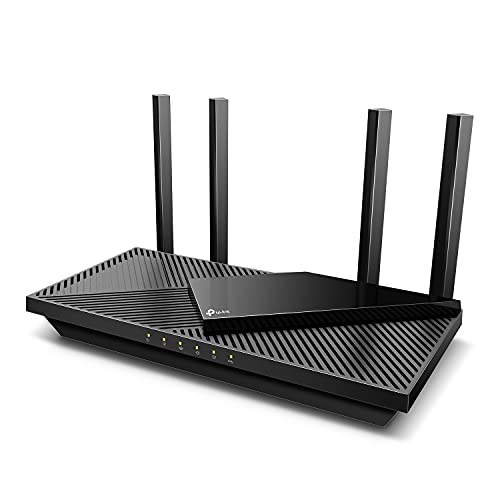
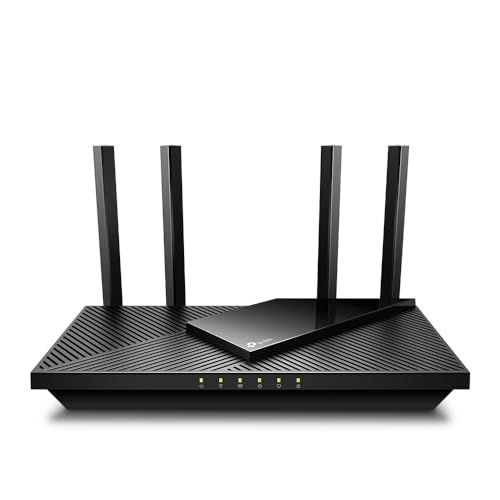
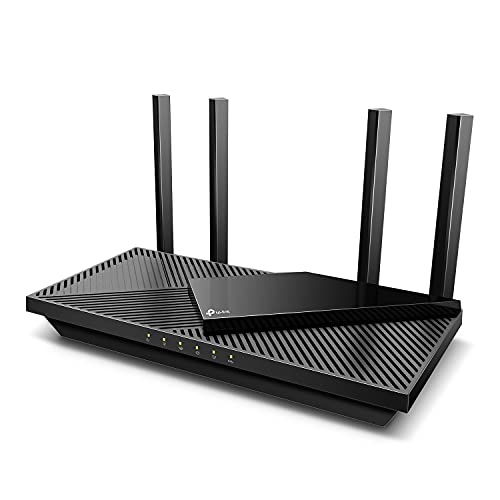
TP-Link Dual-Band AX3000 Wi-Fi 6 Wireless Gigabit Internet Router for Home
The TP-Link Archer AX3000 (Archer AX55) is the dual-band representative: Wi-Fi 6 on 2.4 and 5 GHz with OFDMA and MU-MIMO to manage many devices per band, plus EasyMesh if you later expand.

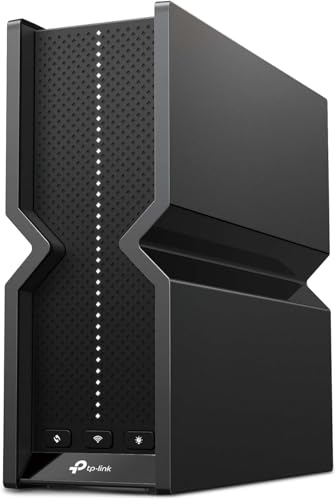
TP-Link Tri-Band AXE5400 Wi-Fi 6E Gaming Router 6-Stream, Archer GXE75
The TP-Link Archer GXE75 is a tri-band Wi-Fi 6E gaming router: its 6 GHz band gives newer devices their own lane and its gaming acceleration targets the contention problems this guide describes, with a 2.5 Gbps port for fast wired devices.
Two kinds of tri-band: the second 5 GHz radio versus the 6 GHz radio
“Tri-band” names a count, not a composition, and the composition changes what you are buying. The older recipe pairs the 2.4 GHz band with two separate 5 GHz radios. That design splits the busy band in two: a household can put its demanding devices on one 5 GHz radio and its background devices on the other, or a mesh system can dedicate one of them to backhaul, and the benefit is purely about dividing contention within the band everyone already uses. The newer recipe keeps one 5 GHz radio and makes the third band 6 GHz, which is a different proposition entirely — not a division of the old crowd but a new, emptier room, available only to devices new enough to enter it. Comparing two tri-band routers without asking which recipe they follow is the most common shopping error in this category, because a household of older devices gains real, immediate relief from the dual-5 design and almost nothing today from the 6 GHz design, while a household of new flagships experiences exactly the reverse.
There is a subtler difference in how the two recipes age. The dual-5 router’s benefit is front-loaded: it helps the fleet you own now, and as that fleet rotates towards 6 GHz-capable devices, the second 5 GHz radio becomes progressively less special, because the crowd it was dividing has moved upstairs. The 6 GHz design’s benefit is back-loaded in precisely the way the band comparisons elsewhere in this guide describe: modest on day one if your devices are old, growing with every phone and laptop refresh. Neither is the “right” design in the abstract. The right question is which side of your household’s device rotation you are buying for — the fleet in your hands, or the fleet arriving over the next three years. A router is a five-year purchase; answering for only the first year of it is how households end up buying twice.
Manufacturers complicate the shelf further with hybrid naming, where a router’s box counts a band that is shared, restricted or available only in certain modes. The naming section in the main guide gives you the scepticism; the practical defence is to read the specifications for each radio separately — its band, its maximum channel width, its stream count — and to reconstruct from those three lines what the router actually is, ignoring the arithmetic on the front of the box entirely.
Streams, radios and where the hardware budget actually goes
Underneath the band count sits a second budget that spec sheets express in streams: notations like 4×4 or 2×2 describe how many simultaneous data streams a radio can handle with a capable client. A tri-band router spreads its stream budget across three radios; a dual-band router concentrates a similar total into two. This produces an underappreciated scenario: a high-quality dual-band router with strong 4×4 radios on both bands can serve a single demanding device — a gaming PC, a workstation — with more dedicated capability than a mid-priced tri-band unit whose third radio was bought by thinning the other two. Band count wins the headline; stream allocation decides several real workloads. The households that feel this are those with one or two flagship devices doing heavy lifting — large file transfers to a home server, wireless VR, a creator uploading footage — alongside ordinary traffic. For them, the honest comparison is not dual against tri in the abstract but the per-band specification of the specific models, read radio by radio.
Processing power follows the same pattern. Three radios generating traffic for dozens of devices ask more of the router’s processor and memory, and budget tri-band models occasionally reveal the strain in unglamorous ways: an admin interface that crawls when the house is busy, quality-of-service features that top out early, a unit that runs hot enough to need the open air the placement guide insists on. None of this indicts tri-band as a concept; it indicts assuming the third band is free. When you compare a dual-band and a tri-band model at the same shelf price, you are often choosing between depth and breadth — better radios and processing on two bands, or a third band bought with the difference. Households with heavy contention need the breadth. Households with a few demanding devices and a quiet neighbourhood usually extract more from the depth, which is the enthusiast case the main guide makes, stated now in hardware terms.
The DFS dividend: extra room hiding inside dual-band
Any honest account of dual-band’s remaining headroom should mention the channels many owners never use. A substantial portion of the 5 GHz band is designated for sharing with radar systems, and routers may use those channels — the DFS channels — only if they vacate them when radar is detected. Because of that condition, and because some older devices cannot see DFS channels at all, many routers avoid them by default and many owners never enable them. In a crowded building, that avoidance leaves the least congested part of the 5 GHz band empty, and a dual-band household willing to experiment can sometimes reclaim a quiet channel there without buying anything. The experiment has two honest risks: a radar event — real or falsely detected — can force the router to move channels and briefly drop 5 GHz connections, which near airports or weather radar can happen often enough to be maddening; and a device that cannot see the DFS channel will appear to have lost the network entirely. Treat DFS as a tool with a geography: excellent in a quiet-radar suburb full of neighbours, frustrating under a flight path. It narrows, but does not close, the contention gap that tri-band exists to solve — and it costs nothing to test for a week before the third band gets your money.
Logging your bands for a week: evidence before the upgrade
The peak-hour test in the main guide is a snapshot; a week of light logging turns it into a portrait. Most routers report, per band, either the connected clients or a traffic summary, and five minutes each evening noting three numbers — how many devices sat on each band at the busy hour, and which band the unhappy devices were using — produces a pattern no single test can. Three findings are possible, and each maps to a different purchase. If 5 GHz is crowded with your own devices while 2.4 GHz idles, your contention is internal and tri-band’s third radio, of either recipe, directly addresses it. If your devices are few but the router reports a noisy environment — neighbouring networks overlapping your channels — your contention is external, and the 6 GHz recipe is the one that escapes it, because a second 5 GHz radio still lives in the same noisy neighbourhood. If neither band looks busy while the complaints persist, the problem was never band count at all: it is coverage, the line, or a single misbehaving device, and the third band would have been an expensive way to learn that.
The logging week has a second use after the purchase, whichever way it goes: it becomes the before-picture against which the new router’s first week is judged. Households routinely upgrade and then argue from vibes — “it feels faster”, “it still buffers” — because nobody recorded the old normal. A page of evening numbers ends the argument and, if the upgrade genuinely did not address the logged problem, provides the evidence for a return within the window when returns are still possible. Evidence is the cheapest accessory in home networking, and this comparison, more than most, rewards buying on it. The logging habit also feeds naturally into the sizing method used in How Fast Should Your Router Be, where the same evening numbers answer the speed-class question.
Tri-band outside the mesh: the standalone case restated
Because tri-band and mesh are so often sold together, the standalone tri-band router — one unit, no nodes — deserves its own clear-eyed paragraph. Its third band does exactly two jobs in a single unit: it gives capable clients a second room to spread into, and it gives the household a dedicated lane to assign deliberately, such as pinning the work laptops to one 5 GHz radio and everything else to the other. What it cannot do is extend reach: three radios in one box still radiate from one position, through the same walls, and a dead bedroom stays dead at the same address. Buyers seduced by tri-band pricing into expecting a coverage cure are the category’s most disappointed customers, and their reviews then mislead the next buyer whose problem genuinely is contention. Keep the two problems separated with the discipline this guide applies throughout — coverage is solved by position and nodes, contention is solved by bands and radios — and the standalone tri-band router takes its proper place as an excellent answer to a specific, diagnosable condition: a busy household, in one radio’s reach, whose devices queue more than they should. For those households, the current tri-band field is well represented among Best Routers for Multiple Devices, where juggling many busy clients is the explicit test.
Band count meets Wi-Fi generation: choosing both dials at once
Band count is only one of the two dials on the router shelf; the other is the Wi-Fi generation, and the two interact in ways the marketing rarely separates. A dual-band Wi-Fi 7 router and a tri-band Wi-Fi 6E router can sit at similar prices while offering almost opposite strengths: the first brings multi-link operation and the newest scheduling to two bands, the second brings a third band with the previous generation’s toolkit. For a household whose devices are mostly Wi-Fi 6 and 6E, the tri-band 6E unit’s extra radio is usable by more of the fleet today, while the dual-band Wi-Fi 7 unit’s headline features wait for Wi-Fi 7 clients that may be years away from dominating the house. For a household already holding Wi-Fi 7 phones and laptops, the calculus inverts. The lesson generalises beyond these two models: never compare band counts across generations without asking which of your devices can use which feature, because a band your devices cannot join and a feature your devices cannot speak are the same kind of invisible.
There is also a longevity interaction. A third band bought on a mature generation is a known quantity — its behaviour, firmware and quirks are documented by years of owners — while the newest generation’s dual-band flagship is a bet on a platform still receiving its formative updates. Neither posture is wrong; they suit different temperaments, and the household that reads this site’s generation comparisons alongside this band comparison will notice the same advice recurring in both: match the purchase to your device fleet’s actual calendar, and let the spec sheet’s arithmetic come last. Band count, generation, stream allocation — in that order of practical importance for most homes, and all three behind the two questions that outrank every specification: is your problem contention at all, and can a cable solve it first.
The guest network test: what the third band does for hospitality
One small, telling use case separates the two designs in daily life: the house full of guests. A dual-band router serving a party, a family Christmas or a house-share’s worth of visitors puts every guest phone on the same two bands as the household’s own devices, and the guest network’s isolation protects your files but not your airtime — a guest’s cloud photo backup uploading over dinner contends with the cook’s video call exactly as if it were a resident. A tri-band router gives the household somewhere to put the crowd: guests and their background traffic can be steered to one 5 GHz radio while the household’s demanding devices keep the other, and the evening’s performance for the people who live there barely notices the invasion. It is a niche benefit, decisive for households that host often — the relatives-every-month house, the student share, the home that runs a small business’s visitors — and invisible to households that rarely do, which is precisely why it belongs in a comparison like this one: the third band’s value is not a constant, it is a function of how often your network serves people and devices beyond its everyday fleet.
The same logic extends to the smart home’s growth. Every year adds a few more connected devices to the average house, and while each is individually trivial, their collective chatter accumulates on whichever band hosts them. Households that expect their device count to keep climbing — cameras multiplying, appliances joining, a garden filling with sensors — are buying headroom with a third band, not merely present relief. Households whose gadget count has plateaued can discount that argument honestly. As with the generation question, the band question is partly a forecast, and the households that forecast their own habits accurately are the ones still pleased with the router in year four.
A short verdict matrix for the undecided
Compress the whole comparison into the four situations that cover most buyers. If your logging week showed a quiet network and your complaints trace to one weak room, buy neither upgrade yet — solve the room with placement, a cable or a node, in whichever band you already own. If your own devices crowd 5 GHz every evening and your fleet is a mix of ages, tri-band with the dual-5 recipe relieves the crowd you actually have, today, with no device upgrades required. If your crowd is modern — recent phones, laptops and consoles — and the neighbours crowd you too, tri-band with the 6 GHz recipe is the version whose relief grows rather than fades. And if your household is small, your devices few, and your current dual-band router is a good one with strong radios, the matrix’s honest fourth cell says keep it, bank the money, and revisit the question at the next device refresh or the next house. A comparison article earns its length only if it can end this plainly: the third band is a cure for diagnosed congestion, priced by the year, and worth exactly as much as the congestion it removes.
Keep the matrix with your logging notes, because the two documents together — a week of evidence and a one-paragraph verdict — are the complete decision, reusable when the next router question arrives. Households that decide this way rarely buy the wrong band count twice, and they can always explain, to the next person who asks at a family dinner, exactly why their router has the radios it has.
That explanation, in the end, is the real product of this comparison. Not the third band itself, and not the money saved by skipping it, but the confidence that the choice was made from your own household’s evidence — its devices, its evenings, its walls — rather than from the arithmetic printed largest on a box.
Buy from evidence, and either band count can be the right answer in the right house.
Frequently asked questions
Does tri-band make my Wi-Fi faster?
For a single device, no — it connects to one band either way. Tri-band raises the household’s total capacity when several devices are active at once, which feels like speed exactly when dual-band starts to queue.
Can I assign devices to bands manually?
Usually yes, by disabling band steering and naming the bands separately, though most people are better served letting the router steer. A common manual exception is pinning smart-home gadgets to 2.4 GHz during their setup.
Is tri-band worth it for a single person?
Rarely, unless you run a wireless-backhaul mesh or several demanding devices simultaneously — a PC gaming while a NAS backs up and a TV streams can fill bands even solo. For typical solo use, dual-band is plenty.
Why do tri-band speed figures look so much higher?
Manufacturers sum the theoretical maximum of every band. No device uses the sum; treat the per-band figures as the meaningful ones and the total as marketing arithmetic.
Does the third band help smart-home devices?
Indirectly at best. Smart gadgets live on 2.4 GHz, which is identical in both designs; the benefit of tri-band is keeping your heavy devices off each other’s lanes, not helping the gadgets themselves.
Can I assign devices to specific bands on a tri-band router?
Usually, if you give the bands separate network names — most tri-band routers let you split or merge the names in settings. With separate names you can pin the television to one 5 GHz radio, the work laptops to the other, and leave gadgets on 2.4 GHz, which is the manual version of what band steering attempts automatically. The cost is management: devices no longer roam between bands by themselves, and a device pinned to a band that is weak in a particular room will stay weak there. Start with merged names and steering on; split the names only when you have a specific device whose behaviour you are correcting.
Is a tri-band router faster for a single device?
Not by virtue of the band count. A single device uses one band at a time on a conventional tri-band router, so its maximum speed is set by that band’s radio — its width, streams and signal — not by the existence of the other radios. The third band helps the single device only indirectly, by moving everyone else’s traffic out of its way. If your household’s problem is one device that needs more than a shared band can give it, a cable, a better-positioned router, or a stronger dual-band model may serve it better than a third band bought for an audience of one.
What happens to the third band if I use the router as part of a mesh later?
It depends on the platform. Routers built on a mesh-capable platform typically dedicate or share the third band as backhaul once nodes join, following the system’s design; routers without a mesh platform cannot accept true mesh nodes at all, and the third band simply remains a client band with an extender-style arrangement around it. If a mesh future is plausible for your home, that platform question outranks the band question at purchase time — check whether the router can grow into a system before paying for the radio that would serve as its backhaul.
Do tri-band routers use much more power?
Somewhat more — a third radio, and the processing to feed it, draw measurably more than a comparable dual-band unit, and the larger cases and warmer running temperatures of tri-band flagships reflect that. In household terms the difference is small but continuous, and it argues for two practical habits: give the unit open air rather than a cabinet, and do not buy the third radio for a network whose logging week showed no contention for it to relieve. Power spent relieving real congestion is well spent; power spent idling an unused band for five years is the quiet cost of buying the headline instead of the diagnosis.
Related Guides
- Mesh Wi-Fi vs Router — the system-level choice where backhaul matters most
- Wi-Fi 6 vs Wi-Fi 6e — when the third band is the new 6 GHz road
- What is Mesh Wi-Fi — mesh explained, including why tri-band kits dominate
- Best Routers for Streaming and Gaming — picks for homes where streams and games collide