This router buying guide exists because router shopping is engineered to confuse: boxes shout summed speed figures no device can use, and the differences that actually decide your daily experience — coverage pattern, band count, port speeds, update policy — are printed in small type. Work through the criteria in this order and the right router usually selects itself: your internet plan, your home’s size and construction, your device fleet, then features. We explain each in plain language, frame the tiers without prices, and finish with the mistakes that send routers back to the shop.
Two companions are worth having open: How Fast Should Your Router Be for the speed-class question in depth, and the mesh-versus-router comparison if your home’s size pushes you toward a system rather than a single box.
Disclosure: As an Amazon Associate, ilcastellomenu.com earns from qualifying purchases. Links to Amazon on this page are affiliate links; they cost you nothing extra. Listing details such as price and availability change often, so check the current Amazon listing before you buy.
Router buying guide, criterion 1: match the router to your internet plan
Your plan is the ceiling for everything online, so the router’s first job is simply to not be the bottleneck. Sub-gigabit plans are served by any current-generation router. Gigabit plans want a strong Wi-Fi 6 or 6E model with gigabit ports throughout. Multi-gig plans change the shopping list fundamentally: the router needs a WAN port faster than gigabit (2.5 Gbps or more) and ideally matching LAN ports, or the plan’s extra speed never reaches a single device. Buy for the plan you have plus the upgrade you are realistically likely to take during the router’s life — not for a theoretical future plan at an unknown date.
In this guide
Criterion 2: Size the coverage to the building, honestly
One router covers a flat or a modest single-storey house from a central spot. Beyond that — two storeys, long floor plans, brick or concrete internal walls — no single router, however expensive, defeats the physics; the budget belongs in a mesh kit or a router plus node. Judge by your worst room, and be honest about construction: stud walls are nearly transparent to Wi-Fi, masonry is not. The large-home evidence is collected in Best Routers for Large Homes and, for the mesh route, the large-home mesh roundups. If the router can sit centrally with power and a cable run, note that too — placement freedom is worth more than antenna count (the placement guide).
Criterion 3: Choose the Wi-Fi generation by your devices
Wi-Fi 6 is the current value sweet spot and serves most fleets. Wi-Fi 6E adds the 6 GHz band — worth it if your phones, laptops or PCs support it, pointless if none do. Wi-Fi 7 adds multi-link operation and wider channels for the newest flagships and multi-gig homes. The generation also buys congestion handling: in a device-heavy smart home, a newer generation’s efficiency (OFDMA, MU-MIMO) matters more day-to-day than its peak speed. Audit your most demanding devices, project two upgrade cycles, and buy the generation that fleet can use — the comparisons in Wi-Fi 6 vs Wi-Fi 6e and the 6E-versus-7 comparison walk the specifics.
Criterion 4: Bands — dual or tri
Dual-band (2.4 + 5 GHz) is enough for most households. Tri-band adds a lane that pays off in two situations: many simultaneous heavy users, and mesh systems using wireless backhaul, where a dedicated band transforms performance. If you plan wired backhaul or a single router, dual-band money saved can fund the node or cabling that helps more. The full reasoning is in Dual Band vs Tri Band Router.
Criterion 5: Ports, and the wired life
Count what will be cabled: desktop, TV, console, NAS, a mesh node, a work laptop dock. Each needs a LAN port, at the speed it deserves — a NAS on a multi-gig setup wants a multi-gig port, not gigabit. USB ports still earn their place for printer or storage sharing on some models. Wired devices are the happiest devices on any network, so a router short on ports quietly pushes things onto Wi-Fi that never needed to be there. A small unmanaged switch can extend ports later, but buying enough now is cleaner.
Criterion 6: Security and update policy
The router is your front door, so its maker’s update behaviour is a buying criterion, not an afterthought: prefer brands with automatic firmware updates, a track record of patching, and a stated support horizon — and treat any router, however cheap, as a bad buy if its updates have already ended. WPA3 support is standard on current models and should be on your checklist. Built-in security suites and VPN server/client support are genuine differentiators at higher tiers. Once bought, the hardening routine is our router security checklist; the models that make it easiest are gathered in Best Routers for Security.
Criterion 7: Features that matter (and those that mostly do not)
- Worth having: guest network (for visitors and IoT isolation), QoS if your connection is contended at peak hours, parental controls if children are in the house, VPN support if you will actually use it, mesh expandability within the brand’s ecosystem.
- Nice but niche: gaming-specific acceleration and RGB styling (a wired connection and QoS do the real work — see the low-ping shortlist), multi-gig everything in a gigabit home, elaborate antenna sculptures.
- Ignore: summed speed figures as a comparison metric, and any feature list you cannot map to a device or a problem you own.
The tiers, framed without prices
- Entry tier: current-generation dual-band Wi-Fi 6, gigabit ports, app setup. Serves flats and small homes on sub-gigabit plans completely adequately — the correct buy for many households.
- Mid tier: stronger Wi-Fi 6 or entry 6E, tri-band options, better processors for busy homes, mesh expandability, some multi-gig ports. The natural home of family houses and gigabit plans.
- High tier: Wi-Fi 7 flagships and premium mesh kits — multi-gig ports throughout, dedicated backhaul, security suites, capacity for very heavy simultaneous use. Justified by multi-gig plans, demanding local traffic, or a five-plus-year horizon.
Mistakes to avoid
- Buying speed class instead of coverage. The far bedroom does not care about the number on the box.
- Ignoring port speeds on a multi-gig plan. A gigabit WAN port caps the whole house below the plan.
- Paying for 6 GHz with no 6 GHz devices and no upgrade plans — or skipping it with a pocket full of flagships.
- Forgetting the modem question. Your router must pair with what connects you — gateway in bridge mode, ONT, or approved modem; see the modem-versus-router explainer.
- Choosing a brand with dead update support because the hardware looked strong.
- Overbuying nodes. Start with the kit for your size; add later only for a proven dead zone.
Pre-purchase checklist
- Plan speed today, and likely upgrade path: ____________
- Home size, floors, wall construction; worst room identified: ____________
- Router position available (central? cable run possible?): ____________
- Key devices and their Wi-Fi generation: ____________
- Simultaneous heavy users at peak hour: ____________
- Devices to wire, and ports needed (and their speeds): ____________
- Must-have features (guest network, VPN, parental controls): ____________
- Brand’s automatic-update and support policy checked: ____________
Reading reviews and comparisons critically
Router reviewing is harder than it looks, and knowing its limits makes you a better buyer. Test houses differ from your house — construction, neighbours, floor plan — so a reviewer’s range results describe their building, not yours; weight their throughput-at-distance trends, not their absolute numbers. Speed tests beside the router measure the least important thing a router does. Look instead for: results at range and through walls, many-client behaviour, how the reviewer found the app and settings, whether the maker appears in the review’s firmware discussion at all, and consistency across several reviewers on the same model. Be wary of any roundup where every product is excellent and every link is a purchase; the honest comparisons in any category name weaknesses, because every router has them. Finally, check the date: a glowing review of a model whose firmware support has since ended is a historical document, and the support question outranks the review score.
New, refurbished and second-hand
Routers are among the safer tech purchases second-hand — no battery to degrade, no screen to scratch — with three conditions. The model must still be receiving firmware updates; check the latest firmware date for that exact hardware revision before buying, because revisions differ. It must be factory reset before it joins your network (and you should reset it again yourself on arrival, then set it up fresh — you are trusting a stranger’s configuration otherwise). And the saving must be meaningful against the new price of a current entry model, which is often smaller than sellers assume. Manufacturer-refurbished units with warranty sidestep most of the risk and are the sweet spot of this route. What never makes sense: a flagship of five years ago, however legendary, whose updates have ended — you would be buying speed and insecurity in equal measure.
The running costs nobody mentions
The purchase is not the whole cost of a router. Some brands place advanced features — fuller parental controls, enhanced security services, detailed traffic analytics — behind an optional subscription; the router works without it, but read the box so the feature you are buying the model for is not the one behind the paywall. Provider gateway rental is the other running cost, paid monthly forever, and it belongs in any honest comparison against buying. Electricity is minor but real at the flagship end, where a large router and several mesh nodes draw power around the clock; not a decision-maker, but part of the picture for the always-on shelf. None of these should scare you off a purchase — they should simply be visible in it, because a router is a five-year relationship, and five-year relationships deserve honest arithmetic.
Buying for other people: parents, relatives and the support burden
A special case deserves its own section because so many routers are bought by the family’s informal IT department. When the router is for a household you will support by phone, the criteria reorder themselves: automatic updates outrank peak performance, the app’s clarity outranks the settings’ depth, and a mesh kit’s self-management outranks a flagship’s features — because every feature is a future phone call. Buy the system that needs you least: current generation, auto-everything, a brand whose app shows connection health in plain language, and coverage sized generously so placement imperfections do not become your weekends. Set it up with the admin credentials recorded in a shared password manager entry, the network name and password identical to the old one so their devices migrate silently, and the guest network ready for the grandchildren. The best router for someone else’s home is the one you forget you installed.
Timing the purchase
Router buying has a gentle calendar. New models cluster around the major tech seasons, and the arrival of a new generation reliably softens prices on the one before — which, per this guide’s own logic, is often the rational buy: a discounted Wi-Fi 6E flagship-generation model can serve a household better than a full-price first-wave Wi-Fi 7 unit, depending on the device fleet. Sales events compress the same logic into weekends. The counterweight is need: a dead router, an unsupported one, or a house move should not wait for a sale, because the cost of a bad month of networking exceeds any plausible saving. And when you do buy, keep the receipt and the old router for a fortnight — the old unit, demoted to a spare or an access point, is both your rollback plan and your best diagnostic tool if the new setup misbehaves.
The one-page version of this entire guide
If the criteria above blur together, compress them to five questions. What is my plan speed — and does the router’s port layout pass it through? What is my building — and does this purchase solve its actual coverage problem, in the worst room? What are my devices — and can they use the generation and bands I am paying for? Who makes it — and will they still be patching it in four years? What will I plug in — and are there enough ports, fast enough, for all of it? A router that answers all five well is the right router, whether it is an entry model or a flagship. A router that fails one will remind you of that failure weekly. Shop by the five questions and the marketing loses its power over you — which is, in the end, what a buying guide is for.
After the purchase: the first hour decides the next five years
A buying guide that ends at the checkout has abandoned you at the exact moment quality is decided, because the same router set up carelessly and set up well are two different products. Spend the first hour as the setup guide in this series prescribes: placement before settings, firmware before devices, admin password and encryption before the household joins, automatic updates before you forget. Photograph the healthy lights, export the configuration backup, record the credentials where they belong. Register the warranty if the maker offers it — five minutes now, a replacement later. And keep the box and receipt for the first fortnight, not from pessimism but because the trial period is when a wrong choice can still be exchanged, and a router that cannot cover your worst room has told you so within days if you test honestly. The purchase is the hypothesis; the first week is the experiment; run it properly.
A final word on confidence
Router marketing thrives on a specific anxiety: that somewhere there is a faster box and your life is slower without it. This guide’s whole argument is that the anxiety is misplaced. Networks fail households in boring ways — wrong room, wrong ports, dead firmware, one box asked to cover a building — and succeed in boring ways: matched to the plan, placed with care, patched without being asked, sized to the walls. A buyer who handles the boring things has bought the right router almost regardless of which right router it is. Buy once, buy by the criteria, set it up like you mean it, and then go back to not thinking about your router for several years — which was, all along, the product you actually wanted.
The guide in one decision
Strip everything else away and a router purchase is one decision: which problem are you actually solving? If the answer is coverage, buy radios in more places. If it is capacity at peak hour, buy a newer generation with more lanes. If it is a multi-gig plan, buy ports. If it is an unsupported old box, buy a maker who patches. If it is all of them a little, buy the balanced mid-tier and place it beautifully. The routers that disappoint are almost never bad routers; they are good answers to questions their owners did not have. Name your problem in one sentence before you open a single product page — and if you cannot, run the worst-room test and the peak-hour test from this series first. The sentence will write itself, and so, nearly, will the shortlist.
The short version
Plan first, building second, devices third, features last — and let the worst room, not the box’s biggest number, make the coverage call. Most households land on a mid-tier Wi-Fi 6 or 6E router or a two-to-three-node mesh kit, and land happily. Whatever you choose, set it up properly with How to Set Up a Router and it will quietly serve for years.
Gear mentioned in this guide
You do not need new hardware for most of the steps in this guide, but the products below are the ones referenced above. Each was verified against Amazon’s Creators API product data for this site, so the link matches the exact model named.

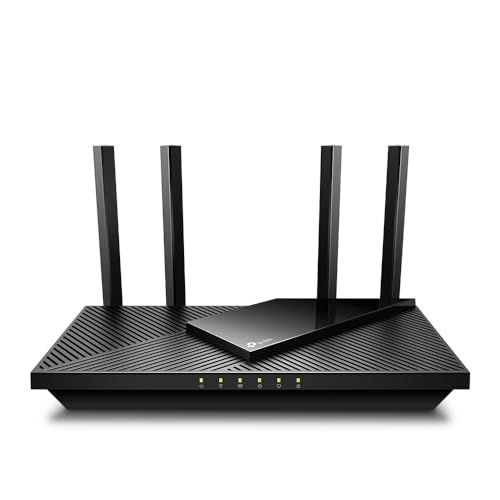
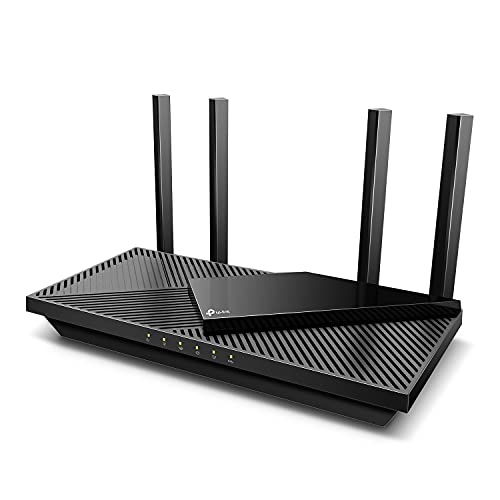
TP-Link AX1800 WiFi 6 Router (Archer AX21 V5)
The TP-Link Archer AX21 anchors the entry tier of this guide: dual-band Wi-Fi 6, gigabit ports, app setup and automatic updates, with EasyMesh expandability if the home later outgrows a single unit.

TP-Link Deco X55 AX3000 WiFi 6 Mesh System, Deco X55(3-pack)
The TP-Link Deco X55 three-pack is the mid-tier mesh answer for larger homes: Wi-Fi 6 coverage from three nodes with gigabit ports each, bought as coverage rather than as a speed class.

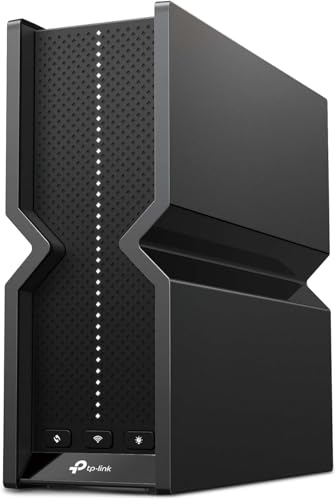
TP-Link Tri-Band BE9300 WiFi 7 Router (Archer BE550)
The TP-Link Archer BE550 represents the high tier: Wi-Fi 7 with 2.5 Gbps ports throughout and EasyMesh support, sized for multi-gig plans and long ownership horizons.
Criterion 8: the app and the ecosystem you will actually live in
The seven criteria in the main guide judge the router as a radio and a computer. There is an eighth worth isolating, because it is the one you will touch weekly for the router’s whole life: its management ecosystem — the app, the web interface, and the account that binds them. Two routers with identical coverage and speed can differ enormously here. One offers an app that shows the network clearly, names devices in plain language, pauses a child’s tablet in two taps, and delivers updates without drama. The other buries the same functions in a desktop-era web interface that its app merely frames, forgets your login monthly, and presents firmware updates as an act of faith. Read reviews for the management experience with the same attention you give the benchmarks, and weight the accounts of owners six months in — ecosystems reveal themselves over time, in update cadence and app stability, not on setup day.
Ecosystem also means lock-in, and it is better priced in advance. A router bought as the first node of a maker’s mesh platform carries that maker’s expansion path with it — a benefit if you like the platform, a constraint if you later prefer a rival’s nodes, since systems do not mix. Subscription design belongs in this criterion too: some ecosystems include their parental controls and security reporting outright, others reserve the useful tiers for an ongoing subscription, which converts a one-off purchase into a small rent for the router’s whole life. Neither model is dishonest, but only one of them is visible on the shelf price. Before buying, list the features you genuinely intend to use from the main guide’s seventh criterion, check which side of the maker’s paywall each one lives on, and judge the router at its true whole-life cost. The router you will love in year three is the one whose app your household opens willingly and whose ongoing costs, if any, you chose with your eyes open.
Scenario picks in depth: five households, five different “best” routers
Criteria become decisions when they are forced through real households, so here are the five this guide meets most often, each weighted differently. The competitive gaming household should rank queue management and wired options above raw class: a mid-tier router with excellent traffic prioritisation, placed near the gaming seat or cabled to it, beats a flagship whose power is spent on coverage the flat does not need; the gaming-focused models in Best Wi-Fi Routers for Gaming are shortlisted on exactly that weighting. The creator household — uploads measured in hours, a workstation that is effectively a small business — should invert the usual priorities: upload handling, processing headroom, port speeds and a wired path to the desk come first, coverage second, because its bottleneck is the plan’s upload side and the router’s ability to keep everything else responsive while it is saturated. The smart-home-heavy household, with dozens of gadgets and modest human traffic, should buy for stability and device handling rather than speed: a router praised for managing many sleepy clients, with a clean separate network for gadgets, will serve it better than any speed-class hero.
The multi-generational household — children, working parents, a grandparent’s tablet, guests every month — should weight the ecosystem criterion highest of all: per-person profiles, a painless guest network, an app a non-specialist can operate, and support longevity, because this router will be administered by whoever is home when it hiccups. The home-business household should add two business-flavoured checks to the standard seven: whether the router can keep work devices on their own network segment, and whether its maker publishes a clear security update policy, since the router has quietly become business infrastructure and will be judged as such if anything ever goes wrong. Notice that none of the five households simply buys “the fastest router”. Each buys a weighting of the criteria — and your household’s weighting, written down before you shop, is the most useful page in this entire guide.
Judging coverage claims: translating the box’s geography into your floor plan
Coverage is the criterion buyers most want quantified and manufacturers least can, because the honest unit of coverage is not square metres but your walls. The figures on boxes are measured in open space, and they function as relative sizing within a maker’s range — this model is the bigger-home one — rather than as promises about your house. Translate them with the building method from the main guide’s second criterion: count the walls and floors between the router’s realistic position and the furthest room that matters, and discount heavily for masonry, foil-backed insulation and metal. A router rated generously that must cross three brick walls will serve that far room worse than a modest router with one stud wall to cross, which is why placement and system architecture outrank any single unit’s coverage claim, and why large or difficult homes should be shopping systems — the multi-node options in Best Routers for Large Homes — rather than hunting for a mythical single box with the strength to ignore physics.
One more translation matters: coverage claims describe where a signal can be detected, not where it can work. A phone showing one bar in the garden office is “covered” by the box’s definition and unusable by yours. Your definition — the furthest room holding a video call at the busy hour — is the only one to shop by, and it is testable within any retailer’s return window. Buy from sellers whose returns let you run that test in your own home, treat the first week as the real review, and let a router that fails your floor plan go back without sentimentality, however impressive its open-space numbers were.
Returns, warranties and the trial week: buying so you can change your mind
Because the decisive tests for coverage and ecosystem can only happen in your home, the purchase channel is itself a buying criterion. Prefer sellers with a return window long enough to include a full week of household life — not just a setup evening, but a busy weekday, a weekend of streaming, a visit from the devices’ owners at their most demanding — and keep every cable, insert and piece of packaging until the week is out. During the trial, run the same measurements you would run for any router decision: the wired baseline, the worst room at the busy hour, the app tasks your household will actually perform. A router is a five-year appliance bought on an afternoon’s information; the trial week is how the information catches up with the commitment.
Warranty length and the maker’s support reputation deserve the same cold eye as the specifications. Routers fail in two ways — suddenly, usually early or after a surge, and slowly, as support ends — and the warranty addresses only the first. For the second, the maker’s published update policy and track record, weighed in the main guide’s sixth criterion, are the real warranty. When comparing two finalists, let a longer warranty and a demonstrably maintained product line break ties; they are the closest thing the router market offers to a promise about year four. Keep the receipt and the box’s identifiers in the network note, register the product if the maker asks, and the administrative half of ownership is finished before the router has routed its first packet.
When to bring in a professional: the honest boundary of do-it-yourself
Most households should install their own router — the setup guide on this site assumes it, and the task is genuinely within reach. But a buying guide should mark the boundary where professional help stops being an indulgence. Large homes planning wired backhaul through finished walls, properties with outbuildings to connect, homes where the network carries a business’s card payments or a surgery’s appointments, and any installation involving structured cabling through several floors: these repay a network installer’s day rate in avoided mistakes, certified cable runs and a system documented by someone who will answer for it. The professional’s deliverable should include the same artefacts this guide keeps recommending — a labelled diagram, the settings recorded, the baseline measured — so insist on them in the quote.
There is also a middle path worth knowing: buy the hardware yourself, using this guide’s criteria, and pay only for the cabling and placement work. Installers are generally content to terminate and test cable runs for equipment you supply, and the split keeps your ecosystem and account choices in your own hands. Whichever side of the boundary your home falls on, decide it before shopping, because it changes the shortlist: a professionally wired home shops for access points and a routing brain, while a do-it-yourself home shops for the friendliest system that covers its floor plan. The criteria do not change. Their weighting, as ever, belongs to the household.
One spec sheet, read row by row
Pull up any router’s full specifications and the rows sort into three kinds: rows that decide, rows that inform, and rows that decorate. In the deciding row group sit the internet port speed, which caps your plan; the per-band radio details — each band’s channel width and stream count — which describe what your devices can actually use; the wired port count, which your switches and consoles will live with; and the processor and memory figures where published, which predict how the router behaves when the household is busy and the security features are on. The informing rows include the antenna arrangement, the physical size and mounting options that decide whether the router can live where the placement guide wants it, the power consumption that hints at its heat, and the list of supported features — guest networks, separate gadget networks, VPN roles, queue management — to be checked against the ones your scenario weighting actually named. The decorating rows are the summed class number, the open-field coverage figure and the maximum theoretical speeds, all covered earlier in this guide; glance at them for orientation within a brand’s range and then set them aside.
Two rows deserve a buyer’s suspicion wherever they appear. “Devices supported” figures — claims of dozens or hundreds of connected devices — are measured in conditions no household reproduces, and should be read as “this router is aimed at busy homes” rather than as a capacity promise; your own device count, weighted by how many are busy at once, is the truer figure, as the speed guide’s budget arithmetic shows. And security rows that list protocols without a support policy are only half a claim: the protocols are standard across the industry, while the policy — how long this model receives updates — is the variable that decides your safety in year four. A spec sheet read this way takes five minutes and converts the shelf’s loudest page into a short, ranked list of facts about your specific finalists.
The old router’s next job: spares, access points and honest goodbyes
A buying guide should end where the purchase ends: with the displaced router, which most households shove in a cupboard and forget. It has four honourable futures. As a spare, it is the household’s insurance — a router that can be swapped in during a failure, already known to work with your provider, turns a weekend emergency into a twenty-minute inconvenience; store it with its adapter and a note of its last-known settings. As an access point, in homes whose layout grew, an old router with its routing switched off can serve a far room or an outbuilding under the new router’s direction — a legitimate second life, provided it still receives security updates; an end-of-support unit should not be given a permanent post on a network it can no longer defend. As a gift, it follows the reset discipline from the firmware guide: factory-reset, updated if you are feeling kind, its age and support status stated honestly to its new owner. And as recycling, it leaves with its memory wiped and its account registrations removed, the same clean exit.
Decide the old router’s future during the new one’s trial week, while both are in the house and the comparison is fresh. That timing matters for a subtle reason: the trial week is also when you learn whether the new router genuinely beats the old one in your rooms, and a household that has kept the old unit ready — labelled, complete, un-reset — can retreat without cost if the newcomer disappoints. Only reset and reassign the old router once the new one has earned its place. It is the last piece of buying discipline in this guide, and the cheapest: never dismantle the working network until its replacement has survived a week of the household’s real life.
That discipline, applied across the whole purchase — criteria weighted in advance, claims translated into your floor plan, a trial week with the packaging kept, the old network intact until the new one proves itself — is what separates a router bought well from a router merely bought. The hardware differences between competent finalists are smaller than the difference between a household that shops this way and one that shops by the largest number on the box. Be the first household, and the router will repay you the way the best infrastructure always does: by disappearing from your attention for years at a time.
And when it finally does resurface — at the next house, the next plan upgrade, the next generation of devices knocking at the door — you will shop for its successor with the same method, the same household notes, and exactly the same well-earned calm.
Frequently asked questions
How long should a router last?
Plan on four to six years. The usual reasons to replace are the end of firmware support, a plan upgrade the ports or Wi-Fi cannot serve, or a home move that changes the coverage problem — not the arrival of a new generation by itself.
Should I buy a router or use the provider’s gateway?
The gateway is fine for small homes and simple needs. Buy your own when you want better coverage, current Wi-Fi, your own features, or to end a rental fee — and you can still use the gateway as the modem in bridge mode.
Is a gaming router worth it for non-gamers?
The useful parts — strong processors, good QoS, extra ports — help any busy home, but you pay for styling and game-specific software you will not use. A strong mainstream model usually serves non-gamers better for the same money.
What matters more, the router or the mesh nodes?
They are the same decision in mesh form: the kit is the router. Judge a kit by node count for your floor plan, backhaul type, and port speeds, exactly as you would judge a single router by coverage, bands and ports.
Can I future-proof by buying Wi-Fi 7 now?
Partly: Wi-Fi 7 routers serve every older device and will suit your next phones and laptops. The limits are price and the fact that coverage physics do not change — a Wi-Fi 7 router in the wrong room still has a wrong room.
Should I buy the router my internet provider recommends?
Treat the recommendation as a starting point with a known bias: the provider recommends what minimises their support burden, which correlates with compatibility and simplicity, not necessarily with your coverage, features or whole-life cost. If their recommended model also scores well against your household’s weighting of the criteria — and provider-supplied gateways have improved enough that sometimes it genuinely does — take it without ideology. If it fails on the criteria that matter to you, your own router behind their gateway, in bridge mode where possible, gets you both their compatibility and your choice. Either way, decide by the criteria, not by whose logo is on the suggestion.
How much should I spend, in proportion to the rest of my setup?
A useful sanity check rather than a rule: the router should cost meaningfully less than the devices depending on it, and its price should rise with the household’s dependence, not with the marketing calendar. A home where two incomes, a business or a child’s schooling ride on the connection justifies the upper tiers and a system architecture; a single-person flat with a laptop and a television is served honestly by the modest tier, with the savings better spent on the internet plan or the cabling. If a router’s price approaches a month’s total connectivity spending for your household, ask which criterion is driving it there — if the answer is a scenario in this guide, spend calmly; if it is a headline number, do not.
Is last year’s flagship better value than this year’s mid-range model?
Often, with one check. A discounted flagship from the previous cycle typically brings stronger radios, better processing and a richer feature set than a current mid-range model at the same money, because hardware capability ages more slowly than launch prices do. The check is the support clock: count the flagship’s remaining update life from its launch date, not from your purchase date, and confirm its maker’s line is still actively maintained. A flagship with three supported years ahead of it is a bargain; the same box eighteen months from end-of-support is a countdown wearing a discount, and the mid-range model with a full support life ahead is the wiser buy.
My home needs a router and better coverage. Should I solve both in one purchase?
If the coverage problem is structural — size, floors, difficult walls — yes: buy the system architecture now rather than a heroic single router followed by extenders, because the integrated system will roam, update and manage as one, and the piecemeal alternative accumulates the mismatched pieces this site’s mesh coverage warns about. If the coverage problem is a single room, solve the router first and live with it for a fortnight; one room’s weakness often yields to placement once a capable router is in the house, and the node or cable it actually needs will be obvious by then. Sequence the purchases so each one is judged on its own evidence.
What is the single most common router buying mistake you see?
Buying for the specification instead of the diagnosis — choosing by the largest class number, the newest standard or the longest feature list, without having established whether the household’s actual problem is contention, coverage, the line, or nothing at all. It produces the flagship in the flat that needed a cable, the mesh system in the studio that needed nothing, and the budget box in the farmhouse that needed a system. Every section of this guide exists to prevent that one mistake: measure the household first, weight the criteria second, and let the products compete for a decision you have already mostly made.
Related Guides
- How Fast Should Your Router Be — the speed-class deep dive behind Criterion 1 and 3
- Mesh Wi-Fi vs Router — the system decision behind Criterion 2
- How to Set Up a Router — what happens after the box arrives
- Best Routers for Beginners — forgiveness-first picks if this is your first router purchase