Disclosure: As an Amazon Associate, ilcastellomenu.com earns from qualifying purchases. Links to Amazon on this page are affiliate links; they cost you nothing extra. Listing details such as price and availability change often, so check the current Amazon listing before you buy.
What is ray tracing? It is a way of rendering light by simulating the paths of individual rays as they bounce around a scene — the same physics that makes a real mirror reflect, a real shadow fall softly, and sunlight scatter through a real window. Games spent forty years faking those effects with clever shortcuts; ray tracing replaces the fakes with simulations, and the visual difference in reflections, shadows, and ambient light can be startling. It is also the most demanding feature you can switch on, which is why it comes with its own hardware, its own marketing wars, and this explainer.
By the end you will understand what ray tracing actually computes, how it differs from the traditional rendering (rasterisation) it complements, why it costs so much performance, how DLSS and FSR pay that cost back, and — most usefully — how to decide how much ray tracing capability your next card needs, which feeds directly into choices like those in Nvidia vs Amd Graphics Cards and Rtx vs Gtx Graphics Cards.
The direct answer: simulating light instead of faking it
Traditional game rendering (rasterisation) projects 3D shapes onto your 2D screen and then shades them using approximations: shadows are pre-calculated or drawn from a light’s point of view into a ‘shadow map’, reflections are often rendered from a low-resolution probe of the scene or faked with screen-space tricks that can only reflect what is already on screen, and ambient light is baked or estimated. These tricks are fast and, refined over decades, look very good — until they visibly fail: reflections that vanish at the screen’s edge, shadows that shimmer, light that ignores the room it is in.
Ray tracing attacks the root problem. For a given point in the scene, the renderer fires rays and follows them: does this ray hit a light source, or is something in the way (a shadow)? Does it strike a reflective surface, and if so, what does the reflected ray see (a reflection)? Does light bounce off a bright wall onto a darker corner (global illumination)? Each answer is physically grounded rather than artistically faked, so effects behave correctly from every angle, in motion, with no per-scene trickery. Films have rendered this way for years because it looks right; games can now do it in real time because modern GPUs carry dedicated hardware — RT cores on NVIDIA cards, Ray Accelerators on AMD, equivalent units on Intel Arc — whose only job is the geometry maths of ray traversal.
In this guide
The main effects, one by one
- Ray-traced reflections: mirrors, puddles, car paint, and glass reflect the actual scene — including things behind the camera that screen-space methods cannot show. Often the most immediately obvious upgrade.
- Ray-traced shadows: shadows with physically correct softness — sharp near the object, diffusing with distance — and accuracy from many light sources at once.
- Ray-traced global illumination (GI): light bounces. Sunlight entering a room warms the floor and lifts the shadows with reflected colour, instead of interiors being lit by a designer’s estimate.
- Ray-traced ambient occlusion: contact shadows where objects meet — the grounding detail that stops furniture and characters looking pasted onto the world.
- Path tracing: the full-commitment version — virtually all lighting computed by rays, with multiple bounces. A handful of showcase titles and modes offer it; it is the most beautiful and by far the most expensive option, currently a flagship-card feature in practice.
Why it costs so much performance
Every ray is a question the GPU must answer against the scene’s geometry, and a convincing image needs a lot of rays — multiplied by every bounce you allow. Even with dedicated hardware, full ray tracing at native resolution can cut frame rates dramatically compared with rasterisation, sometimes by half or more in the heaviest implementations. Two technologies keep it practical. The first is denoising: renderers fire fewer rays than perfection requires and use smart algorithms (increasingly AI-based) to clean up the resulting noise — an elegant cheat that works because neighbouring pixels usually want similar light. The second is upscaling, covered next. It is also why ray tracing settings come in grades (medium/high/ultra, or per-effect toggles): a game using ray tracing only for reflections costs a fraction of one tracing every light path, and the smart way to play is per-effect, not all-or-nothing.
DLSS, FSR, and frame generation: paying the bill
Upscaling renders the game internally at a lower resolution and reconstructs a high-quality image at your display resolution — DLSS on NVIDIA RTX cards (using tensor cores and AI), FSR on virtually everything, XeSS from Intel. Because ray tracing’s cost scales with pixels shaded, rendering fewer real pixels is exactly the right economy, and the reconstruction quality of modern versions is high enough that most players gain performance with little or no perceptible loss. Frame generation goes further, inserting AI-created intermediate frames to raise displayed frame rate; it smooths motion beautifully, though it cannot reduce input latency the way genuinely rendered frames do, so it complements rather than replaces a healthy base frame rate. In practice, ‘ray tracing on’ in a modern game almost always means ‘ray tracing + upscaling on’ — the pair are designed together, which is why How to Choose a Graphics Card treats them as one decision.
What you need to run ray tracing
Hardware first: an NVIDIA RTX card, an AMD Radeon RX 6000-series or newer, or an Intel Arc card — the generations with dedicated ray hardware. GTX cards and older Radeons can technically attempt it in software on some titles, at frame rates that make it a screenshot mode rather than a way to play (the full story is in Rtx vs Gtx Graphics Cards). Then headroom: ray tracing raises VRAM usage (its data structures live in memory, as What is Vram on a Graphics Card explains) and power draw, and it rewards a strong GPU tier — the mid-range handles moderate ray tracing with upscaling at 1080p/1440p, while high settings at 1440p and 4K belong to the upper tiers showcased in best graphics cards for 4k gaming.
Does ray tracing actually look better? An honest assessment
Sometimes transformatively, sometimes barely. Games built or reworked around it — moody, reflective, neon-lit, or sun-drenched worlds — can look a generation apart: reflections that ground the scene, interiors lit by believable bounce, shadows that behave. In other titles the ray-traced mode improves specific surfaces while the overall image, in motion, at your seating distance, differs subtly from a well-tuned rasterised presentation that runs twice as fast. The mature position: ray tracing is the future direction of game lighting — new consoles and engines assume it increasingly — but its present value is per-game. Check how your specific titles use it; buy capability for the games that showcase it if those are your games, and do not pay a flagship premium for a feature your library barely touches.
Common misconceptions
- ‘Ray tracing is just reflections.’ Reflections are its most screenshot-friendly effect, but shadows, global illumination, and ambient occlusion are equally part of the package — and GI arguably changes a scene’s feel more than any mirror.
- ‘Turning it on is binary.’ Most games expose per-effect toggles and quality levels. Ray-traced reflections on medium with everything else rasterised is a legitimate, often ideal, configuration.
- ‘Ray tracing will replace rasterisation entirely.’ Hybrid rendering — rasterised base with ray-traced effects — is the foreseeable future. Path-traced modes are the exception, offered as showcases, not the standard pipeline.
- ‘You need the flagship card.’ You need the flagship for path tracing at 4K. Sensible ray tracing at 1080p/1440p with upscaling is mid-range territory and has been for several generations.
- ‘DLSS/FSR is just blur.’ Early upscalers earned scepticism; current versions reconstruct detail — sometimes resolving fine detail more stably than native rendering with mediocre anti-aliasing. Judge current versions in motion, not old screenshots.
What is ray tracing doing inside your GPU, step by step
Follow one pixel. The rasteriser first determines which surface is visible at that pixel — that part of rendering never went away. Then the ray-tracing work begins: the GPU builds (and continuously updates) a data structure called a BVH, a nested set of boxes wrapping the scene’s geometry, so that a ray can find what it hits by checking a handful of boxes instead of millions of triangles. For your pixel, the shader fires rays defined by the effects enabled: toward each light to test shadow, along the reflection direction to sample what a glossy surface sees, perhaps scattered for ambient occlusion or global illumination. The RT hardware accelerates the BVH traversal and triangle intersection — the geometric bookkeeping — while the regular shader cores compute what to do with each hit, and a denoiser reconciles the deliberately sparse sampling into a clean image. Multiply by millions of pixels, dozens of rays, sixty or more times a second, and the engineering achievement stops being abstract: real-time ray tracing was a supercomputer party trick within living memory, and it now happens inside a consumer card under your desk.
That pipeline also explains the settings menus. ‘Ray tracing: medium’ usually means fewer effects or fewer rays per effect; reflections may be rendered at reduced resolution; global illumination may update less often. Each compromise trades a little physical accuracy for a lot of performance, and because the denoiser is good, the trades are often invisible in motion. Tuning ray tracing is therefore not settling for a broken version — it is choosing where physics matters most in the image, which is a more interesting dial than most graphics settings offer.
Ray tracing beyond games
The same technology, given more time per frame, is how modern film and product visualisation have worked for years — offline renderers path-trace every pixel because, with minutes per frame instead of milliseconds, nothing else looks as true. Architecture and automotive design use real-time ray tracing to walk clients through unbuilt spaces with believable light. Game technology and professional visualisation are converging on the same tools: engines like Unreal expose one lighting model that scales from a laptop to a render farm. For buyers, the spillover matters in two ways. Creative applications increasingly assume ray-tracing hardware for their GPU renderers and viewports, so an RTX/RX/Arc card serves a creator’s present as well as a gamer’s future; and the techniques you learn tuning game settings — which effects cost, which reconstruct well — transfer directly to those professional tools.
A decision framework for your next card
- List the games you actually play that offer ray tracing, and check how extensively each uses it (showcase, garnish, or none).
- Decide your honest tier of interest: reflections-only garnish, full showcase at 1080p/1440p, or path-traced flagship territory.
- Match hardware to that tier — mid-range for garnish and showcase-with-upscaling, upper tiers for heavy settings, flagship for path tracing.
- Confirm the supporting specs: VRAM for the RT structures at your resolution, and a PSU for the sustained draw.
- Ignore the feature entirely if your list from step one came back empty — spend the money on raster performance or VRAM instead.
Frameworks beat vibes because ray tracing marketing is engineered to produce vibes. Your library, your resolution, your settings: the feature is worth exactly what those three say it is worth, no more and — for the right games — genuinely no less.
A short history: from film render farms to your desk
Ray tracing is older than the games industry — the foundational algorithms date to the late 1960s and 1970s, and by the 2000s film studios were path-tracing entire features, accepting render times measured in hours per frame because nothing else produced light that audiences believed. Games took the other path for forty years for an obvious reason: a film frame can take all night, a game frame gets sixteen milliseconds. The bridge between those worlds was built from three spans arriving together — GPU architectures with dedicated traversal hardware, denoising algorithms (later AI-accelerated) that made sparse ray counts presentable, and APIs (DirectX Raytracing, Vulkan’s extensions) that gave every developer the same door to knock on. The first consumer RTX cards in 2018 were genuinely controversial — expensive, with a handful of supporting games — and the retrospective verdict is that they were a down payment: each generation since has widened the library, cut the cost, and improved the reconstruction, until ‘ray tracing with upscaling’ became simply how demanding games are played. Understanding that arc inoculates against both hype and cynicism: the technology is neither a gimmick nor a finished revolution, but a transition most of the way through its awkward adolescence.
Ray tracing settings, translated
- Off / Rasterised: traditional lighting only. Maximum frame rate; the baseline every comparison starts from.
- Ray-traced reflections (medium/high): usually the best value single toggle — visible in every puddle, window, and polished floor for a moderate cost.
- Ray-traced shadows: subtle in stills, convincing in motion, especially with many light sources; often a modest cost.
- Ray-traced global illumination: the mood-maker; transforms interiors and overcast scenes; cost varies widely by implementation.
- Full / Path tracing modes: everything traced, multiple bounces; a showcase for high-end hardware and future nostalgia — today’s screenshots of tomorrow’s standard.
- Paired upscaling (Quality/Balanced): not an RT setting, but inseparable in practice; ‘Quality’ is the default recommendation, ‘Balanced’ the concession when frames run short.
Armed with the translations, a settings menu stops being a toll booth and becomes a menu in the restaurant sense: order the dishes your hardware cooks well. Reflections and GI at sensible levels with Quality upscaling is the order most mid-range owners should place first, adjusting one course at a time — the same one-variable discipline this series applies to drivers, overclocks, and diagnoses, because it is simply how complex systems are understood.
Trying ray tracing well: a first-session protocol
If you have just bought a capable card, do the feature justice with a deliberate first session rather than a reflexive toggle. Choose the game in your library that showcases it best — reflective, moody, or sunlit worlds show it; flat competitive maps hide it. Set upscaling to Quality first, enable reflections and global illumination before the subtler effects, and play the same scene twice — once rasterised, once traced — walking the same route and actually looking at the water, the glass, the shadowed corners, the light through doorways. Note the frame rate in both, and tune from evidence: if the traced version holds your target smoothness, you have bought a feature, not a screenshot mode. If it does not, step the effects down one at a time — the per-effect menu exists precisely so that ‘ray tracing’ can mean the parts your hardware does beautifully. End by saving the configuration as your reference; future games get judged against it, and future driver updates get verified by it. First impressions formed this carefully tend to be the accurate ones.
Ray tracing and the second-hand market
One practical consequence deserves its own paragraph, because it shapes real purchases: ray-tracing capability has become a dividing line in used-card value. Cards with competent RT hardware and current DLSS/FSR support hold their prices because they remain eligible for the modern gaming experience; cards without it — however strong their raster speed — are increasingly priced as what they are, previous-era hardware for previous-era settings. If you are selling, this is the honest framing that moves a card quickly; if you are buying used, it is the discount you should demand in full rather than accepting a price set by raw benchmark nostalgia. The technology’s march shows up in classified listings before it shows up in editorials, and the listings, as usual, are telling the truth.

Gear mentioned in this guide
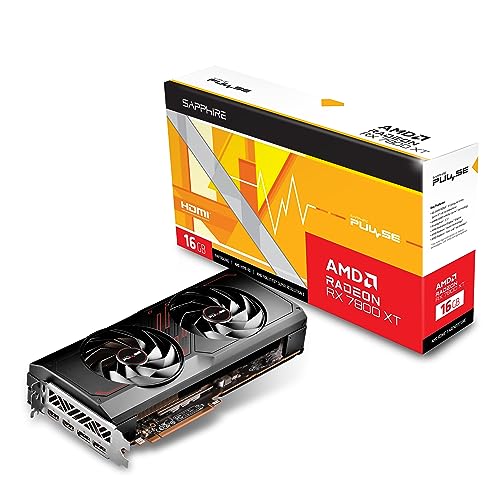
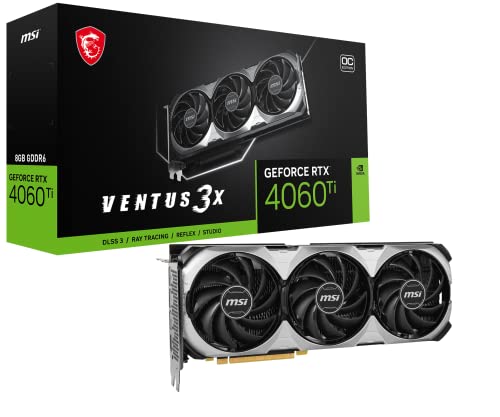
Ray tracing spans both brands: an RTX 4060 Ti-class card with NVIDIA’s mature RT and DLSS stack, and an RX 7700 XT-class Radeon showing AMD’s current ray-tracing capability.
- MSI Gaming GeForce RTX 4060 Ti Ventus 3X 8G OC — Check on Amazon
- XFX Speedster SWFT210 Radeon RX 7700 XT 12GB — Check on Amazon

Inside the frame: the order of operations, slowed down
The step-by-step section of this article describes the pipeline in outline; slowing it down once more repays the effort, because the costs and the artefacts both live in the details. A frame begins as geometry: the game describes the scene as triangles, lights and materials. In a traditional renderer, each object is drawn and the lighting is approximated with data prepared in advance — baked light maps, reflection probes, shadow maps — a library of educated guesses assembled before you ever pressed play. In ray tracing, the renderer instead builds and maintains an acceleration structure, a spatial index of the scene’s geometry that lets it answer the question ‘what does this ray hit’ extremely fast, and then fires rays: from the camera through each pixel for visibility, and from each visible surface toward lights, reflections and through materials for the effects. Each answer returns colour and brightness information that is combined into the pixel you finally see.
Two engineering realities follow. First, the acceleration structure must be updated as the world moves, which is one reason busy, animated scenes cost more than still ones. Second, the raw ray-traced image is noisy, because a practical frame can only afford a few rays per pixel where physics would prefer thousands — and that noise is why denoising, increasingly performed by AI hardware, is not an optional garnish but a structural part of modern ray tracing. When you understand that the image is a reconstruction from sparse samples, the artefacts make sense: shimmer in reflections, lag in lighting when the camera moves quickly, and detail that resolves a fraction after you stop moving are all the reconstruction catching up. Better hardware and better denoisers shrink those moments; they are the frontier the technology is actively pushing, generation by generation.
Judging ray tracing with your own eyes: a comparison protocol
Screenshots and video comparisons compress away exactly the qualities that matter, so if you are deciding whether ray tracing justifies your next card, run this protocol on hardware you can access — your own, a friend’s, a shop machine. Choose a game with strong implementations and go to the environments where the technique earns its keep: night streets after rain, interiors with mixed natural and artificial light, glass and polished surfaces, water at eye level. At each spot, stand still and toggle the effects: look first at reflections — do they show the actual world, including moving objects and your own character — then at contact shadows under objects, then at how light from a bright area spills into a dim one. Then move: walk forward while watching reflections and shadow edges, because stability in motion is where implementations separate and where cheap versions smear or swim.
Finally, judge at your real settings, with the upscaling you would actually use enabled, and at your real viewing distance. Ray tracing evaluated from paused, zoomed screenshots is a laboratory exercise; evaluated from your chair, in motion, at your resolution, it becomes a purchasing fact. Some players conclude the difference transforms their games; others, often fans of stylised or fast-paced titles, find it a subtle polish they would trade for frames without a thought. Both conclusions are legitimate, and our choosing guide is built to honour whichever one you reach — the mistake is only buying the hardware for an effect you have never actually seen.
Ray tracing in the wider world: film, design and simulation
Games adopted ray tracing late; other industries built their modern workflows on it, and their experience predicts where games are heading. Film rendering has used path tracing — the thorough form described in this article — for years, accepting hours per frame to achieve light that behaves correctly by construction; the real-time version in your games is the same mathematics with an extreme time budget, which is why the two fields now share techniques, with games borrowing denoising research and film borrowing real-time previews. Architecture and product design use ray-traced visualisation to show clients materials and daylight honestly before anything is built, and a designer choosing hardware weighs the same acceleration structures and memory budgets as a gamer, at larger scales. Simulation and training software uses it where correct reflections and visibility matter to the task itself.
For a buyer, the wider adoption matters for one practical reason: it guarantees continued investment. Every major hardware generation now competes on ray-tracing throughput and on the AI reconstruction around it, engines build their flagship features on it, and the library of games designed ray-tracing-first grows each year. You are not betting on a novelty when you weight it in a purchase; you are aligning with the direction the entire graphics industry, not only its gaming corner, has committed to. The open question for each buyer is never whether the technology is the future, but whether your games, your monitor and your budget make you an early, middle or late adopter of it — a timing question our RTX versus GTX comparison explores through the hardware generations.
Settings literacy: what the toggles in modern games actually trade
Games increasingly expose ray tracing as a set of individual toggles rather than one switch, and reading them fluently saves both frames and frustration. Reflections are usually the most visible and among the most expensive, because reflective surfaces can appear everywhere in a scene. Shadows are often the best value: ray-traced shadows fix the shimmering, detached contact shadows of traditional rendering at a moderate cost, and many players who disable everything else keep this one. Global illumination — bounced light — is the most transformative in interiors and the most demanding, and the one whose absence is hardest to notice in bright outdoor scenes. Ambient occlusion traced with rays grounds objects in their surroundings with a subtlety screenshots undersell. A sensible tuning order for a mid-range card is shadows first, then occlusion, then reflections at a reduced resolution if the game offers it, then illumination — testing each in the environments that feature it, with your frame-rate overlay visible, and keeping the combination that survives your worst scene rather than your prettiest one.
Resolution and quality sub-settings for effects matter as much as the toggles. Many games render reflections at a fraction of the output resolution, and raising that fraction can cost more than enabling another effect entirely. When a ray-tracing preset feels disproportionately heavy, these internal resolutions are usually where the weight hides. Treat presets as starting suggestions from the developer, then build your own combination; five minutes of methodical toggling in one demanding location teaches you your card’s personal exchange rates between beauty and frames, and those rates, once learned, transfer to every ray-traced game you play afterwards.
Common ray-tracing disappointments, and what actually caused them
Because expectations run ahead of the technology, a few disappointments recur often enough to catalogue, each with a cause that is not ‘ray tracing is a gimmick’. The first is the bright, stylised game where toggling the effects changes almost nothing: the art direction was already achieving its look with traditional tricks, and traced light has little to correct — the game was never the showcase, and judging the technology by it is like judging a raincoat in a desert. The second is the mid-range card bought on ray-tracing marketing and then judged at native resolution with every effect at maximum: the features were designed to be paired with upscaling, and evaluating them in a mode nobody recommends produces a verdict nobody should trust. The third is the screenshot comparison that looks identical — because the difference lives in motion, in reflections that track the world and shadows that stay attached while everything moves, and stills of a standing scene hide precisely that.
The fourth disappointment is subtler and the most worth avoiding: enabling every traced effect in a game whose implementation is poor. Not all ray tracing is equal; rushed implementations add cost without care, and a per-effect, per-game judgement — the settings literacy covered earlier — protects you from blaming the technology for one studio’s homework. Read implementation-specific reviews for the titles you care about, toggle effects individually, and let your own protocol in real environments settle your opinion. Owners who do this tend to land in the technology’s sensible middle: enthusiastic in the games that showcase it, pragmatic in the games that do not, and clear-eyed that they bought a capability whose library grows every year rather than a transformation of the library they already owned.
A short glossary for the terms reviews throw at you
Close with the vocabulary, because half the confusion in this subject is lexical. A ray is a straight line cast into the scene to ask what it hits and what light travels along it. Path tracing is ray tracing pursued thoroughly, following bounces until the light’s story is complete — the film method, and the ceiling games approximate. Rasterisation is the traditional method, projecting triangles onto the screen and shading them with prepared tricks. Denoising is the reconstruction step that turns sparse, noisy ray results into a clean image, increasingly performed by AI. An acceleration structure is the spatial index that makes ray queries fast enough to attempt at all. Upscaling renders at a lower resolution and reconstructs the target image, paying ray tracing’s bill; frame generation creates additional frames between rendered ones to raise apparent smoothness. Keep these seven definitions in mind and most technical discussion of the subject — in reviews, in settings menus, in developer interviews — becomes readable at first pass, which is the real goal of an explainer: not to make you an engineer, but to make you a reader the marketing cannot confuse.
How to talk about ray tracing when advising someone else
Readers of explainers become advisers — to friends building PCs, to family choosing laptops, to younger players spending saved money — and this subject is easy to advise badly in both directions. Avoid the two slogans: that ray tracing is pointless marketing, and that no card without strong ray tracing is worth buying. Both erase the variables that decide real cases — the games the person plays, the monitor they own, the settings they can run, the years they keep hardware. Better advice sounds like this article: ask what they play, explain that traced lighting is a real and growing difference in the games that use it well, that it costs performance which upscaling exists to repay, and that the sensible purchase is the card whose whole balance — raster speed, memory, features, efficiency — fits their library and their screen. Then show them, if you can, on real hardware in a real game, because one honest demonstration in a rainy night street teaches more than any verdict, including a correct one. Technologies settle into ordinary life when the conversation about them becomes ordinary too; that, as much as the hardware, is what the next few years of graphics will look like.
When ray tracing does not matter at all: the honest exemptions
An explainer earns trust by marking its subject’s boundaries, and ray tracing has clear ones. Competitive players who strip settings for visibility and frame rate gain nothing from traced effects and should buy for raster speed, latency and their monitor — the technology is simply not addressed to them. Players whose library is stylised, retro or indie will find most of their games never call the hardware, by artistic choice rather than limitation. Office and creative machines bought for video, photography or code have other specifications that matter entirely. Even among enthusiasts, a small high-refresh monitor viewed at distance compresses the visible difference, while a large 4K screen in a dark room maximises it. None of these exemptions diminish the technology; they locate it. The buyers who regret ray-tracing purchases are almost never those who evaluated it and declined, nor those who evaluated it and embraced it — they are those who bought the slogan without the evaluation. This article exists so that you, whichever exemption or enthusiasm applies, are in neither regretful group.
What to watch in the next few years, if you enjoy watching
For readers who like following a technology’s arc, three threads will decide how this subject reads in five years. The first is reconstruction quality: as AI denoising and upscaling improve, the cost of traced effects falls in perceptual terms even when the raw ray counts stay similar, because fewer samples are wasted. The second is engine adoption: each flagship engine release that treats traced lighting as the reference path quietly raises the baseline every new game is built against, which matters more to owners than any single title. The third is the spread downward: capabilities that debut on flagships migrate to the mid-range and then to integrated graphics and handhelds, and the moment traced lighting becomes something a modest machine simply does, the conversation shifts from whether to how well. None of these threads requires you to time a purchase around them — hardware bought for today’s library remains the sound rule — but they explain why this explainer treats ray tracing as settled direction and unsettled degree. The light, quite literally, is not going back in the box.
If you take one experiment away from this article, make it the toggle test in a game you already own or can try: one rainy street, one interior, effects on and off, in motion, at your settings. Whatever you conclude from that minute is your correct opinion about ray tracing for your next purchase — better grounded than any reviewer’s, because it was measured with your eyes, your screen and your games, which are the only instruments the decision was ever really about.
Parents and gift-buyers ask a version of this question too, usually about a younger player’s first serious machine. The balanced answer is to favour a card with competent ray tracing when the budget already reaches it, because the library that player will grow into is being built with traced lighting as standard — but never to sacrifice the fundamentals for it: enough memory, enough raster speed for their screen, and a power supply and case that keep the whole system calm. Features date quickly; a balanced machine underneath them does not, and it is the balance, far more than any single effect, that decides whether a first PC is still loved in its third year.
That balance is also the kindest way to read the technology’s history. Each generation has moved the same promise — light that behaves like light — a little further down the price ladder and a little closer to effortlessness, and each has been greeted by the same argument about whether it matters. The argument resolves itself the way it always has in graphics: not in a debate, but in the slow accumulation of games that simply look wrong when you turn the new thing off. When you catch yourself feeling that about a title you love, the question this article opened with has answered itself for you.
Until then, your own eyes, in your own games, at your own desk, remain the only verdict that counts — and they are a better instrument than any chart, because they judge the technology exactly where it will be used.
Frequently asked questions
Do I need ray tracing for games to look good?
No. Rasterised lighting is a mature art, and most games still look excellent without ray tracing. It is an enhancement layer — most valuable in games designed to showcase it — not a requirement for a good-looking game, and plenty of competitive players disable it for maximum frame rates regardless of hardware.
Which graphics cards support ray tracing?
NVIDIA GeForce RTX (all generations), AMD Radeon RX 6000-series and newer, and Intel Arc cards carry dedicated ray-tracing hardware. Older GTX and RX 5000-series cards lack it and are impractical for ray-traced gaming.
How much performance does ray tracing cost?
It varies enormously by game and by which effects are enabled — from a modest hit for reflections-only modes to losing half or more of your frame rate in fully path-traced showcases. Upscaling (DLSS/FSR) is the standard companion that recovers much of the cost.
What is the difference between ray tracing and path tracing?
Path tracing is ray tracing taken to its conclusion: essentially all light transport is simulated with multiple bounces, rather than selected effects being ray-traced atop a rasterised base. It looks superb and costs accordingly — today it is a showcase mode for high-end cards.
Is ray tracing worth it at 1080p?
It can be — 1080p is where mid-range cards have the headroom to run ray-traced effects with upscaling while staying smooth. The value depends on the game: showcase titles justify it, while in fast competitive games the frame-rate cost usually is not worth paying.
Does ray tracing make older games look better automatically?
No. Ray tracing must be implemented by the game’s developers, who choose which effects to trace and rebuild parts of the renderer to support them. Older games receive it only through official updates, remasters or community modifications of varying quality. A ray-tracing-capable card does nothing extra for a game that never asks it to — though the same card will still run those games faster and quieter than the hardware they were designed for.
Why do ray-traced reflections sometimes look noisy or lag behind movement?
Because the renderer can only afford a limited number of rays per pixel in real time, the raw reflection is statistically noisy, and the denoiser must reconstruct a clean image from that sparse data, using information accumulated across frames. Fast movement gives it less consistent history to work with, so reflections can shimmer, smear or resolve a moment late. Newer reconstruction techniques reduce this noticeably, but the trade-off between samples, noise and performance is inherent to real-time tracing rather than a defect of a particular card.
Is ray tracing the same thing as HDR or high resolution?
No — they are separate axes of image quality that are often confused because premium setups use all three. Resolution is how many pixels the image contains. HDR is the range of brightness and colour those pixels can express, and depends on your display as much as the game. Ray tracing is how the light in the scene is calculated. A game can be high-resolution and HDR with entirely traditional lighting, or modest in resolution with fully traced lighting; the technologies combine freely, and each has its own cost and its own hardware implications.
Will ray tracing eventually replace traditional rendering completely?
The direction is clearly toward more traced effects, and some modern engines already assume traced lighting as their reference path. But the replacement is gradual and hybrid: traditional techniques are fast, well understood and entirely adequate for many materials and effects, so engines mix methods per effect and per platform, and will for years. For buyers, the practical reading is that ray-tracing capability has moved from novelty to standard equipment in a new card — while raw raster performance remains fully relevant, because every hybrid pipeline still depends on it.
The bottom line
Ray tracing is light, simulated honestly instead of faked cleverly — reflections, shadows, and bounce light that behave like the real world, at a real performance price that upscaling and frame generation exist to pay. You do not need it to enjoy games, but it is where game visuals are heading, and a card with competent ray-tracing hardware ages better for it. Weigh it for your library, then let graphics card buying guide turn that judgement into a tier and a shortlist.