Disclosure: As an Amazon Associate, ilcastellomenu.com earns from qualifying purchases. Product examples below link to Amazon, where you can check current availability and specifications; this guide itself lists no fixed prices because pricing and bundles change frequently.
Working out what GPU a gaming PC needs starts not with the graphics card catalogue but with three facts about you: your monitor’s resolution, the frame rate you expect, and the games you actually play. A GPU that is overkill for 1080p esports is inadequate for 4K open-world gaming, and both judgements are correct — the card did not change, the job did. This explainer gives you the framework to size a GPU to your job, this year and across the machine’s life.
We will translate resolution and settings into GPU tiers, explain the specifications that matter (and the ones that mislead), cover upscaling — the feature that has quietly rewritten GPU sizing — and finish with pairing rules so your new card is not strangled by an old processor or power supply. It is the deep dive behind step two of How to Choose a Gaming PC.
What GPU Does a Gaming PC Need? Start With Pixels and Frames
Resolution is workload. A 1080p frame contains about two million pixels; 1440p about 3.7 million; 4K about 8.3 million. Your GPU shades every one of them, every frame, so moving up a resolution tier multiplies the work far more than any settings slider. Frame rate multiplies again: 120 frames per second is twice the work of 60. State your target as a pair — ‘1440p at high settings, around 100 fps in my games’ — and GPU selection becomes a lookup rather than an argument.
Settings and features then adjust within the tier. Ray tracing is the expensive luxury: beautiful, and heavy enough to move a game down a GPU tier unless upscaling compensates. Competitive players invert the priorities — low settings, maximum frames — and their GPU needs shrink accordingly, which is why esports rigs pair modest cards with extreme monitors. Your three most-played games, benchmarked at your target, are the only fully honest sizing tool; tier charts, including ours below, are starting points for that check.
In this guide
The Tier Framework: Matching GPU Class to Target
Think in classes rather than model numbers, because models churn yearly while classes persist. Entry gaming class: built for 1080p, high settings in most titles and esports at high frame rates. Mainstream class: 1080p at maximum settings and 1440p at high settings for the majority of games — the class most players should buy, and the heart of roundups like Best Graphics Cards for Gaming Under 300 and the tier above it. Performance class: 1440p high-refresh and entry 4K with upscaling. Flagship class: native 4K, maximum settings, high-refresh ambitions, and pricing to match.
| Target | GPU class to shop | Settings expectation | Notes |
|---|---|---|---|
| 1080p, 60–144 Hz | Entry to mainstream | High to maximum in most titles | Esports titles fly on entry class |
| 1080p, 240 Hz competitive | Mainstream | Low–medium by choice, frames first | CPU matters unusually much here |
| 1440p, 100–165 Hz | Mainstream to performance | High, with upscaling in heavy titles | The current sweet spot for most players |
| 4K, 60 Hz | Performance | High with upscaling | VRAM capacity becomes important |
| 4K, high refresh, ray tracing | Flagship | Maximum, upscaling still welcome | Budget for the monitor to match |
Two sizing errors dominate. The first is buying for the monitor you dream about rather than the one on your desk, paying flagship prices to drive a 1080p screen. The second is the reverse — a flagship card paired with a 60 Hz 1080p display, where the screen, not the GPU, caps everything you see. Balance the pair; Best Monitors for Gaming Under 400 shows what the display half of a serious setup looks like at sane prices.
Specifications That Matter — and Those That Mislead
Video memory (VRAM) is the specification with the longest shadow: games at higher resolutions and texture settings consume it, and running out produces stutter and texture pop-in that raw speed cannot fix. Within a class, prefer the more generously equipped variant when the price step is modest — it is buying years. Raw shader counts and clock speeds, by contrast, only compare meaningfully within one manufacturer’s one generation; across brands and years they mislead, and benchmarks in real games replace them entirely.
Power draw is the specification with practical teeth: it dictates your power supply requirement and the heat your case must move, connecting this decision to How to Cool a Gaming PC. Physical size matters too — length, thickness in slots, and connector placement decide whether the card fits your case at all. Check all three before falling in love with a benchmark chart; the used and new markets alike are littered with cards that did not fit the buyer’s case or the buyer’s power supply.
Upscaling and Frame Generation: The New Arithmetic
Modern upscaling renders the game at a lower internal resolution and reconstructs a sharp image at your display’s resolution, and its quality modes now deliver performance gains large enough to move a GPU up a full target tier — a mainstream card with upscaling can serve 1440p the way a performance card once did natively. Frame generation goes further, inserting interpolated frames to raise displayed smoothness, at the cost of some latency and occasional artefacts. Both features are generation- and brand-dependent, so they belong in your comparison criteria alongside raw benchmarks.
The practical consequence is longevity: a card with strong upscaling support ages more gracefully, because as future games grow heavier, the quality modes give you somewhere to retreat to. When two cards benchmark within a few percent of each other, choose the one with the better feature support and more VRAM — the tiebreakers that matter in year three. Surveys of the current field, organised by exactly these trade-offs, live in our graphics card roundups.
Pairing Rules: CPU, Power Supply and the Rest of the PC
A GPU does not work alone. The processor must feed it: at 1080p especially, an old or weak CPU caps frame rates no matter the card, while at 4K the GPU dominates and forgives modest processors. Match the pairing to your resolution — the upgrade logic in How to Upgrade a Gaming PC shows how to test which side is limiting before spending. The power supply must meet the card’s recommended system wattage with the right connectors and honest headroom, and the case must fit and feed the card air.
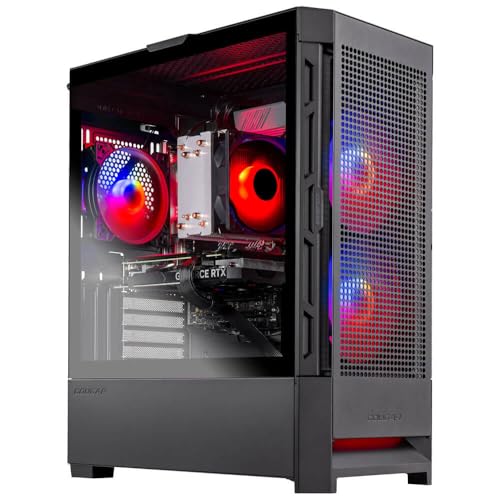
End with the budget rule that governs all of it: in a balanced gaming PC, the graphics card is the largest single component expense, commonly rivalling everything else combined at the performance end. If your draft build spends more on the processor, case and lighting than on the GPU, it is a showpiece that games modestly. Rebalance toward the card, size it to your screen with the table above, and your PC will feel fast for exactly the reasons your games demand. Complete machines that follow this logic can be browsed in our system roundups for calibration.
Reading GPU Names Without Being Read by Them
GPU model names are a dialect worth learning, because they encode the class this guide keeps invoking. Within a brand’s generation, the tier digits do the talking: higher tier numbers mean a faster class, suffixes denote stepped-up variants, and the generation number tells you the architecture’s age and feature set. The trap is cross-generational comparison — a new generation’s mid-tier card commonly matches or beats the old generation’s higher tier, with better features and efficiency, so a bigger number from two generations ago is not the prize it appears. Anchor on the class you need, then compare the current and previous generations’ occupants of that class on benchmarks and price.
Board-partner variants add a second dialect: the same GPU sold under several cooler designs, with small factory overclocks and meaningfully different noise and temperatures. The silicon is constant; the ownership experience is not. Between two variants of the same card, choose the cooler with the better reputation and the dimensions your case accepts, and treat small clock differences as the marketing garnish they are. Your ears will live with the cooler for years; the garnish lasts until the first benchmark closes.
Ray Tracing: Pricing the Prettiest Setting
Ray tracing deserves a buyer’s paragraph because it is the setting most capable of wrecking a sizing decision. It renders light physically rather than approximately, and in its heavy implementations it can cost a third to half of a game’s frame rate. The practical questions are personal: do your games implement it meaningfully, and do you play with it on after the first week’s screenshots? Many players enable it, admire it, and disable it for performance in the titles they play most — a legitimate answer that argues for sizing your GPU to raster performance and treating ray tracing as a bonus your card sometimes affords, especially with upscaling carrying part of the load.
If ray tracing is central to your library — the cinematic single-player titles where it transforms scenes — then size for it explicitly: benchmark your chosen card with it enabled, in those games, and accept the higher class the numbers demand. What you must not do is size by raster benchmarks and assume the ray-traced experience follows; the gap between the two is exactly where disappointed flagship owners are manufactured. Honesty about which settings you will actually run is the whole skill this guide teaches, wearing its most expensive disguise.
The Used Market and the Previous Generation
A sizing guide should acknowledge where value hides. Previous-generation cards, new at clearance and used from upgraders, routinely deliver a class above their price — with caveats that are all checkable: warranty status or its absence, the card’s history (heavily mined cards are a debated risk; cards from gamers are the safer pool), fan and thermal condition, and a return route if it arrives faulty. For a buyer comfortable with those checks, the used market is how mainstream money buys performance-class frames. For a buyer who is not, the current generation’s mainstream class at a fair price is the correct, restful answer — this guide’s tier framework serves both, because classes outlive the model years that fill them.
Sizing Three Real Setups
Apply the framework to three desks. The first holds a 1080p 144 Hz monitor and a library of competitive titles plus the occasional blockbuster at sensible settings. The sizing answer is the mainstream class, chosen with healthy memory, and the money saved against the performance class is better spent nowhere — or on the monitor’s eventual successor. This desk’s trap would be flagship envy: a card whose capability the screen cannot display and the library cannot use.
The second desk runs a 1440p high-refresh monitor and a library of open-world and simulation titles. Mainstream-to-performance is the honest band, with upscaling assumed in the heaviest games and VRAM treated as a first-order criterion, because this library at this resolution is exactly where memory ceilings announce themselves in year two. The third desk is a 4K television in a living room, cinematic games, a controller, and a player who values image quality over frame counts past sixty. Performance class with strong upscaling is the floor, flagship is defensible, and the quiet surprise is how much the television’s own processing settings matter — game mode on, or the finest GPU in the world plays through fog.
Three desks, three classes, and not one of the answers came from a ranking of cards. They came from pixels, frames, libraries and the unglamorous arithmetic of matching a tool to its job — the method this explainer exists to teach, because the cards will change next year and the method will not.
Start From the Games: Building Your Personal Requirement List
The tier framework in this guide becomes personal when you run it against your own library honestly. List the five games you actually play most, and for each, note the resolution and frame rate that would satisfy you — not the maximum the internet admires, but the level at which you stop noticing the hardware and start noticing the game. Your GPU requirement is set by the most demanding entry on that list, discounted by how often you play it. A library of competitive shooters and one beautiful open-world title you visit monthly argues for sizing to the shooters and letting the epic make its settings concessions; the reverse sizing taxes every session for one game’s benefit.
Be honest about settings within those games, too. The difference between a tuned high preset and the ultra preset is often a large multiple of GPU cost for a difference visible mainly in screenshots. Players who set their requirement at ‘ultra, everywhere, always’ are buying a specification for its own sake. Players who set it at ‘high, with the two settings I can actually see pushed further’ routinely buy a tier lower and never miss what they did not purchase. Your requirement list should describe your eyes, not a reviewer’s test methodology.
Finally, date the list. A GPU bought today must serve the games of the next three to four years, whose demands will grow — but grow along a predictable slope, not a cliff, because developers must sell to the installed base of ordinary hardware. Buy for your list plus one step of headroom, and resist the second step: it is the most expensive insurance in the build and the least likely to be claimed.
Video Memory: The Specification That Ages Fastest
Of all the numbers on a graphics card, its video memory capacity is the one most likely to decide when the card feels old. The GPU’s processing power ages gracefully — settings can be lowered, resolutions scaled — but VRAM is a hard container: when a game’s textures and frame data exceed it at your chosen settings, the card must shuffle data to system memory mid-frame, and the result is stuttering and texture pop-in that no amount of core speed compensates for. A card can be powerful enough for a game and still be the wrong card for it, purely on capacity.
VRAM demand is driven mainly by resolution and texture settings, which is why the requirement climbs with your monitor rather than with your frame-rate ambitions. The practical reading of this is that the GPU decision and the monitor decision are one decision: a card that is generous at 1080p can be marginal at 1440p and strained at 4K on capacity alone, even while its processing power looks adequate in older benchmarks run at lower texture settings. When you compare cards, compare them at your resolution with textures where you intend to keep them.
This is also where the used market demands care. A previous-generation flagship with modest VRAM can benchmark beautifully in older titles and disappoint in current ones at high texture settings — not because it became slow, but because the container stayed the same size while the games’ appetites grew. Capacity is the spec to interrogate hardest in any card you plan to keep for years, because it is the one that cannot be negotiated with later.
The Supporting Cast: Power, Size and the Case It Must Live In
A GPU is not a standalone purchase; it is a guest your existing system must be able to feed and house. Feeding means the power supply: check its wattage against the card’s requirements with headroom to spare, and check its connectors, because modern cards may want specific plugs that older supplies lack — and adapter workarounds on a marginal supply are how marginal supplies become failed ones. Our guide on how to upgrade a gaming pc treats the power supply as the enabling upgrade for exactly this reason: the card you want may require the supply you have not bought yet, and its cost belongs in the GPU’s true price.
Housing means physical fit, measured rather than assumed: card length against the case’s clearance, card thickness in slots against the neighbours it will cover, and the sag that long, heavy cards develop without support. A card that fits on paper by two millimetres fits in practice only if your cable routing agrees. Measure with the case open and the tape honest, because a GPU that does not fit is not a GPU, it is a return.
Cooling is the third term of the tenancy. A powerful card exhausts a great deal of heat into the case’s air, and a case whose airflow was adequate for its predecessor may not be adequate for its successor. After any GPU upgrade, re-run your temperature baselines under sustained load; the card’s own cooler is only half its cooling system, and the case is the other half. The guides on this site return to this refrain because builds fail at their interfaces more often than at their components.
New, Previous-Generation and Used: Three Markets, Three Logics
The new market sells certainty: full warranty, current drivers’ first attention, and the full lifespan of the card’s relevance ahead of it. Its prices follow the launch cycle, and the savviest new-buying is often timing — purchasing the current generation after its prices settle, rather than in launch-week scarcity. What new buying should never mean is buying the badge over the requirement: the card that matches your list, from either maker, beats the card that matches your tribal loyalty and overshoots your needs by two tiers.
The previous generation, still sold new or nearly so, is where value concentrates for players whose requirement lists are modest. Its drivers are mature, its behaviour in your games is documented exhaustively, and its prices reflect the market’s attention having moved on. The interrogation it deserves is the VRAM one from the previous section, plus an honest look at whether its feature set — upscaling generation, encoding quality — matters to your uses. For a 1080p or 1440p player, last generation’s strength is frequently this generation’s unnecessary expense.
The used market sells other people’s upgrades, and its logic is inspection. A used GPU’s risks are knowable and testable: run it under sustained load, watch temperatures and stability, check its fans for bearing noise, and prefer cards with their boxes, receipts and remaining warranty. Cards that spent their lives in hot, dusty or mining environments exist in this market alongside gently used gems, and the testing protocol — the same one this site teaches for whole PCs — is what separates them. Buy the card you can test, from the seller who welcomes it.
After the Purchase: Verifying You Got What You Paid For
A GPU purchase is not finished when the card is installed; it is finished when the card has proven itself in your system, at your games, against the requirement list that justified it. Run that list. The most demanding title should now hold the frame rate and settings you specified, at temperatures and noise levels you can live with, sustained across a full session rather than a menu screen. If it does, the purchase is closed and the card can disappear into the background of your gaming life, which is where good components live.
If it does not, diagnose before you regret. Confirm the card is running at its full interface speed, that its drivers are current and cleanly installed, that your monitor is plugged into the card rather than the motherboard — the classic, humbling one — and that power limits or profiles are not quietly throttling it. A remarkable share of ‘disappointing GPU’ stories end at one of those four checks, with the card innocent and the setup corrected. The return window is for cards that fail after the checks, not before them.
Record the baseline while everything is new: frame rates in your five games, temperatures under load, the driver version. In two years, when a game update or a dusty summer makes the machine feel slower, that record will tell you whether the card aged or the circumstances changed — the same measurement habit this site’s guides prescribe for mice, memory and cooling alike, because it is the habit that separates owners who know their machines from owners who merely suspect them.
Thermals and Acoustics: The Card You Hear Is the Card You Own
Benchmarks measure a card for minutes; your ears live with it for years, and cooler design is where nominally identical GPUs diverge most in daily experience. A card’s cooler decides its noise at your settings, its temperatures in your case, and whether it holds its boost clocks through a long session or gradually settles into a warmer, slower equilibrium. Two cards with the same chip can be a pleasure and a punishment respectively, purely on the strength of the metal and fans wrapped around the silicon — which is why this guide keeps directing attention from the chip’s name to the variant’s cooler when the time comes to choose between models of the same GPU.
Fan behaviour is the detail to interrogate. A zero-fan idle mode keeps a desktop silent in work and browsing, and its absence means a faint permanent presence in a quiet room. Fan curves that ramp smoothly age better in your affections than curves that hunt up and down with every loading screen. And coil whine — the electrical singing some cards produce at very high frame rates — is a lottery no specification predicts; it is a legitimate reason to use a return window, because a whine you can hear in week one will be the soundtrack of every menu screen you ever visit on that card.
Size interacts with all of it. The largest coolers are usually the quietest, because area is silence’s raw material, but they demand case clearance, cover slots, and sometimes support against sag. The compact cards that fit small cases pay for their dimensions in noise and temperature. Neither is the wrong answer; both are the same answer — the cooler is a compromise you choose — as long as it is chosen with the case and the room in the conversation, rather than discovered after the benchmark charts have had their say.
The GPU Beyond Gaming: Creation, AI and the Second Job
For a growing share of buyers, the graphics card has a second job, and the second job can legitimately steer the choice. Video editors use the GPU for timeline acceleration and effects; streamers use its encoder; 3D artists and machine-learning hobbyists use its compute and, above all, its memory — where VRAM capacity stops being a longevity nicety and becomes the hard boundary of what projects are possible at all. If any of that describes your evenings, size the card for the work’s requirements first and let gaming enjoy the surplus, because the work’s requirements are usually the less forgiving of the two.
The second job also reframes the brand question without tribalism. Software ecosystems differ in which hardware they accelerate best, and the correct procedure is embarrassingly simple: check your specific applications’ documentation and benchmarks, and let them vote. A card that is second-best for your games and first for your editor is, for you, the best card — a sentence that sounds obvious and is routinely overridden by gaming-forum consensus aimed at readers whose second job does not exist.
Even purely gaming households should note the integrated-graphics footnote: a CPU with a capable integrated GPU is a diagnostic gift and a backup display path for the day the discrete card fails or is sold before its replacement arrives. It rarely justifies choosing one CPU over another by itself, but as a tiebreaker it has rescued more troubleshooting weekends than most features twice its size.
How to Read a GPU Review Like a Sceptic
Reviews are indispensable and insufficient, and the sceptical reader extracts what they are actually good for. First, read results only at your resolution and in your games or their close relatives; a card’s ranking at 4K in a cinematic title tells a 1080p esports player almost nothing, and averages across twenty games mostly measure the reviewer’s library rather than your future. Second, separate the average frame rate from the low percentiles where they are reported: two cards with the same average can feel different, because the one with the steadier lows is the one whose bad moments you will not notice. Smoothness lives in the percentiles, and your hands can tell the difference even when the headline cannot.
Third, note the test system’s other components and the driver versions, because a GPU reviewed on a flagship CPU in an open bench is being shown in its best possible light — your older processor and closed case will tax it in ways the chart cannot show. Fourth, treat launch-week reviews as preliminary: drivers mature, and the card that trails by a few percent in week one sometimes leads by month three. A buyer who can wait for the settled picture usually should; a buyer who cannot should at least know which picture they bought.
Finally, remember what no review can measure for you: the noise of that specific cooler in your room, the fit in your case, the behaviour of that card’s fans at your settings. Those belong to the verification routine after purchase, inside the return window. Reviews narrow the field to a defensible shortlist; your own desk delivers the verdict. A sizing method that ends at the shortlist and verifies at the desk will outperform, across a lifetime of purchases, any amount of chart-reading aimed at finding the one perfect card — because the perfect card is a property of a system and a player, not of a product page.
When the Answer Is Not a New GPU at All
A sizing guide earns its honesty by naming the cases where the correct purchase is something else. If your overlay shows the GPU waiting on the CPU, the card you need is a processor platform, and a GPU bought instead will perform a convincing impression of disappointment. If your frames are adequate but your experience is stutter, the fault may live in storage speed, memory pressure or frame pacing — the territory of our guide on how to fix stuttering in PC games — and a new GPU will inherit the stutter unchanged, because it was never the component producing it.
If your monitor is the ceiling — a 60 Hz panel being fed 140 frames — the display is the purchase, and it will transform games you already own more than any card could. If your card is thermally throttling in a case that cannot breathe, cooling is the purchase, and it costs a fraction of a GPU while restoring the one you have. Each of these misdiagnoses is common, expensive and entirely avoidable with the ten-minute overlay check this guide prescribes: watch what the current card is actually doing before deciding what the next one should be.
The deeper principle is that a gaming PC is a system of matched appetites, and the GPU is simply its largest appetite. Sizing it well means sizing it against the monitor it feeds, the processor that feeds it, the power and air that sustain it, and the library that justifies it. Do that, and the question this article’s title asks stops being a shopping problem and becomes what it should have been all along: a description of your gaming, translated into hardware.
Gear for This Guide
The examples below come from our verified product pool and illustrate the product classes discussed in this guide. They are examples, not a ranked list — use the criteria in this article to judge any model, including newer revisions.
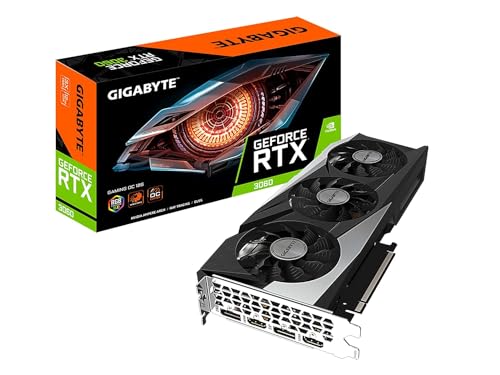
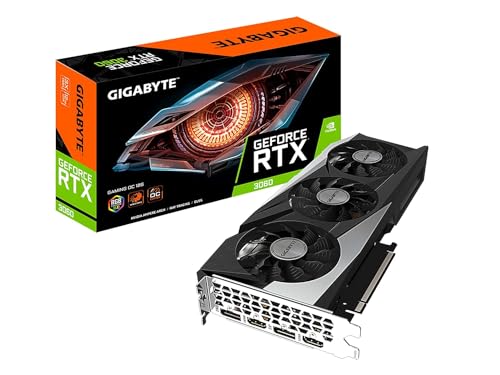
GIGABYTE GeForce RTX 3060 Gaming OC 12G Graphics Card
A mainstream-class card whose generous memory illustrates this guide’s longevity argument: within a class, VRAM is the specification that ages slowest. GIGABYTE GeForce RTX 3060 Gaming OC 12G Graphics Card — Check on Amazon

ASUS Dual GeForce RTX 4070 EVO OC Edition Graphics Card
The performance-class step: the tier where 1440p high-refresh and upscaled 4K become realistic targets for demanding titles. ASUS Dual GeForce RTX 4070 EVO OC Edition Graphics Card — Check on Amazon

Sapphire Pulse AMD Radeon RX 7800 XT Gaming Graphics Card
The cross-brand reminder: compare classes and real-game benchmarks, not badge loyalty — this class rival competes on memory capacity and raster performance. Sapphire Pulse AMD Radeon RX 7800 XT Gaming Graphics Card — Check on Amazon
Frequently Asked Questions
How much VRAM does a gaming GPU need?
For 1080p, mainstream capacities remain workable; for 1440p and especially 4K with high textures, more is meaningfully safer. VRAM is a longevity purchase — you feel its absence in year three, not in the first benchmark.
Is a flagship GPU worth it for esports?
Almost never. Esports titles are engineered for speed on modest hardware, and competitive settings are low by choice. The money serves you better in a high-refresh monitor and a mainstream card.
Can my power supply handle a bigger GPU?
Check the card maker’s recommended system wattage against your supply’s rating and confirm the required PCIe connectors exist. If the supply is old, unbranded or marginal, replace it as part of the upgrade.
Should I buy last generation's GPU at a discount?
Often yes — a discounted higher-class card from the previous generation can beat a new lower-class card at the same money. Weigh its VRAM, feature support and power draw against the newer option’s efficiency and upscaling generation.
Does the GPU matter for streaming?
Yes, twice: it renders the game and, through its hardware encoder, can broadcast it with minimal performance cost. Streamers should value encoder quality as a real selection criterion.
Does the GPU brand matter for my games?
Performance varies slightly by title between brands, and feature ecosystems differ — upscaling flavours, encoders, software. Choose by benchmarks in your games and the features you will use, not by loyalty; the class framework in this guide is brand-neutral on purpose.
Bottom line: size the GPU to your resolution and frame-rate target, prefer VRAM and feature support within a class, let upscaling extend its reach, and keep the rest of the PC — CPU, power, case — worthy of it.
How do I know if my current GPU is really the problem?
Watch it under load in your most disappointing game. If the GPU sits near full utilisation while frame rates fall short, it is the limit and an upgrade will pay. If it idles at partial load while the CPU strains, your money belongs elsewhere first. And if frame rates are fine but textures pop and hitching appears in dense areas, suspect VRAM capacity specifically. The overlay’s testimony, gathered in ten minutes, is worth more than any amount of forum consensus about your build.
Is it worth paying more for a factory-overclocked or premium model of the same GPU?
The premium buys three things: a better cooler — quieter, and better at sustaining clocks — sometimes a small factory overclock, and the maker’s support tier. The performance difference between models of the same GPU is small; the noise and temperature differences can be genuinely worth having in a quiet room or a small case. Buy the premium for acoustics and build quality if those matter to you, not for frame rates, where it will not repay you.
Should I wait for prices to drop before buying a GPU?
Wait only with a deadline and a tolerable present. GPU prices move in cycles tied to launches and supply, and a defined wait — until a specific launch settles, for instance — is a strategy. An undefined wait is just not gaming at your target while the library grows. If your current card still plays your list acceptably, waiting costs little; if it does not, the months of compromised play are also a price, and they are paid in the currency the whole hobby runs on.
Do I need a new GPU for a new high-refresh monitor?
Only if your current card cannot feed the new display’s resolution at rates near its refresh in your games — the monitor defines the appetite, as this guide keeps insisting. A high-refresh 1080p screen is a modest ask; a high-refresh 1440p or 4K screen is a serious one. Sequence the purchases honestly: many players buy the monitor first, accept capped settings, and let the GPU follow when budget allows, which is a perfectly rational order as long as it is chosen rather than discovered.
What does my GPU choice mean for VR gaming?
VR is the most demanding common workload: two high-resolution views, rendered at high, unwavering frame rates, where dropped frames are felt physically rather than merely seen. It pushes buyers a tier above their flat-screen requirement and punishes VRAM shortage and frame-time inconsistency hardest of all. If VR is a real part of your gaming rather than a curiosity, size the GPU for the headset’s resolution and rate first, and let flat gaming enjoy the surplus.
Does my GPU choice affect input lag or responsiveness?
Indirectly, through frame rate and frame pacing. A GPU that holds your target rate with steady frame times gives the whole input chain — mouse, engine, display — a predictable rhythm to work with, and technologies that cap or pace frames interact with that rhythm. What a stronger GPU does not do is reduce the fixed delays elsewhere in the chain. Buy GPU performance for frames and smoothness; responsiveness follows from them, but it is not a separate specification a card can claim.
How long should a well-chosen GPU last?
A mainstream-or-above card sized honestly to its monitor should deliver three to four years of satisfying play, with settings and upscaling modes gradually doing more of the work, and remain usable beyond that for lighter libraries. The two decisions that most extend that span are the ones this guide repeats: VRAM headroom within the class, and feature support — especially upscaling — that gives the card somewhere to retreat to as games grow heavier. Cards rarely die of age in that window; they retire on relevance, and relevance is bought at purchase time.
Should I buy a GPU with more VRAM or a faster GPU with less, at the same price?
Decide by your resolution and your time horizon. At 1080p with a two-year horizon, the faster card usually serves better, because its speed is spent every frame while the extra memory may never be filled. At 1440p and above, or with a four-year horizon, the balance tips toward memory: speed shortfalls can be managed with settings and upscaling, but a memory shortfall announces itself as stutter that no setting fully cures. The tiebreaker is your library — texture-heavy open-world and modded games vote for memory; fast, light competitive titles vote for speed.
What should I check in the first week with a new GPU?
Run your five most-played games at your target settings and confirm the frame rates match the expectation that justified the purchase, sustained across real sessions rather than menus. Watch temperatures and listen — for fan behaviour you can live with and for coil whine while it is still returnable. Confirm the card runs at its full interface speed and that your monitor is connected to the card, not the motherboard. A week of deliberate verification converts a purchase into a known quantity, and it is much cheaper than a month of vague suspicion.
In one sentence, what GPU do I need?
You need the card whose class matches your monitor’s resolution and your honest frame-rate target in the games you play most, with the most VRAM and the best upscaling support available within that class — and no tier more, unless a named second job or a planned monitor upgrade argues for it.
Related Guides
Keep exploring with these guides and roundups from the same Gaming PCs collection: