Disclosure: As an Amazon Associate, ilcastellomenu.com earns from qualifying purchases. Product examples below link to Amazon, where you can check current availability and specifications; this guide itself lists no fixed prices because pricing and bundles change frequently.
This gaming PC buying guide is built around one principle: buy the machine your games, screen and next three years require — in that order — and let tiers, not totals, organise the money. There are no prices in this guide, deliberately: prices move weekly, but the structure of a well-balanced gaming PC at each tier barely changes, and structure is what keeps a purchase right after the sale banners come down.
Use it as a checklist. Work through your target, the tier that serves it, the component criteria within that tier, and the traps that recur at every level. Where a section needs depth, it points to the dedicated guide — this page is the map, and How to Choose a Gaming PC is the territory’s fullest description.
Gaming PC Buying Guide: Define the Target Before the Budget
Write down three things before looking at any listing. First, your display: resolution and refresh rate, owned or firmly planned. Second, your library: the three games you play most, and whether they are lightweight esports titles, heavy open worlds, simulation, or a mix. Third, your horizon: is this a two-year machine for a changing life, or a five-year platform you intend to upgrade mid-life? Those three answers select your tier more reliably than any amount of money-first thinking, because money spent past your target buys benchmark charts, while money spent short of it buys regret.
Frame rate honesty belongs here too. There is a real, felt difference between 60 and 120-plus frames per second on a matching high-refresh display; there are diminishing returns far above that for most players, and none at all on a 60 Hz screen. Buy for the experience you can actually see, and if a monitor upgrade is the thing your eyes are asking for, consider whether this purchase is really a display purchase in disguise — the desktop-versus-laptop pairing logic and our monitor coverage will help you place the money where your eyes live.
In this guide
The Three Tiers, Framed Without Prices
The entry tier serves 1080p properly: high settings in most games, esports at high frame rates, and a platform that accepts a stronger graphics card later. Its discipline is refusal — no money on appearance, no oversized processor, everything on the graphics card, a real SSD and dual-channel memory. The mid tier is the sweet spot for most buyers: 1440p high-refresh or impeccable 1080p, 32 GB of memory as the comfort standard, storage with room to grow, and component quality that assumes a mid-life GPU upgrade rather than a replacement machine. Systems in the mainstream class live here, and it is where value peaks.
The high tier buys 4K, maximum settings, ray tracing with headroom and quiet operation under any load — and it should be bought by players whose display and library genuinely demand it, because its costs are not only financial: flagship parts want flagship power supplies, cooling and cases, and the tier’s performance advantage is invisible on a mainstream monitor. Across all tiers, the balance rule holds: the graphics card is the largest component expense, the power supply is reputable with headroom, and the case breathes. A listing that inverts any of those is a listing to leave.
| Tier | Built for | Component posture | Upgrade expectation |
|---|---|---|---|
| Entry | 1080p high settings, esports speed | GPU-first, real SSD, dual-channel RAM, honest PSU | Graphics card swap in a few years |
| Mid | 1440p high-refresh, heavy titles at high settings | Stronger GPU class, 32 GB RAM, roomy NVMe storage | One mid-life GPU upgrade extends it for years |
| High | 4K, ray tracing, maximum everything | Flagship GPU, flagship platform and cooling | Long native life; upgrades optional |
Notice that no tier is a apology. An entry machine chosen against a 1080p target is a correct purchase; a high-end machine bought for a 1080p screen is an incorrect one at any discount. Tiers are answers to questions — make sure the question is yours.
Component Checklist: What to Verify on Any Listing
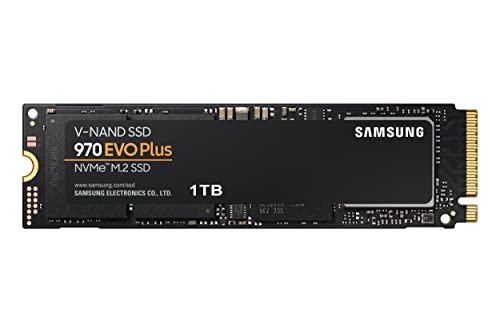
Graphics card: the exact model and its memory capacity, benchmarked in your games at your resolution — the method in What GPU does a Gaming PC Need. Processor: a recent generation with strong per-core performance, not merely a high core count. Memory: capacity for your tier, in a matched pair, at a rated speed the listing actually names — How Much Ram does a Gaming PC Need gives the reasoning. Storage: NVMe SSD as the system drive, capacity honest about modern game sizes, and a free slot for later.
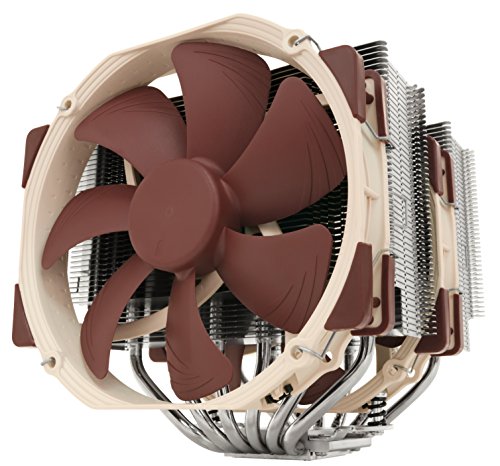
Then the unglamorous four, where bad listings hide. Power supply: named model, reputable maker, wattage with headroom over the system’s draw. Motherboard: standard form factor, enough memory and storage slots for your upgrade plan. Case: a front that breathes — mesh over sealed glass — with fans included, not merely fan-shaped lights. Cooling: adequate for the processor class, per How to Cool a Gaming PC. A seller who specifies all of these is a seller competing on quality; a seller who specifies none of them is competing on your inattention.
Prebuilt, Configurable or Custom: Choosing Your Route
The route decision deserves its own comparison and has one in Prebuilt vs Custom Gaming PC; the buying-guide summary is this. Prebuilt when the parts list is transparent and priced at or near the sum of its parts, when a single warranty serves your peace of mind, and when your time is genuinely scarce. Custom when you hold parts already, want specific platform choices for a long upgrade path, or will enjoy the build. Configurable when you want the second option’s control with the first option’s accountability. In every route, apply the identical component checklist — the route changes who assembles, never what good looks like.
Timing is the last route-adjacent decision. Component generations launch on cycles, and buying just after a new GPU generation lands — when its predecessor discounts — is a perennial value pattern. But perpetual waiting is its own cost: a machine bought today on a sound platform absorbs tomorrow’s parts gracefully, which is the entire point of the upgrade-room criteria above. Buy when your current setup stops serving your games, and buy balanced when you do.
Traps, Warranties and the First Week
The recurring traps, collected: a strong processor hiding a weak graphics card; a single memory stick where a pair belongs; a tiny SSD paired with a huge hard drive presented as a feature; an unnamed power supply; a sealed glass case marketed on lighting; and ‘up to’ language anywhere near performance claims. Each is legal, each is common, and the checklist above defeats all of them in minutes. Read the warranty for what it covers and who pays shipping, keep every box until the return window closes, and treat a too-good price on an unspecified machine as the warning it is.
In the first week, behave like a reviewer: verify the components inside match the listing (system information tools make this a five-minute job), run your games with temperatures visible, confirm memory runs at its rated profile and in dual channel, and update drivers and the operating system fully. Faults found in week one are returns; the same faults found in month three are arguments. Then stop auditing and play — a machine bought by this guide has earned your confidence. Keep How to Upgrade a Gaming PC bookmarked for the year-three itch, and browse our complete-system roundups whenever you want to see how the market’s centre of gravity has moved since you bought.
Where to Buy and What the Channel Changes
The same machine reaches you through different doors, and the door matters more than shoppers expect. Large retailers compete on price and returns — and returns are the feature you will care about if anything arrives wrong, so read that policy before the specification. Specialist system builders compete on assembly quality, component transparency and support, and their premium buys exactly those things. Marketplaces offer the sharpest prices and the dullest protections. None of these is the wrong door for everyone; the error is choosing the door by habit while your needs — a first machine, a gift, a work-critical PC — argue for another.
Whichever door you choose, keep the transaction’s paper trail in one place: invoice, serial numbers, warranty terms and the returns deadline, noted somewhere you will see it before it passes. The first week checks in this guide assume that deadline is known and respected. A remarkable share of consumer misery in this hobby is not defective hardware — it is a defect discovered on day forty of a thirty-day window, by an owner who never wrote the date down.
Accessories and the Budget Beyond the Box
A gaming PC purchase quietly includes a second, smaller purchase that first-time buyers forget to budget: the things that make the machine usable and pleasant. A monitor worthy of the PC, as this guide has argued throughout. A keyboard and mouse you actually like — you will touch them for thousands of hours, and they outlive the PC. A headset or speakers, a surge protector, and a backup habit for the files you would miss. None of these need to be extravagant; all of them deserve to be line items rather than surprises discovered at the checkout of the soul.
Software belongs in the same honest accounting. The operating system is included with most prebuilts and must be budgeted in a custom build. Games themselves, and the subscriptions some players keep, are the recurring cost of the hobby the machine serves. None of this argues against the purchase — it argues for seeing it whole, because a PC bought with its ecosystem funded is a delight from day one, while a PC that consumed everything leaves its owner gaming on a borrowed office monitor and wondering why the upgrade feels flat.
The Decision, Compressed: A One-Page Summary
If this guide were a single page, it would say: name your display and your three games; pick the tier that serves them; put the graphics card first and the platform’s upgrade room second; verify memory pairing, storage type, power supply identity and case airflow on any listing; choose the buying route by warranty and time, not by tribe; and spend the first week verifying rather than assuming. Every section above exists to make one of those clauses un-ignorable, and every trap in the market is a attempt to get you to skip one of them.
Buying a gaming PC well is not a talent; it is a sequence. Run the sequence and the machine that arrives will be the machine you meant to buy — which, in a market engineered to sell you a slightly different one, is the entire victory. Then close the listings, stop comparing, and go and play something. The guide will be here in three years, when the upgrade itch starts, exactly as planned.
Two Purchases, Compared: The Brochure Build and the Checklist Build
End with the comparison this whole guide has been building toward. Two buyers spend the same money in the same week. The first buys from a brochure: the listing leads with a high-tier processor name and a lighting package, the graphics card is a class below the headline’s implication, memory is a single stick, the SSD is small beside a large hard drive, the power supply is unnamed, and the case is a glass box with the fans arranged for the photograph. It is not a scam — every word is technically true — and it games noticeably worse than its price promises, runs warm, and resists upgrading at every point the checklist values.
The second buyer spends an evening with this guide: the target is written down, the tier follows from it, and the machine — prebuilt from a transparent seller, as it happens — names its power supply, pairs its memory, sizes its SSD honestly and breathes through a mesh front. Its processor is a class below the first machine’s, on paper, and it outplays it in every title both owners own, because the graphics card is a class above and nothing in the system is quietly strangling it. In year three it accepts a new graphics card in an afternoon; the first machine’s owner, facing the same itch, discovers the power supply and case have opinions, and starts pricing whole PCs.
Same money, same week, diverging years — separated by nothing but the sequence of questions asked before the purchase. That is the entire case for buying guides as a genre, and for this one in particular: the market’s complexity is not your enemy, but it is not your friend either, and a checklist is how a buyer walks through it unhurried and unhurriedly fleeced by no one. Buy the checklist build. Then go and play.
Reading a Listing Like an Auditor: The Specification Deep-Dive
The checklist tells you what to verify; this section teaches you how, because listing pages are written to be skimmed and the truth lives in the parts nobody skims. Start with the graphics card’s exact name and read it character by character: model families carry suffixes, memory variants and mobile-derived versions whose performance differs widely from the headline model a buyer’s eye assumes. Then find the memory line and look for three facts — capacity, stick count and rated speed — accepting that a listing omitting any of the three is telling you its value. Storage wants the interface named, NVMe rather than merely SSD, and the capacity judged against real modern installs rather than against the brochure’s optimism. The power supply wants a model name; ‘high-efficiency’ without one is a shrug wearing a badge.
Then do the sum the listing hopes you will skip: search each named component, total what the parts would cost separately, and compare with the asking figure. The gap is the assembly, warranty and support premium — sometimes fair, sometimes a second graphics card’s worth of mystery — and knowing its size converts the purchase from an act of faith into a negotiated decision. Finish with the photograph audit: count the visible fans, check whether the front panel could plausibly pass air, and look at the cable management as a proxy for the assembly care you cannot otherwise see. Ten minutes of auditor’s work, and the listing has no secrets left that matter.
Scenarios: The Guide Applied to Four Different Buyers
Abstract tiers become decisions when attached to actual lives, so run the sequence for four common ones. The esports student: a 1080p high-refresh monitor already owned, competitive titles nightly, a machine that must also survive being moved between term-time and home. Entry-to-mid tier, graphics card chosen for frame rate rather than beauty, a compact breathable case, and warranty terms read with the travel in mind. The simulation devotee: one beloved, demanding flight or racing title, a wide or triple-screen ambition, peripherals that cost as much as PCs. Here the target is honestly high-tier for the graphics and processor both, because simulation punishes the CPU in ways shooters never do, and the upgrade horizon is long — the platform is bought once and fed peripherals for years.
The family-room buyer: a shared machine on the television, couch gaming, media duties, and a household that values quiet over spectacle. Mid tier, chosen for thermals and acoustics as much as frames, with storage generous enough for several players’ libraries and a case that disappears into furniture rather than announcing itself. The creator-player: games by night, video or streaming work by day, where core counts, memory capacity and fast storage stop being gaming luxuries and start being tools. Mid-to-high tier with the balance shifted deliberately toward the platform, accepting a graphics class below the pure gamer’s choice at the same money — because this buyer’s target is genuinely two targets, and the guide’s first rule is to buy for the life actually lived.
Second-Hand, Refurbished and Open-Box: The Other Market
A guide that ignores the used market ignores where a large share of gaming PCs actually change hands, so here are its rules. Used machines reward exactly the skills this guide teaches: the checklist matters more, not less, when there is no returns window, and the specification audit becomes a pre-purchase inspection you perform in person or by video call. Ask for the components verified on screen — system information, temperatures under a short load, memory running at its rated profile — and treat refusal or vagueness as the answer it is. Factor the consumables honestly: a used machine may need its storage replaced for peace of mind, its paste renewed, its fans listened to with suspicion, and those small costs belong in your comparison against buying new.
Manufacturer-refurbished and retailer open-box machines occupy the safer middle: inspected, warranted for a shorter term, and discounted for a previous life that may have been a fortnight’s buyer’s remorse. They suit buyers whose checklist discipline is strong and whose tolerance for a shorter warranty is genuine. What the used market never suits is the buyer in a hurry — its entire economics reward patience, verification and the willingness to walk away from the almost-right machine, because another listing is always coming. The checklist build exists at every price in this market too; it simply takes longer to find, and the finding is the discount.
The Money Conversation: Budget Shapes and Spending Order
Without naming prices — which this guide never does, because they expire — there is still a shape to sane spending that outlives every sale. Within the machine, the graphics card takes the largest share, the platform around it takes the next, and appearance takes what is left, which should be little. Across the whole purchase, the machine takes the majority, the display takes the next honest share if one is needed, and peripherals take the remainder — an order that buyers invert at their sorrow when the flagship PC meets the borrowed monitor. Within any tier, the spending order for upgrades-in-advance is equally stable: storage headroom before memory beyond the tier’s standard, memory before processor vanity, and the power supply’s quality before everything, because it is the one component whose failure can take the others with it.
Two money habits protect buyers more than any single specification. The first is the total-cost pause: before committing, add the machine, the display if needed, the peripherals, the surge protection and the first year of the hobby’s software, and look at the whole number once — not to frighten yourself out of the purchase, but to make sure the machine’s share leaves the rest funded. The second is the regret asymmetry: buyers consistently regret underspending on the graphics card and the display — the parts their eyes judge daily — far more than they regret underspending anywhere else. When the final decision tightens, let the money move toward what you will look at, and away from what you will merely own.
Questions to Ask the Seller Before Money Moves
A transparent seller welcomes questions, and the five below sort sellers faster than any review score. Ask for the exact power supply model. Ask whether memory is one stick or two, and its rated speed. Ask which components are standard parts and which are proprietary — the answer decides your upgrade future. Ask what the warranty covers, who pays return shipping, and what the turnaround looks like in practice. Ask what the return window is and whether it starts at order, dispatch or delivery. Write the answers down; a seller’s chat log is part of your paper trail, and the discipline of asking converts you, in the seller’s eyes, from a mark into a customer — a promotion that quietly improves everything that follows, from assembly care to support priority.
Notice what these questions have in common: none of them is about performance. Performance is printed everywhere; it is the answers about identity, construction and recourse that listings omit, and they are precisely the facts that determine whether the machine’s fifth year resembles its first. A seller who answers all five crisply has told you the most important thing on the page — that their business model survives informed customers. A seller who deflects two or more has also told you something, and the correct response is gratitude for the information and a different listing.
Gifting a Gaming PC: Buying for Someone Else’s Target
Gift purchases fail in a specific way: the buyer substitutes their own instincts for the recipient’s target, and the guide’s first rule quietly breaks. A parent buys the lighting their teenager’s friends will photograph rather than the graphics class their games need; a partner buys the flagship for a player whose library is a decade old and whose screen cannot show it. The repair is intelligence-gathering disguised as conversation: which games, which screen, what do their friends play on, what does the current machine fail at. Three answers, gathered casually, restore the sequence — target, tier, checklist — for a machine you will never personally use.
Two gift-specific provisions deserve the extra thought. Keep the receipt and the return window in the recipient’s hands, not yours: the first-week verification in this guide belongs to the person who will live with the machine, and a gift that cannot be exchanged without embarrassment is a trap wearing a bow. And prefer the configurable middle route when you are unsure of the target — a machine whose specification can be adjusted before it ships forgives uncertainty better than either the sealed bargain or the parts list you would have to assemble yourself. The best gaming PC gift is rarely the most expensive one; it is the one that arrives already matched to a life the giver bothered to ask about.
The Environmental and Practical Footnotes Nobody Puts in Brochures
A buying guide that ends at performance leaves three practical realities unpriced. Power draw is the first: a high-tier machine under load is a small heater with an electricity bill to match, and in a small room its comfort cost across a summer is real — tiers have running costs as well as purchase costs, and the honest buyer counts both. Noise is the second: a machine’s acoustic character is set at purchase by its case, cooling and fan quality, and it will be heard for thousands of hours by everyone in the home, not only its owner. Size is the third: measure the space before the machine chooses it for you, including the airflow clearances this site’s cooling guides insist on — a PC that fits only by suffocating itself was the wrong size at any specification.
Finally, disposal deserves one sentence in a buying guide because every purchase implies it eventually: a machine built from standard parts dies in pieces, donating its case, storage and power supply to later builds and its working components to the used market this guide has already taught you to shop. The proprietary machine dies whole. Buyers who care about waste — or about the resale value that standard parts retain — have one more reason, beyond upgradability, to prefer the checklist build. The sequence this guide teaches was always about the whole life of the machine; it is fitting that it ends by noticing the machine has one.
After the Purchase: The First Month as an Owner
The guide’s responsibility does not quite end at the checkout, because the first month decides habits that govern the machine’s whole life. Week one is verification, as the traps section prescribes. Week two is calibration: fan curves set for your room and your ears, frame-rate caps matched to your display, storage organised before the library sprawls — games on the fast drive, media and backups on the slow one if you kept one. Week three is the backup habit made real, while the machine is new and the lesson is cheap: an image or at least a documents routine, tested once, because an untested backup is a rumour. Week four is the first honest review: temperatures logged, annoyances listed, the small adjustments — a moved tower, an added fan, a peripheral swapped — made while the return windows and your memory of the purchase are both still open.
Then, deliberately, stop. The healthiest relationship with a gaming PC is the one where it disappears into the playing, and the owner who is still benchmarking in month six bought a hobby of measurement rather than of games. This guide and its siblings remain here for the two moments you will genuinely need them again: the first fault, which the troubleshooting guides will help you diagnose before you spend, and the upgrade itch in year three or so, which the upgrade guide will convert into one component rather than a new machine. A PC bought by checklist, verified in week one and calibrated in month one has a quiet middle age ahead of it — which is, in the end, exactly what you paid for.
When This Guide’s Answer Is ‘Not Yet’: Repair, Upgrade or Wait
An honest buying guide must sometimes conclude that you should not buy, and the three situations recur often enough to name. The first is the machine that needs a repair, not a replacement: a dead drive, a failing fan, a power supply at the end of its life can make a sound PC feel finished, and the troubleshooting guides in this collection exist to price that diagnosis before a new machine is priced in despair. The second is the machine one upgrade away from your target — most often a graphics card, sometimes memory or storage — where the platform criteria in this guide were met by your last purchase and are now paying their dividend. Run the upgrade sequence first; buy the whole PC only when the platform itself is the ceiling.
The third is the target that is about to change: a move, a new job, a display upgrade already planned, a life event that will rearrange where and how you play. A PC is a five-year answer, and asking it during a month when the question itself is moving invites the classic mismatch — the tower bought weeks before the year abroad, the compact machine bought just before the house with a dedicated desk. Waiting, in that one case, is not the perpetual postponement this guide warns against; it is the target-definition step done honestly. The sequence protects you here too: it simply reports that step one has no stable answer yet, and a guide that will say ‘not yet’ when it is true has earned the right to be believed when it says ‘now’.
Gear for This Guide
The examples below come from our verified product pool and illustrate the product classes discussed in this guide. They are examples, not a ranked list — use the criteria in this article to judge any model, including newer revisions.
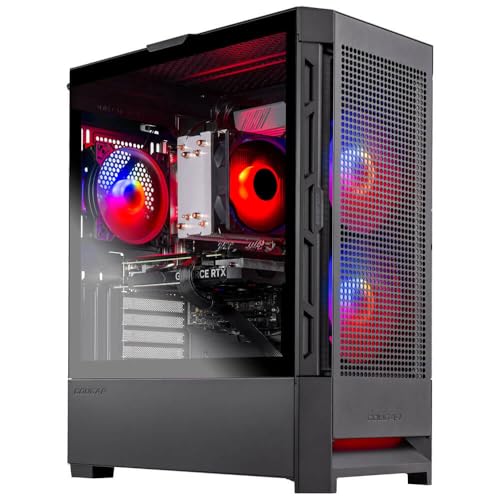
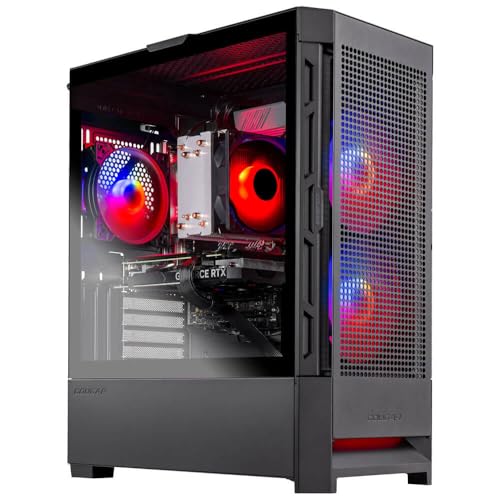
Skytech Gaming Nebula Gaming PC Desktop
A mid-tier reference point to run the checklist against: named platform parts and a sensible GPU pairing of the kind this guide teaches you to demand. Skytech Gaming Nebula Gaming PC Desktop — Check on Amazon

iBUYPOWER Slate MESH Gaming PC Desktop (32GB DDR5 configuration)
The comfort-tier pattern — current-generation platform, generous memory and storage — illustrating where the mid tier’s extra money should visibly go. iBUYPOWER Slate MESH Gaming PC Desktop (32GB DDR5 configuration) — Check on Amazon

HP OMEN 45L Gaming Desktop (flagship configuration)
The high tier, honestly specified: flagship graphics and platform together, for buyers whose 4K display and library actually call for it. HP OMEN 45L Gaming Desktop (flagship configuration) — Check on Amazon
Frequently Asked Questions
What matters most in a gaming PC purchase?
Balance, judged against your display and games: the right graphics card class, a modern processor that does not bottleneck it, dual-channel memory, NVMe storage, a reputable power supply and a case that breathes. Any listing weak in two of those is weak overall.
Should I buy during sales or wait for new hardware?
Sales on the current generation — especially after a new generation launches — are the reliable value pattern. Waiting indefinitely for the next launch is not; a balanced platform bought today upgrades gracefully tomorrow.
How do I know a prebuilt is not cutting corners?
It names its power supply, ships memory as a matched pair, specifies the exact graphics card and its memory, and uses a standard motherboard in an airflow case. Vagueness in a listing is information — use it.
Is an extended warranty worth it?
It depends on the route and your appetite for diagnosis. A prebuilt’s unified warranty has real value for first-time owners; component warranties on a custom build are often long already. Read what is covered and who pays shipping before deciding.
What should I check first when the PC arrives?
That the installed components match the listing, that memory runs in dual channel at its rated speed, and that gaming temperatures are healthy. All three take under fifteen minutes with free tools and are far easier to remedy inside the return window.
Should I buy insurance or accidental-damage cover for a gaming PC?
For a desktop that never moves, component warranties and a surge protector usually suffice. For a machine that travels — a student’s PC crossing the country twice a year — accidental-damage cover earns a serious look. Match the cover to the machine’s actual risks.
Bottom line: target first, tier second, checklist always. Buy the balance your screen and games require, verify it in week one, and let a sound platform — not a bigger splurge — carry you into the upgrade years.
How do I choose between two machines at the same price?
Run both through the specification audit and let the unglamorous components decide: the one with the named power supply, paired memory, honest storage and breathing case is the better machine even when the other’s brochure numbers gleam brighter. If both pass equally, choose by the graphics card class first, then by warranty and return terms, then by which seller answered your questions better. Brochure excitement is not a tiebreaker; it is what the audit exists to see through.
Is it better to buy a stronger PC now or a cheaper one plus an upgrade later?
For most buyers, the balanced machine now with a planned mid-life graphics upgrade beats both extremes: the flagship bought on credit to a display that cannot show it, and the bargain bought so close to the bone that upgrading means replacing the power supply and case too. The platform criteria in this guide exist to keep the ‘upgrade later’ promise real — buy the room to grow, then grow into it.
What is the biggest mistake first-time buyers make?
Buying the processor’s name and the lighting package while the graphics card — the component their games will actually judge — sits a class below the headline. It is the market’s most reliable trick because it exploits a reasonable instinct: buyers research the parts they have heard of. The checklist reverses it in minutes by forcing the graphics card, memory pairing, storage type and power supply identity onto the page before any money moves.
How long should a well-bought gaming PC last?
The platform should serve five years and beyond with at most one mid-life graphics upgrade; the machine bought at the right tier for its target usually feels adequate long after its benchmarks stop impressing anyone. Longevity is mostly decided at purchase — by upgrade room, standard parts and power supply headroom — which is why this guide spends so much of its length on the day of buying rather than the years after.
Should I buy my monitor and PC together?
Only if both decisions are independently right. The pairing matters — this guide’s first section insists the display defines the PC — but bundling the purchases invites compromise on both, and a monitor outlives a PC by years, so it deserves its own unhurried decision. If your current screen is the bottleneck your eyes complain about, it is even legitimate to buy the display first and let the PC follow when the budget recovers.
Should I finance a gaming PC or save up?
Save, in almost every case. A PC bought with patience costs its price; a PC bought on expensive credit costs its price plus a premium that could have been a better graphics card — and the hardware depreciates while the payments do not. The exception is genuine zero-cost instalment plans from reputable retailers, and even there the discipline is the same: the total must be the total you would have paid in cash, for the machine the checklist chose, not a larger one the monthly figure made painless.
How do I stop researching and actually decide?
Set the decision a deadline and a sufficiency test: when a machine passes the full checklist at your tier, from a seller who answers the five questions, further research is no longer improving the purchase — it is postponing the playing. The market will always contain a slightly better deal next month; that is its permanent condition, not information about your machine. Buy the one that passes, verify it in week one, and let the closing of the listings be the last step of the sequence.
What records should I keep from the purchase?
The invoice, the exact specification as ordered, serial numbers, warranty terms with their end dates, and the return deadline — one folder, physical or digital, created on day one. Add to it as life happens: upgrade receipts, repair notes, the temperature baselines from week one. When you sell the machine years later, that folder is worth money; when you claim on a warranty in year two, it is worth considerably more.
Does brand loyalty matter when choosing a gaming PC?
Far less than the checklist does. Every major maker ships both honest machines and brochure builds in the same season, sometimes in the same product line, and the specification audit separates them more reliably than any reputation. Loyalty is a reasonable tiebreaker between two machines that both pass — support experiences are real, and a brand that treated you well has earned something — but it should never substitute for reading the power supply line. Judge the listing in front of you; it is the one you will own.
What if my budget falls between two tiers?
Buy the lower tier’s balance with the difference spent where this guide says regret concentrates: the graphics card class first, the display second, storage headroom third. What not to do is split the difference into the processor or appearance, the two places money goes to be admired rather than felt. A between-tiers budget spent by the spending order produces a machine owners describe as ‘the top of its tier’; spent by brochure logic, it produces one described as ‘not quite either’.
In one sentence, what does this whole guide come down to?
Decide what the machine must do before you look at what machines cost, verify the unglamorous components on whatever you choose, and buy from someone who answers questions — because every disappointment in this market is one of those three steps skipped. Follow them in order and the purchase takes an evening; skip them and it can take years of small, compounding dissatisfactions to finish paying for exactly the same lesson in the end. The sequence is short, the checklist fits on one page, and the machine it buys you will still be earning its keep long after the listings that tempted you have been forgotten entirely.
Related Guides
Keep exploring with these guides and roundups from the same Gaming PCs collection: