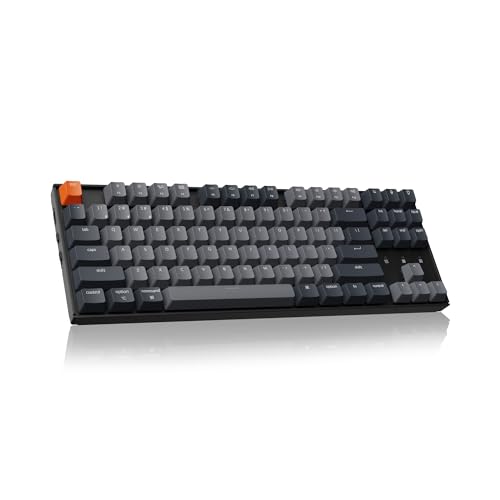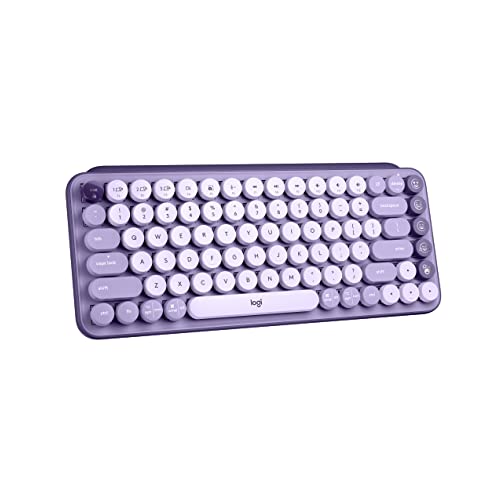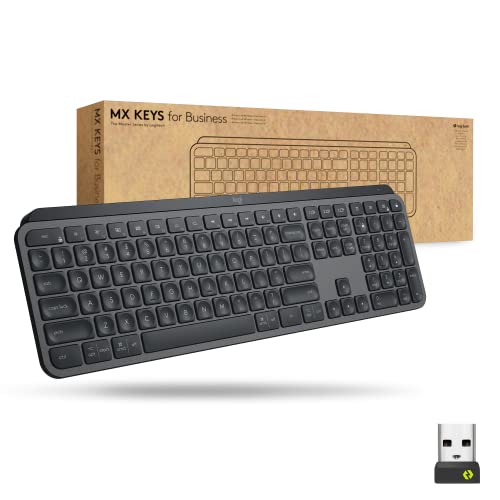
A good business keyboard is the tool you touch more than any other at work, and this guide compares the best keyboards for business use. You type on it for hours every day, so the key feel, the layout, and the comfort matter far more than RGB lighting or gaming features. A business keyboard should be quiet enough for a shared office, comfortable enough for a full workday, reliable enough to connect every morning without fuss, and secure enough for a company IT policy. The keyboards here are built for exactly that: office work, all day, every day. The keyboards in this guide cover the main choices for business use. Logitech makes most of them, from the premium MX Keys for Business with its quiet, precise keys to the ergonomic Ergo K860 split keyboard and the Wave Keys, which are built for comfort. Microsoft makes the wired ergonomic keyboard for buyers who want a simple plug-in design with no batteries. HP makes the slim wired keyboard for buyers who want the lowest cost and the simplest setup. Several models are keyboard-and-mouse combos, which suit a fresh desk setup, and several use Logi Bolt wireless, which is Logitech secure wireless for business. This guide compares seven keyboards for business use, from the budget HP USB Slim Business Keyboard to the premium Logitech MX Keys for Business. Each one below is a complete keyboard or keyboard-and-mouse combo — keyboard, keys, and connection included — not a keycap set, a wrist rest on its own, or a keyboard for a tablet. Every model was checked against its current Amazon listing. Read the comparison table for a fast overview, then dig into the individual sections for the strengths and trade-offs that matter for your hands, your desk, and the way you work. One practical note before the list: check your connection before you buy. Wireless keyboards need a USB receiver or Bluetooth, and business laptops often have few free USB ports, so a Bluetooth keyboard or a combo with one receiver for keyboard and mouse can save a port. Wired keyboards never need charging, which suits a fixed desk.
In this guide
Quick picks: best keyboards for business use
| # | Product | Where to buy |
|---|---|---|
| 1 | Logitech MX Keys for Business Wireless Keyboard | Check on Amazon |
| 2 | Microsoft Ergonomic Keyboard for Business, Wired | Check on Amazon |
| 3 | Logitech Ergo K860 Wireless Ergonomic Split Keyboard | Check on Amazon |
| 4 | Logitech Wave Keys for Business Ergonomic Keyboard | Check on Amazon |
| 5 | Logitech MK370 for Business Wireless Keyboard and Mouse Combo | Check on Amazon |
| 6 | Logitech Signature MK650 Combo for Business | Check on Amazon |
| 7 | HP USB Slim Business Keyboard | Check on Amazon |
Quick comparison
| Product | Key traits |
|---|---|
| Logitech MX Keys for Business Wireless Keyboard | Wireless, illuminated, quiet keys, multi-device |
| Microsoft Ergonomic Keyboard for Business, Wired | Wired, ergonomic split, business design |
| Logitech Ergo K860 Wireless Ergonomic Split Keyboard | Wireless, ergonomic split, wrist rest |
| Logitech Wave Keys for Business Ergonomic Keyboard | Wireless, ergonomic wave, Logi Bolt |
| Logitech MK370 for Business Wireless Keyboard and Mouse Combo | Wireless combo, full-size, Logi Bolt |
| Logitech Signature MK650 Combo for Business | Wireless combo, SmartWheel mouse, Logi Bolt |
| HP USB Slim Business Keyboard | Wired, slim, USB, low cost |

1. Logitech MX Keys for Business Wireless Keyboard
What stands out
The Logitech MX Keys for Business is the best keyboard for business use in this guide, and its key feel is the reason. The keys use a quiet scissor mechanism with a short, precise travel that feels like a good laptop keyboard, so you can type fast without the clatter of a mechanical keyboard disturbing colleagues. The keys are illuminated, with a sensor that lights them when your hands approach, and the keyboard connects to several devices at once, so you can switch between a work laptop and a personal computer with one key. It is the keyboard for people who type all day and want the best typing experience in an office.
Trade-offs to weigh
The trade-offs are price and charging. It is the most expensive keyboard here, and as a wireless keyboard it needs charging, although the battery lasts a long time between charges. It is also a full-size keyboard with a number pad, so it takes more desk space than a compact model. The premium feel is worth it if you type for a living; if you type less, or if you want a keyboard and mouse in one box, the MK370 or MK650 combos below cost less and cover the basics.
Who it fits best
Best for professionals who type all day and want the quietest, most comfortable business keyboard.
In daily use
In everyday use, the Logitech MX Keys for Business Wireless Keyboard settles into a routine quickly. Set it up once, the way you like it, and give yourself a few days to adjust before judging it. The first session is about learning the layout and the feel; the second and third are where it starts to feel natural. Keep it clean, keep it in the conditions it was designed for, and it will stay consistent. If it has parts that wear — cables, surfaces, moving components — a quick check now and then keeps small issues from becoming real ones, and keeping the packaging and documentation for the first weeks makes any return or exchange far simpler. Pay attention to the small details in the first week, like how it feels after an hour of use and whether anything needs adjusting, because those early impressions usually predict how happy you will be with it in six months.
Before you buy
Before buying the Logitech MX Keys for Business Wireless Keyboard, check two practical things. First, measure and compare: check the dimensions, the capacity, and the compatibility details listed on the product page against what you already own and the space you have. A product that does not fit your setup will never feel right, whatever its specifications say. Second, think about your routine — where it will live, how it will be stored, and what it needs to connect to. None of this is difficult, but all of it is easier to plan before the product arrives than after. Finally, check the reviews for long-term reports rather than first impressions, because a product that still earns praise after six months is a safer buy than one that only impresses on the first day.
Check price on Amazon: Logitech MX Keys for Business Wireless Keyboard

2. Microsoft Ergonomic Keyboard for Business, Wired
What stands out
The Microsoft Ergonomic Keyboard for Business is the wired ergonomic pick in this guide, and its split design is the reason. The keys are split into two angled halves with a curved layout that keeps your wrists straighter while you type, which helps if your wrists ache after a long day. It is wired, so there are no batteries to charge and no wireless connection to drop: plug it into a USB port and it works. It is also a business model, which means it is built for office deployment, with a standard layout that IT departments can support easily.
Trade-offs to weigh
The trade-offs are size and the learning curve. The split layout takes a few days to get used to, and the keyboard is wide, so it needs a large desk. It has no wireless option, so the cable must reach your computer, and there is no backlight for dim rooms. If you want wireless freedom, the Logitech Ergo K860 below is the wireless split keyboard; if you want a simple wired ergonomic keyboard that just works, this is the one.
Who it fits best
Best for office workers who want a wired ergonomic keyboard and never want to think about batteries.
In daily use
Day to day, the Microsoft Ergonomic Keyboard for Business, Wired is the kind of product you stop thinking about, which is the highest praise it can earn. It does its job the same way every time, without quirks or surprises, and lets you focus on the work or the game instead of the hardware. That consistency matters more than any single feature. Treat it reasonably — a clean desk, a suitable surface, and storage that protects it when it is not in use — and it will keep that consistency for a long time. The best products are the ones that fade into the background. If you use it in different places, try it in each one during the first week, because a product that works well on a desk can feel different in a bag, in a car, or in a shared room.
Before you buy
A few checks before you order the Microsoft Ergonomic Keyboard for Business, Wired will save disappointment. Confirm the key details on the listing match what you expect — the exact model name, the included accessories, and the variant — since similar-looking models can differ in important ways. Check the return policy and the warranty terms so you know your options if it arrives damaged or does not suit you. And if you are replacing something you already own, compare the new product with the old one on the points that mattered most, rather than on headline features you may never use. Also check what is not included in the box, like cables, mounts, or adapters, since those extras can add cost and delay if you need to order them separately after the product arrives.
Check price on Amazon: Microsoft Ergonomic Keyboard for Business, Wired

3. Logitech Ergo K860 Wireless Ergonomic Split Keyboard
What stands out
The Logitech Ergo K860 is the wireless ergonomic split keyboard in this guide, and its curved split design is the reason it exists. The keyframe is split and curved, with a pillowed wrist rest built in, so your hands, wrists, and forearms sit in a more natural position while you type. It connects over Bluetooth or the included wireless receiver, so it works with a laptop on a desk or in a hot-desk setup, and the wrist rest is part of the keyboard, not a separate piece that slides away. For buyers whose wrists hurt by the end of the day, this is the keyboard that makes the biggest difference.
Trade-offs to weigh
The trade-offs are size, cost, and adjustment time. It is a large keyboard that dominates a small desk, and it costs more than a standard business keyboard. The split layout also needs a week of practice before your typing speed returns to normal, which frustrates some buyers at first. If you have limited desk space, the Wave Keys below gives you ergonomic comfort in a smaller shape; if wrist comfort is your main concern, the K860 is the best tool for it.
Who it fits best
Best for typists with wrist discomfort who want a wireless split ergonomic keyboard.
In daily use
Over a full week of use, the Logitech Ergo K860 Wireless Ergonomic Split Keyboard shows its character in small ways. The feel stays the same from the first day to the last, nothing loosens or rattles, and the finish holds up to regular handling. If you switch between tasks, you will appreciate that it does not need a different setup for each one: configure it once for the way you actually use it and leave it alone. If you share the space with work or family, the same product should handle those jobs without feeling out of place, which is a useful bonus for a single-product setup. Notice how it handles the edges of its job too, not just the middle: the first and last minutes of a session, the switch between tasks, and the moment you put it away all tell you more than the headline features do.
Before you buy
When the Logitech Ergo K860 Wireless Ergonomic Split Keyboard arrives, spend a little time setting it up properly. Follow the included instructions, check that everything listed as included is actually in the box, and test the main functions within the first day or two. Then leave the settings alone for a week. Constant tweaking is the enemy of getting used to a product, and most people get better results from a stable setup than from a perfect one. If something feels wrong after a few days, change one thing at a time so you know what actually helped. Write down the settings that work best for you once you find them, so you can return to them quickly if the product is ever reset or if you need to set up a second one the same way.
Check price on Amazon: Logitech Ergo K860 Wireless Ergonomic Split Keyboard

4. Logitech Wave Keys for Business Ergonomic Keyboard
What stands out
The Logitech Wave Keys for Business is the compact ergonomic pick in this guide, and its wave shape is the reason. The keys follow a gentle wave that matches the natural curve of your hands, with a cushioned palm rest built in, so you get ergonomic comfort without the wide split layout of the K860. It uses Logi Bolt, which is Logitech secure wireless for business, so it meets company security policies and pairs reliably. It is smaller than the split keyboards here, so it fits a normal desk, and it is quiet enough for an open office.
Trade-offs to weigh
The trade-offs are the lack of a number pad and the adjustment period. The compact layout drops the number pad, which matters if you enter numbers all day, and the wave shape still takes a few days to feel natural. It is also wireless, so it needs batteries or charging. If you need a number pad, the MX Keys or the MK370 combos are better; if you want ergonomic comfort in a normal-size keyboard, the Wave Keys is the best balance here.
Who it fits best
Best for office workers who want ergonomic comfort in a standard-size wireless keyboard.
In daily use
In everyday use, the Logitech Wave Keys for Business Ergonomic Keyboard settles into a routine quickly. Set it up once, the way you like it, and give yourself a few days to adjust before judging it. The first session is about learning the layout and the feel; the second and third are where it starts to feel natural. Keep it clean, keep it in the conditions it was designed for, and it will stay consistent. If it has parts that wear — cables, surfaces, moving components — a quick check now and then keeps small issues from becoming real ones, and keeping the packaging and documentation for the first weeks makes any return or exchange far simpler. Pay attention to the small details in the first week, like how it feels after an hour of use and whether anything needs adjusting, because those early impressions usually predict how happy you will be with it in six months.
Before you buy
Before buying the Logitech Wave Keys for Business Ergonomic Keyboard, check two practical things. First, measure and compare: check the dimensions, the capacity, and the compatibility details listed on the product page against what you already own and the space you have. A product that does not fit your setup will never feel right, whatever its specifications say. Second, think about your routine — where it will live, how it will be stored, and what it needs to connect to. None of this is difficult, but all of it is easier to plan before the product arrives than after. Finally, check the reviews for long-term reports rather than first impressions, because a product that still earns praise after six months is a safer buy than one that only impresses on the first day.
Check price on Amazon: Logitech Wave Keys for Business Ergonomic Keyboard

5. Logitech MK370 for Business Wireless Keyboard and Mouse Combo
What stands out
The Logitech MK370 for Business is the best-value keyboard-and-mouse combo in this guide, and its completeness is the reason. One box gives you a full-size wireless keyboard and a wireless mouse that share a single Logi Bolt receiver, so you use one USB port for both and you have a fresh desk setup in minutes. The keyboard is full-size with a number pad, the keys are quiet, and the mouse is a standard office size that suits most hands. For a new desk, a home office, or an IT department buying in bulk, this is the practical choice.
Trade-offs to weigh
The trade-offs are the lack of premium features. There is no backlight, no ergonomic split, and no multi-device switching, and the key feel is good but not as refined as the MX Keys. The mouse is basic, so buyers with large hands or specific mouse needs may want a different mouse. If you want the best typing feel, take the MX Keys; if you want a complete desk setup for the least money and fuss, take the MK370.
Who it fits best
Best for new desks, home offices, and bulk buying where one box should cover keyboard and mouse.
In daily use
Day to day, the Logitech MK370 for Business Wireless Keyboard and Mouse Combo is the kind of product you stop thinking about, which is the highest praise it can earn. It does its job the same way every time, without quirks or surprises, and lets you focus on the work or the game instead of the hardware. That consistency matters more than any single feature. Treat it reasonably — a clean desk, a suitable surface, and storage that protects it when it is not in use — and it will keep that consistency for a long time. The best products are the ones that fade into the background. If you use it in different places, try it in each one during the first week, because a product that works well on a desk can feel different in a bag, in a car, or in a shared room.
Before you buy
A few checks before you order the Logitech MK370 for Business Wireless Keyboard and Mouse Combo will save disappointment. Confirm the key details on the listing match what you expect — the exact model name, the included accessories, and the variant — since similar-looking models can differ in important ways. Check the return policy and the warranty terms so you know your options if it arrives damaged or does not suit you. And if you are replacing something you already own, compare the new product with the old one on the points that mattered most, rather than on headline features you may never use. Also check what is not included in the box, like cables, mounts, or adapters, since those extras can add cost and delay if you need to order them separately after the product arrives.
Check price on Amazon: Logitech MK370 for Business Wireless Keyboard and Mouse Combo

6. Logitech Signature MK650 Combo for Business
What stands out
The Logitech Signature MK650 Combo for Business is the step-up combo in this guide, and its mouse is the reason. The keyboard is a full-size wireless business keyboard, and the mouse has a SmartWheel that switches between precise line-by-line scrolling and fast free scrolling, which is genuinely useful when you move through long documents and spreadsheets. Both connect over Logi Bolt, which is secure wireless for business, and the combo shares one receiver. It is the combo for people who scroll through long documents all day and want a better mouse than the basic one in the MK370.
Trade-offs to weigh
The trade-offs are size and the lack of a backlight. It is a full-size combo, so it needs a normal desk, and the keyboard has no illumination for dim rooms. It costs more than the MK370, and the extra money goes mostly to the mouse, so buyers who already have a mouse they like get less value from it. If you want the best combo mouse here, this is it; if you only need a keyboard, the MX Keys is the better single purchase.
Who it fits best
Best for document and spreadsheet workers who want a full-size combo with a better scrolling mouse.
In daily use
Over a full week of use, the Logitech Signature MK650 Combo for Business shows its character in small ways. The feel stays the same from the first day to the last, nothing loosens or rattles, and the finish holds up to regular handling. If you switch between tasks, you will appreciate that it does not need a different setup for each one: configure it once for the way you actually use it and leave it alone. If you share the space with work or family, the same product should handle those jobs without feeling out of place, which is a useful bonus for a single-product setup. Notice how it handles the edges of its job too, not just the middle: the first and last minutes of a session, the switch between tasks, and the moment you put it away all tell you more than the headline features do.
Before you buy
When the Logitech Signature MK650 Combo for Business arrives, spend a little time setting it up properly. Follow the included instructions, check that everything listed as included is actually in the box, and test the main functions within the first day or two. Then leave the settings alone for a week. Constant tweaking is the enemy of getting used to a product, and most people get better results from a stable setup than from a perfect one. If something feels wrong after a few days, change one thing at a time so you know what actually helped. Write down the settings that work best for you once you find them, so you can return to them quickly if the product is ever reset or if you need to set up a second one the same way.
Check price on Amazon: Logitech Signature MK650 Combo for Business

7. HP USB Slim Business Keyboard
What stands out
The HP USB Slim Business Keyboard is the budget pick in this guide, and its simplicity is the reason. It is a slim wired keyboard with a standard layout, a USB connection, and nothing to configure: plug it in and type. There are no batteries, no receiver, and no software, so it works on any computer with a USB port, including locked-down office machines where wireless devices are not allowed. For a spare keyboard, a second desk, or a tight budget, it does the job at the lowest cost in the guide.
Trade-offs to weigh
The trade-offs are comfort and features. The keys are basic membrane keys with a flat feel, there is no wrist rest, no backlight, and no ergonomic shaping, so a full day of typing on it is less comfortable than on the MX Keys or the ergonomic models. The cable also ties you to the desk. It is a fine keyboard for light use and for a spare, but anyone who types all day should spend more on one of the ergonomic or premium models above.
Who it fits best
Best for light use, spare desks, and offices where wired keyboards are required.
In daily use
In everyday use, the HP USB Slim Business Keyboard settles into a routine quickly. Set it up once, the way you like it, and give yourself a few days to adjust before judging it. The first session is about learning the layout and the feel; the second and third are where it starts to feel natural. Keep it clean, keep it in the conditions it was designed for, and it will stay consistent. If it has parts that wear — cables, surfaces, moving components — a quick check now and then keeps small issues from becoming real ones, and keeping the packaging and documentation for the first weeks makes any return or exchange far simpler. Pay attention to the small details in the first week, like how it feels after an hour of use and whether anything needs adjusting, because those early impressions usually predict how happy you will be with it in six months.
Before you buy
Before buying the HP USB Slim Business Keyboard, check two practical things. First, measure and compare: check the dimensions, the capacity, and the compatibility details listed on the product page against what you already own and the space you have. A product that does not fit your setup will never feel right, whatever its specifications say. Second, think about your routine — where it will live, how it will be stored, and what it needs to connect to. None of this is difficult, but all of it is easier to plan before the product arrives than after. Finally, check the reviews for long-term reports rather than first impressions, because a product that still earns praise after six months is a safer buy than one that only impresses on the first day.
Check price on Amazon: HP USB Slim Business Keyboard
Buying guide
Wired or wireless: what suits your desk
A wired keyboard never needs charging and always works, which suits a fixed desk and offices where wireless devices are restricted. A wireless keyboard keeps the desk clean and works with a laptop anywhere, but it needs batteries or charging and a free USB port or Bluetooth. If your desk never moves, wired is simpler; if you hot-desk or use a laptop on the move, wireless is better.
Ergonomic or standard: listen to your wrists
An ergonomic keyboard splits, curves, or waves the key layout so your wrists stay straighter, which helps if your hands ache after a long day. The split designs take a week to learn, so give them time before you judge them. If your wrists never hurt, a standard keyboard like the MX Keys or the MK370 is fine; if they do, an ergonomic model is worth the adjustment period.
Key feel: quiet, short, and predictable
Business keyboards should be quiet, because open offices punish loud typing. The keyboards here use scissor or membrane keys with short travel and a soft landing, which keeps noise down and typing fast. Mechanical keyboards with clicky switches are louder and suit gaming more than office work. Try to test the key feel if you can, because it matters more than any feature list.
Full-size or compact: do you need a number pad
A full-size keyboard includes a number pad, which matters if you enter numbers, use spreadsheets, or work in accounting. A compact keyboard drops the pad and takes less desk space, which suits small desks and laptop users. Check your daily work before you choose: if you use the number pad, do not buy a keyboard without one.
Security: Logi Bolt and business wireless
Several keyboards here use Logi Bolt, which is Logitech secure wireless for business. It uses encrypted connections and a receiver that pairs only with its own devices, which is what company IT policies usually require. If your company restricts wireless devices, ask IT before buying, and note that wired keyboards like the Microsoft Ergonomic and the HP Slim always pass security checks.
Combos: one box for keyboard and mouse
A keyboard-and-mouse combo gives you a matched set that shares one receiver and one setup, which is convenient for a new desk. The MK370 and MK650 combos here are good value if you need both. If you already own a mouse you like, or if you need a specific mouse shape, buy the keyboard alone instead, because a combo forces you to take its mouse.
Frequently asked questions
What is the best keyboard for business use?
For most business users, the Logitech MX Keys for Business is the best keyboard for business use: quiet keys, illumination, and multi-device switching in a full-size layout. If your wrists hurt, take the Logitech Ergo K860. If you need a keyboard and mouse together, take the Logitech MK370 combo.
Are ergonomic keyboards better for business use?
They help if your wrists or hands ache after typing all day, because the split or wave layout keeps your wrists straighter. They take about a week to learn, so give them time. If your hands never hurt, a standard keyboard like the MX Keys is fine and needs no adjustment.
Should I buy a wired or wireless keyboard for work?
Wired suits a fixed desk and offices that restrict wireless devices, because it never needs charging and always works. Wireless suits hot-desking and laptop use, because it keeps the desk clean and moves with you. Check whether your office allows wireless devices before buying.
What is Logi Bolt?
Logi Bolt is Logitech secure wireless technology for business. It uses an encrypted connection between the keyboard or mouse and its receiver, which meets company security policies. Several keyboards in this guide use it, and it is the right choice for business deployments.
Do I need a keyboard with a number pad for business?
It depends on your work. If you enter numbers, use spreadsheets, or work in accounting, a full-size keyboard with a number pad saves a lot of time. If you rarely type numbers, a compact keyboard without a pad takes less desk space and is easier to carry.
Can I use a business keyboard with a laptop?
Yes. Wireless business keyboards connect over Bluetooth or a USB receiver, and wired ones plug into a USB port. A full-size keyboard next to a laptop gives you a proper typing position and a number pad, which is why many laptop users keep one on the desk.
Conclusion
The best keyboard for business use is the one that matches your hands, your desk, and your work. The Logitech MX Keys for Business is the best all-round choice for people who type all day, the Microsoft Ergonomic Keyboard for Business is the best wired ergonomic choice, and the Logitech Ergo K860 is the best wireless ergonomic choice. The Logitech Wave Keys for Business gives you ergonomic comfort in a standard size, the MK370 and MK650 combos cover a full desk setup in one box, and the HP USB Slim Business Keyboard is the budget choice for light use. Check your connection and your number pad needs first, then buy the keyboard your hands will thank you for.