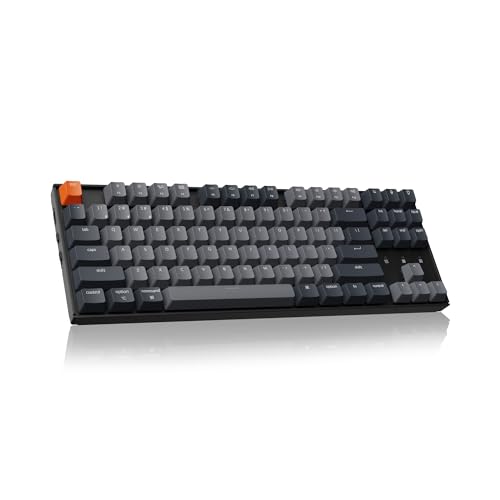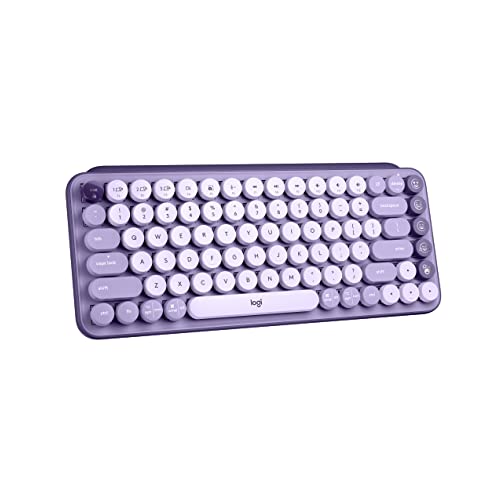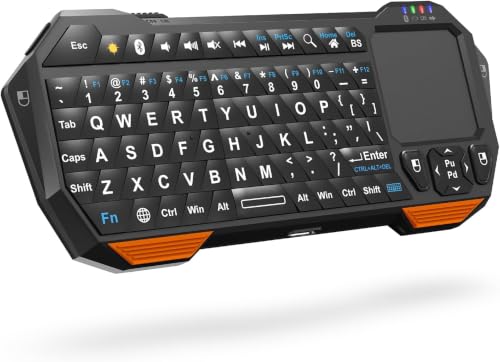
The best keyboards for Nvidia Shield console use are not the keyboards on a desk, and that is the first thing to understand. A Shield sits under a television, and the person using it sits on a sofa, three metres away, with no desk in sight. A full-size keyboard is useless there: it needs a flat surface, it needs two hands, and it needs the user to look at the keys. A mini keyboard with a touchpad is the answer, because it fits in one hand, the thumb works the touchpad, and the whole thing works from the sofa without a table.
This guide looks at eight keyboards that suit the Nvidia Shield console, from the Logitech K400 Plus that defines the category, through the Fosmon, Rii, iPazzPort, Arteck and REIIE mini keyboards that are built for the sofa, to the K809 and the WirelessFinest picks that cover the budget end. Every pick is a genuine keyboard with a touchpad, every pick connects wirelessly, and every pick is linked to the exact model shown. Remote controls without a keyboard were left out, and so were keyboards made for the Shield tablet, because this guide is about the Shield console under the television.
A note on what a Shield keyboard is for. The Shield is a streaming box and a games console in one, and the keyboard is used for searching, for typing passwords, for browsing, and for the occasional game that needs keys. It is not used for writing documents, and it is not used for competitive gaming, so the keys do not need to be mechanical and the layout does not need to be full-size. What matters is the touchpad, because the Shield's interface is a pointer interface, and a keyboard without a touchpad leaves the user reaching for a separate mouse, which defeats the purpose.
In this guide
Quick picks: best keyboards for nvidia shield console
| # | Product | Where to buy |
|---|---|---|
| 1 | Fosmon Mini Keyboard with Touchpad Mouse | Check on Amazon |
| 2 | Logitech K400 Plus Wireless Touch TV Keyboard | Check on Amazon |
| 3 | Rii X8 Mini Keyboard | Check on Amazon |
| 4 | iPazzPort Mini Bluetooth Keyboard with Gyroscopic Air Mouse | Check on Amazon |
| 5 | Arteck Universal Backlit 7-Colors Bluetooth Touch TV Keyboard | Check on Amazon |
| 6 | REIIE H9+ 2.4G Mini Keyboard with Touchpad | Check on Amazon |
| 7 | K809 Mini Wireless Keyboard with Touchpad | Check on Amazon |
| 8 | WirelessFinest Mini Wireless Keyboard with Touchpad | Check on Amazon |
How the picks were chosen
The picks were chosen from the site's own product listings, and only genuine keyboards that work with the Nvidia Shield console made the list. Remote controls without a keyboard were left out, however often they appear in the search results, because a remote is not a keyboard. Keyboards made for the Shield tablet were left out too, because the tablet is a different device. The Shield TV Pro streaming box itself was left out, because it is the console, not a keyboard for it. Each pick was checked for a touchpad, a wireless connection, and backlighting, because a sofa keyboard is used in a dark room.
The touchpad was the first test, and it is the feature that decides whether a Shield keyboard works at all. A touchpad lets the thumb move the pointer, click on a film, and scroll through a menu, all without a separate mouse. The picks in this guide all have one, and the larger and smoother the touchpad, the better the keyboard works. The second test was the wireless connection: 2.4GHz wireless with a tiny receiver is the most reliable for a Shield, and Bluetooth is the alternative for a Shield that has no free USB port. The third test was backlighting, because a keyboard used in a dark living room must be readable without turning the lights on.
Size was the final test, and smaller is better on a sofa. A mini keyboard fits in one hand, rests on a knee, and disappears into the gap between the cushions when not in use. A full-size keyboard does none of those things. The picks in this guide are all mini keyboards except the Logitech K400 Plus, which is the largest here and still small enough for a lap. The comparison table calls out the connection and the touchpad on every pick, so the choice is easy to make.
Quick comparison
| Product | Standout detail |
|---|---|
| Fosmon Mini Keyboard with Touchpad Mouse | Fosmon Mini Keyboard, 2.4G + Bluetooth, backlit |
| Logitech K400 Plus Wireless Touch TV Keyboard | Logitech K400 Plus, touch TV keyboard |
| Rii X8 Mini Keyboard | Rii X8 Mini Keyboard, BT + 2.4G, RGB |
| iPazzPort Mini Bluetooth Keyboard with Gyroscopic Air Mouse | iPazzPort Mini Bluetooth Keyboard, air mouse |
| Arteck Universal Backlit 7-Colors Bluetooth Touch TV Keyboard | Arteck Touch TV Keyboard, 7-colour backlit |
| REIIE H9+ 2.4G Mini Keyboard with Touchpad | REIIE H9+ Mini Keyboard, 2.4G, backlit |
| K809 Mini Wireless Keyboard with Touchpad | K809 Mini Wireless Keyboard, BT + 2.4G, 1000mAh |
| WirelessFinest Mini Wireless Keyboard with Touchpad | WirelessFinest Mini Keyboard, 2.4GHz, touchpad |

1. Fosmon Mini Keyboard with Touchpad Mouse
Key specs
Mini keyboard with a touchpad mouse, 2.4G wireless and Bluetooth, backlit, with a 500mAh rechargeable battery and a QWERTY keypad.
Strengths
- Two connections in one keyboard: 2.4GHz wireless for the Shield and Bluetooth for a second device.
- The backlit keys are readable in a dark living room without turning the lights on.
- The 500mAh rechargeable battery lasts for weeks of evening use between charges.
Trade-offs
- The keys are small, so typing a long password takes concentration.
- The 500mAh battery is smaller than the 1000mAh battery on the K809 below.
- The touchpad is good rather than great, and precise clicking takes practice.
Who it fits
Shield owners who want one keyboard for the console and a second device.
Best for: Searching, typing passwords and browsing on the Shield from the sofa.
Not suited for: Anyone who types long documents on the Shield, which nobody should do anyway.
In daily use
The Fosmon is the flexible pick in this guide, because it offers both wireless connections in one small keyboard. Use the 2.4GHz receiver for the Shield, where reliability matters, and Bluetooth for a tablet or a phone, where convenience matters. The backlit keys and the touchpad make it a proper sofa keyboard, and the rechargeable battery means there are no disposables to buy.
Keep the tiny 2.4GHz receiver in the Shield's USB port, and do not lose it; a receiver that small is easy to misplace, and the keyboard is useless without it.
Check price on Amazon: Fosmon Mini Keyboard with Touchpad Mouse

2. Logitech K400 Plus Wireless Touch TV Keyboard
Key specs
Wireless touch TV keyboard for a PC-connected TV, in black. Easy media control with a built-in touchpad, made for HTPC use.
Strengths
- The built-in touchpad is the largest in this guide, so the pointer is easy to control.
- The K400 Plus is the reference keyboard for TV use, and it works with the Shield as well as with a PC.
- The media keys control volume and playback without reaching for the remote.
Trade-offs
- The K400 Plus is the largest keyboard in this guide, so it needs a lap rather than a hand.
- It runs on disposable batteries rather than a rechargeable one.
- The keys are quiet and soft, which suits a living room but not a typist.
Who it fits
Shield owners who want the biggest touchpad and the most proven keyboard in the category.
Best for: A living-room keyboard that the whole household can use.
Not suited for: Anyone who wants the smallest possible keyboard, who should look at the mini picks below.
In daily use
The K400 Plus is the keyboard this guide measures the others against. It is not the smallest, and it is not the prettiest, but it is the one that has been on living-room laps for years, and it works. The large touchpad is the reason: moving a pointer with a thumb is easier when the pad is big, and the K400's pad is the biggest here.
The K400 Plus uses disposable batteries, so keep a pair of AA batteries in the drawer; the keyboard gives plenty of warning before it dies, but a spare is cheaper than a dark evening.
Check price on Amazon: Logitech K400 Plus Wireless Touch TV Keyboard

3. Rii X8 Mini Keyboard
Key specs
Mini keyboard with Bluetooth and 2.4G dual mode, portable, for HTPC and IPTV use. RGB backlit, rechargeable, with a touchpad.
Strengths
- Dual-mode wireless covers Bluetooth and 2.4GHz, so the keyboard works with the Shield either way.
- The RGB backlighting looks good and makes the keys readable in the dark.
- The portable size fits in one hand and disappears between the cushions when not in use.
Trade-offs
- The RGB backlighting uses battery faster than a plain backlight, so it needs charging more often.
- The keys are small and close together, so typos happen until the fingers learn the layout.
- The touchpad is smaller than the one on the K400 Plus.
Who it fits
Shield owners who want a tiny, colourful keyboard that travels well.
Best for: A portable Shield keyboard for a second room or a holiday home.
Not suited for: Anyone who wants the largest possible touchpad.
In daily use
The Rii X8 is the portable pick in this guide. It is small enough to carry in a bag, it connects by Bluetooth or by 2.4GHz, and the RGB backlighting makes it look like a gaming accessory rather than a remote control. It is the keyboard for the Shield that moves between rooms, or between houses, and it does the job without fuss.
Turn the RGB brightness down when the battery runs low, because the lights are the biggest drain on the charge, and a dim keyboard that works beats a bright one that is flat.
Check price on Amazon: Rii X8 Mini Keyboard

4. iPazzPort Mini Bluetooth Keyboard with Gyroscopic Air Mouse
Key specs
Mini Bluetooth keyboard with a gyroscopic air mouse. Universal remote for Nvidia Shield, smart TV and laptop, with IR learning.
Strengths
- The gyroscopic air mouse moves the pointer by waving the keyboard in the air, which feels like magic the first time.
- Bluetooth connects directly to the Shield with no receiver to lose.
- The universal remote functions control the television as well as the Shield, so one device does two jobs.
Trade-offs
- The air mouse takes practice, and it is easy to overshoot the target at first.
- The keys are small, and the layout is cramped for anything longer than a search.
- The IR learning setup takes a few minutes and a working remote to copy from.
Who it fits
Shield owners who want a keyboard, a mouse and a remote in one device.
Best for: Waving at the television to move the pointer, and typing the occasional search.
Not suited for: Anyone who wants a traditional touchpad, who should buy the Fosmon or the K400 Plus.
In daily use
The iPazzPort is the most interesting keyboard in this guide, because it is three devices at once: a keyboard, an air mouse, and a universal remote. Wave it in the air and the pointer follows, which is genuinely useful when the hands are full or the sofa is far from the screen. The Bluetooth connection means there is no receiver to lose, and the IR learning means the television remote can stay in the drawer.
Practice the air mouse for a few minutes before the first film, because waving too hard overshoots the target; small, gentle movements work best.
Check price on Amazon: iPazzPort Mini Bluetooth Keyboard with Gyroscopic Air Mouse

5. Arteck Universal Backlit 7-Colors Bluetooth Touch TV Keyboard
Key specs
Universal backlit Bluetooth touch TV keyboard with seven colours, easy media control, and a built-in touchpad for TV-connected use.
Strengths
- Seven backlight colours let the keyboard match the room, the mood, or the film.
- Bluetooth connects to the Shield with no receiver, so there is nothing to lose.
- The built-in touchpad and the media keys cover everything a Shield needs.
Trade-offs
- Bluetooth has slightly more lag than a 2.4GHz receiver, though it rarely matters for a Shield.
- The seven colours are a choice, not a necessity, and the keyboard costs a little more for them.
- The keys are small, as on every mini keyboard in this guide.
Who it fits
Shield owners who want a colourful keyboard that connects by Bluetooth alone.
Best for: A living-room keyboard that looks as good as it works.
Not suited for: Anyone who insists on a 2.4GHz receiver for the lowest possible lag.
In daily use
The Arteck is the prettiest keyboard in this guide, and the seven backlight colours are the reason. It is not just decoration: a backlit keyboard is readable in a dark room, and the colour choice makes it easy to find in the dark too. The Bluetooth connection keeps the setup simple, with no receiver to lose, and the touchpad does the pointing.
Pick one backlight colour and leave it there, because changing the colour every evening is a distraction, and the keyboard is a tool, not a light show.
Check price on Amazon: Arteck Universal Backlit 7-Colors Bluetooth Touch TV Keyboard

6. REIIE H9+ 2.4G Mini Keyboard with Touchpad
Key specs
2.4G mini keyboard with a touchpad, backlit, for smart TV and PC use. Rechargeable battery and a multi-finger touchpad.
Strengths
- The 2.4GHz connection is the most reliable for a Shield, with no pairing to manage.
- The multi-finger touchpad supports gestures, so scrolling and clicking feel natural.
- The backlit keys are readable in the dark, and the rechargeable battery lasts for weeks.
Trade-offs
- The H9+ has no Bluetooth, so it needs its receiver, and the receiver is small enough to lose.
- The multi-finger gestures take a little learning.
- The keys are small, as on every mini keyboard in this guide.
Who it fits
Shield owners who want the most reliable wireless connection and a proper touchpad.
Best for: A no-fuss Shield keyboard that just works, every evening.
Not suited for: Anyone who needs Bluetooth, who should buy the Fosmon or the Arteck.
In daily use
The REIIE H9+ is the reliable pick in this guide. It does one thing, the 2.4GHz connection, and it does it well, with no Bluetooth pairing to manage and no second mode to confuse. The multi-finger touchpad is the bonus: gestures that work on a laptop work here too, so scrolling through a film list feels natural. It is the keyboard for the buyer who wants the Shield to just work.
Keep the receiver in the Shield at all times, even when the keyboard is put away, because a receiver that lives in the console cannot be lost.
Check price on Amazon: REIIE H9+ 2.4G Mini Keyboard with Touchpad
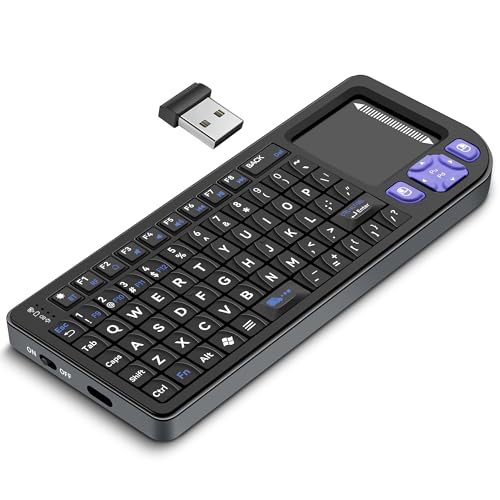
7. K809 Mini Wireless Keyboard with Touchpad
Key specs
Mini wireless keyboard with a touchpad, in black. Bluetooth and 2.4G dual mode, rechargeable 1000mAh battery, easy media control.
Strengths
- The 1000mAh battery is the largest in this guide, so the keyboard goes longest between charges.
- Dual-mode wireless covers Bluetooth and 2.4GHz, so the keyboard works with any device.
- The media control keys handle volume and playback without reaching for the remote.
Trade-offs
- The K809 is a plain-looking keyboard, with no colour options and no RGB.
- The keys are small, as on every mini keyboard in this guide.
- The touchpad is good rather than great, and precise clicking takes practice.
Who it fits
Shield owners who want the longest battery life and both wireless connections.
Best for: A set-and-forget Shield keyboard that rarely needs charging.
Not suited for: Anyone who wants a colourful or premium-looking keyboard.
In daily use
The K809 is the battery-life pick in this guide, and the 1000mAh battery is the reason. Twice the capacity of the Fosmon means half as many charges, and for a keyboard that lives on a sofa and is used for an hour or two each evening, that means months between charges rather than weeks. The dual-mode wireless is the bonus, covering both Bluetooth and 2.4GHz in one small board.
Charge the K809 fully the first time, because a lithium battery that starts life with a full charge lasts longer than one that is used half-charged from the box.
Check price on Amazon: K809 Mini Wireless Keyboard with Touchpad

8. WirelessFinest Mini Wireless Keyboard with Touchpad
Key specs
Mini wireless keyboard with a touchpad for smart TV and Android use. Compact 2.4GHz wireless keyboard with touchpad.
Strengths
- The 2.4GHz wireless connection is simple and reliable, with no pairing to manage.
- The compact size fits in one hand and is easy to hold for a whole film.
- The price is the lowest in this guide, so it is an easy buy.
Trade-offs
- The keyboard is basic, with no backlighting, so it is hard to use in a dark room.
- The touchpad is smaller than on the K400 Plus and the Fosmon.
- The brand is less well known than Logitech, so support is less certain.
Who it fits
Shield owners who want the cheapest working keyboard and use the Shield in a lit room.
Best for: A spare keyboard for a second Shield, or a first keyboard to try the idea.
Not suited for: Anyone who watches films in the dark, who should buy a backlit keyboard instead.
In daily use
The WirelessFinest is the budget pick in this guide, and it is honest about it. It is a small wireless keyboard with a touchpad, it connects by 2.4GHz, and it does the job. There is no backlighting, so it suits a lit room rather than a dark one, and the touchpad is small, but for the price, it is the cheapest way to put a keyboard on the sofa.
The lack of backlighting matters more than it sounds, because the Shield is usually watched in the dark; if the room is dark, spend a little more on the Fosmon or the REIIE instead.
Check price on Amazon: WirelessFinest Mini Wireless Keyboard with Touchpad
Buying guide: best keyboards for nvidia shield console
The touchpad is not optional
A Shield keyboard without a touchpad is a keyboard that leaves the user reaching for a separate mouse, which defeats the purpose of a sofa keyboard. The Shield's interface is a pointer interface, and the pointer must be moved by the same device that types. Every keyboard in this guide has a touchpad, and the larger and smoother the touchpad, the better the keyboard works. The Logitech K400 Plus has the largest touchpad here, and it shows in daily use. Test the touchpad before the first film, because a sticky or jumpy pad will annoy the household every evening.
2.4GHz or Bluetooth: which connection for the Shield
A 2.4GHz receiver is the most reliable connection for a Shield, because it pairs instantly, it has very little lag, and it needs no setup. Bluetooth is the alternative, and it suits a Shield with no free USB port, but it needs pairing and it has slightly more lag. Dual-mode keyboards offer both, and they are the most flexible picks in this guide. The choice matters less than the touchpad, but it matters: a keyboard that needs pairing every evening is a keyboard that will not be used.
Backlighting: a sofa keyboard is used in the dark
The Shield is usually watched in a dark room, and a keyboard used in a dark room must be readable without turning the lights on. Backlit keys solve this, and most of the keyboards in this guide have them. The WirelessFinest is the exception, and it suits a lit room rather than a dark one. The backlight colour matters less than the brightness, and a dim backlight that is always on beats a bright one that drains the battery in a night.
Size: mini is right, full-size is wrong
A mini keyboard fits in one hand, rests on a knee, and disappears between the cushions when not in use. A full-size keyboard needs a flat surface and two hands, and neither exists on a sofa. The picks in this guide are all mini keyboards except the K400 Plus, which is the largest here and still small enough for a lap. If a keyboard looks too big for a sofa, it is, and the mini picks are the answer.
Battery: rechargeable beats disposable, and bigger lasts longer
Most of the keyboards in this guide have a rechargeable battery, and the K809 has the largest at 1000mAh, which means months between charges for an hour or two of use each evening. The K400 Plus uses disposable batteries, which last for months too, but need replacing rather than recharging. The habit is the same either way: charge or check the batteries every few weeks, not when the keyboard dies mid-search.
The receiver: small, losable, and essential
A 2.4GHz keyboard needs its receiver, and the receiver is small enough to lose in a sofa. Keep it in the Shield's USB port at all times, even when the keyboard is put away, because a receiver that lives in the console cannot be lost. If the receiver is lost, the keyboard is useless, and a replacement receiver is not always available. Bluetooth keyboards have no receiver to lose, which is their one real advantage over 2.4GHz.
Using the keyboard for games on the Shield
The Shield plays games as well as films, and a keyboard helps with the games that need keys, such as strategy games and the occasional PC port. It does not replace a controller for action games, and it should not be bought for that purpose. The mini keyboards in this guide are for typing, searching, and browsing, with gaming as a bonus. For serious gaming on the Shield, a controller is still the right tool.
One keyboard for the whole household
A Shield keyboard is a household device, not a personal one, and it should be simple enough for everyone to use. The touchpad, the backlighting, and the media keys matter more than the key feel, because the keyboard will be picked up by people who have never seen it before. The K400 Plus is the best household keyboard in this guide, because it is the simplest to explain: point with the pad, type with the keys, and press the media buttons for volume.
Usage and care
Use the keyboard from the sofa, with the Shield's USB receiver in place and the keyboard charged. Keep the keyboard where it can be found in the dark, such as on the arm of the sofa or in a basket beside it, because a keyboard that is lost in the cushions is a keyboard that is not used. Wipe the keys with a damp cloth once a month, and let the keyboard dry before the next use.
Charge the keyboard regularly, and it will always be ready. The rechargeable keyboards in this guide last for weeks of evening use, and the habit is to charge overnight once a month, or when the backlight dims. Do not leave a keyboard charging for weeks at a time, and do not leave it in direct sunlight, because heat ages a lithium battery faster than use does.
Look after the touchpad, because it is the part that wears out first. Keep it clean and dry, and do not press it hard, because a touchpad responds to a light touch and a heavy press only wears it out. If the pointer jumps or sticks, clean the pad with a soft, dry cloth, and check that the receiver has a clear path to the keyboard, because a blocked signal looks like a faulty touchpad.
Common mistakes
The most common mistake is buying a keyboard without a touchpad, because it looks cheaper or smaller. A Shield without a touchpad leaves the user reaching for a mouse, and a mouse on a sofa is a miserable thing. The touchpad is the feature that makes a Shield keyboard work, and every keyboard in this guide has one. The second mistake is buying a full-size keyboard for a sofa, which needs a desk that does not exist.
Another common mistake is buying a remote control instead of a keyboard, because the search results mix them together. A remote can move a pointer and press a few buttons, but it cannot type a password or a search, and typing with an on-screen keyboard is slow and painful. If the device has no proper keys, it is not a keyboard, and it will not do the job. Check the listing for a QWERTY keypad before ordering.
The third mistake is losing the receiver. A 2.4GHz keyboard without its receiver is a paperweight, and the receiver is small enough to vanish into a sofa. Keep it in the Shield at all times, and if the keyboard is taken to another room, take the Shield's receiver with it or use Bluetooth instead. A keyboard with a lost receiver is the most common reason a Shield keyboard ends up in a drawer.
The Shield remote and the keyboard: using both together
The Shield comes with a remote, and the keyboard does not replace it; the two work together, and each does what it does best. The remote is for playing, pausing, and changing the volume, because it is always in the hand and its buttons are easy to find in the dark. The keyboard is for searching, typing passwords, and browsing, because typing on a remote is slow and painful. Keep the remote on the arm of the sofa and the keyboard beside it, and reach for whichever fits the job. A household that tries to do everything with one device will do everything badly.
Keeping the keyboard charged and findable
A sofa keyboard is easy to lose, because it is small, dark, and the same colour as the sofa, and a lost keyboard is a keyboard that is not used. Give it a home: a basket beside the sofa, a shelf under the television, or the arm of the chair, and always put it back in the same place. Charge it on a routine, once a month or when the backlight dims, rather than waiting for it to die mid-search. A keyboard that is always charged and always in the same place is a keyboard that gets used, and one that vanishes into the cushions is not.
Final recommendation
If one keyboard has to win this guide, it is the Logitech K400 Plus, because it has the largest touchpad, the most proven design, and the simplest setup. The Fosmon is the flexible pick, with both wireless connections and a backlit keyboard in a mini size, and the K809 is the battery-life pick, with the largest rechargeable battery in the guide. The Rii X8 is the portable pick, the iPazzPort is the clever pick with its air mouse, and the REIIE H9+ is the reliable pick for buyers who want one connection done well.
For most buyers, the choice is between the K400 Plus and the Fosmon, and the deciding factor is size: the K400 is the biggest and the simplest, and the Fosmon is the smallest and the most flexible. The Arteck is the pick for a colourful keyboard, the WirelessFinest is the budget pick for a lit room, and the iPazzPort is the pick for anyone who wants a keyboard, a mouse and a remote in one device.
Whatever keyboard is chosen, make sure it has a touchpad, make sure it connects wirelessly, and make sure the keys are backlit for a dark room. A Shield keyboard is a sofa tool, and the best sofa tool is the one that is always to hand, always charged, and always ready. The eight keyboards in this guide all do the job; the right one is the one that fits the sofa, the Shield, and the household.
Frequently asked questions
Do I need a keyboard for the Nvidia Shield?
A keyboard is not essential for the Nvidia Shield, but it makes searching, typing passwords, and browsing much faster than the on-screen keyboard. Anyone who searches often, types passwords, or uses the Shield's browser will benefit. The keyboard is a convenience, not a necessity, and the on-screen keyboard still works for occasional use.
What is the best keyboard for the Nvidia Shield console?
The best keyboard for the Nvidia Shield console is a mini wireless keyboard with a touchpad and backlit keys. In this guide, the Logitech K400 Plus is the best all-rounder, the Fosmon is the best mini keyboard, and the K809 is the best for battery life. The key features are the touchpad, the wireless connection, and the backlighting.
Will any wireless keyboard work with the Nvidia Shield?
Most wireless keyboards work with the Nvidia Shield, because the Shield accepts standard USB and Bluetooth keyboards. A 2.4GHz keyboard needs its receiver in the Shield's USB port, and a Bluetooth keyboard needs pairing. The keyboards in this guide are all confirmed to work with the Shield, and mini keyboards with a touchpad work best, because the Shield's interface needs a pointer.
Do Shield keyboards need a touchpad?
A Shield keyboard needs a touchpad, because the Shield's interface is a pointer interface and the pointer must be moved by the same device that types. A keyboard without a touchpad leaves the user reaching for a separate mouse, which is awkward on a sofa. Every keyboard in this guide has a touchpad, and the larger the touchpad, the easier the Shield is to use.
Is Bluetooth or 2.4GHz better for a Shield keyboard?
A 2.4GHz receiver is the most reliable connection for a Shield, because it pairs instantly and has very little lag. Bluetooth suits a Shield with no free USB port, but it needs pairing and has slightly more lag. Dual-mode keyboards offer both, and they are the most flexible picks. For gaming on the Shield, 2.4GHz is the better choice.
Can I use a Shield keyboard with other devices?
Yes, the keyboards in this guide work with other devices as well as the Shield, because they are standard wireless keyboards. Dual-mode keyboards work with a tablet or a phone by Bluetooth and with the Shield by 2.4GHz. The iPazzPort also works as a universal remote for a television, so one device can control the whole living room.
Do I still need the Shield remote if I have a keyboard?
Yes, the remote and the keyboard work together. The remote is for playing, pausing, and volume, because it is always in the hand. The keyboard is for searching, typing passwords, and browsing. Keep both beside the sofa, and reach for whichever fits the job.
Where should I keep a Shield keyboard?
Give the keyboard a home: a basket beside the sofa, a shelf under the television, or the arm of the chair, and always put it back in the same place. Charge it once a month or when the backlight dims. A keyboard that is always charged and always findable is a keyboard that gets used.
More from ilcastellomenu.com
Keyboards for Nvidia Shield: the companion guide