Disclosure: As an Amazon Associate, ilcastellomenu.com earns from qualifying purchases. Links on this page are affiliate links; they cost you nothing extra. Prices and availability change often, so check the current Amazon listing before you buy.
The ethernet switch vs poe switch question reduces to one physical fact: a standard ethernet switch moves data and nothing else, while a poe switch moves data and delivers power down the same cable to devices built to receive it. Everything else in this comparison, the costs, the tidiness, the planning, flows from whether the devices on your network need that power. If they do, the PoE switch changes how your building gets wired; if they do not, it changes nothing at all, and this page will talk you out of buying one.
Key Takeaways
- A standard switch is data only; every device still needs its own power.
- A PoE switch powers compatible cameras, access points and phones through the cable.
- If no device needs remote power, the standard switch is the correct, simpler buy.
- If two or more devices need power away from outlets, PoE usually wins decisively.
- The two can coexist: many networks run a PoE switch beside a standard one.
In this guide
Ethernet Switch vs PoE Switch: Side by Side
| Criterion | Standard Ethernet Switch | PoE Switch |
|---|---|---|
| What the cable carries | Data only | Data and power |
| Camera or access point power | Separate adapter at the device | Supplied by the switch |
| Placement freedom | Limited by outlet positions | Anywhere a cable can run |
| Planning needed | Count ports | Count ports and check power guidance |
| Failure effect | Data stops for its devices | Data and power stop for its devices |
| Best for | Desks and entertainment units with power nearby | Cameras, ceiling access points, VoIP phones |
| Complexity | Simplest possible | Simple, with one extra discipline: power planning |
Notice how short the honest difference list is. These are siblings, not rivals from different worlds: the PoE switch is a standard switch that also feeds its ports. That is why the verdict in this comparison is never about quality and always about your device list, a theme the whole PoE cluster returns to, from the poe switch review to how to choose a poe switch.
Power Delivery: The Whole Argument
On the standard side, every connected device brings its own power supply, which is fine at a desk and miserable at a ceiling. Cameras end up where outlets are rather than where sightlines are; access points sit on bookshelves radiating into furniture instead of on ceilings radiating into rooms. The adapters multiply quietly until the network corner has its own weather system of warm plugs.
On the PoE side, the switch becomes the single power source for its compatible devices, delivered over the same cable as the data, under standards designed so switch and device negotiate in an orderly way. Placement becomes a cabling decision, which is a far easier decision to get right. Verdict: PoE, unambiguously, whenever devices need power away from outlets; a draw when they do not. The full category case is made in is a poe switch worth it.
The basic idea behind Power over Ethernet is disarmingly simple: one cable carries both the data connection and the electrical power a small network device needs to run. Instead of hunting for a free outlet near every camera, access point or desk phone, you run a single Ethernet cable from the switch and the device wakes up as soon as the cable clicks in. That single-cable convenience is why PoE has moved from enterprise wiring closets into homes, small offices, cafes and workshops. It tidies installations, removes a forest of wall adapters, and makes it realistic to place devices where the network needs them rather than where the builder happened to put a socket.
Standards matter here because PoE is not one single thing. Devices and switches that follow the established IEEE PoE standards negotiate with each other: the switch checks what the connected device is and supplies power in an orderly, agreed way. That negotiation is the safety net of modern active PoE. It is also why checking compatibility on paper, before anything is plugged in, is worth five unhurried minutes. A standards-based switch and a standards-based powered device are designed to find each other safely; mixing in equipment that works to a different, informal scheme is where careful reading of manuals stops being optional.
Installation and Day-to-Day Life
Installing a standard switch is the easiest job in networking: place it, uplink it, plug devices in. Installing a PoE switch adds one discipline, checking that your devices and the switch’s documented power guidance agree, and one habit, testing each device before trusting its run. Day to day, both disappear. The PoE installation stays tidier as it grows, because growth adds cables rather than cables plus adapters plus outlet hunts.
Safety behaviour belongs in this section too. Standards-based PoE is designed to check a connected device before delivering power, but the principle to live by is checking your own models’ documentation rather than assuming, and passive PoE equipment, which skips that negotiation, must only ever be used exactly as its maker specifies with its intended devices. Both switch types share the household rules: ventilate the case, keep it dry, never open the unit or its power supply. Verdict: standard switch for zero-discipline simplicity, PoE for installations that will grow.
Heat and ventilation are easy to overlook because a small switch asks for so little attention. PoE switches do real electrical work, and delivering power to several devices adds warmth on top of the switching itself. Give the unit air: do not bury it under papers, seal it in an unventilated box, or stack other warm equipment directly on top of it. A switch on an open shelf with space around it will live a calmer life than one suffocating in a drawer. If the case feels unusually hot or the unit restarts under load, treat that as information, not background noise.
Troubleshooting a PoE problem is mostly a process of elimination, and it starts with the cable. Swap the patch lead, try a different port, and test the device on a short cable right next to the switch. Those three steps separate device faults, cable faults and port faults without any special equipment. If a device works beside the switch but not at the end of its installed run, the run itself is your suspect. If nothing works on one port but everything works elsewhere, the port is the story. Change one thing at a time and write down what you changed; random unplugging teaches nothing.
Cost Shape and What the Money Buys
Listings change too often for figures here, and this article prints none; the shape is what matters. A standard switch is the cheaper box because it does less. A PoE switch costs more as a unit and then deletes spending elsewhere: no adapters to buy or replace, no electrician for camera positions, no compromises that later need redoing. For a desk of self-powered devices, the PoE premium buys literally nothing. For a camera system, it buys the entire installation logic. Judge the premium against your device list, not against the standard switch’s ticket in isolation.
Labelling sounds like fussiness until you have stared at eight identical grey cables during an outage. Label both ends of every run with the room and device it serves, and keep the matching list somewhere you will find it under pressure. A label maker, or even tape and a fine pen, turns a future fault from an afternoon of tracing into a five-minute check. This is doubly true for PoE, where a cable is also a power feed: knowing exactly what you are unplugging matters. Future you, standing on a chair at midnight, will be grateful for present you and the labels.
Reliability and Failure Behaviour
Both types are mature, boring technology, and a recognised brand of either should run for years untouched. The difference is blast radius. When a standard switch fails, its devices lose their connection but keep their own power. When a PoE switch fails, the devices it feeds lose power as well, so cameras and access points go dark together. The mitigation is the same advice the cluster gives everywhere: buy a sound unit, place it ventilated and dry, keep its own power supply healthy, and keep your port map so a replacement can be swapped in calmly. Verdict: a small, manageable edge to the standard switch, outweighed wherever PoE’s power is actually needed.
There is a quiet satisfaction in removing wall adapters from a network. Every adapter is a small heat source, a socket occupied, and a slightly different plug to hunt for when something needs resetting. Centralising power at the switch means one power supply to place well, ventilate properly and, if you ever add battery backup, one place to protect. The trade is concentration: if the switch goes down, its powered devices go down with it. For homes and small offices that trade is usually welcome, because a single quality unit is easier to look after than a dozen anonymous adapters scattered around a building.
Strengths and Trade-Offs of Each Side
Standard switch strengths
- Simplest device in networking; nothing to plan but ports.
- Lower unit cost, since it does one job.
- Failure stops data only, not device power.
Standard switch trade-offs
- Every device needs its own power at its own location.
- Camera and access point placement is hostage to outlets.
- Adapters multiply as the network grows.
PoE switch strengths
- One cable powers and connects each compatible device.
- Devices go where they work best, not where sockets are.
- Growth is a cabling task, tidy and repeatable.
PoE switch trade-offs
- Power planning in the manuals cannot be skipped.
- The switch becomes a single point of failure for what it feeds.
- Passive PoE gear nearby demands strict, exact handling.
Who Each Option Suits and Who Should Skip Each
Choose the standard switch for the desk, the entertainment unit and the home office corner where everything already has power within reach, and skip PoE there without a flicker of doubt. Choose the PoE switch for cameras, ceiling access points, VoIP phones and any device whose best position has no outlet, and skip the standard switch there, because adapters at altitude help nobody. Mixed networks are normal: a standard switch serving the desk cluster and a PoE switch serving the building’s cameras and access points is a perfectly grown-up design, and the models for the PoE half are covered in poe switch reviews.
Finally, plan the exit as well as the entrance. Networks change: cameras are replaced, access points move to newer standards, and switches eventually retire. Because PoE follows shared standards, a standards-based installation lets you replace one piece at a time without rewiring the building. Keep your cable runs, labels and network map in good order and every future upgrade becomes cheaper and calmer. The cable in the wall is the long-term asset; the switch is a replaceable steward of it. Buy the steward sensibly, treat the asset well, and the system will serve through several generations of devices.
How to Decide
- List your devices. Does anything need power where no outlet is? If nothing does, buy the standard switch.
- Count the devices that do. One might be served individually; two or more make the PoE case.
- Will cameras or ceiling access points join within a year? Plan for the honest list, not today’s.
- Are you willing to read the power guidance and keep a port map? That small discipline is PoE’s only entry fee.
- Remember the hybrid: choosing both, each where it belongs, is a valid verdict.
Where to Buy: Representative Models
For the standard side, any established networking brand’s unmanaged or smart desktop switch suits the desk role described above, and those models are treated in prose only here. For the PoE side, the representative models below are the cluster’s five prose picks; each appears with its pick slot so verified links and images can be attached at publishing time. Check price on Amazon for whichever side your device list chose, after confirming the exact model in its maker’s documentation.

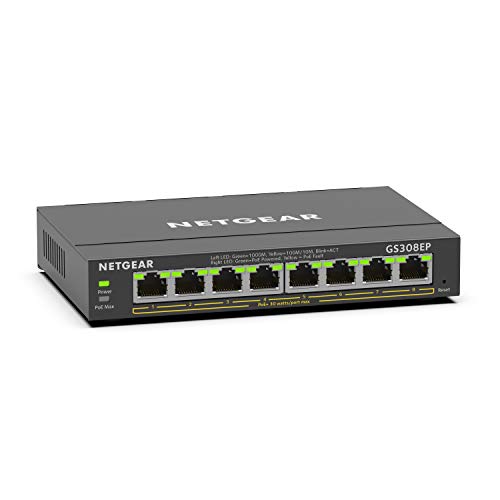
NETGEAR GS308EP PoE Switch
The NETGEAR GS308EP is a smart-managed NETGEAR model aimed at small networks that want some control without enterprise ceremony. In prose terms it sits in the sensible middle of this group: a recognised networking brand, a configuration interface for people who want port-level visibility, and a format intended to sit quietly on a shelf or desk while it feeds cameras, phones or an access point.
Before you plug a non-PoE device into a switch port, pause and think about what that port does. A standards-based PoE port is designed to check for a compatible powered device before delivering power, which is reassuring in principle, but principles are not a substitute for checking your specific models. Read the port behaviour in the manual, confirm which ports on your switch actually supply power, and keep a simple written map of which ports feed which devices. That map takes minutes to make and saves real confusion months later when something needs moving, replacing or troubleshooting at short notice.
Cabling is the unglamorous half of every PoE success story. The power and the data share the same run, so a damaged, kinked or badly terminated cable undermines both at once. Use sound, well-made Ethernet cable, avoid crushing it under furniture or trapping it in door frames, and keep runs away from obvious heat sources. When you terminate your own ends, test each run before you rely on it. A camera that drops offline at random is very often a cable story rather than a switch story, and swapping in a known-good patch lead is the cheapest diagnostic step you own.
Best for: buyers whose written device list matches this model’s role in the group described above. Not suited for: installations whose device count or power needs, checked against the maker’s documentation, clearly call for a larger unit. Check price on Amazon once you have confirmed the exact model against your plan.

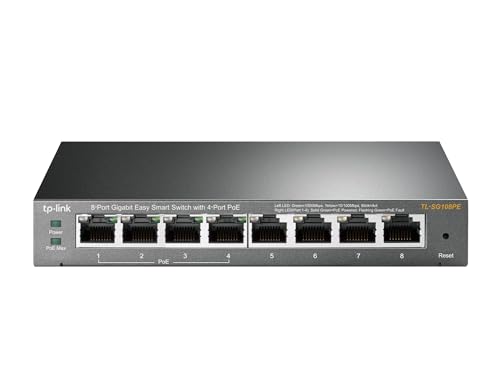
TP-Link TL-SG108PE PoE Switch
The TP-Link TL-SG108PE is an easy smart TP-Link model that has been a familiar sight in small offices and home camera systems for years. Its appeal is approachability: a light management layer for basic traffic settings, a compact metal-cased format, and a brand whose documentation and support material are easy to find when you need to check port behaviour before plugging things in.
Never open a switch or its power supply. There is nothing inside that a home or small-office user needs to adjust, and mains electricity does not forgive curiosity. If a unit is damaged, smells of scorching, makes alarming noises or has a frayed power lead, unplug it and replace it rather than attempting a repair. The same caution applies to the cabling side: PoE is low-voltage at the device end in normal standards-based use, but the system as a whole still deserves the respect you would give any electrical installation. Sensible placement and intact cables are the whole safety programme for most people.
Port count sounds like a trivial decision until the day every socket is full. Count the devices you actually plan to power today, then count the wired devices that need a plain data connection, then add honest headroom for the camera, access point or phone you have not bought yet but probably will. A switch filled to the last port on day one is a switch you will replace early. Equally, buying far more ports than a small network can use means paying for capacity and desk space that sit idle. The right size is the one that fits your written device list with a little room to breathe.
Best for: buyers whose written device list matches this model’s role in the group described above. Not suited for: installations whose device count or power needs, checked against the maker’s documentation, clearly call for a larger unit. Check price on Amazon once you have confirmed the exact model against your plan.

Ubiquiti UniFi Switch Lite 8 PoE
The Ubiquiti UniFi Switch Lite 8 PoE is the ecosystem choice in this line-up. It is designed to be adopted into the UniFi controller environment alongside UniFi access points, so its natural home is a network that already runs, or plans to run, UniFi wireless. If your access points are UniFi units, having the switch appear in the same management view is a genuine everyday convenience rather than a headline feature.
Managed and unmanaged switches answer different questions. An unmanaged PoE switch is a quiet appliance: plug it in, connect devices, and it gets on with the job, which is exactly right for a small camera system or a couple of access points. A managed or smart-managed model adds a configuration interface, traffic controls and monitoring for people who want to separate traffic, prioritise calls or see what each port is doing. Neither is automatically better. The unmanaged box wins on simplicity; the managed box wins when you have a specific job for its controls and the patience to learn them.
Placement of the switch itself shapes the whole installation. A central spot shortens cable runs to cameras and access points, keeps the blinking lights somewhere you can actually see them when troubleshooting, and usually sits closer to the router the switch must connect to. People often hide network gear in the least accessible corner of a building and then regret it at the first fault. Choose somewhere dry, ventilated, reachable and close to power for the switch itself. The devices at the far ends of the cables need no outlets at all, which is precisely the freedom PoE was bought for.
Best for: buyers whose written device list matches this model’s role in the group described above. Not suited for: installations whose device count or power needs, checked against the maker’s documentation, clearly call for a larger unit. Check price on Amazon once you have confirmed the exact model against your plan.

NETGEAR GS305EP PoE Switch
The NETGEAR GS305EP is the smaller NETGEAR option here, a compact smart-managed model for a short device list: perhaps two cameras and an access point in a flat, a small studio or a home office corner. Choosing the smaller unit when your written list is genuinely short is not settling for less; it is matching the tool to the job and keeping the installation as small as the problem.
Security cameras are the other headline use, and they reward planning. Sketch camera positions on a simple plan of the building, think about what each camera must actually see, and only then count ports and cable. Outdoor runs deserve cable rated for the conditions and sensible protection where they enter the building. PoE removes the need for an electrician-grade power run to every camera position, which is a large part of why small camera systems have become so practical. Record which port feeds which camera in your network map; relabelling cables at the switch end costs nothing and pays off at every future change.
VoIP phones explain why PoE took over small offices long before it reached homes. A desk phone powered through its network cable keeps working from a single connection, moves desks without an electrician, and centralises backup power at the switch if the building adds it later. Even in a home office, a PoE-powered phone or intercom removes one more adapter from the desk tangle. If call quality matters to you, a switch with basic traffic prioritisation can help voice packets keep their place in the queue, though on a lightly loaded home network the honest difference is often small.
Best for: buyers whose written device list matches this model’s role in the group described above. Not suited for: installations whose device count or power needs, checked against the maker’s documentation, clearly call for a larger unit. Check price on Amazon once you have confirmed the exact model against your plan.

TP-Link TL-SG105PE PoE Switch
The TP-Link TL-SG105PE is the compact TP-Link counterpart, an easy smart model for a handful of powered devices. It suits the classic starter installation: a camera or two and a ceiling access point, with the option to check basic settings through its interface. As with its larger sibling, confirm the exact port behaviour and the maker’s guidance for your devices in the manual before the cables go in.
A switch is a long-lived, boring purchase, and that is a compliment. Networks grow by accretion: a camera this year, an access point next year, a small server or a smart hub after that. Buying a recognised brand with clear documentation, a real support site and a manual you can actually read is worth more than squeezing the last drop of theoretical specification from an obscure alternative. Keep the receipt, note the model and firmware in your network map, and check for firmware updates occasionally. Boring, documented and supported beats clever and mysterious every time in infrastructure.
Labelling sounds like fussiness until you have stared at eight identical grey cables during an outage. Label both ends of every run with the room and device it serves, and keep the matching list somewhere you will find it under pressure. A label maker, or even tape and a fine pen, turns a future fault from an afternoon of tracing into a five-minute check. This is doubly true for PoE, where a cable is also a power feed: knowing exactly what you are unplugging matters. Future you, standing on a chair at midnight, will be grateful for present you and the labels.
Best for: buyers whose written device list matches this model’s role in the group described above. Not suited for: installations whose device count or power needs, checked against the maker’s documentation, clearly call for a larger unit. Check price on Amazon once you have confirmed the exact model against your plan.
Final Recommendation by Use Case
Desk and entertainment networks: standard switch, happily. Camera systems, ceiling access points and phone desks: PoE switch, decisively, sized by the method in the poe switch buying guide. Networks in between: let the written list vote, and do not be embarrassed by the hybrid answer. The switch is the servant of the device list; get the list right and this comparison settles itself.
More Notes on Choosing Between the Two Switch Types
There is a small ritual worth adopting on installation day: connect everything, then walk the building and use the network the way its occupants actually will. Stand where the camera stands and check its view on your phone. Take a laptop to the far room and run the call, the stream or the file copy that matters. Infrastructure that is only tested from the switch outward is half tested. The point of the exercise is to discover the weak run, the optimistic access point position or the mislabelled cable while the tools are still out and the ladder is still up, not during the first important week of use.
Spare capacity is a form of kindness to your future self. One free port, one spare patch lead in the drawer, one photograph of the finished installation saved with your network map: none of these cost much, and each converts a future emergency into a minor errand. Networks rarely fail at convenient moments. The households and offices that cope calmly are not the ones with the most expensive equipment; they are the ones that can see what they own, reach it, and swap a suspect cable in minutes because the labels and the spares were sorted on a quiet day.
Think about who else has to live with your network decisions. A partner who works from home, a teenager whose classes are online, a small team whose phones must ring: the switch serves all of them, and its placement and reliability are household decisions, not hobby details. That is another argument for the boring virtues in this category: recognised brands, clear manuals, sensible placement and documentation left where anyone can find it. A network only one person understands is a network with a single point of failure that no product can fix.
Weather and seasons test installations in ways a first afternoon cannot. Outdoor cameras work harder on cold nights, lofts and garages swing between hot and cold, and cables routed through sunlit spots age differently from cables in shade. A short re-check after the first serious change of season is a professional habit worth borrowing: look at the switch, feel whether it is running unusually warm, confirm the outdoor devices stayed up through the worst night, and glance at the cable entries. Ten minutes, twice a year, is the entire programme, and it catches small problems while they are still small.
When you expand the network later, expand it in the same style as the original installation. Same labelling scheme, same habit of testing on a short cable first, same line added to the port map before the new device is declared finished. Consistency is what keeps a growing network legible. The temptation to wire the new camera quickly and document it later is understandable and always regretted, because later has a way of arriving during an outage. The standard you set on day one is either maintained at every change or quietly abandoned; there is no third option.
Budget conversations in this category go better when they are framed per solved problem. A switch that powers four cameras and two access points is not one purchase; it is six installations made simple, six adapters never bought, and six positions chosen for usefulness rather than for sockets. Framed that way, the difference between a sound unit and the cheapest available unit usually looks small against the work it saves. Framed as a grey box on a shelf, everything looks expensive. The device list, once again, is what turns a vague purchase into a priced plan.
Indicator lights are the switch’s only conversation with you, so learn its language while everything is healthy. Note which lights mean a link, which mean activity, and what the pattern looks like on a normal evening. Then, on the abnormal evening, you will spot the difference immediately: the dark port, the frantic flicker, the device that never woke up. This tiny fluency costs one minute of observation and pays for itself at the first fault, when it tells you where to start before you have touched a single cable.
Finally, remember that the network map and the manuals are part of the installation, as real as the cables. Keep digital copies of the manuals for the exact models you own, save the map where the household or the team can reach it, and update both when anything changes. People move jobs, houses change hands, and memories fade; paper and files persist. The best compliment a future owner, colleague or family member can pay your installation is that they understood it in ten minutes from your notes alone. Aim for that compliment.
Passive PoE deserves a clear warning of its own. Unlike standards-based PoE, passive approaches can put power on the cable without the polite negotiation step, which means the responsibility for matching voltage and equipment sits entirely with the person plugging things in. The safe rule is simple: only ever connect passive PoE equipment exactly as its maker specifies, with the devices it was designed for, and never assume a cable carrying passive power is harmless to whatever happens to be at the other end. When in doubt, leave it unplugged and check the documentation first.
Think about which devices genuinely need power from the switch and which merely need data. A desktop computer, a printer or a games console has its own power supply and gains nothing from a PoE port, while cameras, wireless access points, VoIP phones and small IoT hubs are the natural customers. Mixing the two groups on one switch is normal and sensible. What matters is that the powered group stays within what the switch is designed to deliver as a whole, and that you know, from the maker’s documentation rather than from guesswork, how your chosen model shares power across its ports.
Wireless access points are the classic PoE success story in homes and small businesses. Ceiling or high-wall placement gives an access point the clear air it needs to cover rooms well, and those are exactly the places builders never put power outlets. Running one cable solves both the data feed and the power in a single trip up the ladder. If you are planning a multi-access-point setup with a controller-based system, a switch from the same ecosystem can make adoption and monitoring feel like one product instead of several. For a single access point, almost any sound PoE port will do the quiet work.
Power budgeting, in the plain sense, means respecting that a switch has a designed overall capacity for the devices it feeds, and that capacity is shared. You do not need to memorise figures to handle this well. You need the maker’s stated guidance for your model, a list of what your powered devices require according to their own manuals, and the discipline not to keep adding devices until something quietly stops working. If several power-hungry devices must run together, that is an argument for choosing a switch model whose documentation clearly supports that load, and for spreading devices thoughtfully across ports as the manual directs.
Gigabit connections are the sensible default for a new switch today, even if some connected devices are modest. Cameras, access points and file transfers all share the switch, and the uplink to your router carries the sum of them. A faster backbone means the switch itself rarely becomes the bottleneck in a small network, and it leaves room for the access point upgrade or the extra camera you add later. Where an older device only needs a slower link, a modern switch negotiates that automatically. Buying for the network you will have in three years, within reason, is cheaper than buying twice.
The uplink deserves a sentence of its own. Your switch connects back to the router or the rest of the network through one of its ports, and every device on the switch shares that path. Remember to count it: a switch with every port filled by devices still needs its connection home. On small networks this simply means leaving a port for the router link in your plan. If your switch offers a dedicated uplink arrangement, follow the maker’s guidance; if not, any free port usually serves. Forgetting the uplink is the classic reason a perfectly good switch seems to have one port too few.
Firmware and management interfaces reward a light touch. Set an admin password you have recorded safely, note the switch’s address on your network map, and resist changing settings you do not understand one at a time without writing down the original values. Most small networks need almost no configuration at all. The features are there for the day you want separate traffic for guests, a priority lane for calls, or a warning when a port drops. Until that day, a switch left close to its defaults, with its password changed and its firmware reasonably current, is a well-run switch.
Buying used network gear can look tempting, but PoE adds a wrinkle: you are trusting the unit with power delivery as well as data. If you buy used, buy a recognised model, test every port with a device you can afford to test with, and inspect the power supply and case carefully. For most households and small offices, a new unit from an established networking brand, bought from a reputable seller, is the calmer path: full documentation, a warranty, and no mystery history. Infrastructure is the wrong place to gamble on an unknown past.
Environmental common sense rounds out the practical picture. Keep switches out of steamy bathrooms, dusty workshops without protection, and anywhere condensation or dripping water is plausible. A garage installation should be in a suitable enclosure with ventilation, not loose on a shelf under a leaking roof. Cable entries outdoors should be sealed as the cable and device makers direct. None of this is exotic; it is the same respect you would show any electrical equipment. PoE makes installations flexible, but flexibility is not permission to put electronics where electronics plainly should not live.
When people ask whether PoE is complicated, the honest answer is that the concept takes five minutes and the discipline takes an afternoon. The afternoon is the planning: listing devices, sketching cable runs, choosing a switch whose documentation matches the job, and labelling everything as it goes in. After that, a PoE network mostly disappears, which is the highest praise infrastructure can earn. Devices simply work where you put them, the adapter drawer stops growing, and adding the next camera or access point becomes a cabling task rather than an electrical project. That disappearance is what you are actually buying.
Start any networking purchase by writing the problem in one sentence. ‘Two cameras and an access point, no outlets where they need to go’ is a problem a PoE switch solves directly. ‘The Wi-Fi is patchy upstairs’ might be solved by a properly placed access point that PoE then powers, or it might be a router placement problem that no switch will fix. Naming the problem first protects you from buying infrastructure in search of a purpose. It also gives you the checklist to test the finished installation against: either the cameras and access point work where they were needed, or something in the plan was wrong.
Think of the switch as the meeting point of two budgets: the port budget and the power budget. Ports are easy to count. Power requires reading: each powered device states its requirements, and the switch states what it can supply overall and per port in its documentation. Staying comfortably inside both budgets, with headroom, is what a well-planned installation looks like. Running at the ragged edge of either invites the most annoying class of fault, the intermittent one, where a device works until a cold night, a busy hour or an extra camera pushes the system past what it can honestly do.
Small offices get an extra benefit from PoE that homes notice less: tidiness at scale. A row of desks with phones powered through their network cables, a ceiling of access points with no visible power supplies, and a camera system that an installer can extend with cable alone all add up to a workplace that is easier to change. Desks move, teams grow, and the network adapts with patch leads rather than tradespeople. That flexibility is a large part of why the technology became the default in commercial buildings, and the same logic, shrunk down, works in a home office or a small shop.
Cameras deserve one more practical note: night is their busiest time. Infrared illumination and heaters in outdoor units mean a camera’s appetite can differ between a bright afternoon test and a cold night in service. This is another reason to respect the maker’s guidance and leave headroom rather than planning to the last drop of capacity. Test a new camera through a full night before declaring the installation finished, and if a unit restarts or drops in the small hours, suspect the power and cable story before suspecting the camera itself. Patient testing beats confident guessing.
For renters and anyone who cannot chase cables through walls, PoE still helps more than you might expect. A single discreet cable run along skirting or through an existing route can feed an access point that transforms coverage in a flat, without drilling for new outlets. Surface trunking, flat cables under rugs in low-traffic spots used carefully, and thoughtful switch placement near the router all make a removable installation possible. Keep the runs tidy, avoid trip hazards, and remember that a cable carrying power deserves the same physical protection as any other: not pinched, not stretched, not run where chair wheels will grind it daily.
A word about expectations for speed: a PoE switch does not make your internet faster, and it does not improve Wi-Fi by itself. What it does is let you place the devices that do affect those things, access points especially, in the right positions, powered and connected properly. Judge it as infrastructure, not as a performance upgrade. The speed of your network will be set by your internet connection, your router, your Wi-Fi design and your cabling. The switch’s job is to stop being the weak link and to power the team without complaint. Chosen well, you will forget it exists, which is success.
Documentation is a feature, even though it never appears in a headline. Before buying, find the manual for the exact model online and read the pages about power delivery, port behaviour and operating environment. If the maker cannot explain clearly which ports supply power and what the unit is designed to feed in total, that tells you something about the support you will get later. Established networking brands publish proper manuals, firmware and support notes. In a product category where the device will sit untouched for years, that paper trail is part of what your money buys.
Frequently Asked Questions
Can a normal Ethernet switch power a camera?
No. A standard Ethernet switch moves data only; a camera connected to it still needs its own power supply or adapter at the camera end. That is the entire dividing line in this comparison. A PoE switch supplies power through the same cable as the data, which is why camera and access point installations change so much when PoE arrives: the outlet hunt disappears. If every device you own already has convenient power where it sits, the standard switch loses nothing by its simplicity.
Can a PoE switch be used as a normal switch?
Yes. Devices that do not take power over Ethernet can use a PoE switch for data in the ordinary way, subject to checking your model’s documentation, and standards-based ports are designed to supply power only to devices that ask for it properly. Many small networks deliberately buy one PoE switch and run everything through it, powered and unpowered alike. Keep a note in your network map of which ports feed powered devices, and treat passive PoE equipment as a separate case with its own strict rules.
Is PoE safe for my existing devices?
Standards-based PoE was designed with a negotiation step precisely so that power is delivered in an orderly way to devices built for it. The sensible precautions are about behaviour, not fear: read the manual for your switch, confirm which ports supply power, check a device’s documentation before connecting anything unusual, and never assume passive PoE gear follows the same rules, because it does not. Keep cables intact and the switch ventilated, never open the unit or its power supply, and the system will behave as designed.
Do I need PoE for a single access point?
Not necessarily. One access point near a convenient outlet can run happily on its supplied adapter, and many single units can also be fed by a small single-port power arrangement described in their documentation. PoE from a switch earns its place as the device count grows: two or more cameras, an access point or two, perhaps a phone. At that point one switch feeding everything is tidier and easier to manage than an adapter per device. Match the infrastructure to the honest size of the job.
What happens to PoE devices if the switch loses power?
They lose power with it, because the switch is their supply. A standard switch’s failure stops data for its devices but leaves separately powered equipment able to run locally; a PoE switch’s failure stops both for the devices it feeds. In practice this concentration is usually a benefit, since one well-placed unit on a protected supply is easier to look after than many adapters, but it is worth knowing when you plan. Keep the switch ventilated, sensibly placed and on a healthy power supply of its own.
Can I add PoE later without replacing a standard switch?
There are ways to add power to individual runs alongside an existing switch, using equipment the device makers describe for that purpose, and for one or two devices that can be a reasonable stepping stone. As powered devices multiply, though, a dedicated PoE switch is normally the tidier and more manageable answer, with one place to check ports, power and documentation. Plan the step when your device list tells you to: the list, not enthusiasm, should decide when the standard switch has earned a PoE successor.
Related Guides
mesh wifi system vs powerline adapter