Disclosure: As an Amazon Associate, ilcastellomenu.com earns from qualifying purchases. Product examples below link to Amazon, where you can check current availability and specifications; this guide itself lists no fixed prices because pricing and bundles change frequently.
The gaming PC vs gaming laptop question looks like a hardware comparison but is really a lifestyle one: a desktop gives you more performance, quieter cooling and a real upgrade path for your money, while a laptop gives you the entire setup — screen, keyboard, battery and all — in something you can carry to another room, another house or another city. Both are legitimate gaming machines now; this guide compares them honestly so you can match the machine to your life.
Start with the quick verdict, then work the criteria: raw performance per cost, thermals and noise, screens and peripherals, upgradeability, and the total-cost picture that includes the monitor and keyboard a desktop still needs. If you have already decided on a desktop, How to Choose a Gaming PC picks up exactly where this guide ends.
Gaming PC vs Gaming Laptop: The Quick Verdict
Choose a desktop if the machine will live in one place, if you want the most frames for your money, if noise bothers you, or if you like the idea of upgrading the graphics card in three years instead of replacing the whole machine. Choose a laptop if you game in more than one place — student housing, travel, a shared living room — if space is genuinely tight, or if you need one machine that is also your portable computer for work or study. Choose both, eventually, is the answer many players grow into: a desktop at home first, a modest laptop later, each doing what it does best.
The deciding question is embarrassingly simple: in the last month, how many times did you wish your gaming machine was somewhere else? If the answer is never, the laptop’s one great trick has no value to you, and everything else in this comparison favours the desktop. If the answer is weekly, no amount of desktop value compensates for a machine that is never where you are.
In this guide
Performance and the Name Game
At the same budget, a desktop outperforms a laptop, and the gap widens at higher tiers. The reason is physics: a desktop graphics card can draw far more power and shed far more heat than the same-named laptop part, which is engineered into a thin chassis with strict thermal limits. Beware the naming trap — laptop and desktop GPUs share model names while delivering meaningfully different performance, so cross-shopping by name alone misleads. Compare by independent benchmarks of the exact variant, ideally in your games.
Laptops claw back ground in two places. Their processors are often closely matched to desktop equivalents for gaming purposes, and at 1080p — the resolution most gaming laptops actually drive — a good laptop GPU is entirely sufficient for high frame rates in most titles. The desktop’s advantage grows with resolution: at 1440p and 4K, on an external monitor, the desktop pulls away decisively. That is why the screen question, next, matters as much as the silicon.
Thermals, Noise and the Desk Experience
A desktop moves heat with big fans turning slowly in a big box; a laptop moves it with small fans turning fast in a thin one. Under gaming load, the laptop will be louder and its keyboard deck warmer — manageable with headphones and a stand, but a real difference for shared rooms and late nights. The cooling principles in How to Cool a Gaming PC apply to desktops; the laptop owner’s version is a stand for airflow, clean vents and realistic expectations.
The desk experience also differs in what you can choose. Desktop owners pick their monitor size, refresh rate, keyboard feel and mouse independently — and can upgrade each separately. Laptop owners get an integrated package that is genuinely good on modern gaming models (high-refresh screens are now standard fare) but fixed: the screen you buy is the screen you keep, unless you dock to an external monitor, at which point the laptop begins cosplaying as a desktop with weaker cooling. Many owners do exactly that at home and unplug to travel, which is a perfectly coherent way to own a laptop.
Upgradeability, Longevity and Repairs
This is the desktop’s decisive structural win. A desktop’s graphics card, memory, storage, cooler and even processor can be replaced across its life, following the ladder in How to Upgrade a Gaming PC; a laptop typically allows RAM and storage upgrades only, with the CPU and GPU soldered for life. The practical consequence: a desktop bought today can be refreshed mid-life for the cost of one component, while a laptop’s gaming life ends when its GPU ages out, however healthy everything else remains.
| Criterion | Gaming desktop | Gaming laptop | Edge |
|---|---|---|---|
| Performance per cost | Higher, especially at 1440p/4K | Lower; pays for miniaturisation | Desktop |
| Portability | Stays where it is | Room to room, city to city | Laptop, decisively |
| Noise under load | Low with a good build | Noticeable fans | Desktop |
| Included in the box | Needs monitor, keyboard, mouse | Screen, keyboard, battery included | Laptop for total simplicity |
| Upgrades | Nearly everything | RAM and storage, usually | Desktop |
| Repairs | Per-part, often DIY | Manufacturer service, mostly | Desktop |
| Space footprint | Desk plus tower | A corner of any table | Laptop |
Repairs follow the same pattern. A desktop’s failed fan, drive or card is an evening’s swap; a laptop’s failed anything is usually a service ticket and a wait. Battery ageing adds a laptop-only countdown: after some years the machine becomes desk-bound by its battery even if its gaming hardware still serves, which quietly converts it into a worse desktop. Factor a battery replacement or that end-state into a laptop’s lifetime cost.
Total Cost and Final Recommendations
Compare totals, not stickers. A desktop’s price must add a monitor, keyboard and mouse — though those peripherals outlive several PCs and can be bought once, well. A laptop’s price is complete on day one but may add a stand, a cooling pad, an external mouse you will want anyway, and possibly a monitor for home use. Priced honestly over a five-year horizon with one desktop GPU upgrade included, the desktop usually delivers more gaming per unit of money; priced over a degree course with housing changes, the laptop delivers more gaming, full stop, because it is present.
Students, frequent travellers, shared-space players and anyone whose desk is also a dining table: the laptop is not a compromise, it is the correct machine. Settled players with a dedicated space, performance ambitions at high resolution, or an upgrader’s temperament: the desktop, chosen with Prebuilt vs Custom Gaming PC as your route guide. And if you are equipping a younger player whose circumstances will change in two years, weight portability more heavily than this guide’s desktop-leaning arithmetic does — machines serve lives, not benchmarks. For desktop shoppers, the systems in Best Desktops for Gaming show the current field; laptop shoppers should benchmark exact GPU variants, in their games, before believing any nameplate.
The Docked Laptop: A Compromise Examined Honestly
Many laptop owners eventually dock: external monitor, keyboard and mouse at home, the laptop as a portable core. It is a genuinely good life for the machine, and it reframes this comparison — the docked laptop competes with the desktop on the desktop’s own turf. Judged there, its deficits are cooling headroom and the GPU ceiling, and its virtues are that the same machine leaves with you in the morning. If your pattern is ‘mostly home, sometimes away’, the docked laptop is not a compromise at all; it is the architecture that matches the pattern, and its home performance shortfall versus a desktop is the price of the ‘away’ days, which may be exactly right.
Docking done well has details: a stand that lets the laptop breathe (some models cool better with the lid open, using their own screen as a second display), a single-cable dock or hub rated for your monitor’s resolution and refresh, and the laptop’s own power adapter in the chain, since docks do not always feed a gaming laptop’s full appetite. Set it up once, test thermals in your heaviest game, and the hybrid life runs itself.
Battery, Weight and the Real Meaning of Portable
Portability has fine print. A gaming laptop’s battery is for lectures, browsing and video; gaming on battery throttles performance substantially and drains the pack quickly, so ‘portable gaming’ in practice means portable between power outlets — a friend’s desk, a hotel room, a library table — not gaming on a train with no socket. Weight tells a similar story: the laptop plus its substantial power brick is a real bag load, and the ultralight gaming models that minimise it pay for the favour in cooling and price. None of this cancels the laptop’s case; it simply defines portability accurately, as freedom of location rather than freedom from infrastructure.
Desktops have a mirror-image fine print worth admitting: they are not immovable, merely unhurried. Players do transport towers to events and friends’ houses, in the car’s footwell, with the GPU’s weight respected and the glass panel’s side protected. It is an expedition rather than a commute, and the frequency with which you would actually do it is, once again, the honest input to this whole decision.
Two-Machine Futures and the Order to Buy Them
Many players end up owning both, and the order matters. Desktop first suits the settled player: the home setup is complete and upgradeable, and a later modest laptop covers travel and the couch without needing gaming flagship power, because the heavy library lives at home. Laptop first suits the mobile years — study, shared housing, first jobs — with a desktop arriving when life settles, at which point the laptop retires gracefully into travel and backup duty. Either order converges on the same household; what differs is which machine’s compromises you live with during the years your circumstances are in flux.
Resist buying the second machine to fix the first one’s nature. A desktop bought because a laptop is loud will be joined, within a year, by complaints that it cannot travel; a laptop bought because a desktop is stationary will disappoint at 4K. Each form is excellent at its job. The comparison’s final wisdom is that the job description is yours to write — from your rooms, your movements and your next three years — and the machine is merely the answer to it.
The Honest Interview: Five Questions That Decide It
Strip the comparison to an interview and most buyers decide themselves in two minutes. Question one: where will this machine be used, honestly, in the next twelve months — one desk, or several places? Question two: what resolution will you actually play at, on the screen you will actually own? Question three: when this machine’s graphics age out in four years, would you rather replace a card or replace the machine? Question four: does fan noise in your gaming space bother you or anyone near it? Question five: is this machine also your portable computer for work, study or travel — or does another device already do that job?
Score the answers and the pattern is rarely ambiguous. One desk, high resolution, card-replacement instincts, noise sensitivity and a separate laptop already in your life: that is a desktop buyer reading their own description. Several places, the built-in screen, whole-machine replacement accepted, headphones always on and one device for everything: a laptop buyer, equally clear. The genuinely mixed answers — and they exist — point at the docked-laptop architecture or at sequencing the two purchases across the next few years, both of which this guide has treated as first-class answers rather than failures to decide.
What the interview cannot abide is the dishonest answer — the buyer who claims portability needs they have never once felt, or upgrade ambitions they have never once acted on, and buys the machine for an imaginary life. The imaginary life always loses, because the real one is where the gaming happens. Answer for the player you have been for the last year, and the comparison will hand you the right machine with surprising confidence.
Performance Per Setting: What the Same Game Actually Looks Like
Comparisons usually quote frame rates at matched settings, but players do not live at matched settings — they live at the settings each machine can sustain, and comparing the lived experience is more honest. A desktop’s larger thermal budget means it typically holds its chosen settings indefinitely, at full clocks, in a warm room, in hour three. A gaming laptop’s experience is a negotiation across the same evening: it begins at its advertised performance and manages heat from there, with fan noise as the currency and, on some models, gradually moderated clocks as the price of a long session.
This is not an argument that laptops perform badly. Modern gaming laptops are genuinely powerful machines, and at 1080p and 1440p they run the current catalogue well. It is an argument about which number to believe: the laptop’s first-ten-minutes figure or its sustained figure, and the desktop’s near-identity between the two. When you read comparisons, look for sustained-load testing, and when you test a laptop yourself, test it the way you will use it — plugged in, on a desk, in a long session, with the fans allowed to be as loud as they intend to be.
Power profiles add a layer desktops do not have. Most gaming laptops ship with several performance modes, and the difference between the quiet mode and the full mode can be the difference between two product classes. Owners who never leave the default profile sometimes conclude their laptop underperforms its reviews, when in fact it is obeying the acoustic instructions it was given. Know your modes, choose them per situation — full voice at the desk, restraint in shared spaces — and judge the machine only in the mode you actually intend to use.
The Screen, Keyboard and the Peripherals You Will Buy Anyway
A laptop’s price includes a display, a keyboard, a trackpad and speakers, and honest comparisons must count them — a desktop’s headline price excludes all four, and the true desktop setup cost closes much of the apparent gap once a monitor and peripherals join the basket. But the included peripherals come with a catch: they are chosen for you, sized for portability, and yoked to the machine’s life. The laptop’s screen may be excellent; it is also fifteen or sixteen inches, at laptop distance, forever, unless an external monitor joins the setup — at which point the desktop’s modular logic has quietly won another convert.
Most serious laptop gamers end up in the docked arrangement this guide examines elsewhere: external monitor, real keyboard, real mouse, laptop as the engine in the corner. Price that destination honestly when comparing. A laptop plus a good monitor plus peripherals is a different purchase from the laptop alone, and it competes not with a bare desktop tower but with a complete desktop setup that includes upgradeable everything. The laptop’s remaining unique asset in that comparison is that the engine can undock and travel — a real asset, priced by how often you actually use it.
The keyboard deserves one specific paragraph, because it is the peripheral your hands will judge daily. Laptop keyboards have improved enormously, and some are genuinely good, but they share the deck’s heat, their travel is limited by the chassis’s thinness, and when one fails, the repair is a service event rather than a purchase. Desktop players treat keyboards as consumable fashion; laptop owners treat theirs as a fixed feature of the machine. Decide which relationship you prefer before it is decided for you.
Battery Reality and the Meaning of ‘Portable’ Gaming
Strip the marketing away and a gaming laptop’s battery is a UPS with ambitions: it exists to move the machine between outlets gracefully and to survive a lecture or a meeting, not to power serious play. Under real gaming load, even large batteries are measured in a small number of hours, and the machine’s performance on battery is deliberately throttled far below its plugged-in character. The honest mental model is a desktop that can be carried and used lightly unplugged, and judged by that model, gaming laptops are superb. Judged by the brochure’s implication of untethered high-end play, they disappoint everyone.
Portability has a second, quieter cost: the power brick. A high-performance laptop’s adapter is a substantial object, and the true travel weight of the setup — machine, brick, mouse, headset — narrows the gap with a small-form-factor desktop more than the laptop’s own specification suggests. Travellers should weigh the kit, not the computer. Players whose ‘portability’ means moving between two desks in one house can ignore all of this; players whose portability means airports cannot.
None of this is hidden by manufacturers so much as it is softened, and the mature buyer simply prices it in. If your gaming happens where outlets are, the battery’s limits are trivia. If your dream is the train, the garden, the café without a socket — recalibrate the dream to lighter games and shorter sessions, where the laptop genuinely delivers, rather than to the flagship titles that will drain it before the journey ends.
Repairs, Accidents and the Service Reality
Machines break, and the two formats break differently. A desktop’s failures are component-shaped: a fan, a drive, a stick of memory, each diagnosable, each replaceable with a screwdriver and a tutorial, most without disturbing the rest of the system. A laptop’s failures are integration-shaped: the keyboard is the chassis top, the cooling is a bespoke assembly, the battery is glued or buried, and a spilled drink — the classic laptop catastrophe, because laptops live where drinks do — can write off the whole machine in one event.
Warranty and accidental-damage cover therefore carry different weight in this comparison than in most. For a desktop, extended cover is a luxury most owners rationally skip. For a laptop that travels, accidental-damage protection is closer to a rational component of the purchase, priced against the machine’s concentrated value and its exposure. Buyers comparing headline prices should compare protected prices for the laptop against the desktop’s naked one only if they would genuinely run the laptop uninsured through airports and cafés.
Repair timelines matter too. A desktop owner’s worst week is waiting for one part while the rest of the machine sits usable or borrowable-around. A laptop in service is the whole computer gone — work, games and files’ home — for the duration. Owners whose laptop is their only machine should weigh a service plan, a backup arrangement, or at minimum a disciplined cloud backup habit, because the format concentrates every egg in one very portable basket.
The Student, the Traveller and the Space-Poor: Where Laptops Win Outright
Some buyers should not be reading a comparison at all, because their circumstances have already decided. The student in a dorm room, moving twice a year, whose desk is also their dining table and whose home is a single room: the laptop is not a compromise for them, it is the only format that fits the life, and its gaming compromises are the price of admission to having a machine at all. The same logic crowns the laptop for anyone whose housing is temporary, shared or small — a desktop’s virtues are theoretical to a person with nowhere to put one.
The frequent traveller whose work and play share one bag reaches the same verdict by a different road. A desktop plus a work laptop is two machines to buy, maintain and secure; a strong gaming laptop is one, and for the road warrior the arithmetic of the second machine — its cost, its weight in the home, its own upgrade treadmill — usually loses to the laptop’s integrated compromise. Judge the comparison at the level of your whole computing life, not at the level of the game running on the screen.
And the household that games in shared spaces — the living room, the family desk that must clear for dinner — should count the laptop’s vanishing act as a headline feature. A machine that folds away restores the room; a desktop annexes its corner permanently. For many families that annexation is fine and even welcome. For others it is the entire decision, and no frame-rate chart outvotes it.
Total Cost Across Four Years, Honestly Added Up
Stretch the accounting across a realistic ownership span and the two formats’ costs converge and diverge in instructive places. The desktop’s ledger adds a monitor, peripherals and usually a mid-life upgrade — the GPU refresh in year three that restores its youth — while its electricity appetite, typically higher under load, quietly bills you monthly. The laptop’s ledger adds a battery replacement or a tolerance for diminished unplugged life, a higher chance of one significant repair event, and no mid-life performance renewal at any price: when it falls behind, the whole machine is replaced, and the four-year comparison must carry that replacement risk inside it.
Resale bends the totals back. Desktops disassemble into saleable parts, and their GPUs in particular return meaningful money at exit. Laptops sell whole, depreciating as units, though a well-kept gaming laptop from a known maker holds a respectable second-hand market among students and casual players. Neither exit is lucrative; both are worth counting, because a format whose remains are worth more is cheaper to have owned than its purchase price claims.
The honest summary is that the laptop usually costs more across four years for the same gaming result, and buys with the difference the things this guide has catalogued: mobility, a complete included setup, a small footprint and a single machine for work and play. Whether that is overpaying or a bargain is not a property of the machines. It is a property of how much of your life happens away from one desk — a number only you can supply, and the one this whole comparison has been quietly asking for.
Ecosystem and Software: The Invisible Differences
Beneath the hardware, the formats run different software lives. Gaming laptops ship with maker control centres that govern power modes, fan behaviour, keyboard lighting and sometimes GPU switching between integrated and discrete graphics — a layer desktops mostly do not have, with a layer’s worth of quirks: profiles that misapply, modes that reset after updates, battery-saving features that occasionally strangle a game they mistook for a spreadsheet. Owners who master their control centre get a genuinely adaptable machine; owners who never open it sometimes game for years in the wrong mode.
That GPU switching deserves its own sentence, because it is the source of a classic confusion: a laptop performing terribly in one game while fine in others may be running that title on the integrated graphics, through a per-application assignment the owner never made. The fix takes a minute in settings — once you know the layer exists. Desktop owners never meet this ghost, because their machines have exactly one graphics path and it is always the right one.
Driver life differs too. Laptop GPUs often depend on the laptop maker’s validated driver packages, which trail the GPU maker’s releases, and some models misbehave on the generic drivers. Desktop owners update freely from the source. None of this is disqualifying — it is the tax on integration, payable in occasional attention — but a buyer who values a machine that simply runs the standard software stack should count the laptop’s extra layer as a real, if modest, cost of the format.
Environmental and Practical Footnotes That Tip Real Decisions
A few unglamorous considerations regularly decide this comparison in real households while the benchmarks argue overhead. Heat is the first: a gaming desktop is a space heater with a large, efficient exhaust, and in a small bedroom in summer that is a comfort cost the laptop, drawing less power, partly avoids — while in a cold room in winter, the desktop’s waste heat is a feature owners quietly appreciate. Electricity follows the same arithmetic: the desktop’s higher draw is a real, if modest, running cost in regions with expensive power.
Noise placement is the second. A desktop can be exiled — under the desk, behind a panel, its fans muffled by distance and furniture — while a laptop’s fans sit at arm’s length, at ear height’s neighbourhood, exactly where its user is. In shared rooms and open-plan homes, that geography matters more than the decibel figures, which are usually measured at the machine rather than at the partner trying to read beside it. A laptop with headphones is a private experience; a laptop without them is a household broadcast.
Security and insurance form the third footnote. A laptop concentrates its whole value into the most stealable object you own, and it travels through the world’s least secure environments as a matter of routine. A desktop’s theft risk is a household burglary risk — real, but rarer and usually insured under the home’s policy without thought. Travellers and students in shared housing should price the laptop’s exposure honestly, back up as if the machine will vanish this semester, and let that discipline, rather than fear, shape the decision.
Gear for This Guide
The examples below come from our verified product pool and illustrate the product classes discussed in this guide. They are examples, not a ranked list — use the criteria in this article to judge any model, including newer revisions.

HP OMEN 45L Gaming Desktop
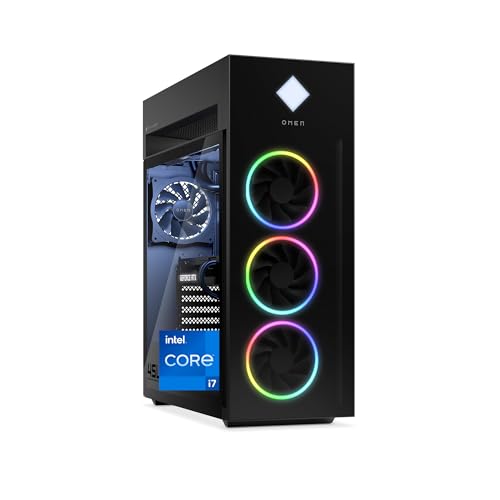
The desktop argument in hardware form: a full-power system with room to cool and room to grow, representing what the same money buys when portability is not required. HP OMEN 45L Gaming Desktop — Check on Amazon
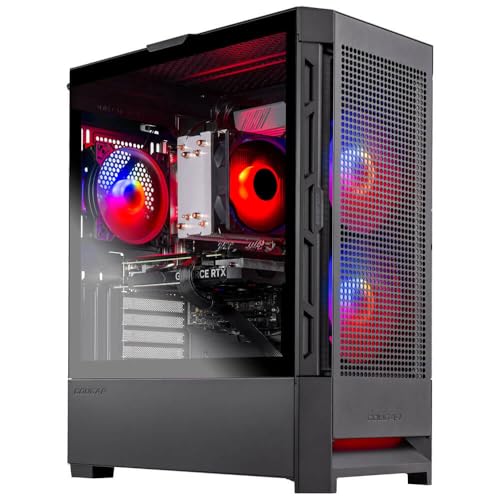
Skytech Gaming Nebula Gaming PC Desktop
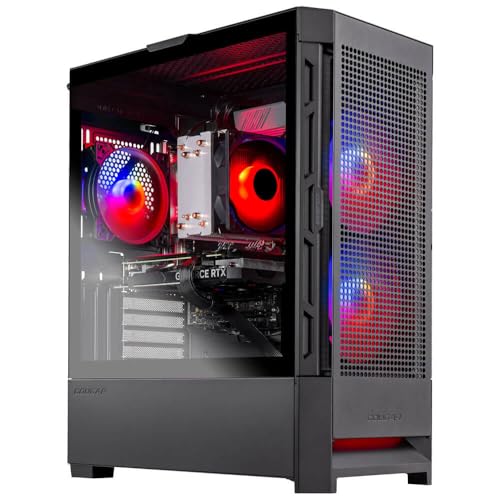
A mainstream desktop reference for the total-cost comparison — add a monitor and peripherals, then compare honestly against a laptop’s all-in price. Skytech Gaming Nebula Gaming PC Desktop — Check on Amazon
Frequently Asked Questions
Can a gaming laptop replace a desktop entirely?
For many players, yes — especially at 1080p and with a dock and monitor at home. The replacement works until you want a GPU upgrade or high-resolution performance, at which point the laptop’s fixed hardware sets the ceiling.
Why is the same GPU slower in a laptop?
Power and heat. The laptop variant runs within a much smaller power budget inside a thin chassis, so it sustains lower clocks. Same name, different envelope — always compare benchmarks of the exact variant.
Do gaming laptops overheat?
They run hot by design and throttle if their vents are blocked or clogged. A stand, clean vents and a cool room keep a good model at its designed performance; chronic overheating on a clean, elevated laptop is a fault, not a trait.
Which lasts longer, a gaming PC or a gaming laptop?
As a gaming machine, typically the desktop, because its graphics card can be replaced mid-life. A laptop’s other components may outlive its usefulness for new games, which is the longevity that matters here.
Is a gaming laptop good for school or work too?
Yes — that dual role is one of its strongest arguments. Modern models manage battery life respectably at light loads and carry the same machine from lecture to game night, which no desktop can offer.
Can I connect a gaming laptop to a big TV or monitor?
Yes — modern gaming laptops drive external displays well, and a high-refresh monitor at a desk is a common setup. Check the laptop’s video outputs support your target resolution and refresh rate, and remember the laptop’s GPU ceiling still applies to the bigger screen.
Bottom line: desktops win on performance, noise, upgrades and lifetime value; laptops win on being where you are. Count how often you would move the machine, then let that honest number decide.
Do gaming laptops really cost more for the same performance?
Compared tower-to-laptop at the same in-game result, usually yes — the laptop’s engineering for thinness, its screen and its battery are real costs the tower does not carry. Compared complete-setup to complete-setup, with the desktop’s monitor and peripherals honestly added, the gap narrows substantially and sometimes closes. The mistake is comparing a laptop’s full price against a tower’s partial one and calling the difference a portability tax; much of it is a display and keyboard you would otherwise buy separately.
Can a gaming laptop last as long as a desktop?
The machine can — well-kept gaming laptops serve five years and more — but its relevance fades differently. A desktop renews itself part by part, so its ‘life’ is really a rolling present. A laptop’s GPU and CPU are fixed at purchase, so its gaming life is a countdown from its specification, softened only by settings concessions. Expect a laptop to be a complete answer for three to four years of current titles, then a gradually more selective one.
Is it a problem that laptop GPUs share names with desktop ones?
Only if you shop by name. The shared naming reflects a shared architecture family, not equal performance: power and thermal limits in a thin chassis set the laptop part’s ceiling well below its desktop namesake’s. Read laptop reviews and benchmarks of the exact machine, at its exact power configuration, because two laptops with identically named GPUs can perform noticeably differently depending on the wattage each maker allows.
Should I buy a laptop now and a desktop later, or the reverse?
Buy for the life you have now, because both machines’ prices and parts will change before ‘later’ arrives. Students and movers should start with the laptop that fits their current reality; settled players with a permanent desk should start with the desktop and let a future need make the laptop case when it appears. The two-machine household works best when the second machine is bought for a proven need, not an anticipated one.
Do I need a cooling pad for a gaming laptop?
It helps at the margins — raising the rear of the machine so its intakes breathe freely often matters as much as any fans in the pad — but it cannot repeal the chassis’s thermal limits. Treat a stand that improves airflow and desk ergonomics as the sensible purchase, and a pad’s extra fans as a small bonus rather than a transformation. The laptop’s own cooling design remains the main act.
Can I upgrade a gaming laptop’s RAM and storage later?
Usually, yes — those are the two genuinely open doors on most gaming laptops, and they are worth using: a memory upgrade and a larger or additional SSD can refresh a two-year-old laptop noticeably. The CPU and GPU, by contrast, are soldered in effectively all modern designs, which is why this guide treats a laptop’s gaming specification as fixed at purchase and advises buying the GPU tier for the years ahead, not the month ahead.
Why does my gaming laptop get slower when I unplug it?
By design. On battery, the system caps the power available to the CPU and GPU to protect runtime and the battery itself, and no setting fully removes that cap, because the battery physically cannot deliver wall-outlet power for long. Treat unplugged gaming as a light-games mode, and judge the machine’s real performance only at the outlet, where it was designed to live.
Is a gaming laptop a good first gaming computer for a teenager?
Often yes, with eyes open. It fits a bedroom desk, moves to the kitchen table, goes to friends’ houses, and its fixed specification removes upgrade-pressure arguments for a few years. The cautions are the concentrated value — one spill, one theft — and the battery’s slow decline. For many families the portability and the single, complete purchase outweigh the desktop’s long-term economics; for a teenager with a settled desk and a parent’s tools nearby, the desktop’s upgrade path becomes a hobby in itself, which is its own argument.
Can a desktop and laptop share the same games library and saves?
Largely, yes — the major PC platforms sync libraries and most saves through the cloud, so a two-machine household can move between desk and laptop with less friction than ever. Check per title, because a minority of games keep saves locally, and those are the ones that will strand a campaign on the wrong machine. Where cloud saves exist, the two-format life this guide describes as a destination is genuinely practical now.
Which format holds up better for competitive play?
The desktop, on the accumulation of small things rather than any single one: higher and more stable frame rates, a larger and faster monitor chosen independently, a full-size keyboard and mouse with no compromises, and a wired network connection as the default rather than an accessory. A skilled player on a laptop will beat an unskilled one on a desktop every time — the format is not the skill — but at the level where equipment margins matter, the desktop’s margins are all in the right direction, and they never have to be packed into a bag.
Is fan noise really that different between the two?
In character, yes. A desktop’s fans are larger, slower-turning and muffled by distance and the case; a gaming laptop’s fans are small, fast and close to your ears, producing a higher-pitched note that most people find more intrusive at the same measured volume. Under full load in a demanding game, the laptop will usually be the louder presence in the room, and in shared spaces that difference is a daily quality-of-life factor, not a footnote. Headphones erase it for the player and not for anyone else in the room.
What would you buy for a household that can only justify one machine?
Follow the household’s geography. If the machine must serve homework at the kitchen table, work in the spare room and games wherever there is space, the laptop’s mobility is the household feature and its gaming compromises are the acceptable price. If the household has a settled desk and the machine’s travels would be hypothetical, the desktop’s longevity, repairability and upgrade path serve a family better across a decade. Buy for the movements the machine will actually make, counted over a year, not the movements in the brochure’s imagination.
Does a gaming laptop make sense if I never take it anywhere?
Occasionally — if desk space is genuinely scarce, if the household needs the desk to clear, or if a complete, single-purchase setup suits your circumstances better than assembling a station. But a laptop that never moves is paying the portability premium for a benefit never collected, while accepting fixed specifications and laptop repairs. If the machine will live and die on one desk, the desktop’s case is strong; the honest exceptions are space and tidiness, not performance.
How should I back up a gaming laptop differently from a desktop?
More urgently and more automatically. The laptop’s risks — theft, drops, spills, a single service event that takes the whole machine — are all likelier than the desktop’s, and they take the data with the hardware. Set up continuous cloud backup for documents and saves, keep an occasional full image on an external drive at home, and verify once that a restore actually works. The backup you have tested is the only kind there is.
What is the quickest way to decide in a shop?
Ask yourself where the machine will be used in a typical week — count the desks, rooms and journeys honestly. If the honest map has more than one location, the laptop’s premium is buying something real. If the map has one desk and a chair, the desktop’s advantages compound daily and its immobility costs nothing. The map, not the spec sheet, is the decision.
Related Guides
Keep exploring with these guides and roundups from the same Gaming PCs collection: