Disclosure: As an Amazon Associate, ilcastellomenu.com earns from qualifying purchases. The product mentions in this guide are editorial: we link only to items that genuinely fit the topic, and a link never changes what we recommend checking, comparing, or avoiding.
Comparing IPS vs OLED monitors is comparing the mature all-rounder with the technology that finally delivers the perfect blacks reviewers promised for decades. IPS LCDs are refined, affordable at every tier, bright, and free of any burn-in concern. OLED panels switch every pixel individually, producing true black, effectively instant response, and stunning HDR — at high-end positioning, with lower peak brightness in large bright areas and a real, manageable need for care around static content. The right choice depends on your room, your content mix, and how static your screen life is.
Below, the criteria are taken in turn — contrast, motion, colour, brightness, the burn-in question handled honestly, text clarity, and value — with verdicts by use case. The HDR roundups in Best HDR Monitors for Gaming show what OLED’s strengths look like in product form, while Best Monitors for Color Accuracy remains IPS heartland.
IPS vs OLED Monitors: The Quick Verdict
Choose OLED if you game or watch in a dim room, prize HDR and motion clarity, and your screen content varies — games, films, browsing in motion. Choose IPS if your screen shows static interfaces all day (documents, code, dashboards, spreadsheets), your room is bright, or your budget is anywhere below the high-end tier. Many enthusiasts’ ideal desk is honestly both: an IPS for the workday and an OLED for the evening, though most of us pick one and should pick by dominant hours.
| Criterion | IPS | OLED |
|---|---|---|
| Blacks and contrast | Moderate; dark grey in dark rooms | Perfect per-pixel black; effectively infinite contrast |
| Motion response | Fast in modern gaming panels | Near-instant; the cleanest motion available |
| HDR | Convincing only with local dimming | Outstanding per-pixel highlights |
| Peak brightness | Strong, sustained, whole-screen | Strong highlights; large bright areas more limited |
| Static-content safety | No burn-in risk | Burn-in possible; mitigations and habits required |
| Text clarity | Standard subpixel layout, crisp | Some layouts soften fine text slightly |
| Positioning | Every tier from budget up | High-end tier |
In this guide
Contrast and HDR: OLED’s Decisive Ground
An OLED pixel that should be black simply turns off. The result in a dim room is transformative: starfields, night scenes, and shadow detail gain a depth no backlit panel matches, and letterbox bars vanish into the bezel. HDR content benefits most, because HDR is fundamentally about simultaneous bright and dark — a torch flame against a cave — and per-pixel control renders both exactly, with no halo of leaked light around the flame. IPS with many local-dimming zones approximates this at the high end; ordinary IPS cannot, and its HDR badge is a compatibility note rather than an experience, as What is HDR on a Monitor explains.
In a bright room the gap narrows sharply, since ambient light reflects off both screens and lifts perceived blacks toward the room’s level. OLED’s advantage is a dim-room advantage. Buyers whose screens live in sunlit spaces should weight the next sections more heavily than this one.
Motion and Gaming: Speed Without Smearing
OLED pixel transitions are effectively instant compared with LCD, so high-refresh OLED gaming panels deliver motion clarity that even fast IPS cannot quite match: no ghosting trail, no dark smearing of VA, just the frame sequence rendered cleanly. Combined with adaptive sync, it is the current pinnacle for fast games, and the competitive picks increasingly reflect that. The mechanics of why those millisecond figures matter are covered in our response-time explainer.
IPS counters with maturity and choice: high-refresh IPS exists at many sizes and tiers, including smaller competitive formats and budget-friendly options in Best Monitors for Fps Gaming. If your gaming is occasional or your budget is mid-tier, fast IPS delivers most of the experience. OLED’s motion crown is real, but it is priced like a crown.
Colour and Text: IPS Fights Back
Both technologies cover wide colour gamuts well; OLED’s colour stays rich at low brightness where LCD can wash slightly, while IPS offers superb, stable accuracy that creators trust and calibrate easily — the colour-critical world in Best Monitors for Color Grading still runs largely on IPS. For colour work either serves, with the deciding factors being uniformity, calibration support, and your room rather than the panel family.
Text is IPS’s quieter win. Standard LCD subpixel layout is exactly what operating-system text rendering assumes, so text is crisp. Some OLED panels arrange subpixels differently, which can add slight colour fringing on fine text edges — visible to some users at desktop distances, irrelevant in games and film. If your screen day is ninety percent documents and code, read OLED reviews with this specific point in mind, and ideally see one with your own text before committing.
Brightness and Room Light
IPS panels sustain strong brightness across the whole screen indefinitely, which suits bright offices, sunlit desks, and white-document work. OLED excels at highlight brightness in small areas — sparks, headlights, specular glints — but limits how bright a large area can be, to protect the panel; a full white document on OLED is dimmer than on a good IPS, and automatic brightness limiting can subtly shift large bright scenes. For most mixed use this never registers. For a screen that lives on spreadsheets beside a window, it might, every day.
Glossy coatings, common on OLED, deepen perceived contrast in controlled light and mirror the room in bright light. Matte IPS remains the practical choice for uncontrolled lighting. As ever, the room votes first; the panel obeys.
Burn-In and Longevity: The Honest Version
Burn-in — permanent image retention from static elements — is a real OLED property, not a myth, and also not the death sentence forum posts suggest. Modern OLED monitors carry layered mitigations: pixel refreshing cycles, pixel shifting, logo dimming, and panel-care routines, and warranties increasingly cover the panel for defined periods. Risk scales with static content and brightness: a varied diet of games and films at sensible brightness is low-risk over years; the same taskbar, HUD, or spreadsheet grid at full brightness for ten hours daily is the pattern that ages a panel unevenly.
IPS simply does not have this failure mode; an IPS screen can show the same dashboard for a decade. So the honest rule is about content, not fear: varied content, OLED is a sound long-term buy; heavily static professional use, IPS removes a worry you do not need. Habits help either way — auto-hide the taskbar, use a dark theme, let the screen sleep — and they cost nothing.
Who Each Suits: Verdicts by Use Case
OLED suits: evening gamers, film and series watchers, HDR enthusiasts, sim and atmospheric players, and mixed-use users whose content constantly changes. IPS suits: office and productivity desktops, creators on a budget, bright rooms, static-interface professions, and anyone buying below the high-end tier. The dual-screen answer — IPS primary for work, OLED for play — is what many dual setups in Best Monitors for Dual Setup are quietly converging on.
Whichever you choose, set it up with the same care: How to Adjust a Monitor covers the brightness discipline that OLED longevity and IPS comfort both depend on. A well-set IPS beats a badly set OLED in a bright room, and the reverse in a dark one — the room and the settings are co-authors of every verdict in this comparison.
The Middle Path: Mini-LED IPS
Between the two poles sits a hybrid worth knowing: IPS panels with mini-LED backlights divided into many hundreds of dimming zones. These deliver contrast and HDR highlights far beyond ordinary IPS, sustain high full-screen brightness OLED cannot match, and carry no burn-in concern — at prices that meet OLED coming the other way, with halos around small bright objects as their characteristic compromise. For bright-room HDR and static-content professionals who want spectacle without anxiety, mini-LED IPS is a legitimate third answer, and its existence proves the IPS-versus-OLED frame is a spectrum rather than a duel.
Its weakness is availability and cost discipline: the good implementations are flagship products, and a poorly implemented many-zone backlight can look worse than a modest one. Judge individual models by measured dimming behaviour, not zone counts alone — the same scepticism this whole comparison applies to headline numbers.
Total Cost of Ownership, Honestly Counted
IPS’s cost advantage compounds: lower purchase tiers, no content habits to maintain, no panel-care routines, and a used market full of safe buys. OLED’s cost is front-loaded and behavioural: the premium tier, plus the small ongoing tax of varied content and sensible brightness. Neither is unreasonable; they are different shapes of expense. The buyer who games nightly in the dark receives OLED’s value in full view, every evening. The buyer who spreadsheets in daylight pays OLED’s premium for virtues their room never reveals — the most expensive sentence in monitor shopping is ‘just in case’, and it is billed in both directions.
What the Next Few Years Change — and What They Do Not
OLED monitor prices have been drifting down and sizes multiplying, a trend likely to continue; IPS continues to improve its dimming and speed at the top. None of this rescues a purchase made for the wrong room today. Panels are five-to-ten-year possessions, and the correct unit of analysis is your next several years of evenings and workdays, not the next product cycle. Buy the technology your current life rewards; the future will offer its own temptations when this screen has earned its retirement.
Size and Format: Where Each Technology Is Actually Sold
Availability quietly referees this comparison. IPS spans every size from portable panels to vast ultrawides, every resolution, and every tier, so an IPS answer exists for literally any brief you can write. OLED monitors concentrate in the gaming heartland — roughly the 27-to-49-inch band, in standard and ultrawide shapes, at high-end positioning — with smaller, larger, and work-first formats thinner on the ground. If your brief is a small desk, a budget ceiling, or a matched pair for a dual setup, the catalogue may make this decision for you, and there is no shame in that: a comparison’s job is to rank the options that exist, not to mourn the ones that do not.
Where both exist for your brief, availability still whispers: IPS models compete fiercely within each niche, so shortlists are deep and discounts common; OLED niches hold fewer models, each more distinct, so the choice is more about which OLED philosophy — QD-OLED’s colour volume or WOLED’s brightness behaviour — suits your room. Either way, the room and the content remain the senior voters; the catalogue merely sets the ballot.
Decision Shortcuts for the Commonest Buyers
For the reader who has absorbed the criteria and wants the distilled version, here are the four commonest profiles with their answers. The evening gamer with a dim room and a varied library: OLED, and the premium will feel smaller every night. The professional whose screen is a spreadsheet, a codebase, or a dashboard from nine to six, gaming rarely: IPS, in the best size and stand the same money buys, and the premium saved is a chair upgrade your spine will review favourably. The creator who edits video or photos for an audience: either serves, with OLED flattering HDR delivery work and IPS offering the calmer reference for SDR pipelines — decide by what your audience watches on, not by what impresses you in the shop.
The fourth profile is the household screen — shared, mixed, bright-roomed, everything from homework to films: IPS, for its forgiveness of every pattern of use a household invents, including the paused static screen nobody admits to leaving on. Notice that three of four shortcuts land on IPS, which is not bias but demography: most screens live mixed, bright, static-heavy lives. OLED’s shortcut is narrower and deeper — and for the desk it describes, nothing else in this comparison is even a substitute.

Head-to-Head Across a Real Week: The Diary Method
Specifications describe these technologies at their extremes; a week describes them at your desk. Monday’s documents and spreadsheets belong to IPS almost by default: bright, static, full of white backgrounds and fixed interface elements that sit in the same pixels for hours — the exact diet OLED owners are counselled to vary. Wednesday’s film night belongs to OLED with equal completeness: the same desk, lights down, and the IPS screen’s familiar grey-black is suddenly the only thing in the room that looks like a compromise. The comparison’s honest answer is that most desks contain both days, and the choice is about which day’s experience you refuse to compromise.
Friday’s long game session splits by library. Bright, fast, colourful games flatter both panels and will not decide the question. Dark, atmospheric titles are OLED’s finest argument in all of display technology: perfect blacks, instant response, and highlights that genuinely startle. Sunday’s photo sorting splits by ambition — the IPS screen’s consistent brightness and freedom from text-fringing worries make it the calmer editing surface for most users, while OLED’s contrast makes finished images look the way they will look on the phones most people view them on, which is its own kind of accuracy.
Keep the diary honestly for your own desk before choosing. Count the static bright hours, the dark entertainment hours, and the colour-judgement hours in a typical week. Buyers are often surprised by their own arithmetic: the gamer who imagines an OLED destiny discovers forty hours of spreadsheets wearing an eight-hour film habit, while the office worker who assumed IPS discovers their desk is a cinema that occasionally hosts email. The diary does not care about your identity as a user; it cares about your hours, and hours are what panels serve.
Text Rendering and the Working Day, Examined Closely
Text is where IPS defends its crown most concretely. Conventional LCD subpixel layouts match the assumptions built into decades of font rendering, so small text on an IPS screen is crisp in the way your eyes expect. Many OLED panels arrange their subpixels differently, and the result — visible to some users, invisible to others — is a faint colour fringing on the edges of small text, most noticeable in the exact applications that fill a working day: documents, code editors, spreadsheets, and terminals. Newer OLED generations and improved rendering in operating systems have narrowed this, but narrowed is not erased, and the only reliable test is your own eyes on your own text at your own size.
Brightness behaviour over a long day is the second working-day variable. OLED panels limit the brightness of large bright areas to protect themselves, so a full-screen white document may sit dimmer than the same screen’s small bright highlights, and the level can shift subtly as window layouts change. IPS brightness is boringly constant, which for documents is a compliment. Users sensitive to brightness shifts they did not command find the OLED behaviour distracting in work even while loving it in films; users who never notice it should not let this paragraph veto their cinema.
Eye comfort over years is the third, and here honesty requires admitting the limits of current knowledge. Both technologies can be run at comfortable brightness with sensible habits. OLED’s flicker characteristics at low brightness bother a minority of users; IPS glow bothers a different minority in the dark. Neither minority is imaginary, and both are discoverable only by trial. This is the strongest argument in the entire comparison for buying either technology from a seller with a humane return policy: the working day is a physiological test no specification sheet can sit on your behalf.
The Care Regimes Compared: What Each Panel Asks of Its Owner
Every technology asks for a care regime, and comparing the regimes is fairer than comparing a technology’s demands against an imaginary zero. OLED asks for variety: vary static content, let the taskbar hide, allow the panel its periodic refresh cycles, avoid leaving a bright static image paused for hours, and keep brightness honest rather than maximal. None of these is onerous, and most owners absorb them in a week — but they are habits, and a user who knows they will never form them should count that knowledge as data. The panel also asks for a small act of faith about longevity, because its ageing mechanisms, while greatly improved, are real in a way LCD ageing is not.
IPS asks for different, quieter things: tolerance of its black level in the dark, management of glow with room light and brightness discipline, and the ordinary care any LCD needs. It asks nothing about your content, your taskbar, or your brightness habits, and it will display the same spreadsheet for a decade with no opinion on the matter. For shared machines, children’s computers, office fleets, and any screen whose content its owner does not fully control, that indifference is a genuine feature — arguably the feature — because a care regime that depends on every user of a household remembering it is a regime already broken.
Price the regimes into the comparison the way you would price any maintenance. If the OLED care habits fit your temperament, their cost is near zero and the panel’s spectacle is nearly free of asterisks. If they chafe — if you resent a screen that has opinions about your wallpaper — the IPS screen’s silence on all such matters will feel, over five years, like a luxury feature. Temperament is a specification. This guide lists it without embarrassment alongside contrast and response time, because the owners who ignore it are the ones writing regretful forum posts in year two.
Consoles, Films, and the Living-Room Crossover
A desk monitor increasingly moonlights as a living-room device — a console beneath it, films after hours — and the crossover flatters OLED in specific, checkable ways. Console interfaces and cinematic games are dark, varied, and viewed from a slight distance: OLED’s home fixture. Its per-pixel light also handles high dynamic range highlights the way the format’s creators intended, with small bright elements genuinely bright against true black rather than a raised grey. If your monitor is your household’s best screen and film night happens at the desk, that argument deserves real weight.
The IPS crossover case is about audience geometry and brightness. A screen watched by two or three people from chairs at angles, in a room that is not fully darkened, plays to IPS strengths: manners off-axis, high sustained brightness, and no concern about the static elements of a paused film or a console dashboard left glowing while someone makes tea. Households are not cinemas, and the screen that serves the household’s actual viewing — angled, interrupted, half-lit — can be the IPS screen even when the household’s ideal viewing would crown the OLED.
Streaming quality adds a final practical note. Much streamed content arrives compressed, and compression artefacts live disproportionately in dark gradients — banding in night skies, murk in shadowed rooms. OLED reveals these faithfully, which can make a poor stream look worse than it does on IPS, whose raised blacks accidentally camouflage the artefacts. Connoisseurs call this honesty; tired viewers at midnight call it a worse picture. Both are describing the same pixels, and knowing which viewer you are belongs in the decision.
Resale, Upgrades, and the Shape of the Next Purchase
These two technologies sit at different points in their market stories, and that shapes ownership economics. IPS is the mature plateau: prices are stable, choice is enormous at every tier, and a good IPS screen bought today will be a good screen for a long time without being embarrassed by next year’s models. OLED monitors are the improving slope: each generation refines brightness, text rendering, and burn-in resistance, which means today’s OLED buyer accepts some early-adopter arithmetic — a higher price for a technology whose successor will be better in ways that matter — in exchange for an experience IPS simply cannot offer at any price.
Upgrade paths differ accordingly. The IPS owner’s next purchase is usually driven by size, resolution, or features, because the panel itself has stopped being the argument. The OLED owner’s next purchase may be the same technology again, better — which makes the first OLED a kind of subscription to an improving idea, entered willingly by enthusiasts and resented by nobody who read the terms. Neither path is foolish. The foolish purchase is the one made without knowing which path you were joining.
Second-hand markets reflect the difference. A used IPS screen is a known quantity whose remaining life is easy to estimate, and it sells to everyone. A used OLED screen asks its buyer to trust its first owner’s care regime — its hours, its static content, its brightness habits — which narrows its audience to the informed and discounts it accordingly. If you buy OLED, you are partly buying an experience that will not fully transfer at resale; price that in, enjoy it wholly, and the arithmetic still works for the buyer whose diary said cinema. Shoppers whose diaries say office will find their models waiting in our roundup of monitors for gaming and work, where the IPS contingent is deep and proven.
Brightness, Measured Honestly: Peaks, Windows, and Sustained Light
OLED brightness figures need translation because the technology’s strength is contrast, not raw output. A quoted peak brightness usually describes a small bright window — a highlight in a film — while a full-screen white field will sit considerably lower by design. IPS figures describe a panel that can hold close to its rated brightness across the whole surface indefinitely. For films, the OLED pattern is arguably ideal: most scenes are mostly dark, and highlights deserve the emphasis. For documents, the IPS pattern is the honest one: the page is the highlight, everywhere, all day.
Room matching follows directly. In a dim room, OLED’s modest full-screen brightness is ample and its contrast is sovereign. In a bright room, IPS brightness headroom keeps documents legible against window light while OLED’s advantage dissolves into the ambient floor. The buyer’s task is not to crown a brightness winner but to locate their room on that line — and to remember that rooms change with seasons, so a screen that only just copes in June will struggle less in December, while a screen bought for December gloom may feel dim at a July desk.
Sustained brightness also interacts with the care regimes. Running an OLED near its maximum for bright static work both dims its effect and accelerates its ageing mechanisms, the worst of both ledgers. Running an IPS at maximum in a dark room manufactures glow and eye strain. Each technology has a brightness at which it is happy, and the comparison resolves, as so often, into whether your room and your hours let the panel live at its happy setting.
Gaming Deep Dive: Latency, Sync, and the Feel of Speed
Gamers comparing these panels should separate three sensations that marketing merges into speed. Response time — how fast pixels change — is OLED’s rout: transitions are effectively instant, so motion holds together without the smearing or the overdrive compromises LCDs negotiate. Input lag — how soon your action appears — is excellent on good examples of both technologies and is decided by electronics and settings more than by panel family. Refresh rate ceilings currently favour high-end IPS models at the extremes, which matters to a narrow band of competitive players and to nobody else, because a refresh rate your games cannot feed is a number, not an experience.
Adaptive sync behaves beautifully on both when implemented well, and the practical gaming differences live elsewhere: in dark scenes, where OLED’s contrast transforms horror, stealth, and space titles, and in bright arenas, where the two are effectively tied and the IPS screen’s carefree brightness may even feel bolder. Tournament-focused players add one more consideration — the static overlays of their games, broadcast graphics and fixed interface elements that sit for entire sessions — which is the care-regime conversation returning in a jersey.
The verdict for players is therefore a library audit, exactly as the diary method prescribes. Dark, cinematic, varied gaming: OLED, confidently. Bright competitive gaming with long static overlays and a workday on the same screen: IPS, without apology. The player who does both should consider which hours outnumber, or adopt the two-screen sequencing the questions above describe — the comparison’s recurring discovery that roles beat compromises.
The Environmental and Running-Cost Footnote
Power draw differs in an interesting direction: an OLED screen’s consumption follows its content, sipping on dark scenes and drinking on bright full-screen fields, while an IPS screen draws close to its rated figure whenever it is lit. Over a working year of mixed use the difference is modest in money but real in character — dark themes genuinely save power on OLED, one of the few cases where an aesthetic preference has a meter reading. Both technologies sip in proper sleep, and both reward the same habit: let the screen sleep when the desk is empty rather than hosting a bright idle slideshow.
Longevity is the larger environmental term. A screen kept for eight years beats a marginally more efficient screen kept for four, on any honest accounting of manufacturing impact. That argues for buying the technology your diary supports, at a quality level you will not itch to replace — and it argues gently for IPS in the roles where its indifference to content makes decade-long service most predictable, while OLED’s improving generations tempt earlier upgrades. Buy once, buy for your hours, and keep the box out of landfill by keeping the screen out of the upgrade cycle until it has truly earned retirement.
Disposal and hand-me-downs close the footnote: both panel types pass happily to second desks and second owners, with the OLED caveat about unknown first-owner habits applying to recipients as to buyers. A screen handed down with its settings notes and its care history is a gift; the same screen handed down silently is a small mystery. Documentation, as ever in this guide’s world, is kindness.
The One-Week Trial Protocol for Either Technology
Whichever panel you trial, give the week a structure or it will dissolve into impressions. Day one belongs to setup and the uniformity check: solid colours, a dark screen in a dark room, a white page in your working light. The middle of the week belongs to your diary’s real content, taken in order — the longest work session, the fastest game, the darkest film — with one line of notes after each, written while the impression is fresh. The end of the week belongs to the specific objection that made you hesitate: text at your smallest size for the OLED trial, a late film for the IPS trial, the static-interface day for either.
Judge by the notes, not by the mood of the final evening. A panel that annoyed you once in a noted, specific way has told you something actionable; a panel that merely feels unfamiliar after seven days is describing adaptation, which every new screen demands and which the second week usually completes. The trial’s purpose is to separate those two reports, because they lead to opposite decisions — and confusing them is how good screens get returned and wrong screens get kept.
Gear for This Guide
Two verified reference points: a strong IPS 4K panel and a flagship QD-OLED ultrawide, showing each technology playing its best game.
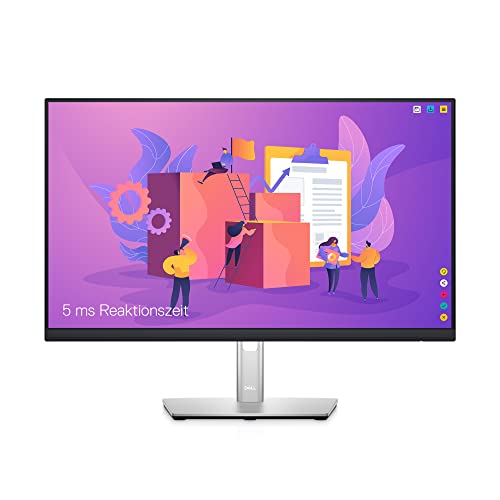
Dell S2721QS 27-Inch 4K IPS Monitor — A 27-inch 4K IPS display with FreeSync and slim bezels — the IPS case in product form: sharp text, honest colour, no content anxiety, at mainstream positioning. Check on Amazon

Alienware AW3423DWF Curved QD-OLED Gaming Monitor — A 34-inch QD-OLED ultrawide with a high refresh rate and wide DCI-P3 coverage — per-pixel blacks and instant response wrapped around a single viewer. The OLED experience this comparison describes, at full strength. Check on Amazon
Frequently Asked Questions
Is OLED worth it over IPS for gaming?
If you play in a dim room and value atmosphere and motion clarity, yes — the combination of perfect blacks, clean high-refresh motion, and real HDR is a visible step beyond fast IPS. If you play competitively in a lit room, fast IPS at a fraction of the positioning delivers most of the performance, and the money saved buys a better GPU or a second screen. Worth-it here is about room and budget, not specifications.
Will an OLED monitor get burn-in from office work?
It can, over long periods, if the same bright static elements sit in the same place for many hours daily — taskbars, toolbars, grid lines. Mitigations in modern panels reduce the risk substantially, and habits (auto-hiding bars, dark themes, screen sleep, varied content) reduce it further. But if your job is literally one static application all day, IPS is the worry-free professional choice, and choosing it is sense, not timidity.
Why does text look slightly fringed on some OLEDs?
Some OLED panels arrange their red, green, and blue subpixels in a pattern that differs from the standard stripe layout operating systems assume when smoothing text. Fine text edges can pick up faint colour fringes as a result. Newer panel generations and operating-system updates have improved this, and many users never notice; text-heavy users should check reviews for this specific point or view the panel with their own documents before buying.
Which is better for HDR movies?
OLED, decisively, in a dim room: per-pixel light control renders HDR’s simultaneous extremes without halos, and true blacks give films their intended depth. IPS needs high-end local dimming to compete and still trails. In a bright room the advantage shrinks, and a bright IPS can be the more watchable screen at midday — but for evening film viewing, OLED is the current benchmark.
Do OLED monitors use more power or run hot?
OLED power draw depends on content: dark scenes sip, full-bright screens drink, averaging out comparable to LCD in mixed use. Heat is modest in monitor sizes. The more practical ownership points are brightness limiting on large bright areas and the panel-care routines the monitor runs when idle — both automatic, both worth leaving enabled rather than disabling in the menu.
How long do OLED monitors last compared with IPS?
IPS backlights fade very slowly and evenly over many years of heavy use. OLED panels also last for years, but age by cumulative pixel wear, so uniformity can drift if usage is heavily static. For typical mixed use, both technologies outlast the rest of the desk setup. Longevity anxiety should steer static-heavy professionals to IPS and reassure everyone else that either choice is a long-term one.
Can I use an OLED monitor as my only screen for work and gaming?
Yes, if your work is varied — documents in motion, browsing, calls, design — rather than one static application frozen for ten hours daily. Add the cheap habits: auto-hide the taskbar, dark themes where you like them, a screen-sleep timeout, and brightness set for the room rather than the showroom. Thousands of mixed-use owners run OLED as their sole display; the caution in this guide is aimed at genuinely static professional patterns, not at ordinary mixed days.
Do OLED monitors need special cleaning or handling?
Cleaning is the standard gentle method — microfiber, distilled water if needed, no pressure — with one emphasis: glossy OLED surfaces show micro-marks readily, so the temptation to over-clean is the main risk, and restraint is the protection. Handling is ordinary care: no pressing on the panel, no static image marathons at maximum brightness. The panel-care routines the monitor runs when idle should be left enabled; they are part of the product, not an inconvenience to disable.
Is an OLED monitor a good choice for console gaming?
It is close to the ideal console display in monitor form: consoles target HDR, OLED renders HDR as intended, response is instant, and the 120Hz modes current consoles offer are fully used. The cautions are the usual OLED ones — varied content is kind to the panel, and a bright room dims its drama. If your console shares the desk with a work PC, the deciding factor remains which master the screen serves more hours.
Why are there no small or budget OLED monitors?
OLED panel production concentrates on sizes and yields that suit televisions and premium monitors; small panels at budget prices do not yet pencil out for manufacturers. The category has been expanding downward in price and outward in sizes year by year, but today the honest statement is that OLED begins at the high-end tier. Buyers below it are not missing a secret option — they are shopping in IPS and VA territory, where this comparison’s guidance still applies in full.
Will I actually notice OLED’s contrast advantage in a bright office?
Mostly not, and honesty here saves money. Ambient light sets a floor under every screen’s blacks, so in a bright office the OLED’s perfect black and the IPS panel’s dark grey converge toward the room’s own darkness. OLED’s motion clarity and colour still show, but its signature advantage — contrast — is a dim-room phenomenon. Bright-office buyers should choose on text, brightness, care regime, and price, which is to say they should usually choose IPS and spend the difference elsewhere on the desk.
Is burn-in still a reason to avoid OLED for a mixed-use desk?
It is a reason to audit your habits, not an automatic veto. Modern OLED monitors carry multiple protective systems and far hardier panels than early generations, and mixed use — work varied with media and games — is much kinder than the worst cases, which involve the same bright static image at high brightness for many hours daily. If your work pins one unchanging bright interface to the screen all day, every day, IPS remains the prudent tool. If your content varies even modestly, the risk drops to a level most owners reasonably accept for the picture they gain.
Why does text look different on OLED even at the same resolution?
Because resolution counts pixels while text rendering cares about the shape and order of the subpixels inside each pixel. Many OLED panels use arrangements that differ from the vertical stripes operating systems assume, so the fine coloured fringes that systems use to smooth text land imperfectly, leaving a faint colour edge some eyes catch immediately. Larger text, interface scaling, and newer panel layouts all reduce the effect. Judge it with a page of your smallest real text, not a demo, because documents are where the difference lives.
Should I keep my IPS screen as a second monitor if I buy an OLED?
That pairing is one of the happiest arrangements in this whole comparison. The OLED takes films, games, and evening media; the IPS keeps the static, bright, all-day work — email, documents, chat — sparing the OLED exactly the content its care regime dislikes. Set roles firmly so windows do not drift, match brightness for your room’s light, and each panel spends its life doing what it does best. Many owners who could not decide between the technologies discover the correct answer was sequencing, not choosing.
If I can only trial one, which should I try first?
Try the one your diary points to, because the trial’s job is to test your real objection, not to sample the alternative’s charms. The office-heavy buyer trialling OLED is testing text and brightness behaviour across a working week. The cinema-heavy buyer trialling IPS is testing whether its dark-room blacks genuinely bother them or merely differ from a showroom memory. A week of your own content answers the question you actually have; a week of demos answers the question the manufacturer wishes you had.
The Bottom Line
IPS is the dependable professional: bright, accurate, tireless with static content, and available at every tier. OLED is the spectacle: perfect blacks, instant motion, and HDR that justifies the format, asking in return a high-end budget and a little consideration for static images. Pick by your room, your content mix, and your hours — gamers in dim rooms lean OLED, document professionals lean IPS, and nobody who chooses with their eyes open regrets either.
The shortest honest summary: IPS is the screen you never think about; OLED is the screen you sometimes just look at. Decide which of those your desk is for.
Related Guides
Keep going with these related guides and roundups from the same desk-setup cluster: