Disclosure: As an Amazon Associate, ilcastellomenu.com earns from qualifying purchases. Links on this page are affiliate links; they cost you nothing extra. Prices and availability change often, so check the current Amazon listing before you buy.
This nvme ssd heatsink review takes a deliberately honest approach to a small, much-marketed accessory. A heatsink for an M.2 drive is a passive piece of metal with one job — moving heat away from a fast, hot little circuit board — and yet the claims made around it range from the sensible to the theatrical. So this review tests the idea the way an owner actually experiences it: what the part is, how the main designs differ, where cooling genuinely changes what a drive does, where it changes nothing at all, and which of the well-known models deserve your attention if your own measurements say you need one. No invented temperature figures, no drama: just the physics, the fit, and the workloads, weighed carefully.
Key Takeaways
- An NVMe SSD heatsink only helps when a drive actually runs hot: its job is to delay or prevent thermal throttling during sustained transfers, not to make a cool drive faster.
- Contact quality matters more than metal: a well-fitted thermal pad and even mounting pressure decide most of the result.
- Clearance is the number-one buying constraint — measure the space above and below your M.2 slot before choosing any design.
- Many motherboards already include an M.2 cover; check your board’s box before buying a second solution for the same slot.
- For PlayStation 5 expansion, a heatsink is not optional: Sony requires a cooling structure on the installed drive.
- Bursty everyday desktop use often never throttles at all, so measure your own drive’s behaviour before spending.
The short verdict: a good heatsink, fitted to a drive that needs it, is one of the calmest upgrades in PC building — silent, passive and permanent. Fitted to a drive that never runs hot, it is jewellery. The reviews below separate the two cases.
In this guide
What an NVMe SSD Heatsink Is and Where It Fits
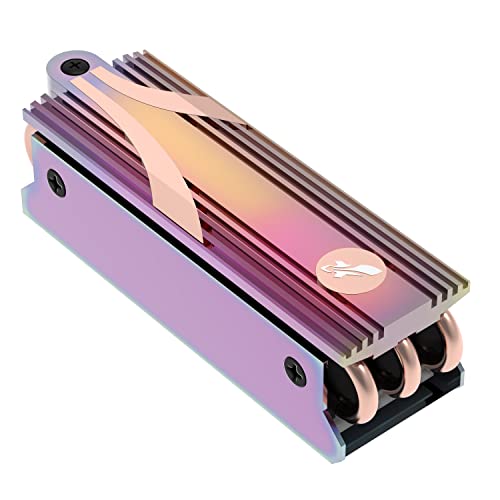
An NVMe SSD heatsink is a small slab of metal, almost always aluminium and sometimes copper, that clamps or sticks over the memory chips and controller of an M.2 solid-state drive. Its job is simple to describe and surprisingly subtle to do well: soak up the heat the drive produces during heavy reads and writes, spread that heat over a larger surface than the bare chips offer, and hand it to the air moving through the case. Between the metal and the chips sits a thin thermal pad, a soft, slightly squishy layer that fills the microscopic gaps between uneven surfaces so heat can actually cross from chip to metal instead of being trapped behind pockets of air. Nothing about the part is electronic. There is no fan, no cable and no software in the basic design, which is exactly why it is cheap, silent and, once fitted correctly, effectively maintenance-free for the life of the drive.
NVMe drives get hot because they are fast in a very small space. The controller chip on a modern drive is a busy little processor in its own right, shuffling data between the computer and the flash memory at speeds that would have seemed absurd a few years ago, and the flash chips themselves warm up as they are written. All of that activity is concentrated on a stick of circuit board smaller than a stick of chewing gum, with very little surface area to shed heat. Short bursts of work barely register, because the board and chips absorb the brief pulse of warmth and cool down again in the idle moment that follows. Sustained work is different: a long file copy, a big game install, a video export writing continuously or a backup running at full tilt gives the heat nowhere to go, and temperatures climb until the drive decides to protect itself.
That self-protection is called thermal throttling, and understanding it honestly matters more than any marketing claim on a heatsink box. When a drive’s controller decides it is too hot, it deliberately slows down, trading speed for safety until temperatures fall. The drive is not damaged and nothing has gone wrong; the slowdown is the system working exactly as designed. The practical effect is that a transfer that started at full speed settles to a lower speed for the remainder of the job, so a long task takes longer than the headline figures suggest. A heatsink does not make a drive faster than its specification. What it can do, on a drive and workload that genuinely run hot, is delay or prevent that protective slowdown, so the drive holds its pace for longer. If your workload never pushes the drive to that point, the heatsink has nothing to fix, and honesty requires saying so plainly.
The Main Designs, Compared Honestly
Heatsinks for M.2 drives come in a handful of recognisable shapes. The simplest is a flat or lightly finned plate that attaches with a thermal pad and sometimes an elastic band or small clips, common as a bundled motherboard accessory. A step up are the machined aluminium covers that wrap the drive in a shallow tray, usually secured with tiny screws and pads on one or both sides, which feel reassuringly solid and present a broad, flat face to the airflow. Then there are the tall, finned tower designs that stand well proud of the drive like a miniature radiator, trading height for a large surface area; they cool ambitiously but demand generous clearance. Finally there are console-specific covers shaped to replace the expansion bay lid of a PlayStation 5 while contacting the drive, a specialised answer to a specialised space. The underlying physics is the same in every case: contact, conduction, surface area and airflow, in that order.
Aluminium dominates this market for sensible reasons: it is light, cheap to machine, corrosion-resistant and a perfectly capable conductor for the modest heat loads involved. Copper conducts better and appears in premium designs and in heat-pipe-assisted models, but it is heavier and costlier, and at these small scales the practical gap is often narrower than the material gap on paper, because contact quality and airflow dominate the result. Anodised finishes in black or colours change appearance and can help a build look deliberate, but colour is not a cooling specification. What matters more than the alloy is the design’s honesty: enough mass to absorb a burst, enough surface to shed a sustained load, fins oriented so case air can actually pass along them, and a mounting system that holds firm, even pressure without flexing the drive. Judge the engineering, not the paint.
Design, Build and Setup: The Picks in Detail
A note on how to read the picks in this guide. Every product named here is a real model from a real maker, presented in prose with its tier described in words — entry, mid or premium — rather than with prices, because prices move and tiers endure. Check the current listing before you buy, confirm the model variant matches your drive’s size and your slot’s clearance, and treat the verdict under each pick as the summary that matters.

Sabrent Rocket Heatsink
Sabrent built its name in storage accessories, and the Rocket heatsink line reflects that focus: machined aluminium covers shaped for M.2 drives, sold in versions for desktop slots and in a well-known cover design for the PlayStation 5 expansion bay.
The design language is tidy and deliberate, with a grooved top surface that adds area without turning the part into a spiky tower, and a tray-style construction that cradles the drive rather than balancing on it. In the hand it feels like a small piece of equipment rather than a bent sheet of metal, which matters more than it should: parts that feel precise tend to be fitted carefully. Thermal pads are part of the package, and the overall impression is of a mid-to-premium tier product aimed at owners who want the job done once and done neatly.
Best for: owners who want a polished, fit-and-forget cover for a desktop drive, and PS5 upgraders choosing the console-specific version. Not suited for: slots with severe height limits where even a modest machined cover cannot fit, or buyers who only need the plainest plate for a drive that barely warms up.

be quiet! MC1
The MC1 from be quiet! is the category’s quiet diplomat: a low, finned aluminium cover from a brand whose entire identity is built around silence, aimed at drives that live in everyday desktops rather than in showcase builds.
Its appeal is proportion. The profile stays modest, the finned top adds useful area without demanding tower clearance, and the finish suits the understated builds the brand’s fans tend to assemble. As a passive part it makes no noise at all, like every heatsink here, so the brand’s silence promise is really about philosophy: sensible engineering, no gimmicks, no lighting, nothing to configure. For an owner whose motherboard left a slot bare and whose workload is a mix of bursty desktop use with occasional long transfers, this middle path is often the most defensible place to land.
Best for: general desktop builds wanting a tidy, low-profile cover from an established cooling brand. Not suited for: buyers chasing maximum finned surface for extreme sustained workloads, who should look at taller designs and check their clearance.

Thermalright HR-09 2280
Thermalright comes to this category from CPU cooling, and the HR-09 family shows it: these are tall, finned, radiator-minded heatsinks for owners who look at a hot drive and think in terms of surface area and airflow paths.
Where a flat cover whispers, a finned tower makes its ambitions visible, standing proud of the drive with a stack of fins and, in the range, heat-pipe-assisted designs. That ambition is real but conditional. The height that creates the cooling headroom also creates the category’s most common fit failures, colliding with graphics cards, CPU coolers and case panels. Treat the HR-09 style of heatsink as a specialist tool: measure your slot’s airspace honestly, confirm the fin orientation suits your case’s airflow, and it rewards you with the most passive cooling headroom this product class offers.
Best for: sustained-write workloads in spacious cases with clear airflow over the M.2 slot, such as video editing rigs and workstation builds. Not suited for: compact cases, slots hiding under a graphics card, laptops, or any console bay.
Jonsbo M.2 Heatsink
Jonsbo’s M.2 heatsinks occupy the value-conscious end of the machined-cover market, offering shaped aluminium designs, in some versions with a heat pipe worked into the body, at an entry-to-mid tier positioning.
The honest summary is that you are trading a little refinement for a lower tier. Finishes and machining may feel a touch less polished than the premium names, and instructions can be briefer, so the careful fitting habits this guide describes — film off the pads, even pressure, no overtightening — matter a little more here. In exchange, the fundamental recipe is present: real metal mass, a proper pad interface and a cover that turns a bare, hot drive into a drive with somewhere for its heat to go. For a second drive in a secondary slot, or a first experiment after monitoring showed genuine heat, that trade is easy to defend.
Best for: budget-aware builders covering a secondary drive or testing whether a heatsink helps their workload. Not suited for: buyers who want the most polished machining and packaging and are happy to pay the premium tier for it.
Performance in Real Use
Sustained Writes: Where a Heatsink Earns Its Keep
Here is the truth that heatsink advertising rarely leads with: a great deal of everyday desktop use never comes close to throttling. Loading games, opening applications, browsing, editing documents and even most gaming sessions read data in bursts and then idle, and idle time is cooling time. Many owners of fast drives have run them bare for years without ever seeing a sustained-transfer slowdown, because their work simply never holds the drive at full effort long enough. That does not make heatsinks pointless. It makes them workload-dependent. The buyers who genuinely benefit are those whose work holds a drive at full write speed for minutes at a time, those with drives tucked into hot, still air behind a graphics card, and those installing a drive where a heatsink is required outright, as in a PlayStation 5 expansion bay. Sorting yourself into the right group is most of the buying decision.
Consider the workloads that hold a drive at full effort: copying a large game library between drives, capturing and exporting video, restoring a full system image, compiling large projects that stream data continuously, or running a home server that writes logs, media and backups all day. In these jobs the drive has no idle moments in which to cool, and this is precisely where owners report transfers that begin eagerly and settle slower. A well-fitted heatsink attacks exactly this pattern by giving the controller and flash a thermal reservoir and a larger radiating surface, stretching the time before any protective slowdown and, in favourable airflow, avoiding it for the length of a typical job. That is the whole performance story, and it is enough: the part does not add speed the drive never had, it protects the speed the drive already claims.
Gaming and Everyday Desktop Use
Gaming loads data in bursts: levels stream in, assets unpack, saves write in moments, and between those efforts the drive rests. Operating systems and office work are kinder still. In this territory our review position is unfashionable but firm — most owners will never see a difference, because their drives never reach the thermal ceiling in the first place. The exceptions are environmental rather than behavioural: a drive mounted directly beneath a hard-working graphics card, a small case with lazy airflow, or a warm room can push even ordinary use closer to the line. If that describes your build, a modest low-profile cover is cheap insurance; if it does not, your money is better kept for capacity or left in your pocket entirely.
PlayStation 5 Expansion Duty
The PlayStation 5 deserves its own paragraph because it changes a heatsink from optional to required. Sony’s expansion instructions state that an M.2 drive installed in the console’s expansion bay must have a cooling structure such as a heatsink attached, and the bay’s dimensions limit how large that structure may be, including the replacement cover designs sold specifically for the console. This is a rare case of a manufacturer removing the judgement call entirely: if you are expanding a PS5, you fit a compliant heatsink, full stop. The good news is that the requirement has produced a tidy market of low-profile and cover-style options shaped exactly for the bay, so compliance does not mean improvisation. Buy the drive and its cooling together, check the pairing against Sony’s published size limits, and the upgrade becomes a calm, screwdriver-only job.
In console duty the heatsink also works continuously during large game installs and library copies, which are among the longest sustained writes a home user ever asks of a drive. Owners moving a big library onto a new expansion drive in one sitting are, knowingly or not, running exactly the workload this accessory exists for — inside a bay with strict size limits and no case fans to help. That combination is why console-specific covers exist as their own sub-category, and why the Sabrent PS5 cover design appears in the picks of the companion roundup in this series.
Workstation and Creator Workloads
Video editors, photographers ingesting large shoots, musicians with sample libraries and developers with heavy build caches share a pattern: their storage works in long, deliberate hauls, often while the rest of the machine is also hot. For these owners the heatsink question answers itself more often than for anyone else, and the taller finned designs — fitted only where clearance genuinely allows — come into their own. The professional framing is not about squeezing out benchmark glory; it is about predictability. A drive that holds its pace makes a long export finish when the progress bar implied it would, and that steadiness is what the money buys.
Strengths and Trade-Offs
Strengths:
- Directly addresses the one real problem — sustained-load throttling — with no moving parts, no noise and no power draw.
- A one-time, fit-and-forget install that needs no software, no drivers and no ongoing attention.
- Designs exist for every neighbourhood: low-profile covers for tight slots, finned towers for open workstations, shaped covers for the PS5 bay.
- Modest tier pricing across the category means the fix, when needed, is among the cheapest in PC building.
Trade-offs:
- Zero benefit for workloads that never push a drive to its thermal ceiling — and that includes a lot of ordinary desktop use.
- Fit is unforgiving: height, underside thickness and neighbouring components rule out many designs in many builds.
- Installation, while simple, involves tiny screws, delicate pads and a thin circuit board that punishes impatience and overtightening.
How It Compares: Heatsink Styles Side by Side
The table below compares design families rather than brands, because within a family the physics is shared. Tiers are described in words, as throughout this guide.
| Design family | Cooling headroom | Clearance demand | Tier | Suits |
|---|---|---|---|---|
| Flat plate with pad | Modest | Minimal | Entry | Light-duty and bundled coverage |
| Machined wrap-around cover | Good | Low to moderate | Mid to premium | Most desktop drives that run warm |
| Tall finned tower | Highest passive headroom | High | Mid to premium | Sustained-write workstations with space |
| Console cover design | Good within bay limits | Shaped to the PS5 bay | Mid | PlayStation 5 expansion |
A heatsink does not destroy heat; it relocates heat into the air, which means the air has to cooperate. A finned cover sitting in the gentle stream from a case fan can shed warmth steadily, while the same cover sealed in a dead pocket behind a hot graphics card has far less to work with. This is why two owners can fit the same heatsink to the same drive and report different experiences: the part is only one term in an equation that includes case layout, fan placement and ambient temperature. It is also why a modest heatsink in good airflow often outperforms a dramatic one in stagnant air. Before spending on metal, it is worth simply looking at where your M.2 slot sits, what blows across it, and what hot component shares its neighbourhood. Sometimes the smartest cooling upgrade is a tidier cable run or a fan curve, and the heatsink is the finishing touch rather than the whole answer.
Many motherboards now include their own M.2 heatsinks, and that fact should be the first checkpoint in any buying decision. Mid-range and premium boards commonly ship with one or more metal covers for their M.2 slots, complete with pads and a single retaining screw, and on some boards the cover is a genuinely substantial piece of machined metal tied into a wider cooling design. If your board already covers the slot you are using, a third-party heatsink may add nothing except a clearance problem, because two covers cannot occupy the same space. Check what came in your motherboard box before buying anything. Owners of boards without covers, owners adding a drive to a bare secondary slot, laptop upgraders working within tight limits and console owners are the natural audience for aftermarket parts. Everyone else may already own the solution, forgotten in a parts box.
Who Should Buy One, and Who Should Skip It
You do not have to guess how hot your drive runs, and a short measurement session is the most honest buying research available. Free monitoring tools on a PC can display the drive’s reported temperature while you run the heaviest real task you actually do: the big copy, the export, the install, not a synthetic torture test you would never repeat. Watch where the temperature settles and whether your transfers visibly slow partway through. If the drive stays comfortable and speeds hold, you have learned that your workload does not need help. If temperatures climb steeply and long transfers sag, you have a genuine case for a heatsink and a baseline to compare against after fitting one. Either way, fifteen minutes of observation replaces a forum’s worth of other people’s anecdotes, because it measures your drive, in your case, doing your work.
Buy with confidence if your monitoring shows a hot drive and sagging long transfers, if your slot sits in the exhaust shadow of a graphics card, or if you are expanding a PlayStation 5 and the requirement settles the question. Skip it, without a flicker of guilt, if your drive already wears your motherboard’s cover, if your measured temperatures stay comfortable through your heaviest real task, or if your use is the classic bursty desktop pattern. The checklist is short: measure the drive, measure the space, check what your board already gave you, then choose the plainest design that satisfies all three.

EZDIY-FAB M.2 Heatsink
EZDIY-FAB is a familiar name in PC accessory aisles, and its M.2 heatsinks follow the brand’s pattern: straightforward finned aluminium designs, often bundled with the small extras an installer actually needs, at an entry-level tier.
Expect function first. The typical package thinking — spare pads, the right tiny screws, a small tool — reflects a brand that sells a lot of practical accessories and knows where installs go wrong. The metalwork does the one job physics asks of it, and the finned profile suits open desktop slots with reasonable airflow. What you are not buying is premium heft or console-specific shaping. As a first heatsink for a drive you have measured running hot, or as coverage for a hand-me-down drive in a family PC, it is a rational, low-drama choice.
Best for: first-time buyers and practical builders who want a complete little kit at an entry tier. Not suited for: PlayStation 5 expansion bays, where a console-shaped, size-compliant design is the right tool.
Setup, Care and Maintenance Essentials
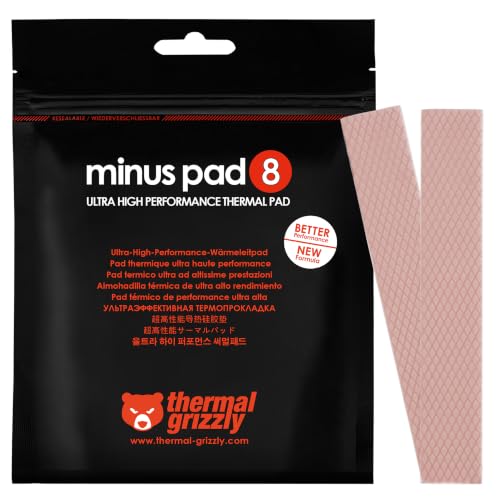
The thermal pad is the unsung half of every heatsink, and fitting quality lives or dies with it. A pad must be thick enough to bridge the gap between chips of slightly different heights, soft enough to compress without bending the drive’s thin circuit board, and placed so it actually covers the controller and the flash chips rather than hanging off an edge. Pads usually arrive pre-cut or pre-applied, which removes most of the guesswork, but the protective film on one or both faces still has to come off before assembly, and forgetting it is one of the classic first-install mistakes. A pad that is doubled up, folded or stretched thin during handling transfers heat poorly no matter how impressive the metal above it looks. Treat the pad as a component, not packaging, and most heatsinks perform the way their makers intended.
The screws on these products are tiny, and the correct relationship with them is patience. Heatsink screws need to be snug enough to hold even contact pressure and no tighter; the drive beneath is a thin circuit board that can flex, and a flexed board stresses solder joints and can lift a pad away from the very chips it should touch. Work on a clear surface, because a dropped screw of this size is effectively a lost screw, keep the drive’s own retaining screw safe since you will need it again, and tighten in small turns, alternating sides on two-screw designs so pressure builds evenly. If a kit offers a spare screw or a small screwdriver, that is a thoughtful inclusion rather than a gimmick. Force is never the missing ingredient in a heatsink install; alignment is.
Drive labels deserve a word of care. Many NVMe drives carry a printed label over their chips, and in some cases that label is itself a thin heat-spreading layer placed by the maker. Whether removing a label affects a warranty varies by maker and by region, and the honest advice is to check the drive maker’s current guidance rather than trusting a stranger’s certainty, and to leave the label in place unless the heatsink instructions and the maker both clearly support removing it. Most modern heatsinks are designed to sit over the label with the pad accommodating its slight thickness, which makes the question moot for most owners. What is never sensible is peeling a label casually, losing it, and then discovering the question mattered. Read first, peel only with a reason, and keep any removed label safe with the drive’s paperwork.
Care after fitting is close to nothing: the part is passive, so ownership means an occasional glance when the case is open for other reasons, a soft brush of dust off the fins during your normal cleaning rhythm, and a check that nothing has shifted if the machine travels. Our full step-by-step companion, how to install an NVMe SSD heatsink, walks through the fitting itself in detail.
Final Verdict of This NVMe SSD Heatsink Review
Judged purely as a purchase, an NVMe heatsink sits in the modest tier of PC accessories: a simple passive part, usually bought once and forgotten, in a market ranging from plain entry-level plates to premium machined and console-specific designs. That framing cuts both ways. For a drive that genuinely throttles, few upgrades deliver a fix this directly for this little money or effort. For a drive that never runs hot, the same part is a small, silent ornament, harmless but pointless. The value question is therefore never really about the heatsink; it is about your workload, your case and your slot, which is why this cluster of guides keeps returning to measurement and fit rather than to superlatives. Spend after you have diagnosed, and the purchase almost always feels wise. Spend on a hunch, and the outcome is a coin toss you did not need to flip.
Heat and electronics have a long, well-understood relationship: components that run cooler tend to live calmer lives, and flash memory in particular is specified with temperature ranges its makers take seriously. It would be an overclaim to promise that a heatsink will make a specific drive last a specific number of extra years, and this guide makes no such promise. The defensible claim is narrower and still worthwhile: keeping a drive away from its thermal ceiling during the heaviest work it does removes one source of stress and one cause of mid-task slowdowns, and it does so with a passive part that cannot wear out, make noise or draw power. Owners who keep drives for many years, who fill them with irreplaceable project work, or who run them hard daily are the ones for whom that quiet insurance framing makes most sense.
For the wider storage picture around this upgrade, see our picks for the best external SSDs for PS5, our guide to the best 500GB SSDs for a desktop and our NVMe SSD Black Friday deals roundup. Verdict in one line: an NVMe SSD heatsink is a small, honest tool for a specific, measurable problem — buy it for the problem, not for the promise.
Reading the Category Like an Engineer
A word about benchmarks, because they dominate discussion of this category. Short benchmark runs measure burst behaviour, which is exactly the territory where heatsinks matter least, while the long, unglamorous sustained tests that would show throttling are tedious to run and rarely published. Temperature screenshots without a stated workload, ambient temperature or airflow context prove almost nothing in either direction. This is why the guides in this cluster keep prescribing the same humble experiment: your drive, your heaviest real task, watched live. It lacks the glamour of a laboratory graph and the weakness of having been measured on somebody else’s machine, in somebody else’s case.
A small number of M.2 coolers add a tiny fan and become active coolers. They can move more heat in a cramped space, but they trade away the category’s best qualities: they need power, they can make noise, their fans are small moving parts with a finite life, and a failed fan can leave a drive worse covered than a simple plate would have. For the overwhelming majority of desktop and console installs, passive designs are the right answer, which is why every pick in this cluster is passive. Active cooling belongs to unusual enclosures and specialist workstations, chosen deliberately by owners who have already exhausted the passive options and measured the difference.
Heat pipes appear in the more ambitious designs, and their role is worth understanding plainly: a sealed pipe moves heat along its length far more effectively than solid metal of the same size, letting a designer carry warmth from the drive’s hot end to fins positioned where air actually flows. Used well, that is real engineering aimed at awkward slots. Used as decoration on a cover that already sits in good air, it adds cost without a problem to solve. Judge a heat-pipe design by where it takes the heat and why, not by the mere presence of copper-coloured tubing in the product photograph.
Fin direction is a detail with real consequences. Fins shed heat best when case air travels along their channels rather than striking their flat faces, so a heatsink that can be oriented to agree with your case’s front-to-back airflow has a quiet advantage over one fixed against it. Not every design offers a choice, and the difference is a refinement rather than a deal-breaker, but it is worth a thought at choosing time and a glance at fitting time. It is also one more reason the same part earns different reports in different cases: the physics includes the room the part lives in.
Ambient temperature is the silent variable in every owner’s results. A drive in a cool, air-conditioned room begins every workload with headroom that a drive in a warm room in summer simply does not have, and the same heatsink will appear to perform differently across those two settings without anything about it changing. Seasonal honesty helps: a drive that behaves in winter may deserve a second look during the year’s first heatwave, and a heatsink fitted in July is solving a real problem even if January never presented it. Judge your machine under the conditions it actually endures, not the conditions of the day you happened to test it.
Home servers and network storage change the calculation in one important way: their drives rarely rest. A NAS or home server writes logs, syncs media, runs backups and indexes libraries through the night, turning the bursty desktop pattern into something much closer to a sustained workload spread across the whole day. Owners of such machines should weight the worth-it question accordingly, and should also weight airflow honestly, because small server cases can be as stagnant as any gaming rig’s dead zones. A modest cover on a drive that works around the clock is not an enthusiast indulgence; it is proportionate equipment for the duty cycle.
Some slim coolers replace or supplement the metal plate with graphene-coated layers or copper shims, aiming at the tightest spaces where even a low cover cannot go. These designs are legitimate answers to a real geometry problem, and their thinness is their virtue, but they offer less thermal mass than a machined cover, so expectations should be set accordingly: help for a warm drive in a thin slot, not a substitute for a substantial heatsink in a workstation. As with every design in this category, the honest question is whether the shape matches the space and the workload, not whether the material sounds advanced.
Dust is the slow enemy of every passive cooler. Fins shed heat through their surfaces, and a felted layer of dust insulates exactly those surfaces while also choking the case airflow the fins depend on. The effect is gradual enough to escape notice, which is why it belongs in a maintenance rhythm rather than in a troubleshooting panic: when you clean the case — and a machine that runs drives hard should be cleaned on a rhythm — the heatsink’s fins get the same soft brush as every other surface. No solvents, no disassembly for its own sake, just the removal of the blanket the part never asked to wear.
Which Chip, Which Generation, Which Finish
It helps to know which chip you are really cooling. The controller — the drive’s traffic manager — is usually the hottest single component and the one whose temperature governs throttling decisions, while the flash chips warm more gently and spread their heat along the board. That is why pad placement in every serious guide, including the install companion in this cluster, names the controller first: a pad that covers the flash beautifully but misses the controller has decorated the drive rather than cooled it. When you inspect a heatsink’s pad layout before buying, you are really checking one thing — whether the maker understood which chip matters most.
Successive generations of NVMe drives have grown faster, and faster controllers in the same small footprint are the background reason this accessory category exists at all. Early drives rarely troubled anyone thermally outside enclosures; the high-performance generations that followed made sustained heat a mainstream conversation, first in workstations and then, through the PlayStation 5’s requirement, in living rooms. The trend does not mean every modern drive needs a heatsink — plenty run comfortably bare in good airflow — but it does mean the question deserves asking of each new build rather than being answered once from habit formed around older, cooler hardware.
There is an aesthetic dimension to this category and it deserves neither embarrassment nor priority. A machined cover in a considered finish makes a build look finished, hides a busy drive label, and gives a windowed case a deliberate line where a bare circuit board sat. Owners are allowed to value that. What they should not do is let appearance reorder the decision sequence: diagnosis, clearance, contact and airflow first, and only then the pleasure of the right colour. A beautiful heatsink on a drive that never ran hot is honest decoration; the same purchase described to oneself as a performance upgrade is where the category’s marketing does its quiet damage.
Beyond the First Impression: Checks That Separate the Picks
Fit and feel, judged honestly
Specifications can tell you a nvme ssd heatsink will fit; only handling tells you whether it feels right doing it. Weight distribution, control placement, surface finish and the force needed for routine adjustments all shape whether you reach for the product gladly or work around it. When picks such as Thermalright HR-09 2280, Jonsbo M.2 Heatsink and EZDIY-FAB M.2 Heatsink are on your shortlist, run this check against each listing in turn. If your shortlist comes down to two similar models, this tactile layer is usually the honest tie-breaker, and it is personal: a control layout one reviewer calls cramped, a smaller-handed owner may call perfect. Where possible, judge fit against your own hands, desk and habits, not the reviewer’s.
The detail that dates a design
Every SSDs generation has a detail that quietly dates it: a port standard on its way out, a control app that has stopped receiving updates, a consumable format being phased away. When reviewing a nvme ssd heatsink, that detail matters because it decides how gracefully the product ages. A model built on current standards and widely stocked consumables will still be serviceable when a flashier rival is orphaned by its own ecosystem. Check the age of the design, not just its feature list, and favour the product whose supporting ecosystem is still actively maintained.
What the box should contain — and what it should not need
Unboxing is a small but telling review checkpoint for a nvme ssd heatsink: the essentials for the first session should be in the box, the instructions should match the actual unit, and nothing vital should depend on an immediate second purchase. If a pick requires an accessory to perform its core job, that dependency is flagged in its assessment above, because it changes both the real cost and the first-day experience. Equally, beware bundles padded with extras you will never use; in a household where the gear gets used hard on weekends and barely touched midweek, unused bundle clutter is a cost paid in storage, not a bonus.
Reading the assessments against your own routine
These reviews were written against a general routine, and your routine is the final filter. Map each pick’s stated strengths onto your busiest realistic day with a nvme ssd heatsink: if a pick’s best quality serves a task you do rarely, it is not the pick for you, however strong the assessment. If a pick’s noted limitation sits in a corner of the workflow you never visit, discount it. This translation step — from review conditions to your conditions in a household where the gear gets used hard on weekends and barely touched midweek — is where a good review becomes a good decision rather than a borrowed opinion.
Verify the listing, not just the product
A review can only judge the nvme ssd heatsink in front of it, but what arrives at your door depends on the listing you order from. Before choosing, confirm that the listing names the exact model, generation and bundle contents you think you are buying, because SSDs listings often group variants under one page. When picks such as Thermalright HR-09 2280, Jonsbo M.2 Heatsink and EZDIY-FAB M.2 Heatsink are on your shortlist, run this check against each listing in turn. Check which accessories are in the box and which are sold separately, and note the seller’s returns terms while you are there. Ten minutes of listing hygiene prevents the most common review-versus-reality mismatch: a good product judged by the wrong variant.
Treat it as part of the purchase itself, not as homework to do after the box arrives.
None of this requires expertise — only the willingness to check your own routine before trusting a generic recommendation.
Five honest minutes at this stage is worth more than five hours of comparison browsing.
Frequently Asked Questions
Does an NVMe SSD heatsink make a drive faster?
No, and any seller implying otherwise is misleading you. A heatsink cannot raise a drive above its designed speeds. What it can do is protect those speeds during long, sustained transfers by delaying or preventing thermal throttling, the protective slowdown a hot drive applies to itself. If your drive never throttles in your workload, a heatsink changes nothing you can feel, which is why this review keeps returning to measurement before purchase.
How do I know whether my drive is throttling?
Watch it during your heaviest real task. Free monitoring tools can show the drive’s reported temperature while you run a long copy, export or install, and a transfer that starts fast and visibly settles to a slower pace partway through is the classic symptom. Compare the behaviour with the drive’s normal bursty work, which should hold its pace easily. Evidence from your own machine beats any general claim, including the ones in this review.
Will a heatsink fit under my graphics card?
Often a low-profile cover will; a tall finned tower usually will not. The only trustworthy method is measurement: check the space above your M.2 slot with the card installed, compare it with the stated height of the design you are considering, and leave yourself a margin. Also check beneath the drive if you are considering a wrap-around design for a double-sided drive, since those add thickness on both faces.
Is the heatsink that came with my motherboard good enough?
Very often, yes. Motherboard covers with proper pads are legitimate heatsinks, and on many boards they are substantial pieces of metal. If your slot is already covered and your temperatures behave during heavy work, a third-party part has nothing to add and may not even fit alongside the board’s own mounting. Save the purchase for a bare slot, a second drive, or a console expansion where no cover exists.
Do I need a heatsink for a PlayStation 5 expansion drive?
Yes. Sony’s expansion guidance requires an M.2 drive in the PS5 bay to have a cooling structure such as a heatsink attached, within the bay’s published size limits. Treat it as part of the drive purchase rather than an accessory decision: choose a compliant low-profile or cover-style design, confirm the pairing against Sony’s size guidance, and fit them together before the drive goes into the console.
Can fitting a heatsink damage my drive or its warranty?
Fitted patiently, no: the risks are mechanical, not electronic, and they come from force — overtightened screws flexing the board, a pad misplaced, a label peeled without checking. Warranty treatment of removed labels varies by maker and region, so check your drive maker’s current guidance and leave the label in place unless both the maker and the heatsink instructions support removing it. Work slowly, keep screws snug rather than tight, and the job is gentle. If your question is not covered here, the pattern of this guide still applies: measure your drive’s behaviour and your slot’s space first, then let those two facts choose the part.
Related Guides
Keep reading with these companion guides from the same storage series:
- our comparative NVMe SSD heatsink reviews
- whether an NVMe SSD heatsink is worth it
- how to choose an NVMe SSD heatsink
- how to install an NVMe SSD heatsink
- our picks for the best external SSDs for PS5
- our guide to the best 500GB SSDs for a desktop
- our NVMe SSD Black Friday deals roundup
- our picks for the best external SSDs for Mac