Disclosure: As an Amazon Associate, ilcastellomenu.com earns from qualifying purchases. Links on this page are affiliate links; they cost you nothing extra. Prices and availability change often, so check the current Amazon listing before you buy.
Good nvme ssd heatsink reviews should read less like a beauty contest and more like a fitting service, because the best heatsink is the one that matches your drive, your slot and your workload — in that order. This roundup therefore reviews the field comparatively: five real models from five makers, each judged on the same honest criteria of contact design, clearance demand, build quality and the kind of work it actually suits. There are no invented temperature-drop figures here and no laboratory theatre, because a passive slab of metal succeeds or fails in your case, with your airflow, on your drive. Read the verdicts as matching notes, find the profile that sounds like your machine, and the shortlist will choose itself.
Key Takeaways
- Across all five models reviewed, fit decides more than fin count: every one of these heatsinks works when it matches the slot, and disappoints when it does not.
- The Sabrent Rocket line is the polished all-rounder; the Thermalright HR-09 family offers the most passive headroom where height allows.
- be quiet! MC1 is the tidy low-profile middle path for ordinary desktops with a bare slot.
- Jonsbo and EZDIY-FAB cover the entry tier credibly — sensible metal and pads, fewer refinements.
- For the PS5 bay, choose a console-shaped compliant design rather than adapting a desktop part.
- Every model here is passive and silent; none can make a cool drive faster, and none should be bought before a quick temperature check.
In this guide
How These NVMe SSD Heatsink Reviews Were Put Together
An NVMe SSD heatsink is a small slab of metal, almost always aluminium and sometimes copper, that clamps or sticks over the memory chips and controller of an M.2 solid-state drive. Its job is simple to describe and surprisingly subtle to do well: soak up the heat the drive produces during heavy reads and writes, spread that heat over a larger surface than the bare chips offer, and hand it to the air moving through the case. Between the metal and the chips sits a thin thermal pad, a soft, slightly squishy layer that fills the microscopic gaps between uneven surfaces so heat can actually cross from chip to metal instead of being trapped behind pockets of air. Nothing about the part is electronic. There is no fan, no cable and no software in the basic design, which is exactly why it is cheap, silent and, once fitted correctly, effectively maintenance-free for the life of the drive.
That self-protection is called thermal throttling, and understanding it honestly matters more than any marketing claim on a heatsink box. When a drive’s controller decides it is too hot, it deliberately slows down, trading speed for safety until temperatures fall. The drive is not damaged and nothing has gone wrong; the slowdown is the system working exactly as designed. The practical effect is that a transfer that started at full speed settles to a lower speed for the remainder of the job, so a long task takes longer than the headline figures suggest. A heatsink does not make a drive faster than its specification. What it can do, on a drive and workload that genuinely run hot, is delay or prevent that protective slowdown, so the drive holds its pace for longer. If your workload never pushes the drive to that point, the heatsink has nothing to fix, and honesty requires saying so plainly.
You do not have to guess how hot your drive runs, and a short measurement session is the most honest buying research available. Free monitoring tools on a PC can display the drive’s reported temperature while you run the heaviest real task you actually do: the big copy, the export, the install, not a synthetic torture test you would never repeat. Watch where the temperature settles and whether your transfers visibly slow partway through. If the drive stays comfortable and speeds hold, you have learned that your workload does not need help. If temperatures climb steeply and long transfers sag, you have a genuine case for a heatsink and a baseline to compare against after fitting one. Either way, fifteen minutes of observation replaces a forum’s worth of other people’s anecdotes, because it measures your drive, in your case, doing your work.
Each model below is assessed on design and mounting, on the pad arrangement it uses, on the clearance it demands, and on the workload profile it serves best. Tiers are given in words — entry, mid, premium — because prices drift and positioning endures. Where a model’s range includes variants, the review says so and judges the family rather than pretending one SKU speaks for all.
The Models, Reviewed One by One
A note on how to read the picks in this guide. Every product named here is a real model from a real maker, presented in prose with its tier described in words — entry, mid or premium — rather than with prices, because prices move and tiers endure. Check the current listing before you buy, confirm the model variant matches your drive’s size and your slot’s clearance, and treat the verdict under each pick as the summary that matters.

Sabrent Rocket Heatsink
Sabrent built its name in storage accessories, and the Rocket heatsink line reflects that focus: machined aluminium covers shaped for M.2 drives, sold in versions for desktop slots and in a well-known cover design for the PlayStation 5 expansion bay.
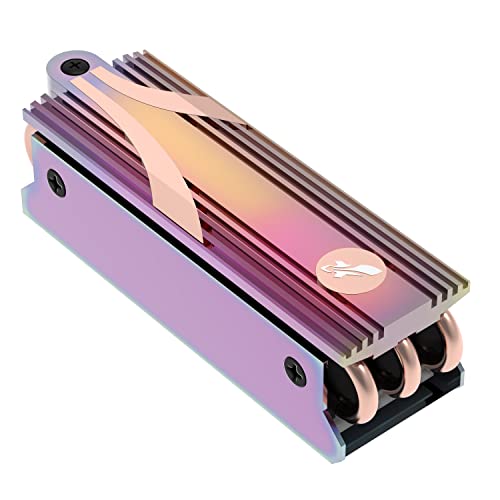
The design language is tidy and deliberate, with a grooved top surface that adds area without turning the part into a spiky tower, and a tray-style construction that cradles the drive rather than balancing on it. In the hand it feels like a small piece of equipment rather than a bent sheet of metal, which matters more than it should: parts that feel precise tend to be fitted carefully. Thermal pads are part of the package, and the overall impression is of a mid-to-premium tier product aimed at owners who want the job done once and done neatly.
Best for: owners who want a polished, fit-and-forget cover for a desktop drive, and PS5 upgraders choosing the console-specific version. Not suited for: slots with severe height limits where even a modest machined cover cannot fit, or buyers who only need the plainest plate for a drive that barely warms up.

Thermalright HR-09 2280
Thermalright comes to this category from CPU cooling, and the HR-09 family shows it: these are tall, finned, radiator-minded heatsinks for owners who look at a hot drive and think in terms of surface area and airflow paths.
Where a flat cover whispers, a finned tower makes its ambitions visible, standing proud of the drive with a stack of fins and, in the range, heat-pipe-assisted designs. That ambition is real but conditional. The height that creates the cooling headroom also creates the category’s most common fit failures, colliding with graphics cards, CPU coolers and case panels. Treat the HR-09 style of heatsink as a specialist tool: measure your slot’s airspace honestly, confirm the fin orientation suits your case’s airflow, and it rewards you with the most passive cooling headroom this product class offers.
Best for: sustained-write workloads in spacious cases with clear airflow over the M.2 slot, such as video editing rigs and workstation builds. Not suited for: compact cases, slots hiding under a graphics card, laptops, or any console bay.

be quiet! MC1
The MC1 from be quiet! is the category’s quiet diplomat: a low, finned aluminium cover from a brand whose entire identity is built around silence, aimed at drives that live in everyday desktops rather than in showcase builds.
Its appeal is proportion. The profile stays modest, the finned top adds useful area without demanding tower clearance, and the finish suits the understated builds the brand’s fans tend to assemble. As a passive part it makes no noise at all, like every heatsink here, so the brand’s silence promise is really about philosophy: sensible engineering, no gimmicks, no lighting, nothing to configure. For an owner whose motherboard left a slot bare and whose workload is a mix of bursty desktop use with occasional long transfers, this middle path is often the most defensible place to land.
Best for: general desktop builds wanting a tidy, low-profile cover from an established cooling brand. Not suited for: buyers chasing maximum finned surface for extreme sustained workloads, who should look at taller designs and check their clearance.
Jonsbo M.2 Heatsink
Jonsbo’s M.2 heatsinks occupy the value-conscious end of the machined-cover market, offering shaped aluminium designs, in some versions with a heat pipe worked into the body, at an entry-to-mid tier positioning.
The honest summary is that you are trading a little refinement for a lower tier. Finishes and machining may feel a touch less polished than the premium names, and instructions can be briefer, so the careful fitting habits this guide describes — film off the pads, even pressure, no overtightening — matter a little more here. In exchange, the fundamental recipe is present: real metal mass, a proper pad interface and a cover that turns a bare, hot drive into a drive with somewhere for its heat to go. For a second drive in a secondary slot, or a first experiment after monitoring showed genuine heat, that trade is easy to defend.
Best for: budget-aware builders covering a secondary drive or testing whether a heatsink helps their workload. Not suited for: buyers who want the most polished machining and packaging and are happy to pay the premium tier for it.

EZDIY-FAB M.2 Heatsink
EZDIY-FAB is a familiar name in PC accessory aisles, and its M.2 heatsinks follow the brand’s pattern: straightforward finned aluminium designs, often bundled with the small extras an installer actually needs, at an entry-level tier.
Expect function first. The typical package thinking — spare pads, the right tiny screws, a small tool — reflects a brand that sells a lot of practical accessories and knows where installs go wrong. The metalwork does the one job physics asks of it, and the finned profile suits open desktop slots with reasonable airflow. What you are not buying is premium heft or console-specific shaping. As a first heatsink for a drive you have measured running hot, or as coverage for a hand-me-down drive in a family PC, it is a rational, low-drama choice.
Best for: first-time buyers and practical builders who want a complete little kit at an entry tier. Not suited for: PlayStation 5 expansion bays, where a console-shaped, size-compliant design is the right tool.
Head-to-Head: What Actually Separates Them
Aluminium dominates this market for sensible reasons: it is light, cheap to machine, corrosion-resistant and a perfectly capable conductor for the modest heat loads involved. Copper conducts better and appears in premium designs and in heat-pipe-assisted models, but it is heavier and costlier, and at these small scales the practical gap is often narrower than the material gap on paper, because contact quality and airflow dominate the result. Anodised finishes in black or colours change appearance and can help a build look deliberate, but colour is not a cooling specification. What matters more than the alloy is the design’s honesty: enough mass to absorb a burst, enough surface to shed a sustained load, fins oriented so case air can actually pass along them, and a mounting system that holds firm, even pressure without flexing the drive. Judge the engineering, not the paint.
A heatsink does not destroy heat; it relocates heat into the air, which means the air has to cooperate. A finned cover sitting in the gentle stream from a case fan can shed warmth steadily, while the same cover sealed in a dead pocket behind a hot graphics card has far less to work with. This is why two owners can fit the same heatsink to the same drive and report different experiences: the part is only one term in an equation that includes case layout, fan placement and ambient temperature. It is also why a modest heatsink in good airflow often outperforms a dramatic one in stagnant air. Before spending on metal, it is worth simply looking at where your M.2 slot sits, what blows across it, and what hot component shares its neighbourhood. Sometimes the smartest cooling upgrade is a tidier cable run or a fan curve, and the heatsink is the finishing touch rather than the whole answer.
Lay the five side by side and the pattern is clear. They divide first by shape — cover versus tower versus console cover — and only then by brand. They divide second by refinement: machining quality, pad provision, spare screws and instruction clarity all improve as tiers rise, and those details decide how pleasant the one install you will ever do with the part feels. They barely divide at all on the fundamental recipe, because physics does not offer a premium version of conduction. A buyer who understands that will never feel cheated by an entry-tier pick, and never feel foolish paying for a premium one fitted to a build they care about.
| Model | Shape | Tier | Standout quality | Watch out for |
|---|---|---|---|---|
| Sabrent Rocket Heatsink | Machined cover, plus PS5 cover variant | Mid to premium | Polish and console option | Height in the tightest slots |
| Thermalright HR-09 2280 | Tall finned tower | Mid to premium | Most passive surface area | Clearance, clearance, clearance |
| be quiet! MC1 | Low finned cover | Mid | Proportion and tidiness | Not the extreme-workload choice |
| Jonsbo M.2 Heatsink | Machined cover, some heat-pipe variants | Entry to mid | Value with real metal mass | Briefer instructions, less refinement |
| EZDIY-FAB M.2 Heatsink | Finned cover kit | Entry | Complete, practical bundle | Desktop slots only; not for consoles |
Performance by Workload, Across the Field
Sustained Transfers and Creator Work
Here is the truth that heatsink advertising rarely leads with: a great deal of everyday desktop use never comes close to throttling. Loading games, opening applications, browsing, editing documents and even most gaming sessions read data in bursts and then idle, and idle time is cooling time. Many owners of fast drives have run them bare for years without ever seeing a sustained-transfer slowdown, because their work simply never holds the drive at full effort long enough. That does not make heatsinks pointless. It makes them workload-dependent. The buyers who genuinely benefit are those whose work holds a drive at full write speed for minutes at a time, those with drives tucked into hot, still air behind a graphics card, and those installing a drive where a heatsink is required outright, as in a PlayStation 5 expansion bay. Sorting yourself into the right group is most of the buying decision.
For the long-haul workloads — library copies, exports, image restores — the tower and the substantial covers justify themselves, in proportion to how hot the drive ran bare. Owners whose monitoring showed a drive climbing steeply and sagging mid-transfer are the ones who write the grateful reviews of this product category, and any of the five models, correctly fitted, addresses their problem. The differences between models in this scenario are second-order; the difference between some heatsink and none is the story.
Everyday Desktops and Gaming Rigs
In bursty territory the field flattens almost completely, because the workload rarely asks the question the heatsink answers. Our collective advice across these reviews is to buy for your environment rather than your hopes: a drive in a hot pocket behind a graphics card earns a low-profile cover like the MC1 or the Rocket; a drive in open airflow with comfortable measured temperatures earns nothing at all. The companion analysis, whether an NVMe SSD heatsink is worth it, works through that decision in full.
Console Expansion
The PlayStation 5 deserves its own paragraph because it changes a heatsink from optional to required. Sony’s expansion instructions state that an M.2 drive installed in the console’s expansion bay must have a cooling structure such as a heatsink attached, and the bay’s dimensions limit how large that structure may be, including the replacement cover designs sold specifically for the console. This is a rare case of a manufacturer removing the judgement call entirely: if you are expanding a PS5, you fit a compliant heatsink, full stop. The good news is that the requirement has produced a tidy market of low-profile and cover-style options shaped exactly for the bay, so compliance does not mean improvisation. Buy the drive and its cooling together, check the pairing against Sony’s published size limits, and the upgrade becomes a calm, screwdriver-only job.
Within this roundup, the console-shaped end of the Sabrent line is the natural reference point, precisely because it was designed around the bay rather than adapted to it. Whichever compliant design you choose, buy it with the drive, verify the pairing against Sony’s published limits, and treat desktop towers and tall covers as automatically excluded by geometry, however good their reviews elsewhere.
Strengths and Trade-Offs of the Current Field
Strengths of the field as a whole:
- Genuine choice at every tier, from entry kits to premium machined covers, all sharing the same sound physical recipe.
- Designs now exist for the awkward neighbourhoods — console bays, tight slots, double-sided drives — that early heatsinks ignored.
- Passive and universal: no software, no noise, no compatibility drama beyond physical fit.
Trade-offs that persist across brands:
- Marketing across the whole category still implies speed gains that physics does not offer; the honest benefit is throttle protection only.
- Tiny screws, thin pads and brief instructions remain the install experience at most tiers.
- Height figures and underside thickness are still inconsistently presented, which makes the buyer’s own measuring essential.
Who Each Pick Suits: The Matching Guide
Clearance is the constraint that catches more buyers than any other. An M.2 slot rarely lives alone: it may sit under a graphics card, beside a bulky CPU air cooler, under a chipset cover or inside the shallow expansion bay of a console, and each neighbourhood imposes a hard ceiling on how tall a heatsink may be. Tall finned towers are the usual casualties, bought for their surface area and returned for their height. The discipline is boring and absolute: measure the space you actually have, compare it with the stated height of the part, and leave a margin rather than planning to the last fraction. Double-sided drives add a second dimension to the problem, since a wrap-around design needs room beneath the drive as well as above it. A low-profile cover that fits is infinitely better than an ambitious tower that forces you to leave a side panel off or a console lid unseated.
M.2 drives carry their chips on one side or both, and heatsinks care about the difference. A single-sided drive presents all its heat sources on top, so a simple top plate with one pad can serve it well. A double-sided drive hides a second rank of flash chips underneath, and a wrap-around heatsink with pads on both faces can contact them too, though the underside chips usually contribute less heat than the controller on top. Fit also changes: the extra thickness of a two-piece design can strain the retaining screw’s reach and the slot’s standoff. None of this is a reason to fear double-sided drives, which include many high-capacity models. It is a reason to check that the heatsink you fancy explicitly suits your drive’s layout, and to assemble patiently rather than forcing a sandwich that does not want to close.
Many motherboards now include their own M.2 heatsinks, and that fact should be the first checkpoint in any buying decision. Mid-range and premium boards commonly ship with one or more metal covers for their M.2 slots, complete with pads and a single retaining screw, and on some boards the cover is a genuinely substantial piece of machined metal tied into a wider cooling design. If your board already covers the slot you are using, a third-party heatsink may add nothing except a clearance problem, because two covers cannot occupy the same space. Check what came in your motherboard box before buying anything. Owners of boards without covers, owners adding a drive to a bare secondary slot, laptop upgraders working within tight limits and console owners are the natural audience for aftermarket parts. Everyone else may already own the solution, forgotten in a parts box.
If the matching still feels tangled, our step-by-step companion how to choose an NVMe SSD heatsink turns these reviews into a decision procedure, and the fitting itself is covered in how to install an NVMe SSD heatsink. Readers comparing wider storage options will also find our picks for the best external SSDs for Mac and our guide to the best external SSDs for 4K video editing useful.
Setup, Care and Maintenance Essentials
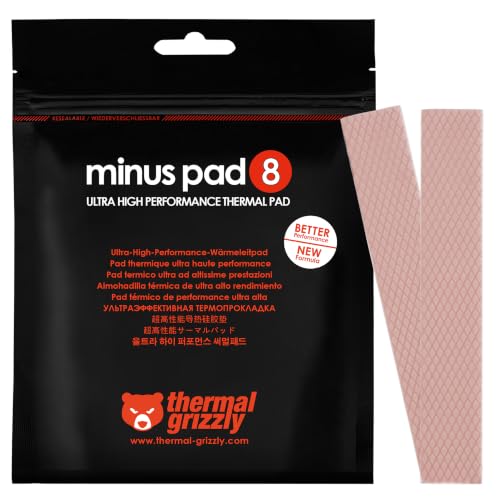
The thermal pad is the unsung half of every heatsink, and fitting quality lives or dies with it. A pad must be thick enough to bridge the gap between chips of slightly different heights, soft enough to compress without bending the drive’s thin circuit board, and placed so it actually covers the controller and the flash chips rather than hanging off an edge. Pads usually arrive pre-cut or pre-applied, which removes most of the guesswork, but the protective film on one or both faces still has to come off before assembly, and forgetting it is one of the classic first-install mistakes. A pad that is doubled up, folded or stretched thin during handling transfers heat poorly no matter how impressive the metal above it looks. Treat the pad as a component, not packaging, and most heatsinks perform the way their makers intended.
The screws on these products are tiny, and the correct relationship with them is patience. Heatsink screws need to be snug enough to hold even contact pressure and no tighter; the drive beneath is a thin circuit board that can flex, and a flexed board stresses solder joints and can lift a pad away from the very chips it should touch. Work on a clear surface, because a dropped screw of this size is effectively a lost screw, keep the drive’s own retaining screw safe since you will need it again, and tighten in small turns, alternating sides on two-screw designs so pressure builds evenly. If a kit offers a spare screw or a small screwdriver, that is a thoughtful inclusion rather than a gimmick. Force is never the missing ingredient in a heatsink install; alignment is.
Drive labels deserve a word of care. Many NVMe drives carry a printed label over their chips, and in some cases that label is itself a thin heat-spreading layer placed by the maker. Whether removing a label affects a warranty varies by maker and by region, and the honest advice is to check the drive maker’s current guidance rather than trusting a stranger’s certainty, and to leave the label in place unless the heatsink instructions and the maker both clearly support removing it. Most modern heatsinks are designed to sit over the label with the pad accommodating its slight thickness, which makes the question moot for most owners. What is never sensible is peeling a label casually, losing it, and then discovering the question mattered. Read first, peel only with a reason, and keep any removed label safe with the drive’s paperwork.
Final Verdict
Judged purely as a purchase, an NVMe heatsink sits in the modest tier of PC accessories: a simple passive part, usually bought once and forgotten, in a market ranging from plain entry-level plates to premium machined and console-specific designs. That framing cuts both ways. For a drive that genuinely throttles, few upgrades deliver a fix this directly for this little money or effort. For a drive that never runs hot, the same part is a small, silent ornament, harmless but pointless. The value question is therefore never really about the heatsink; it is about your workload, your case and your slot, which is why this cluster of guides keeps returning to measurement and fit rather than to superlatives. Spend after you have diagnosed, and the purchase almost always feels wise. Spend on a hunch, and the outcome is a coin toss you did not need to flip.
If a single sentence must carry these reviews, it is this: buy the shape your slot demands, at the tier your pride suggests, after a temperature check your workload justifies — and any of these five will serve you silently for the life of the drive.
Field Notes: What Owners Learn After Fitting
Second drives change the picture in a way first builds rarely anticipate. The additional slot on a motherboard often sits in a worse neighbourhood than the primary — lower, closer to the graphics card’s exhaust, further from the intake path — and it is frequently the slot the board leaves bare. Owners who add a drive for a growing game library or a scratch disk therefore meet the heatsink question on the second purchase rather than the first. The discipline is identical: measure the new drive in its actual slot, check what the board covers, and let the evidence choose. Assumptions carried over from the primary slot are the only real trap.
Owners of external NVMe enclosures already know this guide’s central lesson in another form: a bare drive in a sealed metal box runs hot, and the enclosure’s shell only helps when a pad actually connects the drive to it. The same drive, the same chips and the same pad logic apply inside a PC or console, with the heatsink playing the shell’s role. If you have ever opened an enclosure and found the pad missing its drive by a visible gap, you have seen the most common heatsink failure in miniature. Contact first, metal second, marketing last — the ordering survives every change of setting.
Ambient temperature is the silent variable in every owner’s results. A drive in a cool, air-conditioned room begins every workload with headroom that a drive in a warm room in summer simply does not have, and the same heatsink will appear to perform differently across those two settings without anything about it changing. Seasonal honesty helps: a drive that behaves in winter may deserve a second look during the year’s first heatwave, and a heatsink fitted in July is solving a real problem even if January never presented it. Judge your machine under the conditions it actually endures, not the conditions of the day you happened to test it.
Fin direction is a detail with real consequences. Fins shed heat best when case air travels along their channels rather than striking their flat faces, so a heatsink that can be oriented to agree with your case’s front-to-back airflow has a quiet advantage over one fixed against it. Not every design offers a choice, and the difference is a refinement rather than a deal-breaker, but it is worth a thought at choosing time and a glance at fitting time. It is also one more reason the same part earns different reports in different cases: the physics includes the room the part lives in.
Dust is the slow enemy of every passive cooler. Fins shed heat through their surfaces, and a felted layer of dust insulates exactly those surfaces while also choking the case airflow the fins depend on. The effect is gradual enough to escape notice, which is why it belongs in a maintenance rhythm rather than in a troubleshooting panic: when you clean the case — and a machine that runs drives hard should be cleaned on a rhythm — the heatsink’s fins get the same soft brush as every other surface. No solvents, no disassembly for its own sake, just the removal of the blanket the part never asked to wear.
Laptops deserve a caution of their own. Most have no spare height above the M.2 slot at all, many use the chassis itself as part of the thermal path, and some ship with thin factory shields or pads that should be disturbed only with a plan. A desktop heatsink simply does not belong in that space. If a laptop drive runs hot, the honest options are the thinnest plate made for the purpose, fitted only where the measured clearance truly allows, attention to the machine’s own vents and dust state, and acceptance that the manufacturer’s design sets the ceiling. Forcing desktop hardware into a laptop is how a cooling project becomes a repair bill.
Heat pipes appear in the more ambitious designs, and their role is worth understanding plainly: a sealed pipe moves heat along its length far more effectively than solid metal of the same size, letting a designer carry warmth from the drive’s hot end to fins positioned where air actually flows. Used well, that is real engineering aimed at awkward slots. Used as decoration on a cover that already sits in good air, it adds cost without a problem to solve. Judge a heat-pipe design by where it takes the heat and why, not by the mere presence of copper-coloured tubing in the product photograph.
A fitted heatsink travels with the drive when the drive moves on — to a second machine, a family member’s build or a sale — and a few habits keep that handover clean. Keep the original packaging and any removed label safe, keep spare pads with the kit, and if you remove the heatsink before passing the drive along, inspect the board and pads and say honestly what was fitted and for how long. Drives are increasingly hand-me-down components in home computing, and the small courtesies of documentation make the next owner’s fitting as calm as yours was.
The Reviewers’ Notebook
It helps to know which chip you are really cooling. The controller — the drive’s traffic manager — is usually the hottest single component and the one whose temperature governs throttling decisions, while the flash chips warm more gently and spread their heat along the board. That is why pad placement in every serious guide, including the install companion in this cluster, names the controller first: a pad that covers the flash beautifully but misses the controller has decorated the drive rather than cooled it. When you inspect a heatsink’s pad layout before buying, you are really checking one thing — whether the maker understood which chip matters most.
Small-form-factor builds concentrate every theme in this cluster. Their M.2 slots live close to hot components, their airflow paths are short and shared, and their clearance forgives nothing — yet their owners often chose the size precisely because the machine sits in a living space where a console also lives, doing double duty for games and media. For these builds the low-profile cover is not the compromise choice but the correct one, chosen early, measured twice, and paired with honest attention to the case’s limited air. The tower heatsinks reviewed in this series belong to other rooms and other cases, and recognising that is good judgement, not defeat.
Where you read the temperature matters less than that you read it consistently. Motherboard utilities, drive makers’ own tools and independent monitoring programs all report the drive’s own sensor, and any of them serves the before-and-after method this cluster prescribes — provided you use the same tool, the same workload and roughly the same room conditions for both readings. Consistency turns two numbers into knowledge; mixing tools and tasks turns them into trivia. Keep a note of the readings with your build records, because the next storage question you face will thank you for the baseline.
Successive generations of NVMe drives have grown faster, and faster controllers in the same small footprint are the background reason this accessory category exists at all. Early drives rarely troubled anyone thermally outside enclosures; the high-performance generations that followed made sustained heat a mainstream conversation, first in workstations and then, through the PlayStation 5’s requirement, in living rooms. The trend does not mean every modern drive needs a heatsink — plenty run comfortably bare in good airflow — but it does mean the question deserves asking of each new build rather than being answered once from habit formed around older, cooler hardware.
A small mechanical note that saves real frustration: the drive mounts to a standoff, and the heatsink’s added thickness belongs above the drive, not below its mounting geometry. If a fitted assembly seems to sit at an angle, or the retaining screw suddenly feels too short or too long for its job, stop and inspect rather than compensating with force. Some kits and some boards accommodate thickness differently, and the correct answer is always alignment — drive level, connector fully home, screw meeting its standoff squarely. Installs that begin level end quietly; installs that begin forced tend to be reopened.
One More Thing Worth Knowing
One last pattern from across the field deserves recording, because it predicts satisfaction better than any specification: owners who bought against a measured problem report contentment at every tier, while owners who bought against a vague anxiety report indifference at every tier, including the premium one. The models differ, the finishes differ, the fin counts certainly differ — but the variable that decides the review an owner would write a year later is whether the purchase began with evidence. That is a strange conclusion for a roundup of products to reach, and it is the most useful one in it, so it stands here unsoftened: in this category, the diagnosis is the product’s most important feature, and it is the one you supply yourself.
Reading the Listings Closely: What to Verify Model by Model
What the box should contain — and what it should not need
Unboxing is a small but telling review checkpoint for a nvme ssd heatsink: the essentials for the first session should be in the box, the instructions should match the actual unit, and nothing vital should depend on an immediate second purchase. If a pick requires an accessory to perform its core job, that dependency is flagged in its assessment above, because it changes both the real cost and the first-day experience. Equally, beware bundles padded with extras you will never use; in a compact home office where every item has to earn the space it occupies, unused bundle clutter is a cost paid in storage, not a bonus.
Reading the assessments against your own routine
These reviews were written against a general routine, and your routine is the final filter. Map each pick’s stated strengths onto your busiest realistic day with a nvme ssd heatsink: if a pick’s best quality serves a task you do rarely, it is not the pick for you, however strong the assessment. If a pick’s noted limitation sits in a corner of the workflow you never visit, discount it. This translation step — from review conditions to your conditions in a compact home office where every item has to earn the space it occupies — is where a good review becomes a good decision rather than a borrowed opinion.
Verify the listing, not just the product
A review can only judge the nvme ssd heatsink in front of it, but what arrives at your door depends on the listing you order from. Before choosing, confirm that the listing names the exact model, generation and bundle contents you think you are buying, because SSDs listings often group variants under one page. When picks such as Sabrent Rocket Heatsink, Thermalright HR-09 2280 and be quiet! MC1 are on your shortlist, run this check against each listing in turn. Check which accessories are in the box and which are sold separately, and note the seller’s returns terms while you are there. Ten minutes of listing hygiene prevents the most common review-versus-reality mismatch: a good product judged by the wrong variant.
Consistency is the quiet test
Single impressive results are easy; a good nvme ssd heatsink repeats them on an ordinary day, with ordinary materials, when you are in a hurry. Across the picks in this review, the models that earned their place did so by being predictable: the same setup producing the same outcome, with controls that behave identically every time. In a compact home office where every item has to earn the space it occupies, predictability is worth more than a peak performance figure you will rarely reach. When you read the individual assessments above, treat consistency comments as the highest-value signal in each one.
Fit and feel, judged honestly
Specifications can tell you a nvme ssd heatsink will fit; only handling tells you whether it feels right doing it. Weight distribution, control placement, surface finish and the force needed for routine adjustments all shape whether you reach for the product gladly or work around it. When picks such as Sabrent Rocket Heatsink, Thermalright HR-09 2280 and be quiet! MC1 are on your shortlist, run this check against each listing in turn. If your shortlist comes down to two similar models, this tactile layer is usually the honest tie-breaker, and it is personal: a control layout one reviewer calls cramped, a smaller-handed owner may call perfect. Where possible, judge fit against your own hands, desk and habits, not the reviewer’s.
The detail that dates a design
Every SSDs generation has a detail that quietly dates it: a port standard on its way out, a control app that has stopped receiving updates, a consumable format being phased away. When reviewing a nvme ssd heatsink, that detail matters because it decides how gracefully the product ages. A model built on current standards and widely stocked consumables will still be serviceable when a flashier rival is orphaned by its own ecosystem. Check the age of the design, not just its feature list, and favour the product whose supporting ecosystem is still actively maintained.
None of this requires expertise — only the willingness to check your own routine before trusting a generic recommendation.
Five honest minutes at this stage is worth more than five hours of comparison browsing.
If a candidate fails this check, strike it from the list without regret and let the remaining options compete on merit.
Your future self, mid-task on a busy day, is the person this check is really for.
Frequently Asked Questions
Which of these heatsinks is the best overall?
There is no honest overall winner, because the category is fit-driven. The Sabrent Rocket line is the easiest default recommendation for a typical desktop thanks to its polish and its console variant, the Thermalright tower leads on raw passive headroom where height allows, and the entry models from Jonsbo and EZDIY-FAB deliver the essential recipe for less. The best overall heatsink is the one whose shape matches your slot and whose tier matches your workload.
Do premium heatsinks cool much better than entry ones?
Usually less than the tier gap suggests. All of these products share the same recipe — pad, metal, surface, airflow — and contact quality plus case airflow dominate outcomes. Premium money buys machining, finish, better pads and spares, and in the tower’s case genuinely more surface area. It does not buy a different law of physics, which is why this roundup judges fit and design before brand prestige.
Can I use a desktop heatsink in a PlayStation 5?
Only if it meets Sony’s published size limits for the expansion bay and attaches as a proper cooling structure, which most desktop towers and many covers do not. The safe route is a design made for the console, such as the cover-style variant in the Sabrent line, bought together with the drive and checked against Sony’s guidance. Geometry, not cooling ambition, is the deciding factor in the bay.
Are these heatsinks compatible with double-sided drives?
Some are and some are not, and the listing’s compatibility notes are the authority for the specific model. Wrap-around designs with pads on both faces suit double-sided drives best, while slim top plates assume a single-sided layout. Check your drive’s layout before ordering, and during fitting never force a sandwich closed: if the two halves resist, the pairing is wrong, not your technique.
Do I still need one if my motherboard came with a cover?
Almost certainly not for the slot that cover serves. A motherboard’s included M.2 cover is a real heatsink, and stacking or swapping it for a third-party part rarely improves anything and can create fit problems. These reviews are aimed at bare slots, additional drives, tight console bays and boards that shipped without covers. Check your motherboard box before letting any review, including this one, sell you a duplicate.
How long do thermal pads last?
Pads are effectively fit-and-forget: they do not dry out on any schedule that matters to a home user, and they ask for nothing between installation and the day the drive itself is replaced. If you ever remove a heatsink, inspect the pad; a pad that is torn, displaced or has lost its softness should be replaced rather than reused, since contact is the whole game. Spare pads in several kits make that a drawer item rather than a shopping trip. If your question is not covered here, the pattern of this guide still applies: measure your drive’s behaviour and your slot’s space first, then let those two facts choose the part.
Related Guides
Keep reading with these companion guides from the same storage series:
- our in-depth NVMe SSD heatsink review
- whether an NVMe SSD heatsink is worth it
- how to choose an NVMe SSD heatsink
- how to install an NVMe SSD heatsink
- our picks for the best external SSDs for PS5
- our guide to the best 500GB SSDs for a desktop
- our NVMe SSD Black Friday deals roundup
- our picks for the best external SSDs for Mac