Disclosure: As an Amazon Associate, ilcastellomenu.com earns from qualifying purchases. Links on this page are affiliate links; they cost you nothing extra. Prices and availability change often, so check the current Amazon listing before you buy.
Where to buy: every pick below is sold through Amazon; use the Check price on Amazon link in each review, because processor pricing shifts with promotions and platform bundles. The best intel cpus for gaming is an argument about architecture as much as about speed, because Intel’s gaming processors are built on a wager its rival declined: that a processor should be two processors, a set of performance cores for the work that matters most and a set of efficient cores for everything else, twenty or more cores in total where the other camp fields eight. This roundup reviews four verified Intel processors across the decision space: the twenty-core flagship-class chip that makes the hybrid argument at full strength, its fourteen-core sibling that has quietly become the range’s value centre, a previous-generation favourite whose price now undercuts its reputation, and the locked mainstream chip that anchors sensible family and office gaming builds. Each is weighed for gaming first, with its cores, clocks and platform priced honestly, and each is set against the AMD alternative in the best AMD CPUs for gaming compared, because no processor is best in a vacuum. The background ideas, cores and cache and boost behaviour, live in CPU cores and threads explained, how much CPU cache is enough for gaming and how boost clocks work.
Best Intel Cpus For Gaming: How the Picks Were Chosen
The criteria mirror the AMD roundup’s so the two lists can be read against each other. Gaming performance was judged on averages and low percentiles across the credible review pattern, with the hybrid architecture’s scheduling maturity taken as it is today rather than as it was at its launch. Total platform cost was counted whole, and on this side of the fence that includes a genuine choice the AMD buyer does not face in the same way, between memory generations on many boards, which can move a build’s price by a meaningful margin. Productivity was given its full weight, because Intel’s core counts are a real argument for the machine that works beside its play, and a gaming list that ignored them would be lying by omission. Power and cooling were priced as ownership: these are processors whose boost behaviour asks more of coolers and cases than the rival’s mainstream, and choosing a CPU cooler for RAM clearance and checking CPU temperature ranges are the companion disciplines. Integrated graphics were noted per model, since Intel’s naming makes the graphics-less variants a letter’s difference, a trap the guide at choosing a CPU with integrated graphics exists to disarm.
In this guide
Quick Picks
| Buyer | Pick | One-line reason |
| Gaming plus heavy multitasking | Intel Core i7-14700K | Twenty cores: eight for the game, twelve for everything else |
| The range’s value centre | Intel Core i5-14600K | Fourteen cores and the gaming performance most builds can use |
| Previous-generation value | Intel Core i7-12700KF | A former flagship class at a mature price, graphics-less and proud |
| Sensible mainstream build | Intel Core i5-14400 | Locked, cool and sufficient for the broad middle of gaming |
The Processors, Reviewed
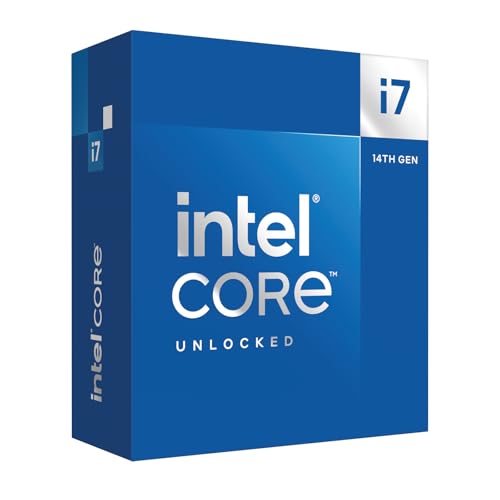
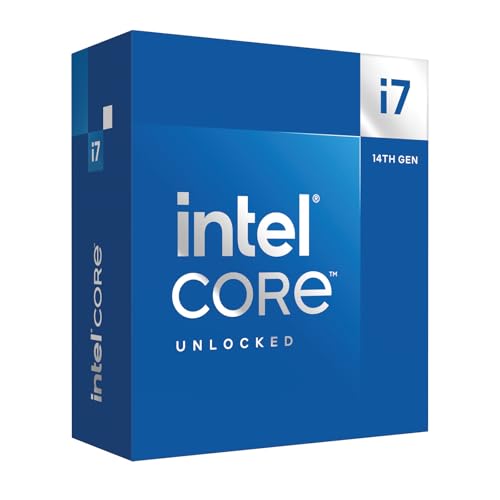
Intel Core i7-14700K
Best Intel pick for gaming plus real work
| Specification | Detail |
| Cores | 20 cores: 8 performance + 12 efficient (per API title) |
| Graphics | Integrated graphics included (per API title) |
| Unlocking | Unlocked for tuning (per API title) |
The 14700K is the hybrid thesis at full strength: eight performance cores to carry the game at high clocks, twelve efficient cores to absorb the streaming, the recording, the browser, the build job and the rest of a real machine’s simultaneous life, and integrated graphics standing understudy. Its gaming performance sits at the top of Intel’s range in this roundup, and its threaded performance is in another league from the eight-core gaming specialists across the aisle, which is the entire point: this is the processor for the machine whose job description is plural.
Its ownership costs must be bought knowingly. It is a hungry, hot-running chip at full song that asks for a serious cooler and a case that breathes, and its platform’s memory choice should be made deliberately. Set against the AMD flagship’s gaming purity, it trades the last increment of cache-bound frame rate for a breadth of capability the other chip does not attempt. Plural machines should pay for plural silicon, and this is the plural silicon to buy.
Strengths
- Twenty cores transform multitasking headroom
- Top-of-range Intel gaming performance
- Integrated graphics included
Trade-offs
- Demands serious cooling under full load
- Concedes cache-bound gaming peaks to X3D rivals
- Platform and memory choices need deliberation
Best for: streamers, creators and plural-workload gaming machines. Not suited for: small quiet cases or pure gaming builds on a budget.

Intel Core i5-14600K
The value centre of the Intel range
| Specification | Detail |
| Cores | 14 cores: 6 performance + 8 efficient (class specification) |
| Unlocking | Unlocked K-series (per model line) |
| Platform | LGA1700 with DDR4 or DDR5 board choice |
The 14600K is where Intel’s range makes its best sense for most gaming builds: six performance cores, which is what games spend, eight efficient cores for the machine’s background life, clocks that keep it within sight of the flagship in game after game, and a price that leaves the budget where gaming budgets belong, in the graphics card. In the review pattern it is the recurring value answer on the Intel side, the chip the flagship’s buyers are advised to justify themselves against.
Its platform flexibility is a genuine asset in a way the other camp cannot match: boards exist for both memory generations, so an upgrader with good DDR4 can keep it and a new builder can buy DDR5’s future, and that choice alone can fund a tier of graphics card. Buy it as the balanced Intel gaming processor, cool it properly, and let the flagship argue with someone else’s budget.
Strengths
- Gaming performance near the flagship for far less
- Fourteen cores cover gaming plus background life
- Memory-generation flexibility on its platform
Trade-offs
- Still a warm chip for its class under load
- Six P-cores is the gaming ceiling of the design
- Cache-bound titles favour the rival’s specialists
Best for: balanced Intel gaming builds and upgraders. Not suited for: heavy production workloads or the coldest, quietest cases.
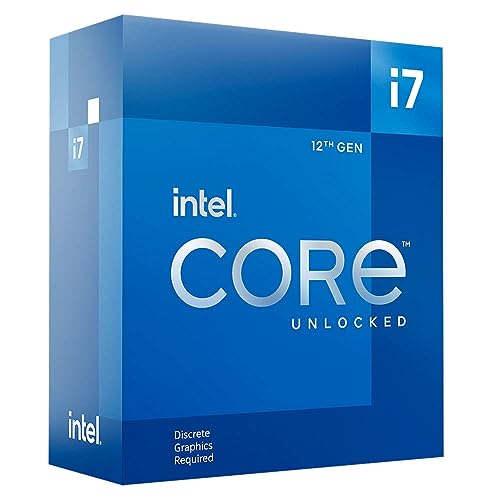
Intel Core i7-12700KF
Previous-generation value with a caveat in its name
| Specification | Detail |
| Cores | 12 cores: 8 performance + 4 efficient, up to 5.0 GHz (per API title) |
| Graphics | None: the F suffix means no integrated graphics (per model line) |
| Power class | 125W class (per API title) |
The 12700KF is the connoisseur’s used-to-be-flagship: the generation that introduced the hybrid architecture, with eight full performance cores that still serve gaming handsomely, now priced where the value hunters live. For a builder on its platform, or assembling a discounted machine around its boards and the cheaper memory generation, it delivers a class of gaming performance that was the market’s headline not long ago, and silicon does not forget how to be fast just because a successor exists.
The caveat is in its name and must be read aloud: the F means no integrated graphics, so the machine has no understudy display path and no media-engine specialist, and it must be paired with a card from the first boot. Buyers who have read this series’ integrated-graphics guide will price that absence deliberately. Everyone else in its price territory should ask why they are not buying it.
Strengths
- Eight P-cores of proven gaming performance
- Mature pricing on a mature platform
- Unlocked, on boards that are now inexpensive
Trade-offs
- No integrated graphics at all
- Older architecture concedes efficiency to successors
- Platform’s future is behind it
Best for: value builds and platform upgraders who always run a card. Not suited for: anyone who needs a graphics fallback or a long upgrade path.

Intel Core i5-14400
The sensible mainstream anchor
| Specification | Detail |
| Cores | 10 cores: 6 performance + 4 efficient, up to 4.7 GHz (per API title) |
| Unlocking | Locked, mainstream class |
| Graphics | Integrated graphics in this model line |
The 14400 is the processor of the machine that must simply work: ten cores in the hybrid pattern, clocks that serve mainstream gaming without theatre, a power character that a modest cooler and a quiet case can host, and a price that belongs in family PCs, office machines that game in the evening and first builds assembled with more hope than money. It will not win a benchmark argument and it is not trying to; it is trying to be enough, reliably, for years, and at that job it is one of the best-designed products in this entire roundup.
Its gaming ceiling is the mainstream’s ceiling, and high-refresh ambitions should look at its K-series sibling. But for the 1080p and modest 1440p machines that constitute most of the gaming world, this chip plus a sensible card is the build that reviewers would assemble for their own relatives, which is a more telling endorsement than any chart.
Strengths
- Cool, quiet and undemanding to own
- Ten cores cover gaming and daily work
- Mainstream price, integrated graphics
Trade-offs
- Locked against tuning
- Gaming ceiling below the K-series
- Not a high-refresh flagship feeder
Best for: mainstream, family and first builds. Not suited for: high-refresh enthusiasts or heavy multitaskers.
Comparison Table and Final Recommendation
| Processor | Cores (P+E) | Identity | Graphics |
| Core i7-14700K | 8+12 | Plural-workload flagship class | Yes |
| Core i5-14600K | 6+8 | Value centre | Yes, in K model line |
| Core i7-12700KF | 8+4 | Previous-gen value | No |
| Core i5-14400 | 6+4 | Mainstream anchor | Yes |
The final recommendation follows the machine’s job description. Plural workloads with gaming at the centre: the 14700K, cooled like it means it. The balanced gaming build and the upgrader: the 14600K, the range’s conscience. Value with a card always present: the 12700KF, caveat read and accepted. The sensible mainstream machine: the 14400, enough in the honourable sense. Set against AMD, Intel’s case is breadth; set against Intel, AMD’s case is gaming purity. Read both lists, name your machine’s jobs in order, and the logo chooses itself.
The Hybrid Architecture, Explained for Buyers Rather Than Engineers
Intel’s two-kind-of-core design deserves a buyer’s explanation, because its value is real and its marketing has not always helped. The performance cores are complete, high-clock cores of the traditional kind, and they run the game. The efficient cores are smaller, slower and far more frugal, and they run the machine around the game: the operating system’s housekeeping, the browser’s tabs, the voice client, the recording encoder’s support work, the launcher updating another game in the background. The division’s gaming value is not that the extra cores render frames, they mostly do not, but that the game’s cores are left alone to render them, uninterrupted by the dozen tenants a modern PC keeps. Its productivity value needs no translation: in threaded work the total is the total, and these chips’ totals are large. The design’s historical teething trouble, schedulers sending work to the wrong cores, belongs to its first generation’s story; the current operating systems and drivers have learned the architecture, and the buyer today purchases the mature version of the idea. Judge the chips in this roundup by their P-core count and clocks for gaming, by their totals for work, and by neither number alone, and the range reads clearly.
Platform Arithmetic: Boards, Memory Generations and the Real Price
An Intel processor’s price is the smallest part of its platform’s price, and this platform’s arithmetic has a feature the rival’s lacks: on many boards, a choice between two memory generations. The older memory is cheaper and, in the quantities gaming needs, effectively free of performance consequence for most titles when the alternative is spending the difference on the graphics card. The newer memory costs more, buys a future, and flatters the platform’s longevity. Neither answer is wrong, and the existence of the choice is itself a value this roundup prices into its recommendations, particularly the 14600K’s, whose upgraders can keep memory they already own. Board tiers divide similarly: the chipset decides overclocking rights, connectivity and lane generosity, and the K-series chips in this list only fulfil their unlocked promise on boards that permit it, a pairing the buyer must make deliberately. Count the platform whole, processor, board, memory, cooler, before comparing a headline price against the other camp’s, because the honest comparison is machine against machine, and Intel’s platform, priced whole, is frequently kinder than its processors’ stickers suggest.
Power and Heat: Owning a K-Series Chip Without Drama
The K-series processors in this list are designed to spend the thermal and power headroom they are given, which makes their ownership a cooling discipline rather than a complaint. Three habits keep them civilised. First, the cooler is chosen for the chip’s boost behaviour, not its base figure: a substantial air tower or a liquid loop of honest size, mounted with care, in a case that exchanges air. Second, the motherboard’s power behaviour is set deliberately, because many boards ship with limits effectively removed, which is a legitimate choice for a benchmark and a warm one for a household; setting the maker’s intended limits, or a considered undervolt, typically costs the games nothing measurable and buys degrees and decibels in bulk. Third, the result is verified with a temperature baseline in the machine’s first week, so the configuration is a measurement rather than a hope. Owners who perform those three habits report, consistently, that the fearsome reputation of these chips’ thermals belongs to their default-everything installations, and that a tuned K-series machine is a fast, quiet citizen. The chips reward the owner who treats power as a setting, and this guide’s linked disciplines exist to make that treatment routine.
Which Intel Chip for Which Game Library
Match the silicon to the library as a final cross-check on the roundup’s recommendations. The esports library, high frame rates at 1080p and 1440p in engines that prize per-core speed, is served by every chip here, and the 14600K’s clocks make it the library’s value address. The simulation and strategy library, with its appetite for both single-core pace and background capacity, flatters the 14700K’s breadth, whose efficient cores absorb the machine’s other duties while its performance cores run the simulation’s main thread. The creator’s library, games interleaved with editing, encoding and streaming, is the 14700K’s home ground outright. The family library, a bit of everything at sensible settings on a shared machine, is the 14400’s design brief. And the discounted library, an older machine being given its second wind on this platform, is where the 12700KF’s mature price performs its service. Libraries, like machines, have job descriptions; the chip that matches yours is the best Intel CPU for gaming in the only sense that survives contact with your own desk.
Head-to-Head: The Intel Picks Against Their AMD Counterparts
Because the two roundups in this series were written to be read together, this section performs the comparison explicitly, workload by workload, so the buyer can locate their own machine in it. In pure gaming at the summit, where the graphics card is strong and the monitor is fast, AMD’s stacked-cache flagship holds the strongest hand, and the Intel buyer pays for breadth with a small concession in cache-bound titles. In gaming while streaming and recording, the comparison inverts: the 14700K’s efficient cores absorb the production work that would otherwise tax the gaming cores, and its total experience, frame rate plus stream quality plus a machine that stays responsive, is the more complete product. In threaded productivity with gaming in the evening, Intel’s core counts win the day shift outright and concede nothing embarrassing at night. In value gaming, the two value centres, this list’s 14600K and the rival’s stacked-cache elder, argue to a draw decided by platform arithmetic and the games in question. In the budget and family tier, both camps field honourable anchors and the decision is a coin weighted by the boards and memory already owned. No row of that comparison produces a universal winner, which is the honest state of the market and the reason both lists exist.
- Choose Intel when the machine is plural. Streaming, editing, compiling, virtual machines and a background life all draw on the core totals and the media engines where this range is strongest, and the gaming performance remains within sight of the summit.
- Choose Intel when the platform arithmetic favours it. Memory already owned, a board already bought, a bundle already discounted: platform facts are real money and they legitimately decide close silicon arguments.
- Choose AMD when the machine is a gaming instrument first. The stacked-cache line’s lows and averages in cache-bound titles are the strongest pure-gaming evidence in the current market, and its efficiency flatters small and quiet builds.
- Choose AMD when the socket’s future is the priority. A long upgrade path on one board is a form of value that compounds across the machine’s life and should be priced as such in a new build.
- Refuse the tribal frame entirely. Both ranges contain a chip that is wrong for your machine and a chip that is right for it, and the distance between the two right chips is smaller than the distance between a right chip and a wrong one in either camp.
That last point is the comparison’s real payload. Processor tribalism is a tax on buyers, collected in mismatched machines: the pure gamer who bought core totals they never use, the creator who bought a cache when they needed cores. The two roundups, read together, are an inoculation against that tax, and this section is their summary in one place so that no reader of either list can claim the other side went unconsidered.
The Upgrade Path on This Platform: What Today’s Buyer Should Know
A platform’s future is part of its price, and this platform’s story requires plain speaking. The socket beneath the processors in this list has hosted several generations and is, by the maker’s own roadmaps, at the mature end of its life, with its successor platform arriving on a new socket with new boards. That fact does not diminish the chips, whose performance is what it is regardless of what follows, but it reprices them: they should be bought as finished value, at the mature prices their listings increasingly show, rather than as instalments on a future. The buyer who needs a machine this year, at these prices, with this performance, is well served. The buyer whose horizon is a five-year upgrade path should weigh the rival platform’s socket promise in the comparison above, or accept this platform as a complete, self-contained machine whose next upgrade is a rebuild, priced accordingly at purchase. Neither posture is wrong; the only wrong posture is buying a mature platform at a young platform’s price while imagining a young platform’s future. The market, to its credit, has largely made that mistake impossible by discounting accordingly, which is why this list’s value recommendations are as strong as they are.
The Platform Decision Behind the Processor Decision
Every processor in this roundup arrives attached to a platform, and the platform half of the purchase deserves the same deliberation as the silicon half. The current socket’s boards span a wide range of power delivery and features, and these processors’ hybrid behaviour makes the board’s firmware maturity a genuine performance variable rather than a footnote: the scheduling story this guide tells is executed by the operating system on instructions the firmware helps write. The memory ecosystem’s two chapters, the older DDR4 boards and the DDR5 standard, present the buyer with the roundup’s quietest big decision, since the cheaper memory path can fund a tier’s climb while the newer path buys the platform’s remaining years. None of these considerations appears in a frame-rate chart, and all of them appear in the machine’s third year, which is why this guide insists on costing builds rather than chips. A processor is a decade’s tenant in a platform’s house; choose the house with the same care as the tenant.
Efficiency Cores, Revisited in the Settings Menu
The hybrid architecture earns one more practical section, because its behaviour is partly in the owner’s hands after purchase. Modern operating systems schedule these processors well by default, and the first rule is to let them: the era of manually parking cores for gaming is largely past, and most such interventions now cost more than they return. The exceptions are specific and diagnosable, an older title that misbehaves on the mixed topology, a background application that the scheduler insists on seating wrongly, and for those, per-application tools exist and should be applied surgically, to the named process, with the result measured in the frame-time log before and after. Power plans matter at the margin: the balanced plan’s intelligence suits these chips, and the maximum-performance plan’s habit of holding clocks high buys little gaming and bills it in heat. The hybrid owner’s craft, in short, is supervision rather than intervention, watching the scheduling in the log until it has earned trust, and then letting a well-designed system do the job it was designed for.
The Used and Previous-Generation Angles of This Lineup
This lineup’s recent generations create a used market with its own logic, and the value hunter should read it deliberately. The previous generation’s upper tiers, displaced by the new launch’s reviews, routinely sell at discounts their gaming performance does not deserve, because the market prices novelty as eagerly as it prices frames. The hybrid architecture’s maturity also improves with age in a way pure hardware does not: the operating system’s scheduling and the firmware’s polish are better for the older chips now than on their launch days, so the used buyer inherits a finished platform rather than a promising one. The cautions mirror the sister roundup’s: verify the exact model, inspect the contact side, price the warranty’s absence, and confirm the board and firmware pairing before the chip arrives. A previous-generation flagship bought this way is the thinking buyer’s classic move, and this lineup, with its deep bench of strong tiers, offers more versions of that move than most.
Commissioning Week for the Hybrid Processor
The hybrid chip’s first week has two extra entries beyond the standard commissioning this series prescribes. The first is a scheduling observation: with the frame-time log running in the owner’s heaviest title, watch where the game’s threads live and whether the background citizens are seated sensibly, not to intervene, but to establish that the platform’s promise is being kept on this machine, with its firmware, its operating system build and its particular software population. The second is a power-plan confirmation, that the machine is on the balanced intelligence the architecture expects rather than a legacy maximum-performance setting carried over from an older build’s folklore. Both entries take minutes, both are verified against the log rather than against opinion, and both are then left alone, which is the hybrid owner’s discipline in miniature: supervise the commissioning, verify the behaviour, and thereafter let the system work. The chip was designed to manage itself; the owner’s craft is confirming that it does, once, with evidence.
The Roundup’s Method, Stated Once for the Record
This roundup’s method deserves its own paragraph, in fairness to the reader who will apply it to models not yet launched. Processors were weighed on frame-time behaviour in demanding titles, with the hybrid scheduling observed rather than assumed, because a mixed architecture’s gaming character lives in its lows. Platform cost was counted whole, including the memory ecosystem’s two paths, because the chip’s price is the beginning of its cost rather than its total. The tiers were drawn by the bottleneck evidence, the point in each build where the processor stops being the limit, since a recommendation that ignores the reader’s card is astrology. And the firmware’s maturity was treated as a performance property, because on this architecture it measurably is one. Apply the same weights with fresh measurements next season and the roundup renews itself; the models are perishable, the method is not.
The Intel Build as a Whole: A Closing Composition
Compose the build around the chip, in closing, because this architecture’s character is a system property more than most. The board first, for its firmware’s maturity and its power delivery’s honesty, since the scheduler and the boost both live there. The memory path chosen deliberately, the older standard’s value or the newer standard’s runway, as a platform decision rather than a default. The cooler from the cooling guides’ discipline, sized for the chip’s sustained behaviour in the case’s climate. The operating system left to its balanced intelligence, the commissioning week’s scheduling observation performed and filed. And the graphics card matched to the bottleneck evidence, so the hybrid’s two families of cores are spent on a game that is actually waiting for them. A build composed that way gets the architecture’s real product, which was never a core count: it is a machine that does everything at once without letting any of it show in the frame times. Compose for that, and the lineup’s best tiers will feel less like purchases and more like what they are, instruments properly set up.
The Roundup at the Counter: Questions That Fit the Moment of Purchase
The retail form of this roundup is a short set of questions, each answerable from documents rather than from the shelf’s theatre. Which of these processors holds its lows in my titles, by frame-time evidence recorded on current firmware. What does the whole platform cost, on each of its memory paths, with the board its tier deserves. Is my machine actually waiting on its processor, by the log’s testimony, or is the card the limit and the tier a decoration. And what is this socket’s honest remaining story, in upgrades and in support. Four questions, five minutes, and the purchase is either this roundup’s logic applied to fresh stock or visibly an impulse. The hybrid architecture adds its one retail question, whether the board in the bundle carries the firmware maturity the scheduling story needs, answerable from the maker’s update history. Ask them all out loud. A lineup this strong has nothing to fear from questions, and neither, after this guide, does its buyer.
The Lineup’s Ecology: Two Memory Paths and a Board Market
A final systems view, because this lineup is bought inside an ecology and its value is partly the ecology’s. The two memory paths are the ecology’s signature feature: the older standard’s boards and kits, priced for the taking, let a build fund its processor tier out of its memory savings, while the newer standard’s path buys the platform’s forward years at a premium that has narrowed with every season. The board market around the socket is deep and competitive, with the firmware maturity this architecture needs available at several honest prices for the buyer who reads update histories. And the used market, fed by the lineup’s own rapid generations, supplies the previous tiers at the discounts the earlier section described. A buyer is therefore choosing not only a processor but a set of markets to live in for the platform’s tenancy, and this lineup’s markets are, on the evidence, healthy ones: competitive, documented and deep. Chips are replaced; ecologies are inhabited. Inhabit a healthy one, and let the frame times, which this roundup has weighed as carefully as it knows how, choose the tier inside it.
Enough Processor, Defined at Last
This roundup can end by answering, for its own lineup, the question its sister guide answered for cache: what is enough. Enough processor is the tier at which your card, in your titles, at your settings, stops waiting, verified in the frame-time log rather than in the review’s chart, and for most gaming machines in this lineup that point sits in the strong middle tiers whose names recur through this guide’s recommendations. Above that point, the additional silicon buys headroom for other work, streaming, simulation, the second life of the machine as a workstation, and those are honourable purchases when they are made knowingly. Below it, the savings are real and the frame times confess them nightly. The lineup’s breadth means the point exists at several prices and on both memory paths, which is the platform’s quiet generosity. Find your point by measurement, buy exactly there, and spend the difference on the parts of the machine your evenings will actually notice. That sentence could close every roundup in this series, and it closes this one.
The Lineup’s Evidence Locker
The Intel build’s papers close this roundup’s documentary circle. The processor’s exact model and stepping, verified against the maker’s specification. The board’s identity and its firmware’s version at the known-good state, with the update history’s address. The memory path chosen and its configuration, modules, profile and verified rate. The commissioning week’s records, the scheduling observation and the frame-time baseline in the heaviest title. And the power plan’s setting, one line, because a future update’s enthusiasm should not be able to change it silently. Five entries, and the hybrid machine’s considerable state becomes a document that can be restored after any experiment, update or well-meaning optimisation utility. Hybrid systems reward documentation more than simple ones precisely because they have more behaviour to lose. File the behaviour while it is behaving, and the machine’s best self remains recoverable forever, which is the closest thing to a guarantee this industry honestly sells.
The Hybrid’s Last Word: Two Kinds of Work, One Machine
The architecture this roundup has weighed deserves a final, fair sentence. The hybrid design is a bet that a personal computer’s life is two kinds of work at once, the urgent and the background, the frame and the household around it, and that silicon shaped for both will serve the whole life better than silicon shaped for either. In gaming, the bet’s evidence is in the frame times this guide has taught its readers to demand, and on the current lineup, properly boarded, properly firmware’d and honestly measured, the bet pays. The buyer’s task was never to believe the bet but to verify it, machine by machine, with the log as the referee and the bottleneck as the question. That task is now the reader’s habit, portable to whatever architecture succeeds this one. Cores will multiply and specialise further; the frame will still need making, the household will still need running, and the machine that does both without letting either show will still be the one worth buying. Verify, then enjoy. The hybrid, at its best, disappears into exactly that enjoyment.
The Lineup in the Household’s Second Machine
These processors have a second life that deserves the roundup’s final practical word, because the hybrid chips age into household service with a particular grace. The machine retired from the gaming desk carries its two families of cores into the family’s mixed evenings, the homework and the video calls and the photo library and the younger player’s first titles, and the architecture that was bought for frame times turns out to be equally suited to a machine that must do everything at once without fuss. The handover deserves the locker’s page, model, firmware state, memory configuration and the known-good record, so the second household inherits a system rather than a puzzle with a famous name. There is an economics here that launch reviews never price: a processor whose platform supports two full tenancies, flagship desk and family desk, has a cost per year that halves itself in the second act. Buy the first act by the frame times, as this guide has insisted. But let the second act vote at the counter, because in most households it is the longer performance, and this lineup, documented and handed over properly, plays it beautifully.
Standing Orders for the Hybrid Household
The hybrid household deserves standing orders, agreed at the first build and kept across the platform’s whole tenancy. First, the board’s firmware is treated as a performance component: updated deliberately, from the maker’s page, with the known-good version’s record kept, and never updated on the eve of the machine’s important evenings. Second, the operating system’s balanced intelligence is left in charge of scheduling, and any intervention is made per application, measured in the log before and after, and reversed if the evidence does not convict. Third, the commissioning observations, scheduling and frame-time baseline, are repeated after any platform change, board, memory path or processor, because the hybrid’s behaviour is a system property and systems must be re-verified when their citizens change. Fourth, the memory path’s decision is recorded with its reasoning, so the next upgrade argues with the file rather than with a memory of a mood. Fifth, the locker travels with the machine at every handover, complete. Five orders, and the architecture’s considerable sophistication is governed by a procedure simple enough to survive its owner’s busiest years, which is the correct ratio between a machine’s complexity and its household’s paperwork.
The Roundup’s Manifesto: Measure the Machine You Own
End with the manifesto this roundup shares with its sister, stated once for both lineups. The processor market speaks in generations, tiers and launch charts, and all of it is weather; the machine on the desk is climate, and it is measured, not marketed. Its bottleneck is a fact obtainable in five minutes of logging. Its platform cost is a sum obtainable from three documents. Its runway is a promise whose maker’s history is public. Its frame times, in the owner’s own titles, are the only review that will ever be conducted under the exact conditions of the owner’s life. A buyer who assembles those four facts owns the purchase, in this generation and in every successor, whatever the tiers are renamed and however the cores are rearranged. The roundups in this series exist to model that assembly on the current stock, once, carefully, so the reader can repeat it forever on stock not yet announced. Models perish. Method persists. Measure the machine you own, and the market’s loudest season will arrive, every year, pre-translated into the only language that matters: your own evidence.
A Last Exercise: Three Builds From This Lineup
Close the roundup with the exercise that tests its whole teaching at once, the composing of three builds from its tiers. The first is the high-refresh build for the competitive library: a strong middle tier whose lows the log has verified, on the board whose firmware history is longest, with the memory path chosen for value and the savings spent where that library feels them, the panel and the card. The second is the mixed household’s build: a tier with headroom for the second jobs, streaming, simulation, the family’s whole evening at once, on the newer memory path for the platform’s forward years, commissioned with the scheduling observation this guide prescribed and then left, trustingly, alone. The third is the value build from the previous generation’s upper tiers, used or discounted, whose frame times embarrass its price and whose platform arrives finished, firmware, scheduling and all, at the cost of a runway the buyer has honestly decided not to need. Three builds, one method: bottleneck first, platform whole, firmware as a component, verification in the first week. A reader who can compose a fourth, their own next one, without reopening the roundup owns the subject, and the lineup’s successors, whatever their names and however their cores are arranged, will be read in seconds rather than in reviews.
One More Build: The Reader’s Next Platform, Composed in Advance
A roundup should end by handing its composition to the reader in advance, against a platform that exists so far only as an intention and a budget. When the next build is first imagined, perform the method’s opening moves before the launch charts harden into a cart: state the library the machine will serve, in the household’s own words; state the card it will feed, owned or intended, because the bottleneck question cannot be asked in the abstract; state the memory path as a platform decision, with its reasoning, rather than as a default; and name the board family whose firmware history the architecture’s scheduling story deserves. The exercise takes twenty minutes and three documents, and it converts the eventual purchase from a reaction to a season into the execution of a plan, which is the difference between the machines in this library’s pages and the machines in the support forums. Compose early, in writing, with the log of the present machine open beside the plan. The present machine’s evidence is the next machine’s best adviser, and it is free, and it is, unlike every chart the launch will produce, measured under the exact conditions of the life the new machine will lead.
The Locker’s Last Blank Page
A last page for the Intel build’s locker, left deliberately blank, offered as the roundup’s farewell to the lineup it has spent its length weighing. The blank page stands for the successor not yet launched, whose cores will be arranged in a pattern this generation would find exotic and whose frame times will one day be entered in the same plain evidence as its predecessor’s. Lockers that expect their own continuation are consulted at every launch; lockers that pretend the platform is finished are abandoned at the first season that asks a new question. Leave the page. When the next architecture arrives, with its scheduling story rewritten and its tiers renamed, the household will not need a new philosophy, only the old four questions, lows, whole cost, bottleneck, firmware, asked of fresh documents in a calm week. That continuity, between a changing lineup and an unchanging method, is the roundup’s whole estate, and the blank page is its signature. The frames will keep needing making. The page is where the next verdict goes.
Frequently Asked Questions
What do P-cores and E-cores mean for gaming?
Performance cores are the full-power cores that run the game itself; efficient cores are smaller cores that absorb background work, streaming, voice, the operating system, so the performance cores are left alone. Games spend the P-cores, which is why this list reads the P-core count first and the total second, and why a twenty-core chip and an eight-core chip can be closer in games than the totals suggest.
Is Intel or AMD better for gaming?
At the pure gaming summit, AMD’s stacked-cache processors hold the strongest single argument. Intel counters with hybrid breadth, platform flexibility and mixed-workload strength. Most real machines are plural, which is why this guide refuses a tribal answer: name the workloads in order and the better chip is the one whose strengths match the first two items on your list.
Do I need DDR5 with these processors?
Not necessarily: this platform’s boards exist in both memory generations on many models, and a DDR4 build with the savings spent on the graphics card is a legitimate, often superior gaming machine. A new build with a long horizon should price DDR5’s future honestly. The board decides which memory you buy, so choose them as one decision.
How much cooling do the K-series chips need?
Serious air or liquid, sized to their boost behaviour rather than their base figures, in a case that exchanges air honestly. These processors are designed to use the thermal headroom they are given, so the cooler is effectively a performance component. Verify with a temperature baseline after the build, as this series teaches everywhere.
What does the F in 12700KF mean?
No integrated graphics. The processor requires a discrete card to display anything, from the first boot onward. It is a legitimate economy where a card is guaranteed, and a trap where it is not, which is why this guide names it in the pick’s own headline rather than in a footnote.
Should I wait for the next Intel generation?
Only if your current machine cannot do its job. Every generation improves efficiency and edges performance, and every generation’s arrival discounts the mature, well-reviewed chips in this list, whose behaviour is known to the last degree. Buy the machine you need when you need it, from the generation whose story is fully written.
The Bottom Line
Intel’s gaming range is an argument for breadth: cores for the game and cores for the life around it, on a flexible platform, at prices that sharpen as the generations mature. Choose by your machine’s plural job description, cool the choice properly, and the blue corner will hold up its side of any gaming argument you actually live in.