Disclosure: As an Amazon Associate, ilcastellomenu.com earns from qualifying purchases. Links on this page are affiliate links; they cost you nothing extra. Prices and availability change often, so check the current Amazon listing before you buy.
This hdmi switch buying guide exists because the product looks deceptively simple and the mistakes are deceptively permanent. A switch is a small box that lets several source devices — consoles, computers, streaming sticks, disc players — share one input on a television or monitor, chosen by button, remote or automatically. Buy the right one and you will forget it exists within a week. Buy the wrong one and you will think about it every evening: too few inputs when the new console arrives, automation bullied by a streaming box that never sleeps, a remote that cannot see its box inside a cupboard. This guide walks through every decision in the order it should be made, so the box you buy is the box your room actually needs.
Key Takeaways From This HDMI Switch Buying Guide
- Direction first: a switch sends many sources to one display. If you want one source on many displays, you need a splitter instead.
- Count, then add one: tally today’s sources, add the next plausible one, and buy that many inputs.
- Control follows the room: remote for the living room, a reachable button for the desk, planned control for a closed cupboard.
- Handshakes over headlines: clean HDCP cooperation, CEC behaviour that suits your remotes and a soundbar layout that respects the ARC or eARC path matter more than exotic format claims.
- Power is a reliability feature: externally powered designs behave better with long cable runs and fussy sources.
- Cables are part of the purchase: budget attention for decent, sensibly sized leads, and suspect them first if anything misbehaves.
In this guide
What an HDMI Switch Does and the Main Types
The Core Job, Stated Plainly
An HDMI switch has several inputs and exactly one output. Each source plugs into an input; a single cable runs from the output to your display; the switch shows one selected source at a time. Nothing is merged, mixed or shown simultaneously — the switch is a junction, not a blender. That single fact organises the whole category, because every type below is just a different answer to three questions: how many sources, controlled how, and powered how?
Manual Button Switches
The simplest type changes input from a button on the box itself. These designs suit desks and small televisions where the switch lives within arm’s reach of the only person who uses it. They are compact, often the most affordable in the category, and completely immune to lost remotes and blocked sensors. Their limitation is geometry: a manual switch installed behind a television is a manual switch you will curse nightly, so this type must be matched to a reachable home from the start.
Remote-Controlled Switches
The living-room standard adds an infrared remote, letting the audience change sources from the sofa while the box stays hidden behind or beneath the display. The remote’s quality and the sensor’s sight line become part of the product: the box must be placed where its infrared eye can see the seating, or given a wired sensor extension if it lives in a closed cupboard. For shared rooms with several users, this is usually the right type.
Automatic Switches
Automatic designs watch their inputs and change to a source when it wakes, falling back when it sleeps. In a well-mannered stack this is the most delightful type — the system simply follows whoever pressed power. Its known weakness is the source that never fully sleeps, which can hold the switch’s attention permanently; good automatic designs therefore always include a manual override that wins. Most mid-range and above switches combine automatic behaviour with a remote and a button, and that combination — automation for the common case, override for the exceptions — is what we recommend for most households.
High-Input-Count and System Switches
At the top of the category sit designs with generous input counts and control options aimed at media cupboards, collectors and test benches. They assume external power, reward labelling, and are built to return a complex stack to a known state after a power cut. If your source count is a growing collection rather than a settled list, this type is not extravagance; it is the only purchase you will not outgrow.
hdmi switch review, the deep dive
Top Picks at a Glance
The shortlist below names the design families this guide recommends by role. Each is a prose-only shortlist entry: confirm the exact input count, control style and stated format support on the current listing before buying, because line-ups change and the listing is the final word on a specific unit.
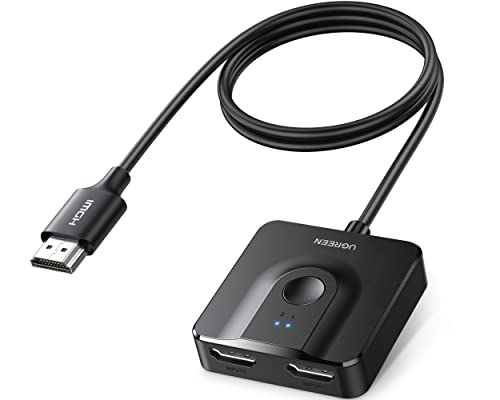
Best Overall — UGREEN HDMI Switch. The balanced living-room design: tidy build, a proper remote, sensible automation with an override. Best for a typical stack of consoles and players. Not suited for collector-scale input counts.
Best for Hands-Off Households — Kinivo HDMI Switch. Automation-first design with a real remote behind it. Best for shared family televisions. Not suited for stacks built around a source that never sleeps, unless you are happy living on the override.
Best for Desks — Cable Matters HDMI Switch. Documented, decisive, infrastructure-grade. Best for monitors shared by computers and a console. Not suited for buyers who want the warmest sofa-first automation above all.
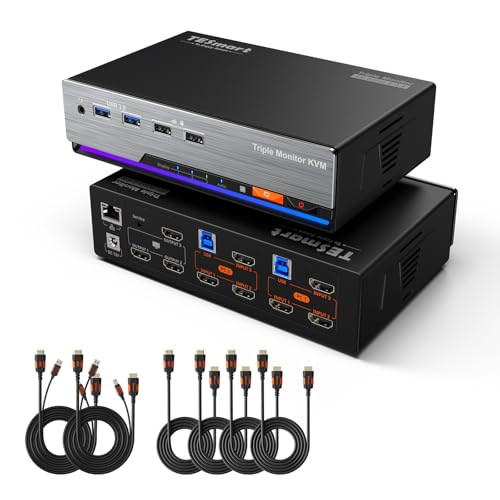
Best for Big Stacks — TESmart HDMI Switch. Capacity and control depth for media cupboards and collections. Best for growing source counts. Not suited for a simple two-source television, where its scale is surplus.
Best Value — Zettaguard HDMI Switch. Every essential feature, honestly assembled. Best for second televisions and first purchases. Not suited for the longest runs or the fussiest format chains.
Best Compact — Fosmon HDMI Switch. Small, simple, reachable-button designs for two or three sources. Best for monitor corners and small sets. Not suited for any stack with a growth trend.
How Many Inputs Do You Actually Need?
This is the first buying question because it is the only one you cannot change later: a full switch is replaced, never expanded. Count honestly. The television stack usually hides more sources than its owner first admits — the console, the other console, the streaming device, the disc player that comes out for favourites, the laptop that visits for photos and presentations, the media box inherited from another room. Write them down. Then perform the guide’s one act of generosity: add the next device you can already imagine. A console generation turns over, a work computer arrives, a retro machine joins the shelf. That imagined device is not speculation; it is the difference between a switch that serves for years and one that is full by Christmas.
Resist the opposite temptation as well. A media-room box on a two-source bedroom television is not future-proofing, it is furniture — more money, more size, more remote to lose, for capacity the room will never request. The sweet spot for most living rooms is a mid-size switch with one port spare after the imagined device is counted. Desks usually settle smaller; collections should count generously and without embarrassment, because collectors are the one audience whose “next device” is a certainty rather than a possibility.
Which Control Style Fits Your Room?
Control is the second decision, and it is really a question about geography. Where will the box live, and where will the human be? If the box hides behind a television and the human sits across the room, the answer is a remote — and the installation must give the infrared sensor a view of the seating, or the finest remote in the category is a paperweight. If the box lives on a desk beside the keyboard, a top button beats any remote ever made: faster, unlosable, and operable by touch. If the box lives in a closed cupboard, decide the control path before buying — a wired sensor eye, a design with an alternative control route, or a relocation of the box to somewhere its sensor can see.
Automatic switching overlays all three geographies as a temperament choice. Households that share a television among several people and several devices gain the most: the system follows whoever is playing or watching, and nobody curates inputs. Single-user setups gain less, because the user’s hand is usually already near the button. In every case, treat the manual override as non-negotiable. Automation is a servant with one known blind spot — the device that never sleeps — and the override is how the household stays in charge on the evenings that blind spot matters.
Will It Speak Your Equipment’s Language? HDCP, CEC, ARC and eARC
Three conversations run along your HDMI cables, and the switch sits inside all of them. HDCP is the copy-protection handshake: source, switch and display must all cooperate or protected films and streams refuse to play. You cannot test this from a specification sheet; you rely on the maker’s track record and on buying from established accessories brands whose designs have years of uneventful handshakes behind them. This is the strongest argument in this guide against the very cheapest no-name boxes — not snobbery, but the simple fact that handshake manners are earned behaviour, and unbranded designs have no record to check.
CEC is the command channel that lets one remote run a cooperative system — the television remote adjusting a player, a console waking the screen. Switches vary in how faithfully they relay CEC, and behaviour depends on the whole combination, so plan to verify your favourite tricks in the first days of ownership and adjust settings while the purchase is fresh. ARC and eARC are the audio return paths from display to soundbar or receiver. The layout rule is simple and worth memorising: the soundbar belongs on the display’s ARC or eARC port, and the switch feeds a different input. Draw your chain on paper — sources, switch, display, soundbar — and nine layout problems in ten dissolve before they cost you anything.
splitters for two monitors from one source
How Much Format Support Is Enough?
Format support is where marketing shouts loudest and buying wisdom whispers. The rule: the switch must comfortably carry the most demanding combination your own sources and display actually use together — their highest shared resolution and refresh behaviour, their richest shared colour and audio formats — with modest headroom for the next device you named in the input count. A chain settles at its least capable link, so a switch below your equipment’s level becomes the ceiling on everything; a switch far above it buys capacity you cannot see, hear or use. Match to your chain, not to the theoretical maximum of the HDMI standard, and spend the difference on the cables and the spare input, which you will use.
Two cautions keep this section honest. First, format claims describe what a design is built to pass under proper conditions — and the conditions include your cables, which must be up to the same formats over the distances you run them. Second, sources renegotiate when a chain changes: a computer or console may initially settle on plainer settings through a new switch, and a visit to its display settings after installation is a normal finishing step, not a sign of a fault. Judge the finished, configured system, not the first handshake.
Powered or Bus-Powered: Why It Matters More Than You Think
Some switches draw their working power from the HDMI connections themselves; others use a small external supply. Bus power is elegant — one less plug — and entirely adequate for short runs and cooperative sources. External power is the reliability choice: it keeps the switch decisive when cable runs lengthen, when a source is stingy with the power it offers, and when several devices wake and sleep on their own schedules in a cupboard. Our guidance is simple. For a desk or a small television stack with short cables, either is fine. For a living-room system with longer runs, a soundbar chain, or any source already known to be fussy, choose the externally powered design and enjoy the arguments it silently prevents.
how to set up hdmi switch, the full walkthrough
How to Prioritise by Use Case
The Family Living Room
Priorities, in order: a remote everyone can use, automation that follows the household, one spare input, external power if the runs are long. This room forgives a plain casing and punishes a fussy control scheme, because its users range across every level of technical patience. Choose the all-rounder or automation-first family, label the inputs in household language — the console’s name, not its number, on a strip of tape — and the system will run itself for years.
The Single-Monitor Desk
Priorities: a reachable button, decisive changeovers, documented behaviour with computers, short tidy cables. The desk user is always present and always the same person, so automation adds little and certainty adds everything. The infrastructure-style family is the natural fit, placed beside the keyboard where a finger finds it without looking. If the monitor is shared with a console for after-hours play, count that console in the input tally from the start.
The Collector and the Media Cupboard
Priorities: input count with genuine headroom, external power, predictable recovery after a power cut, and a labelling session treated as part of the purchase. Collectors should also think in terms of generations: group the everyday devices on the lowest inputs and the occasionals higher up, so the system’s daily path is the shortest one. The capacity family exists for this room; underbuying here taxes every other device in the stack.
The Second Television
Priorities: the essentials, honestly delivered, at a value tier — a couple of inputs, a simple remote or a reachable button, no ceremony. The second set’s stack is small and stable, which makes it the easiest room in the house to buy for and the worst room to overspend on. Save the difference, and spend a little of it on the decent cables that make even a value switch behave like a premium one.
The Picks in More Detail

UGREEN HDMI Switch — Best for: Most Living Rooms. Not Suited for: Collector-Scale Stacks
The all-rounder earns its place at the top of this guide by having no weakness the typical household will ever meet: build that stays planted under cable tension, numbering that agrees between box and remote, automation with a decisive override, and changeovers that are boring in the best sense. Strengths: balanced control, tidy design, predictable manners with mixed sources. Trade-offs: it does not scale to very large counts, and it is not the cheapest route to a second television’s inputs. If your stack matches the description “a few consoles and players, shared by a household”, this is the shortlist’s first line.

Kinivo HDMI Switch — Best for: Hands-Off Households. Not Suited for: Insomniac-Device Stacks Without an Override Habit
The automation-first design sells a feeling: the television simply follows the household. Strengths: the most forgiving shared-room experience in the category, a proper remote for exceptions, indicators a visitor can read. Trade-offs: its signature feature is exactly the one a never-sleeping streaming box can bully, so households built around such a device will live on the override more than the brochure suggests. Buy it for the cast of users, not the list of features, and it will be loved.

Cable Matters HDMI Switch — Best for: Desks and Specification Shoppers. Not Suited for: Pure Sofa-First Buyers
The infrastructure choice: plainly labelled, clearly documented, and consistent in every behaviour a desk depends on. Strengths: ports that grip, specifications stated in checkable language, recovery after power cuts that needs no persuasion. Trade-offs: the ceremony is minimal, and a household choosing purely on living-room magic may find warmer designs elsewhere. For a monitor shared by work and play, it is the guide’s desk recommendation without reservation.

TESmart HDMI Switch — Best for: Big and Growing Stacks. Not Suited for: Simple Two-Source Rooms
The capacity specialist assumes your source count is a story still being written. Strengths: input headroom, control depth, cupboard manners, system-grade recovery. Trade-offs: scale and price that a small room cannot justify, and a presence that belongs in a system rather than on a small shelf. Collectors and media-room builders should start their shortlist here and only move down if the count honestly allows it.

Zettaguard HDMI Switch — Best for: Value and Second Rooms. Not Suited for: The Demanding Edge
The honest value design: every essential feature present, savings taken in casing and remote feel rather than function. Strengths: a complete feature set at the accessible end of the market, respectable changeover behaviour with ordinary sources. Trade-offs: lighter build to place carefully against cable drag, and less certainty at the longest runs and fussiest format chains. As a first switch or a second-room switch, it is a rational purchase this guide is happy to recommend.
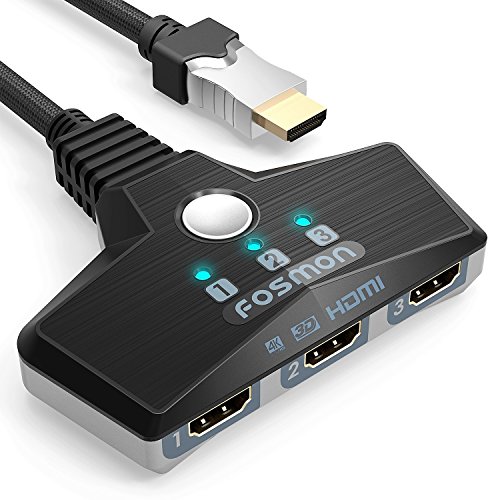
Fosmon HDMI Switch — Best for: Compact Corners. Not Suited for: Growing Stacks
The minimalist’s entry: small boxes, obvious operation, a button where your hand already is. Strengths: footprint, simplicity, and clean behaviour within a two-or-three-source brief. Trade-offs: the brief itself — this family is outgrown, not worn out, and households should buy it only when the source count is settled and small. For a monitor corner or a small television, it remains the tidiest answer in the guide.
First Setup and Care Essentials
Installation follows the direction of the device and rewards a calm order of operations. Place the switch where its control style works — sensor visible, button reachable, cables slack. Connect the output to the display first, then add sources one at a time, testing each before adding the next, and note which source lives on which number. Connect external power if the design uses it. Then run the two finishing rituals: visit each source’s display and audio settings to confirm it renegotiated to the formats you expect, and power the whole stack down and back up once, so you meet its recovery behaviour on a calm afternoon rather than during a storm. The full step-by-step, with troubleshooting, lives in this cluster’s setup guide.
Care is nearly nothing thereafter. Keep the box unburied so it stays cool, keep cables from levering on its ports, and when any fault appears, run the category’s standard diagnosis before blaming the switch: wait out the handshake, toggle away and back, reseat the cable, swap the cable, test the source directly. In this category the cable is the usual culprit and the switch is usually innocent — a truth every section of this guide has been quietly built on.
Mistakes to Avoid
The five classic errors, collected. First, buying a splitter for a switch’s job — check the direction before anything else. Second, buying exactly today’s input count, guaranteeing a replacement purchase at the next console. Third, choosing control by brochure instead of geography, and hiding an infrared-dependent box in a closed cupboard. Fourth, ignoring the sound layout, so the soundbar’s return path ends up in an argument nobody diagrammed. Fifth, strangling a good switch with bad cables — the oldest, longest, most kinked leads in the house, asked to carry the newest formats. Every one of these mistakes is free to avoid and mildly expensive to make, which is the entire economic argument for reading a buying guide before the box arrives.
The Cable Chapter Most Buying Guides Skip
Every switch in this guide will be judged, in its first week, by the quality of cables it was given — and most buying advice treats those cables as an afterthought. Do not. HDMI cables are not interchangeable commodities at the demanding end of the format range: a lead must be able to carry the formats your chain uses, over the distance you run it, and elderly cables from a drawer of forgotten accessories are the single most common cause of the flickers, dropouts and refused films that owners blame on new switches. The buying rule is proportionate: match the cables to the same format level as the switch and the equipment, keep each run as short as the furniture honestly allows, and prefer fewer, better leads over a tangle of anonymous ones.
Length deserves its own paragraph because it is the quiet variable in half of all HDMI troubleshooting. Signals weaken and grow fussier over distance; a run that behaves at one length may sulk at another, especially at the demanding end of the format range. This is why externally powered switches earn their recommendation on longer runs, why the switch should live near the centre of its sources rather than at one extreme of the room, and why “it worked when I tested it on the desk” is not evidence about the installed run behind the television. Buy the installation you are actually building: measure the real routes, around the furniture, and let the switch and cables be chosen for those distances.
Finally, dress the installation like you will troubleshoot it one day — because you will. Gentle bends rather than kinks, no cable hanging off a port at a levering angle, a label at each input end saying which source it serves. Ten minutes of this at installation saves the archaeological expedition later, and it converts the inevitable one fault a year into a five-minute diagnosis instead of a weekend project.
Buying for the Next Display, Not Just This One
Televisions and monitors are replaced on a slower rhythm than sources, but they are replaced — and a switch bought with only today’s screen in mind can become the ceiling on tomorrow’s. The forward-looking version of this guide’s format rule is to leave headroom in the direction your equipment is actually travelling: if a console upgrade is planned, its format expectations belong in the switch decision now; if the next display is likely to ask more of the chain than the current one, the switch should not be the component that says no. Headroom is not the same as maximalism. You are not buying for the theoretical future of the HDMI standard; you are buying for the two or three specific devices your household’s near future visibly contains. Name them, as this guide asked you to name the next source, and let those names set the ceiling.
The same logic applies in miniature to the control decision. A switch bought for today’s desk may inherit tomorrow’s living room when the desk upgrades; a remote-capable design travels between rooms more gracefully than a button-only one. None of this argues for buying the largest, grandest box in the category. It argues for the habit this whole guide is built on: buy for the stack you can describe — today’s, plus the additions you can already name — and the purchase will still look wise when those additions arrive.
A Worked Budget of Attention: Where the Money and Effort Should Go
Buyers often ask, in effect, how to divide a fixed budget across the switch, the cables and the installation. This guide’s answer, after everything above, is a ranking rather than a ratio. First, buy the right switch — the right direction, count, control and power for your room — because no cable can rescue a mismatched box. Second, buy cables worthy of that switch, in the lengths your real routes require, because the chain’s weakest link sets its behaviour. Third, spend the effort — which costs nothing but an hour — on placement, labelling and the configuration ritual: sensor sight lines, slack at every port, each source’s settings visited once. Households that follow that order report the eerie satisfaction of a system that simply never comes up in conversation. Households that invert it — a flagship switch on drawer cables, installed blind — report the opposite, and their reviews, blaming the badge, mislead the next buyer in the queue. Let your purchase be the first kind.
Questions to Ask the Listing Before You Order
Product listings in this category mix the decisive facts with decoration, so here is the checklist to run against any specific model before it joins your shortlist. How many inputs, exactly, and are they all on the same face of the box as the output, in an arrangement your cables can actually reach? What are the control methods — button, remote, automatic — and does the automatic behaviour have a manual override that always wins? Is the design externally powered, and is the supply included? What does the maker state about format support, in the plain specification area rather than the banner graphics, and does it cover your chain’s most demanding combination with headroom? What does the maker say about CEC relaying and about behaviour with a soundbar layout? How are the inputs numbered, and do the box, the remote and the manual agree? A listing that answers all of those cleanly is describing a product made by people who expect to be checked. A listing that answers none of them is asking to be bought on faith, and in a category this mature, faith is unnecessary.
Special Cases Worth a Paragraph Each
The Wall-Mounted Television
A wall-mounted screen changes the buying brief in one decisive way: every cable run to it is precious, because adding a lead later means fishing through walls or living with a visible drop. A switch earns its keep here even when the display has enough inputs, by collapsing the sources into a single run to the screen. Buy for that future: the input count should include every source the household can imagine while the installation is open, the switch should live in the furniture below where it can be reached and seen by its remote, and the single output run should be the best cable in the purchase. In this room, the spare input is not a luxury; it is the difference between a finished wall and a reopened one.
The Projector Room
Projectors are displays with theatre manners: longer warm-up, longer handshake conversations, and cable runs that cross rooms. The switch guidance follows: externally powered designs, generous respect for cable length, and control planned from the seat — which usually means a remote whose sensor can see, or a control path that does not depend on the box being near the screen. Projector owners should also expect the changeover pause to be more noticeable than on a television, because the display end of the negotiation takes its time; that is the projector’s temperament, not the switch’s failure, and it argues for automation that minimises the number of changeovers an evening asks for.
The Shared House and the Rental
In shared and rented homes, the buying brief adds two constraints: nothing may be modified, and the system must be operable by whoever is on the sofa. A switch is the perfect citizen here — no installation, no marks, fully reversible — provided its control is guest-proof. Favour the designs with the clearest indicators and the most forgiving automation, label the inputs in the household’s own words, and keep the remote in a fixed home. The landlord loses nothing, the housemates gain a system, and the switch leaves with you when you do, ready for the next room’s stack.
The Retro Corner
Older consoles and players join a modern stack through their own adapters and converters long before they reach the switch, so the switch’s brief in a retro corner is simply capacity and patience: enough inputs that the classics are permanently connected rather than rotated through a single spare port, and automation configured so an old machine that outputs a constant signal does not hold the screen hostage. Collectors of older hardware should count their inputs with the most generosity of any audience in this guide — the collection is the point, and a full switch in a retro corner is a small tragedy repeated nightly.
The Decision, Compressed: A Five-Line Summary of This Whole Guide
If the preceding sections ever blur, the purchase reduces to five lines. One: confirm the direction — many sources, one display — or stop and read about splitters instead. Two: count your sources, add the next one you can name, and buy that many inputs. Three: let the room choose the controls — remote across the room, button within reach, a planned path out of a cupboard — and insist on an override for any automation. Four: match format support to your chain’s most demanding real combination, choose external power when runs are long or sources are fussy, and keep the soundbar on the display’s return port where it belongs. Five: give the box cables worthy of it, label everything once, and run the power-cycle ritual before the first film night. A purchase made on those five lines will not be the most exciting one you make this year. It will be one of the few that never asks to be thought about again — which, for a small black box whose entire job is to disappear, is the highest grade this guide can give.
After the Purchase: The First Week, Run Properly
A buying guide’s responsibility does not end at the checkout, because the first week decides whether a good purchase becomes a good system. Day one is installation day, done by the setup guide’s ritual: output first, sources one at a time, power, labels, and a visit to each source’s settings to confirm it renegotiated to the formats and audio behaviour you expect. Resist the urge to wire everything at once and test at the end; the one-at-a-time method means any surprise has exactly one suspect, and surprises handled that way take minutes.
Days two to seven are the household’s calibration week. This is when you learn which source never sleeps, which one wakes the screen uninvited, and which input the family actually lives on. Arrange accordingly: the insomniac device to the input the automation treats as home, the eager waker’s screen-waking setting tamed, the everyday source on the number everyone’s thumb learns first. Show every user the one-sentence version of the system — how to get their thing on screen — and write the input map somewhere findable. By the end of the week, a correctly bought switch has completed its journey from product to furniture: present, useful, and entirely uninteresting. If yours has not — if an evening still involves a negotiation — the fault is almost always in the arrangement, the settings or a cable, all of which are fixable in an hour with this cluster’s troubleshooting guidance, and none of which require returning a box that was chosen well.
Hold that standard — a week to furniture — against every claim made for every model in this category, including the ones in this guide. A switch that reaches it was bought correctly. One that has not is telling you something specific, and specific problems in this category have specific, cheap, well-mapped fixes. That is the last and most reassuring thing a buying guide can say: there is no wrong turn here that an hour and a cable cannot undo.
A Note on Gifts, Hand-Me-Downs and Second-Hand Switches
Switches are gifted, inherited and bought used more often than most electronics, because they are small, durable and frequently surplus when a household upgrades its display. If one arrives in your life by any of those routes, this guide’s advice compresses into a short acceptance test. Count its inputs against your stack, with the spare-port rule applied as strictly as for a new purchase. Confirm its control style suits your room, and that the remote — if the design depends on one — is actually in the box. Run the standard installation ritual and the power-cycle test, and judge the finished system rather than the first handshake. A hand-me-down switch that passes those checks is not a compromise; it is the category working exactly as designed, in its second home, asking nothing but decent cables and a label. Few products in the modern stack age this gracefully, and it is one more reason to buy the first one well: you are very likely buying it for two households, in sequence.
Buy well once, in other words, and the category rewards you twice — first with a system that disappears into daily life, and later, when the room changes, with a small, willing box that is ready to disappear into someone else’s.
A Last Word From the Guide’s Editors
Every buying guide in this cluster ends at the same place, because the category keeps teaching the same lesson: the purchase is small, the choosing is the product. A switch chosen by this guide’s order — direction, count, control, handshakes, format, power, family — becomes the rare accessory that is never discussed again, and a guide’s highest ambition is to make itself unnecessary in exactly that way. If, a month from now, you cannot remember which model you bought without looking under the television, this guide did its work.
Choose by the five lines, install by the ritual, and let the first week calibrate what no guide can foresee. The box will take it from there — quietly, nightly, and for years.
If you remember nothing else from this guide when the listing pages blur together, remember the order of the decisions and the one-line sound rule. Decisions made in the right order cannot produce a wrong switch; they can only produce the right one at slightly different prices, which is the safest failure mode in all of consumer electronics.
The Pre-Purchase Checks Most Shortlists Skip
Plan the consumables and spares shelf
Ownership of a hdmi switch usually involves a small ecosystem of consumables, refills, replacement parts or spares, and availability matters as much as the unit itself. Check that the refills your shortlisted models need are standard, stocked by more than one seller, and replaceable without tools you do not own. A model tied to a single obscure consumable becomes a liability the moment that line is discontinued, whereas a hdmi switch built around common refills stays useful for years. Keep one spare of the fastest-wearing part from day one.
Run the two-week test on paper
Imagine the hdmi switch arriving today and simulate the next two weeks of use in detail: where it sits, what you do with it on a normal weekday, what happens on the busiest day, and where it goes when guests arrive or the room is cleaned. This simple rehearsal exposes storage gaps, missing accessories and workflow clashes that specification tables never show. If the simulation produces friction in a busy shared workspace where several people use the same setup across the day, adjust the shortlist now, while the fix is a different model rather than a return label and a refund wait.
Decide your return-risk tolerance in advance
Some hdmi switch choices are easy to judge from a listing and some only reveal themselves in the hand, in the room, or in your software. If your shortlist includes a model you are judging on feel, fit or noise, buy from a seller whose returns process you have actually read, and keep the packaging intact until the first full week of use is done. Knowing your exit route in advance lets you choose the bolder option on the shortlist without gambling, and it removes the pressure to keep a hdmi switch that is merely acceptable.
Start with the space, not the shortlist
Before comparing a single hdmi switch, measure the space it has to live and work in, and write the numbers down. Footprint is only the start: allow for cables, ventilation, doors or lids that swing open, and the room your hands need to load, adjust or clean it. In a busy shared workspace where several people use the same setup across the day, a model that fits on paper can still fail in practice because access is blocked or a cable run has nowhere tidy to go. Measuring first turns the Monitors shortlist from a wish list into a filtered list where every remaining option is physically plausible.
Check compatibility against what you already own
A hdmi switch rarely works alone, so list the devices, mounts, media, software or accessories it must cooperate with, and check each pairing against the listing details rather than assuming standards guarantee harmony. Connector versions, physical clearances, supported formats and control apps are the usual friction points. When picks such as TESmart HDMI Switch, Zettaguard HDMI Switch and Fosmon HDMI Switch are on your shortlist, run this check against each listing in turn. Where a listing is vague about a pairing you depend on, treat that silence as a risk to resolve before ordering, not a detail to discover afterwards. Compatibility failures are the most common reason a well-reviewed hdmi switch gets returned.
Separate the headline feature from the daily feature
Every Monitors range has one headline feature that dominates the marketing and one unglamorous feature you will use every single day. For a hdmi switch, the daily feature is usually the control you touch most, the consumable you replace most, or the connection you make and break most often. Weight your shortlist by the daily feature first and let the headline feature break ties, because novelty fades within weeks while a clumsy daily interaction stays annoying for the life of the product.
Treat it as part of the purchase itself, not as homework to do after the box arrives.
None of this requires expertise — only the willingness to check your own routine before trusting a generic recommendation.
Five honest minutes at this stage is worth more than five hours of comparison browsing.
If a candidate fails this check, strike it from the list without regret and let the remaining options compete on merit.
Your future self, mid-task on a busy day, is the person this check is really for.
Keep the notes with the product’s paperwork; they become the baseline every later adjustment is judged against.
Write the conclusion of that check down before you order, so the decision survives contact with a tempting listing.
That single habit separates owners who stay pleased with their choice from owners who quietly start shopping again within a season.
Frequently Asked Questions
What should I look for first in an HDMI switch?
Direction, then count, then control. Confirm you need many sources into one display — not one source onto many displays, which is a splitter. Count your sources and add the next plausible one to set the input number. Then match the control style to the room: remote for the living room, a reachable button for the desk, a planned control path for a cupboard. Only after those three decisions should format support, power style and brand enter the conversation, in that order.
Is a powered HDMI switch better than an unpowered one?
Powered designs are the reliability choice, not a luxury. Drawing power from an external supply keeps a switch decisive with long cable runs, with sources that offer little power of their own, and in cupboards where devices wake and sleep independently. Bus-powered designs are perfectly adequate for short, simple desk and small-television setups. The longer and more complicated your chain, the more strongly this guide recommends the powered option.
Will any HDMI switch work with my console and TV?
In principle the category is universal — an HDMI source, an HDMI display, a switch between them. In practice, happiness depends on matching: the switch’s stated format support should cover the most demanding combination your console and television actually use together, its HDCP behaviour should be from a maker with a track record, and your cables must carry the same formats. Consoles are well-behaved citizens in this category; the mismatches that occur are almost always format-ceiling or cable issues, both preventable at purchase time.
Do I need a switch if my TV has enough inputs?
Not for capacity — but possibly for sanity. If every source already has a port and the ports are reachable, a switch adds a layer you do not need. Where it still earns its place with enough inputs is convenience: one remote-friendly junction instead of the television’s input menu archaeology, protection for the display’s ports if you swap devices often, or a single managed cable run to a wall-mounted screen. Buy it for a problem you actually have; this guide’s respect for the category does not extend to selling it where it is surplus.
Can an HDMI switch handle a soundbar?
Yes, with the layout drawn correctly. The soundbar connects to the television’s ARC or eARC port so the television can feed it sound from every input; the switch feeds sources into another input. The switch never enters the return path. The failures buyers report in this area are layout failures — a soundbar expected to act as the hub, or a return port double-booked — and they are all visible in advance if you sketch the chain before ordering, as this guide keeps recommending.
What is the difference between a cheap switch and a good one?
Behaviour and evidence. A good switch renegotiates cleanly every time, grips its cables, stays where it was placed, recovers predictably after power cuts, and comes from a maker whose handshake manners have a track record you can check. A cheap one may do several of those things and skip the rest invisibly — until a fussy source, a long cable or a power cut finds the skipped item. The price gap in this category buys certainty, and certainty is worth most exactly where the chain is most demanding.