ilcastellomenu.com is reader-supported. When you buy through links on our site, we may earn an affiliate commission.
Where to Buy
A security camera that records everything notices nothing. The best cameras for movement — movement detection, to give the idea its full name — are the ones that watch a scene the way a good guard does: ignoring the swaying branch and the passing cloud, waking instantly for the person at the gate, and bringing you evidence rather than an avalanche of clips about the weather. If your interest is photographing moving subjects — sport, wildlife, action — that is a different craft with different tools, covered in our companion motion guide; this one is about cameras that detect movement so you do not have to watch footage to find it.
Detection quality is a chain of decisions most buyers never see advertised. The sensor that notices change, the intelligence that classifies it — person, vehicle, animal, or merely light — the speed with which the camera wakes and starts recording, and the judgement with which it decides you deserve a notification: each link decides whether the system protects your home or trains you to ignore it. Alert fatigue is the silent killer of home security, and it is manufactured by exactly the cheap detection this guide exists to filter out.
The six picks span the realistic movement-detection landscape: battery cameras that sleep until their sensors speak, wired cameras that watch continuously, pan-and-tilt models that follow what they detect, and one premium name for households that want detection handled with unusual polish. Every verdict weighs detection behaviour first and image quality second, because in this category the best picture in the world is worthless if the camera was asleep when it happened.
Read with your own property in mind — the gate’s distance, the driveway’s length, the tree that waves at the camera all day. Detection is a relationship between a camera and a specific scene, and the right choice is the one whose strengths match your scene’s particular provocations.
Key Takeaways
- Detection quality — what triggers, what is ignored — matters more than resolution.
- PIR sensors wake battery cameras for real heat-moving bodies, saving power and patience.
- Person/vehicle/animal classification is the difference between alerts and noise.
- Wake speed decides whether you record the arrival or the departure.
- Activity zones let you declare the neighbour’s pavement and the busy road invisible.
- Test the system for a week and tune it; untuned detection teaches owners to ignore it.
In this guide
Quick Picks: Six Cameras That Notice What Matters
| Pick | Badge | Why it earns its place |
|---|---|---|
| Blink Outdoor 4 | Best Battery Detection Value | Person detection, long battery life and honest alerts at a price that covers every approach. |
| Wyze Cam v4 | Best Wired Watchfulness | Continuous wired vigilance with colour night vision and smart detection at a bargain tier. |
| REOLINK Argus PT Ultra | Best Pan-and-Track Coverage | Rotates to follow detected movement across a wide yard, on battery and solar-friendly power. |
| Google Nest Cam Indoor (Wired, 3rd Gen) | Best Intelligent Familiarity | Google’s detection polish — people, packages, animals and familiar faces handled gracefully. |
| eufy 4K Indoor Camera E30 | Best Indoor Detail | 4K clarity and on-device detection for the movement that happens inside the house. |
| Ring Indoor Cam (2nd Gen) | Best Indoor Simplicity | Dependable detection, a physical privacy cover and an app the whole household already knows. |
How Did We Choose Cameras for Movement Detection?
We began with the trigger, not the picture. Each candidate was assessed on what wakes it and what it does next: does it distinguish a person from a pet from a parcel van, how far away can it make that distinction honestly, and how much of the event does it capture from the beginning rather than joining late? Detection range claims were read sceptically, because a camera that detects a lorry at thirty metres may still miss a person at ten, and it is the person your system exists to notice.
False-alarm character came second, and it is where cheap systems confess. Shadows crawling across a driveway at noon, rain in the night-vision beam, insects orbiting the lens, the tree that waves in every breeze — the picks here have the classification intelligence, the zones or the sensor type to dismiss most of that theatre without dismissing the postman along with it.
Third, the power bargain. Battery cameras live or die by their wake discipline: a passive infrared sensor that stirs the camera only for warm, moving bodies can stretch a charge across seasons, while a camera that wakes for every pixel change in a busy street scene will be flat — or ignored — within the month. Wired picks were judged on the opposite virtue: tireless, continuous attention, with detection layered on top of a recording that never sleeps.
Finally, the alert experience itself: how fast the notification arrives, whether the clip it carries starts before the subject entered, and whether the app makes tuning — zones, sensitivity, schedules — a five-minute job or an abandoned intention. Detection you cannot tune is detection you will eventually mute, and a muted system is furniture.
Why Does Detection Type — PIR Versus Pixel — Change Everything?
Two philosophies watch your driveway. Pixel-based detection compares frames and reports change: cheap, always available, and constitutionally unable to tell a burglar from a cloud’s shadow without help. PIR detection senses infrared heat moving across its zones: it ignores shadows, headlights and rain almost by nature, and wakes for the warm signatures of people and animals — which is why battery cameras, which must sleep to survive, build their vigilance on it.
Modern systems increasingly marry the two, and the marriages are the interesting products in this guide: PIR to wake, image analysis to classify, zones and schedules to govern, and in the premium tier, on-device intelligence that recognises categories — person, vehicle, animal, package — before troubling your phone. Each layer removes a class of false alarm, and the cumulative effect is the difference between a system you consult and a system you believe.
Belief is the operative word. A movement-detection system is a promise-making machine, and every false alert spends a little of the owner’s faith. The engineering goal of every pick here is a notification history clean enough that when the phone does speak, the household still listens — because the night it matters is not the night to have been trained into swiping alerts away.
Which Six Cameras Detect Movement Best?
The list pairs three outdoor-leaning guardians (Blink, Wyze, Reolink) with three indoor specialists (Nest, eufy E30, Ring), because movement means different things at the gate and in the hallway. Read the verdicts against the scene each camera will actually watch — detection is local, and a champion in the wrong scene is merely expensive.

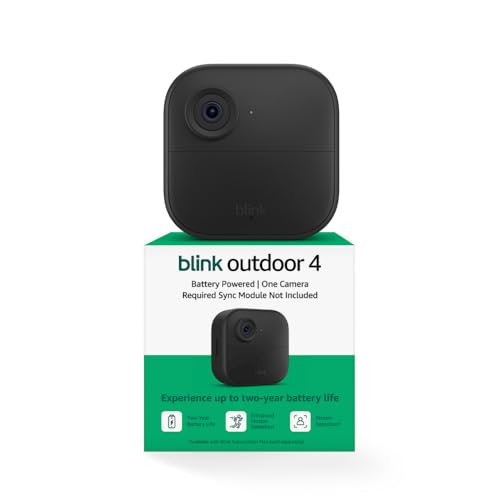
Blink Outdoor 4 — Best Battery Detection Value
The Outdoor 4 understands the battery camera’s central bargain better than most: sleep deeply, wake only for what matters, and make the waking count. Its detection — with person alerts available in its ecosystem — aims squarely at the events a driveway and garden actually produce, and its battery stamina, measured in seasons rather than weeks under sane settings, means the system is still on duty in the month when cheaper cameras have become garden ornaments awaiting a charge.
Placement freedom is the practical dividend. Without a cable to negotiate, the camera goes where detection works best — the gatepost with the honest view of the path, the corner that sees the car and the door in one frame — rather than where the drill could reach. Weather resistance handles the seasons those positions endure, and the two-way talk and live view cover the moments when detection becomes conversation: the courier, the neighbour, the dog that is not yours.
The honest limits are the battery class’s own. Wake-and-record has a small latency that wired cameras do not, busy scenes shorten battery life no matter the badge, and the fullest detection features live in the subscription tier. Tuned with zones and sane sensitivity — the week’s work this guide prescribes for every system — the Outdoor 4 delivers the essential promise: it notices people, it lasts, and it does not cry wolf daily.
For multi-approach properties — front, side, back, gate — its price makes complete coverage a plan rather than a fantasy, and complete coverage is what detection is for.
Rural owners add a testimony worth hearing: gates and outbuildings that no cable will ever reach stay guarded across seasons, and the alerts that arrive — a vehicle at the lane’s end, a person at the barn — carry the particular credibility of a system that has not cried wolf since spring. Detection at a distance from the house is where battery discipline stops being a specification and becomes the whole product.
- Battery powered, weather resistant
- Person detection in its ecosystem
- Long battery life under tuned settings
- Two-way talk and live view
- Customisable activity zones
Strengths
- Detection discipline that respects the battery
- Place it where detection works, not where cables reach
- Affordable complete-property coverage
Trade-offs
- Wake latency versus wired rivals
- Fullest features behind the plan
- Busy scenes shorten battery life
Best for: Driveways, gates and gardens needing wireless detection that lasts.
Not suited for: Continuous-recording purists or extremely busy street scenes.

Wyze Cam v4 — Best Wired Watchfulness
The wired philosophy has one overwhelming argument: it never sleeps. The Wyze Cam v4 watches continuously, which abolishes the battery camera’s founding anxiety — the event that began before the wake — and its detection layers classification on top of a record that was already rolling. For a fixed viewpoint that matters, a doorway or a driveway, that tirelessness is the most honest security money buys at this tier, and the tier itself is startlingly low.
Its night manners strengthen the case. Colour night vision keeps detected movement identifiable after dark — clothing, vehicle colour, the details that turn an alert into evidence — and the image in daylight is sharp well beyond the price’s implication. Local recording keeps footage on the premises for owners who prefer custody, while the app’s detection controls and zones make the week’s tuning genuinely feasible.
The caveats are ecosystem-shaped: Wyze’s subscription structure governs the smartest detection tiers and has changed shape over the years, so confirm the current terms for the features you are buying it for, and design the setup so its core value — continuous watch, local record, honest alerts — stands even without them. The cable, of course, is the other term: this vigilance needs power where it watches.
For the price of a takeaway dinner per camera, a household can put continuous, classified detection on every fixed point that matters. That arithmetic is why the v4 appears in so many of this site’s camera guides wearing different badges.
Landlords and hosts managing a property from another city have become an unexpected constituency for this little camera: continuous watch at the entrance, classified alerts that distinguish the cleaner’s Tuesday arrival from a stranger’s, and a per-unit cost that survives being multiplied by every door of every property. Detection, at that scale, is an operations tool — and the v4’s tirelessness is exactly what operations means by reliability.
- Wired, continuous recording
- Colour night vision
- Smart detection and activity zones
- Local storage option
- Very low per-camera cost
Strengths
- Never asleep when movement starts
- Identifiable night footage
- Complete fixed-point coverage, affordably
Trade-offs
- Needs power at the viewpoint
- Smartest tiers sit in the subscription
- Confirm current plan terms before relying on them
Best for: Doorways, driveways and fixed views needing tireless detection.
Not suited for: Positions no cable can reach.

REOLINK Argus PT Ultra — Best Pan-and-Track Coverage
A fixed camera watches a rectangle; a property is not a rectangle. The Argus PT Ultra answers with movement of its own: on detecting motion, it pans and tilts to follow the subject across the yard, keeping the person, animal or vehicle in frame through the whole event rather than waving them out of its fixed view at the interesting moment. For wide plots, farmyards, long driveways and corners where approaches multiply, that following behaviour is the difference between a detection and a record.
It does this on battery, with solar support in its ecosystem, which places wide-area tracking in positions no cable reaches — the far gate, the barn, the bottom of the garden. The image is sharp, night vision is aided by spotlights that also serve as a visible deterrent, and smart detection categories keep the following reserved for subjects that merit it rather than every windblown shrub in the county.
Moving parts ask for honest management. A tracking camera is a small machine working outdoors; its mount should be solid, its patrol and tracking settings tuned so it does not spend its battery chasing the cat’s nightly circuit, and its home position chosen as carefully as a fixed camera’s view, because that is where it will spend its life between events.
For the right property, though, it replaces two or three fixed cameras and out-reports all of them. Detection that follows is detection that finishes the story.
Smallholders describe the moment the purchase justified itself in terms that have nothing to do with intruders: the escaped sheep located from the kitchen, the delivery left at the far gate and confirmed without the walk, the fox’s nightly route mapped patiently by a camera that followed it. Wide-property detection is as much husbandry and logistics as security, and a tracking camera serves all three masters with the same swivel.
- Pan and tilt with auto-tracking
- Battery power, solar-friendly ecosystem
- Smart person/vehicle/animal detection
- Spotlight-assisted night vision
- 4K-class image clarity
Strengths
- Follows the event across a wide area
- Wireless reach to distant positions
- Spotlights deter as well as illuminate
Trade-offs
- Tracking appetite must be tuned to save battery
- Moving parts outdoors need a solid mount
- Premium tier pricing
Best for: Wide yards, farms, long driveways and multi-approach plots.
Not suited for: A single narrow doorway, where its talents idle.
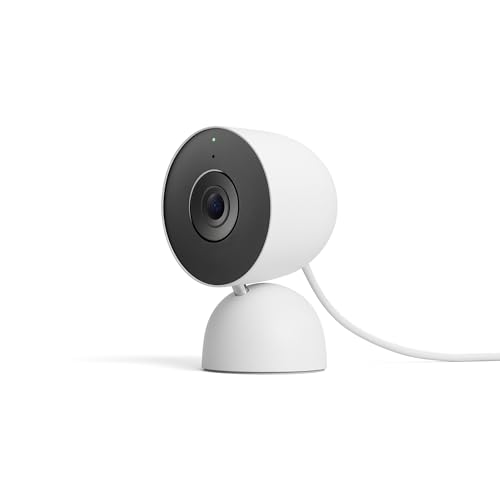
Google Nest Cam Indoor (Wired, 3rd Gen) — Best Intelligent Familiarity
Google’s indoor flagship treats detection as an exercise in manners. It distinguishes people, animals, vehicles and packages with the polish of a company that has spent a decade on the problem, offers familiar-face awareness in its ecosystem so the household’s own comings and goings can be labelled rather than alarmed over, and delivers alerts that read like information — who, what, where in the frame — instead of a siren with a thumbnail.
Inside a home, that intelligence changes the emotional register of monitoring. The camera can watch the hallway for the unexpected while treating the family’s ordinary circulation as background, alert for the dog on the sofa only if you ask it to be, and keep a history tidy enough to actually consult. The image quality and night vision match the software’s ambition, and the design sits in a living space without announcing itself as surveillance equipment.
The terms are Google’s: the richest detection and history live in the subscription tier, the camera is wired and indoor-only, and households wary of the ecosystem’s data gravity should read the eufy section next with attention. For those comfortable in Google’s world, though, this is the most civilised movement detection in the guide — vigilance that behaves like a good neighbour.
It suits, particularly, the household that wants monitoring to fade into domestic infrastructure: present, intelligent, and almost never the subject of conversation.
Households caring for an elderly relative — with that relative’s knowledge and agreement — find this camera’s manners particularly well judged: the familiar-face intelligence stops the system alarming over the carer’s visits, while the unusual-hour movement, the front door at 3 a.m., still surfaces with clarity. Detection that understands a household’s normal is the only kind that can recognise its abnormal, and that understanding is this camera’s real specification.
- Wired indoor camera, 2K-class HDR video
- Person, animal, vehicle and package alerts
- Familiar-face features in its ecosystem
- Refined app and alert summaries
- Discreet, home-friendly design
Strengths
- The most polished detection intelligence here
- Alerts that inform instead of alarm
- Blends into a lived-in home
Trade-offs
- Best features need the subscription
- Indoor and wired only
- Ecosystem data considerations for some households
Best for: Indoor monitoring where intelligence and calm matter most.
Not suited for: Outdoor duty or subscription-free purists.
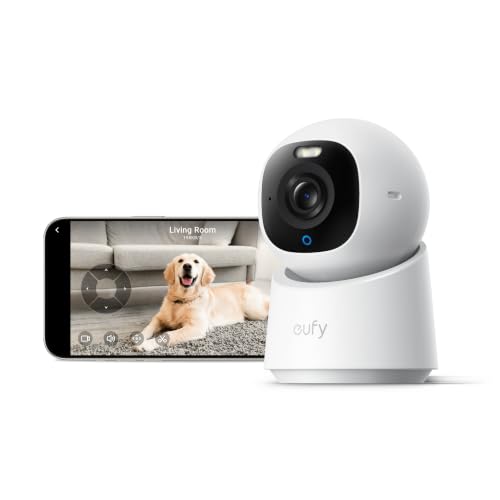
eufy 4K Indoor Camera E30 — Best Indoor Detail
When indoor movement matters, it usually matters in detail: which dog, which child, what exactly happened to the parcel on the hall table. The E30’s 4K clarity serves that forensic instinct, and its pan-and-tilt lets one camera survey a whole open-plan space, following detected motion across the room rather than surrendering it at the frame’s edge. Detection happens on the device in eufy’s architecture, which keeps alerts fast and the household’s footage closer to home.
The local-first philosophy is the deeper selling point. Footage can live on a card in the camera, core detection works without a subscription, and the system answers the privacy question — where does video of our home’s interior actually reside? — with an answer many households prefer. For monitoring a home office, a nursery-adjacent hallway or an elderly relative’s flat with consent, that custody is not a detail; it is the decision.
Pan-and-tilt indoors asks for the same thoughtful governance as its outdoor cousin: patrol patterns and tracking that serve the space’s purpose, privacy considerations for the people who live in the frame, and schedules that stand the watch down when the house is full and awake. Configured with that care, the E30 is the most capable indoor eye in this guide.
Its limits are placement physics — one camera, however mobile, sees one room — and the usual card-retrieval footnote. Within its room, though, little escapes it, and less still escapes its memory.
Home workers have adopted it for a dual duty its makers only half advertised: the office’s guardian after hours and, by day, a room-aware eye that settles the small disputes of a shared house — whose parcel, which dog, what time the cleaner actually arrived. Detail plus custody makes it the household’s impartial witness, and impartial witnesses, once installed, tend to lower the temperature of every argument they attend.
- 4K indoor camera with pan and tilt
- On-device detection, fast alerts
- Local card storage, no required subscription
- Auto-tracking of detected movement
- Colour night capability
Strengths
- Detail that answers “what exactly happened?”
- Footage custody stays in the house
- Follows movement across a whole room
Trade-offs
- One room per camera
- Tracking indoors needs privacy-conscious setup
- Card retrieval is manual
Best for: Indoor spaces needing detailed, local-first movement detection.
Not suited for: Outdoor or multi-room single-camera fantasies.

Ring Indoor Cam (2nd Gen) — Best Indoor Simplicity
Sometimes the correct indoor camera is the one the whole household already understands. Ring’s Indoor Cam brings dependable motion detection, a physical privacy cover that ends every argument about whether it is watching, and an app ecosystem present in millions of homes — so the system gets used, tuned and trusted rather than admired and ignored.
Detection behaviour is solid and governable: sensitivity and zones shape it to the hallway or the front room, alerts arrive promptly, and the footage is clear at the distances indoor events happen. As a movement sentinel for the home’s interior approaches — the door inside the porch, the foot of the stairs, the room with the valuables — it performs the essential job without demanding the household learn a new platform.
The subscription shapes its fuller history features, as with its outdoor cousins, and it is a fixed camera in a list with two that move; within a room’s geography, well placed, that fixedness is a simplicity rather than a lack. The privacy cover remains its signature virtue: a camera that can be visibly, physically off is a camera a family can live with in private spaces’ neighbourhood.
Choose it as the indoor standard for a Ring household, or as any household’s low-drama first step into monitored interiors.
Guest rooms and short-stay rentals reveal its signature virtue in its purest form: a camera in a shared or let space must be able to be unmistakably off, and the cover makes that state visible to a stranger in one glance, no app required. Hosts who cover it demonstrably during occupancy and uncover it between stays run the only indoor-monitoring policy that hospitality and trust can both survive.
- Physical privacy cover
- Motion zones and sensitivity controls
- 1080p video with night vision
- Household-familiar app
- Compact, shelf or mount placement
Strengths
- Trust built in, physically
- Detection the whole family can manage
- Prompt, dependable alerts
Trade-offs
- Full history behind the plan
- Fixed view; placement must be right
- Cloud-first storage model
Best for: Indoor approaches in homes wanting simple, trusted detection.
Not suited for: Subscription-free local-storage requirements.
How Do the Six Compare as Movement Detectors?
Compare them as guards, not as cameras: what wakes them, what they ignore, and how long they can keep the watch.
| Pick | Power / Place | Standout trait | Watch out for |
|---|---|---|---|
| Blink Outdoor 4 | Battery / outdoor | Disciplined waking, seasons of stamina | Wake latency; plan for full features |
| Wyze Cam v4 | Wired / in-out | Continuous watch, colour nights | Needs power; plan terms evolve |
| REOLINK Argus PT Ultra | Battery / outdoor | Follows movement across wide plots | Tune tracking to save battery |
| Google Nest Cam Indoor | Wired / indoor | Classification polish and calm alerts | Subscription for the best of it |
| eufy E30 | Wired / indoor | 4K detail, local custody | One room per camera |
| Ring Indoor Cam | Wired / indoor | Privacy cover, household simplicity | Fixed view; cloud-first |
How Do You Tune a Detection System in Its First Week?
Install, then deliberately provoke. Walk the approaches at the hours that matter — morning delivery time, dusk, full dark — and have the household live normally around the system while you keep a short diary of every alert: true, false, or true-but-worthless. That diary, not the default settings, is the tuning instrument; three evenings of it will teach you your scene’s provocations — the tree, the road’s headlights, the neighbour’s cat’s commute — more honestly than any manual.
Then govern with the three tools every pick here provides. Zones erase the public and the irrelevant from the camera’s conscience; sensitivity sets the size of event worth a wake; schedules stand the watch down where life makes detection redundant, such as the hallway at breakfast. Tune in that order — geography, threshold, time — because each layer removes a class of noise the others cannot.
Resist the urge to maximise. A system set to notice everything is a system training its owner to notice nothing, and the correct sensitivity is the one whose alerts you still open in month three. The goal is not a camera that misses nothing; it is a household that believes everything the camera says.
Where Should Detection Cameras Be Placed to Notice People, Not Weather?
Height and angle write the detection story before any algorithm reads it. Mount high enough to see approaches as scenes rather than as looming heads, angled so subjects cross the frame rather than walk straight at the lens — crossing movement is what PIR zones and pixel analysis alike read most reliably — and far enough from vegetation, roads and reflective surfaces that the scene’s theatre stays at the frame’s edges, where zones can dismiss it.
Face the camera away from its enemies: direct sunrises that blind it at the hour deliveries arrive, busy roads it cannot help watching, the tree whose shadow performs all afternoon. A metre’s relocation often outperforms a tier of camera upgrade, because detection quality is a property of the marriage between camera and scene, and the scene is the partner you can actually move.
Test from the subject’s side. Walk the approach as a visitor, a courier, a person with no business there; check what the camera caught and when the alert arrived. The system’s whole purpose is compressed into that walk, and five minutes of performing it will improve a setup more than a weekend of settings archaeology.
What Mistakes Make Owners Mute Their Own Security Systems?
Installing and never tuning — the founding error from which alert fatigue grows. Defaults are written for a demonstration, not for your tree, your road and your cat; the week of tuning this guide prescribes is not an optional refinement but the difference between a guard and a nuisance.
Chasing range. A camera marketed on detecting movement at great distances will detect everything at great distances, including the public highway’s entire cast. Buy and set for the approach you actually guard; sensitivity beyond your boundary is noise with a specification sheet.
Ignoring the night shift. Detection tuned at noon may misbehave completely at midnight, when night-vision illuminators attract insects, headlights sweep further and shadows change their allegiance. Include a night walk in the first week’s diary, or the system’s worst behaviour will introduce itself at 3 a.m., repeatedly.
Letting subscriptions lapse silently or storage fill unnoticed. A detection system whose recording quietly stopped is worse than none, because it is believed. Calendar the boring checks — storage health, plan status, battery state — with the same seriousness as the installation.
How Do Pets, Parcels and Postmen Test a Detection System Differently?
The pet is the honest examiner of classification. A system that cannot separate the dog’s patrol from a person’s arrival will report the dog with the diligence of a town crier, and the household will learn to discount alerts by exactly the dog’s schedule — which is to say, it will learn to discount alerts. The picks here that classify animals separately earn their keep in this daily examination, and pet owners should weight that capability as a headline feature rather than a footnote, because their false-alarm budget is spent by a resident, not by the weather.
The parcel tests a different virtue: timing. A delivery occupies a doorstep for seconds, and a camera that wakes slowly or records stingily will own a library of departures — the courier’s back, the van’s taillights — while missing the arrival that constitutes evidence. Pre-roll, wake speed and the package-specific alerts in the premium ecosystems exist for this ten-second drama, and households whose doorstep economy runs on deliveries should test candidate systems against the courier’s actual visit during the tuning week.
The postman, finally, tests the system’s manners: the same legitimate person, at the same hour, performing the same approach daily. A detection system worth its electricity learns to file that rhythm as the scene’s normality — through schedules, familiarity features or the owner’s tuned zones — reserving its voice for deviations. Security that cannot accommodate routine will eventually be routed around by the very household it guards.
What Does Night Do to Movement Detection?
Night rewrites the scene’s physics. The illuminator that lets the camera see becomes a beacon for every insect in the parish; headlights from the road sweep arcs of false motion across walls; and the PIR sensor, unbothered by all of it, quietly demonstrates why heat-based waking owns the battery category. Systems that blend both philosophies — and several picks here do — spend the night with their credibility intact, while pure pixel systems often meet their false-alarm harvest between midnight and dawn.
Colour night vision, where the Wyze in this guide shines, changes the evidence’s value rather than the detection itself: the night visitor’s jacket colour, the vehicle’s shade, the details that let a household — or an officer — act on an alert rather than merely receive it. When choosing for a dark approach, weigh the quality of the identified image alongside the reliability of the trigger; an alert you believe but cannot use is only half a system.
Tune at night, explicitly. The tuning week’s diary must include the small hours, because the scene that behaves at noon may riot at 2 a.m., and the zones and thresholds that govern the night deserve their own pass. Owners who perform the night audit once sleep better for years; the system’s silence becomes earned rather than lucky.
How Should Detection Fit Into a Whole-Home Security Picture?
A camera that detects is one sense in a body that needs several. Lighting that answers movement, locks that report their state, and the household’s own habits — the gate actually closed, the deliveries actually collected — multiply a detection system’s value, because the camera’s alert arrives into a home prepared to act on it. Conversely, the finest detection in this guide cannot compensate for the scene it watches being an invitation; security is a property of the whole arrangement, and cameras are its witnesses, not its substance.
Sequence the build sensibly. Start with the approach that worries you, tune it into credibility, and let the system’s earned trust justify the next camera — a household that expands a believed system ends with coverage; a household that installs five cameras on day one usually ends with five muted apps. The picks here scale in both price and philosophy precisely so that a system can grow by conviction rather than by bundle.
Finally, rehearse the response once. An alert at 3 a.m. should meet a household that knows its next three actions — view, verify, decide — rather than one improvising under adrenaline. Detection’s value is realised in those minutes, and a system whose owners have practised believing it is, in the only sense that matters, the most secure one in this guide.
Why Do Renters and Listed Buildings Need a Different Detection Logic?
Not everyone may drill into a wall or run a cable along a cornice, and detection for the renting household is an exercise in reversibility: battery and shelf-mounted cameras that leave no trace, placed on furniture and fence posts rather than fixed to fabric they do not own. The Blink and Reolink in this guide serve that logic natively, and their wirelessness — usually marketed as convenience — is, for a renter, the entire legal architecture of the system.
Neighbours enter the renter’s equation more sharply, too. A camera in a shared garden or a communal hallway watches other people’s lives at closer quarters than a detached house’s driveway ever does, and the tuning virtues this guide preaches — tight zones, honest sensitivity, no audio by default — become courtesies with legal weight. The considerate system, zoned to its own doorstep and blind to the shared path beyond what safety requires, is the one that survives both the tenancy and the neighbour relationship.
Portability completes the renter’s case. A system that moves house in a shoebox, remounts in an afternoon and retunes in a week is worth more to a mobile household than a marginally cleverer system welded to the current address. Buy detection the way you sign leases: capable now, unencumbered later.
How Does Weather Season a Detection System Across the Year?
Spring brings growth, and growth waves: the hedge that was furniture in February is a false-alarm generator by May, and zones drawn for the winter scene silently expire. Summer adds insects at the illuminator, heat shimmer over driveways and the long evenings that change every approach’s light. Autumn storms teach pixel systems humility, and winter — bare branches, low sun, long nights — rewrites the scene a fourth time. A movement-detection system is therefore never finished; it is gardened.
The gardening is light work if it is calendared: a zone review with the seasons, a lens clean when the clocks change, a battery audit before winter’s cold taxes the outdoor units. Households that fold these five-minute rituals into existing seasonal habits — gutters, smoke alarms, the boiler service — find their systems perpetually young; households that install and forget meet the false-alarm harvest by the second spring and conclude, wrongly, that detection itself does not work.
Manufacturers’ updates belong in the same calendar. Classification models improve, and the camera that annoyed you in March may behave impeccably by October on the same hardware — provided its firmware was allowed to grow. Keep the updates on, review the release notes when behaviour changes, and retune after major ones; a learning system asks to be re-introduced to its scene occasionally.
What Should You Check Before Relying on a System for a Vulnerable Household?
Some households buy detection as reassurance with a specific face: the parent living alone, the relative recovering at home, the house empty through a long work posting. For those, the audit goes beyond tuning. Test the alert’s whole journey — camera to cloud to phone to a sleeping human — at the actual hour of greatest vulnerability, and confirm that a second household member receives it too, because a system whose only witness is asleep or phoneless is a diary, not an alarm.
Consent and dignity deserve the same rigour indoors. A relative who understands and agrees to the hallway camera is a partner in the system; one who discovers it is a casualty of it, and the difference will outlast any footage. The Nest’s familiar-face manners and the local-custody options in this guide exist partly for these households — detection that can be configured to notice emergencies while declining to narrate ordinary life is the ethical shape of the technology, and it is available at several prices here.
Finally, plan the failure mode. Batteries die, broadband fails, subscriptions lapse; a vulnerable household’s system should fail loudly — notifications about itself, a second pair of eyes on its health — rather than silently. Choose the ecosystem whose self-reporting you trust, calendar its checks, and let the humans around the system be its final redundancy, as they were before cameras existed.
How Do You Read a Detection Camera’s Specifications Without Being Fooled?
Detection range is the number most in need of a translator. A headline range describes ideal conditions — a large, warm subject crossing an unobstructed scene — and your gate at midnight in rain is not ideal conditions. Halve the claim for planning, then verify with the walk-through test in your actual scene, because the only range that matters is the one your camera demonstrates on your approach with your household as the test subjects.
Resolution, similarly, serves detection rather than replacing it. A sharper image classifies better at distance and identifies better afterward, but no resolution rescues a camera that was asleep, mis-zoned or pointed at the weather. Read the specifications in the order this guide has argued throughout: trigger first, classification second, wake behaviour third, and only then the picture — the reverse of the order on the box, and the correct one for a system whose product is a timely, believable alert.
Field of view deserves a final scepticism. Very wide views see more and identify less, spreading their pixels across a panorama in which a person at the gate may occupy a postage stamp. For detection duty, the honest question is not how much the camera sees but at what distance a person in its view becomes a classified, identifiable event — a figure no box prints and your tuning week’s diary will tell you exactly.
What Happens After the Alert? Designing the Household’s Response
An alert is the beginning of a small protocol, and households that design it in advance extract the system’s real value. The steps are few: the notification opens to a clip that starts early enough to judge; the viewer decides among a short list of responses — watch, speak through the camera, call a neighbour, call the authorities, log and dismiss — and the system records which response happened, so the tuning diary can learn from it. Every pick in this guide supports the viewing and speaking steps; the discipline of the list is the household’s own contribution.
Two-way talk, present across most of these picks, deserves its reputation as the most underused security feature in the home. A voice from the camera ends more doorstep situations than any recording — the opportunist learns the house is attended, the courier gets the instruction that saves the parcel, the neighbour’s child gets directions home. Detection that can speak is a presence; detection that can only watch is a witness, and witnesses testify after the fact.
Keep the protocol proportionate, too. A system tuned to household life will mostly report the household’s life — arrivals, deliveries, the dog’s diplomacy with the fence — and the response it deserves is a glance, not a mobilisation. Reserve the adrenaline for the alert that breaks the pattern; that reservation is exactly what all the tuning was for.
Final Recommendation
For wireless outdoor detection that lasts and behaves, the Blink Outdoor 4 is the guide’s default: disciplined waking, honest alerts and coverage you can afford to complete. Where power reaches and the view is fixed, the Wyze Cam v4’s tireless, continuous watch is the value champion; where the property is wide and approaches multiply, the REOLINK Argus PT Ultra follows the story across the whole plot.
Indoors, choose by philosophy: Google Nest Cam for detection intelligence and calm within its ecosystem, the eufy E30 for detail and local custody, and the Ring Indoor Cam for household simplicity with a privacy cover’s built-in trust. Every pick here can run a system a household still believes in month twelve — which is the only performance metric this category ultimately recognises.
Whichever you install, spend the first week tuning it carefully with a diary and a walk-through. Movement detection is not bought; it is negotiated patiently between a camera and a place, and that negotiation is exactly where real, lasting household security actually happens every day.
Frequently Asked Questions
What is the difference between this and the “motion” camera guide?
Vocabulary, then everything. “Movement” here means detection — security cameras that notice motion and alert you. “Motion” in our companion guide means photographing moving subjects: sports, wildlife and action. The tools, criteria and picks are entirely different, and each guide points at the other for exactly this reason.
Why does my camera alert me for shadows and rain but miss people?
Usually a marriage of placement and tuning: pixel-based detection reads light changes as movement, while a person crossing briefly at the frame’s edge may not satisfy its threshold. Raise classification quality (person detection), redraw zones to cover the approach rather than the whole scene, reposition so subjects cross the view, and consider a PIR-based or smarter pick from this list if the scene defeats the current one.
Are battery cameras reliable enough for real detection duty?
Yes, when their wake discipline matches the scene — the Blink and Reolink here are built on exactly that bargain. In very busy scenes, battery life and wake latency become real costs, and a wired camera’s tirelessness wins. Match the power philosophy to the traffic, not to the marketing.
Do I need a subscription for useful movement alerts?
It depends on the ecosystem. Local-first picks like the eufy deliver core detection without one; Blink, Ring, Nest and Wyze reserve their smartest classification and longest history for their plans. Read the current terms for the specific features you need — person alerts are the one most households should not compromise on.
How many cameras does a typical home need for detection?
Cover approaches, not areas: usually the front approach, the rear, and any side gate or garage entry — two to four cameras for most homes, placed by the walk-through test rather than by symmetry. One well-placed, well-tuned camera outperforms three careless ones, because the system’s value is the household’s belief in it.
Where is the worst place to mount a detection camera?
Pointing at the things it cannot ignore: a busy road filling the frame, a tree canopy in permanent motion, or straight into the sunrise that blinds it at the busiest hour. The second-worst place is too low, where every passing cat is a giant and every visitor is a looming head. Mount high, aim across the approach rather than along the road, and let zones finish the diplomacy — placement is the first and cheapest tuning you will ever do.
How long do recordings stay available?
It follows your storage choice. Local cards overwrite on a cycle set by their size and your settings — days to weeks of events, first in, first out. Cloud plans keep history for the period their tier specifies, longer at higher tiers. For security purposes, what matters is that the retention comfortably exceeds the time it might take you to discover an incident — a holiday’s absence, a slow noticed theft — so set it by your household’s discovery habits rather than by the default.
Should I record audio along with movement events?
Our default advice mirrors the workplace guide’s caution: video alone serves nearly every household purpose, while audio adds legal and courtesy complications that vary by place and by neighbour. Many owners disable audio recording while keeping the microphone available for deliberate two-way conversation — detection stays visual, speech stays intentional. Check your local rules before enabling recorded audio anywhere a visitor has not consented to it.
What is the single best first camera for movement detection?
For most houses, the one that covers the main approach with the least friction: the Blink Outdoor 4 if the position has no power, the Wyze Cam v4 if it does. Either, tuned for a week with zones and a night walk, will teach you your property’s detection character — and that education, more than any specification, is what the rest of your system will be built on.
Do solar panels really keep a battery camera running indefinitely?
In a well-chosen position with reasonable sun and a tuned detection load, effectively yes — the Reolink’s ecosystem is built around exactly that arrangement. The conditions matter: winter latitude, shade and a very busy scene can outspend the panel, so treat solar as a dramatic extension of battery life that still deserves a seasonal check, rather than as a repeal of physics.
Will a detection camera work through a window?
Poorly, and the reason is physics: PIR sensors cannot see heat through glass, and night illuminators reflect off it into the lens. Pixel-based detection may function in daylight through a window, but the reliable answer is always to put the camera on the weather side of the glass — every pick in this guide intended for approaches is built for exactly that placement.
Can these cameras tell a person from an animal?
The picks here, in their current ecosystems, offer person and animal classification to varying depths — it is a headline feature of the Nest and Reolink, available in the Blink, Ring and Wyze plans, and handled on-device by the eufy. Confirm the tier your chosen camera needs for it, because this single capability removes the majority of household false alerts.
Related Guides
For the other meaning of the word, our best cameras for motion covers fast subjects, while workplace applications appear in best cameras for monitoring employees and the wider field in best security cameras.


