ilcastellomenu.com is reader-supported. When you buy through links on our site, we may earn an affiliate commission.
Where to Buy
Every camera in this guide is sold through Amazon, where you can check current availability, bundle options, and delivery timing before you commit. If you are shopping for the best action cameras for drones, buy the camera body first and budget separately for mounts, spare batteries, and fast memory cards, because those accessories decide how much of your flight day actually turns into usable footage.
Strapping a camera to a drone changes the camera’s job completely. On the ground, an action camera is a storyteller. In the air, it becomes cargo, a vibration victim, and a second set of eyes all at once. The footage has to survive propeller buzz, sudden throttle punches, wind buffeting at altitude, and landings that occasionally end in grass, gravel, or worse. Meanwhile the airframe is paying for every gram you add: heavier cameras shorten flight time, dull the handling, and on smaller quads can turn a nimble machine into a reluctant one.
That is why this roundup judges cameras the way a pilot would. Weight and mounting footprint come first, because a camera the drone cannot carry comfortably is useless no matter how pretty its image is. Stabilization comes second, since aerial footage lives or dies on whether the horizon stays level through banking turns. Then come the working details: battery behavior in cold air at altitude, screen visibility in bright sun while you are also watching a controller, file reliability when the drone lands hard, and how gracefully the footage grades alongside whatever your drone’s own built-in camera captured.
Six cameras made the cut, and they split into honest camps. Two are flagship all-rounders that happen to fly beautifully. One is a 360 camera that lets you reframe after the flight, which feels like cheating the first time you rescue a shot you thought you had missed. One is last generation’s flagship, which turns out to be a secret weapon for stripped-down FPV builds. One is a Leica-tuned low-light specialist. And one is a budget camera cheap enough that bolting it to a drone you are still learning to fly will not make your hands shake. None of them is the right answer for every pilot, and the sections below are frank about which airframes each one suits and which it would sabotage.
Key Takeaways
- On a drone, grams are a currency: every camera here was judged first on weight and mounting footprint, then on image quality.
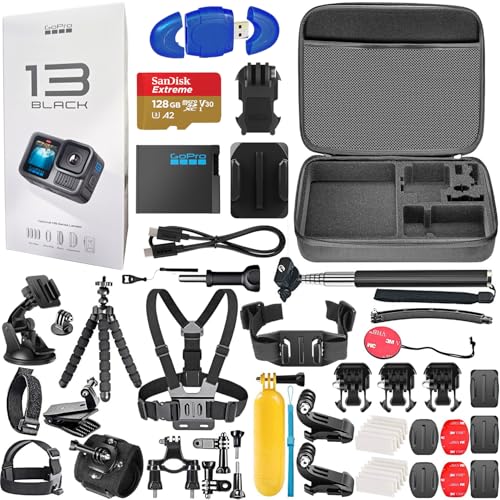
- The GoPro HERO13 Black is the most complete aerial package, with lens mods and GPS telemetry that smaller cameras cannot match.
- The Insta360 X4 reframes after landing, so a single flight can produce several different finished shots.
- Last generation’s HERO12 Black is the FPV builder’s friend because it strips down light and sips power from the flight pack.
- Stabilization software matters as much as the sensor; plan your workflow around the app or desktop tool each brand expects you to use.
- Buy spare batteries and a rigid case before you buy a second camera — aerial work consumes both faster than ground work.
In this guide
Quick Picks
| Pick | Badge | Why it earns a place on the drone |
|---|---|---|
| GoPro HERO13 Black | Best Overall | The complete aerial tool: strong stabilization, swappable lens mods, and GPS data your overlays will love. |
| DJI Osmo Action 5 Pro | Best Battery Life | Long, cold-tolerant recording sessions and dual screens that stay readable in harsh midday sun. |
| Insta360 X4 | Best for Reframing | Captures every direction at once, so framing decisions move from the flight line to your desk. |
| GoPro HERO12 Black | Best for FPV Builds | Proven, widely supported, and light enough when stripped for cinewhoop and freestyle rigs. |
| Insta360 Ace Pro 2 | Best in Low Light | A large sensor and Leica-tuned lens that keep dawn and dusk flights cleaner than rivals manage. |
| AKASO Brave 7 LE | Best Budget Risk-Taker | Cheap enough to mount on a learner quad without dread, and good enough to learn aerial framing on. |
How We Chose These Picks
We started with a long list of current action cameras and cut anything that failed the first aerial test: could a typical consumer or FPV drone carry it without the pilot noticing a handling penalty? Cameras that needed bulky cages just to attach a standard mount lost points, as did models whose batteries could not be swapped quickly between flights, because aerial shooting days are built around short windows of good light and calm air.
Next we weighed stabilization approaches. Some cameras smooth footage in the body as you record; others record gyro data and let software do the work later. Both approaches can produce gorgeous aerial footage, but they suit different pilots. In-camera stabilization favors people who want to land, pull a card, and post. Gyro-based workflows favor FPV pilots who already live inside editing software and want maximum control over how aggressive the smoothing feels. This guide includes both philosophies and tells you plainly which camera follows which.
We also checked the unglamorous things that decide whether aerial footage survives contact with reality: whether the lens is replaceable or protected when a landing goes wrong, whether the camera records reliably when vibration is constant, whether the app ecosystem is mature, and whether mounts and ND filters are easy to find. A camera with a thriving accessory shelf is worth more to a drone pilot than a slightly sharper camera stranded without ND filters, because motion blur at the right shutter angle is half of what makes aerial footage look cinematic instead of jittery.
Finally, we priced nothing and promised nothing about deals. Cameras move between price tiers constantly, and a recommendation that only makes sense during one sale week is not a recommendation at all. Each pick below earned its place on capability. Where a camera sits in the budget tier, we say so in words, and where it sits at the flagship tier, we hold it to flagship standards.
Why Does Carrying a Camera Change What a Drone Can Do?
A drone’s motors do not care about your creative ambitions. Add payload and three things happen at once: flight time shrinks, the quad works harder to hold position in wind, and every maneuver gets a touch lazier. On a large camera drone with a built-in gimbal camera, an action camera is usually a second angle rather than the main event, and the airframe shrugs off the extra weight. On a 5-inch freestyle quad, a cinewhoop, or a small long-range cruiser, the action camera is the entire production, and its weight is the production budget.
This is why experienced FPV pilots talk about naked or stripped builds, where a flagship camera is partially disassembled and powered from the flight battery to save grams. It is also why the smartest purchase is often the camera your specific airframe was designed around. Most popular frames, mounts, and TPU printed parts assume the footprint of a GoPro or a DJI Osmo Action. Choosing a camera outside those two ecosystems can mean printing your own mounts or accepting a wobbly compromise, which is why this guide leans on the two big ecosystems plus Insta360, whose mounting support has become genuinely good.
There is also a division of labor worth respecting. Camera drones from DJI and similar makers already shoot excellent stabilized footage from their own gimballed cameras. Bolting an action camera to one makes sense for a fixed chase angle, a downward view, or a backup angle during a one-take event. For FPV machines with no camera of their own worth using, the action camera carries the whole show. Keep your own situation in mind as you read: the best camera for a gimballed flagship’s second angle and the best camera for a freestyle quad overlap heavily, but the reasons differ, and the verdicts under each pick spell out which job each camera does best.
What Are the Best Action Cameras for Drones? Six Picks in Detail

GoPro HERO13 Black — Best Overall
The HERO13 Black is the camera most drone pilots end up measuring everything else against, and in the air it justifies that status. Its HyperSmooth stabilization is mature enough that footage from a vibrating freestyle quad comes out composed rather than frantic, and the tall sensor gives you room to crop vertical clips for social platforms without re-flying the line. For aerial work specifically, the HB-series lens mods are the differentiator: an ultra-wide lens stretches the sense of speed on a dive, while ND filters from the same system click on without adapters and let you hold the slow shutter speeds that make forward flight look fluid instead of staccato.
GPS is the other aerial gift. The HERO13 records position and speed data that editing tools can turn into telemetry overlays, and for long-range or survey-style flying that data doubles as a rough flight log. Battery behavior is predictable, the mounting fingers fold flat so the camera sits cleanly in printed TPU mounts, and the accessory ecosystem is bottomless — if a frame exists, someone makes a mount for this camera. The honest costs are heat on long static recordings (less of an issue in prop wash, which cools it nicely) and a flagship price tier that makes every crash a small financial event. Insure it mentally before you fly it aggressively.
- Sensor: large-format sensor with 5.3K video recording
- Stabilization: in-camera HyperSmooth electronic stabilization
- Lenses: interchangeable HB-series lens mods, including ultra-wide and ND options
- Extras: built-in GPS, folding mounting fingers, waterproof body without a case
Strengths
- Deepest mount and filter ecosystem of any action camera, which matters enormously on drones.
- Stabilization that stays composed through throttle punches and banking turns.
- GPS telemetry feeds overlays and gives flights a searchable data trail.
Trade-offs
- Flagship pricing makes it the most painful camera here to lose in a crash.
- Full weight is noticeable on smaller cinewhoops unless the build is planned around it.
- The best lens mods are separate purchases that add up quickly.
Best for: pilots who want one camera that can serve freestyle, chase, and camera-drone second-angle duty without compromise. Not suited for: anyone flying a ultralight build where every gram is already spoken for.

DJI Osmo Action 5 Pro — Best Battery Life
If your flying happens in long sessions — a morning of real-estate passes, a day chasing riders at a bike park with the drone as one angle among several — the Osmo Action 5 Pro’s endurance is its headline. DJI rates it for remarkably long continuous recording, and in practice it outlasts rivals through a full multi-battery flying session with fewer camera battery swaps interrupting your rhythm. Its cold-weather behavior is equally welcome: high-altitude and winter flying murders batteries, and this camera keeps recording in conditions that send competitors home early.
The dual OLED touchscreens are brighter and easier to read in glare than most, which sounds trivial until you are squinting at a settings screen in full sun with a controller in your other hand. Image quality is clean and pleasing, the RockSteady stabilization is confident in the air, and the native vertical shooting support suits pilots feeding social channels. DJI’s magnetic quick-release mounting is genuinely faster than threaded fingers when you are swapping the camera between a drone mount and a handheld grip between flights. The trade-offs: its stabilization, while excellent, has a slightly more digital character in aggressive FPV footage than GoPro’s, and the lens-mod ecosystem is thinner, so exotic glass is not really an option.
- Video: 4K recording at high frame rates for smooth slow motion
- Screens: dual OLED touchscreens, front and rear
- Endurance: long-rated battery life with strong cold-weather performance
- Mounting: magnetic quick-release system plus standard compatibility
Strengths
- Battery life that survives a full flying session instead of a single flight.
- Screens you can actually read in direct sunlight at the field.
- Quick-release mounting speeds up swaps between drone and handheld use.
Trade-offs
- Fewer lens accessories than the GoPro ecosystem offers.
- Stabilization character is a touch more processed in hard FPV flying.
- No GPS telemetry, so data overlays need another source.
Best for: session shooters, cold-weather pilots, and anyone whose camera splits time between a drone and a handheld grip. Not suited for: telemetry-overlay fans or pilots committed to lens-mod experimentation.

Insta360 X4 — Best for Reframing
The X4 changes the aerial workflow more radically than anything else here. It records in every direction simultaneously at up to 8K, so the flight itself becomes a capture-everything pass and the directing happens later, at your desk, where you can pan, tilt, and reframe a single flight into a chase shot, a top-down shot, and a selfie-style reveal. For one-take events — a wedding venue flythrough, a rider’s single perfect run, a property that will not wait for a second pass — that insurance is priceless. Missed the framing in the air? You did not. It is all in the file.
Mounted thoughtfully, the camera’s own stitch line can hide the drone in many shots, producing the floating third-person look that made 360 cameras famous among FPV pilots. The costs are real, though. The X4 is the heaviest camera in this guide and its bulging dual lenses are the most exposed glass here; a crash that a flat-lensed camera would shrug off can end an X4. Files are enormous, reframing adds an editing stage, and the workflow demands the Insta360 software ecosystem. Treat it as a specialized instrument: unbeatable when the shot cannot be repeated, overkill when a fixed camera would have framed it fine the first time.
- Capture: 360-degree video up to 8K, plus single-lens action camera mode
- Workflow: reframe after recording in the Insta360 app or desktop studio
- Build: removable lens guards available; lenses protrude on both faces
- Mounting: standard action-camera compatibility with widely available drone mounts
Strengths
- One flight yields multiple finished angles, including shots you never planned.
- The invisible-mount effect can hide the drone for floating third-person footage.
- Single-lens mode doubles it as a conventional action camera on the ground.
Trade-offs
- Heaviest pick here, with the most crash-vulnerable lenses.
- Huge files and an extra reframing stage in every edit.
- Resolution per reframed frame trails a dedicated fixed-lens flagship.
Best for: one-take events, creative FPV, and pilots who would rather direct at a desk than gamble in the air. Not suited for: ultralight builds or anyone who hates post-production.

GoPro HERO12 Black — Best for FPV Builds
The HERO12 Black has settled into a role its makers probably did not plan: it is the FPV community’s workhorse. The reasons are practical. Its form factor matches a mountain of existing mounts, cages, and printed parts. Its image pipeline pairs beautifully with gyro-based stabilization software — record with light in-camera smoothing, then let desktop tools apply exactly the stabilization your flying style needs. And because it is a generation old, the used market and discount shelves are full of them, which softens the crash math that dominates FPV decision-making.
For stripped builds, the HERO12 is a known quantity: builders have documented exactly how it behaves when partially disassembled and powered from a flight pack, and that community knowledge is worth real money and real saved weekends. On a full-weight build it remains a fine camera — 5.3K video, dependable stabilization, good color — with two honest gaps versus its successor: no GPS, and no lens-mod system, so ND filtration comes from third-party slip-on filters, which are plentiful and cheap. If you are building your first serious FPV rig, this is arguably the smartest money in the guide; the savings versus the flagship buy a lot of spare props and batteries.
- Video: 5.3K recording with an extra-tall sensor for flexible cropping
- Workflow: gyro data supported by popular desktop stabilization tools
- Build: the standard action-camera footprint the FPV parts market is built around
- Notable omission: no built-in GPS
Strengths
- Unmatched community knowledge for stripped and powered-from-the-pack builds.
- Frequently discounted, which changes crash economics in your favor.
- Every mount, filter, and cage imaginable already exists for it.
Trade-offs
- No GPS, so telemetry overlays need a separate data source.
- No first-party lens mods; filters are third-party affairs.
- A generation behind on heat handling during long static recordings.
Best for: FPV builders, freestyle pilots, and anyone whose camera budget competes with a prop budget. Not suited for: pilots who want the newest lens system or built-in telemetry.

Insta360 Ace Pro 2 — Best in Low Light
Golden hour is when aerial footage turns gorgeous and when most action cameras start to struggle. The Ace Pro 2, built around a large sensor and a Leica co-engineered lens, holds cleaner shadows and less noisy skies as the light falls, which makes it the pick for dawn patrols, dusk long-range cruises, and forest flying where the canopy keeps things dim even at noon. Its flip-up touchscreen is a ground feature, but pilots who also shoot behind-the-scenes content at the field will use it constantly.
In the air it behaves like a proper flagship: confident stabilization, crisp 8K-capable capture for cropping headroom, and a mounting footprint compatible with the standard ecosystem. The brand’s AI-assisted editing tools are genuinely handy for turning a card full of flights into a shareable cut quickly. Where it trails the leaders is ecosystem depth — mounts exist, but the exotic accessories and lens options are fewer — and its low-light advantage, while real, narrows in bright conditions where every flagship looks superb. Buy it for the light you actually fly in: if your best flying happens at the edges of the day, this is your camera.
- Sensor: large 1/1.3-inch class sensor tuned for low-light clarity
- Lens: Leica co-engineered optics
- Video: high-resolution recording up to 8K for crop flexibility
- Screen: flip touchscreen for ground and selfie work between flights
Strengths
- Cleanest dusk and forest footage in this roundup.
- High-resolution capture leaves real room to punch in during the edit.
- Fast, friendly app workflow for quick turnarounds.
Trade-offs
- Accessory shelf is thinner than GoPro’s or DJI’s.
- Low-light edge matters less for midday-only pilots.
- Flip screen adds a hinge you would rather not test in a crash.
Best for: dawn and dusk flyers, forest and canopy work, and pilots who grade footage and notice noise. Not suited for: accessory collectors or pilots who only fly at noon.

AKASO Brave 7 LE — Best Budget Risk-Taker
Every pilot in this hobby has a learning quad, a basher, or a sketchy experimental build they would never strap a flagship to. The Brave 7 LE exists for those airframes. It sits firmly in the budget tier, records perfectly serviceable 4K footage, carries dual screens, and ships with the kind of generous accessory bundle that lets you mount it six different ways before lunch. When — not if — a learner drone introduces it to a tree, the replacement math is a shrug rather than a month of regret.
Set expectations correctly and it delights. Stabilization is a clear step behind the flagships, so footage from aggressive freestyle looks busier; fly it smoothly on a cruiser or a camera drone’s secondary mount and it looks far better than its price suggests. Low light is grainy, the app is functional rather than lovely, and you will want the waterproof case for full protection since the weather-sealed body has limits. But as a training camera — the one that teaches a new pilot aerial framing, ND discipline, and smooth stick work — it is exactly right, and plenty of pilots keep one permanently mounted on the beater quad even after a flagship joins the fleet.
- Video: 4K recording with electronic image stabilization
- Screens: front and rear displays for framing flexibility
- Bundle: typically sold with mounts, remote, and spare batteries included
- Protection: weather-resistant body; full waterproofing via included case
Strengths
- Crash economics that let beginners actually relax and learn.
- Generous in-box accessories cover most mounting experiments.
- Dual screens at a price where rivals offer one or none.
Trade-offs
- Stabilization visibly trails the flagships in aggressive flying.
- Grainy low-light footage and a merely adequate app.
- Needs its case for serious water or dust protection.
Best for: learner quads, beater builds, and second-angle duty where loss is a genuine possibility. Not suited for: client work or pilots who grade footage frame by frame.
How Do the Six Compare Side by Side?
| Camera | Badge | Standout aerial trait | Watch out for |
|---|---|---|---|
| GoPro HERO13 Black | Best Overall | Lens mods plus GPS telemetry | Crash cost at flagship tier |
| DJI Osmo Action 5 Pro | Best Battery Life | Session-length endurance, cold tolerance | No GPS, thinner lens options |
| Insta360 X4 | Best for Reframing | Shoot everything, frame it later | Weight and exposed lenses |
| GoPro HERO12 Black | Best for FPV Builds | Stripped-build knowledge, low used prices | No GPS or lens mods |
| Insta360 Ace Pro 2 | Best in Low Light | Clean dawn, dusk, and forest footage | Smaller accessory ecosystem |
| AKASO Brave 7 LE | Best Budget Risk-Taker | Replaceable without tears | Stabilization and low light lag behind |
What Should You Check Before Bolting Any Camera to a Drone?
Start with the airframe, not the camera. Weigh your drone’s comfortable payload honestly — manufacturer thrust figures are optimistic, and a quad that can lift a camera is not the same as a quad that flies well with it. If the camera plus mount pushes past roughly a third of the machine’s all-up weight, expect shorter flights and lazier handling. Check the mount standard next: most frames assume the two-prong action-camera footprint, and adapters exist for everything else, but every adapter adds grams and flex, and flex in a mount becomes jello in the footage.
Then think about vibration, the invisible enemy of aerial video. Propellers slightly out of balance, a bent shaft, or a mount with play will paint rolling wobbles across your footage that no stabilization fully erases. Balanced props, a rigid mount, and a small piece of damping material between camera and frame do more for image quality than a resolution upgrade ever will. Finally, plan the power story: how many camera batteries cover your flying session, do they charge from the same field charger as your flight packs, and what happens to the recording if the drone lands hard — cameras that write files in recoverable segments are kinder after crashes than those that risk the whole clip.
How Do You Mount and Set Up an Action Camera for Flight?
Mount the camera as close to the drone’s center of gravity as the frame allows, keep the mount short and rigid, and angle the camera to match your flying style — freestyle pilots tilt up aggressively so the frame stays composed in forward flight, while cruisers and camera drones sit flatter. Lock your settings before takeoff: a fixed shutter speed around double your frame rate, paired with the right ND filter, produces the natural motion blur that reads as cinematic. Auto exposure hunting up and down as the drone pitches is the fastest way to make expensive footage look cheap.
Think, too, about what the camera sees besides your intended subject. A mount that places the lens a few millimeters too low will include the drone’s front arms or landing gear in the bottom corners of every frame, invisible on the small preview screen and glaring on a television. Check the full frame at your widest setting, at your working camera tilt, before the session rather than during the edit. Similarly, route any power or data cables so they cannot flap into the props or shade the lens, and if you fly with a lens mod or filter fitted, confirm it is fully seated — a filter that departs mid-flight takes the shot and possibly the lens with it.
Run a thirty-second test hover before committing to a full flight with any new setup. Land, review the clip at full size, and look for jello, mount flex, and prop intrusion at the frame edges. Adjust one variable at a time — this discipline feels slow and saves entire sessions. Format cards in the camera, use cards rated for sustained high-bitrate writing, and treat the pre-flight camera check like the prop check: lens clean, battery seated, card formatted, record button confirmed. More aerial footage is lost to a camera that was never actually recording than to any technical limitation in this guide.
Which Camera Suits Which Kind of Flying?
Freestyle pilots should think in terms of crash tolerance and gyro workflow. You will hit gates, clip branches, and occasionally meet concrete, so the camera’s job is to survive ordinary violence while producing footage smooth enough to share. The HERO12 and HERO13 dominate here because the parts ecosystem assumes them, replacements are easy, and their gyro data feeds the desktop stabilization tools the freestyle community standardized on. Fly the flagship if the budget allows the risk; fly the older model if it does not, and do not let anyone shame you for it — the audience cannot tell which generation recorded a well-flown line.
Long-range and cinematic cruising pilots live by different math. Flights are longer, smoother, and planned around light, so battery endurance and image quality at the edges of the day outweigh crash economics. The Osmo Action 5 Pro’s stamina and the Ace Pro 2’s low-light cleanliness earn their keep here, and the X4 becomes tempting when the route passes something unrepeatable — a waterfall at dawn, a coastline in shifting fog — where reframing insurance is worth its grams. These pilots should also care most about flat color profiles, because cruising footage almost always gets graded, and a camera that records a flexible, low-contrast image gives the grade somewhere to go.
Commercial and semi-pro work — real estate, inspections with a visual record, event coverage — rewards reliability over flair. Dual recording habits, predictable batteries, clean HDMI or easy file offload, and footage that matches what the drone’s own camera captured all matter more than a spec-sheet trophy. The flagships from GoPro and DJI both grade well alongside drone footage, and their apps make client-preview workflows painless. Whatever the category, resist the urge to buy for the flying you fantasize about. The camera that suits the flights you actually take every week is the one that will still be mounted a year from now.
What Settings Give You the Cleanest Aerial Footage?
Resolution and frame rate should follow the delivery, not the spec sheet. If your finished work lives on social platforms and YouTube, recording at a crisp 4K with a moderate frame rate gives stabilization and editing software plenty to work with while keeping file sizes and heat sane. Reserve the highest frame rates for shots you genuinely plan to slow down — a dive past a cliff edge, a chase through a gate — because slow motion is where they earn their storage. Shooting everything at maximum everything is how pilots end up with hot cameras, full cards, and a hard drive of footage they never finish editing.
Shutter discipline matters more. Lock the shutter at roughly double your frame rate and use ND filters to keep exposure honest in bright conditions; this single habit separates footage that flows from footage that stutters. Set white balance manually on any flight where the light will change — auto white balance drifting mid-shot as you cross from sun to shade is a flaw no grade fully hides. Choose a flat or log-style profile if you will grade, and the standard profile if you will not; the worst outcome is flat footage posted ungraded because the pilot ran out of weekend.
Stabilization settings deserve one experiment per camera. Fly the same line three ways — stabilization off with gyro data saved for desktop work, stabilization on at standard strength, and stabilization on at maximum — then compare honestly. Many pilots discover the middle path looks most natural for cruising, while aggressive freestyle benefits from the control of the desktop gyro workflow. There is no universal right answer, only the answer your flying style and editing patience point to, and an afternoon of deliberate testing finds it faster than a month of forum reading.
How Do You Keep an Aerial Camera Alive Season After Season?
Crashes get the attention, but slow neglect kills more aerial cameras. Salt air from coastal flying corrodes contacts, fine dust from dirt fields works into buttons and seals, and a camera left in a hot car between sessions ages its battery faster than a year of flying. Wipe the body down after dusty or coastal sessions, store it with the battery partially charged rather than full or empty, and keep the lens covered in the gear bag — the number of lenses scratched by loose props and tools rattling in a flight bag is embarrassing, and entirely preventable.
Build a small ritual around firmware and cards. Update firmware at home, never at the field, and fly one gentle test pack after any update before trusting it with a shot that matters. Retire memory cards that have survived a serious crash or thrown a single error; cards are cheap, and a card that fails during the best flight of the season costs more than a drawer of replacements. Finally, inspect mounts the way you inspect props. A TPU mount that has taken one hard hit may hold the camera fine on the bench and let go at the first punch-out. When in doubt, print or buy a fresh one — the camera it saves is worth a hundred mounts.
When Your FPV System Already Has a Camera, Is a Separate Action Camera Still Worth It?
Modern digital FPV systems record surprisingly good footage straight from the air unit or goggles, and plenty of pilots reasonably ask why they should carry a second camera at all. The honest answer depends on what the footage is for. Goggle-feed recordings carry the compromises of a transmission stream: the bitrate serves the pilot’s eyes first, compression artifacts appear exactly where the action gets busy, and a lost video link can mean a lost recording. For casual sharing and reviewing your own lines, that is often plenty, and skipping the extra camera keeps the quad light, simple, and cheap to crash.
A dedicated action camera earns its weight the moment the footage has an audience beyond yourself. Its larger sensor handles harsh midday contrast and low sun with more grace, its recording is independent of your video link, and its stabilization pipeline — in-camera or gyro-based — is built for presentation rather than piloting. Client work settles the question instantly, but so does a personal project you care about: the flight you will rewatch in five years deserves the better recording. Many experienced pilots fly both worlds, running the air-unit feed for everyday fun and bolting on the action camera for planned shoots, which is exactly the kind of deliberate, per-session choice this guide keeps recommending.
There is a middle path worth naming: the lightweight stripped camera. Builders who fly the HERO12 in a partially disassembled form are chasing dedicated-camera quality at a fraction of the full-size weight penalty, accepting warranty-voiding surgery and extra build complexity as the price. It is a legitimate craft with a deep community knowledge base, but go in clear-eyed — the first stripped build is a project, not a shortcut, and a pilot who would rather fly than solder should buy the full camera and a sensible mount without a shred of guilt.
How Should You Plan a Flying Session Around the Camera?
Good aerial footage is usually decided before the first battery is plugged in. Scout the light first: the hour after sunrise and the hour before sunset flatter almost every location, while harsh midday sun is when footage goes flat and shadows turn to ink — if midday is your only window, that is precisely when the Ace Pro 2’s dynamic range or a stronger ND filter earns its place. Check wind at altitude, not just at the ground; a calm field can hide a buffeting layer a hundred feet up that will test both the drone and the camera’s stabilization, and knowing that in advance lets you pick smoother lines and lower passes.
Plan shots in a simple order: the safe establishing pass first, while batteries and nerves are fresh, then the creative lines, then the risky ones last, so a mishap never costs you the footage the session existed for. Brief any spotters or subjects on where the drone will be and what the camera angle will see — a chase shot works when the rider knows the drone sits off their left shoulder, not when everyone is improvising. Between flights, swap the camera battery with the flight battery as one motion, glance at the last clip’s first seconds to confirm recording and framing, and wipe the lens; dust spots discovered at home are forever.
End the session like a professional even if the session was pure fun. Dump cards to a drive before you leave the field or as soon as you get home, charge camera batteries back to storage level if they will sit for weeks, and jot two lines about what worked — which mount angle, which filter, which setting — in whatever notes app you actually use. Aerial skill compounds quietly through exactly this kind of record, and the pilot who can say “the stiffer mount and the stronger filter fixed the jello in March” is the pilot whose footage keeps getting better while everyone else re-buys cameras hoping for the same result.
What Are the Most Common Mistakes Pilots Make With Drone Cameras?
The classic error is buying the flagship first and the mount never — a premium camera on a flexing plastic adapter produces worse footage than a mid-range camera bolted down properly. Second is ignoring ND filters and shooting at sky-high shutter speeds, which makes every pan stutter and every dive look like a video game render. Third is forgetting that audio from a drone-mounted camera is propeller noise and nothing else; plan music or voiceover rather than discovering this in the edit.
Fourth, pilots overload small quads and then blame the camera for sluggish, wobbly results that were really an airframe crying for help. Fifth, they skip the test hover and discover mount problems only after the one flight that mattered. And sixth — the quiet one — they never back up cards at the field, so a single lost or crashed drone takes a whole day of irreplaceable footage with it. Land, dump the card to a laptop or drive, then fly again. It takes two minutes and it is the cheapest insurance in aerial work.
How Much of Your Aerial Budget Should the Camera Get?
A useful rule of thumb: the camera should rarely be the most expensive fragile thing you fly until your crash rate says otherwise. New pilots crash often, and a season of flying teaches more than any camera upgrade — so the beginner’s budget belongs in batteries, spare props, a good charger, and a camera from the affordable end of this guide. The footage from those early months is tuition, and the Brave 7 LE or a discounted HERO12 records tuition beautifully. As your flying steadies and your shots get planned rather than improvised, the flagship’s advantages — cleaner light handling, better stabilization, lens options — start showing up in every single clip instead of the occasional lucky one, and that is the moment the upgrade pays for itself in kept footage.
Reserve a slice of the camera budget for the unglamorous companions: two spare batteries at minimum, a rigid carrying case that keeps the camera away from loose hardware, ND filters matched to your usual frame rates, and a mount you trust. Pilots routinely spend flagship money on the camera and pocket-change on the mount, then wonder why the footage wobbles. The system is the product. A mid-tier camera with fresh batteries, the right filter, and a rigid mount will out-shoot a flagship starved of all three on any given Saturday, which is why every verdict in this guide names a job rather than a price — match the tool to the flying, fund the whole system, and upgrade the body only when your skills have genuinely outgrown it.
Final Recommendation
Most pilots should start with the GoPro HERO13 Black: it is the most capable, best-supported aerial camera here, and its lens mods and telemetry keep paying off as your flying improves. Choose the Osmo Action 5 Pro instead if your sessions are long, cold, or split between air and handheld work. Pick the Insta360 X4 when your flights cannot be repeated and framing insurance matters more than weight. FPV builders on a budget should grab the HERO12 Black and spend the savings on batteries and props, low-light specialists should look at the Ace Pro 2, and anyone still learning to fly should let the AKASO Brave 7 LE absorb the tuition payments. Match the camera to the airframe and the light, mount it rigidly, filter it properly — the footage will take care of itself.
Related guides
- Best Cameras for Google 360: Honest Picks for Street View and Virtual Tours
- Best Cameras for High Humidity: Sealed and Rugged Picks for Tropical Air
- Best Cameras for Historians: Archive, Artifact, and Oral History Picks
- Best Cameras for Gated Entrance: 6 Picks for Driveways, Gatehouses and Entry Points
- Best Cameras for Focusing: 6 Picks Whose Autofocus You Can Trust Blind
- Best Cameras for Distance Action Shots: 6 Picks That Reach the Far Side of the Field
- Best Cameras for Dynamic Range: 6 Picks That Hold Highlights and Shadows
- Best Cameras for Event Videography: 6 Picks for Weddings, Conferences and Live Shows
- Best Cameras for Facebook Live: 6 Picks for Streaming That Holds an Audience
- Best Cameras for a Computer Show: 6 Picks for Filming Booths, Demos and Interviews
- Best Cameras for Cooking Streams: 6 Picks for Overhead Shots, Steam and Sizzle
- Best Cameras for Dash Cams: 6 Picks for Front, Cabin and Rear Coverage
- Best Cameras for DiskStation: 6 Picks That Work with Synology Surveillance Station
- Best Cameras for Bike Selfie: 6 Cameras That Frame You While You Ride
- Best Cameras for Bodybuilding: 6 Cameras for Check-Ins, Form and Physique Content
- Best Cameras for Beauty Tutorials: 6 Cameras That Get Skin, Shade and Sparkle Right
- Best Cameras for Backpacking and Hiking: 6 Trail Cameras Worth Their Weight in Your Pack
- Best Cameras for Babies: 6 Nursery Cameras for Watching Over and Photographing Your Little One
- Best Cameras for Beginner Sport Photographer: 6 Fast Cameras to Learn Action On
- Best Cameras for Airplane Spotting: Reach, Tracking, and Burst Picks That Hold Up at the Fence
- Best Cameras for Aspiring Photographers: Growth Platforms That Become a Practice
- Best Cameras for Amateur Bird Photography: Detection, Reach, and Fieldcraft Picks
- Best Cameras for an Alaska Trip: Weatherproof, Wildlife, and Aurora Picks
- Best Cameras for Action Pictures: Burst Speed, Tracking and Shutters That Keep Up With Sport
- Best Cameras for a Shed: Weatherproof Eyes for the Building That Holds Your Tools, Bikes and Winter
- Best Cameras for 2nd Shooter Photography: Second Bodies That Match the Lead and Earn Their Place
- Best Cameras for 12 Year Olds: First Real Cameras for Tweens, From Instant Prints to Action Video
- Best Cameras for 200 Dollars: The Step Up That Buys Flagships, Studios and Freedom
- Best Budget Action Cameras Under 100: 6 Tough, Waterproof Picks That Punch Above Their Price
- Best Bluetooth Trail Cameras for Birds: 6 App-Connected Picks for Feeders and Nest Boxes
- Best Bridge Cameras for Macro: 6 Close-Focus Picks for Flowers, Insects and Pond Life
- Best Camcorder Cameras for Baby Filming: 6 Picks for First Steps, Birthdays and the Ordinary Tuesdays
- Best Battery Operated Cameras for Security: 6 Wire-Free Cameras Judged by Their Charging Rhythm
- Best Beginning Cameras for Travel: 6 First Cameras Chosen by Presence, Not Specification
- Best Batteries for Digital Cameras, Rechargeable: 6 NiMH AA Lines for Flashguns, Grips and AA Cameras
- Best Beginner Cameras for Video: 6 First Cameras That Teach While They Film
- Best Backpack for Two Cameras and Four Lenses: 6 Pro-Sized Packs That Swallow the Whole Kit
- Best Arms for Cinema Cameras: 6 Articulating and Magic Arms That Hold a Rig Together
- Best Android PC Stick for WiFi Cameras: 6 Ways to Put Your Feeds on a Big Screen
- Best App for IP Cameras Cloud Storage: 6 Services That Keep Your Footage Safe
- Best App for Multiple IP Cameras: 6 Dashboards That Keep Every Feed in View
- Best Android App for Detecting Hidden Cameras: 6 Tools That Actually Help
Frequently Asked Questions
Can I mount an action camera on a drone that already has a built-in camera?
Yes, and it is a common way to add a second angle — a fixed rear view, a downward shot, or a backup recording of a one-take event. Use the lightest secure mount you can, position the camera so it does not block sensors or the gimbal’s range of motion, and expect a modest flight-time reduction. Many pilots use the built-in camera for the primary composed shot and the action camera for cutaways.
Is a 360 camera better than a regular action camera for FPV?
It is different rather than better. A 360 camera like the X4 lets you reframe after the flight and can hide the drone for a floating third-person effect, which is wonderful for one-take flying. A fixed camera is lighter, tougher, sharper per finished frame, and simpler to edit. Freestyle pilots who fly the same spot repeatedly usually prefer fixed cameras; pilots capturing unrepeatable moments often prefer the insurance of 360.
Do I really need ND filters for drone footage?
For cinematic motion, yes. Without an ND filter the camera uses very fast shutter speeds in daylight, and the resulting footage looks jittery during pans and forward flight. An ND filter lets you hold the shutter near double your frame rate, which produces natural motion blur. It is the single cheapest upgrade to how aerial footage feels, and every flagship here accepts filters easily.
How much flight time does an action camera cost?
It depends on the airframe’s size relative to the camera. On a large camera drone the penalty is a small percentage; on a small FPV quad a full-size camera can noticeably shorten flights and soften handling. Stripped builds, lighter cameras, and efficient cruising all claw time back. The only honest way to know is a timed test flight with your exact setup — do it before the day it matters.
What memory card should I use for aerial recording?
Choose a reputable microSD card rated for sustained high-speed writing — look for V30 or higher ratings from established brands, and size it generously because 360 and high-resolution footage fills cards quickly. Format the card in the camera before important sessions, and carry spares: a card failure at altitude costs the whole flight, and cards are the cheapest component in the entire rig.
Can one camera serve both my drone and my ground shooting?
Absolutely, and for most pilots that dual duty is the smartest way to own a flagship. Every camera here pulls double duty happily — the same body that flies on Saturday can shoot a family hike, a bike ride, or behind-the-scenes content at the field on Sunday. If ground use matters to you, weight your choice toward the screens and handling you will enjoy handheld: the Osmo Action 5 Pro’s bright dual screens and the Ace Pro 2’s flip screen shine there, while the X4’s ground party trick — reframing a walk-around clip after the fact — surprises everyone who tries it. Buy quick-release mounts for both roles and the swap takes seconds.
Will stabilization software fix a badly vibrating drone?
Only partly. Modern stabilization — in-camera or gyro-based desktop tools — is remarkable at removing shake, but severe vibration creates rolling jello distortions baked into the image that software cannot fully undo. Fix vibration at the source: balanced props, healthy motors, rigid mounts. Treat stabilization as the polish, not the repair.
Why does drone-mounted footage sometimes ripple like jelly, and how do you stop it?
That wobble is rolling shutter meeting vibration: the sensor reads the scene line by line while the airframe buzzes at motor frequency, so each line captures a slightly different position and straight edges bend like rubber. It is worst on hard-mounted cameras, in cold weather when damping rubber stiffens, and with unbalanced or nicked propellers that shake the whole craft. The cure is mechanical before it is electronic. Mount the camera on soft silicone dampers matched to its weight, balance or replace any propeller that has touched the ground, and keep the camera’s own stabilisation set for a mounted scenario rather than a handheld one, because the two systems can fight each other when both try to correct the same vibration at different frequencies. Raising the frame rate shortens each frame’s exposure window and visibly tightens the effect, at the cost of more light hunger. Pilots who chase smooth footage also fly the camera’s limits honestly: aggressive punch-outs and hard banking will defeat any damper stack, while the unglamorous truth is that the smoothest drone footage comes from gentle throttle work that gives the camera an easy job. Fix the vibration at its source and the jelly disappears; try to polish it away in editing and you will chase it forever.
Related Guides
Keep building your aerial kit with our companion guides: best action cameras for vlogging if your ground content matters as much as your flights, best action cameras for surfing for cameras that shrug off water as well as crashes, and best action cameras for preteens if the next pilot in your household is ready for a first camera of their own.


